Tasmota Control app from Google Play controls Tasmota and OpenBeken devices on a local network without any external server.
It sends HTTP commands through the Tasmota REST JSON interface, and OpenBeken works because it matches the Tasmota JSON format.
The approach supports BK7231N, BK7231T, BL602, W600/W601, W800/W801, and XR809 devices.
Each device needs a static IP before pairing, then the app provides serverless control without Home Assistant.
AI summary based on the discussion. May contain errors.
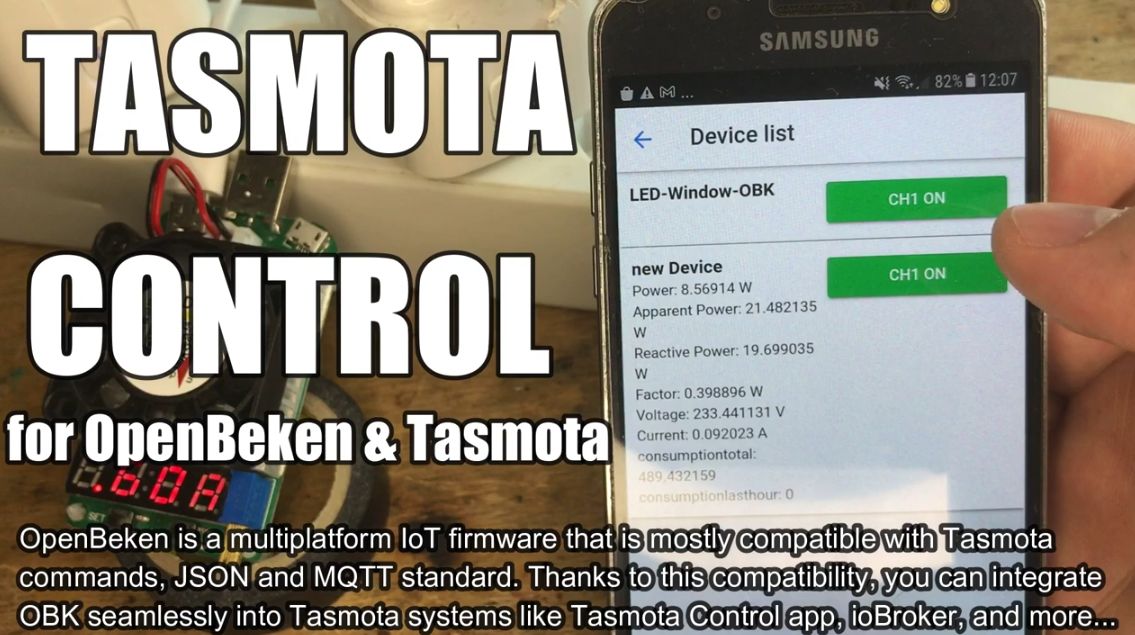
Here's a short presentation showing how to use Tasmota Control app from Google Play to control Tasmota and OpenBeken devices. Tasmota Control allows you to control TAS/OBK devices on your local area network without any external server. No Home Assistant is needed. Tasmota Control works by sending HTTP commands via Tasmota REST (JSON) interface to Tasmota devices. OpenBeken is compatible with Tasmota JSON format, so it works with Tasmota Control as well. All you need to do is set static IP for your device and add it to the app, here's full guide:
Following approach works for all supported platforms, and since OpenBeken is now multiplatform, it works for BK7231N, BK7231T, BL602, W600/W601, W800/W801, XR809, etc.
Keep in mind that OBK is also compatible with Home Assistant, so if you prefer HA approach, watch this video instead:
https://www.youtube.com/watch?v=pkcspey25V4 See our Youtube channel for more IoT related guides.
Thank you for watching. Keep in mind that the Tasmota Control approach has some advantages over using Home Assistant - for example, it doesn't require any external server! This can be good for people just starting the IoT hobby experience.
Futhermore, there are also other similar apps like Tasmota Control but they are not covered in this video. We may cover them next time. Stay tuned!
About Author
p.kaczmarek2 wrote 14797 posts with
rating 12955 , helped 659 times.
Been with us since 2014 year.
TL;DR: 1 Android app gives “100% local” control for Tasmota and OpenBeken devices: this FAQ helps IoT beginners pair TAS/OBK devices in Tasmota Control without Home Assistant or any external server. [#20628677]
Why it matters: Local HTTP control reduces setup complexity for first IoT projects and keeps device operation inside the LAN.
Option
Server requirement
Control method
Best fit
Tasmota Control
No external server
HTTP commands via Tasmota REST JSON
Simple local Android control
Home Assistant
Home Assistant setup needed
OBK Home Assistant integration
Broader smart-home automation
Key insight: OpenBeken works with Tasmota Control because it is compatible with the Tasmota JSON format. Set a static IP, add the device in the app, and control it locally.
Quick Facts
Tasmota Control controls TAS/OBK devices on a local area network without any external server. [#20628677]
OpenBeken supports the Tasmota JSON format, so the same Android app can control OBK devices. [#20628677]
The thread lists 8 supported OpenBeken platform families: BK7231N, BK7231T, BL602, W600, W601, W800, W801, and XR809. [#20628677]
The pairing approach needs a static IP before adding the device to the Android app. [#20628677]
The thread links 4 project resources: repository, BK7231 flasher, OBK releases, and supported devices list. [#20628677]
How do I pair a Tasmota or OpenBeken device with the Tasmota Control app on Android?
Set a static IP, then add the device in Tasmota Control on Android.
Install Tasmota Control from Google Play.
Assign a static IP to the Tasmota or OpenBeken device.
Add that device IP in the app for local control. The thread presents this as the full pairing approach for TAS/OBK devices. [#20628677]
What is Tasmota Control and how does it control smart devices locally?
Tasmota Control is an Android app that controls Tasmota and OpenBeken devices on a LAN. "Tasmota Control" is an Android control app that sends HTTP commands to smart devices, using the Tasmota REST JSON interface for serverless local operation. It needs no external server and no Home Assistant. [#20628677]
What is OpenBeken and why is it compatible with the Tasmota JSON REST interface?
OpenBeken is firmware compatible with the Tasmota JSON format used by Tasmota Control. "OpenBeken" is multiplatform IoT firmware that runs on supported chipsets, exposes Tasmota-compatible JSON responses, and lets TAS-style apps control OBK devices locally. The thread states this compatibility makes Tasmota Control work with OBK. [#20628677]
How do I set a static IP address for a Tasmota or OpenBeken device before adding it to Tasmota Control?
Assign one fixed IP to the device before adding it to Tasmota Control. The thread does not give router-screen steps, but it states the requirement clearly: “set static IP for your device and add it to the app.” This prevents the app from losing the device after an IP change. [#20628677]
Tasmota Control vs Home Assistant: which is better for local control of TAS and OBK devices?
Tasmota Control is better for simple local Android control without a server. Home Assistant is better when you already want the HA approach. The thread says Tasmota Control needs no external server, while OpenBeken is also compatible with Home Assistant. It links a separate Home Assistant video for that workflow. [#20628677]
How does Tasmota Control send HTTP commands to Tasmota and OpenBeken devices without using an external server?
Tasmota Control sends HTTP commands directly across the local area network. It uses the Tasmota REST JSON interface on Tasmota devices. OpenBeken accepts the same Tasmota JSON format, so the app can control OBK devices too. No external server sits between the Android app and the device. [#20628677]
Which OpenBeken platforms are supported by Tasmota Control, such as BK7231N, BK7231T, BL602, W600, W601, W800, W801, and XR809?
The approach works on all supported OpenBeken platforms listed in the thread. The named platforms are BK7231N, BK7231T, BL602, W600/W601, W800/W801, and XR809. That gives 8 platform names or families mentioned for local Tasmota Control operation. [#20628677]
What is the Tasmota REST JSON interface and what commands does Tasmota Control use with it?
The Tasmota REST JSON interface is the HTTP-based control interface used by Tasmota Control. "Tasmota REST JSON interface" is a device API that receives HTTP commands and returns JSON-formatted Tasmota data, enabling local app control without cloud middleware. The thread identifies HTTP commands as the control mechanism. [#20628677]
How can I control OpenBeken devices on my local Wi-Fi network without Home Assistant?
Use Tasmota Control with a static IP for each OpenBeken device. OpenBeken works because it is compatible with the Tasmota JSON format. The Android app can then control OBK devices on the local area network without Home Assistant or an external server. [#20628677]
Where can I download OpenBeken firmware releases and the BK7231 GUI Flash Tool?
Download both from the project links provided in the thread. The listed resources include the OpenBK7231T_App repository, BK7231GUIFlashTool, OpenBeken firmware releases, and the supported devices list. These 4 links are presented as useful OBK project resources. [#20628677]
How do I check whether my smart plug, bulb, or relay is on the OpenBeken supported devices list?
Use the supported devices list linked in the thread. The author provides a dedicated OpenBeken supported devices list alongside the repository, flasher, and releases links. Check your smart plug, bulb, or relay there before flashing or pairing it. [#20628677]
Why might Tasmota Control fail to find or control a Tasmota or OpenBeken device on the local network?
Tasmota Control can fail when the device lacks a stable static IP. The thread states that you need to set a static IP and add the device to the app. Another limit is format compatibility: OBK works because it supports Tasmota JSON, so unsupported formats would not match this approach. [#20628677]
What are the advantages of using Tasmota Control for beginners starting with IoT devices?
Tasmota Control removes the need for an external server or Home Assistant. That makes it useful for people starting the IoT hobby experience. The setup uses 1 Android app, a static device IP, and local HTTP control over the LAN. [#20628677]
Which alternative Android apps are similar to Tasmota Control for managing Tasmota or OpenBeken devices?
The thread mentions other similar apps but does not name them. It says those apps are not covered in the video and may be covered next time. Therefore, the only named Android app in this thread is Tasmota Control from Google Play. [#20628677]
How does OpenBeken Home Assistant integration differ from controlling OBK devices directly with Tasmota Control?
Home Assistant integration uses the HA approach, while Tasmota Control uses direct local app control. The thread says OBK is compatible with Home Assistant, but Tasmota Control has the advantage of needing no external server. It presents a separate 1-video guide for Home Assistant users. [#20628677]
AI summary based on the discussion. May contain errors.







Comments