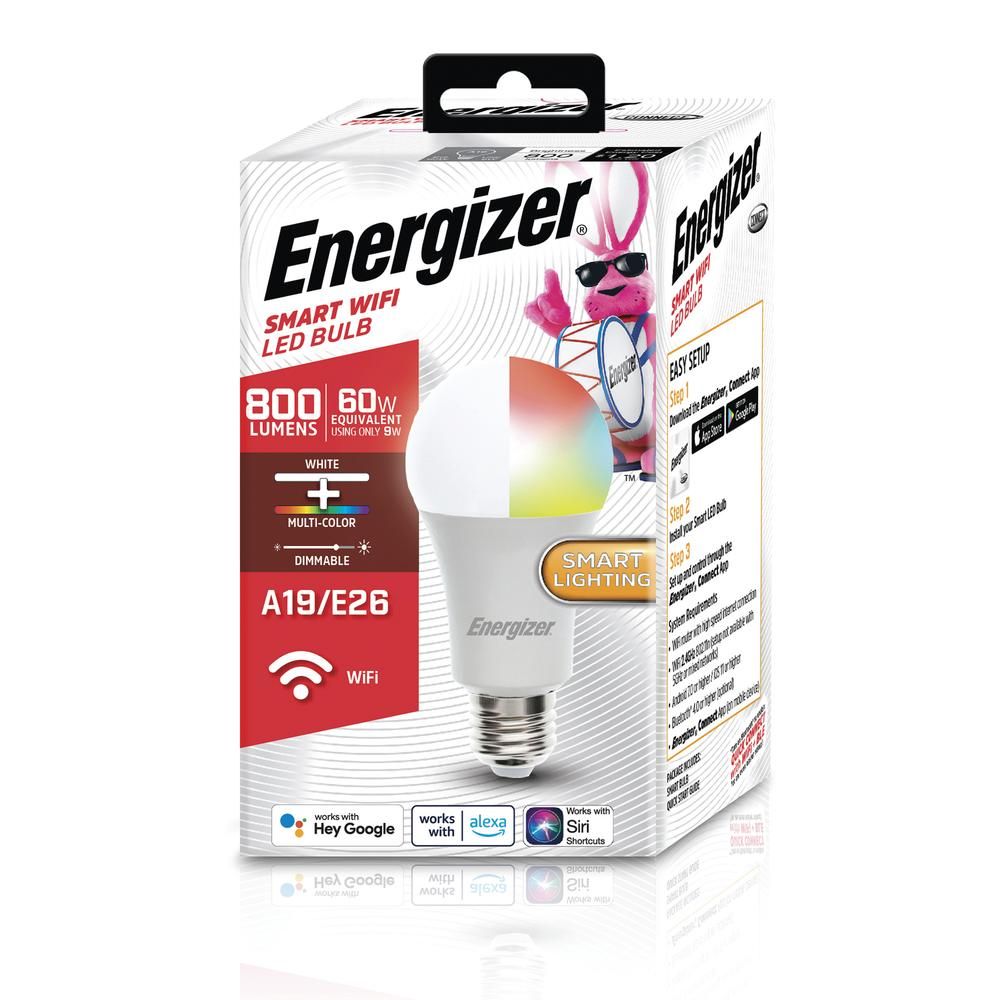
I managed to snag a few Energizer 60W replacements (E26 base) RGB bulbs on sale at Menards (north-midwest American gargantuan home improvement store).
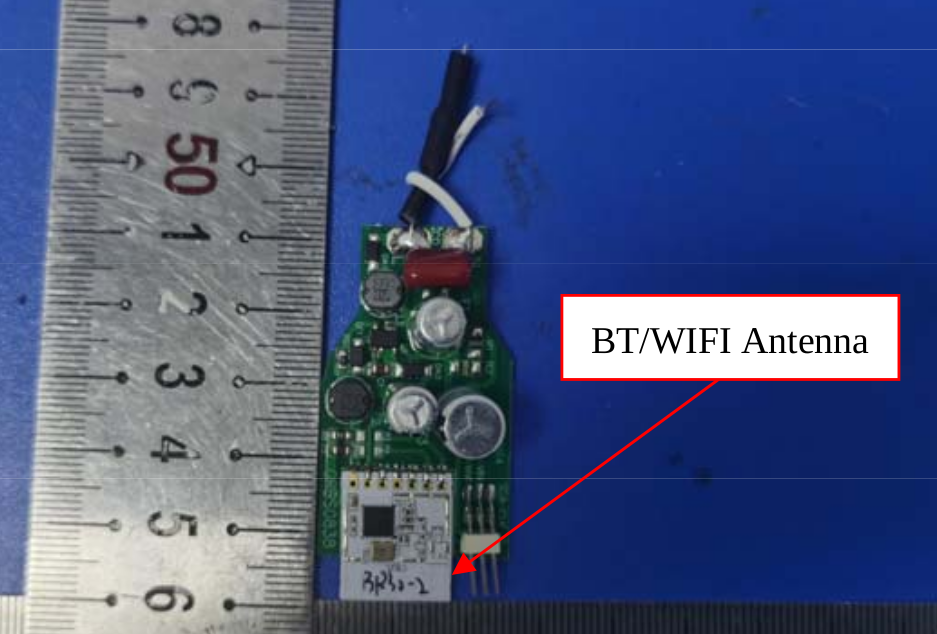
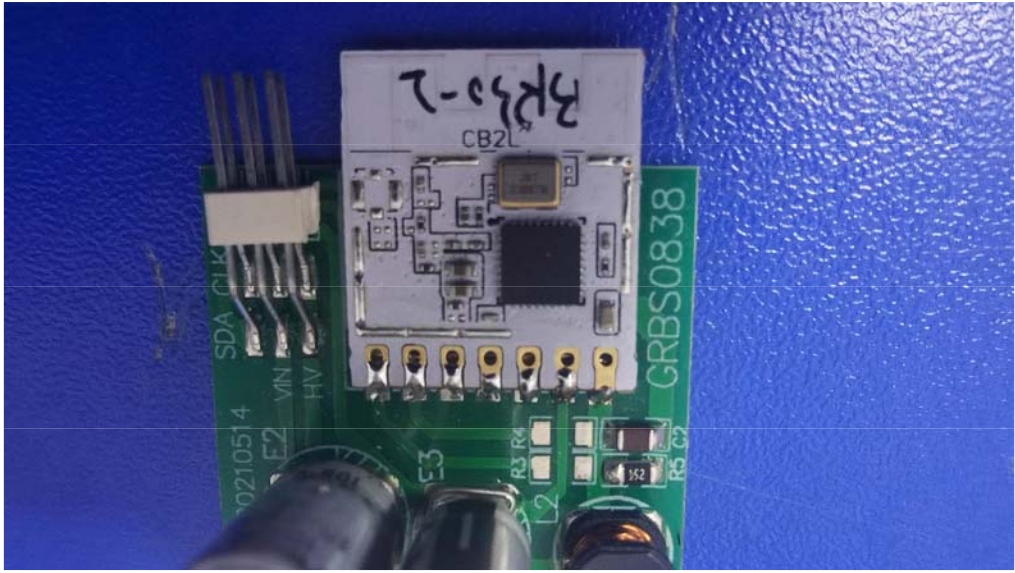
As I am too chicken to try to disassemble the bulb, I gave tuya-cloudcutter a shot. Using the FCC ID, the internal photos reveal a CB2L module implying a BK7231N chipset. The fun came trying to determine what the pin assignments were. Without having torn down the bulb, I didn't know how the tuya module was connected to the LEDs (or if there were driver chips). Knowing the module really helped reduce the field of 26 pins to only looking at 6 luckily. Via trial and error, it turned out there was a BP5758D driver chip for the LEDs (I got lucky and guessed that it most likely had the most common chipset.... after I tried an asinine number PWM configurations).
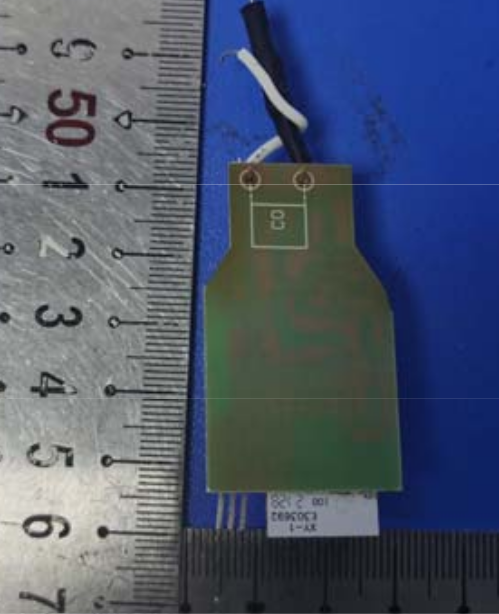
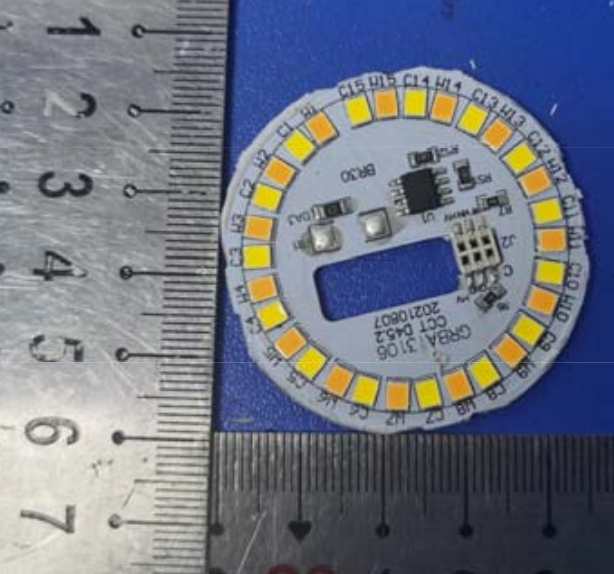
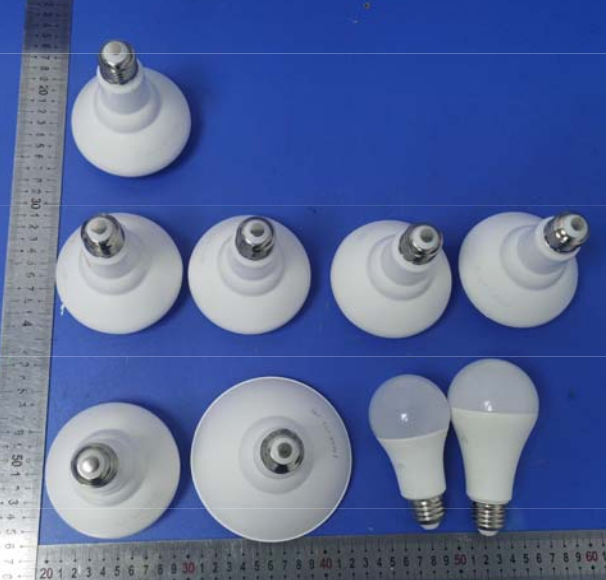
Note, the photos are unabashedly copied from the FCC listing. Also note, the FCC listing indicates that there are multiple other bulbs with this chipset.
About Author
jacobefaust wrote 6 posts with
rating 3 , helped 1 times.
Been with us since 2023 year.
Hello, I see you've been guessing which pins are used for I2C-like communications, but have you tried the automatic approach?
Please try, and let me know if this approach works for your device. If... [Read more]
jacobefaust
24 Jul 2023 04:48
@pkaczmarek2 your solution worked for me! I followed the video, and after following a minor patch for Ubuntu I was able to extract the exact pin assignment that I had so laboriously derived previously.
I... [Read more]
p.kaczmarek2
24 Jul 2023 06:29
Hmm, why does the configuration seem to have only 4 channels?
- LED remap is 0 1 2 3 ?
Still, I think we can assume that it should be:
- LED remap is 0 1 2 3 ?
Maybe the part of JSON didn't... [Read more]
FAQ
TL;DR: For owners of this 60W E26 Energizer bulb, “your solution worked for me!” sums up the fastest path: flash with Tuya-cloudcutter, then confirm the CB2L/BK7231N mapping as P7=BP5758D_DAT and P8=BP5758D_CLK to run OpenBeken without opening the housing. [#20665545]
Why it matters: This thread turns a risky bulb teardown into a repeatable software-first workflow for identifying the module, extracting configuration, and validating LED driver pins.
Approach
Hardware opening
Pin discovery method
Result in thread
Tuya-cloudcutter + manual trial and error
No
Guessed from FCC photos and common driver choices
Worked, but took many attempts
Tuya-cloudcutter + BK7231Flasher extraction
No
Automatic TuyaConfig extraction
Confirmed the same P7/P8 mapping
Key insight: The bulb uses a CB2L module with a BK7231N chip and a BP5758D LED driver, so the critical OpenBeken connections are the two data-style pins, not a bank of PWM outputs.
Quick Facts
Device identified in the thread: Energizer Smart RGB-Watt LED Light Bulb, model EAC2-1002-RGB / EAC2-1002-ME2, E26 base, sold as a 60W replacement. [#20664377]
Reported Tuya firmware version was 1.3.21, and the working OpenBeken image was OpenBK7231N_UG_1.15.408.bin. [#20664377]
Confirmed pin map from both manual testing and automatic extraction: P7 = BP5758D_DAT and P8 = BP5758D_CLK. [#20665545]
The original manual search narrowed the problem from 26 possible module pins to 6 likely connections by identifying the CB2L module first. [#20664377]
BK7231Flasher output also reported LED remap is 0 1 2 3 ? and noted that the Tuya section started at “UNCOMMON POSITION 0,” showing that config extraction worked but was not fully parsed. [#20665545]
How do I flash an Energizer Smart RGB-Watt LED Light Bulb EAC2-1002-RGB with OpenBeken using Tuya-cloudcutter?
Use Tuya-cloudcutter as the software-only flash path, then load the BK7231N OpenBeken build. 1. Identify the bulb as model EAC2-1002-RGB with FCC ID 2AWECBR30CCT2. 2. Flash it with Tuya-cloudcutter instead of opening the E26 bulb. 3. Configure the LED driver pins as P7 for BP5758D_DAT and P8 for BP5758D_CLK. The thread reports this worked on Tuya firmware 1.3.21 with OpenBK7231N_UG_1.15.408.bin. [#20664377]
What pin assignments work for the Energizer EAC2-1002-RGB bulb with a CB2L module and BP5758D LED driver?
The working pin assignments are P7 = BP5758D_DAT and P8 = BP5758D_CLK. The bulb was first mapped by trial and error, then the same result was confirmed by BK7231Flasher extraction. That agreement matters because it validates both the manual setup and the automatic tool output on the same CB2L-based bulb. [#20665545]
How can I identify whether an Energizer smart bulb uses a BK7231N or CB2L module from the FCC ID and internal photos?
Use the FCC ID to find internal photos, then look for the radio module marking. In this case, FCC ID 2AWECBR30CCT2 led to internal photos that showed a CB2L module, which implied a BK7231N chipset. That reduced the search from 26 possible pins to 6 likely ones before any hardware teardown. [#20664377]
What is the BP5758D chip, and how does it control RGB+CCT LEDs in Tuya smart bulbs?
"BP5758D" is an LED driver chip that controls bulb channels through dedicated data and clock lines, rather than direct PWM-only wiring. In this bulb, the thread identified BP5758D as the LED control chip after many failed PWM guesses, and the working OpenBeken links were BP5758D_DAT on P7 and BP5758D_CLK on P8. [#20664377]
What is Tuya-cloudcutter, and when is it a better option than opening a bulb to flash it manually?
Tuya-cloudcutter is the better option when you want to avoid opening the bulb housing. The thread author explicitly chose it because they did not want to disassemble the Energizer E26 bulb, yet still succeeded in flashing the device. For this case, it provided a practical software-first route before any risky physical work. [#20664377]
How do I use BK7231Flasher or BK7231GUIFlashTool to extract the TuyaConfig partition and detect OpenBeken pin mappings automatically?
Use the extraction tool after flashing access is available, then read the reported device configuration. 1. Follow the linked video workflow for the automatic approach. 2. Apply the Ubuntu patch if needed. 3. Extract TuyaConfig and read the pin map lines, such as BP5758D_DAT on P7 and BP5758D_CLK on P8. The thread author said this output matched the manual mapping exactly. [#20665545]
Why does BK7231Flasher show only four LED remap channels like "0 1 2 3 ?" for a smart RGB-Watt bulb that should have more channels?
It likely means the JSON or config parsing was incomplete, not that the bulb only has four usable channels. The tool author questioned the 0 1 2 3 ? result and suggested the JSON part may not have loaded correctly because the tool was still under development. That makes this an extraction edge case, not a confirmed hardware limit. [#20665564]
What does "the Tuya section starts at uncommon position 0" mean in BK7231Flasher output?
It means the tool found the TuyaConfig data at an unusual offset in flash memory. The output explicitly says the Tuya section starts at “UNCOMMON POSITION 0,” which the thread presents as a notable parsing detail rather than a failure. The configuration still produced a valid module ID and the correct P7/P8 pin mapping. [#20665545]
Which OpenBeken firmware file should I use for a BK7231N-based Energizer bulb such as the CB2L version?
Use the BK7231N build named OpenBK7231N_UG_1.15.408.bin. The thread author flashed that exact file on the CB2L-based Energizer bulb after identifying the chipset family as BK7231N. Matching the firmware to BK7231N matters because the module type was inferred from the FCC internal photos. [#20664377]
What Ubuntu patch is needed to make BK7231GUIFlashTool work when extracting configuration from a Tuya bulb?
The thread confirms that a minor Ubuntu patch was needed, but it does not describe the patch contents. It links to a GitHub issue comment and states that, after applying that fix, the author could extract the exact pin assignment. So the practical answer is to use the linked Ubuntu patch reference from the thread before running the tool. [#20665545]
How does automatic pin detection in BK7231Flasher compare with trial-and-error pin mapping for BK7231N smart bulbs?
Automatic detection was faster and reached the same result as trial and error. The author had originally derived the mapping manually back in March, but later called the extraction tool “super slick” because it reproduced the exact P7/P8 assignment with much less effort. That makes BK7231Flasher the better validation method when supported. [#20665545]
What is the safest way to research or flash an Energizer E26 smart bulb if I do not want to disassemble the bulb housing?
Start with the FCC filing and a software-only flash method. In this thread, the safe workflow was: use FCC ID 2AWECBR30CCT2 to inspect internal photos, confirm the CB2L module, then try Tuya-cloudcutter instead of opening the bulb. That approach avoided teardown and still revealed enough information to reach a working OpenBeken setup. [#20664377]
How can I tell whether a Tuya smart bulb is using a BP5758D driver instead of PWM-only LED control?
You can tell when PWM guesses fail but a two-line data interface works. The author tried an “asinine number” of PWM configurations, then concluded the bulb used a BP5758D driver after finding the working assignments on P7 and P8. In practice, that means looking for DAT and CLK behavior instead of several direct PWM channels. [#20664377]
What troubleshooting steps should I follow if OpenBeken flashes successfully on a BK7231N bulb but the LED colors or white channels do not map correctly?
Re-extract the config and treat incomplete remap output as a parsing issue first. 1. Run BK7231Flasher again and verify P7/P8. 2. Check whether the output still shows LED remap is 0 1 2 3 ?. 3. If it does, assume the JSON may not have loaded correctly and retest with the tool’s newer logic. The thread explicitly flags that four-channel remap output as suspicious for this bulb class. [#20665564]
Where can I find compatible FCC listings, internal photos, and module details for other bulbs related to the Energizer 2AWECBR30CCT2 design?
Use the FCC listing tied to the bulb’s FCC ID and inspect the internal photos there. The thread notes that the FCC filing for 2AWECBR30CCT2 showed the CB2L module and also indicated that multiple other bulbs used the same chipset family. That makes the filing the best starting point for related designs in the same hardware line. [#20664377]
AI summary based on the discussion. May contain errors.







Comments
Hello, I see you've been guessing which pins are used for I2C-like communications, but have you tried the automatic approach? Please try, and let me know if this approach works for your device. If... [Read more]
@pkaczmarek2 your solution worked for me! I followed the video, and after following a minor patch for Ubuntu I was able to extract the exact pin assignment that I had so laboriously derived previously. I... [Read more]
Hmm, why does the configuration seem to have only 4 channels? - LED remap is 0 1 2 3 ? Still, I think we can assume that it should be: - LED remap is 0 1 2 3 ? Maybe the part of JSON didn't... [Read more]