


logo elektroda
logo elektroda
X
logo elektroda

[BK7231N / WB3S] Teardown and flashing of LEDVANCE SMART+ PLANON PLUS tunable white 30x30 45x45 30x6

mawe22  12 4545 Cool? (+2)
📢 Listen (AI):

TL;DR

  • Three LEDVANCE SMART+ PLANON PLUS tunable white LED panels were flashed, and each unit used a WB3S Wi‑Fi module compatible with tuya-cloudcutter.
  • Tuya-cloudcutter identified both firmware versions, 1.1.6 and 2.9.16, as BK7231T / oem_bk7231s_light_ty targets.
  • Slow blinking mode required either Tuya-cloud disconnection or 10 power-off-on cycles, while 5 cycles switched the panel into fast blinking mode.
  • After flashing, the panel exposed http://192.168.4.1 for Wi‑Fi setup, then allowed pin mapping, OTA upgrade, and optional MQTT/Home Assistant configuration.
Generated by the language model.

I got 3 LEDVANCE 60x60 LED panels with different software versions (1.1.6 and 2.9.16)
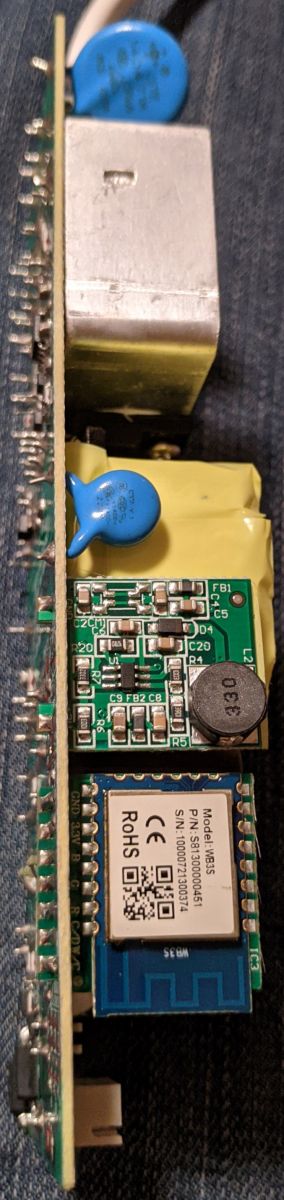
All of them with WB3S modules, WIFI flashable with tuya-cloudcutter
According to the manual there are different sizes available: 30x30 45x45 30x60 60x60 120x30

Flashing has been done with tuya-cloudcutter as follows:
* By firmware version and name
* 2.9.16 - BK7231T / oem_bk7231s_light_ty (or)
* 1.1.6 - BK7231T / oem_bk7231s_light_ty

"Slow blinking mode" is done by either disconnection from tuya-cloud via app and/or via 10x power-off-on cycles. (5x starts fast blinking mode).
The Cycles should be done with frequency of around 1 second (1/2 sec off, 1/2 sec on). A little bit faster or much slower will fail the mode switch I figured out. -- Took me some times ;-)

After flashing:
* Find new Accesspoint and connect to
* Open your browser: http://192.168.4.1 and configure your WIFI
* reboot
* Find new (WIFI) IP address and connect to via browser
* go to WEBAPP -> config
* set: Pin6: PWM_n ; Pin8: PWN; Flag: 5888 -> Save Pins
* OTA -> Make Upgrade (select Download, Download, select Disk, Start OTA)
* at standard webpage -> Config -> Configure Names -> Set a short- and long name for your newborn baby
* (optional) Configure MQTT, Home Assistant, etc.

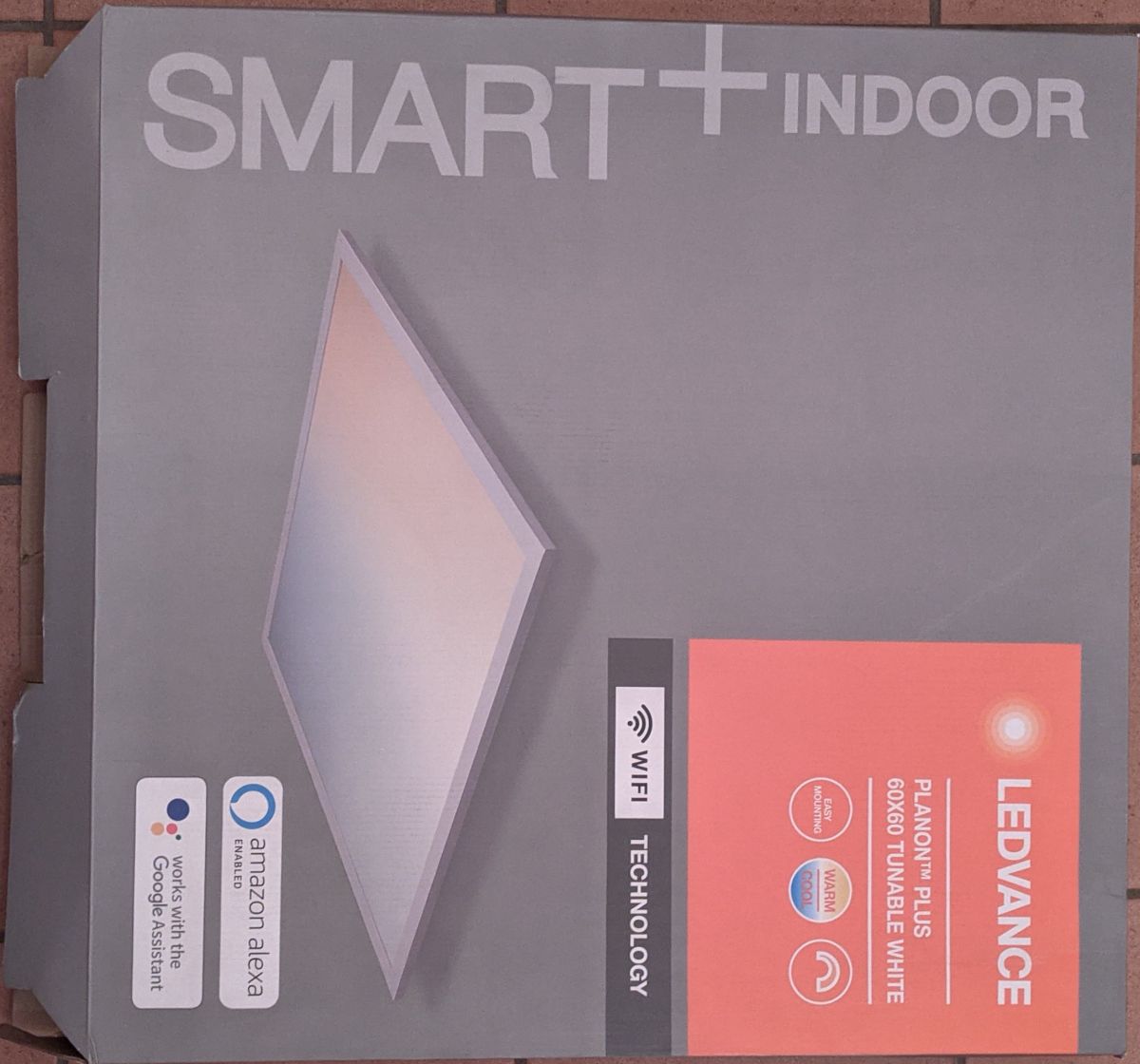
LEDVANCE SMART+ PLANON PLUS tunable white packaging.
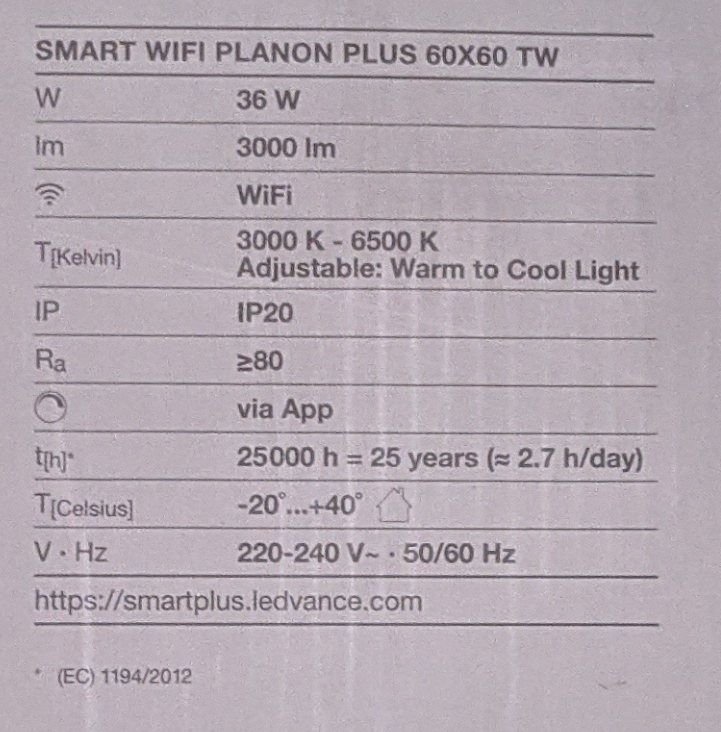
Technical specifications of the LEDVANCE SMART+ PLANON PLUS 60x60 TW LED panel
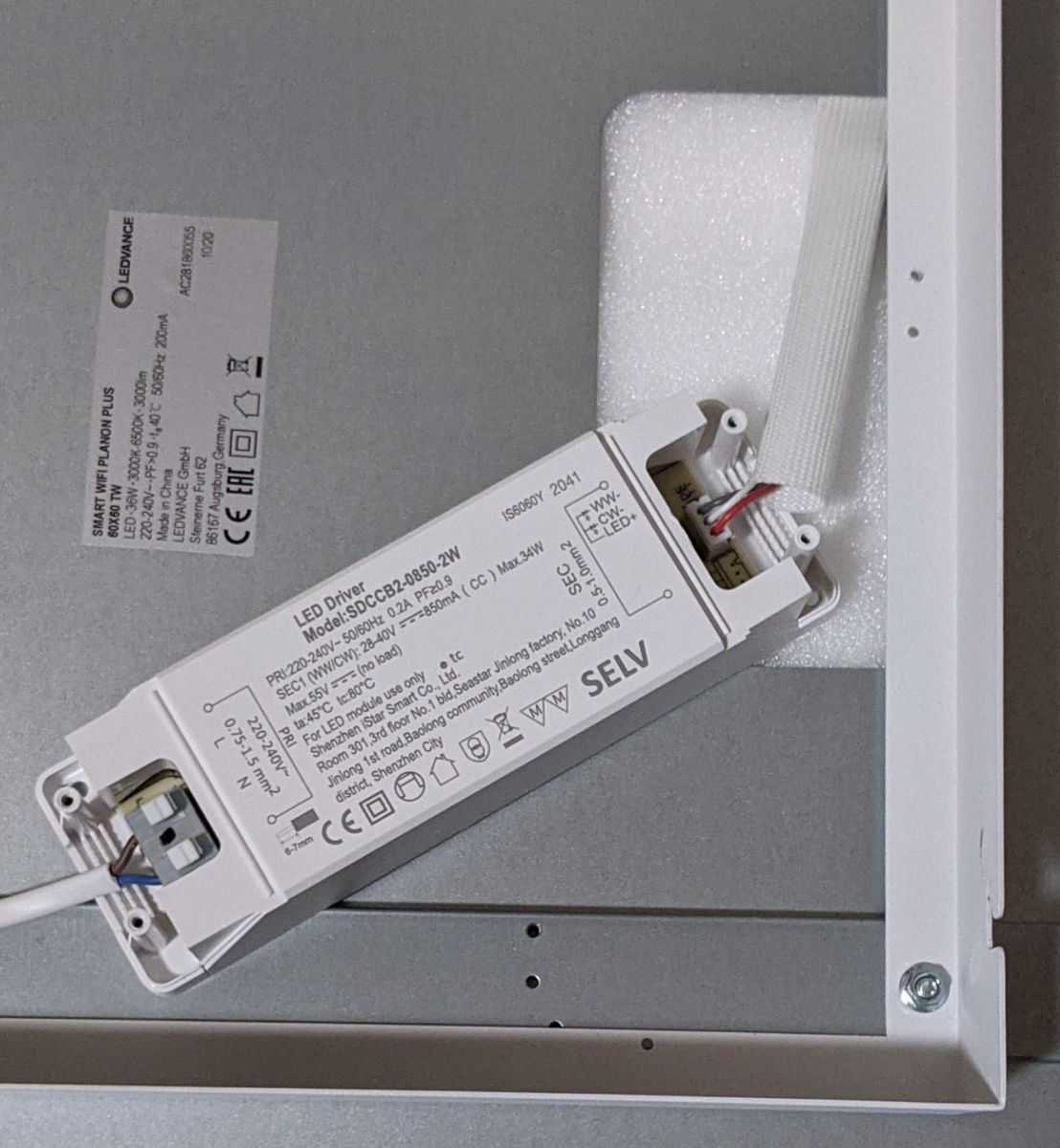
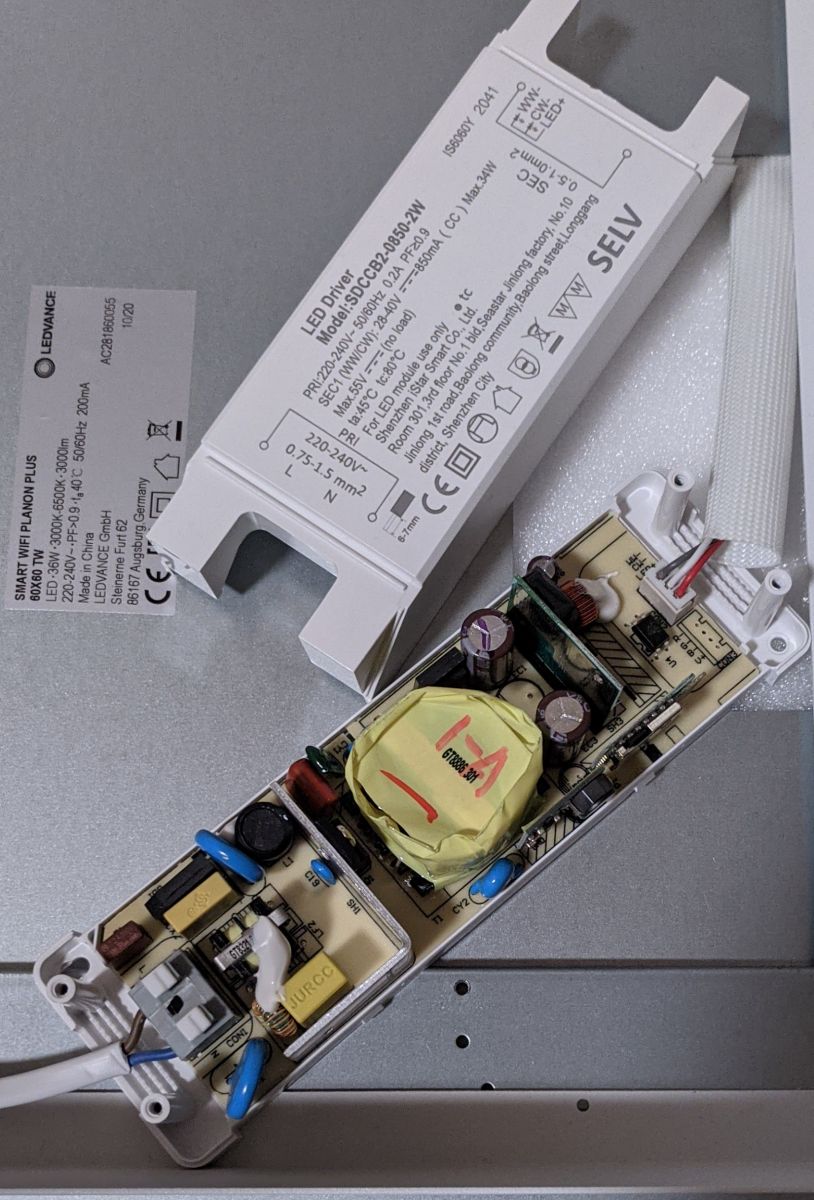
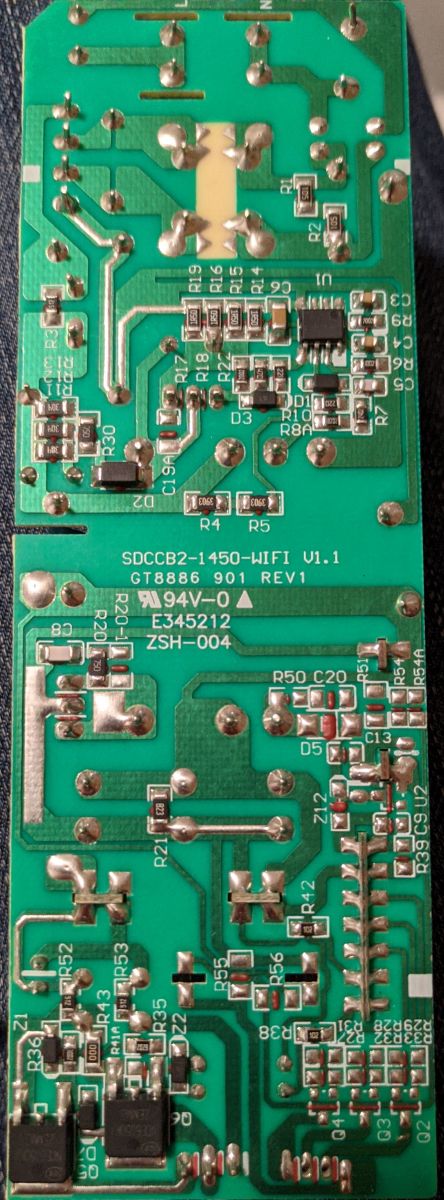
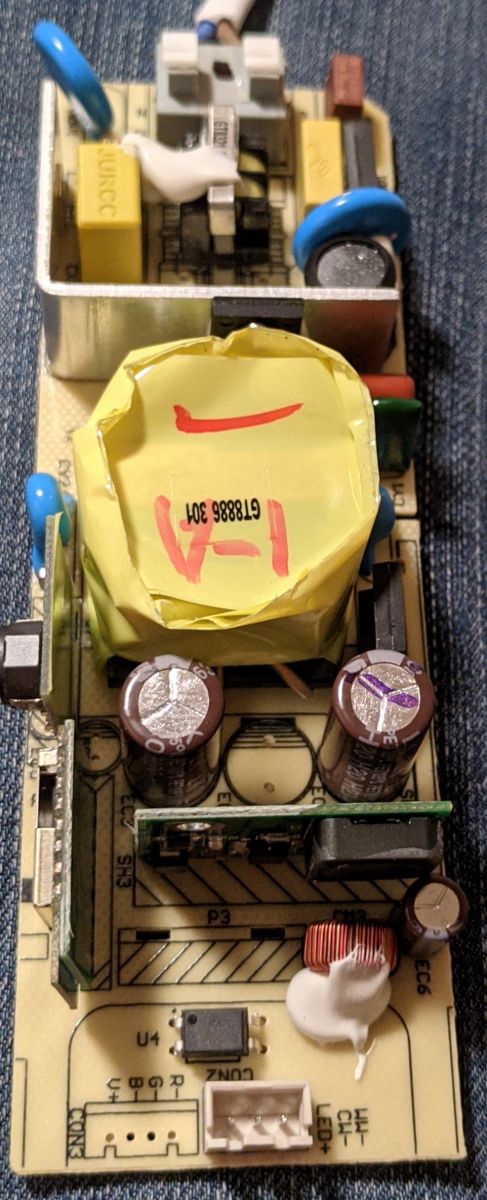
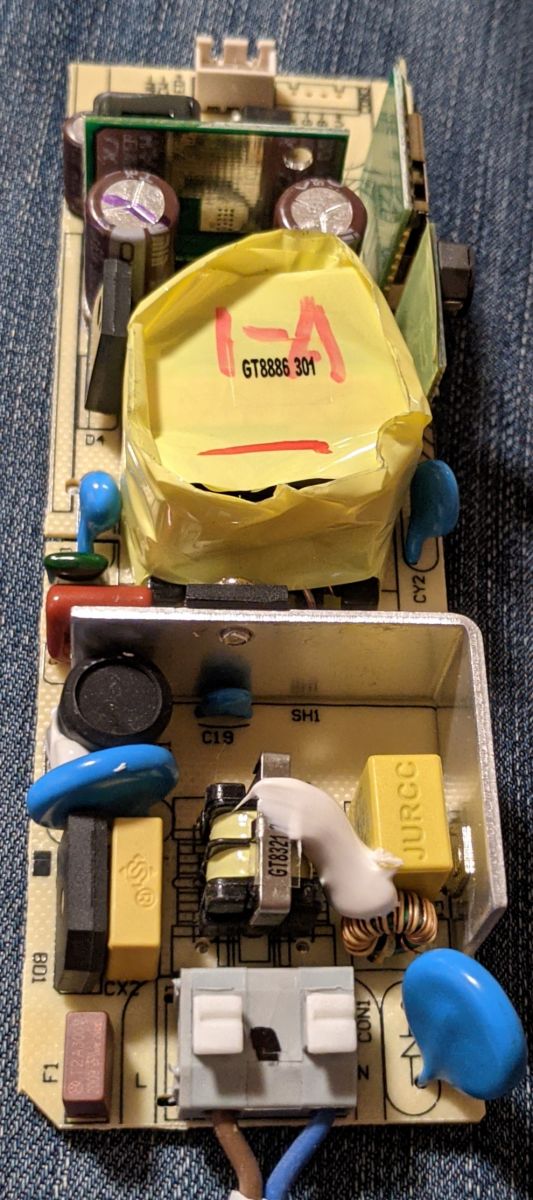
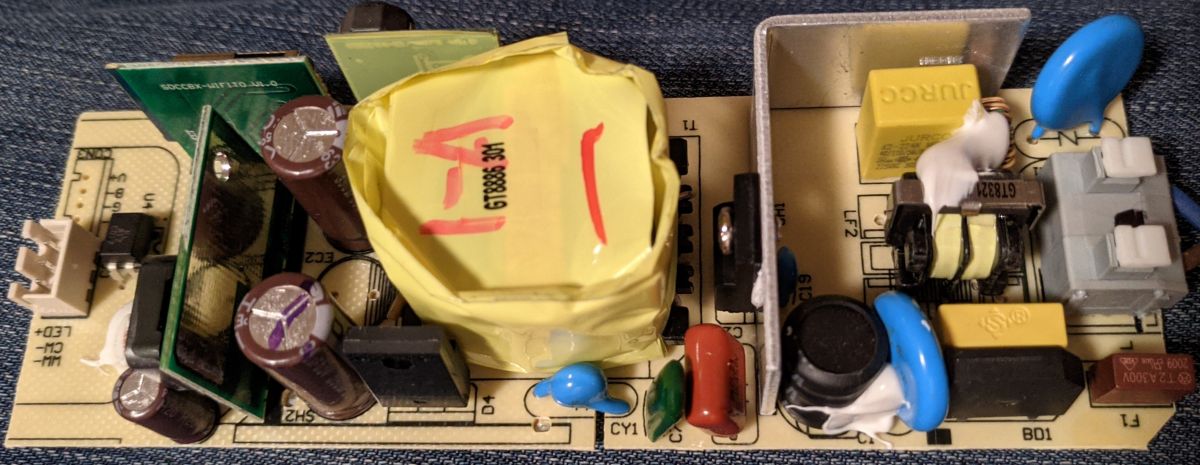
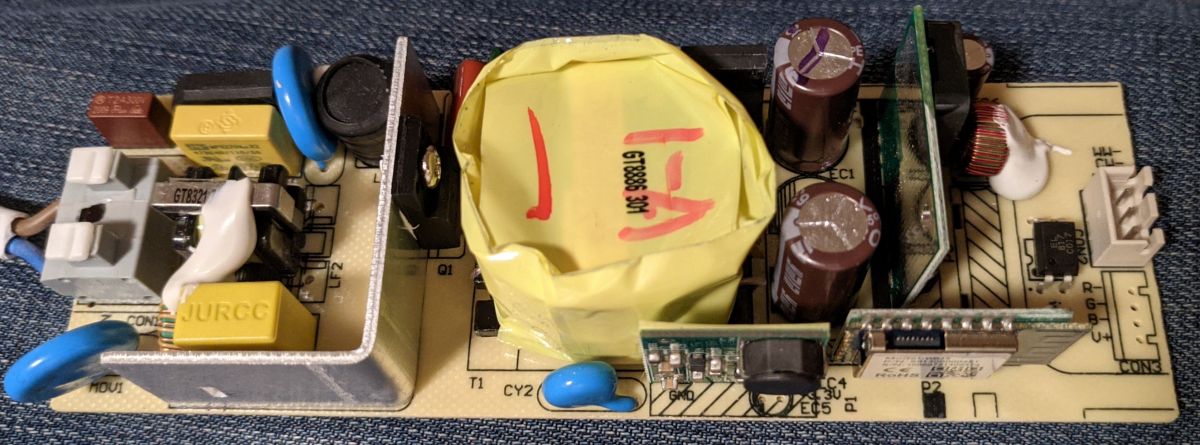
LEDVANCE LED driver connected to an LED panel. Close-up of the interior of an LED panel showing electronic components and a LEDVANCE label. Close-up of a PCB from an LED panel with electronics and components. Printed circuit board with WB3S module. Electronic board with components and markings Close-up view of an LED module circuit board with component markings. Close-up of an LED printed circuit board with various electronic components and markings. LED module circuit board with various electronic components.
Code: JSON
Log in, to see the code


[EDIT] Thanks for the great Job you have done (!) guys and many thanks for this forum (hosting, content, etc.)

About Author
mawe22 wrote 8 posts with rating 2 , helped 1 times. Been with us since 2023 year.

Comments

p.kaczmarek2 04 Jan 2024 09:13

That's a very interesting device design, it reminds me of a laptop power supply. I haven't seen that kind of Plafon device yet. Your template has been submitted: https://github.com/OpenBekenIOT/webapp/commit/8ce05a4ca160220fffc51f9356bc69d3976ff412 It... [Read more]

mawe22 04 Jan 2024 15:20

Yes, That was my first impression, too. Many thanks for your ultra galactic fast response. I'm a little bit too busy, now. Maybe I can do it next week. I'll support you as much as I can. I had no success... [Read more]

p.kaczmarek2 04 Jan 2024 15:31

You have already flashed this device via Tuya-cloudcutter, so they don't need your 2MB flash dump . The only way you can contribute is by showing us Tuya JSON so we can check how PWM_n is decoded. Of course,... [Read more]

mawe22 21 Jan 2024 21:32

sent you PM [Read more]

p.kaczmarek2 22 Jan 2024 08:04

Here is decrypted config: { "rstnum":"5", "rstcor":"c", "Jsonver":"1.1.9", "brightmin":"7", "title20":"1", "deftemp":"0", "c_lv":"1", "wfcfg":"spcl", "colormin":"10", "pmemory":"1", "cmod":"cw", "wt":"30", "cwtype":"1", "md":"0", "random":"0", "wfb64":"1", "stat":"0", "token":"null", "region":"null", "reg_key":"null", "dns_prio":"00nc_tp", "ssid":"null", "passwd":"null", "rstbr":"100", "remdmode":"0", "colormax":"100", "cagt":"30", "w_lv":"1", "c_pin":"8", "module":"WB3S", "cwmaxp":"100", "dmod":"0", "rgbt":"0", "onoffmode":"1", "brightmax":"100", "w_pin":"6", "wfct":"3", "pwmhz":"4000", "rsttemp":"0", "category":"0502", "defcolor":"c", "defbright":"100", "crc":"81", "regi... [Read more]

Smartobias 16 Jan 2025 10:43

Hello, i just got the LEDVANCE SUN@Home PLANON PLUS (120x30) (Different product line with CRI95 LEDs) it seems to use the exact same Driver https://obrazki.elektroda.pl/1229028300_1737020589_thumb.jpg... [Read more]

HateB 03 Jan 2026 18:55

I have 60x60 version bought about 3 years ago which is listed at least here: https://www.multi-lite.com/en/planon-plus-backlight-600x600mm-black-rc-ledvance/item-1-37540.html It runs v1.0.6 and no updates... [Read more]

divadiow 04 Jan 2026 08:58

try a 1.0.6 profile like this one https://github.com/tuya-cloudcutter/tuya-cloudcutter.github.io/blob/master/profiles/oem-bk7231s-light-db-par38-1.0.6-sdk-1.0.3-40.00.json [Read more]

HateB 04 Jan 2026 10:39

I tried all light related 1.0.6 profiles without success. It starts to look like it could be patched firmware. Should I move forward to flash it over serial? At least I need to take a look if the chip... [Read more]

divadiow 04 Jan 2026 11:31

I am an advocate for serial flashing, so I would, yes. Be sure to take backup first if you do go down that route [Read more]

p.kaczmarek2 05 Jan 2026 00:59

This device seems easy to access, then why not? Take some photos and show us, we can guide you through the flashing process. [Read more]

HateB 05 Jan 2026 18:34

I just flashed the chip. I soldered gnd/power, TX and RX cables next to the chip without desoldering the chip. Then I flashed the latest OpenBK7231T firmware. The flashing mode didn't work out immediately... [Read more]

FAQ

TL;DR: For LEDVANCE PLANON PLUS owners, this thread shows 2 working PWM pins and a practical rule: "PWM_n fixed" the inverted warm/cool slider. Wireless flashing worked on firmware 1.1.6 and 2.9.16 with tuya-cloudcutter, while a 1.0.6 unit ultimately needed serial flashing with ltchiptool and a 3.3 V Raspberry Pi connection. [#21799741]

Why it matters: This FAQ gives a thread-verified path to recover full tunable-white control on WB3S/BK7231T LEDVANCE panels without guessing pins, flags, or flashing method.

Method Firmware seen in thread Hardware needed Result in thread
tuya-cloudcutter 1.1.6, 2.9.16 No soldering Worked wirelessly
tuya-cloudcutter 1.0.6 No soldering Exploit/profile failed
Serial + ltchiptool 1.0.6 TX/RX, power, backup step Worked after direct flash

Key insight: The decisive fix was not the panel size or product line. It was mapping P6 as PWM_n and P8 as PWM, which corrected the tunable-white direction on this driver.

Quick Facts

  • The shared OpenBeken template used P6 = PWM_n, P8 = PWM, and flags = 5888 for the LEDVANCE SMART+ PLANON PLUS tunable-white driver. [#20890516]
  • The Tuya config exposed w_pin = 6, c_pin = 8, and PWM Frequency = 4000 Hz, matching the two-channel warm/cool layout. [#20922281]
  • Mode switching depended on timing: about 10 power cycles at roughly 1 second each entered slow blinking, while 5 cycles entered fast blinking. [#20890516]
  • A later 60x60 unit on firmware 1.0.6 resisted all tested cloudcutter light profiles, but serial flashing succeeded using a Raspberry Pi 3B 3.3 V supply and ltchiptool CLI. [#21799741]

How do I flash a LEDVANCE SMART+ PLANON PLUS tunable white panel with a WB3S/BK7231T module using tuya-cloudcutter?

Use tuya-cloudcutter in slow-blinking pairing mode and then load the OpenBeken pin map. 1. Put the panel into slow blinking by removing it from Tuya or using about 10 power cycles. 2. In tuya-cloudcutter, select BK7231T with the profile name oem_bk7231s_light_ty for firmware 1.1.6 or 2.9.16. 3. After flashing, connect to the new AP, open 192.168.4.1, configure Wi-Fi, then set P6 to PWM_n, P8 to PWM, and flags to 5888. [#20890516]

What is PWM_n in OpenBeken, and why does this LEDVANCE panel need PWM_n on P6 instead of plain PWM?

PWM_n is an inverted PWM output that drives a channel with reversed logic, so low and high duty act opposite to plain PWM. This panel needs PWM_n on P6 because plain PWM left the warm/cool behavior reversed, while the later serial-flashed test confirmed that changing the warm channel to PWM_n fixed the slider direction and restored normal tunable-white control. [#21799741]

Why does the warm/cool slider appear inverted on the LEDVANCE PLANON PLUS after flashing OpenBK7231T, and how do I fix it?

The slider appears inverted because the warm LED channel on P6 uses inverted PWM logic on this driver. If you set P6 as plain PWM, the coolest setting can look warmest, and the maximum warm setting can even turn the light off. Change P6 to PWM_n and keep P8 as PWM. That exact change fixed the issue on the later 60x60 serial-flashed unit. [#21799741]

Which pin configuration and flags work for the LEDVANCE SMART+ PLANON PLUS tunable white driver in OpenBeken?

The working OpenBeken mapping is P6 = PWM_n, P8 = PWM, with flags set to 5888. The original template post used that configuration after Wi-Fi setup, and it was published as the thread’s device template for the SMART+ PLANON PLUS tunable-white models. The same post also identified the hardware as Tuya, WB3S board, and BK7231T chip. [#20890516]

What is tuya-cloudcutter, and how is it used for wirelessly flashing Tuya-based LED lights?

Tuya-cloudcutter is a wireless flashing tool that exploits compatible Tuya firmware so you can replace stock firmware without opening the device. In this thread, it was used on WB3S-based LEDVANCE panels by choosing a matching firmware profile, placing the lamp into pairing blink mode, flashing over Wi-Fi, then joining the temporary AP and completing setup through the local web page at 192.168.4.1. [#20890516]

How do I put a LEDVANCE PLANON PLUS into slow blinking mode or fast blinking mode with power cycles before flashing?

Use timed mains toggles, not random switching. 1. Turn power off for about 1/2 second. 2. Turn power on for about 1/2 second. 3. Repeat about 10 times for slow blinking or 5 times for fast blinking. The post says a cadence near 1 second per cycle matters; much faster or much slower can fail to switch modes. [#20890516]

What's the difference between slow blinking mode and fast blinking mode on Tuya lights when preparing for tuya-cloudcutter?

Slow blinking is the target pairing state used in this thread for cloudcutter preparation, while fast blinking is a different pairing state reached with fewer power cycles. The reported trigger was about 10 power cycles for slow blinking and 5 for fast blinking, using roughly 1 second per cycle. If the timing drifts too far, the lamp may not enter the intended mode at all. [#20890516]

Why would tuya-cloudcutter fail with 'The profile you selected did not result in a successful exploit' on a LEDVANCE 60x60 running firmware 1.0.6?

The thread suggests the 1.0.6 unit did not match any tested light profile, or its firmware was patched against the exploit. One owner tried both profiles from the original post and then all light-related 1.0.6 profiles without success. That failure led the discussion toward serial flashing instead of more wireless attempts. [#21798205]

Which tuya-cloudcutter profile should I try for a LEDVANCE PLANON PLUS with firmware versions 1.1.6, 2.9.16, or 1.0.6?

For firmware 1.1.6 and 2.9.16, the thread used BK7231T with oem_bk7231s_light_ty successfully. For 1.0.6, one reply suggested trying a 1.0.6 light profile similar to oem-bk7231s-light-db-par38-1.0.6-sdk-1.0.3-40.00.json, but the later user reported that all tested 1.0.6 light profiles still failed on that 60x60 panel. [#21798135]

When tuya-cloudcutter does not work on a WB3S light, how do I switch to serial flashing with ltchiptool and back up the chip first?

Switch to UART flashing and make a backup before writing new firmware. 1. Solder GND, power, TX, and RX near the WB3S chip. 2. Read the flash first with python3 -m ltchiptool flash read -d /dev/ttyAMA0 BKT7231T backup.bin. 3. Write the new image with python3 -m ltchiptool flash write -d /dev/ttyAMA0 image_name.bin. The successful example used a Raspberry Pi 3B 3.3 V pin for power. [#21799741]

What is the WB3S module, and how does it relate to the BK7231T chip used in LEDVANCE smart panels?

WB3S is a Tuya Wi-Fi module board that carries a BK7231T system-on-chip and exposes the pins used by the lamp driver. The thread’s template identified the board as WB3S and the chip as BK7231T, and the decrypted Tuya config later repeated the same module name. That match is why the OpenBK7231T firmware and WB3S pin mapping applied directly here. [#20922281]

How does serial flashing compare with tuya-cloudcutter for LEDVANCE SMART+ lights in terms of reliability, risk, and required hardware?

Serial flashing was more reliable in this thread, but it required soldering and a wired UART setup. Tuya-cloudcutter worked wirelessly on firmware 1.1.6 and 2.9.16, so it avoided hardware work. A 1.0.6 panel rejected every tested wireless profile, while serial flashing succeeded after connecting TX, RX, power, and GND. One expert-style comment summed it up plainly: “take backup first” before serial work. [#21798242]

Where can I find documentation or examples for creating a new tuya-cloudcutter device profile, including the correct profile syntax?

This thread does not provide the profile syntax or a documentation link. It only says tuya-cloudcutter has a separate repository for device profiles, and the person trying to add support did not know the exact syntax. The thread therefore gives a real limitation: you get confirmation that a profile repo exists, but not a usable schema or example for authoring a new profile. [#20891200]

How do I extract and interpret the Tuya GPIO JSON or decrypted config from a flashed LEDVANCE panel to build an OpenBeken template?

Extract the Tuya config after flashing and read the pin roles directly from the decrypted output. In this thread, the web UI downloaded Tuya GPIO config, then BK7231 Easy UART Flasher showed lines such as LED Cool on P8, LED Warm on P6, and PWM Frequency 4000. That let the user import the mapping into OpenBeken, then adjust only the warm channel from PWM to PWM_n. [#21799741]

Does the LEDVANCE SUN@Home PLANON PLUS 120x30 use the same driver and OpenBeken configuration as the SMART+ PLANON PLUS models?

The thread says it seems to use the exact same driver, but it does not confirm a finished OpenBeken template for that SUN@Home unit. The 2025 post showed a 120x30 SUN@Home PLANON PLUS with CRI95 LEDs and stated that the driver looked identical to the SMART+ version. Treat that as a strong hardware clue, not a fully verified pinout report. [#21395313]
Generated by the language model.
%}