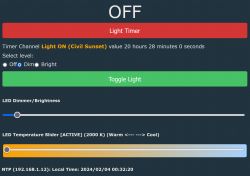
 Initialising
To allow a device with no battery backup to keep time, NTP must be enabled and configured. The following script will configure an OpenBeken flashed device for a particular time zone and location.
// NTP driver must be enabled for its functions to work
startDriver ntp

// It might be useful to configure a local NTP server on your LAN so that devices do not need to connect to the internet
ntp_setServer 192.168.1.12

// Set the local timezone as NTP server only provide UTC time
ntp_timeZoneOfs 11

// Setting the devices location will allow for calculating sunrise and sunset times
ntp_setLatlong -33.729720 151.160990

// Time values are available once NTP finishes initializing
waitFor NTPState 1
- For setting up a local NTP server on a docker host you can consider:
https://github.com/cturra/docker-ntp
- Useful website for finding latitude and longitude values for your location:
https://tasmota-tz.cloudfree.io/
- Adjusting timezone offset for daylight saving is not supported yet. Might be able to be done in script, or add a Tasmota style function for this. I will try to solve by April or October
 Time Constants
When the NTP driver is enabled, there are various time related constants available to use in scripts. They can be found at
https://github.com/openshwprojects/OpenBK7231T_App/blob/main/docs/constants.md. For most of the examples below I will use a porch light scenario which involves a wifi connected dimmable LED light connected to a regular light switch. When the device is switched on, time constants are useful set the initial state, eg during the day time the light will stay off, or switched on after dark the lights initial state is on. To perform calculations with the current time I find it easier to convert the current time to seconds from midnight. $sunrise and $sunset are already in this format.
// sunset is typically still bright enough to see quite well, add another 30 mins to set the time we want the light to be on
setChannel 10 $sunset+1800

// set the current time as seconds after midnight for easy calculations
setChannel 11 $hour*3600+$minute*60

// Set initial light state to match the above clock events
// sunset - 21:00   lights set to high (evening activities)
// 21:00 - 23:00    lights set to low (sleepy mode: warmest temperature and very dim)
// 23:00 - sunrise  lights on for a short period (bedtime the lights should be off, but can be forced on for a period by switching device off and on)
// sunrise - sunset lights turned off (day time the lights should be off)
if $CH11>=$CH10&&$hour<21 then high_lights
if $hour>=21&&$hour<23 then low_lights
if $hour>=23||$CH11<$sunrise then timer_on_lights
if $CH11>=$sunrise&&$CH11<$CH10 then off_lights
In my case I prefer to leave the device on and have the script to automatically turn on, dim and switch off at appropriate times daily. The addClockEvent function is the main driver of this behaviour. The various parameters are as follows:
addClockEvent <time> <daysOfWeek> <id> <command>
time - The time of day for the command to be triggered. This can be various formats: TimerSeconds representing seconds from midnight, Time strings, ie. HH:mm, HH:mm:ss, and sunrise / sunset.
daysOfWeek - bit flag where each bit represent a day of week easiest to specify as hexadecimal numbers eg 0x01 being Sunday, 0x02 is Monday, 0x7f or 0xff being every day of the week. (8th bit is ignored)
id - is a unique ID to remove the event later
command - action to perform at the defined time
Expressions are supported for the time and daysOfWeek parameters. Take care when specifying sunrise and sunset eg the following 2 events are
not the same:
// The following will trigger the command at the correct sunset time every day
addClockEvent sunset 0xff 31 echo good night

// The following the first trigger will be correct sunset time, but the following days will use the same time and will deviate from proper sunset time.
addclockEvent $sunset 0xff 32 echo same time as yesterday
To continue my porch light example, we need to update the calculated event time every day:
 // Create an alias to recalculate and update the clock event to trigger at the correct delayed sunset time
alias calc_sunset backlog setChannel 10 $sunset+1800; removeClockEvent 4; addClockEvent $CH10 0xff 4 high_lights; echo Lights will turn on at $CH10

// Trigger the calculation well before sunset, its also a good idea to avoid when daylight savings time get applied eg 2am & 3am
addClockEvent 3:30 0xff 1 calc_sunset
addClockEvent 21:00 0xff 2 low_lights
addClockEvent 23:00 0xff 3 off_lights
Other scheduling examples:
 // multiple expansions in time strings
addClockEvent $hour:$minute:59 0xff 35 ScheduledSomethingAtTheEndOfTheMinute

// single numeric represents seconds
addClockEvent 7 0xff 36 Scheduled7SecondsAfterMidnight

// numeric values greater than 24x60x60 (24hours) the overflow only is considered
addClockEvent 24*60*60+7 0xff 37 Scheduled7SecondsAfterMidnight

// expressions in days of week, eg week days + week end = every day of the week
setChannel 12 0x3e
setChannel 13 0x41
addClockEvent 12:00 $CH12+$CH13 38 LongWayToScheduleNoonEveryDay
For reference here is the full listing of the autoexec.bat file for my porch light.
PowerSave 1
startDriver ntp
ntp_setServer 192.168.1.12
ntp_timeZoneOfs 11
ntp_setLatlong <latitude> <longitude>

// These log events tend to be very noisy when debugging my device.
logfeature 6 0
logfeature 7 0

// Channel 10: maintain sunset time (The time when the light should turn on)
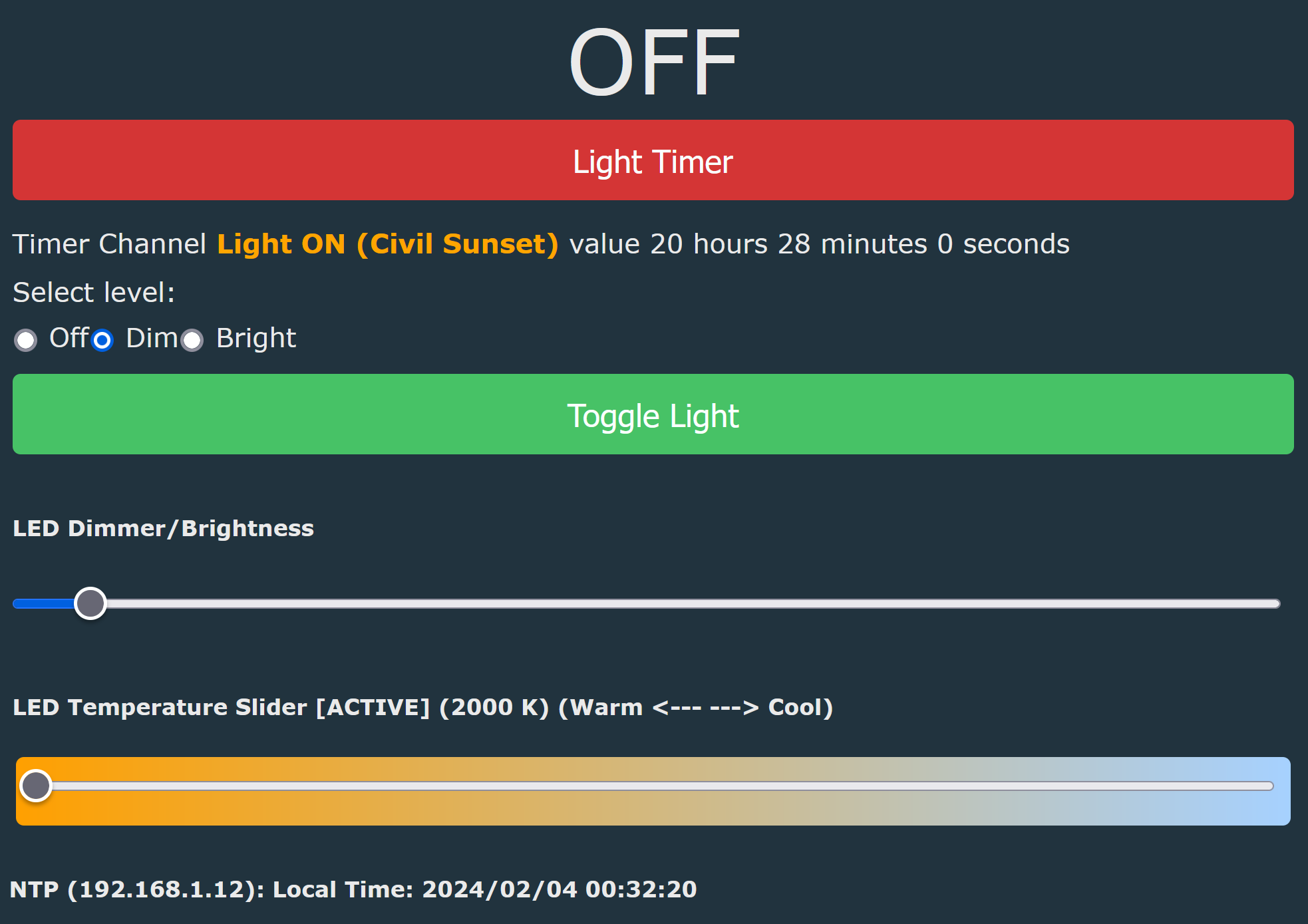
setChannelLabel 10  "<b><span style='color:orange'\>Light ON (Civil Sunset)</span></b>"
setChannelType 10 TimerSeconds

// when using $sunset as an expression in addClockEvent, it needs to be re-calculated every day to take into account different sunset values
alias calc_sunset backlog setChannel 10 $sunset+1800; removeClockEvent 4; addClockEvent $CH10 0xff 4 high_lights; echo Lights will turn on at $CH10

// Channel 11: hidden register to store current time as TimerSeconds
setChannelType 11 TimerSeconds
setChannelPrivate 11 1
setChannelVisible 11 0

// Channel 12: trigger for timer_on_lights
setChannelLabel 12 "Light Timer"
setChannelType 12 Toggle
setChannel 12 0

alias timer_on_lights setChannel 12 1

// Channel 13: 3 way toggle for light settings
setChannelLabel 13 "Switch"
setChannelType 13 OffDimBright

alias off_lights setChannel 13 0
alias low_lights setChannel 13 1
alias high_lights setChannel 13 2

// timer trigger: lights will be on high for 5mins, then on low for a further 25mins, then turned off
addChangeHandler Channel12 == 1 backlog high_lights; addRepeatingEvent 300 1 low_lights; addRepeatingEvent 1500 1 off_lights

addChangeHandler Channel13 == 0 backlog led_enableAll 0; setChannel 12 0; echo lights_set_off
addChangeHandler Channel13 == 1 backlog led_temperature 500; led_dimmer 5; led_enableAll 1; echo lights_set_low
addChangeHandler Channel13 == 2 backlog led_temperature 300; led_dimmer 30; led_enableAll 1; echo lights_set_high

addClockEvent 3:30 0xff 1 calc_sunset
addClockEvent 21:00 0xff 2 low_lights
addClockEvent 23:00 0xff 3 off_lights

waitFor NTPState 1
waitFor MQTTState 1

calc_sunset

// set the current time as TimerSeconds in register for checks below
setChannel 11 $hour*3600+$minute*60

// Set initial light state to match the above clock events
// sunset - 21:00   lights set to high (evening activities)
// 21:00 - 23:00    lights set to low (sleepy mode: warmest temperature and very dim)
// 23:00 - sunrise  lights on for a short period (bedtime the lights should be off, but can be forced on for a period by switching off and on)
// sunrise - sunset lights turned off (day time the lights should be off)
if $CH11>=$CH10&&$hour<21 then high_lights
if $hour>=21&&$hour<23 then low_lights
if $hour>=23||$CH11<$sunrise then timer_on_lights
if $CH11>=$sunrise&&$CH11<$CH10 then off_lights







Comments
Thank you, that's a very interesting tutorial! I think I will use it myself soon to make some kind of slowly dimming up light effect along with sunrise, in a form of... wake up system for the bedroom. [Read more]
I have a problem with the sunset time updating. Despite the event being saved.: addClockEvent 3:30 0xff 1 calc_sunset only the sunrise time is updated, the sunset time remains constant every day. Only... [Read more]
What was the script you used? The one above still works for me... For example, the echo command in the calc_sunset alias prints the following to the log: Info:CMD:Lights will turn on at 73140... [Read more]
Can you also double check that you have the correct timezone set with the command? The sample value I have above 11 which is Australian Eastern Daylight Saving time. [Read more]