logo elektroda
logo elektroda
X
logo elektroda
Dostępna jest polska wersja

Czy wolisz polską wersję strony elektroda?

Nie, dziękuję Przekieruj mnie tam

Which garage door controller can be reprogrammed? MPD-G and change of firmware CB3S

p.kaczmarek2  2 3987 Cool? (+6)
📢 Listen (AI):
.
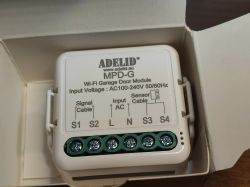
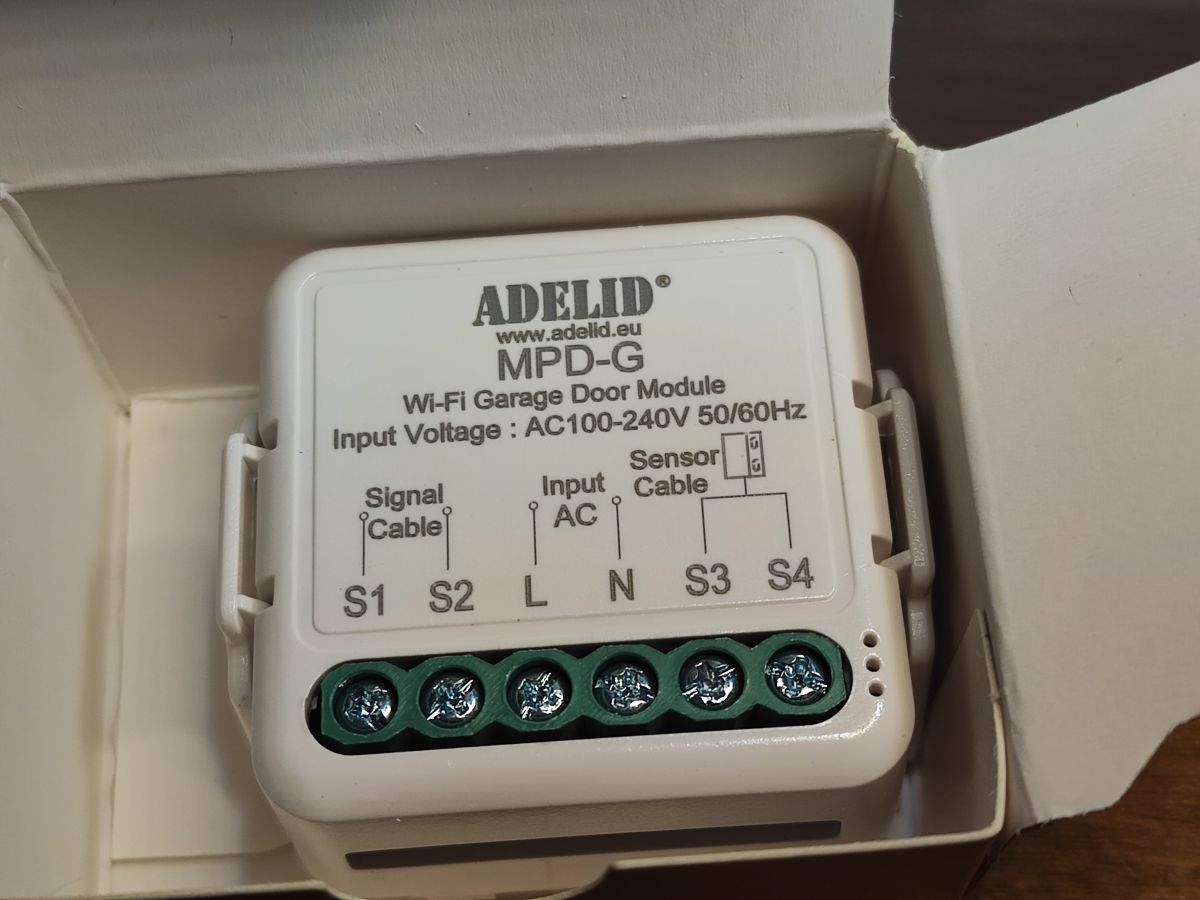
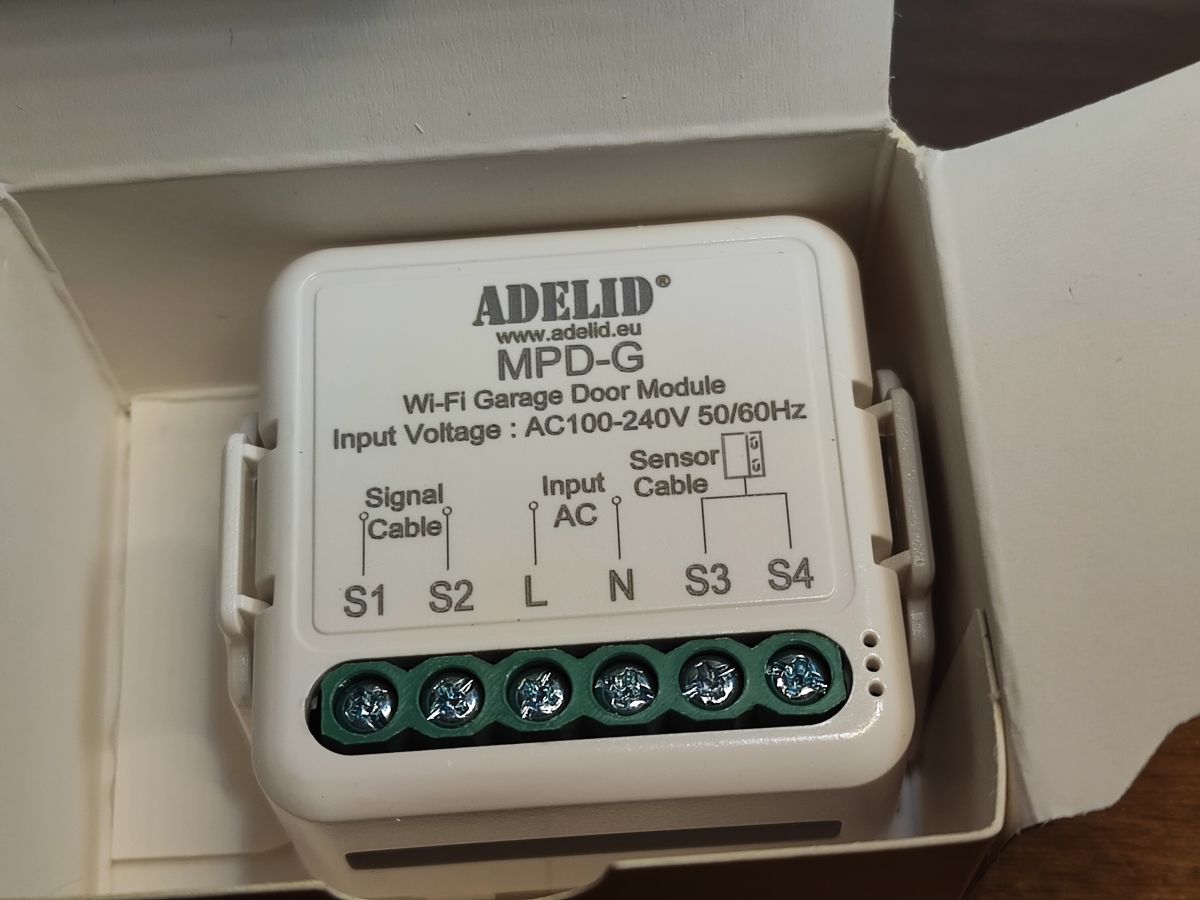
Shown here is a tiny but simple to reprogram garage door controller. The controller shown here normally interfaces with the Tuya cloud and offers door status detection based on an external sensor and the ability to simulate the pressing of a door button via a single voltage-free relay. It is powered by 230V. After changing the firmware it works without the cloud and is compatible with Home Assistant.

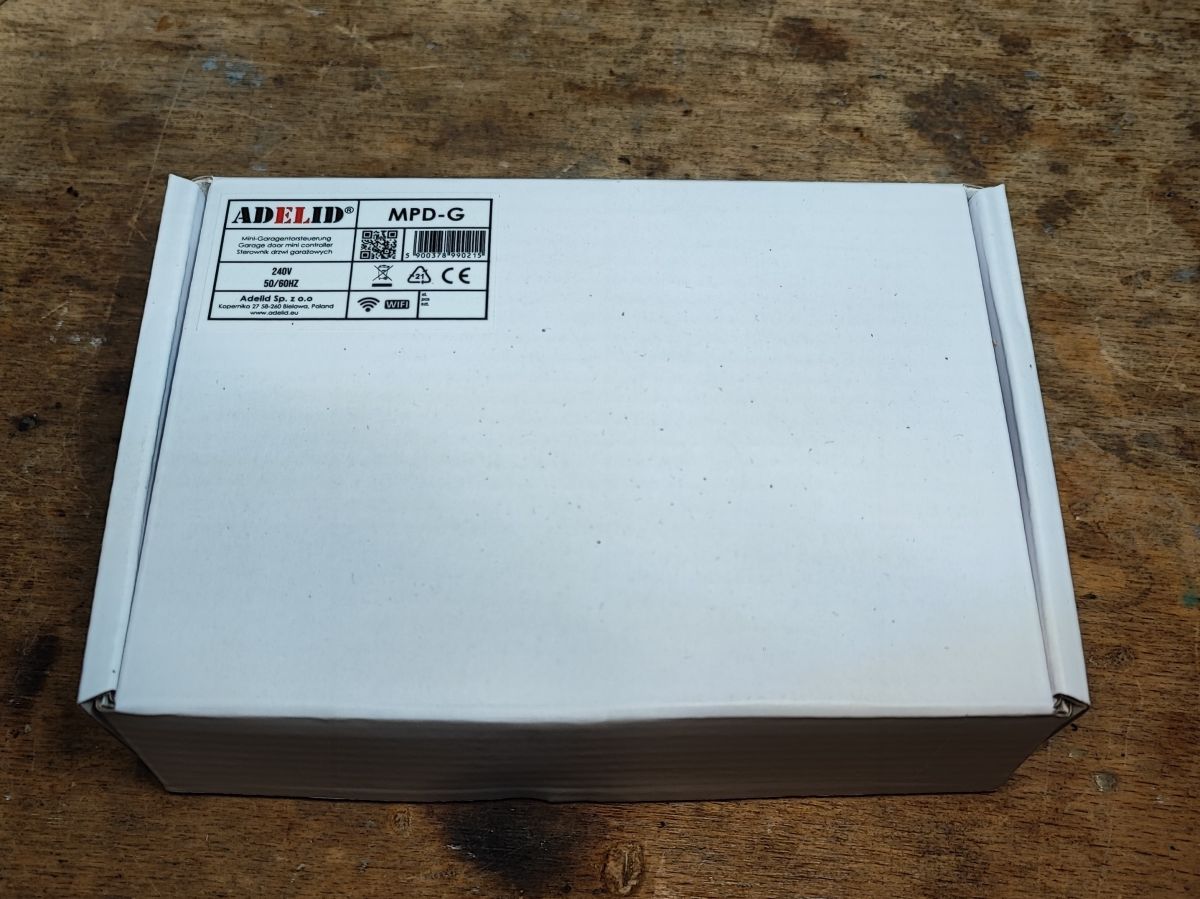
My copy came labelled MPD-G, where G is probably an abbreviation for Gate, although this product goes by different names.
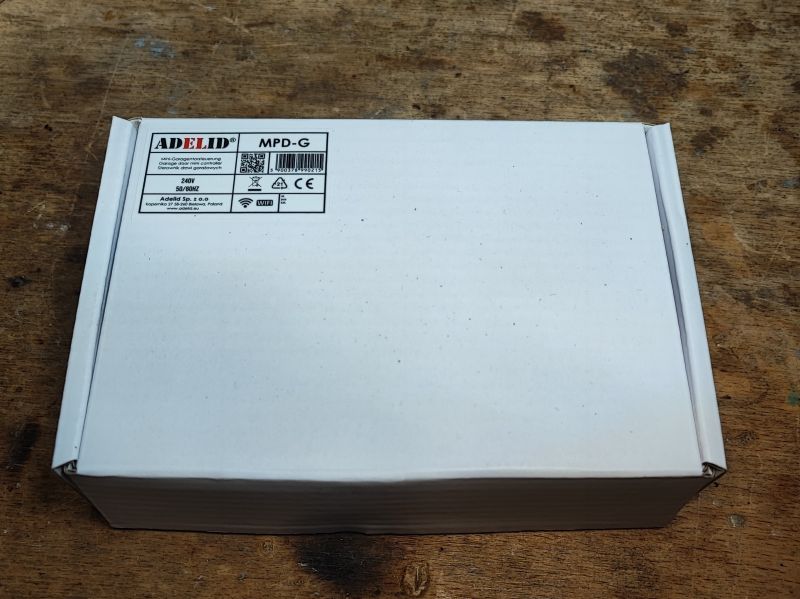
.
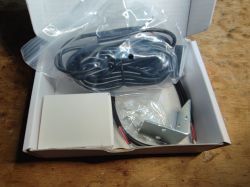
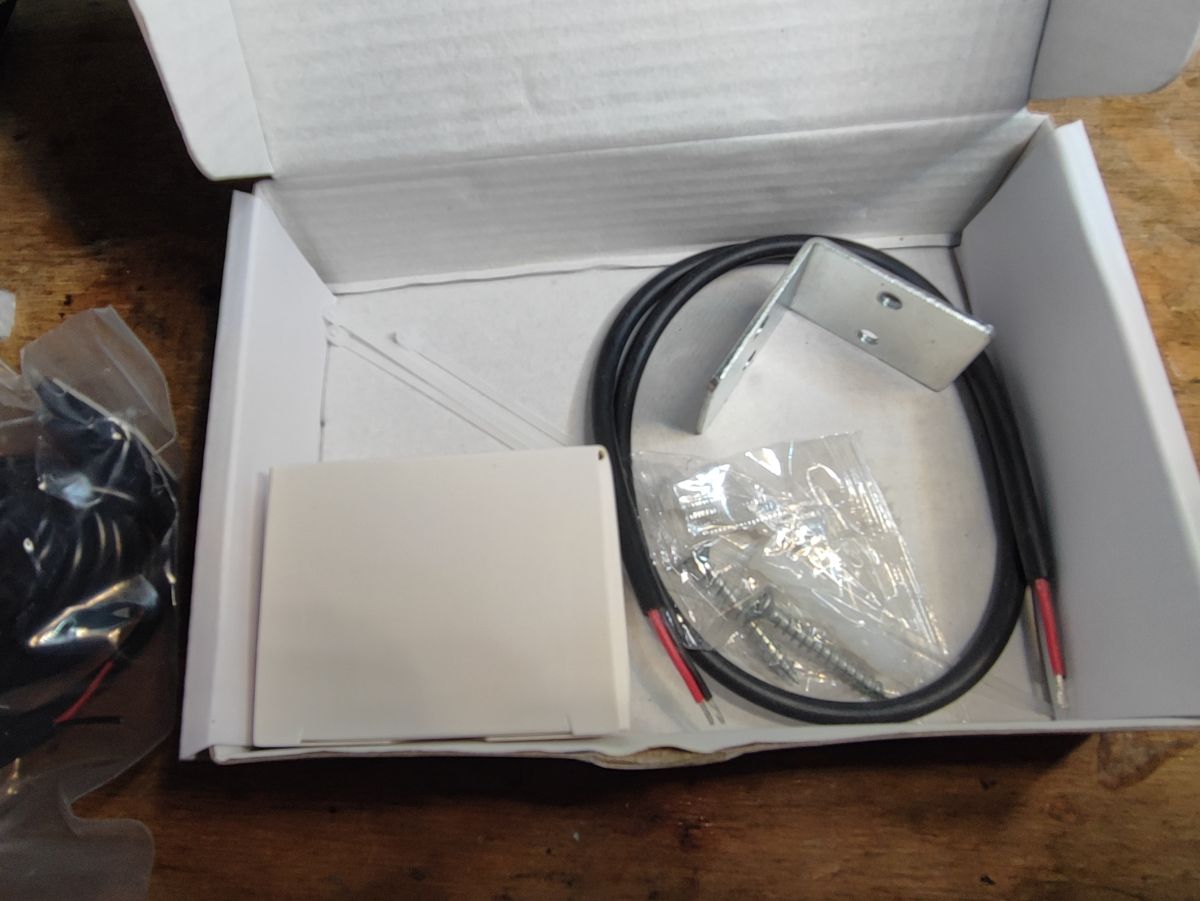
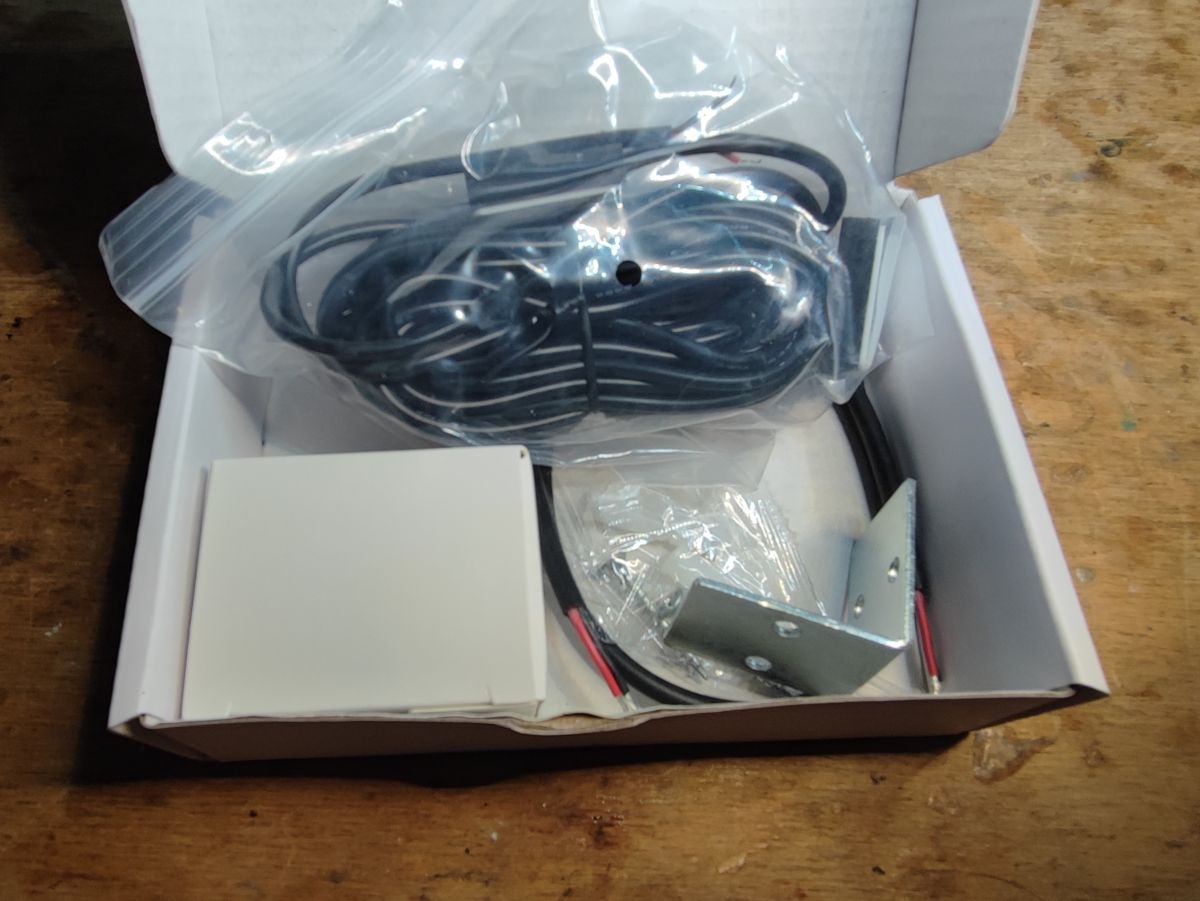
The kit still came with an angle bracket and mounting screws:
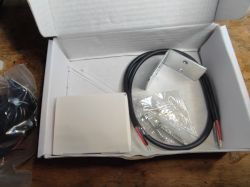
.
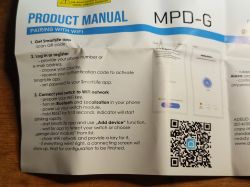
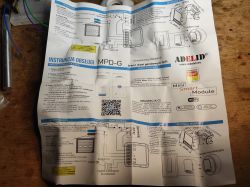
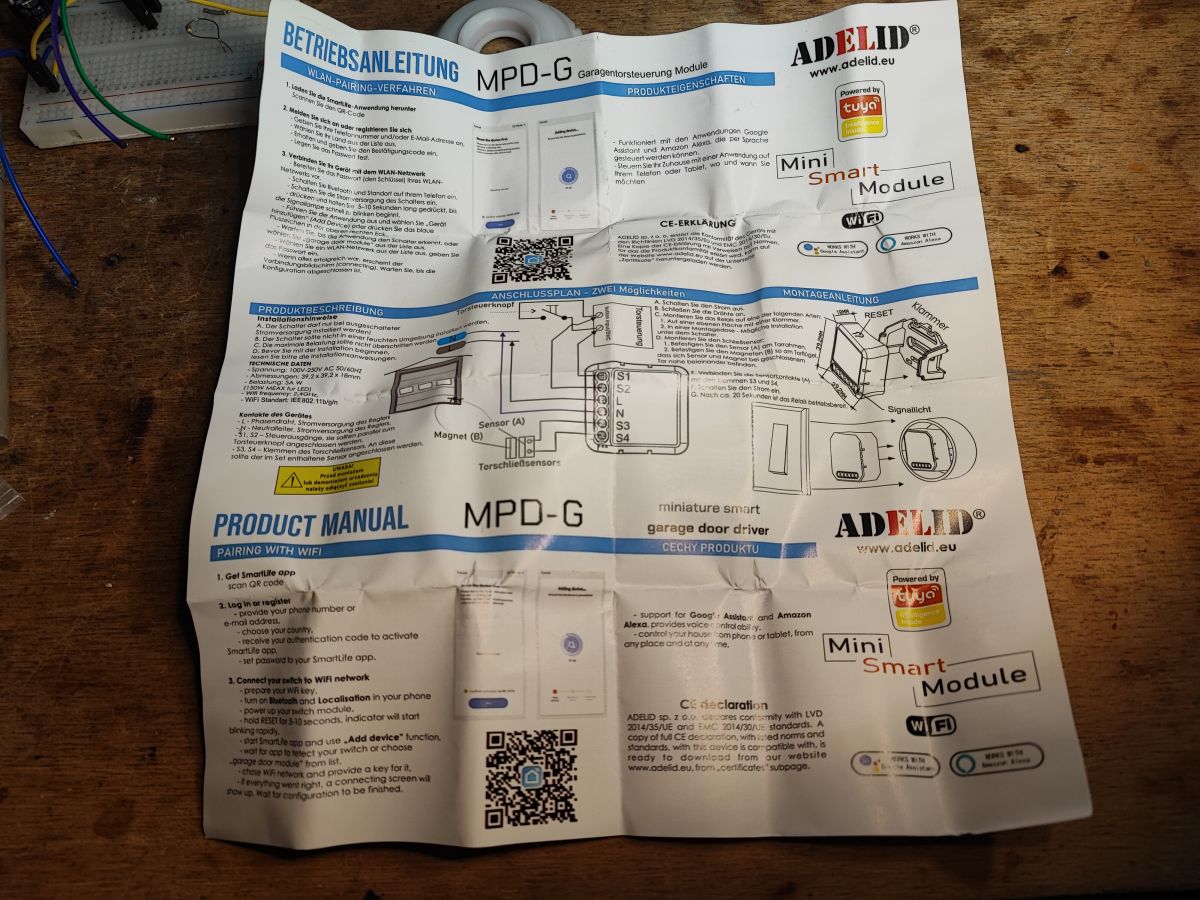
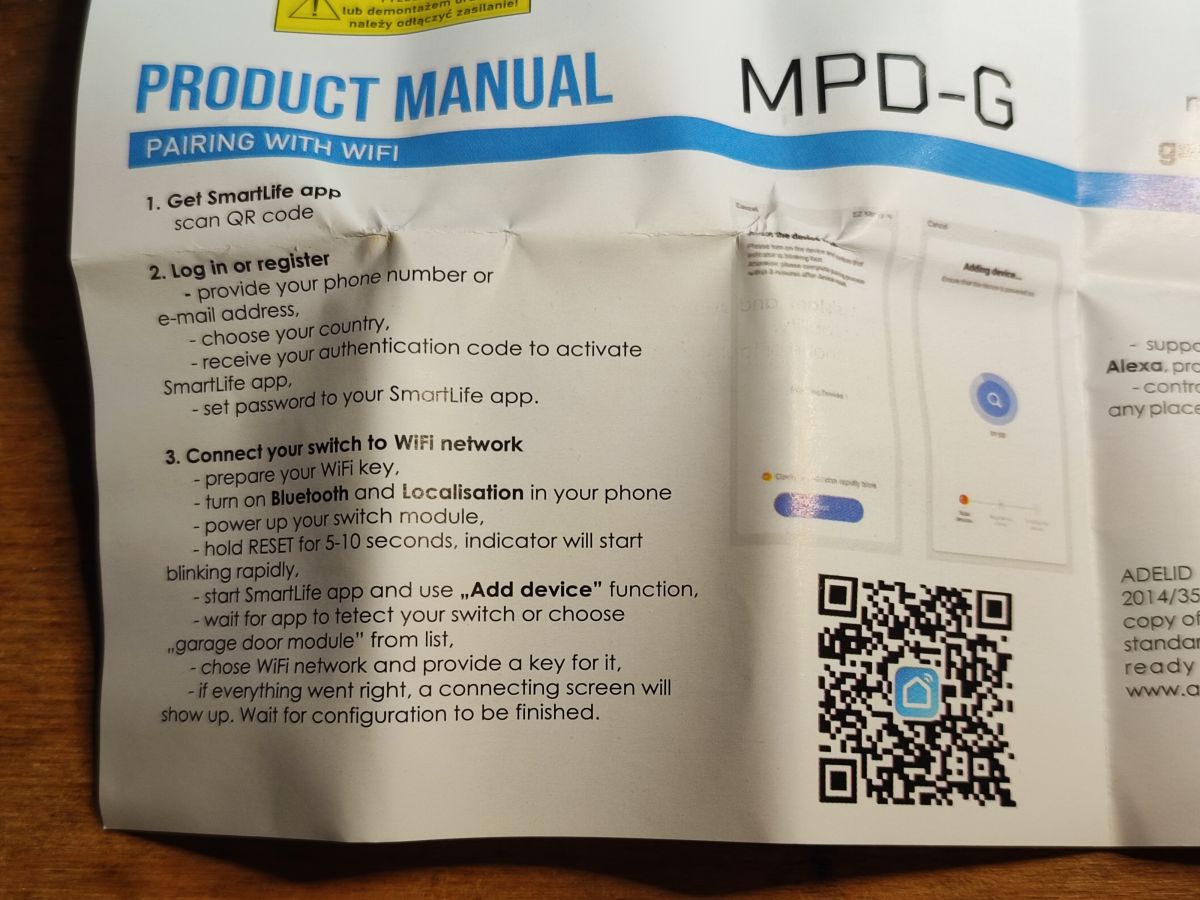
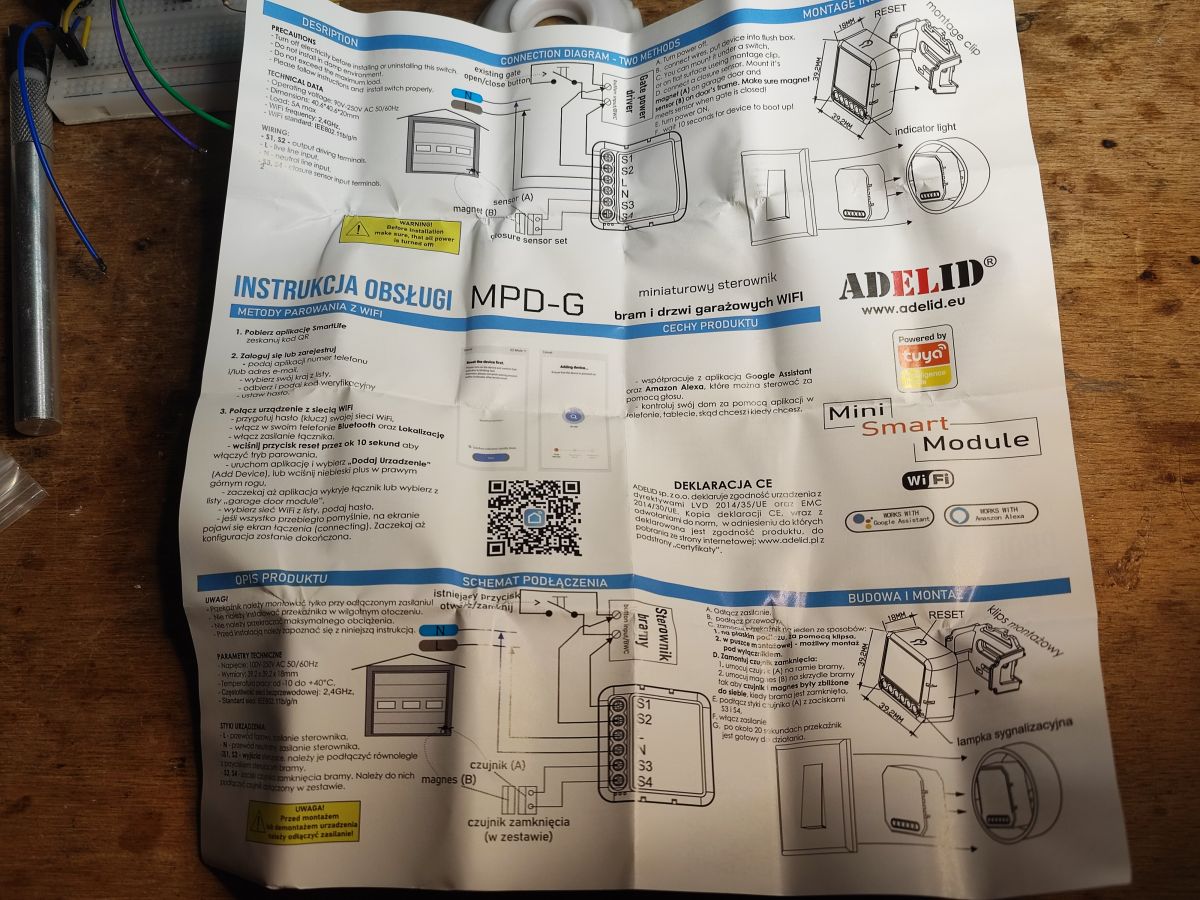
The manual is in several languages, including Polish. It may be of use to someone, it also specifies how to connect the controller to an existing gate controller.

.
However, we are interested in the things that are not found in the manual. Now it is time to look inside.

The casing is a snap-fit. There are no screws in there.
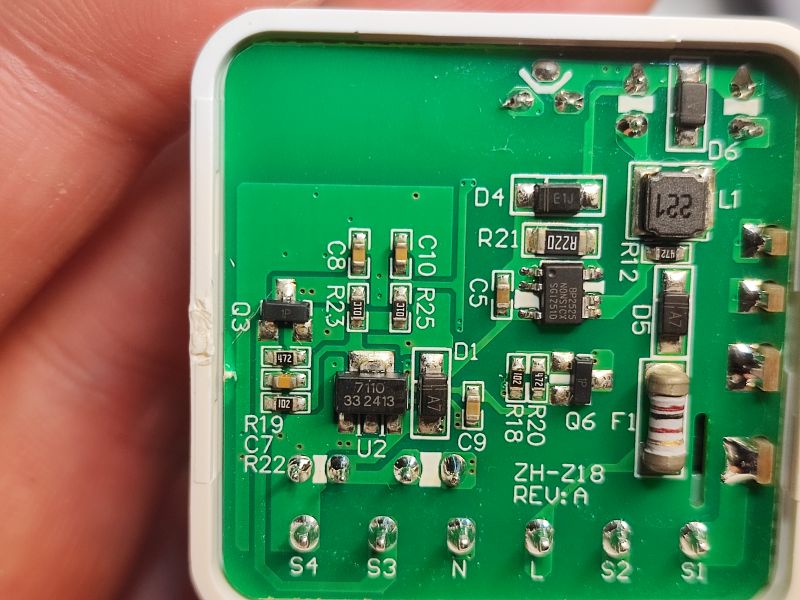
.
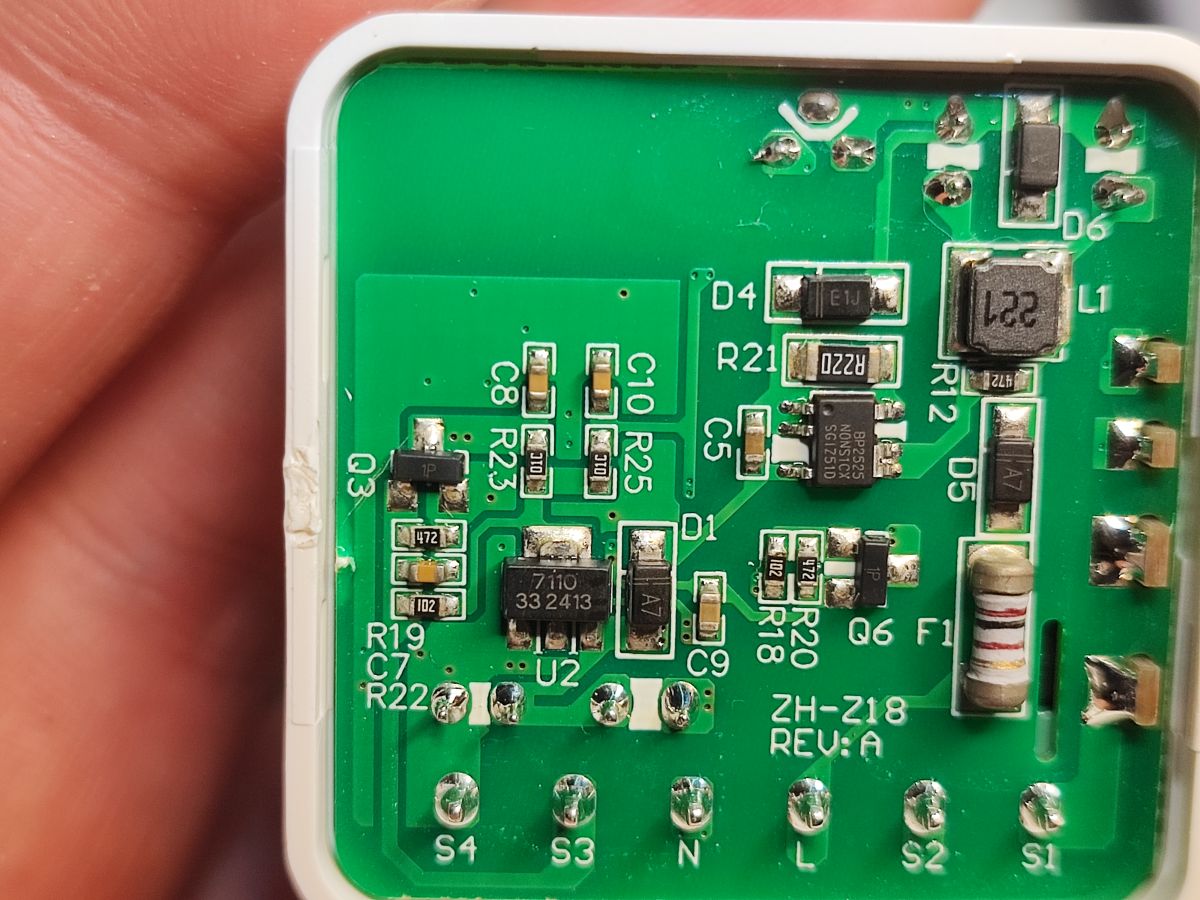
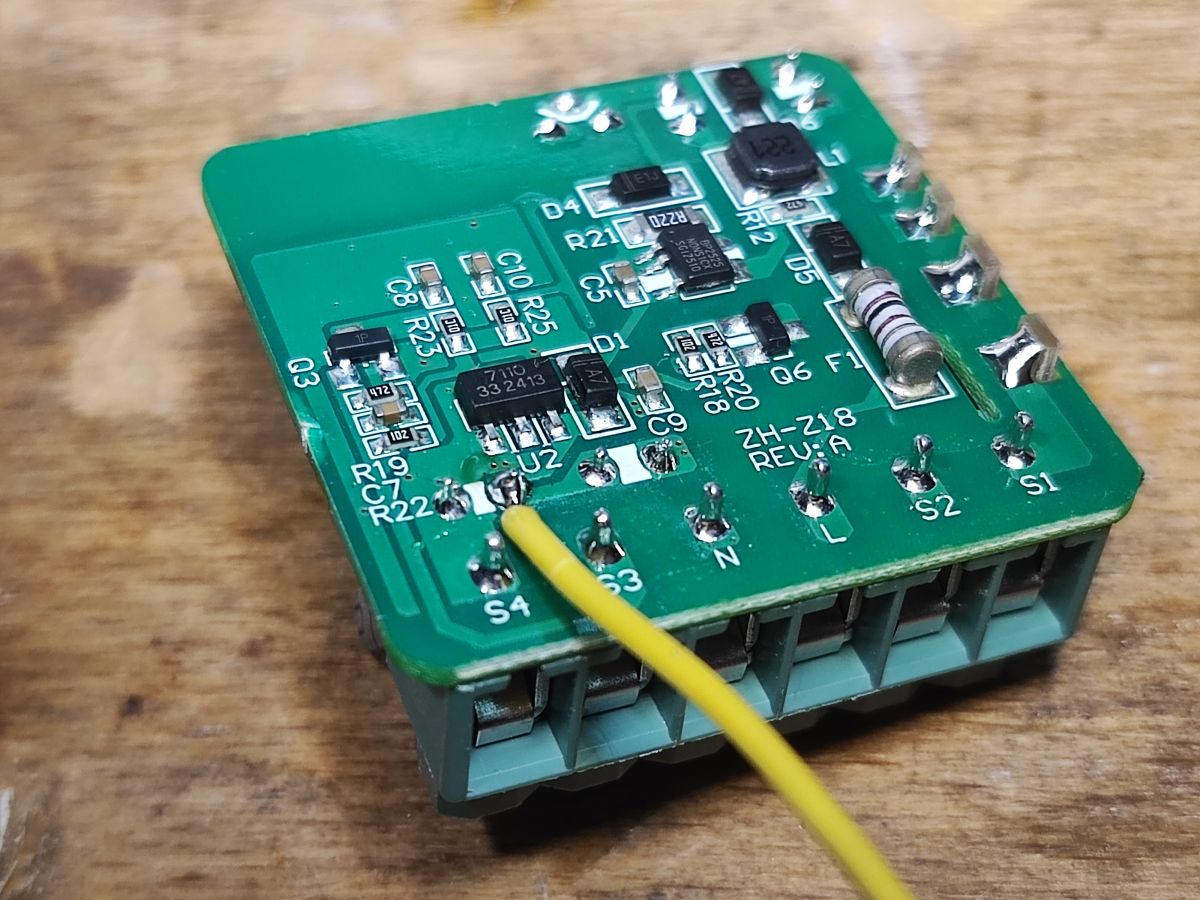
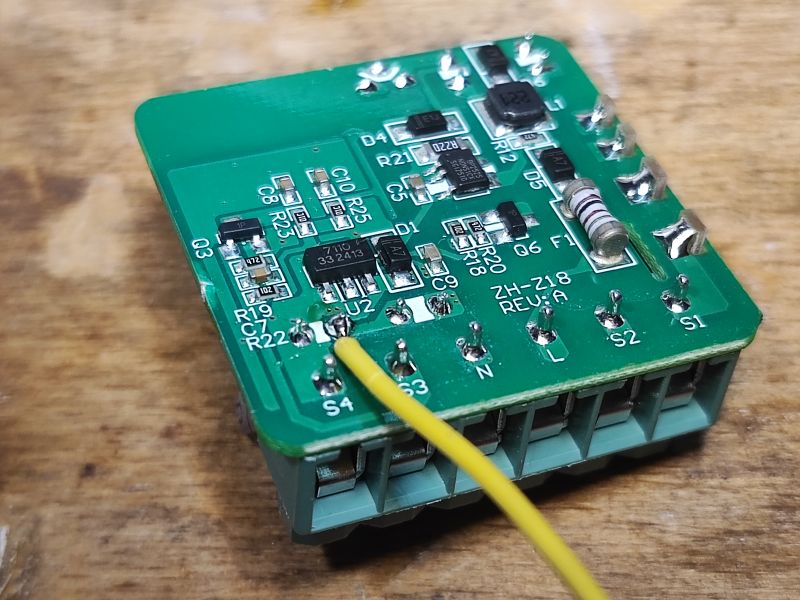
The unit is powered by a non-isolated step-down inverter based on the BP2525. This means that if you break the insulation of the magnetic sensor, there could be mains potential on it. The PCB designation is ZH-Z18 REV:A, and the WiFi module itself is additionally powered by an LDO 7110 33 (3.3V). The PCB also shows Q3 (1P), the transistor that controls the relay.
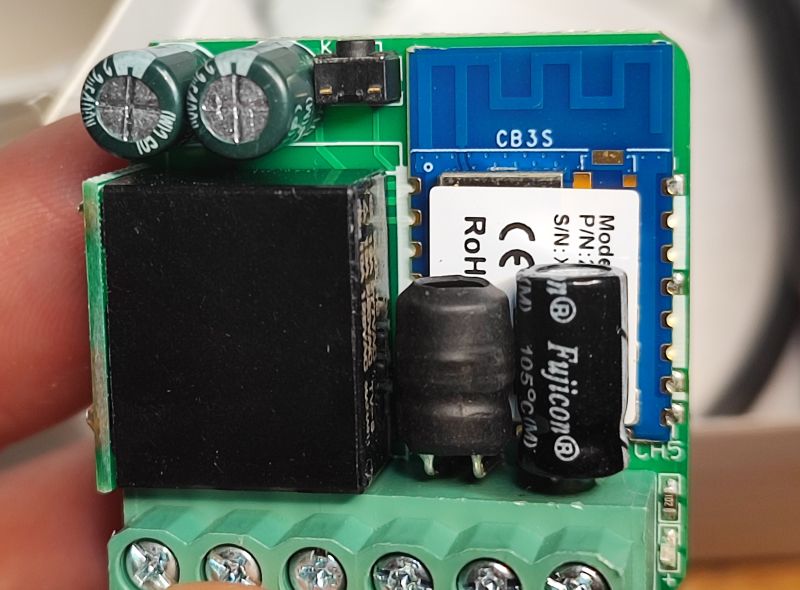
.
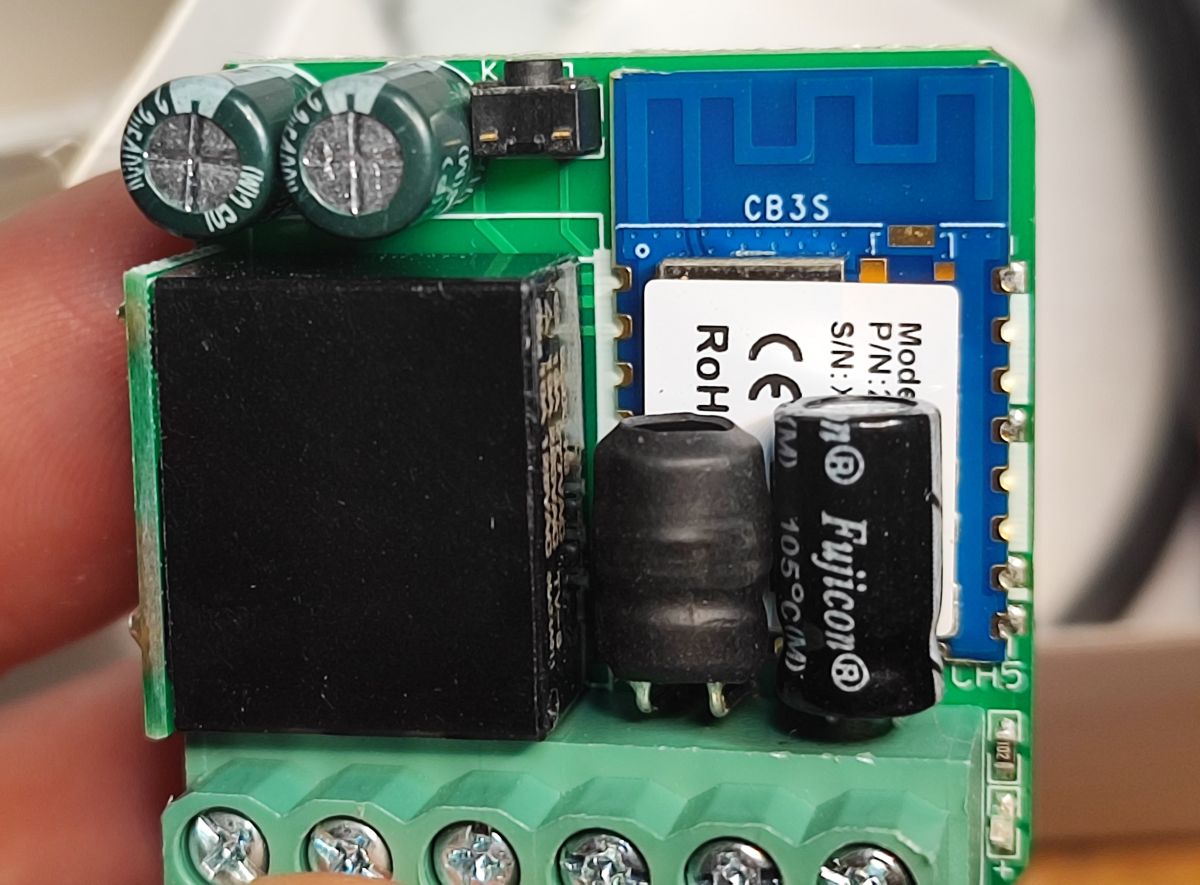
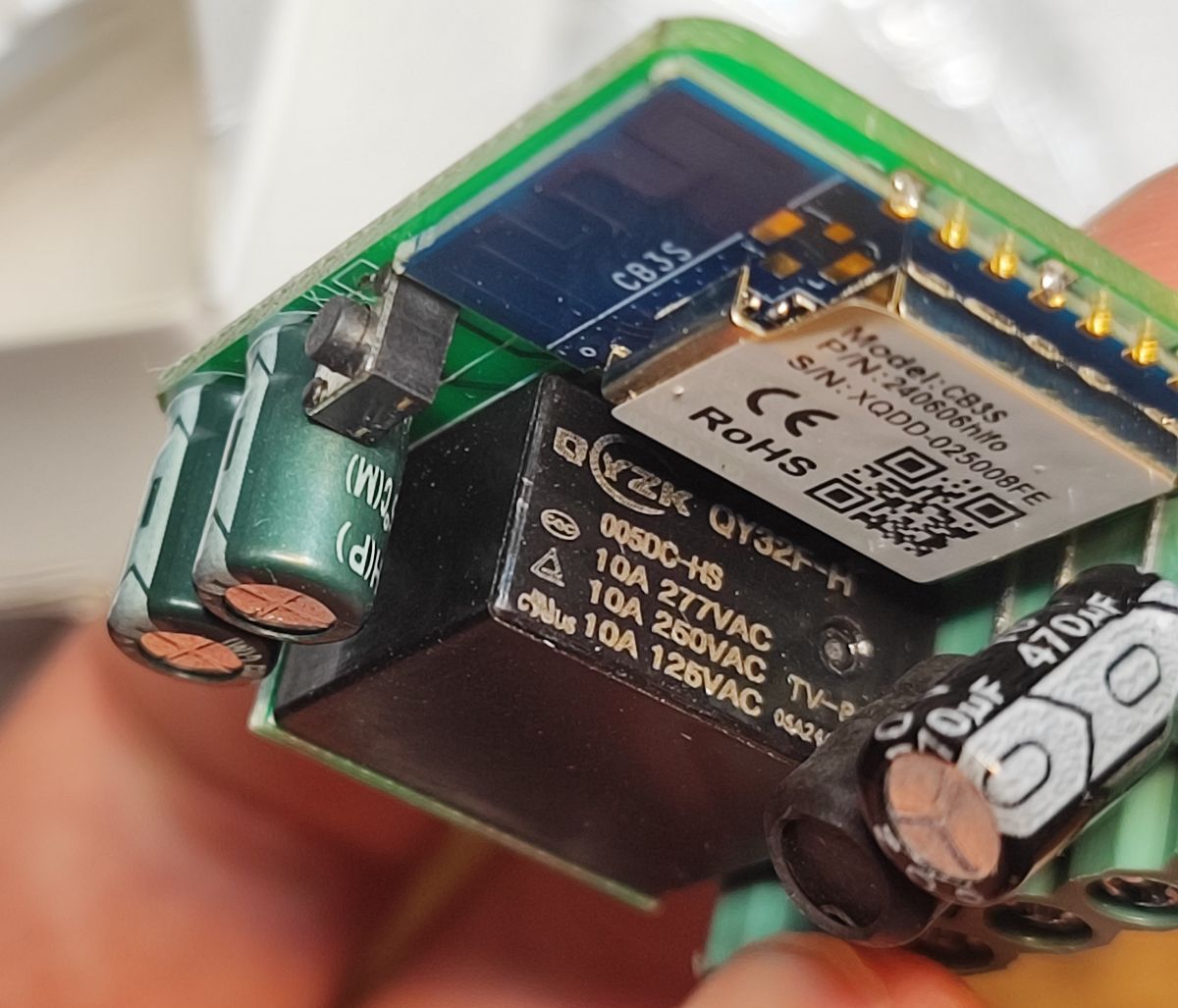
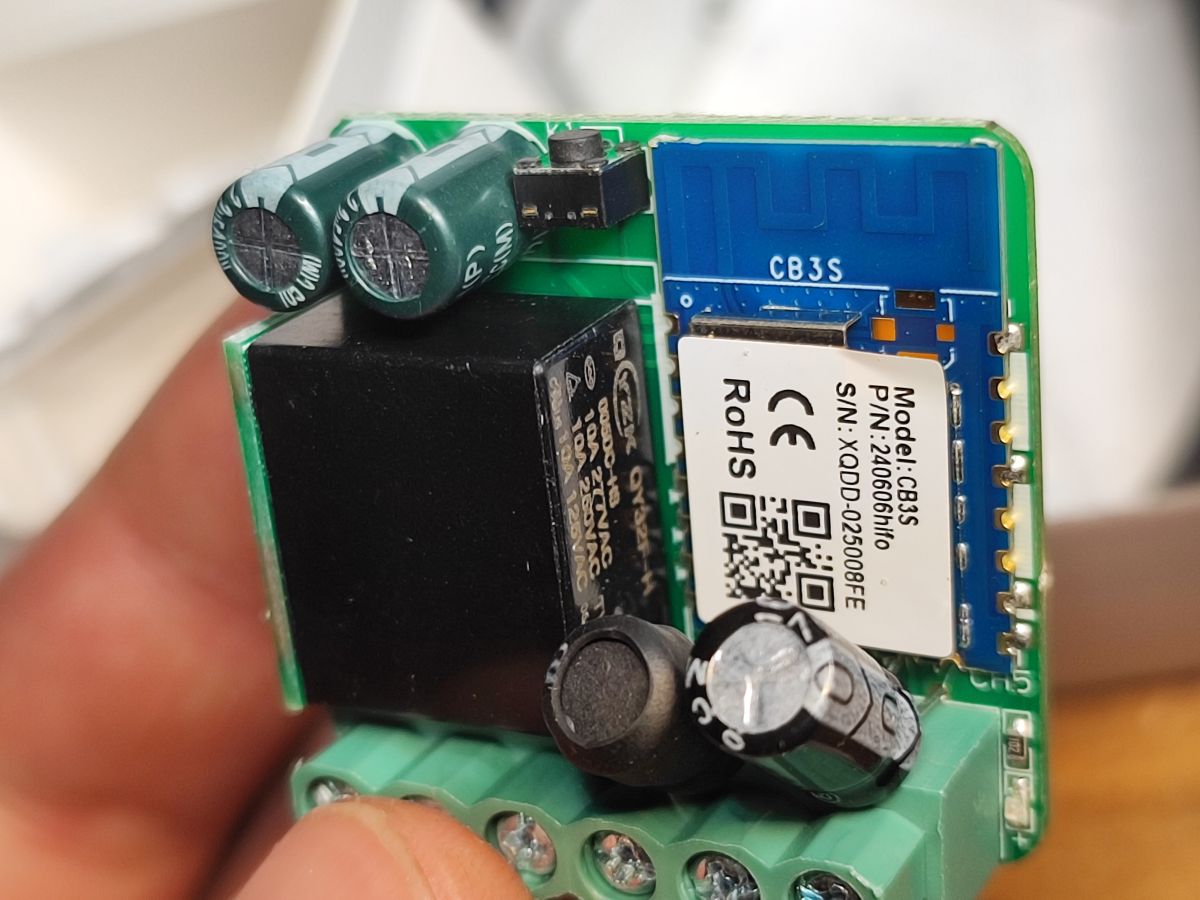
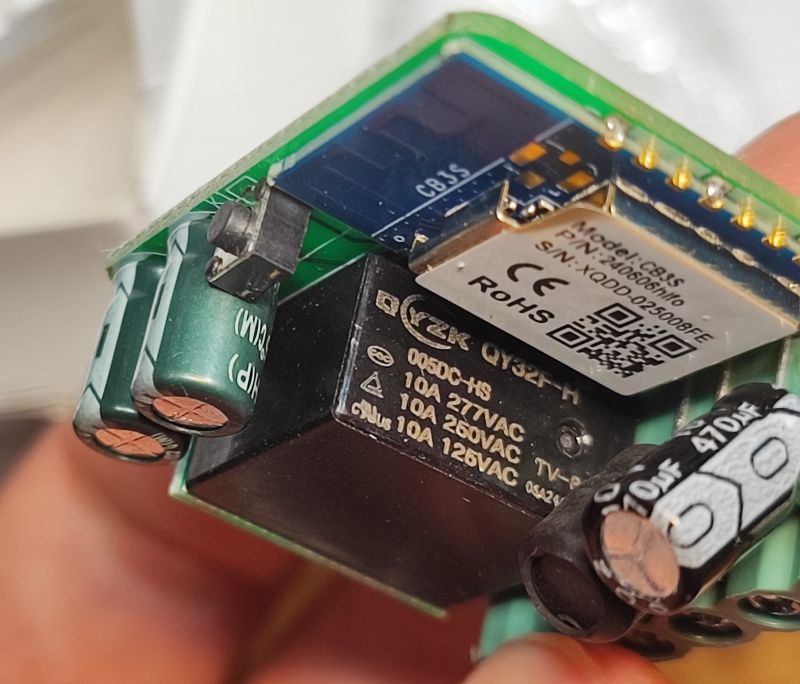
On the other side, we can see the capacitors from the power supply section, the coil from the step-down converter (the one from the mains voltage), and the cleverly placed relay (on the side) with the WiFi module controlling the whole device.
.
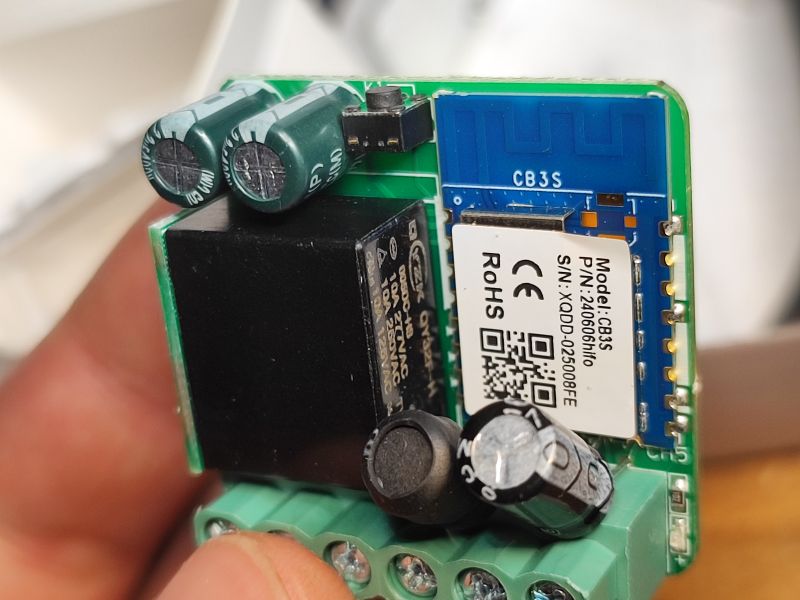
This is a CB3S, you can upload Polish firmware to it OpenBeken .

It's time to change the firmware. You will need a USB to UART converter. We follow the instructions of our flasher:
https://github.com/openshwprojects/BK7231GUIFlashTool
I first whittled down the pads:
.
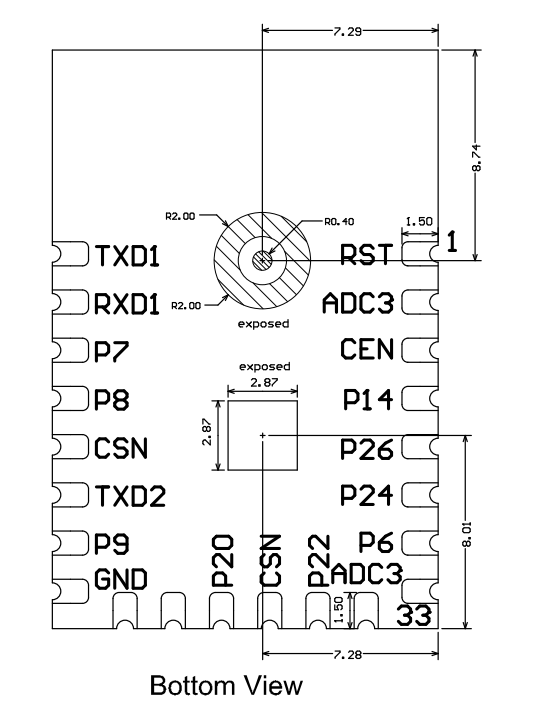
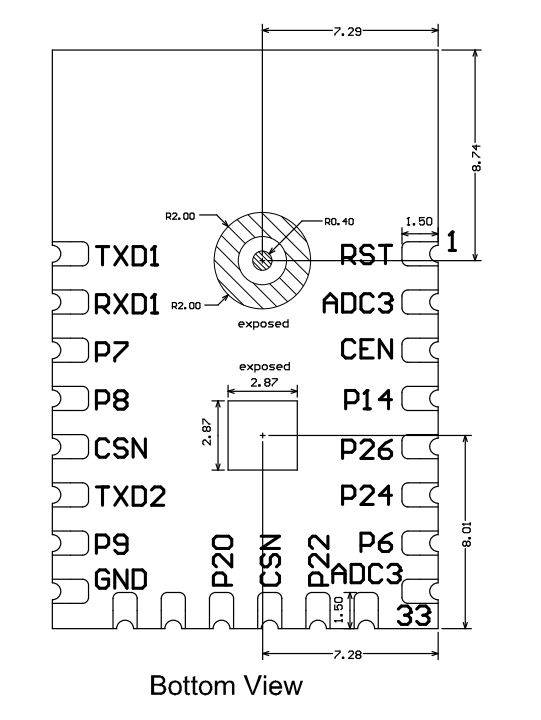
CB3S pad layout (bottom view):
.
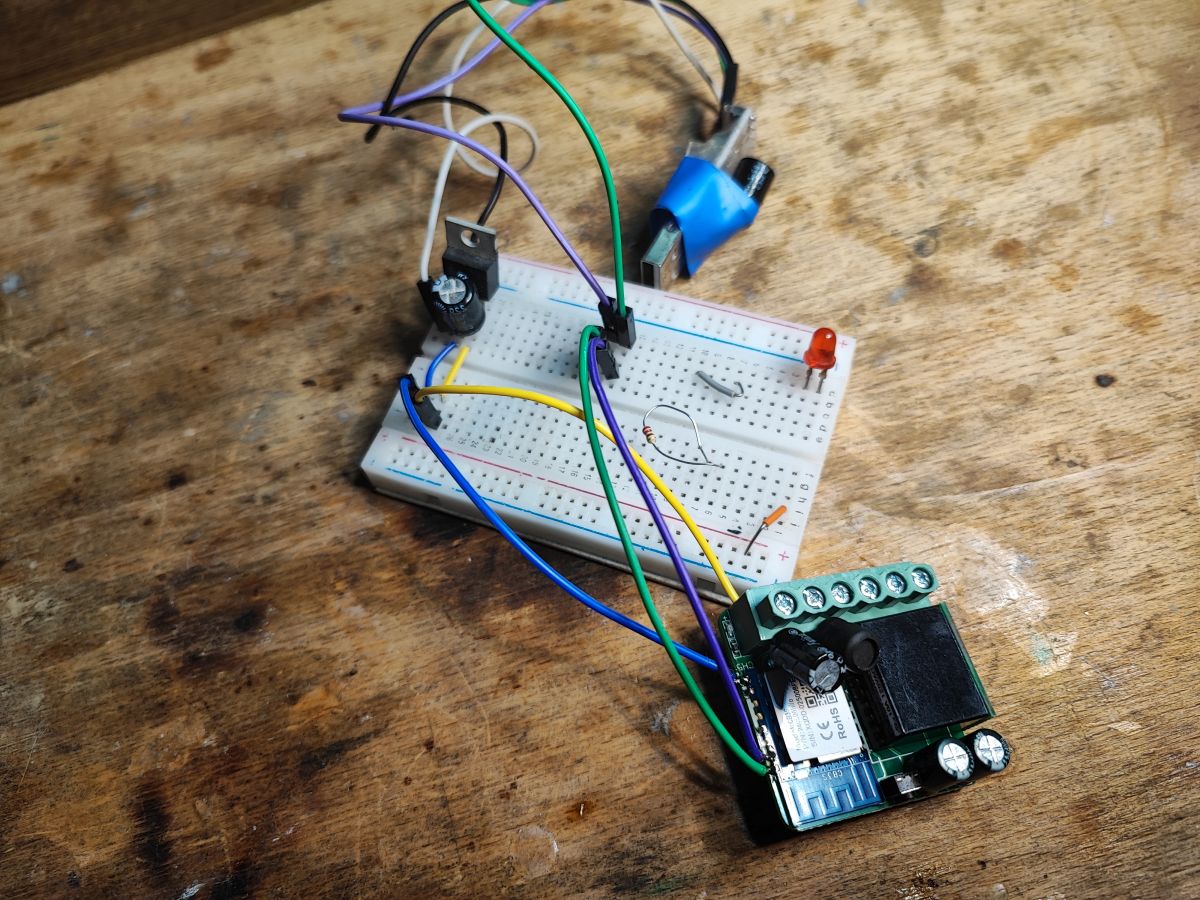
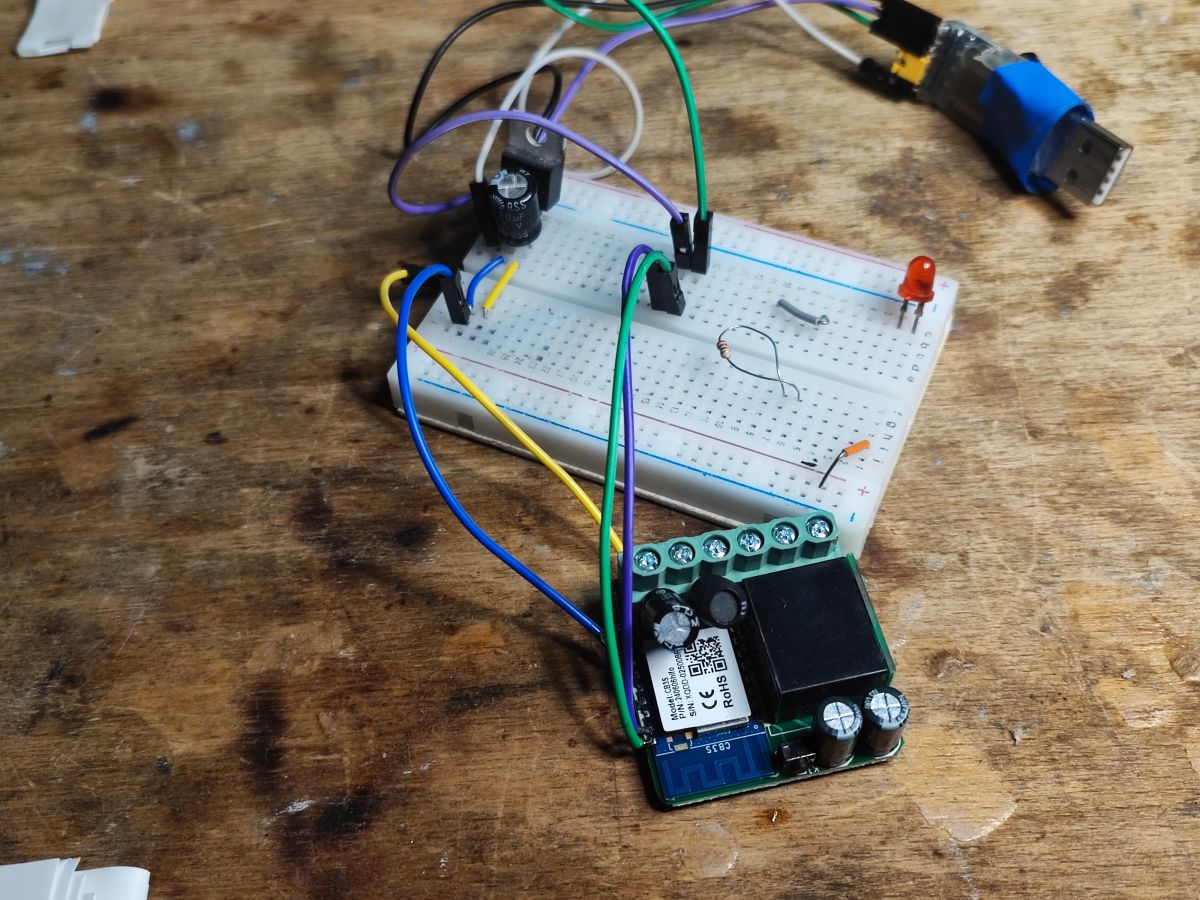
The CB3S power pad was obscured, so I fed the power in differently.
.
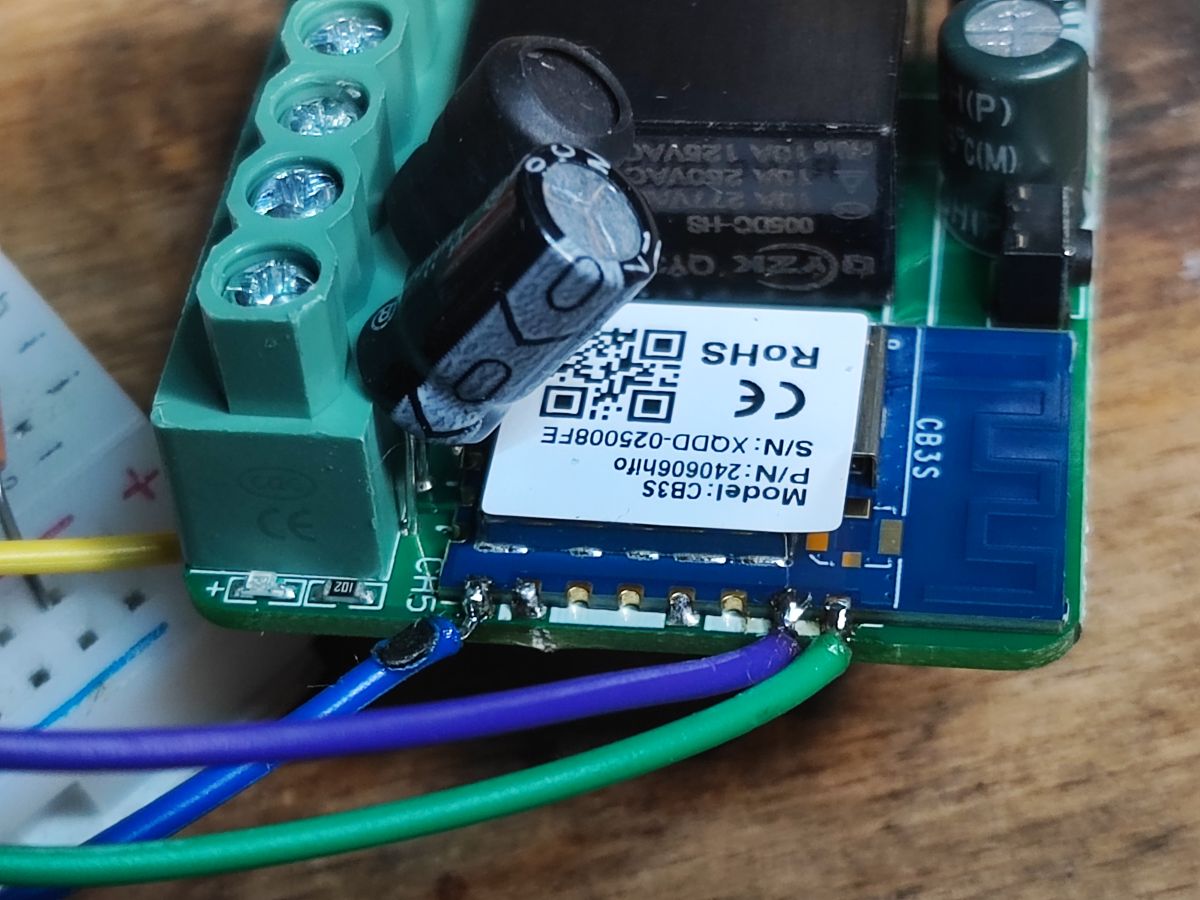
There was no problem with the others:
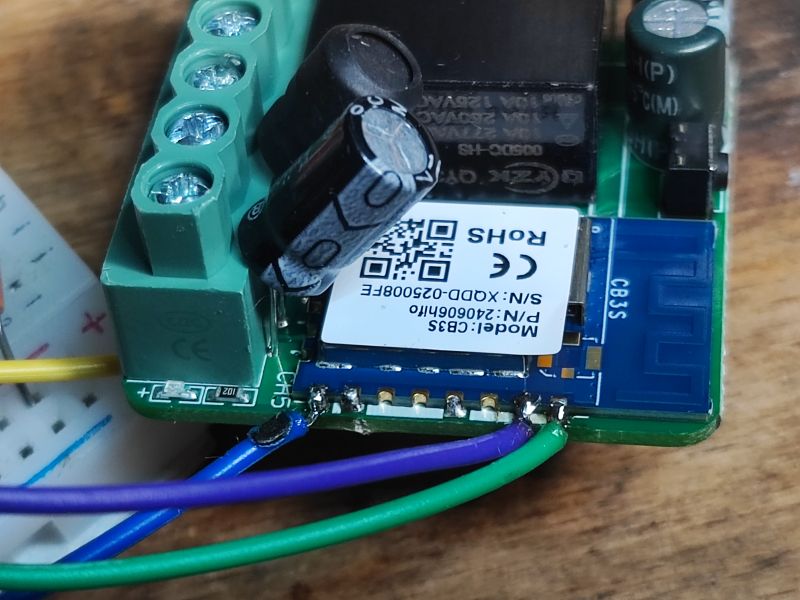
.
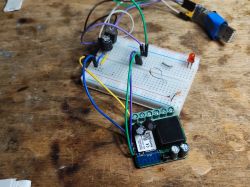
Here is my complete circuit - I had an external LDO from 3.3V:
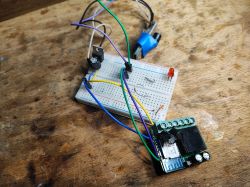
.
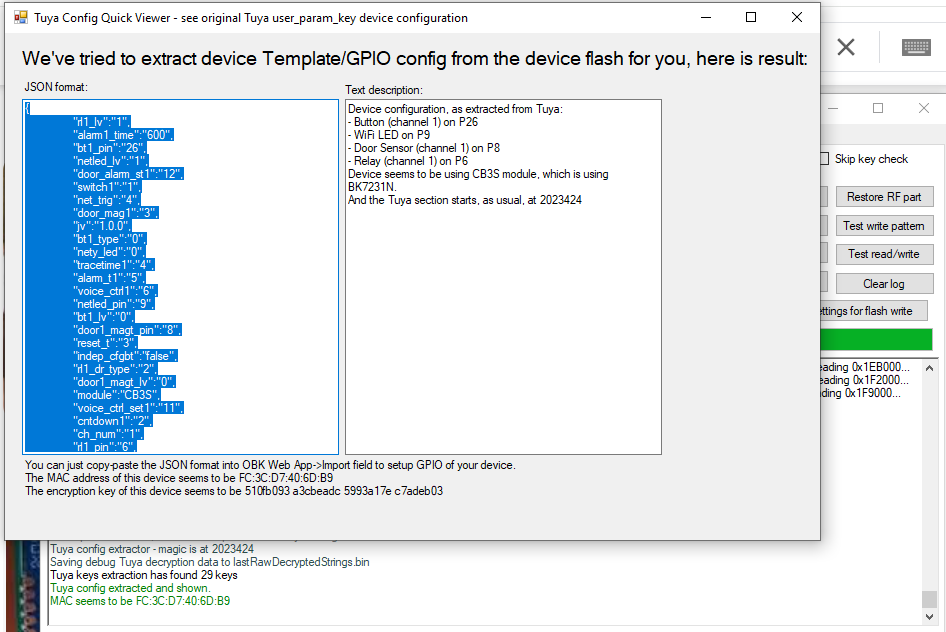
Flasher has correctly detected the GPIO configuration:
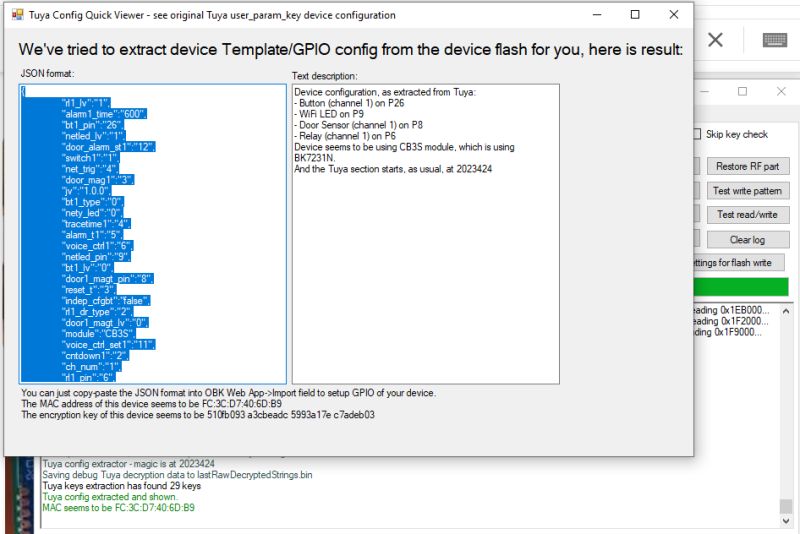
JSON Tuya:
Code: JSON
Log in, to see the code
.
Verbal description:

Device seems to be using CB3S module, which is BK7231N chip.
- Relay (channel 1) on P6
- WiFi LED on P9
- Door Sensor (channel 1) on P8
- Button (channel 1) on P26

OBK template:
Code: JSON
Log in, to see the code

Now you still need to reconfigure the gateway logic. This can be done in HA or in OBK. I will present this at another time, however, if you have any questions, please feel free to write - I will certainly help.

In summary, this was another easy product to reprogram. It can now already open gates in conjunction with Home Assistant, without connecting to the manufacturer's cloud. We can now also configure it freely, for details I invite you to document the project . For the advanced, there is also the option of programming it in Berry directly on the WiFi module: Berry scripts for various IoT platforms - OBK scripting tutorial, part 1 .
Which gateway controllers do you use?


About Author
p.kaczmarek2
p.kaczmarek2 wrote 14224 posts with rating 12120 , helped 647 times. Been with us since 2014 year.

Comments

ArturAVS 24 Sep 2025 07:44

Strange nomenclature, how can a simple WiFi relay be called a gate controller? Gate controllers have various security functions implemented, which are simply missing here. [Read more]

p.kaczmarek2 24 Sep 2025 11:14

This is simply marketing nomenclature, so that the customer can find the product. It is the same in the situation of roller shutter controllers. There, too, the interior is almost identical to that of... [Read more]

FAQ

TL;DR: MPD‑G (1‑relay) can be reflashed—“another easy product to reprogram”—to OpenBeken for local Home Assistant control via CB3S/BK7231N, removing Tuya cloud. [Elektroda, p.kaczmarek2, post #21698056]

Why it matters: This FAQ helps DIY users choose, flash, and safely wire a low‑cost "garage/gate" Wi‑Fi relay for private, local automation.

Quick Facts

Which garage door controller here can be reprogrammed?

The MPD‑G unit shown can be reflashed from Tuya firmware to OpenBeken. It uses the Tuya CB3S Wi‑Fi module based on BK7231N, making UART flashing straightforward. After flashing, it no longer needs the vendor cloud and can operate locally. [Elektroda, p.kaczmarek2, post #21698056]

Is MPD‑G a real gate controller or just a Wi‑Fi relay?

It’s marketed as a gate controller, but functionally it’s a single dry‑contact Wi‑Fi relay. As one expert noted, “how can a simple WiFi relay be called a gate controller?” It lacks built‑in safety interlocks expected in dedicated gate operators. Add safety logic externally or in software. [Elektroda, ArturAVS, post #21698788]

What’s inside the MPD‑G and what safety risks exist?

Inside is a non‑isolated BP2525 AC step‑down and a side‑mounted relay controlled by the CB3S module. If the magnetic sensor’s insulation is damaged, mains potential may reach the sensor line. Enclose and strain‑relieve wiring, and add external isolation if needed. [Elektroda, p.kaczmarek2, post #21698056]

What is OpenBeken in simple terms?

OpenBeken is open‑source firmware for BK7231‑based Tuya devices. It replaces the stock cloud firmware, enabling local control, custom pin mapping, and Home Assistant integration on devices like MPD‑G. [Elektroda, p.kaczmarek2, post #21698056]

Which Wi‑Fi module and pin map does MPD‑G use?

It uses the Tuya CB3S module with a BK7231N chip. The mapped pins are: Relay on P6, Door Sensor on P8, Wi‑Fi LED on P9, and the local Button on P26. “Flasher has correctly detected the GPIO configuration.” [Elektroda, p.kaczmarek2, post #21698056]

How do I flash OpenBeken onto the CB3S module?

  1. Open the snap‑fit case to access the PCB.
  2. Solder or press to CB3S UART pads; power the module at 3.3 V.
  3. Use BK7231 GUI Flash Tool to write OpenBeken, then set pins per template. Keep mains disconnected during flashing. [Elektroda, p.kaczmarek2, post #21698056]

Will it work without Tuya cloud and with Home Assistant after flashing?

Yes. After installing OpenBeken, the device operates locally without the manufacturer’s cloud. It pairs with Home Assistant for gate open/close control and status from the magnetic sensor. [Elektroda, p.kaczmarek2, post #21698056]

How should I wire the relay and the door sensor?

Use the relay’s voltage‑free contacts across your opener’s wall‑button inputs. Connect the magnetic door sensor to the designated low‑voltage terminals. The included manual illustrates connection to typical gate controllers; follow that and your opener’s guide. [Elektroda, p.kaczmarek2, post #21698056]

Are there default timings or settings I should know?

Typical defaults shown include a 20‑unit relay pulse (trl1_time=20), a 600‑second alarm timer, and a 3‑second reset time. Adjust these in OpenBeken or your automation platform to match your door motor’s requirements. [Elektroda, p.kaczmarek2, post #21698056]

What edge cases can cause failures or damage?

Edge case: a nicked door‑sensor cable can expose mains potential due to the non‑isolated supply. This risks shock and controller damage. Keep sensor wiring intact, add isolation where possible, and mount the unit away from strain points. [Elektroda, p.kaczmarek2, post #21698056]

Can I add custom logic like auto‑close or alerts?

Yes. OpenBeken supports on‑device scripting (Berry) and flexible rules. You can implement auto‑close timers, safety checks, and notifications without cloud dependence. Home Assistant can add presence or schedule logic on top. [Elektroda, p.kaczmarek2, post #21698056]

Why are these sold as “gate controllers” if they’re simple relays?

It’s marketing. The same internal design appears across products sold as shutter or lighting controllers, with logic implemented in the Wi‑Fi module. “It is simply marketing nomenclature, so that the customer can find the product.” [Elektroda, p.kaczmarek2, post #21698987]

What’s the cost and value proposition here?

You get a low‑cost, 1‑channel, cloud‑free controller that reuses existing open/close terminals. The value is flexibility: custom firmware, local control, and Home Assistant integration without recurring fees or vendor lock‑in. [Elektroda, p.kaczmarek2, post #21698056]

How do I keep the install safe and code‑friendly?

Mount in a protected enclosure, segregate mains and sensor wiring, and label conductors. Add an external isolated supply or opto‑isolation for sensors if local codes require extra protection. Use low‑voltage accessories rated for your opener. [Elektroda, p.kaczmarek2, post #21698056]

Can I revert to stock Tuya firmware later?

Yes, if you backed up the original firmware before flashing. Use the same UART method with your backup image. Document pinouts and settings so you can restore functionality quickly. [Elektroda, p.kaczmarek2, post #21698056]

What if my opener needs two separate inputs (open/close)?

The MPD‑G has one relay. For dual inputs, use automation to time a single pulse, or add a second relay module. Ensure interlocking logic so both directions never energize together. [Elektroda, p.kaczmarek2, post #21698987]
%}