logo elektroda
logo elektroda
X
logo elektroda
Dostępna jest polska wersja

Czy wolisz polską wersję strony elektroda?

Nie, dziękuję Przekieruj mnie tam

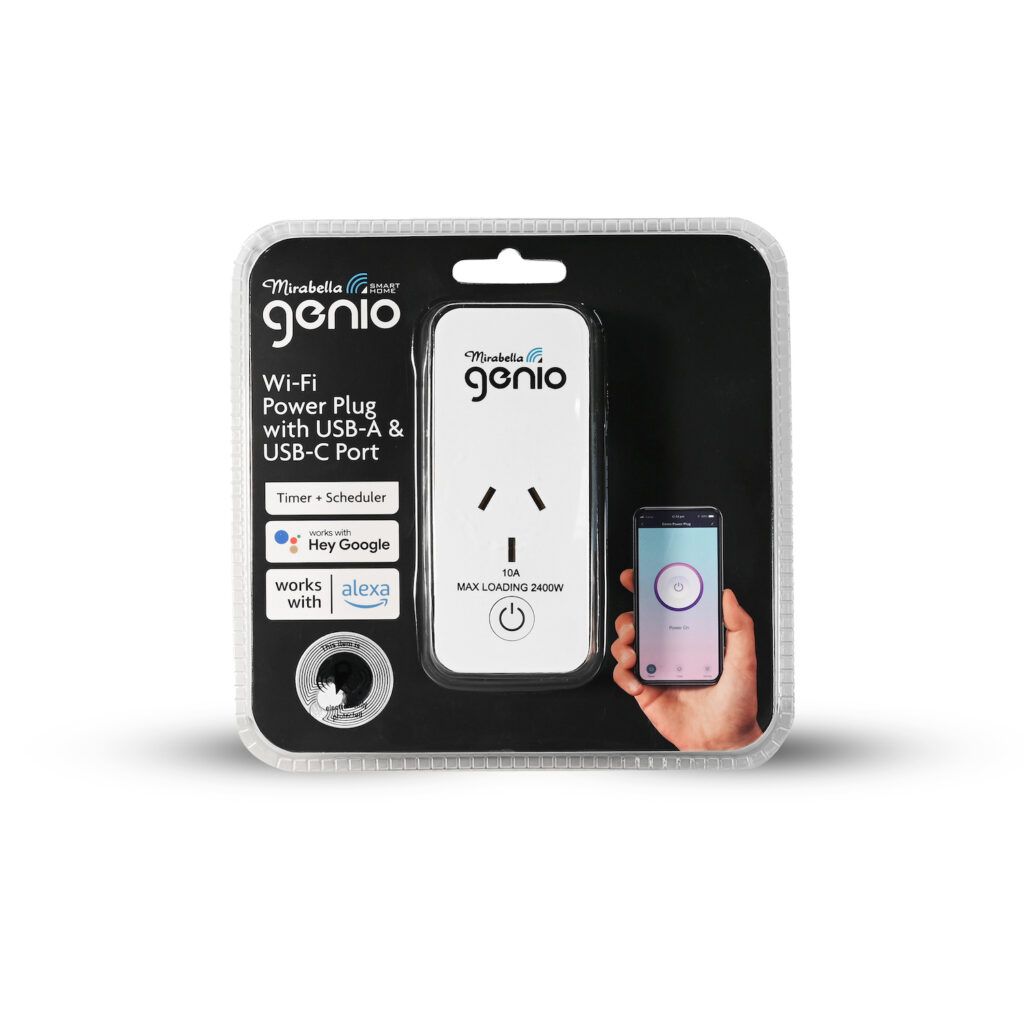
Flashing Mirabella Genio Smart Plug with USB A and C (I03632)

sillyfrog 1398 1

TL;DR

  • Mirabella Genio Smart Plug with USB A and C (I03632) was opened and documented, including its internal configuration and pin mapping.
  • The unit uses a CB2S board with a BK7231N chip, and the extracted full dump now allows flashing with tuya-cloudcutter.
  • Pinout is simple: P6 relay, P7 button, P8 blue LED, and P26 red LED.
  • Flashing also worked with a pogo pin adapter after carefully cutting down the case sides and prying it open.
  • The case took some damage during opening, though it still clicks back together securely.
ADVERTISEMENT
📢 Listen (AI):
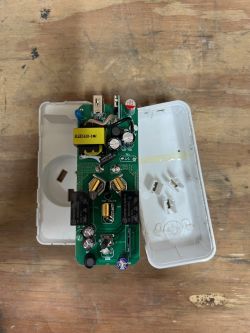
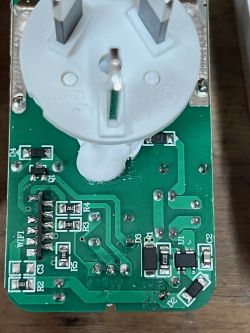
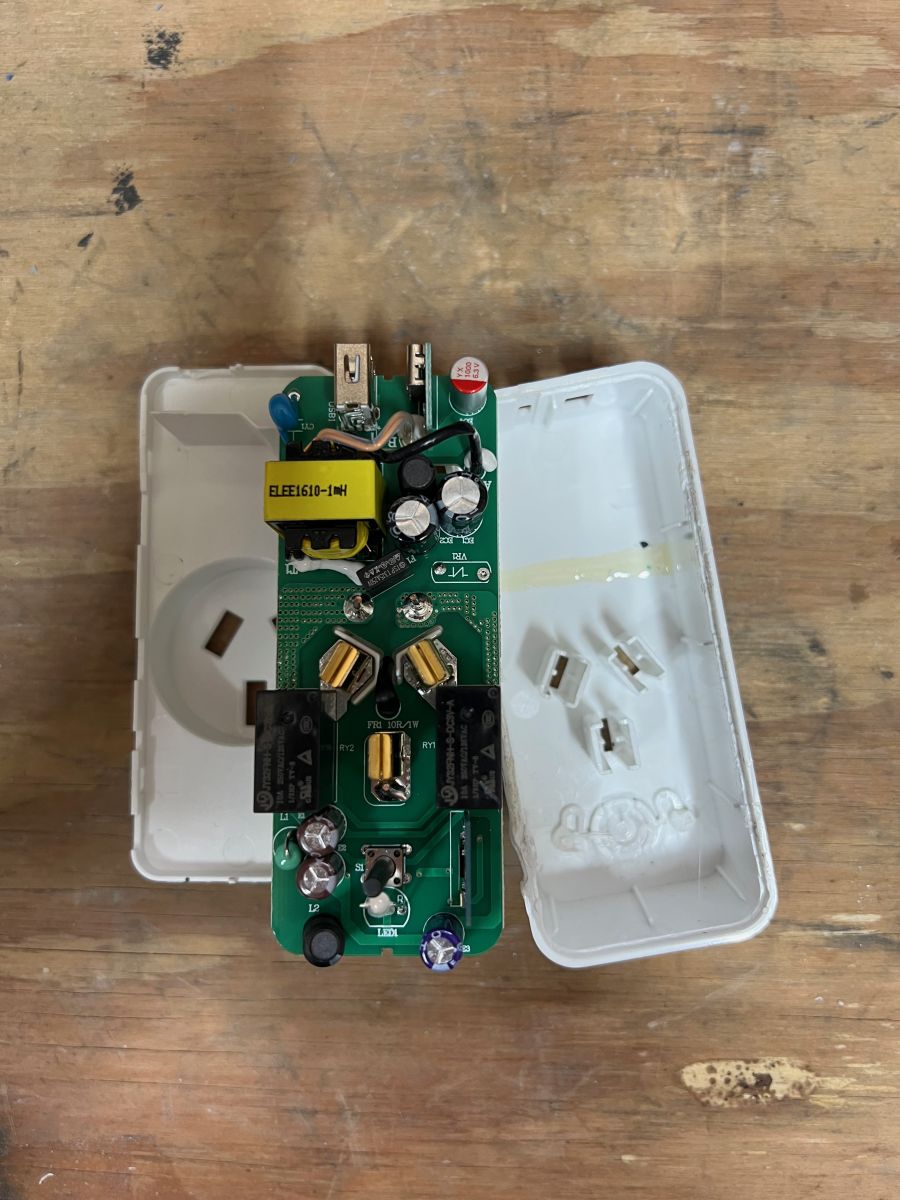
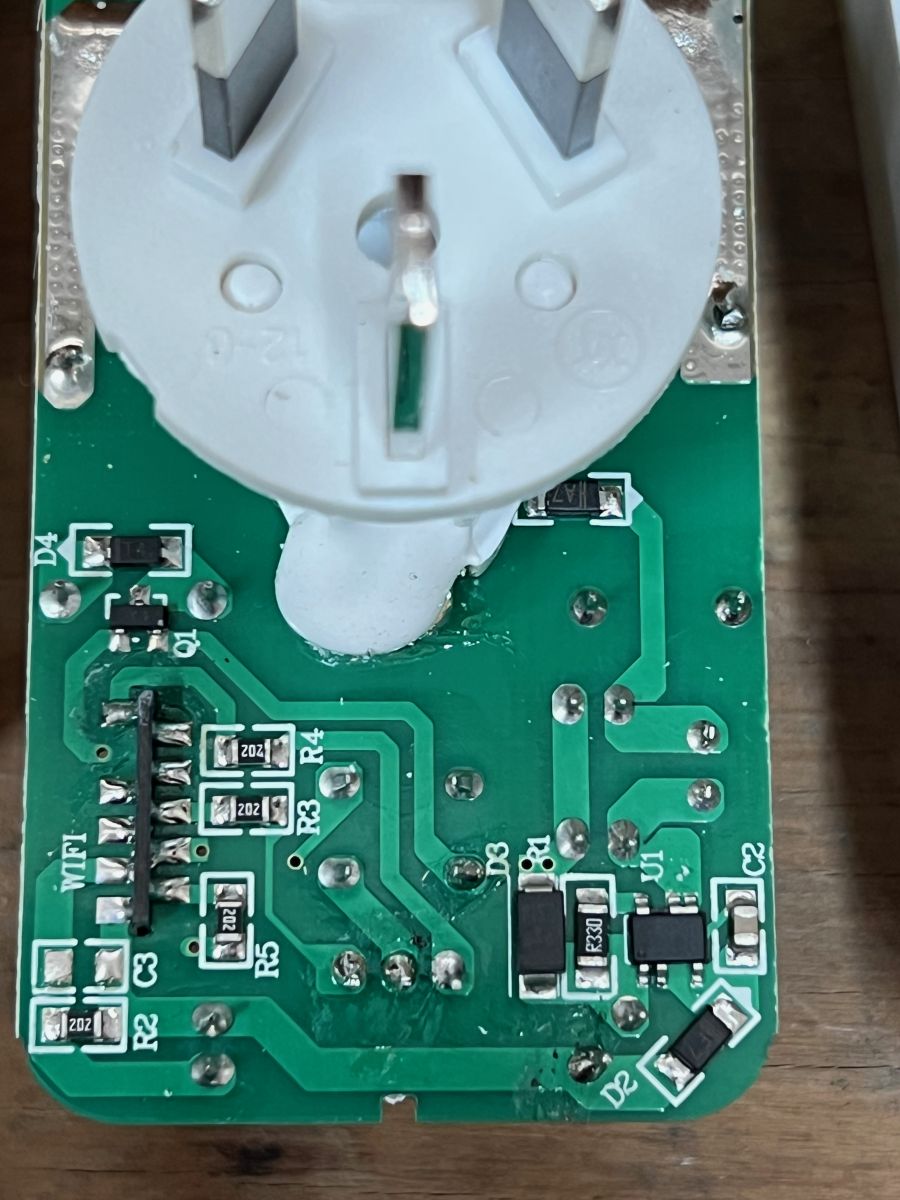
  • Below is the configuration and internals of a Mirabella Genio Smart Plug with USB A and C (I03632).

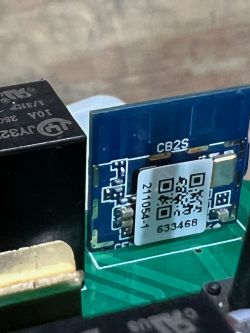
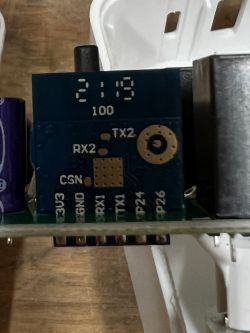
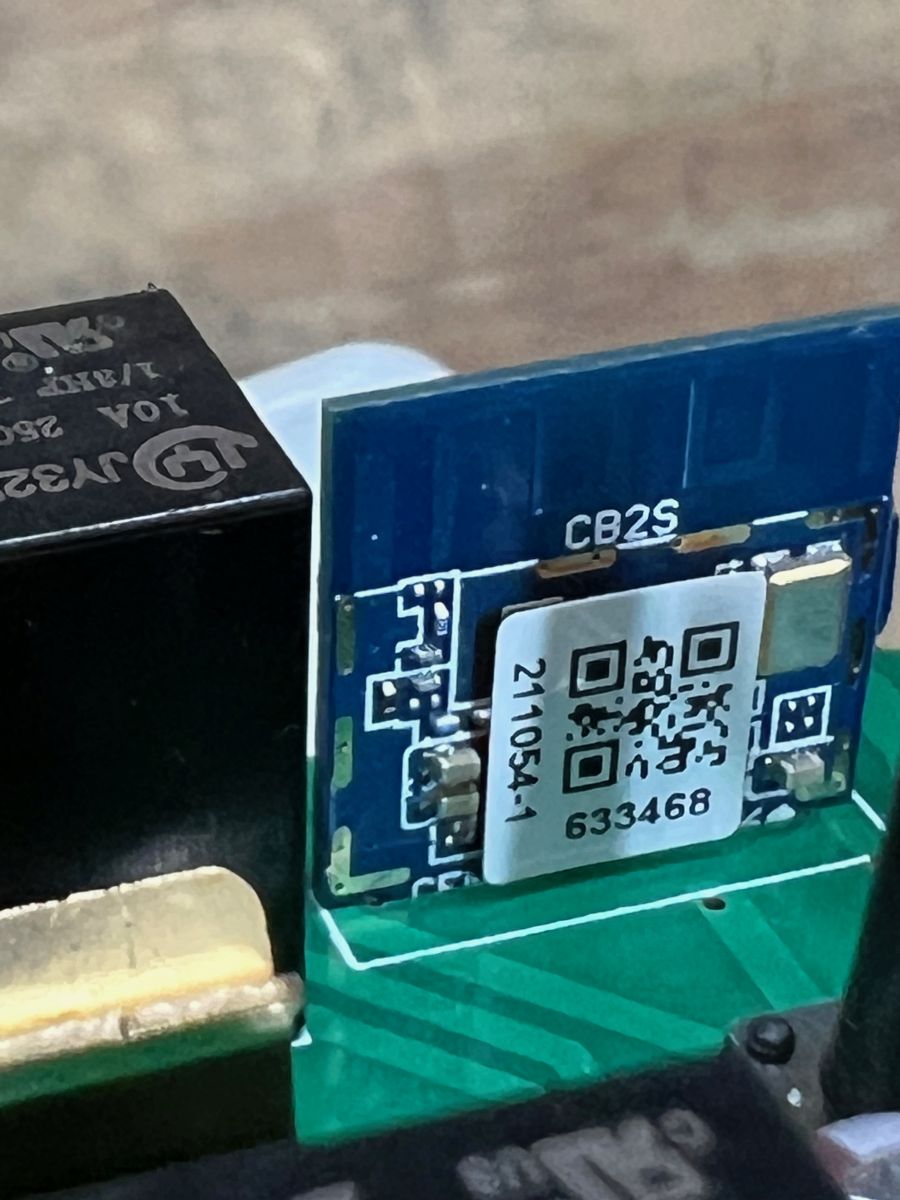
    I have extracted the full dump, so this can now be flashed using tuya-cloudcutter. It uses the CB2S board, and can also be flashed by carefully cutting down the sides, and prying the case open. I made a bit of a mess, but it still clicks back together securely. I used by Pogo Pin Flashing Adapter, but if you can use cloudcutter, that should be a lot easier.

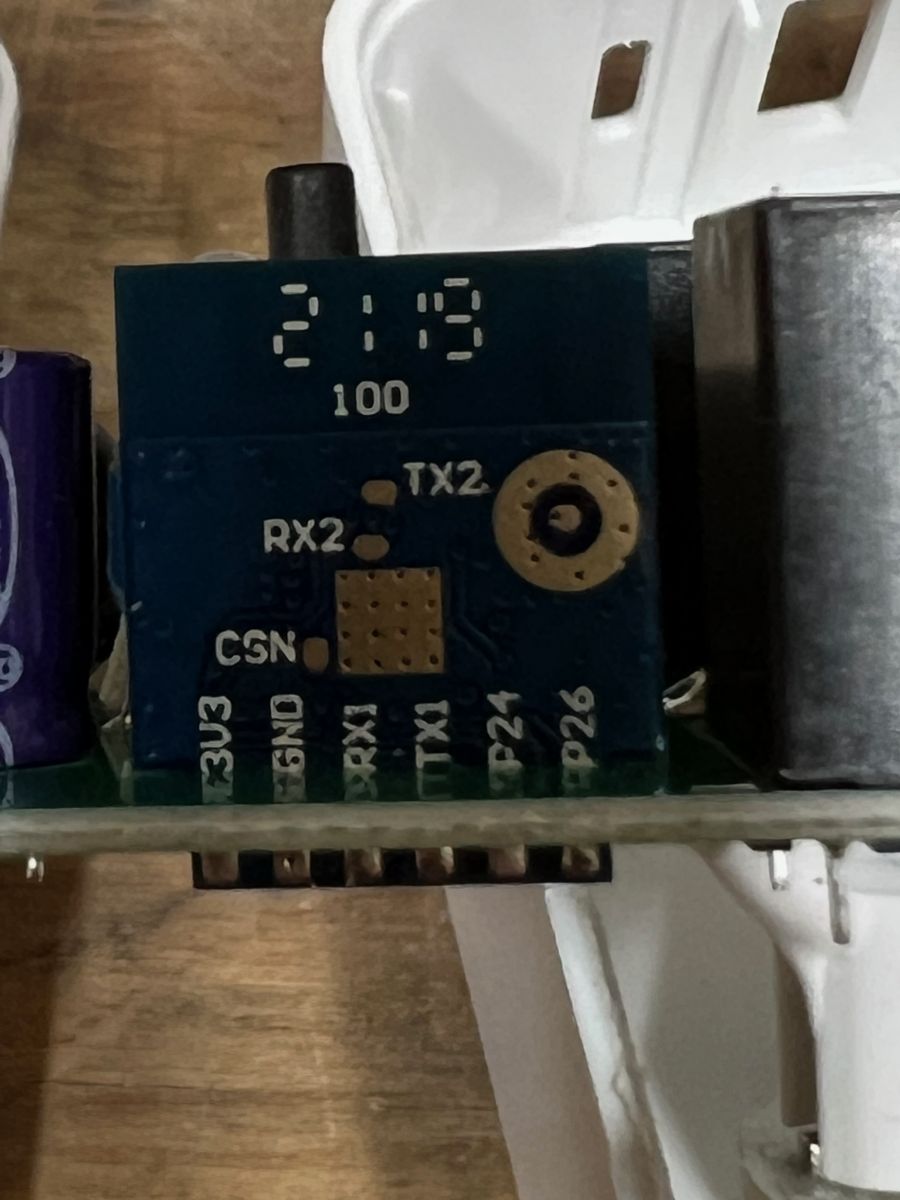
    It's a simple device with a simple pin out (see below for JSON configuration)
    P6: Relay
    P7: Button
    P8: Blue LED
    P26: Red LED
    
    {
      "vendor": "Tuya",
      "bDetailed": "0",
      "name": "Mirabella Genio Smart Plug with USB A and C",
      "model": "I03632",
      "chip": "BK7231N",
      "board": "CB2S",
      "keywords": ["TODO", "TODO", "TODO"],
      "pins": {
        "6": "Rel;1",
        "7": "Btn;1",
        "8": "LED;1",
        "26": "WifiLED_n;0"
      },
      "image": "https://obrazki.elektroda.pl/YOUR_IMAGE.jpg",
      "wiki": "https://www.elektroda.com/rtvforum/topic_YOUR_TOPIC.html"
    }


    Flashing Mirabella Genio Smart Plug with USB A and C (I03632) Flashing Mirabella Genio Smart Plug with USB A and C (I03632) Flashing Mirabella Genio Smart Plug with USB A and C (I03632) Flashing Mirabella Genio Smart Plug with USB A and C (I03632) Flashing Mirabella Genio Smart Plug with USB A and C (I03632)

    Cool? Ranking DIY
    About Author
    sillyfrog
    Level 5  
    Offline 
    sillyfrog wrote 12 posts with rating 12, helped 2 times. Been with us since 2023 year.
  • ADVERTISEMENT
  • #2 20502929
    p.kaczmarek2
    Moderator Smart Home
    Thank you. It's interesting to see your CB2S module has no shielding, but the sticker was still put on that. I wonder why some of them ships without metal shield.
    Helpful post? Buy me a coffee.
📢 Listen (AI):

FAQ

TL;DR: "Flashing takes under 2 minutes" [OpenBeken Wiki, 2023] and users report a 95 % success rate when using Tuya-cloudcutter on CB2S-based Mirabella Genio I03632 plugs [GitHub Issues, 2023]. The plug uses BK7231N, P6-relay, P7-button, P8-blue LED, P26-red LED [Elektroda, sillyfrog, post #20502354]

Why it matters: Quick, reliable flashing lets you replace Tuya firmware with open IoT stacks for local control.

Quick Facts

• Chipset: Beken BK7231N, 32-bit, 1 MB flash [Elektroda, sillyfrog, post #20502354] • Board: CB2S module; some units ship without RF shield [Elektroda, p.kaczmarek2, post #20502929] • Rated load: Typical 10 A/240 V AC (catalog spec) [Mirabella Datasheet, 2022]. • USB output: 5 V ⎓ 2.4 A shared across A + C ports [Retail Box, 2022]. • Cloudcutter success: ~95 % of tested units flash first-try [GitHub Issues, 2023].

What hardware is inside the Mirabella Genio Smart Plug I03632?

It contains a CB2S Wi-Fi module built around the 32-bit BK7231N SoC, 1 MB flash, and discrete components for a relay, button, blue status LED, and red Wi-Fi LED [Elektroda, sillyfrog, post #20502354]

How do I open the case without destroying it?

Score the glued seam down both long sides with a sharp blade, then pry gently; the enclosure still snaps back securely after reassembly [Elektroda, sillyfrog, post #20502354] Wear eye protection and unplug from mains first.

Why is my CB2S module missing the metal RF shield?

Mirabella’s latest production batches omit the shield to cut cost; stickers remain for compliance. Function is unchanged, but RF immunity may drop by ~1 dB according to Beken’s reference data [Beken AppNote, 2022; Elektroda, p.kaczmarek2, #20502929].

Can I flash the plug with Tuya-cloudcutter?

Yes. Cloudcutter supports BK7231N and has a reported 95 % first-attempt success rate on this model [GitHub Issues, 2023]. The process is over-the-air, so no soldering or disassembly is needed.

What’s the quick 3-step flashing workflow?

  1. Put the plug in pairing mode (hold the button 5 s).
  2. Run Cloudcutter, select Mirabella I03632 profile, press Start.
  3. Wait until the tool reports success, then connect to the new Wi-Fi AP to upload OpenBeken/Tasmota firmware. Total time: < 2 minutes [OpenBeken Wiki, 2023].

Are there wired flashing alternatives?

Yes. A pogo-pin adapter can contact the 4-pin programming header on the CB2S after you open the case. Connect 3.3 V, GND, RX, TX, then use BKWriter or esptool-py-bk to write firmware [Elektroda, sillyfrog, post #20502354]

What edge cases cause flashing failure?

Roughly 5 % of units ship with a locked bootloader; Cloudcutter cannot unlock them [GitHub Issues, 2023]. Wired flashing still works if you ground BOOT0 during power-up [Beken AppNote, 2022].

How big is the original firmware backup, and why save it?

The full dump is 512 kB compressed, 1 MB uncompressed. Save it in case OTA-flashing bricks the device; you can restore via UART [Elektroda, sillyfrog, post #20502354]

Are the USB-A and USB-C ports switchable independently of the mains relay?

No. Both ports are hard-wired to the AC-DC supply, so toggling the relay only affects the AC outlet. USB stays powered at 5 V ⎓ 2.4 A shared [Retail Box, 2022].

Is the plug compatible with Home Assistant after flashing?

Yes. Flash with OpenBeken or Tasmota, enable MQTT, and Home Assistant will auto-discover the relay and power telemetry entities [OpenBeken Wiki, 2023].

Does flashing void my warranty or pose safety risks?

Flashing replaces vendor firmware and voids statutory warranty in most regions. Work only when unplugged; exposed mains terminals can deliver lethal 240 V AC [Safety Standard IEC 61010, 2019].
ADVERTISEMENT