
logo elektroda
logo elektroda
X
logo elektroda

[Solved] Domoticz and the Vents VUT R 600 VE EC A21 recuperator: communication via Modbus and Raspberry Pi

Daro1003 6027 62
Best answers LABEL_AI_GENERATED

How can I read a Vents VUT R 600 VE EC A21 recuperator's temperatures over Modbus TCP from a Raspberry Pi into Domoticz?

Connect to the recuperator over Modbus TCP on port 502, use the register table from the manual, and first verify that you can read the data with a Modbus master tool or Node-RED before trying Domoticz [#20561989] [#20559769] [#21421375] The thread says the BMS function is Modbus TCP and the A21 module is likely the gateway, so if that module is already in use you should work over Wi‑Fi/Ethernet rather than adding another RS485 master; start by reading InputRegister at address 0 and then other registers from the table [#20559769] [#20560537] [#20561989] For Domoticz, the working approach was to format the values in Node-RED and send them as Domoticz udevice JSON, reusing the same pattern as other devices and changing only the idx and svalue fields [#21454792] If the recuperator returns scaled integers such as 183 for 18.3°C, divide by 10 in the Node-RED flow before sending to Domoticz [#21456187] The Node-RED setup used the recuperator network settings, MQTT broker settings, and Domoticz IDX values, and a temperature-reading flow was later shared as a working example [#21460452] [#21775494]
AI summary based on the discussion. May contain errors.
ADVERTISEMENT
Treść została przetłumaczona polish » english Zobacz oryginalną wersję tematu
  • Need Modbus register map for Vents recuperator

    #1 20558215
    Daro1003
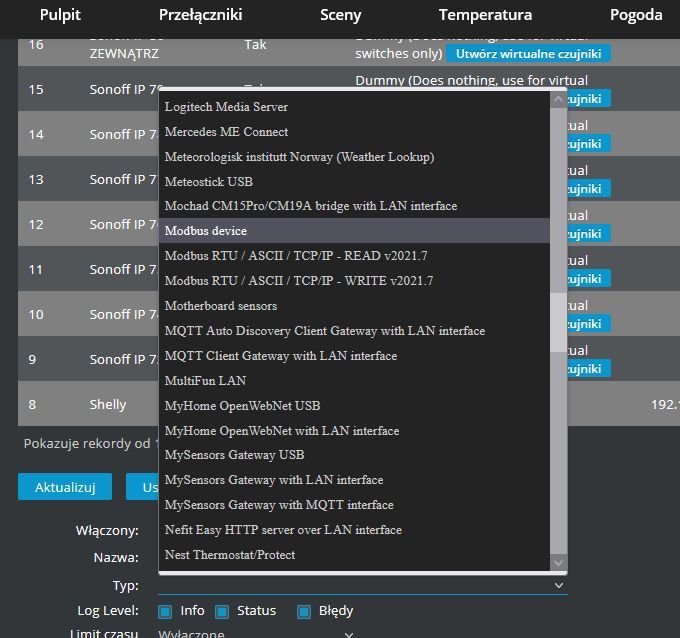
    Level 34  
    Posts: 2715
    Help: 295
    Rate: 608
    Hello
    I have a Vents VUT R 600 VE EC A21 recuperator
    Domoticz set up on a Raspberry.

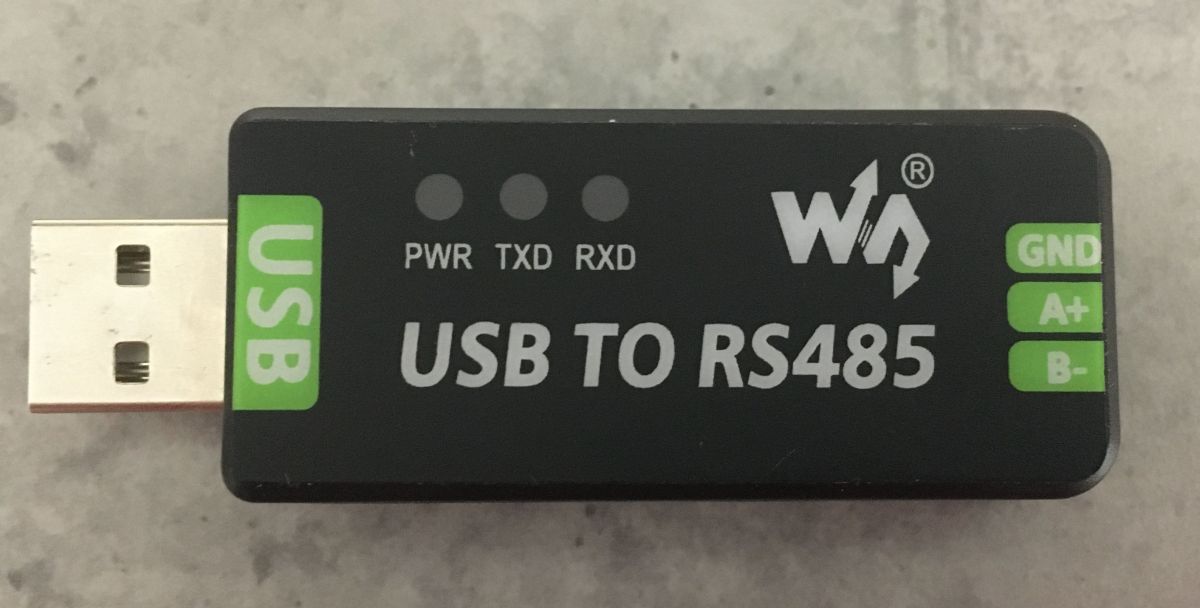
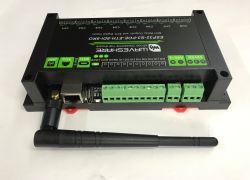
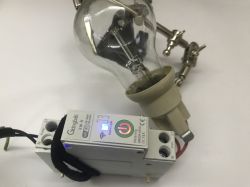
    I would like to communicate the domoticz with the recuperator. For this I bought:
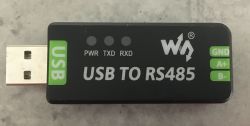
    Domoticz and the Vents VUT R 600 VE EC A21 recuperator: communication via Modbus and Raspberry Pi

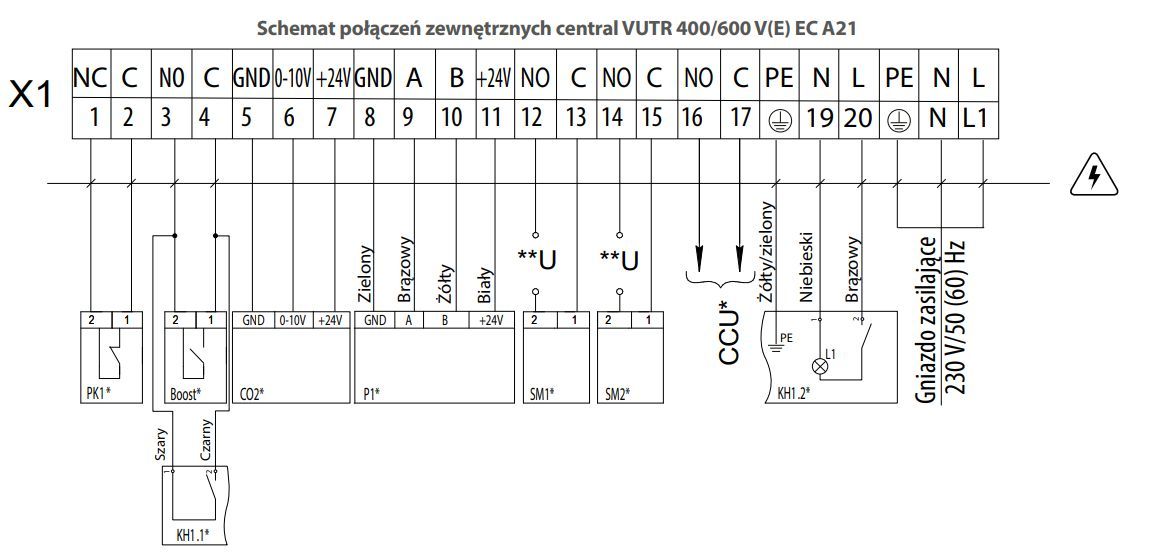
    I connected in parallel to the A+ B- and GND to the keypad.
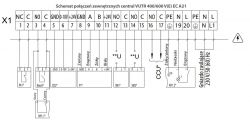
    Domoticz and the Vents VUT R 600 VE EC A21 recuperator: communication via Modbus and Raspberry Pi

    How do I now handle this programmatically so that domoticz can see the available options ? E.g. temperatures ?

    Here are all the documentation downloads that Vents provides maybe something will help:

    https://vents-group.pl/oferta/wentylacja-prof...lna-centrale/rekuperatory-domowe/vutr-v-ve-ec

    I have installed various plugins which I found somewhere on the net but I have no idea which one should be added and how to set it up.
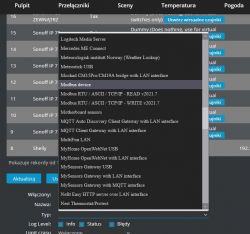
    Domoticz and the Vents VUT R 600 VE EC A21 recuperator: communication via Modbus and Raspberry Pi

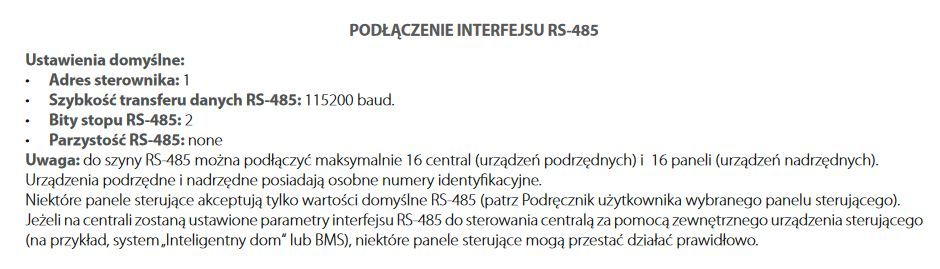
    In one of the manuals provided by Vents I found something about RS485:

    Domoticz and the Vents VUT R 600 VE EC A21 recuperator: communication via Modbus and Raspberry Pi
  • ADVERTISEMENT
  • #2 20559413
    xury
    Automation specialist
    Posts: 7083
    Help: 878
    Rate: 1497
    There is no word in the DTRka or other files about the modbus protocol. If you find it somewhere, let us know.
  • Requesting Vents confirmation of Modbus support

    #3 20559714
    Daro1003
    Level 34  
    Posts: 2715
    Help: 295
    Rate: 608
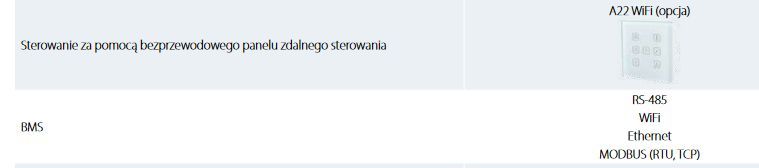
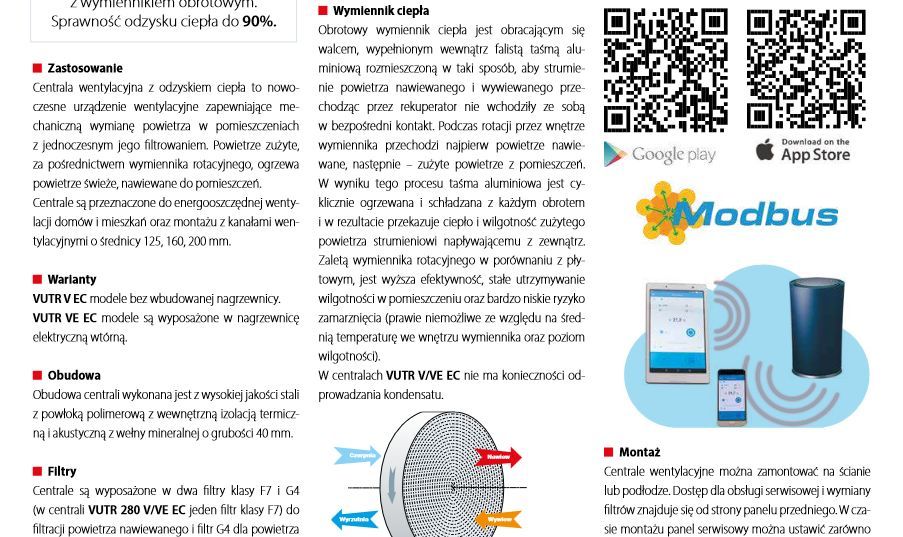
    In the product card file there is some information that only this air handling unit has Modbus communication. When I bought the AHU about 1,5 years ago the Vents technical department assured me that Modbus communication is in this AHU.

    Domoticz and the Vents VUT R 600 VE EC A21 recuperator: communication via Modbus and Raspberry Pi
    Domoticz and the Vents VUT R 600 VE EC A21 recuperator: communication via Modbus and Raspberry Pi

    What information exactly do you need ? I will send an e-mail to the technical department of Vents and maybe they will say something more, just what to ask ?

    Product card:
    Attachments:
    • Karta produktu (produkty-694).pdf (680.37 KB) You must be logged in to download this attachment.
  • Helpful post

    PC-based Modbus RS485 reading before Domoticz integration

    #4 20559763
    zuhjk
    Level 22  
    Posts: 500
    Help: 28
    Rate: 28
    I want to read the temperature and humidity sensors integrated into the rs 485 using domoticz. I buy these sensors on Ali.... To start with, I have mastered the readings with a PC+ USB/RS485 converter. You have to learn the specifics of the RS485 standard. It is not like the RS232. The frame has a proper structure
    and contains in it a read or write command. This can be done using a PC. The
    PC is the master and the rest are slaves. The slaves have their addresses in the frame, theoretically there can be 254 (I omit the FF address) but so up to 32 without any problem. The manufacturer has probably limited them to 16 devices which seems reasonable. Knowing the default address, you can read data from the device. You are unlikely to write to rs. Integration with domoticz is another matter. You can use USB and you can also use
    the RS485/ETHERNET converter.
    First of all, it is necessary to run the readings via a PC,
  • Helpful post

    Modbus TCP on port 502 with register map

    #5 20559769
    starob
    Level 29  
    Posts: 1088
    Help: 128
    Rate: 137
    Daro1003 wrote:
    Product card:


    The BMS functions cat is Modbus TCP, so you probably don't even need a converter.
    You need to get the modbus protocol specification (register addresses). You can also "tentatively" try to read with some tool directly over the network from Windows on port 502.
    e.g. https://en.radzio.dxp.pl/modbus-master-simulator/


    ...edit from the search on the official manufacturer's website.
    https://ventilation-system.com/uploads/download/v55_8_1en_a4_02_preview2.pdf
    There is a base from which you can start the tests.
  • ADVERTISEMENT
  • #6 20560473
    Daro1003
    Level 34  
    Posts: 2715
    Help: 295
    Rate: 608
    starob wrote:
    The BMS function is Modbus TCP, so you probably don't even need a converter.
    If the recuperator is connected via Wi-Fi to the home network, I can already read something on the PC ?

    zuhjk wrote:
    It is possible via USB and it is also possible via an RS485/ETHERNET converter.

    Is it to be connected differently or do I connect to A and B of the recuperator and to the LAN via some converter ?
  • #7 20560537
    starob
    Level 29  
    Posts: 1088
    Help: 128
    Rate: 137
    It seems that this "magic" A21 module is such a "window to the world" and it is the one that has the modbus built in.
    I don't know enough about the Vents philosophy to answer anything specific (I don't know at all) ;)
    Enclose some papers for the devices you have then maybe something will become clear.
  • Request for RS-485 sensor link for Domoticz integration

    #8 20560994
    Daro1003
    Level 34  
    Posts: 2715
    Help: 295
    Rate: 608
    starob wrote:
    Enclose some paperwork for the equipment you have then maybe something will become clear.

    Ok I am attaching everything I have. But please write colleagues what to ask at vents for what data exactly. I will send them an email on this to the technical department.

    It seems to me that this A21 only embedded on the motherboard and other controllers plugged into the board work on this.

    zuhjk wrote:
    I want to read the temperature and humidity sensors integrated into rs 485 using domoticz. I buy these sensors on Ali...


    Can you drop a link to such a sensor ?
    Attachments:
    • Karta produktu (produkty-694)-2.pdf (680.37 KB) You must be logged in to download this attachment.
    • Dokumentacja techniczno-ruchowa VUTR V VE EC 400 VUTR V VE EC 600 (produkty-694)-2.pdf (3.14 MB) You must be logged in to download this attachment.
    • Dokumentacja techniczno-ruchowa VUTR V VE EC 280 (produkty-694)-1.pdf (2.26 MB) You must be logged in to download this attachment.
    • Dokumentacja techniczno-ruchowa A21 (produkty-694)-2.pdf (489.32 KB) You must be logged in to download this attachment.
    • A21 podlaczenie - sterowanie zdalne (produkty-694)-2.pdf (313.75 KB) You must be logged in to download this attachment.
  • Helpful post

    Test Modbus TCP input registers from address 0

    #9 20561989
    starob
    Level 29  
    Posts: 1088
    Help: 128
    Rate: 137
    Daro1003 wrote:
    what to ask at vents for what data exactly.


    Basically it's about nothing :) in the document linked earlier is everything.
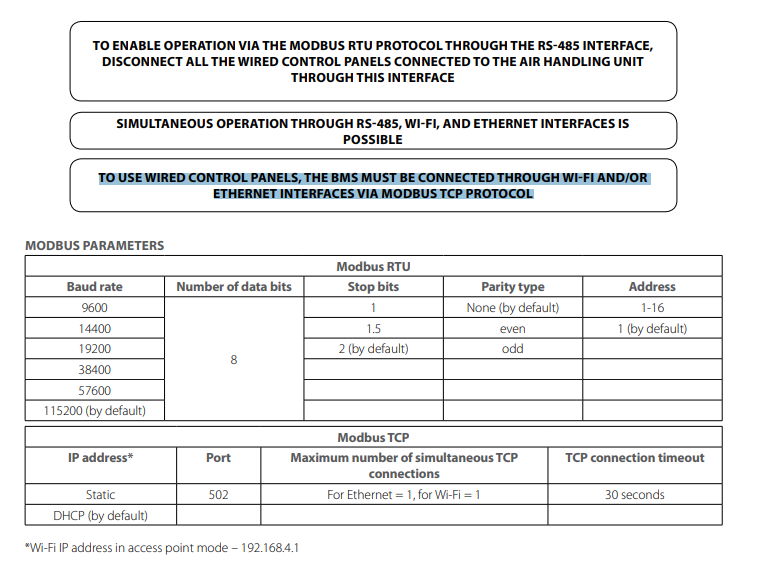
    1. If you already have any control device connected after RS485, you are only left with WiFi or Eth.
    2. To start - as @zuhjk wrote - fire it up on your PC, Download the subliked MasterSimulator.
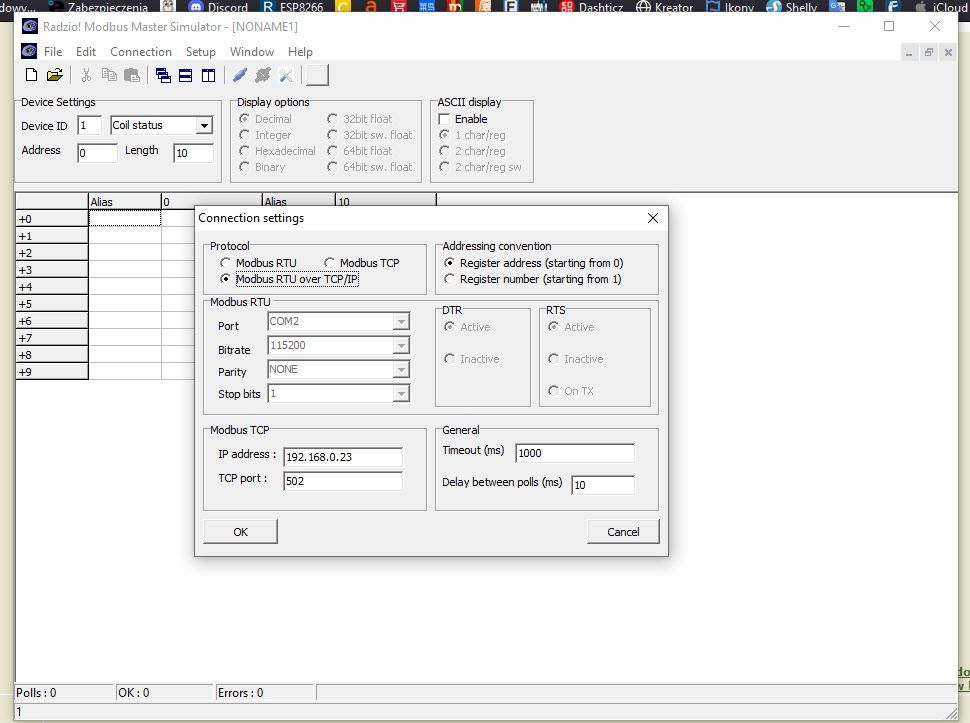
    and configure in it the ModusTCP connection Ip:recuperator port:502

    Domoticz and the Vents VUT R 600 VE EC A21 recuperator: communication via Modbus and Raspberry Pi

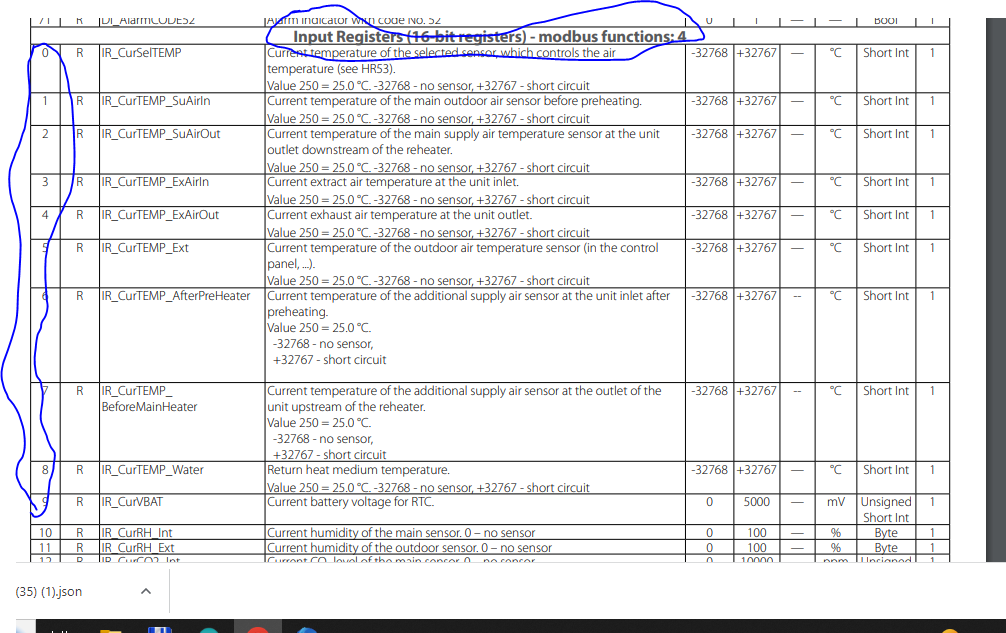
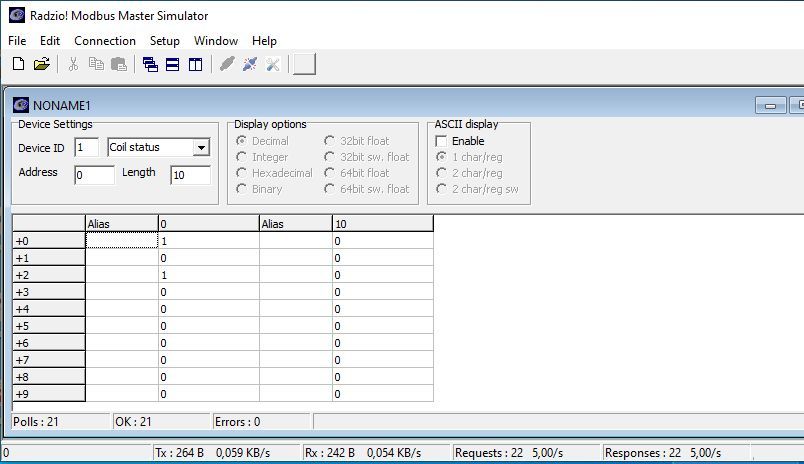
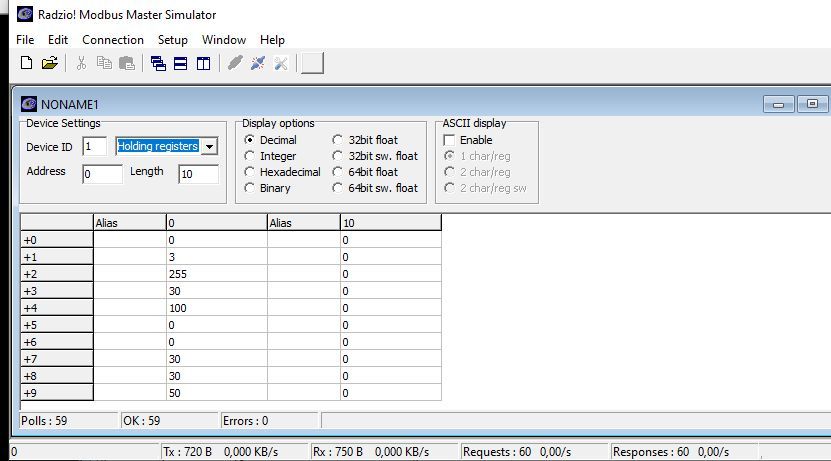
    3. Now you can try to read the InputRegister from address 0.
    Domoticz and the Vents VUT R 600 VE EC A21 recuperator: communication via Modbus and Raspberry Pi

    If you manage to read something meaningful and compatible with this table - you can try to integrate it with Domoticz.
  • Use MasterSimulator with Modbus TCP on port 502

    #10 20561992
    Daro1003
    Level 34  
    Posts: 2715
    Help: 295
    Rate: 608
    starob wrote:
    1. If after RS485 you have already connected any control device,


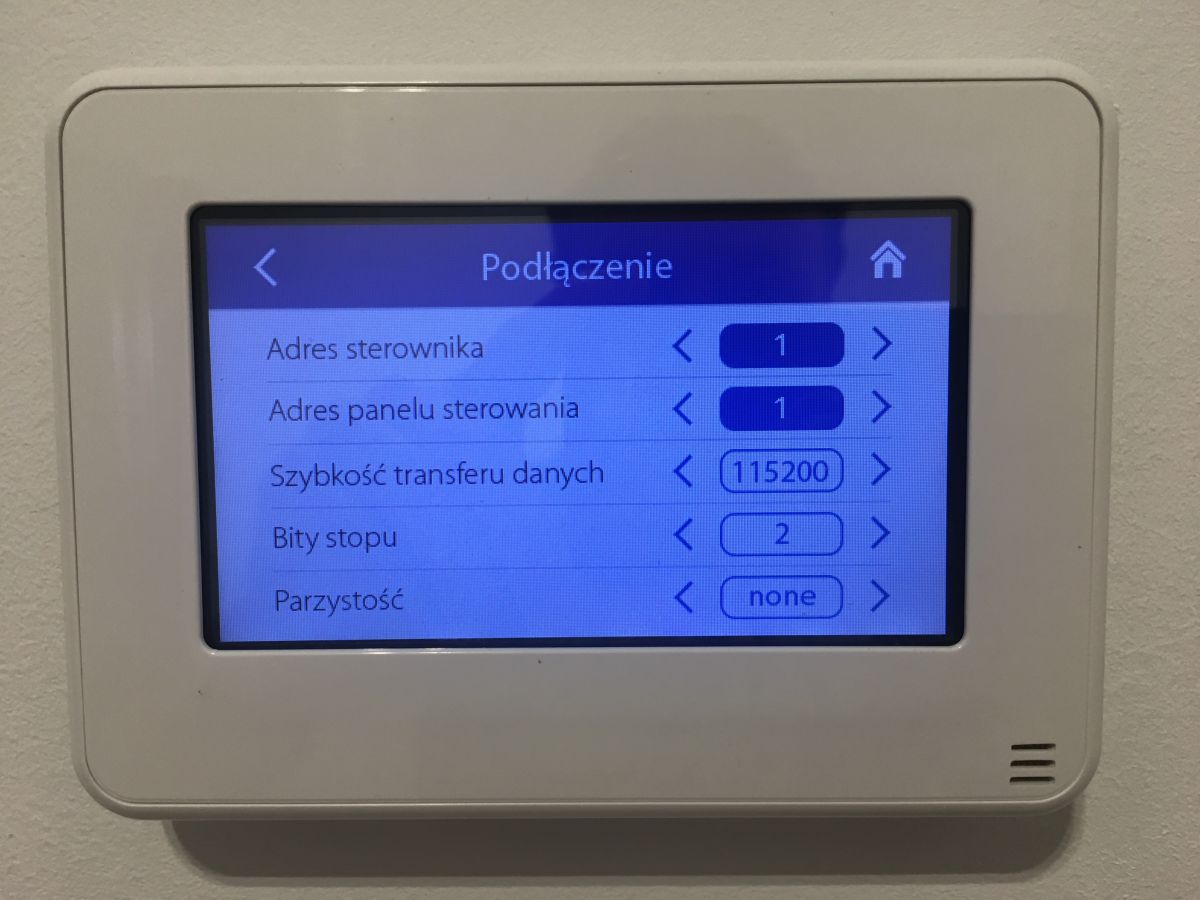
    Yes I have connected such a keypad with data as shown on the screen:
    Domoticz and the Vents VUT R 600 VE EC A21 recuperator: communication via Modbus and Raspberry Pi

    So if there is one keypad then nothing else will work ??

    starob wrote:
    you are left only with WiFi or Eth.


    How to connect to a computer via e.g. Wi-Fi remotely via LAN through an IP address ? Here is the problem because I do not know the IP address of the recuperator connected via Wi-Fi gets some from the pool, I can not find it anywhere, neither on the router nor with a network scanner I can not find out which IP address it is, but this is rather a bad solution because after restarting the power supply it already gets a different address and it will not work.

    On the other hand, when connecting via ETH I can set a fixed IP address in the options, so I have to start with a cable connection and setting a fixed IP further on:
    starob wrote:
    Download the MasterSimulator.
    and configure in it the ModusTCP connection Ip:rekuperator port:502

    Thanks colleagues for your help until then I will work.
  • Router DHCP reservation or static IP assignment

    #11 20562002
    starob
    Level 29  
    Posts: 1088
    Help: 128
    Rate: 137
    Daro1003 wrote:
    Here is the problem because I don't know the IP address of the recuperator connected via Wi-Fi it gets some there from the pool


    Try to ;) It must be saved somewhere in the router! In addition there will be somewhere an option p.t. about "Mac filter", which allows by mac address to assign a fixed IP.
    If there is not then it is time to change the router ;)

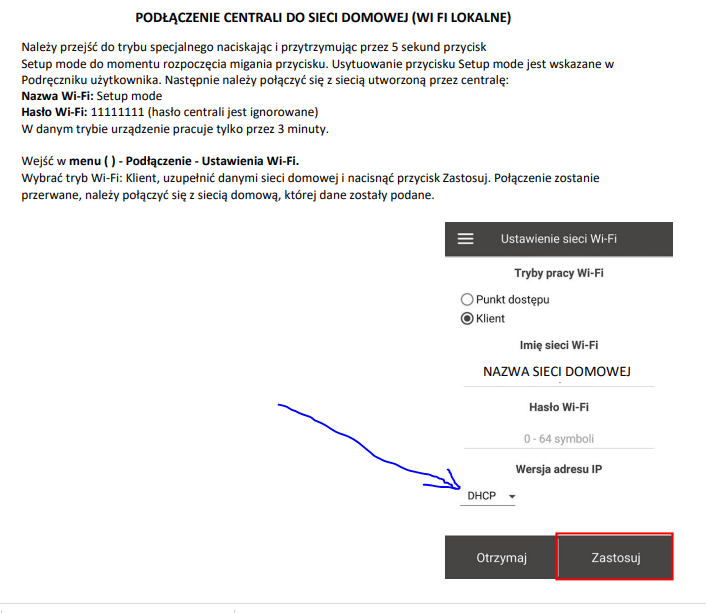
    Beyond that probably here changes the address type Static<>DHCP
    Domoticz and the Vents VUT R 600 VE EC A21 recuperator: communication via Modbus and Raspberry Pi .
  • Questioning static IP behavior and missing Modbus table data

    #12 20567213
    Daro1003
    Level 34  
    Posts: 2715
    Help: 295
    Rate: 608
    starob wrote:
    Other than that, probably here changes the address type Static<>DHCP


    It is at this point that a fixed IP is set, but a wired connection I tried this and after saving the settings returns itself to DHCP if I do not have a LAN connected but Wi-Fi but LAN is not a problem.

    Is this how a configured connection should look like:

    Domoticz and the Vents VUT R 600 VE EC A21 recuperator: communication via Modbus and Raspberry Pi Domoticz and the Vents VUT R 600 VE EC A21 recuperator: communication via Modbus and Raspberry Pi

    Something should show up in the table ? Any data ?


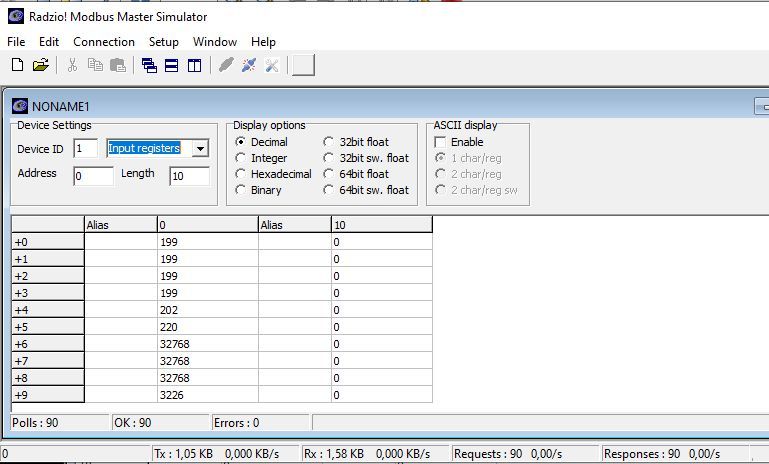
    It looks like something is flying:

    Domoticz and the Vents VUT R 600 VE EC A21 recuperator: communication via Modbus and Raspberry Pi Domoticz and the Vents VUT R 600 VE EC A21 recuperator: communication via Modbus and Raspberry Pi [img-0].
  • #13 20580590
    Daro1003
    Level 34  
    Posts: 2715
    Help: 295
    Rate: 608
    And if colleagues manage to come up with something
  • ADVERTISEMENT
  • #14 20582420
    starob
    Level 29  
    Posts: 1088
    Help: 128
    Rate: 137
    What more does the colleague expect? ...From the test it appears that you can connect and read the registers correctly. Now do the same in domoticz via modbus (as its documentation says).

    [
  • ADVERTISEMENT
  • Domoticz plugin setup and READ/WRITE confusion

    #15 20582515
    Daro1003
    Level 34  
    Posts: 2715
    Help: 295
    Rate: 608
    starob wrote:
    What more does the colleague expect?


    I just don't know how to set this up in domoticz and whether I have the right plugins.
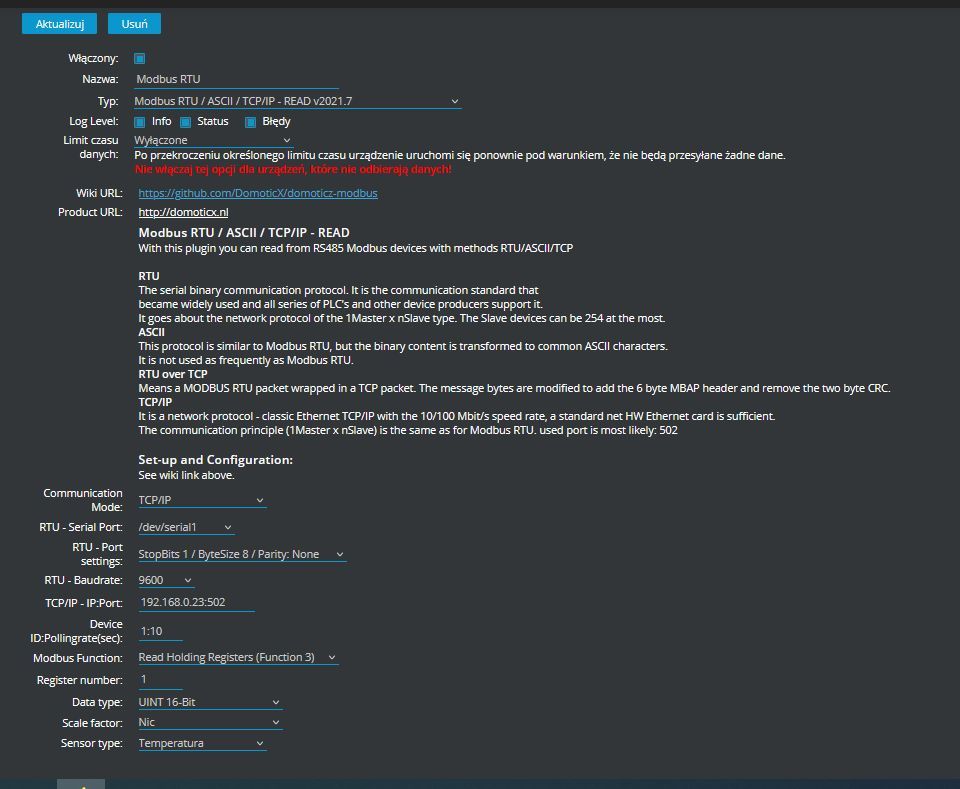
    When I try to add and change the settings, domoticz crashes for a few minutes and I also can not remove the added plugins:
    Domoticz and the Vents VUT R 600 VE EC A21 recuperator: communication via Modbus and Raspberry Pi

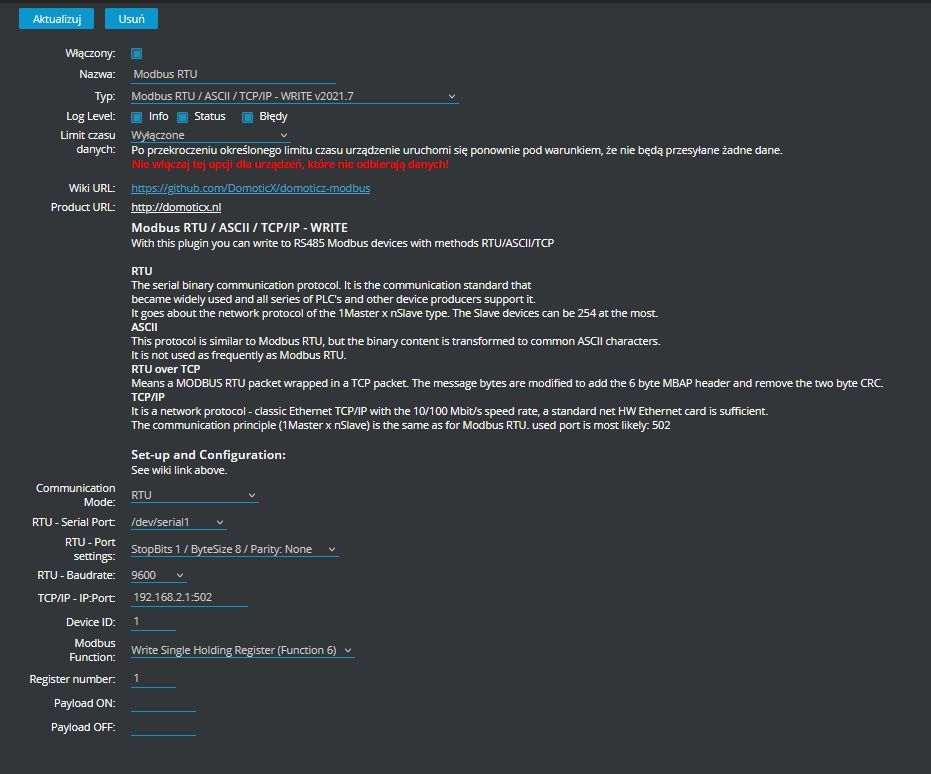
    I don't know if both READ and WRITE are to be added or just one of them and option settings:
    Domoticz and the Vents VUT R 600 VE EC A21 recuperator: communication via Modbus and Raspberry Pi

    Domoticz and the Vents VUT R 600 VE EC A21 recuperator: communication via Modbus and Raspberry Pi

    Domoticz and the Vents VUT R 600 VE EC A21 recuperator: communication via Modbus and Raspberry Pi


    Domoticz and the Vents VUT R 600 VE EC A21 recuperator: communication via Modbus and Raspberry Pi
  • Modbus mode depends on LAN or USB converter

    #16 20582549
    starob
    Level 29  
    Posts: 1088
    Help: 128
    Rate: 137
    You have to decide what you are trasmitting over (what converter you are using).

    Till now it was mentioned about the LAN converter, so you set as in the program RTU over TCP. Then you don't define serial - because it is defined in the converter.

    If you use USB then you set only RTU and omit TCP settings.
    If you only read then READ, if read write then READ and WRITE.

    These are universal rules, I don't remember the details of domoticz itself.
  • #17 20582633
    Daro1003
    Level 34  
    Posts: 2715
    Help: 295
    Rate: 608
    Yes after the LAN.
    Reading as much as possible mainly the temperature of the air vents, because what else can be read unless the options are also available.
    Recording also fits as if from Domoticz e.g. would like to change something in the air vents.

    I wonder if this is possible at all.
  • Use RTU over TCP read input registers

    #18 20582734
    starob
    Level 29  
    Posts: 1088
    Help: 128
    Rate: 137
    It can be done... because from your picture (from radio) you can see the input registers read some temperatures at the level of 19.9C.
    First of all focus on getting the readings in domoticz from one register.

    Comunication mode: RTU over TCP
    Modbus Function: Read Input register

    This must be the same parameters as in the radio program.... remember that other programs communicating via modbus should be switched off while domoticz is running


    .edit ..just what protocol did you get these readings in radio?!
    Because the documentation says it should be Modbus TCP and your pictures suggest Modbos RTU over TCP.
  • #19 20585026
    zuhjk
    Level 22  
    Posts: 500
    Help: 28
    Rate: 28
    A colleague got confused between rs485 transmission over lan and modbas rtu. This is due to lack of knowledge about this protocol. But he is on the right track.
  • #20 20687973
    zuhjk
    Level 22  
    Posts: 500
    Help: 28
    Rate: 28
    Daro1003 wrote:
    So after the LAN.
    Reading as much as possible mainly the temperature of the air vents because what else can be read unless the options are also available.
    Writing also fits as if from Domoticz for example would like to change something in the air vents.

    I wonder if this is possible at all.

    And how are your readings in domoticz?
  • #21 20688058
    Daro1003
    Level 34  
    Posts: 2715
    Help: 295
    Rate: 608
    The topic lies lack of knowledge.
    I don't know if I have the right plugins for this and if they are set up properly.
  • #22 20688079
    zuhjk
    Level 22  
    Posts: 500
    Help: 28
    Rate: 28
    I guess you have to hire a more savvy one then the subject will move on.
  • #23 20697972
    Daro1003
    Level 34  
    Posts: 2715
    Help: 295
    Rate: 608
    zuhjk wrote:
    I guess you have to hire a more savvy one then the topic will get off the ground.

    What do you mean ?

    I can figure it out myself but I can't do without the help of other domoticz users because with every domoticz update there are some circuses and something doesn't work. If someone does it for me it will probably work until.
  • #24 21008396
    Daro1003
    Level 34  
    Posts: 2715
    Help: 295
    Rate: 608
    Hey mate @zuhjk are you able to help configure this connection ?
  • Node-red bridge integrates Modbus frames with Domoticz

    #25 21057609
    zuhjk
    Level 22  
    Posts: 500
    Help: 28
    Rate: 28
    Daro1003 wrote:
    Hey mate @zuhjk are you able to help configure this connection ?
    No looks like maybe I can. There are several methods. Swap rtu and publish MQTT to any broker. I domoticz on a dell terminal, debian, I have a broker there too. I hired a specialist what in node red glued the frames together and integrated with domoticz. Generally there are specialists everywhere but no one will help. I am now testing wireless temperature and humidity sensors ela bluetooh. https://www.youtube.com/watch?v=vhXgPCjX-Vk
    Such a thing only I still have humidity. I have the readings in domoticz. I collect data using teltonik's rutx10.
  • #26 21060502
    Daro1003
    Level 34  
    Posts: 2715
    Help: 295
    Rate: 608
    So it won't be that simple if NodeRed comes into play, which I've read something about but have no idea what or how.
  • Helpful post

    Node-RED and MQTT as Domoticz RS485 gateway

    #27 21064102
    zuhjk
    Level 22  
    Posts: 500
    Help: 28
    Rate: 28
    These plugins are working and not working. I tested one of them but it didn't work. Then someone wrote that there was a bug and the author fixed it. Generally
    to make domoticz read you need to know the principle of how it reads them. Node red is a flow-based programming language. It concatenates data from rs485 with commands understood by domoticz. It also generates queries over rs485 according to rtu standards.
    Then you can also collect data from any devices. I have, for example: in domoticz, the signal strength from the mikrotik router, the temperature from the thermocouple after rs 485, and you can measure the temperature of the flue gas from the boiler. Another thing with MQTT. The gateway I have allows rs485 rtu to be converted to mqtt. If I can manage in json to add commands to domoticz on it, then all I need is it and the mqtt broker to make domoticz suck data. But that's in the queue waiting to be investigated.
  • Getting started with Node-RED and RS485 integration

    #28 21064119
    Daro1003
    Level 34  
    Posts: 2715
    Help: 295
    Rate: 608
    That is, what is necessary to delve into NodeRed I see.
    Are there any instructions on how to get started ? How to install get up and running ? You have to start somewhere.

    I currently have a Sofar photovoltaic inverter which also has RS485 communication for the computer and this could be used cool I see, for this recuperator and also Vailant EcoTEC also probably has RS485.

    How do you suggest how to get started?
  • Recommend hiring a Modbus and Node-RED expert

    #29 21064579
    zuhjk
    Level 22  
    Posts: 500
    Help: 28
    Rate: 28
    Collect some money and ask a person who knows these topics. I have advertised on smart home and here and it sucks. All the smart people and the topic
    lies and withers. Maybe soon I will be able to sell this gateway with node red embedded. To write in node red, it is best to know java script.
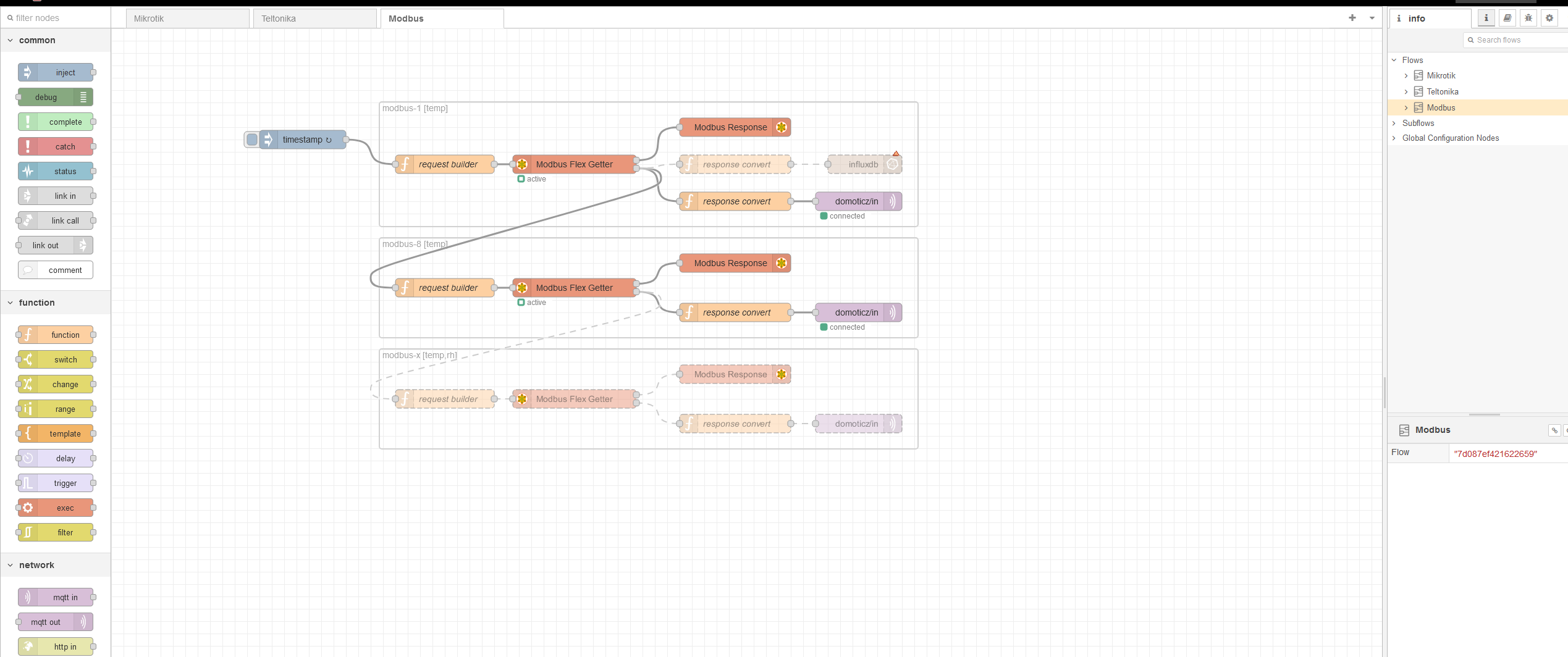
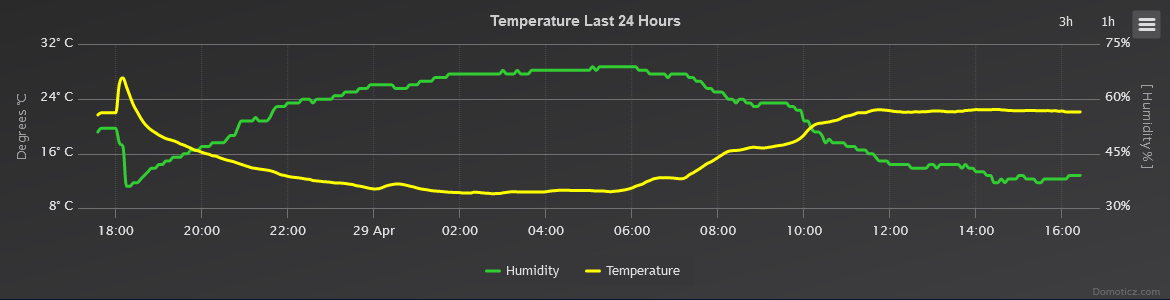
    Now the topic is being embraced. Screenshot of Node-RED with a Modbus flow.
    From blutocz to MQTT and to domoticz
    Graph showing changes in temperature and humidity over the last 24 hours, marked in degrees Celsius and humidity percentage. .
  • #30 21064990
    Daro1003
    Level 34  
    Posts: 2715
    Help: 295
    Rate: 608
    Can you recommend someone who could take care of this for me?

    The only downside to outsourcing everything is that I want to add something and then have to outsource again.

    Are you already working with this yourself or are you outsourcing ? All in all, I would have a recuperator, and a sofar inverter, maybe a Vailant if possible, and that's it.

Topic summary

LABEL_AI_GENERATED
The discussion focuses on integrating a Vents VUT R 600 VE EC A21 recuperator with Domoticz on a Raspberry Pi via Modbus/RS485. The device exposes a Modbus TCP interface through the A21 module, and the main task is to read registers such as temperatures and humidity, then pass the values into Domoticz. Initial testing is done with a PC and Modbus tools such as Radzio Master Simulator, using port 502 and reading Input Registers from address 0 or other documented offsets. It is clarified that if communication is already handled through a LAN/ETH converter, the setup should use RTU over TCP; if using USB, only RTU is needed. The thread also covers fixed IP configuration, DHCP issues, and the fact that other Modbus clients must be disabled while Domoticz is reading. Later, Node-RED is introduced as the practical solution: Modbus data is read, scaled in function nodes, and forwarded to Domoticz via MQTT or direct udevice commands. The final setup includes Node-RED installed on Raspberry Pi, imported flows for temperature reading, and a separate flow for sending control commands back to the recuperator.
AI summary based on the discussion. May contain errors.

FAQ LABEL_AI_GENERATED

TL;DR: For 15 FAQ answers, "read 90 registers" is the practical breakthrough for Domoticz users integrating a Vents VUT R 600 VE EC A21 via Raspberry Pi, Node-RED, Modbus TCP on port 502, MQTT, and JSON temperature publishing. [#21454785] Why it matters: This lets a Raspberry Pi turn recuperator data into usable Domoticz temperature devices without relying on unstable Modbus plugins.

Path Thread setting Best use Key limitation
Modbus TCP over LAN/Wi-Fi IP + port 502 Direct A21 network access Needs fixed IP
RTU over TCP LAN converter RS485 converter path Serial defined in converter
USB RS485 RTU USB adapter Direct A+/B- testing More wiring and port setup
Node-RED + MQTT JSON to broker on port 1883 Domoticz integration Needs flow formatting

Key insight: The Vents A21 path works once the network Modbus read returns real registers. Then Node-RED only has to scale values, map Domoticz IDX numbers, and publish JSON.

Quick Facts

  • The working test path used Modbus TCP-style access to the recuperator IP on port 502 before Domoticz integration. [#20561989]
  • A successful Node-RED read used address 1 and later expanded to 90 registers, matching the Radzio program view. [#21454803]
  • Temperature values arrive scaled by 10, so 199 must be divided by 10 to display 19.9 °C. [#21454831]
  • Domoticz publishing used MQTT on broker port 1883 with JSON payloads containing command, idx, and svalue. [#21454831]
  • Remote help was considered feasible with AnyDesk, port redirects, and proper network security, especially beyond 100 km travel distance. [#21065062]

How do I connect a Vents VUT R 600 VE EC A21 recuperator to Domoticz on a Raspberry Pi using Modbus?

Connect it through the A21 network interface, then bridge Modbus data into Domoticz with Node-RED and MQTT. Use the recuperator IP, port 502, and a Raspberry Pi running Node-RED. Then publish JSON messages to Domoticz through the MQTT broker. The thread later confirms a Node-RED flow for temperature reading, requiring adjusted recuperator network data, broker data, and Domoticz IDX values. [#21775494]

What Modbus register documentation is needed to read temperatures from a Vents VUT R 600 VE EC A21 recuperator?

You need the manufacturer’s Modbus register table with register addresses and descriptions. The key requirement is knowing which input registers contain temperatures and other values. One participant states that the linked manufacturer document contains the needed base for testing. Later, another confirms the descriptions of the read data are in the document sent for the recuperator. [#21454742]

How can I test Modbus TCP communication with a Vents recuperator on port 502 using Radzio Modbus Master Simulator?

Test it from Windows by connecting Radzio Modbus Master Simulator to the recuperator IP on port 502. 1. Set Modbus TCP connection to the recuperator IP. 2. Use port 502. 3. Read Input Registers from address 0 or 1 and compare values with the Vents table. A successful read means Domoticz integration can start. [#20561989]

What is Modbus TCP and how is it different from Modbus RTU over TCP when integrating HVAC equipment?

Modbus TCP uses an IP network connection, while RTU over TCP tunnels serial Modbus RTU frames through a network converter. "Modbus TCP is a network protocol that carries Modbus communication over Ethernet or Wi-Fi, using an IP address and port 502 instead of a local serial port." In the thread, the Vents documentation suggested Modbus TCP, but screenshots looked like RTU over TCP. [#20582734]

What is RS485 and why do A+, B-, and GND connections matter when connecting a recuperator or keypad?

RS485 is the two-wire bus used by the recuperator keypad, and A+, B-, plus GND must match the device terminals. "RS485 is a serial communication standard that lets one master poll multiple slave devices over differential A/B wiring, where polarity and shared ground affect reliable frames." The original setup connected in parallel to A+, B-, and GND at the keypad. [#20558215]

How do I find or set a fixed IP address for a Vents A21 recuperator connected over Wi-Fi or Ethernet?

Find the recuperator in the router client list, then reserve a fixed IP by MAC address or set Static instead of DHCP. The thread notes that the IP must be saved somewhere in the router. It also mentions a router MAC filter option for assigning a fixed IP. Wired Ethernet allowed fixed IP setup more clearly than Wi-Fi in this case. [#20562002]

Modbus TCP vs RS485 USB converter: which connection method is better for reading a Vents recuperator in Domoticz?

Use Modbus TCP over LAN when the A21 module exposes the recuperator on the network. It avoids an extra USB RS485 adapter and uses the existing IP path. If using USB, configure RTU only and omit TCP settings. If using a LAN converter, configure RTU over TCP and avoid defining the serial port in Domoticz. [#20582549]

How do I configure Node-RED to read Modbus registers from a Vents VUT R 600 VE EC A21 recuperator?

Configure a Modbus read node for the recuperator address, then read the documented register range. The working setup used address 1 and could read 90 registers. Change the start address to reach other groups, such as 21, 31, or 41. The register descriptions must come from the Vents Modbus document used during testing. [#21454780]

How can Node-RED send temperature readings from a Vents recuperator to Domoticz using MQTT and JSON?

Node-RED sends Domoticz updates by publishing JSON payloads through MQTT. The function node creates messages with command: "udevice", a Domoticz idx, and an svalue. The MQTT broker example used IP 192.168.10.51 and port 1883. For more readings, add more idx variables and return more message objects. [#21454831]

Why do Vents recuperator temperature registers show values like 199 instead of 19.9 in Node-RED or Domoticz?

The recuperator sends temperature as a scaled integer, so divide the value by 10 before publishing it. A value of 199 becomes 19.9 °C. The shown Node-RED function uses (msg.payload[1] / 10).toString() for this conversion. This keeps Domoticz from displaying raw register values instead of real temperatures. [#21456142]

How do I map Modbus register values to Domoticz IDX devices for recuperator temperature sensors?

Map each register value to one Domoticz IDX inside the Node-RED function node. Use one idx variable per Domoticz device, then set svalue from the selected msg.payload array element. For example, idx1, idx2, and idx3 can represent three temperature sensors. Replace placeholder values like 123, 456, and 789 with real Domoticz IDX numbers. [#21454831]

What are Domoticz IDX values and how are they used when publishing MQTT data from Node-RED?

Domoticz IDX values identify the target virtual devices receiving MQTT updates. "Domoticz IDX is a device identifier that tells Domoticz which sensor or switch should receive a JSON update, separate from Node-RED’s internal node IDs." The thread warns not to confuse Node-RED id and z fields with Domoticz IDX values. [#21456951]

How can I read multiple Modbus registers at once, such as 90 registers starting from address 1, in Node-RED?

Set the Modbus read node to start at address 1 and request 90 registers. This matched the earlier Radzio program readout in the thread. When the node still displayed 10, the user adjusted the setup and confirmed the 90-register read worked. Use the resulting payload array to select specific temperature positions. [#21454803]

What should I check when Domoticz freezes or crashes after adding Modbus plugins?

Check whether the plugin matches the real transport: Modbus TCP, RTU over TCP, or USB RTU. Wrong plugin settings can make Domoticz freeze for several minutes, as reported after adding and changing plugin options. Also close other Modbus programs while Domoticz communicates, because simultaneous polling can break the session. [#20582515]

How can the same Modbus and Node-RED approach be used with other devices like a Sofar inverter or Vaillant EcoTEC boiler?

Use the same method if the device exposes Modbus and you have its register documentation. The thread mentions Sofar inverter RS485, Vaillant EcoTEC, and other Modbus devices as candidates. The interface is standard, but the register meanings depend on the manufacturer. Node-RED can then format each value for Domoticz via MQTT JSON. [#21454900]
AI summary based on the discussion. May contain errors.
ADVERTISEMENT