logo elektroda
logo elektroda
X
logo elektroda
Dostępna jest polska wersja

Czy wolisz polską wersję strony elektroda?

Nie, dziękuję Przekieruj mnie tam

Lighting sensor with WiFi powered by USB - TuyaMCU, communication protocol, firm

p.kaczmarek2 2727 0

TL;DR

  • A USB-powered Tuya WiFi light sensor was opened and reverse-engineered, including its TuyaMCU communication with the WiFi module and a cloud-free OpenBeken setup.
  • The board uses an AMS1117-3.3V LDO and a separate microcontroller; intercepted UART traffic mapped dpID 6 to light level, dpID 7 to lux, and dpID 101 to FindMe.
  • The replacement CB3S module ran OpenBeken with startDriver TuyaMCU and tuyaMcu_defWiFiState 4, because the MCU would not report measurements unless it thought pairing was complete.
  • Home Assistant Discovery worked automatically, and the pairing button sent packet 55AA0002000001; the only open question is why the sensor needs an extra MCU for light measurements.
Generated by the language model.
ADVERTISEMENT
Treść została przetłumaczona polish » english Zobacz oryginalną wersję tematu
📢 Listen (AI):
  • Lighting sensor with WiFi powered by USB - TuyaMCU, communication protocol, firm
    Today we are looking inside a simple "smart" lighting sensor, which surprisingly was implemented by the manufacturer based on TuyaMCU, i.e. based on an additional microcontroller communicating with the WiFi module via UART. Here we will analyze their communication protocol and try to free this sensor from the cloud, although at the moment we will do it by replacing the WiFi module. Finally, we will provide a ready OpenBeken configuration for this sensor and check its operation with Home Assistant.

    The topic was created in cooperation with @DeDaMrAz, I did not physically have this device at home, I only directed my friend's actions. All photos are also from a friend.

    Sensor purchase
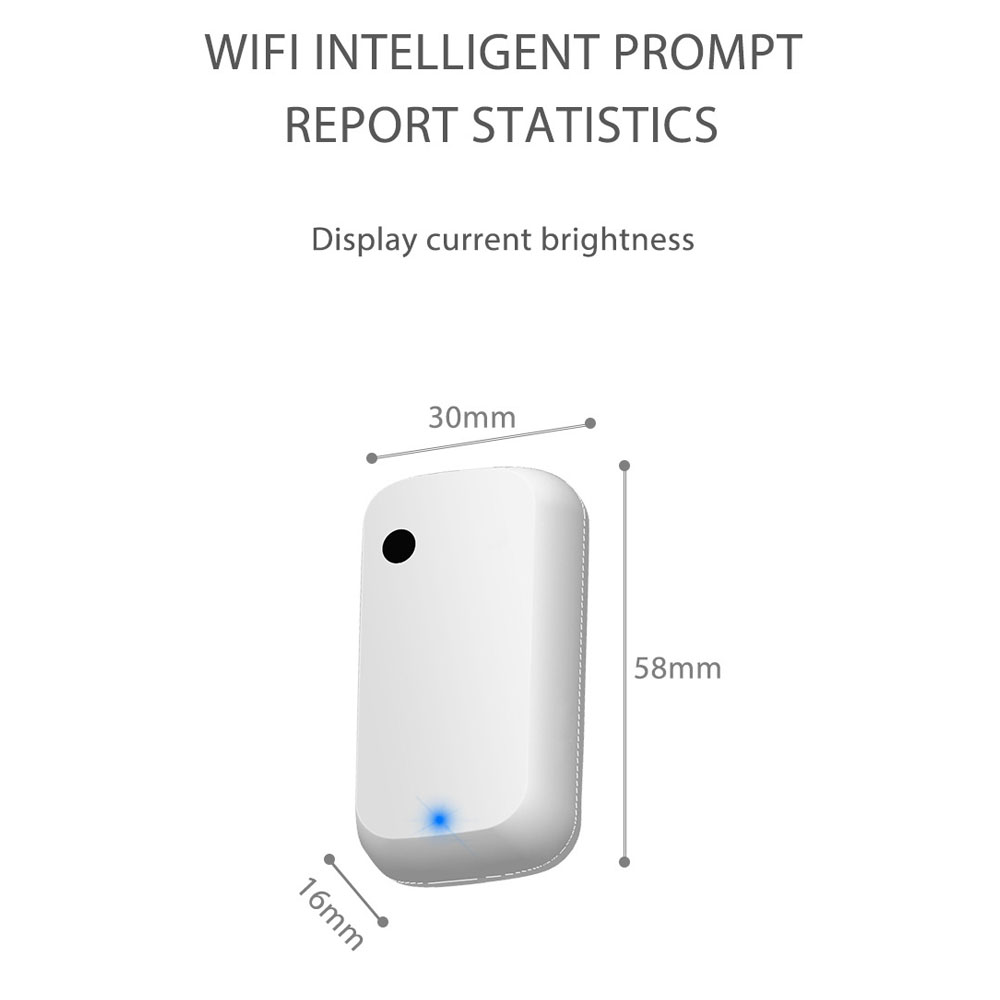
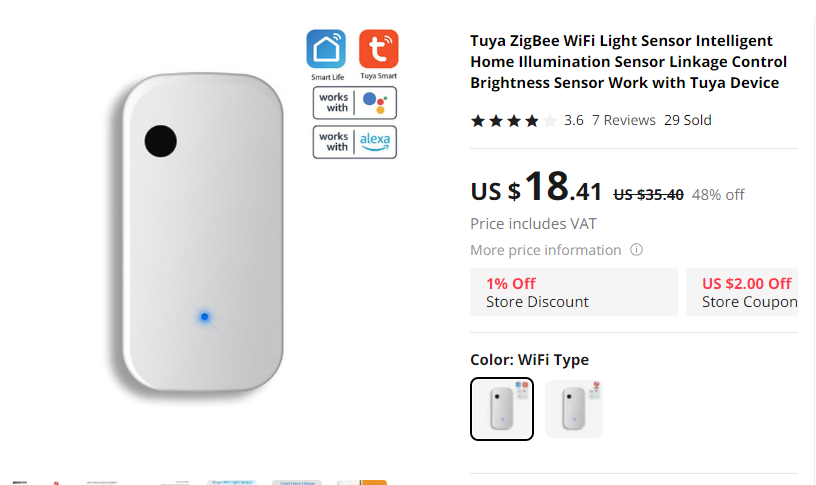
    The sensor can be found under entries like "Tuya WiFi Light sensor illumination brightness sensor" and so on, you have to be careful whether you choose the Zigbee or WiF version:
    Lighting sensor with WiFi powered by USB - TuyaMCU, communication protocol, firm
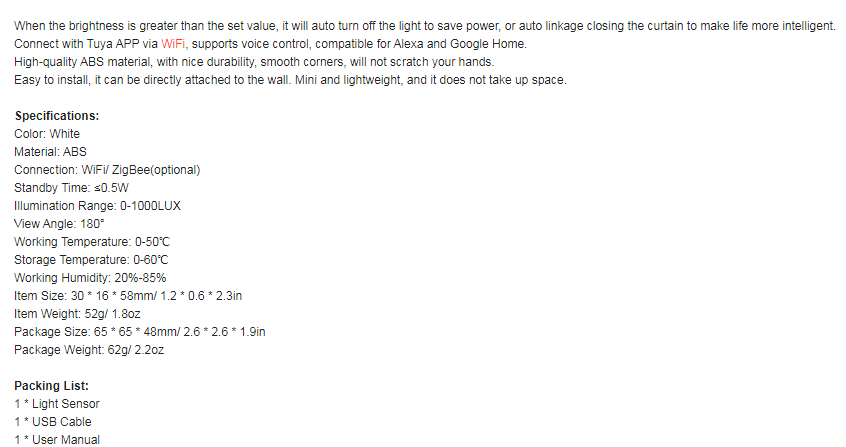
    The sensor is powered from USB, the cable is included:
    Lighting sensor with WiFi powered by USB - TuyaMCU, communication protocol, firm
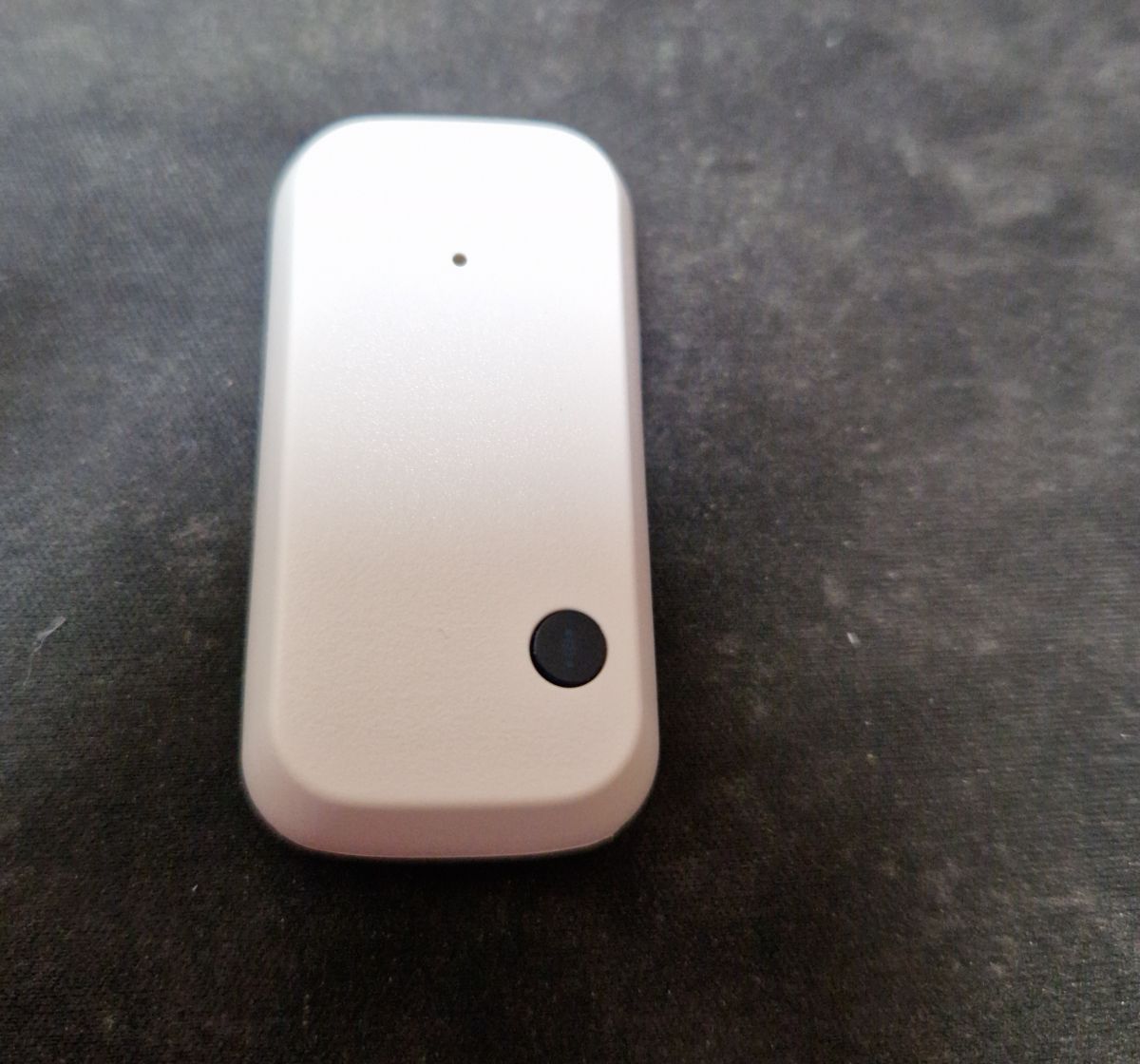
    The sensor is quite small:
    Lighting sensor with WiFi powered by USB - TuyaMCU, communication protocol, firm
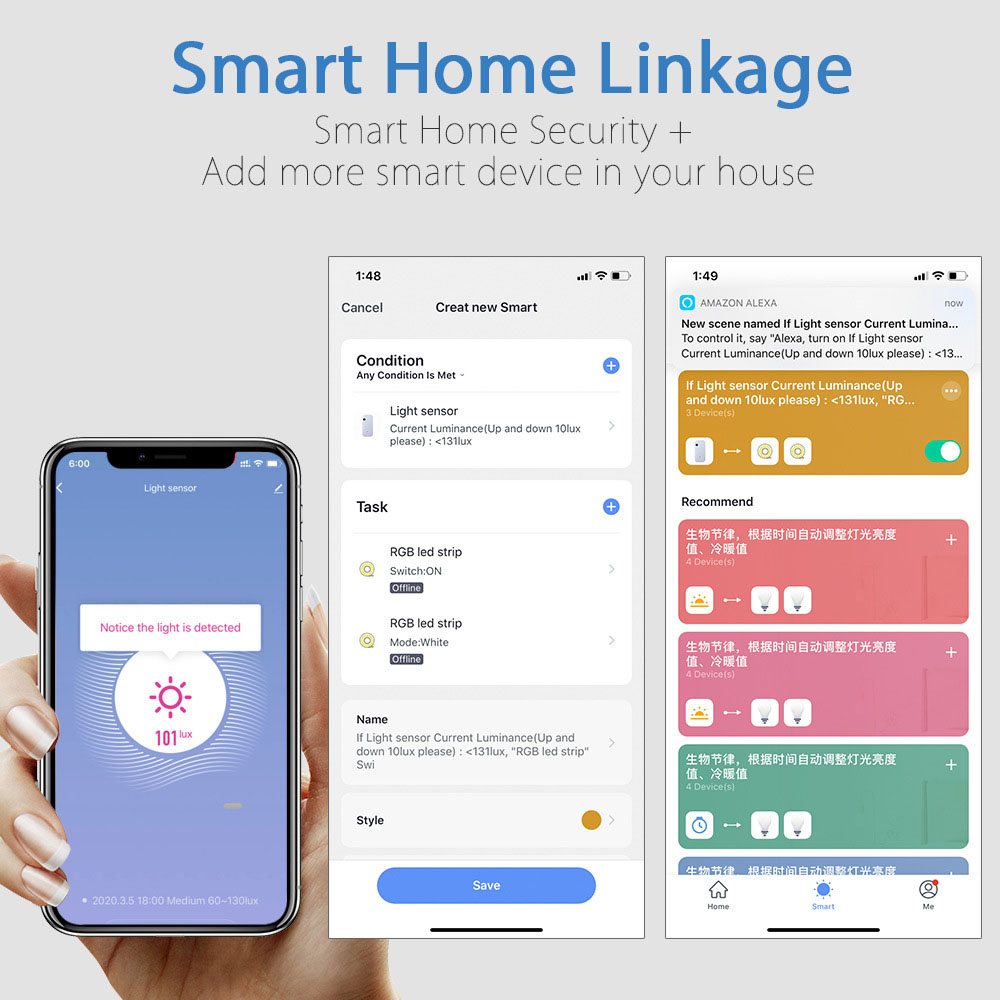
    This is what it looks like in the Tuya app:
    Lighting sensor with WiFi powered by USB - TuyaMCU, communication protocol, firm
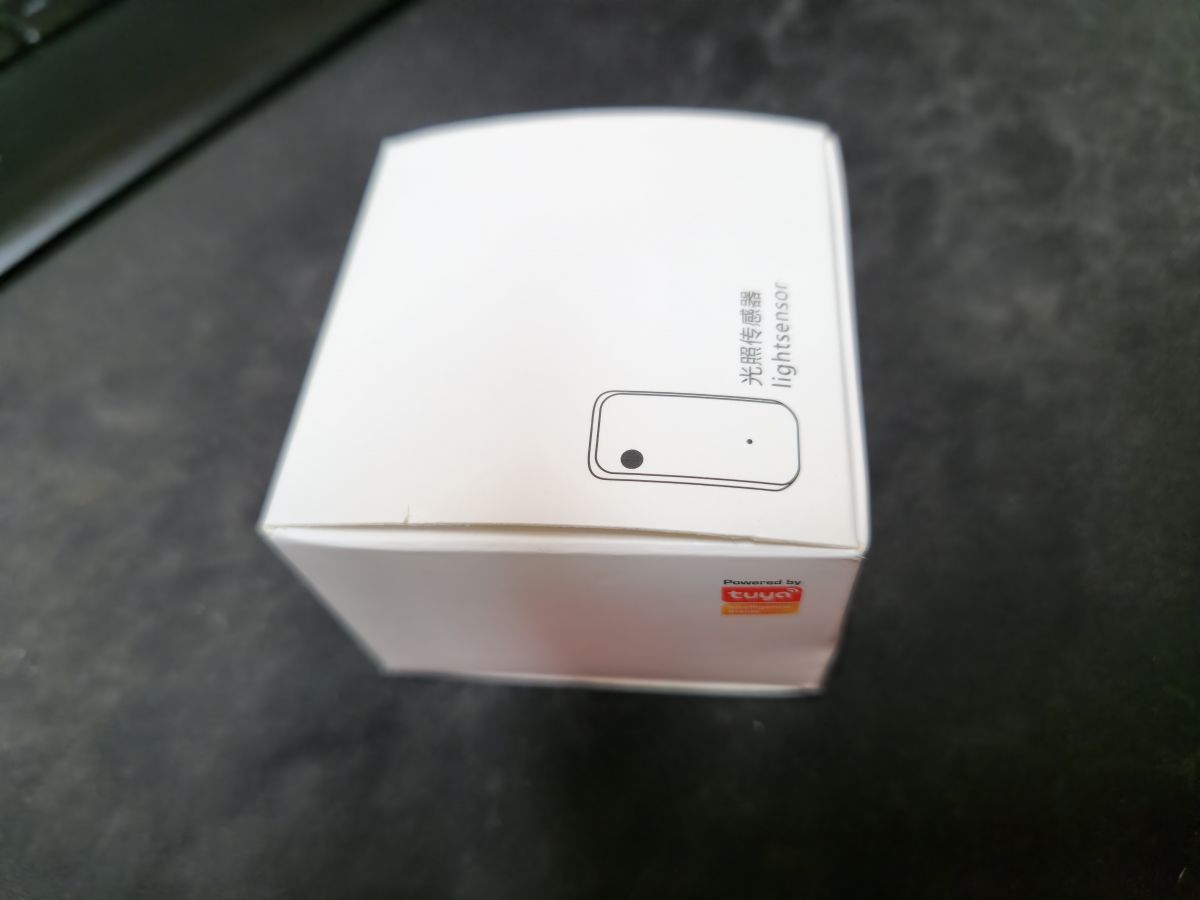
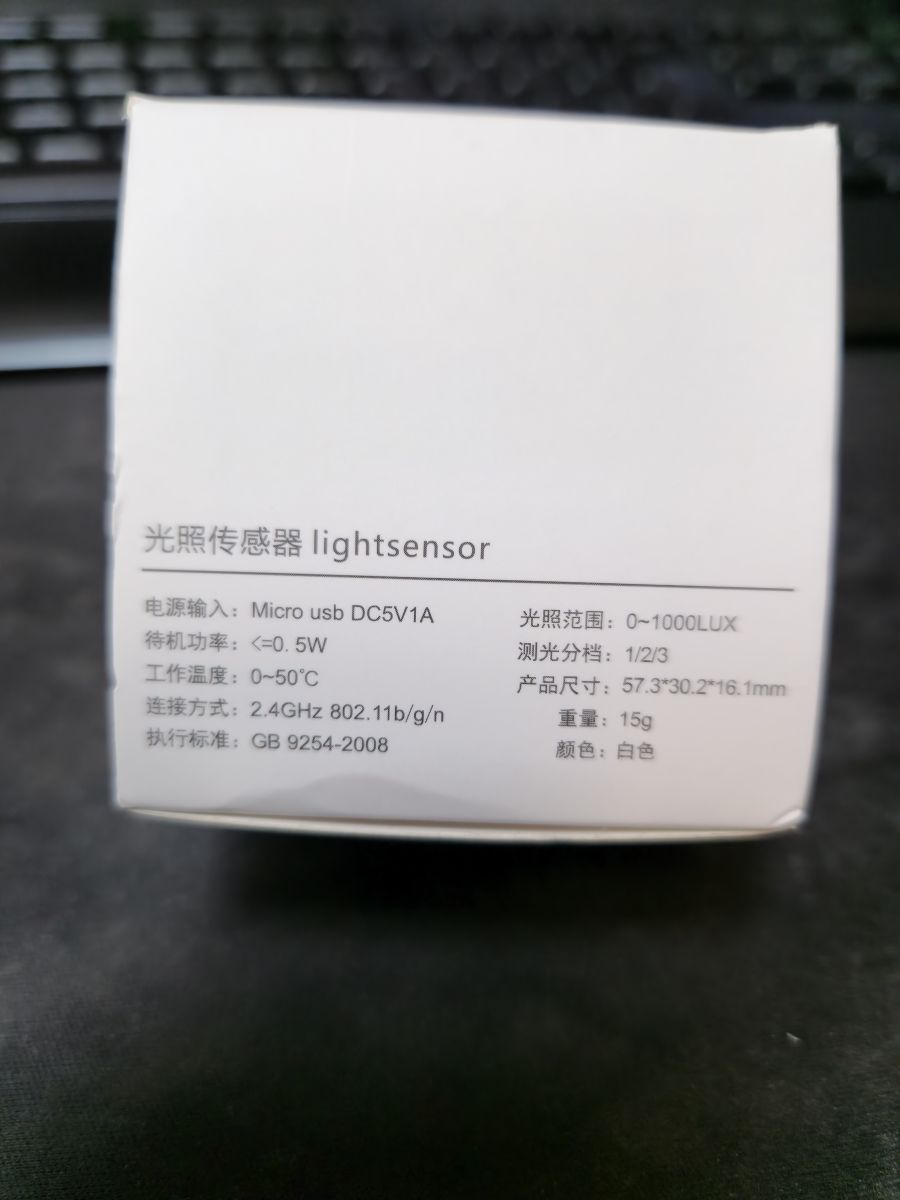
    Original packaging:
    Lighting sensor with WiFi powered by USB - TuyaMCU, communication protocol, firm
    Lightsensor, GB 9254-2008, few details
    Lighting sensor with WiFi powered by USB - TuyaMCU, communication protocol, firm
    Lighting sensor with WiFi powered by USB - TuyaMCU, communication protocol, firm

    Interior and communication protocol
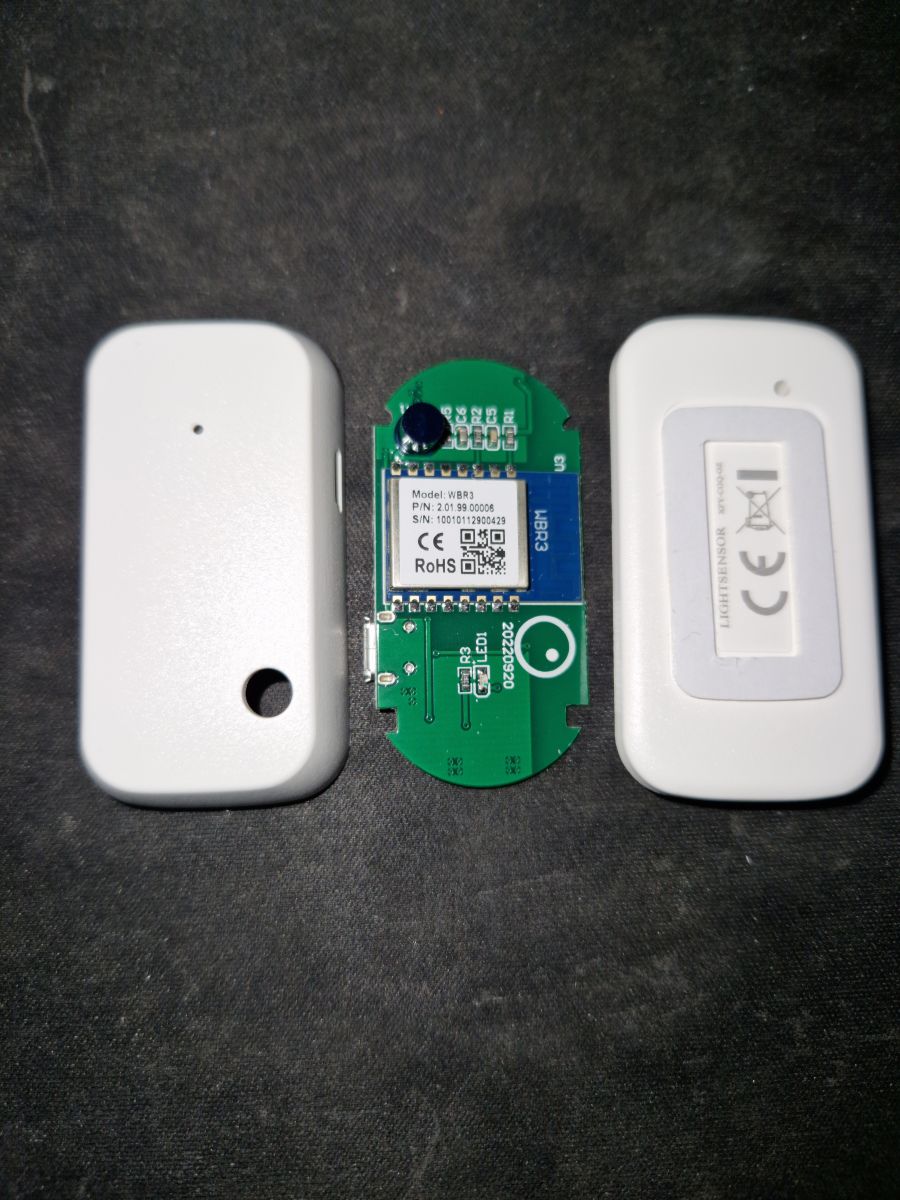
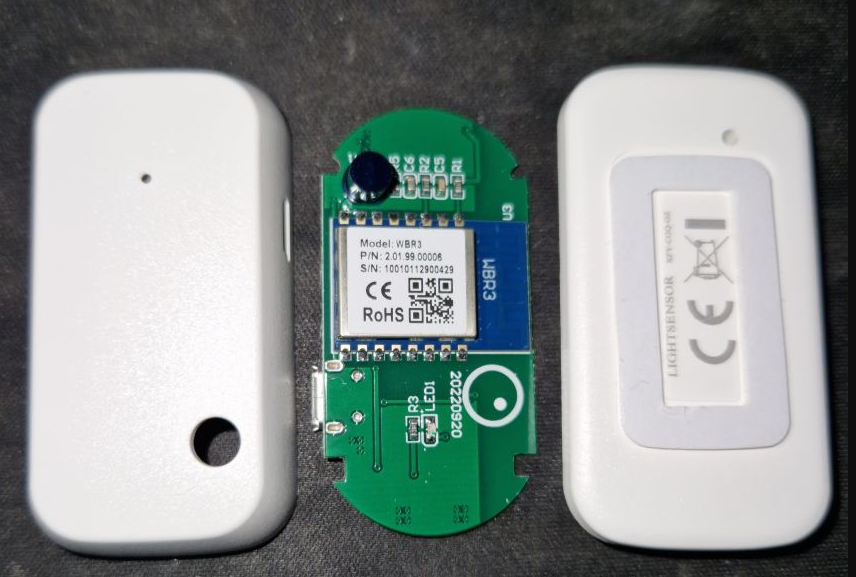
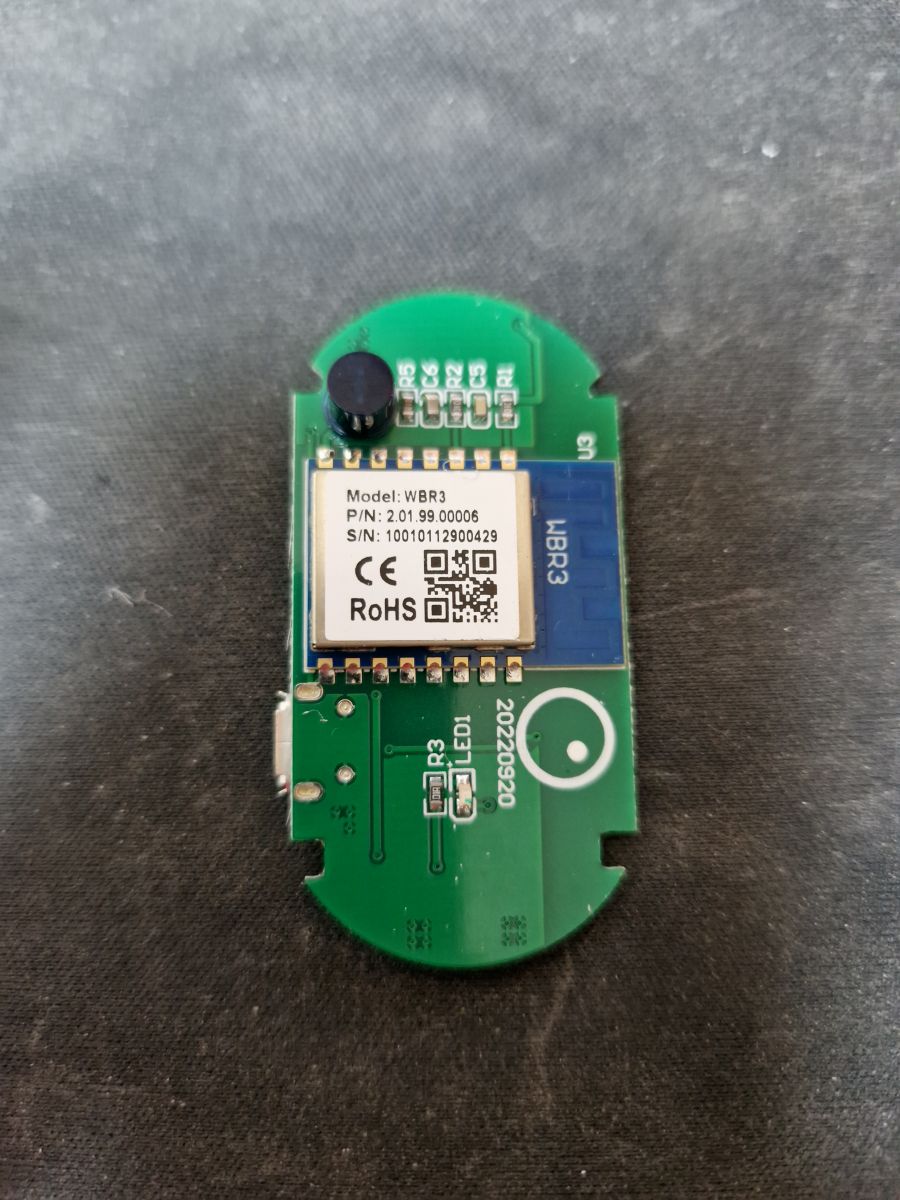
    We look inside, pry the plastic cover:
    Lighting sensor with WiFi powered by USB - TuyaMCU, communication protocol, firm Lighting sensor with WiFi powered by USB - TuyaMCU, communication protocol, firm
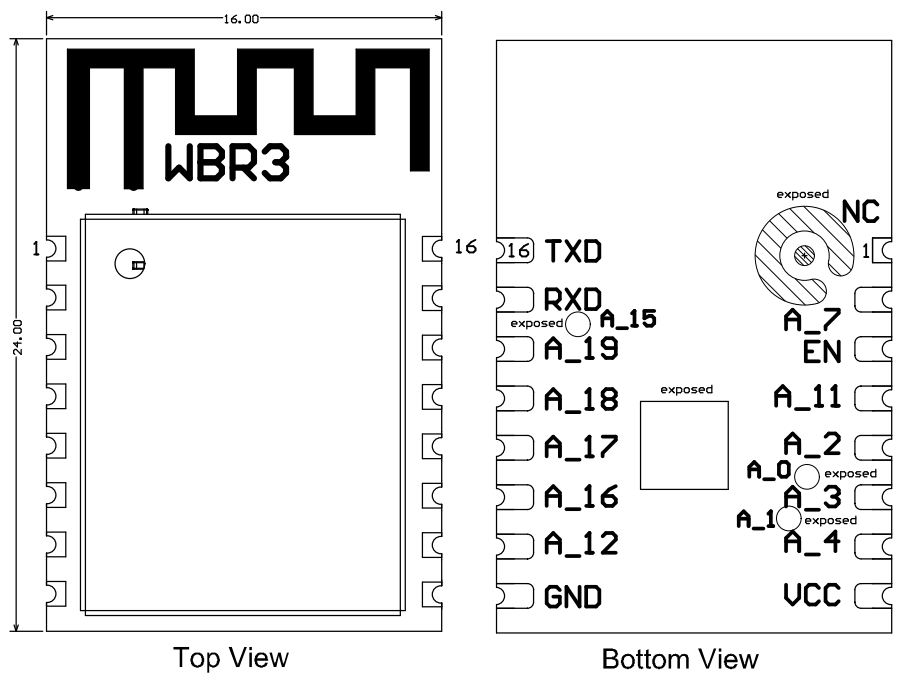
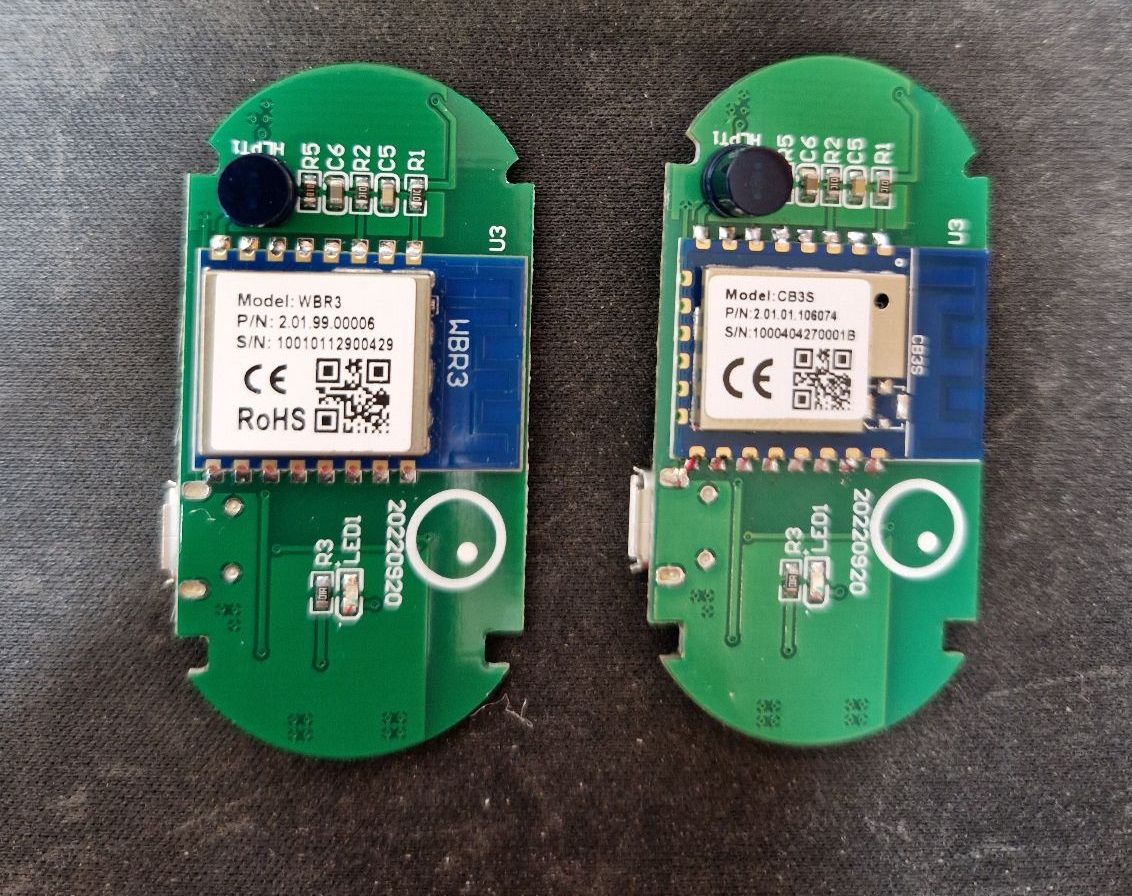
    We have WBR3 here... I'm working on it, but it's not Beken. Date 2022-09-20.
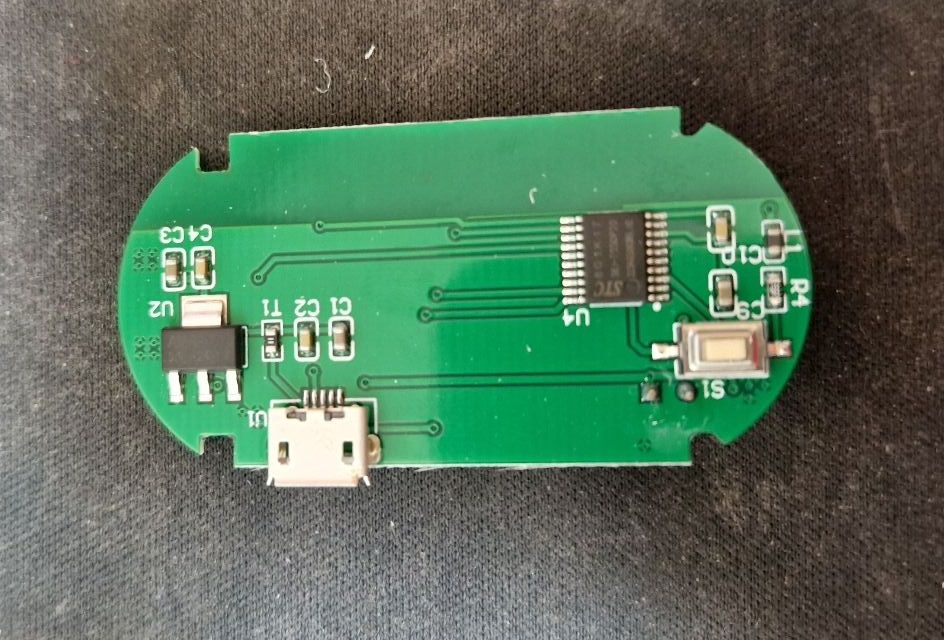
    Lighting sensor with WiFi powered by USB - TuyaMCU, communication protocol, firm But what is on the other side of the PCB?
    Lighting sensor with WiFi powered by USB - TuyaMCU, communication protocol, firm
    There is of course the AMS1117-3.3V LDO regulator to get 3.3V from 5V from USB, but we also see an additional microcontroller here.
    It looks like this device is using TuyaMCU:
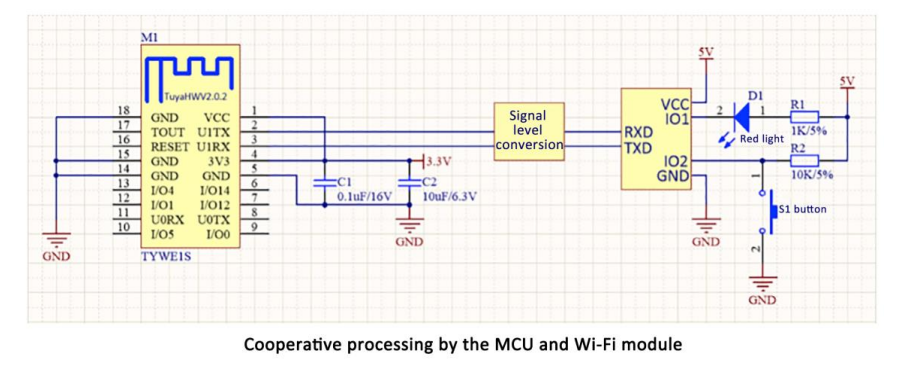
    Lighting sensor with WiFi powered by USB - TuyaMCU, communication protocol, firm
    The TuyaMCU protocol was featured here:
    https://www.elektroda.pl/rtvforum/topic3880546.html
    We also have our own analyzer for this:
    https://www.elektroda.com/rtvforum/topic3970199.html#20528459
    Therefore, we launched the analyzer, sequentially collecting data on the RX and TX of the WiFi module. Bingo!
    The most important interception of packets was made on the RX of the WiFi module. We look at what the MCU sends to us:
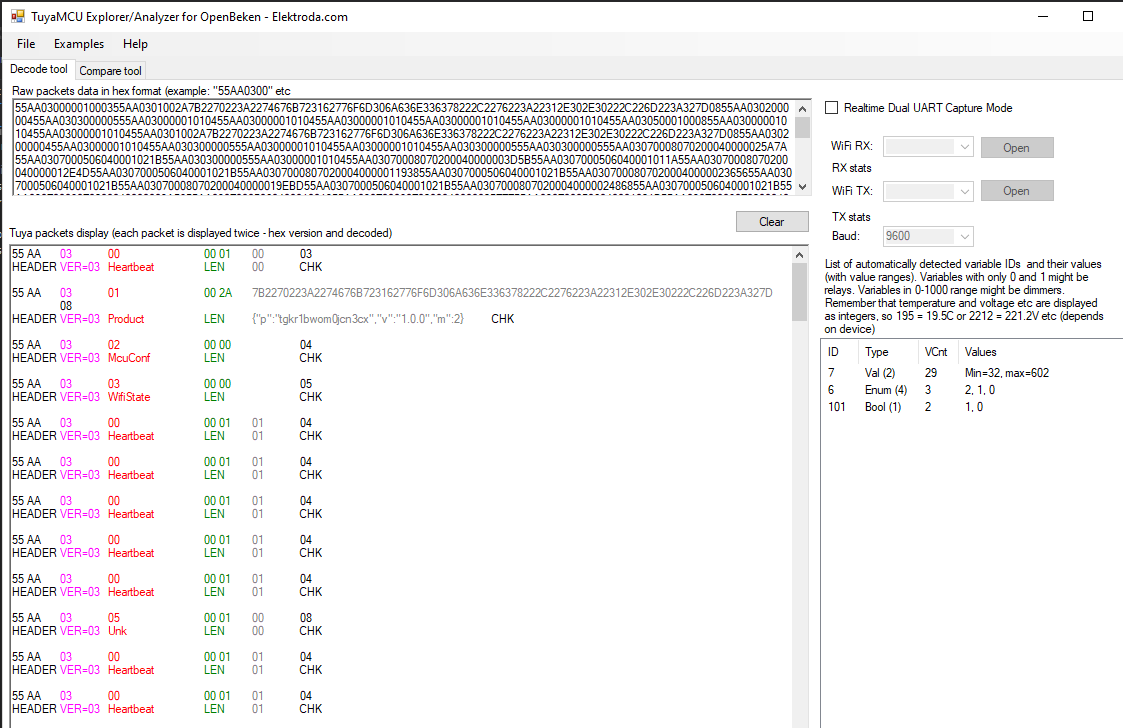
    Lighting sensor with WiFi powered by USB - TuyaMCU, communication protocol, firm
    At first, apart from checking in, the MCU gave no measurements. This was due to the fact that it had to be paired.
    Since then, the variables have appeared:
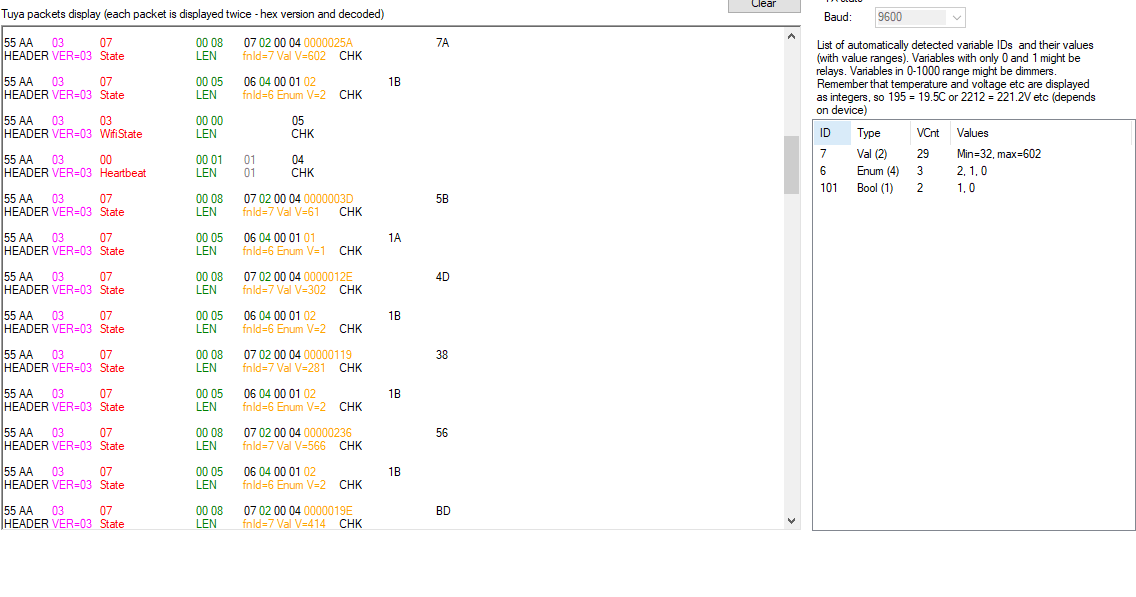
    Lighting sensor with WiFi powered by USB - TuyaMCU, communication protocol, firm
    There is a "FindMe" option in the Tuya app that makes the LED blink. We also managed to overhear the change of its state, it is a boolean variable with dpID 101. The eavesdropping was made on the TX of the WiFi module (it is the WiFi module that sends its change to the MCU):
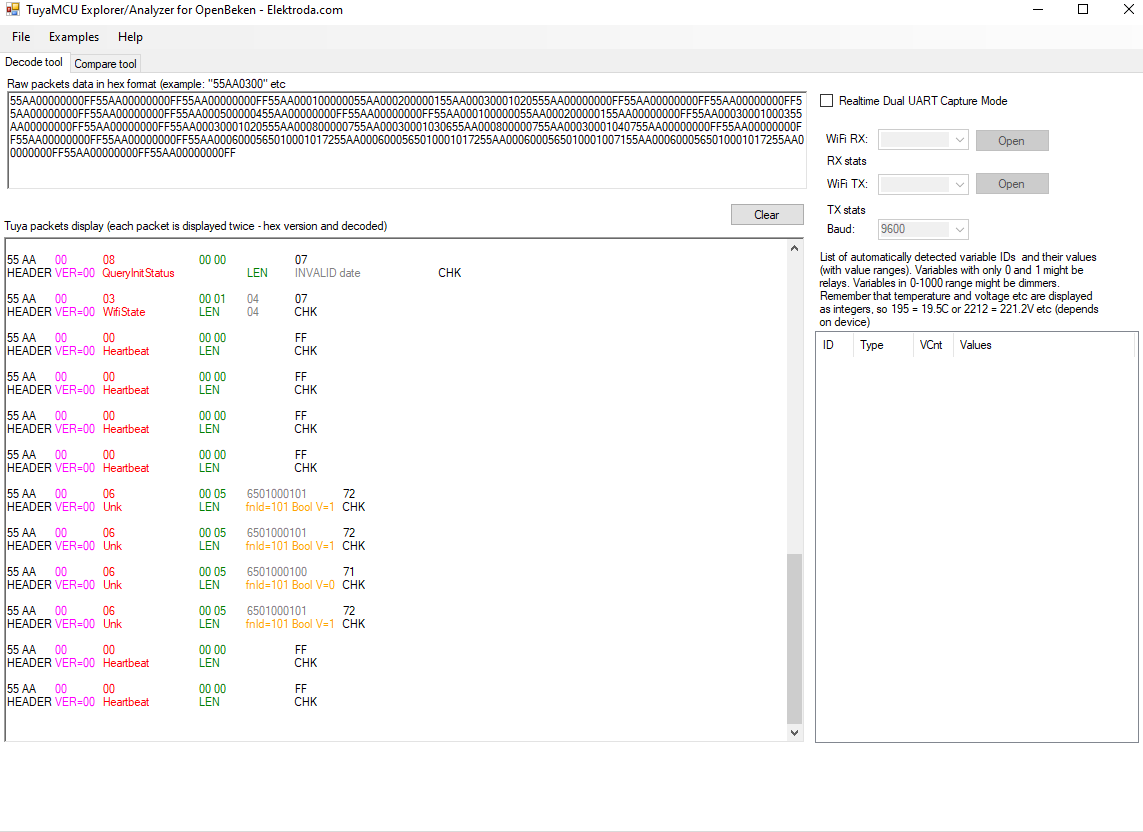
    Lighting sensor with WiFi powered by USB - TuyaMCU, communication protocol, firm
    After the analysis, we assessed:
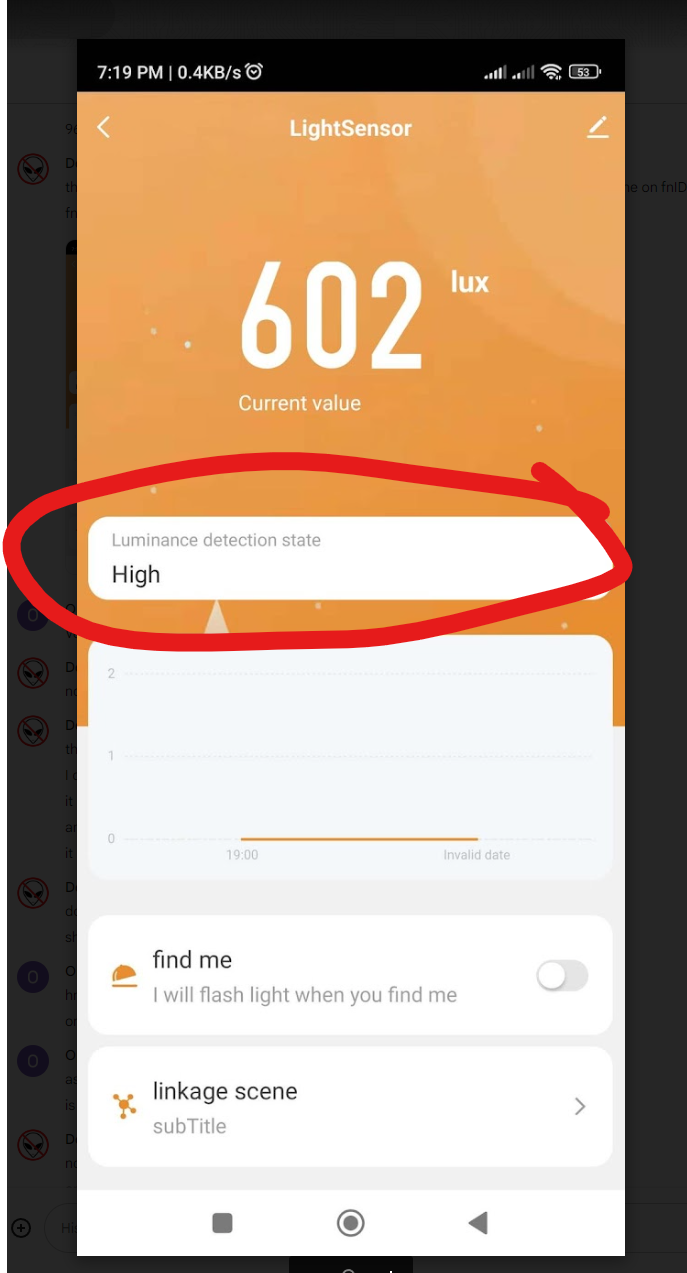
    - dpID 6 is enumeration, lighting level, 0, 1 or 2
    - dpID 7 is the illumination level in lux
    - dpID 101 is "find me" option from Tuya application
    The dpID6 in the app looks like this:
    Lighting sensor with WiFi powered by USB - TuyaMCU, communication protocol, firm

    Firmware change?
    Work on WBR3 is in progress, but a friend had a free CB3S module, so we soldered it in its place to test the TuyaMCU support code from OpenBeken:
    Lighting sensor with WiFi powered by USB - TuyaMCU, communication protocol, firm
    Then we prepared the autoexec.bat OpenBeken:
    
    startDriver TuyaMCU
    
    // always report paired
    tuyaMcu_defWiFiState 4
    
    setChannelType 1 Illuminance
    setChannelLabel 1 Lux
    linkTuyaMCUOutputToChannel 7 val 1
    
    setChannelType 2 Toggle
    setChannelLabel 2 FindMe
    linkTuyaMCUOutputToChannel 101 bool 2
    
    setChannelType 3 ReadOnly
    setChannelLabel 3 LightLevel
    linkTuyaMCUOutputToChannel 6 enum 3
    

    The above code maps variables from TuyaMCU to OpenBeken channels. Sets them labels to display and channel types. Channel types then also determine how Home Assistant displays them.
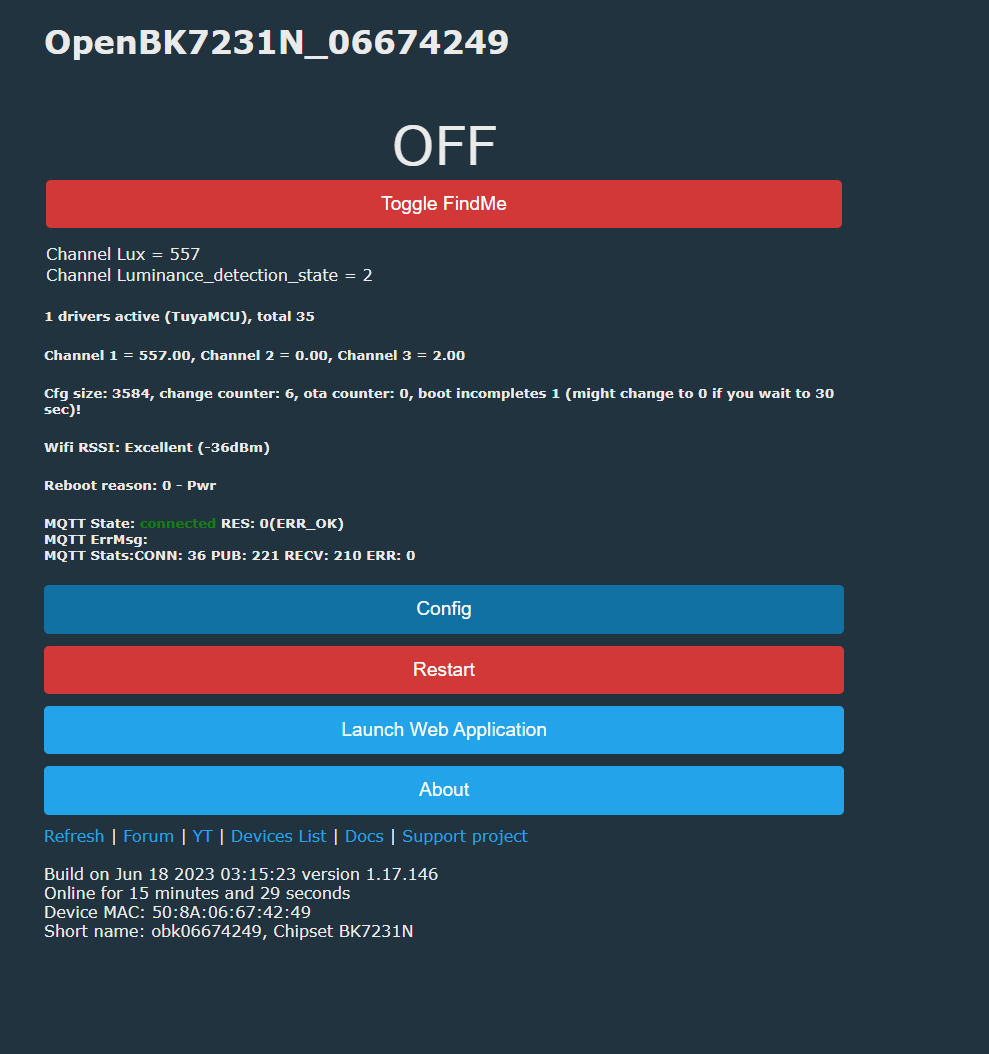
    Initially, we tried without "default wifi state 4", but without it, in the absence of MQTT, we would not get measurements. The MCU must "think" that it is paired with the cloud to give measurements.
    Lighting sensor with WiFi powered by USB - TuyaMCU, communication protocol, firm
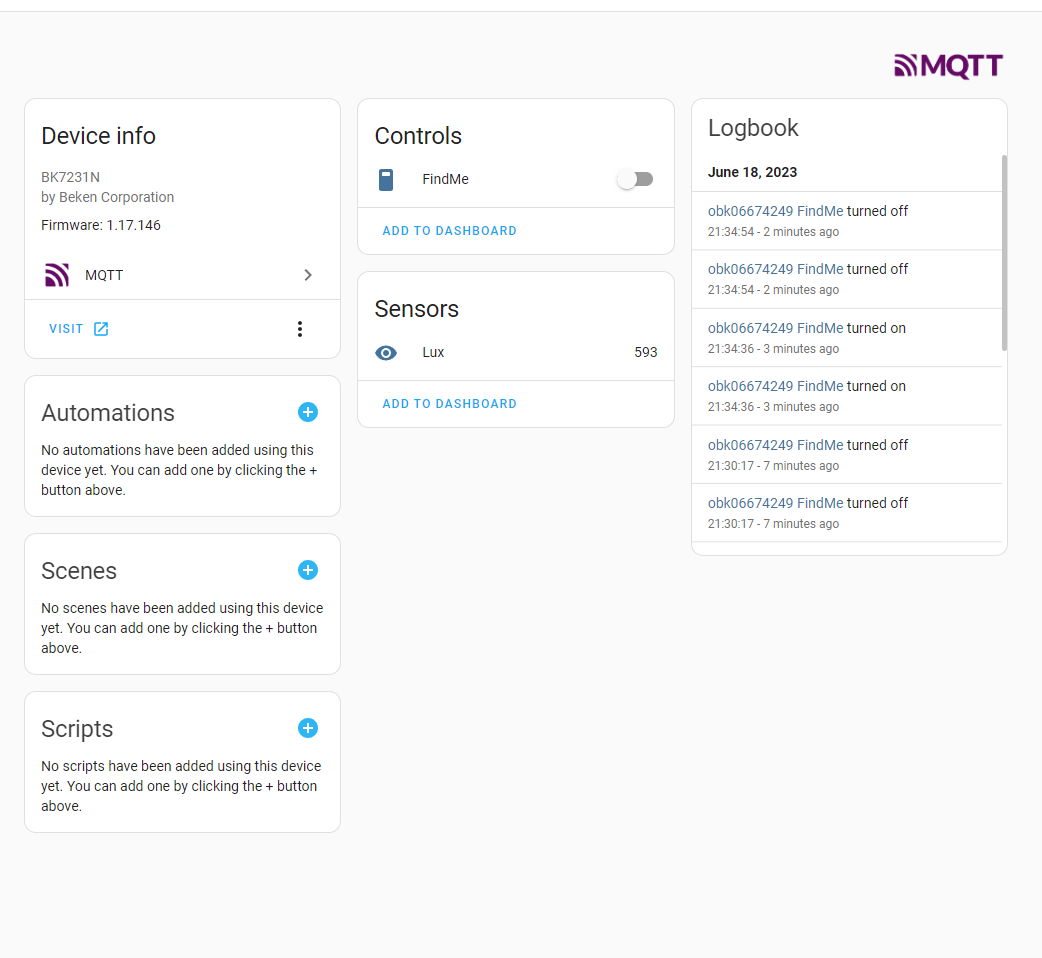
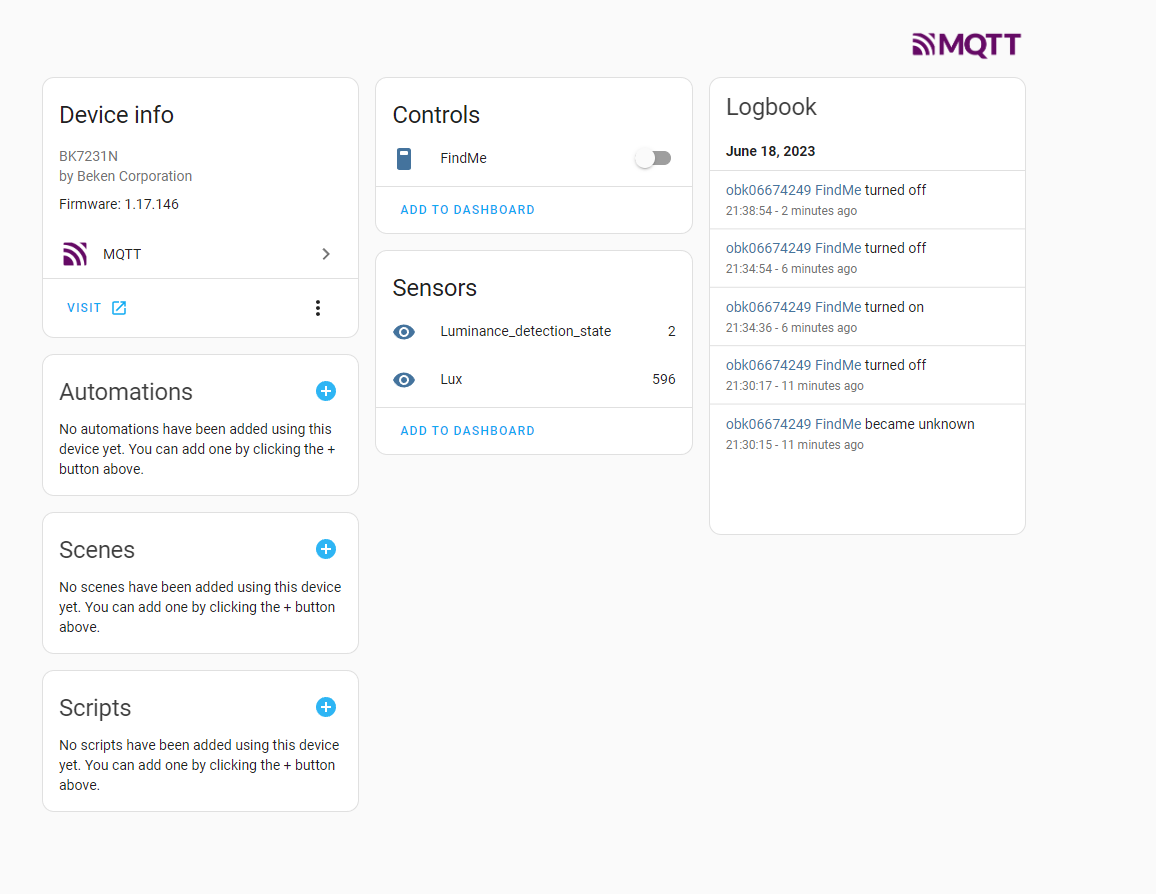
    Success! We have measurements on the OBK panel. Now it's still worth doing Home Assistant Discovery, which is already automatic with us. Below are screenshots before the introduction of the Illuminance channel type:
    Lighting sensor with WiFi powered by USB - TuyaMCU, communication protocol, firm
    Even after adding this lighting level enumeration:
    Lighting sensor with WiFi powered by USB - TuyaMCU, communication protocol, firm
    Everything works, although ultimately this lighting level (enumeration) will get its channel type so that it is displayed in text on the HA panel. And if necessary, you can always add it yourself via configuration.yaml.

    Pairing button on TuyaMCU

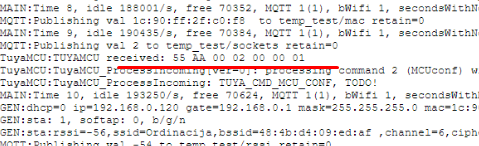
    It is also worth paying attention to what TuyaMCU sends when we press the pairing button. This button is connected to the microcontroller, not to the WiFi module:
    Lighting sensor with WiFi powered by USB - TuyaMCU, communication protocol, firm
    Packet 55AA0002000001 is sent, which is packet type 02 with 00 00 bytes of data (that is, no data, the last byte, 01 here, is the checksum).

    Summary
    It was very simple, and after the OBK port to WBR3, you won't even need to solder the module. The TuyaMCU support code worked well in the new environment and did not require any changes. Everything works.
    The only thing that puzzles me is why this sensor was implemented on TuyaMCU at all, i.e. why is there an additional microcontroller to perform lighting measurements?
    Thank you again @DeDaMrAz for your cooperation, it went very quickly and smoothly, and we on the forum have not yet had an analysis of the inside of the USB lighting sensor, so it's also always something new for our department. Thank youyou!

    Cool? Ranking DIY
    Helpful post? Buy me a coffee.

    About Author
    p.kaczmarek2
    Moderator Smart Home
    Offline 
    p.kaczmarek2 wrote 14622 posts with rating 12639, helped 655 times. Been with us since 2014 year.
  • ADVERTISEMENT
📢 Listen (AI):

FAQ

TL;DR: This FAQ gives Tuya WiFi light-sensor modders 3 mapped dpIDs and the expert rule “always report paired” to replace cloud control with OpenBeken, MQTT, and Home Assistant after swapping WBR3 for CB3S or when WBR3 support is ready. [#20622833]

Why it matters: A USB-powered TuyaMCU illumination sensor can keep local lux reporting without the Tuya cloud when its UART dpIDs and pairing state are mapped correctly.

Alternative Role in this sensor OpenBeken status in the thread Practical impact
WBR3 Original WiFi module, dated 2022-09-20 Work in progress Kept cloud-free conversion from being solder-free at that moment
CB3S Replacement WiFi module Used successfully with OpenBeken Enabled local TuyaMCU testing and Home Assistant integration
Tuya cloud/app Original control path Bypassed for local use Needed only as the original pairing context during analysis

Key insight: The MCU sends measurements only after it believes the device is paired. In OpenBeken, tuyaMcu_defWiFiState 4 was the critical command that made the USB light sensor report lux locally.

Quick Facts

  • The USB light sensor uses 5 V from USB and an AMS1117-3.3V LDO regulator to supply the 3.3 V electronics. [#20622833]
  • The captured TuyaMCU datapoints were dpID 6 for a 0/1/2 light-level enum, dpID 7 for lux, and dpID 101 for the FindMe boolean. [#20622833]
  • The original WiFi module was WBR3 with a visible date marking of 2022-09-20; the test conversion used a spare CB3S module. [#20622833]
  • The pairing button sent UART packet 55AA0002000001, interpreted as packet type 02 with 00 00 data bytes and checksum 01. [#20622833]
  • Home Assistant discovery worked automatically after OpenBeken mapping, though the light-level enum still needed a better text display type or manual configuration.yaml handling. [#20622833]

How do I free a Tuya WiFi USB light sensor from the cloud using OpenBeken?

Replace the WiFi module with a CB3S running OpenBeken, then map TuyaMCU UART datapoints locally.
  1. Solder in CB3S in place of WBR3.
  2. Start the TuyaMCU driver in autoexec.bat.
  3. Map dpID 7, 101, and 6 to OpenBeken channels.
The tested sensor used USB 5 V power and reported lux through dpID 7 after pairing state was forced. [#20622833]

What is TuyaMCU and why would a Tuya light sensor use an extra microcontroller?

TuyaMCU lets a separate microcontroller handle sensing while the WiFi module handles connectivity. "TuyaMCU is a UART-based device architecture that links an application microcontroller to a Tuya WiFi module, letting the MCU send datapoints while the WiFi side handles network and cloud state." This sensor used an extra MCU for light measurement, although the author questioned why it was needed. The board also had an AMS1117-3.3V regulator. [#20622833]

How does the TuyaMCU UART communication protocol work in a WiFi illumination sensor?

The MCU and WiFi module exchange TuyaMCU packets over UART RX and TX lines. The analysis captured both directions separately. The MCU sent measurement datapoints to the WiFi module on RX. The WiFi module sent the FindMe state change to the MCU on TX. After pairing, the MCU began sending variables, including dpID 7 for lux and dpID 6 for light level. [#20622833]

Which TuyaMCU dpIDs are used for lux, light level, and FindMe in this USB lighting sensor?

This sensor uses dpID 7 for lux, dpID 6 for light level, and dpID 101 for FindMe. The light-level datapoint is an enum with values 0, 1, or 2. The FindMe datapoint is a boolean. The Tuya app used FindMe to blink the LED, and the analyzer captured that state change on the WiFi module TX line. [#20622833]

How do I map TuyaMCU dpID 7 to an illuminance channel in OpenBeken?

Map dpID 7 as a value datapoint to an OpenBeken channel typed as Illuminance. Use these commands in autoexec.bat: setChannelType 1 Illuminance, setChannelLabel 1 Lux, and linkTuyaMCUOutputToChannel 7 val 1. This makes channel 1 display lux values from TuyaMCU dpID 7 and helps Home Assistant classify the entity correctly. [#20622833]

Why does the TuyaMCU light sensor stop sending measurements unless it thinks it is paired?

The MCU withholds measurements until the WiFi side reports a paired cloud state. During packet capture, the MCU initially checked in but sent no measurements. Variables appeared only after pairing. The OpenBeken setup fixed this failure mode by making the MCU believe the device was paired, even without MQTT or Tuya cloud access. [#20622833]

What does the OpenBeken command tuyaMcu_defWiFiState 4 do for TuyaMCU devices?

tuyaMcu_defWiFiState 4 makes OpenBeken always report the paired WiFi state to the TuyaMCU. In this sensor, measurements did not arrive without that state when MQTT was absent. The author used the comment “always report paired” above the command. That state unlocked dpID reporting from the MCU, including dpID 7 lux readings. [#20622833]

How can I configure autoexec.bat in OpenBeken for a TuyaMCU-based light sensor?

Configure autoexec.bat to start TuyaMCU, force paired state, and map 3 datapoints. Use startDriver TuyaMCU, then tuyaMcu_defWiFiState 4. Set channel 1 as Illuminance for dpID 7. Set channel 2 as Toggle for dpID 101. Set channel 3 as ReadOnly for dpID 6. The labels used were Lux, FindMe, and LightLevel. [#20622833]

What is WBR3, and how is it different from a CB3S module in Tuya WiFi devices?

WBR3 was the original Tuya WiFi module, while CB3S was the replacement module used for OpenBeken testing. The board marking showed WBR3 with date 2022-09-20. The author stated WBR3 work was still in progress and noted it was not Beken. A spare CB3S module was soldered in, allowing the OpenBeken TuyaMCU support code to run successfully. [#20622833]

WBR3 vs CB3S — which module is better for running OpenBeken on a Tuya light sensor?

CB3S was the better choice in this thread because it ran OpenBeken successfully during the test. WBR3 remained under development at the time, so it still required future OpenBeken port work. The practical tradeoff was clear: CB3S required soldering, but it worked immediately. WBR3 promised a future solder-free path once supported. [#20622833]

How can I analyze TuyaMCU RX and TX UART packets from a WiFi module?

Capture the WiFi module RX and TX lines separately with a TuyaMCU packet analyzer. The thread used a dedicated analyzer and collected data sequentially from RX and TX. RX showed what the MCU sent to the WiFi module, including measurement datapoints. TX showed what the WiFi module sent back, including the dpID 101 FindMe boolean state. [#20622833]

What does the TuyaMCU packet 55AA0002000001 mean when pressing the pairing button?

55AA0002000001 is the TuyaMCU packet sent when the pairing button is pressed. The button connects to the microcontroller, not directly to the WiFi module. The packet is type 02. Its data length is 00 00, meaning no data bytes. The final byte, 01, is the checksum for that packet. [#20622833]

How do I add a TuyaMCU-based OpenBeken light sensor to Home Assistant with MQTT discovery?

Enable OpenBeken’s Home Assistant discovery after mapping the TuyaMCU channels. The thread states discovery was automatic after the OpenBeken configuration worked. Channel types matter because Home Assistant uses them for entity presentation. The Illuminance type was added for the lux channel, while the enum light level still needed better text rendering. [#20622833]

What should I check if Home Assistant shows raw enum values instead of readable light level text from OpenBeken?

Check whether the dpID 6 enum has a suitable channel type or manual Home Assistant mapping. In the test, dpID 6 reported light level as enum values 0, 1, or 2. OpenBeken displayed it as a read-only LightLevel channel. The author noted that Home Assistant might need a dedicated channel type or a manual configuration.yaml entry for readable text. [#20622833]

How can I identify whether a Tuya light sensor listing is the WiFi version or the Zigbee version before buying?

Check the listing text carefully because sellers offer similar WiFi and Zigbee versions. The sensor appeared under names like “Tuya WiFi Light sensor illumination brightness sensor.” The author warned buyers to verify whether they selected the Zigbee or WiFi version. The tested device was the WiFi USB model shown in the Tuya app. [#20622833]
Generated by the language model.
ADVERTISEMENT