logo elektroda
logo elektroda
X
logo elektroda

Exploring Driver Options for [BK7231N] LSC Smart Connect LedStrip RGBIC from Action.com

alfakenzo 5217 17
Best answers

How can I identify and configure the correct driver for a BK7231N Action.com LSC Smart Connect RGBIC LED strip?

This strip is most likely an SM16703-family device, so the first thing to try is OpenBK's `SM16703P` driver with an `autoexec.bat` like `startDriver SM16703P`, `SM16703P_Init 3`, `SM16703P_SetPixel ...`, and `SM16703P_Start` [#20855960][#20888487] One tester reported that the LEDs did react with that setup, which suggests the driver is close or correct, but there was still some DMA instability that could make the colors look random [#20905794][#20906555] The strip appears to be wired in groups of 6 LEDs per string, so a 5 m strip is about 120 LEDs and each 6-LED block will share the same color [#20906416] A later report identified the hardware as a BK7231N with an `SM16703SP3` controller, and if the board has a control pin it may need to be configured as `AlwaysHigh` [#21882146][#21882191]
Generated by the language model.
ADVERTISEMENT
  • #1 20853066
    alfakenzo
    Level 9  
    Posts: 32
    Help: 1
    Rate: 3

    Hi, there was a new LED strip at action.com store. It is an RGBIC 5m line. I think there is still no driver for this, but you are working on it. Hope you can help to get it running. Would like to test something. I can also dump it when it is needed.
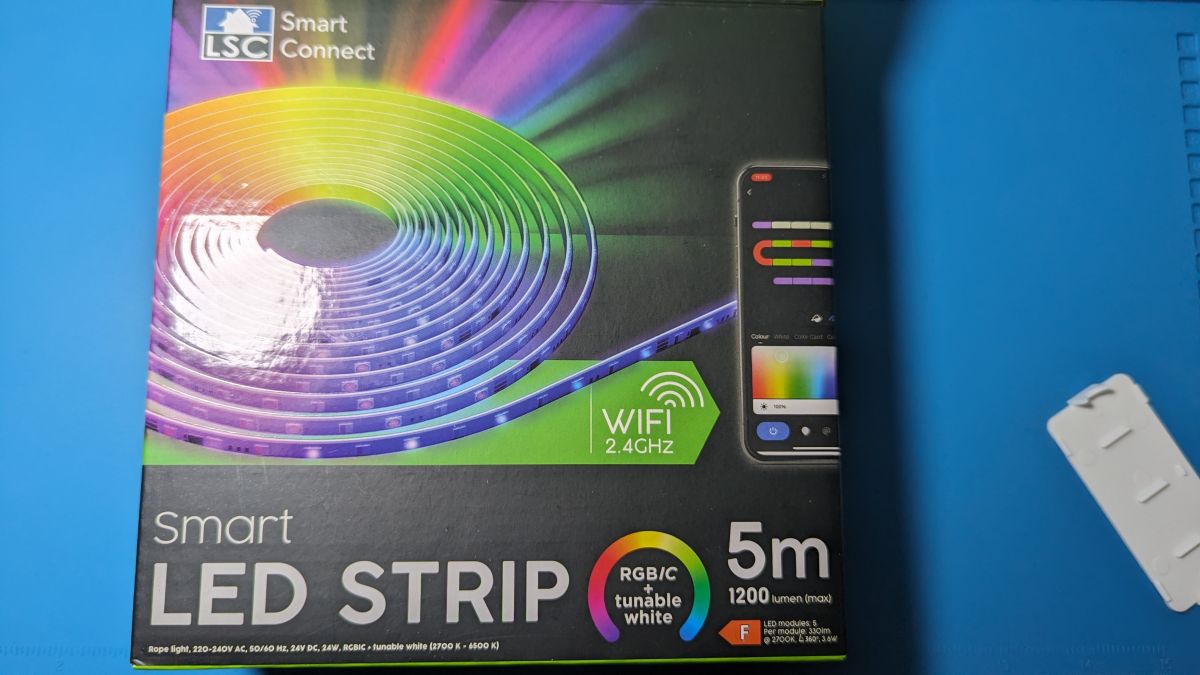
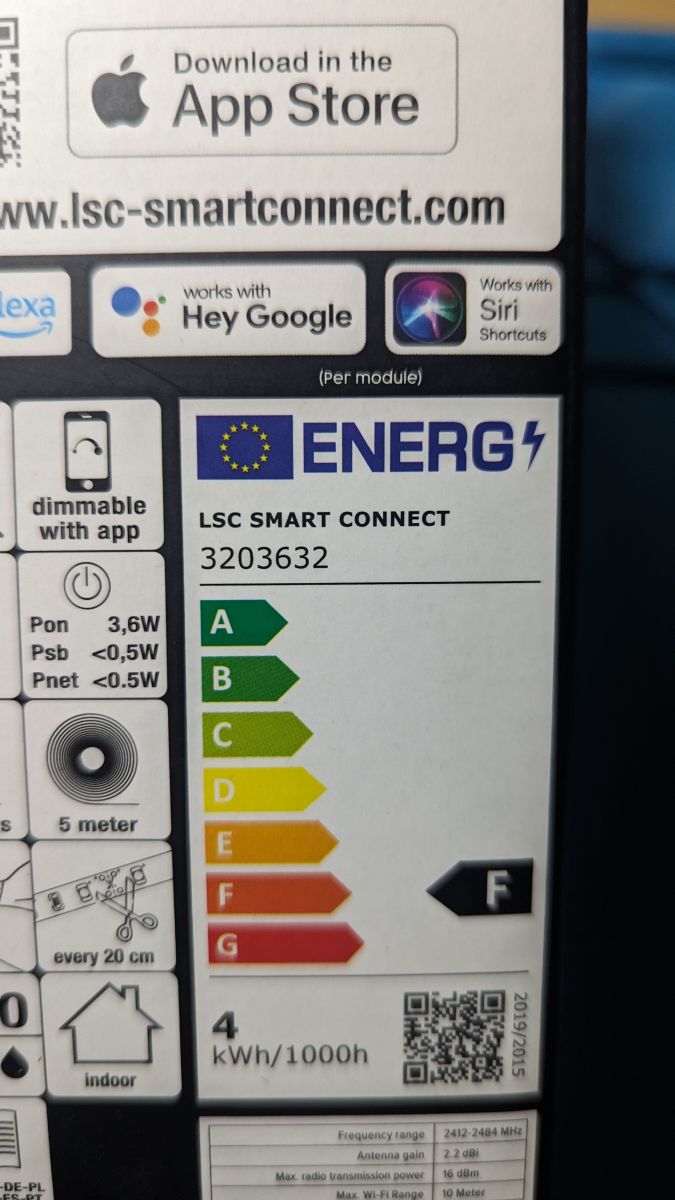
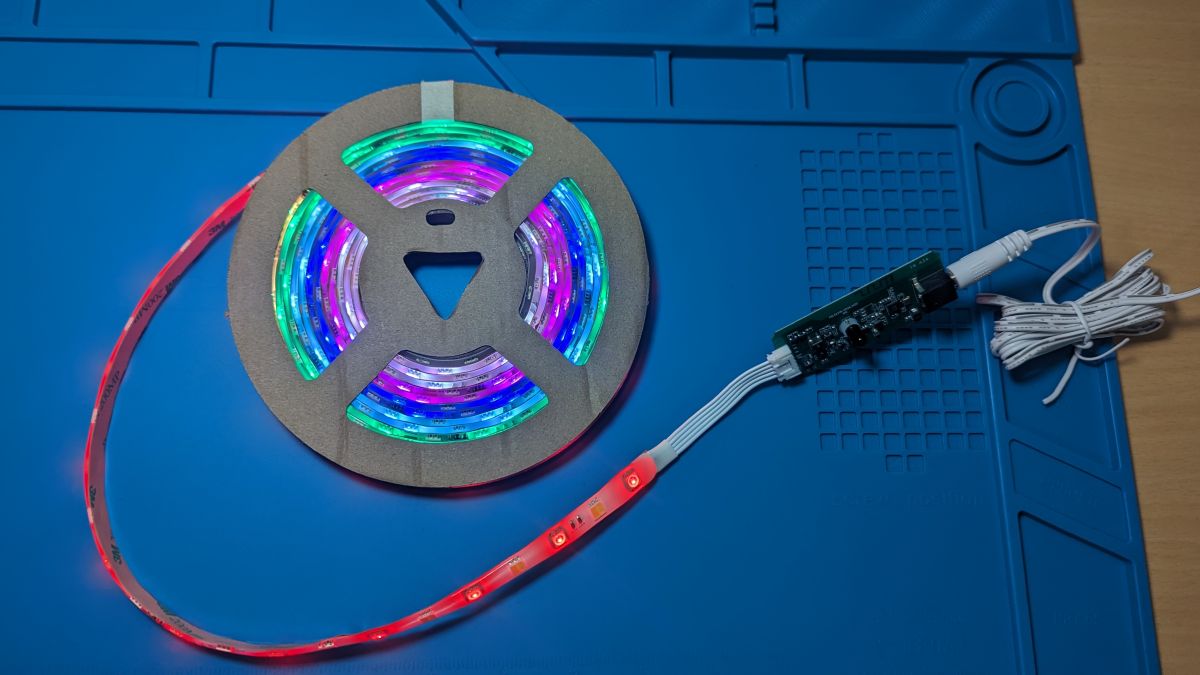
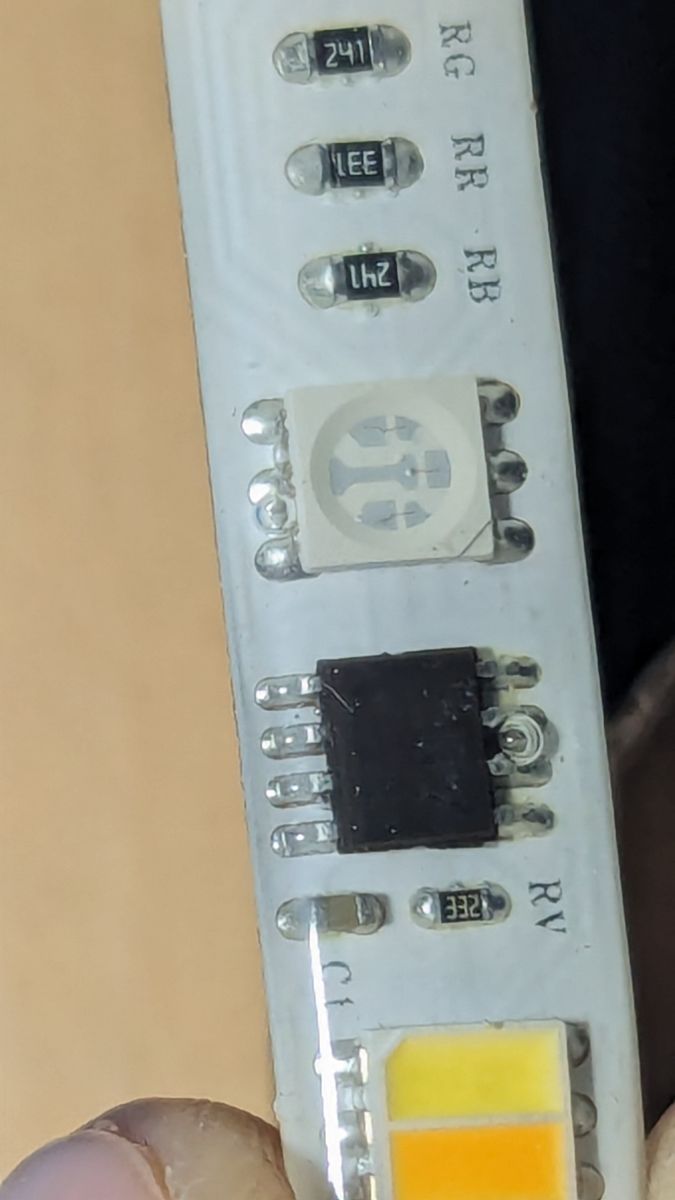
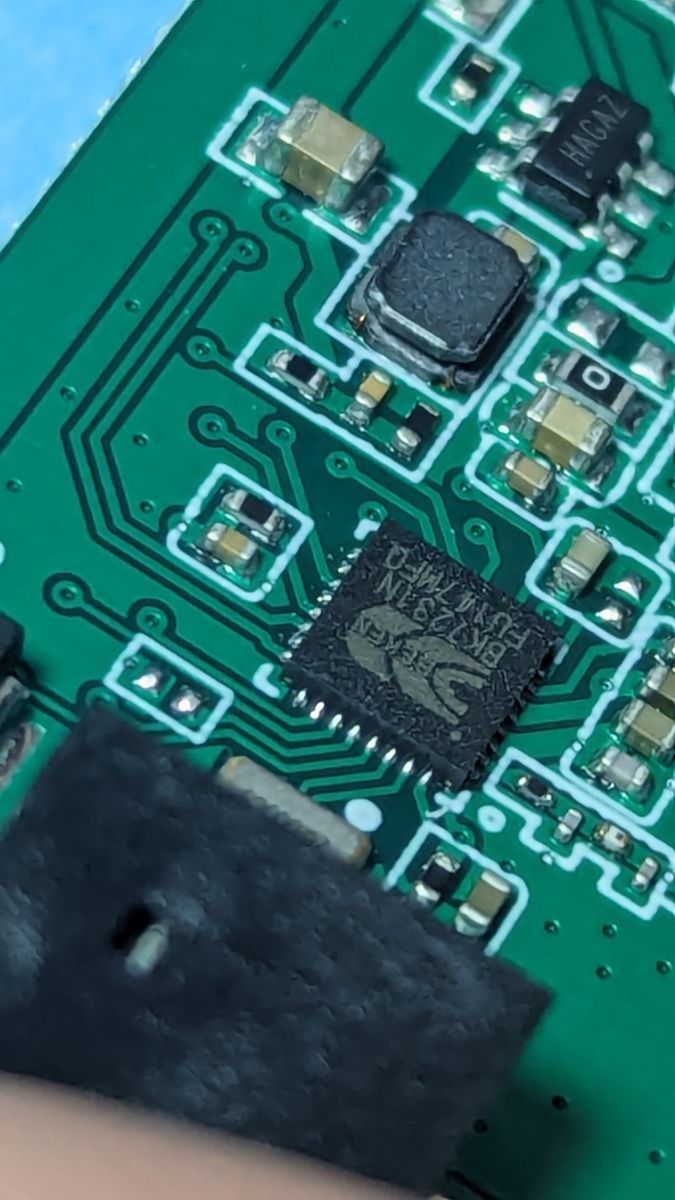
    Packaging of LSC Smart Connect RGBIC 5m LED strip. Energy label for LSC Smart Connect LED strip showing energy class F. 5m RGBIC LED strip with controller laid on a blue mat. Close-up of an RGBIC LED strip showing electronic components. Close-up of an integrated circuit on a green printed circuit board.
  • ADVERTISEMENT
  • #2 20854319
    p.kaczmarek2
    Moderator Smart Home
    Posts: 14393
    Help: 650
    Rate: 12314
    Hello, please attach 2MB dump. I can flash it later to my CB3S and investigate.

    What kind of LED strip driver is that? We're working on SM16703 currently. Is it that one or something else new?
    Helpful post? Buy me a coffee.
  • #3 20854499
    alfakenzo
    Level 9  
    Posts: 32
    Help: 1
    Rate: 3

    I will try to dump this today. I don't know the driver, can't read it on the strip or is the driver on the board itself?
  • #4 20854513
    p.kaczmarek2
    Moderator Smart Home
    Posts: 14393
    Help: 650
    Rate: 12314
    Well, is the SOIC chip on the LED strip marked or not?
    Helpful post? Buy me a coffee.
  • #5 20855628
    alfakenzo
    Level 9  
    Posts: 32
    Help: 1
    Rate: 3
    I see nothing on it.

    Added after 1 [hours] 3 [minutes]:

    I see nothing on it.
  • ADVERTISEMENT
  • #6 20855960
    p.kaczmarek2
    Moderator Smart Home
    Posts: 14393
    Help: 650
    Rate: 12314
    Well, maybe it's SM16703, let's start with a 2MB flash dump
    Helpful post? Buy me a coffee.
  • #7 20857329
    alfakenzo
    Level 9  
    Posts: 32
    Help: 1
    Rate: 3

    Here is the 2MB file and I also have the schema for this device, etc. I will wait with flashing OBK on it. I still have the other 2x5m RGB LED stripe that also has this driver.
    Attachments:
    • dump_LSC_LedStrip_RGBIC.zip (1.44 MB) You must be logged in to download this attachment.
  • #8 20870624
    alfakenzo
    Level 9  
    Posts: 32
    Help: 1
    Rate: 3
    Is there something to test?
  • #9 20888487
    p.kaczmarek2
    Moderator Smart Home
    Posts: 14393
    Help: 650
    Rate: 12314
    So, how does this autoexec.bat works:
    
    startDriver SM16703P
    SM16703P_Init 3
    SM16703P_SetPixel 1 255 0 0
    SM16703P_SetPixel 2 0 255 0
    SM16703P_SetPixel 3 0 0 255
    SM16703P_Start
    
    Helpful post? Buy me a coffee.
  • #10 20888830
    alfakenzo
    Level 9  
    Posts: 32
    Help: 1
    Rate: 3

    Hi, I tried this on the 2x5m RGBCW but nothing happened there.
  • ADVERTISEMENT
  • #11 20889057
    p.kaczmarek2
    Moderator Smart Home
    Posts: 14393
    Help: 650
    Rate: 12314
    Are your LEDs SM16703P?
    Helpful post? Buy me a coffee.
  • #13 20905794
    edgarvoorbraak
    Level 1  
    Posts: 1

    >>20888487
    I tried your provided autoexec.bat and the RGB leds do seem to react, though the colors are seemingly random.
    Any ideas what it could be ?
  • ADVERTISEMENT
  • #14 20906416
    alfakenzo
    Level 9  
    Posts: 32
    Help: 1
    Rate: 3

    Your LEDs are 6 per string. So 6 LEDs will change only in one color. The next six in other colors. Your whole stripe is 5, so you have 120 LEDs like me too.
  • #15 20906555
    p.kaczmarek2
    Moderator Smart Home
    Posts: 14393
    Help: 650
    Rate: 12314
    By the way, I've done some more testing, and while the driver work, there is still some instability in the DMA code, it may be what you are referring to @edgarvoorbraak . It's not fully solved yet, but right now, I am doing LN882HK porting, so you have to wait, sorry.
    Helpful post? Buy me a coffee.
  • #16 20906576
    alfakenzo
    Level 9  
    Posts: 32
    Help: 1
    Rate: 3

    It's ok, but the most rgbic led stripe will come now with the driver. So there will be more users
  • #17 21882146
    maczarq
    Level 1  
    Posts: 1
    The Beken chip in my LED strip is a BK7231N, and the LED strip controller is an SM16703SP3. I'm including this information here in case it's helpful.

    I've tried countless configurations, and none have worked. I can't get them to turn on.

    And I'll add, my strip is identical to yours, but mine says rgb/c + cct/c on the box
  • #18 21882191
    divadiow
    Level 38  
    Posts: 4835
    Help: 420
    Rate: 852
    >>21882146

    Have you configured the control pin to be AlwaysHigh, assuming there is one?

Topic summary

✨ Discussion revolves around the LSC Smart Connect LedStrip RGBIC, a 5m RGB LED strip from Action.com, focusing on the need for a compatible driver. Users are attempting to identify the driver, suspected to be SM16703, and are sharing methods to dump firmware and test functionality. Initial attempts to control the LEDs using provided scripts yield inconsistent results, prompting further investigation into the driver and pin configurations. Users express a desire for a stable driver solution as more RGBIC LED strips are expected to enter the market.
Generated by the language model.

FAQ

TL;DR: 120 LEDs per 5 m strip; "Your LEDs are 6 per string." Use SM16703P tests, dump 2 MB before flashing. [Elektroda, alfakenzo, post #20906416]

Why it matters: This FAQ helps BK7231N/OpenBeken tinkerers identify drivers, test output, and avoid dead-ends when bringing LSC Smart Connect RGBIC strips online.

Quick Facts

Which driver does the Action.com LSC Smart Connect RGBIC 5 m strip use?

Developers target SM16703/SM16703P for this family. Provide a full 2 MB flash dump to enable analysis on CB3S. "We're working on SM16703 currently." This lets maintainers validate timing, pin mapping, and segmentation without risking your hardware. It is the fastest path to working support and repeatable tests. Share the dump before flashing alternative firmware, so baseline behavior remains preserved for comparison. [Elektroda, p.kaczmarek2, post #20854319]

How many LEDs and segments are on the 5 m RGBIC strip?

Expect 120 LEDs total on a 5 m strip. The design groups LEDs in six-LED segments. Each six-LED group changes together, then the next group follows. This matters for effects and for verifying the driver’s pixel indexing. If colors repeat in blocks of six, segmentation is working. Use this to validate pixel order and to tune animations. [Elektroda, alfakenzo, post #20906416]

Where is the driver IC, and how do I identify it?

Look for a SOIC package on the LED strip itself. Check if the chip is marked, as the marking helps identify the protocol family. If you can read it, note the code for driver selection. If not, follow the dump-and-test approach referenced elsewhere here. Visual inspection is step one before firmware changes. [Elektroda, p.kaczmarek2, post #20854513]

How do I quickly test SM16703P output in OpenBeken?

Use the maintainer’s minimal script to light three pixels:
  1. Add to autoexec.bat: startDriver SM16703P; SM16703P_Init 3; SM16703P_SetPixel 1 255 0 0; SM16703P_SetPixel 2 0 255 0; SM16703P_SetPixel 3 0 0 255; SM16703P_Start.
  2. Run the script or reboot so it executes.
  3. Verify the first three segments show red, green, then blue. [Elektroda, p.kaczmarek2, post #20888487]

The autoexec runs, but colors seem random. What’s happening?

The driver works, but the DMA code still shows instability. "There is still some instability in the DMA code." The maintainer is porting LN882HK and will revisit stability. Expect intermittent artifacts until the fix lands. Keep tests short and note any repeatable patterns when reporting. This helps isolate timing issues and segment handling. [Elektroda, p.kaczmarek2, post #20906555]

My 2x5 m RGBCW set didn’t react to the script. What should I check?

That test produced no response on a 2x5 m RGBCW set. Re-check LED type, wiring, and JSON mapping before proceeding. If the LEDs aren’t SM16703P-compatible, the script will not drive them. Confirm your controller’s pin assignments match the target driver. Then retry the minimal test. [Elektroda, alfakenzo, post #20888830]

Do I need to provide a firmware dump before flashing OpenBeken?

Yes. Attach a full 2 MB flash dump first. The maintainer can flash it on a CB3S module and investigate behavior. This preserves a reference for regression checks and simplifies driver bring-up. It also reduces risk of bricking while features evolve. Share the file in-thread for review. [Elektroda, p.kaczmarek2, post #20854319]

Are these LEDs definitely SM16703P?

Confirm the LED type before assuming SM16703P. A maintainer explicitly asked whether the LEDs are SM16703P during troubleshooting. If they differ, the demo script will not work. Gather chip details or provide the dump so the team can validate the protocol. [Elektroda, p.kaczmarek2, post #20889057]

Is the SM driver controlled on pin 16?

Some setups reference pin 16 for the SM driver control. If nothing responds, verify your JSON maps the SM driver to pin 16. Update the mapping and retest the minimal script. Document any change in behavior for the thread. [Elektroda, alfakenzo, post #20889212]

Why do I see solid colors in blocks of six LEDs?

That reflects the hardware segmentation. The strip drives six-LED groups together, then repeats across the length. Use this to confirm addressing and expected color order. If segments don’t align, revisit SM16703P initialization and pixel indexing. It’s normal for effects to repeat every six LEDs on this model. [Elektroda, alfakenzo, post #20906416]

Is there something I can test today?

Yes. Run the provided autoexec.bat sequence to initialize SM16703P and set three pixels to R, G, and B. Observe segment behavior and report outcomes. This baseline confirms power, wiring, and basic timing. Keep logs and your JSON mapping for maintainers. [Elektroda, p.kaczmarek2, post #20888487]

Who is maintaining development, and what’s the current status?

The maintainer confirmed driver functionality with DMA instability and is porting LN882HK. "You have to wait, sorry." Expect updates after porting tasks conclude. Testing with the minimal script remains useful. Share structured feedback to accelerate fixes. [Elektroda, p.kaczmarek2, post #20906555]

What if the LED driver IC has no visible marking?

One user reported no visible marking on the strip’s SOIC chip. In that case, rely on software-based identification and shared dumps. Then test with the minimal script to observe behavior. Document results and any pin mapping used. [Elektroda, alfakenzo, post #20855628]

How can I share schematics or dumps for analysis?

A contributor shared a 2 MB dump and has the device schema available. Post your dump and any schematics in-thread. This speeds verification, pin mapping, and driver tweaks for everyone. Include controller model and wiring notes. [Elektroda, alfakenzo, post #20857329]
Generated by the language model.
ADVERTISEMENT