logo elektroda
logo elektroda
X
logo elektroda
Dostępna jest polska wersja

Czy wolisz polską wersję strony elektroda?

Nie, dziękuję Przekieruj mnie tam

[BK7231N/CB2L] New version of LSC 2578539 A60 E27 RGBCW 806 Lumen

p.kaczmarek2 2520 0

TL;DR

  • The LSC/Action 2578539 A60 E27 RGBCW 806-lumen bulb now uses a BK7231N instead of the earlier BK7231T.
  • Its BP5758D and color-remap pin assignments changed, so it needs a new OpenBeken template and updated teardown photos.
  • The bulb runs Tuya firmware 1.3.21 and can be flashed by TCC or by wires.
  • After flashing, it works with Tasmota Devices Groups and pairs with Home Assistant for local control without the Tuya cloud.
  • Newer revisions may be patched against Wi‑Fi flashing, but wired flashing should still remain possible.
Generated by the language model.
ADVERTISEMENT
📢 Listen (AI):
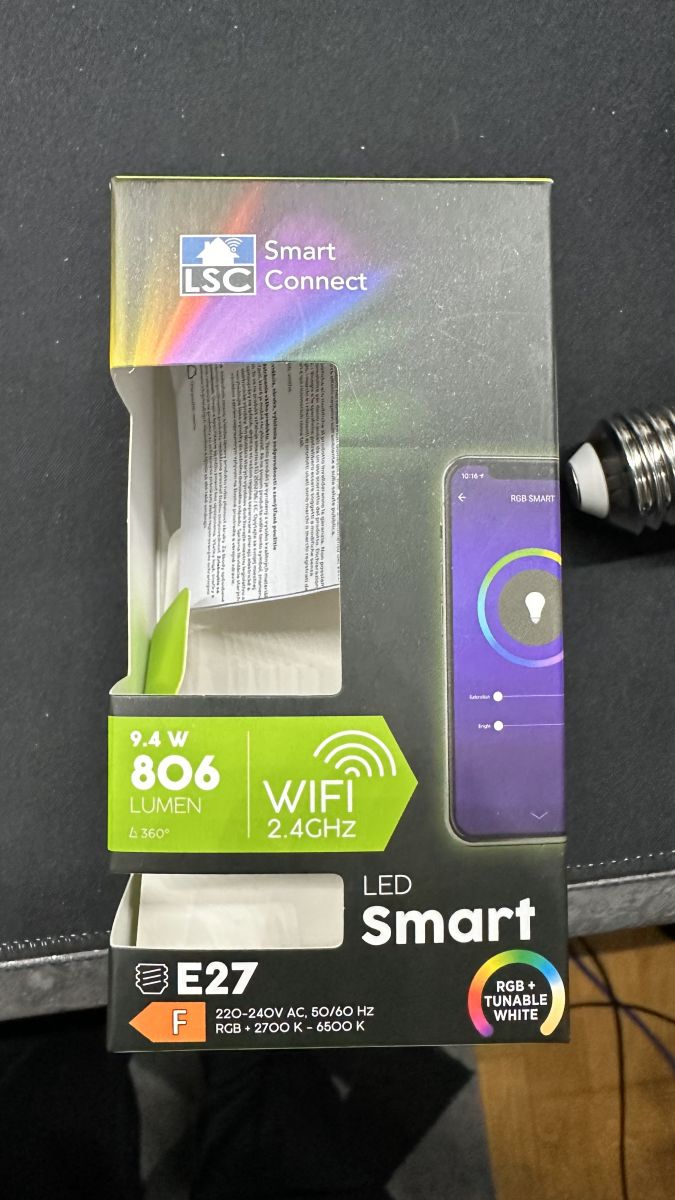
  • Empty packaging of LSC Smart Connect E27 bulb, displaying product specifications.
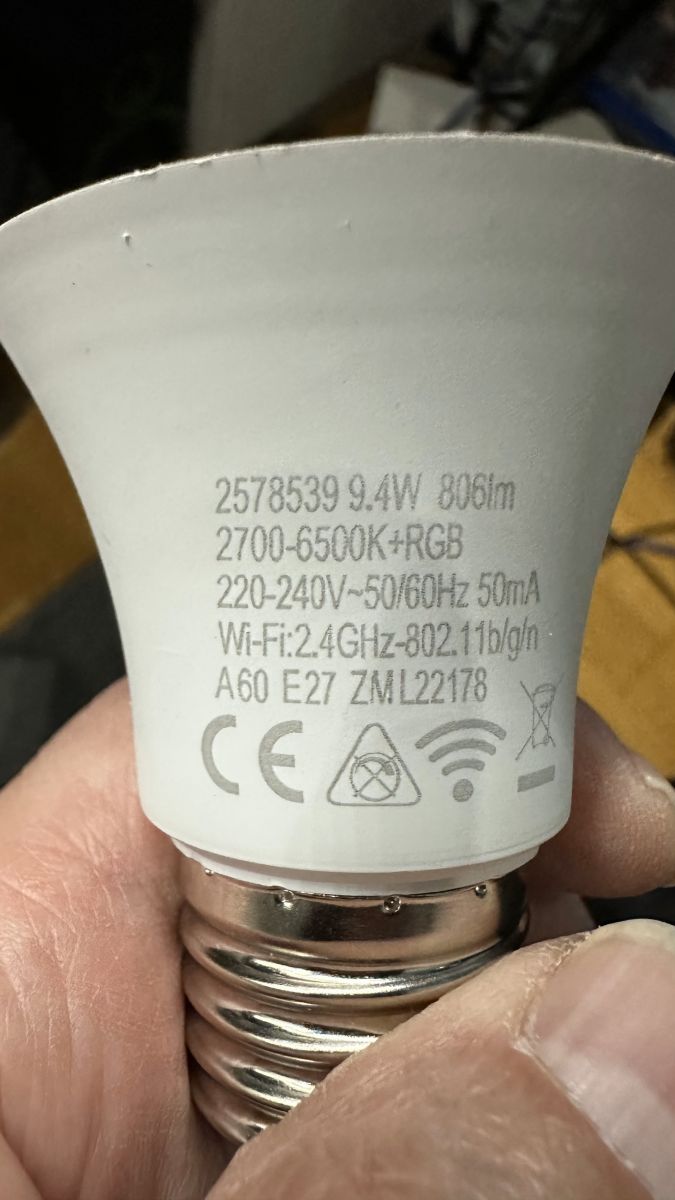
    This is a new version of LSC/Action 2578539 bulb, previously described in this topic.
    The new version is based on BK7231N instead of BK7231T, features Tuya firmware 1.3.21 FW and is flashable by TCC or by wires.
    The pins used for BP5758D and colors remap were changed, so here I am attaching new template and photos provided by our reader.
    First, device teardown:
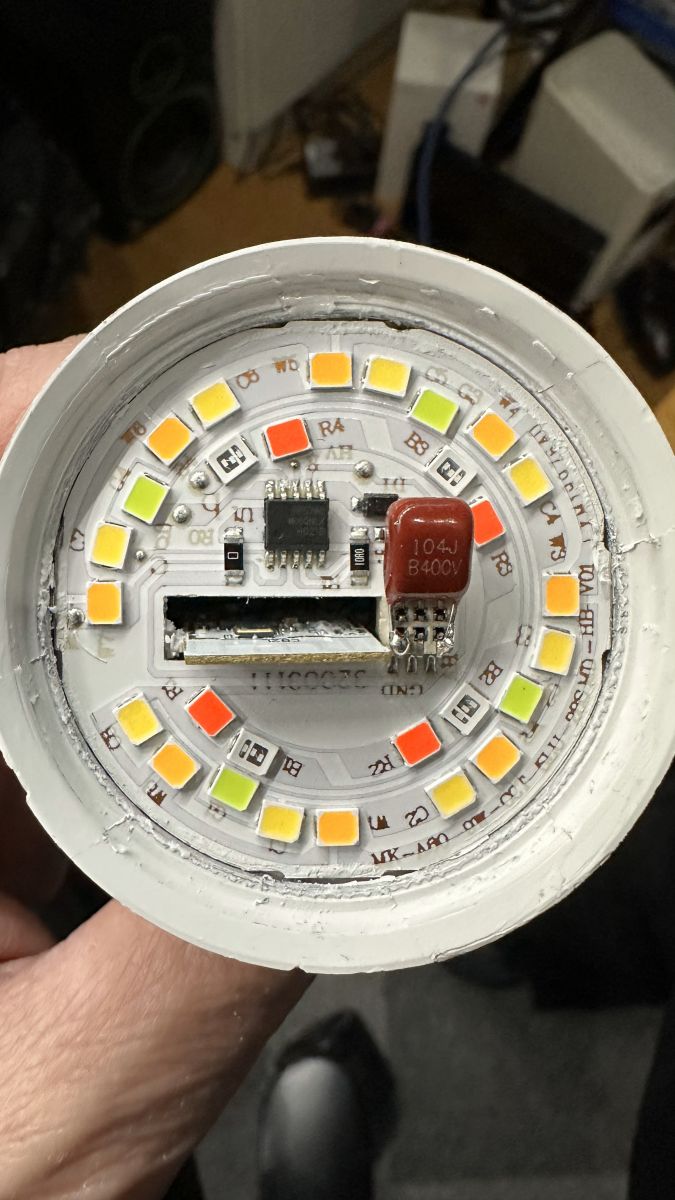
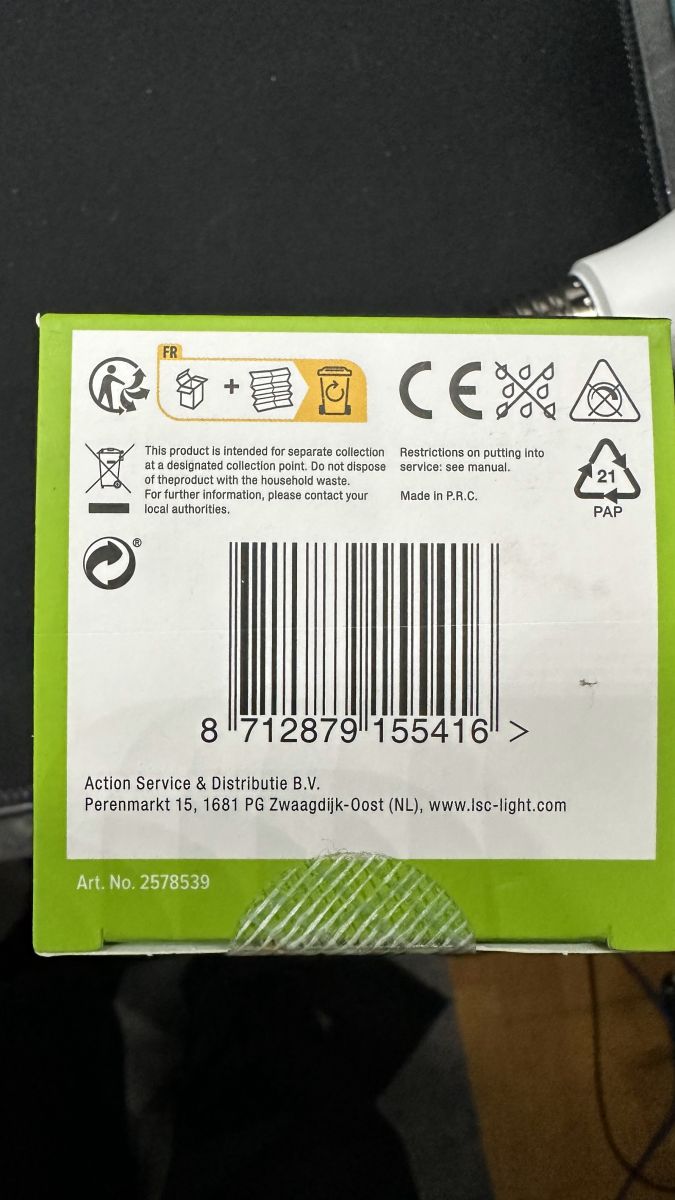
    Interior of LSC/Action 2578539 LED bulb showing electronic components. Close-up of the new LSC bulb, model number 2578539. Back of packaging with barcode and product information for LSC/Action 2578539 bulb.
    New OBK template:
    Code: JSON
    Log in, to see the code

    The newer versions of this device may be patched against WiFi flashing in the future, but it should be still possible to flash it by wires:
    [youtube]
    https://www.youtube.com/watch?v=2e1SUQNMrgY
    [/youtube]
    After flashing device will work well with Tasmota Devices Groups protocol:
    [youtube]
    https://www.youtube.com/watch?v=e1xcq3OUR5M
    [/youtube]
    and can be easily paired with Home Assistant:
    [youtube]
    https://www.youtube.com/watch?v=pkcspey25V4
    [/youtube]
    That way you can use this device locally without the Tuya cloud.

    Cool? Ranking DIY
    Helpful post? Buy me a coffee.

    About Author
    p.kaczmarek2
    Moderator Smart Home
    Offline 
    p.kaczmarek2 wrote 14622 posts with rating 12638, helped 655 times. Been with us since 2014 year.
  • ADVERTISEMENT
📢 Listen (AI):

FAQ

TL;DR: For owners of the 9.4 W, 806 lumen LSC/Action 2578539 bulb, "flashable by TCC or by wires" is the key takeaway. This FAQ explains how to identify the new BK7231N revision, apply the correct OpenBeken template, and fix the changed BP5758D pin and color mapping for local control without Tuya cloud. [#20860723]

Why it matters: The new hardware revision changes both driver pins and channel mapping, so older BK7231T setup data can misconfigure color output or stop the bulb from working correctly.

Feature Older revision New revision
Main chip BK7231T BK7231N
Stock firmware noted Earlier revision in prior topic Tuya firmware 1.3.21
Flashing path Not detailed here TCC or direct wiring
BP5758D pins Older template GPIO 7 = CLK, GPIO 8 = DAT
Color remap Older remap BP5758D_Map 4 3 1 0 2

Key insight: Treat this bulb as a new board revision, not a minor firmware update. The correct BK7231N template and the new BP5758D mapping are the difference between a clean OpenBeken setup and broken RGB/CW behavior.

Quick Facts

  • The posted template identifies the bulb as LSC Smart Connect E27 RGBCW 9.4 W, 806 lumen, A60, using a BK7231N chip on the PCB. [#20860723]
  • The new revision uses Tuya firmware 1.3.21 and is reported as flashable either by TCC or by wired flashing. [#20860723]
  • For the BP5758D LED driver, the template assigns pin 7 = BP5758D_CLK;1 and pin 8 = BP5758D_DAT;0. [#20860723]
  • The required color-channel remap is BP5758D_Map 4 3 1 0 2, because the new revision changed both driver pins and color mapping. [#20860723]
  • After flashing, the bulb is shown working with Tasmota Device Groups and can be paired with Home Assistant for local control without the Tuya cloud. [#20860723]

How do I flash the new LSC/Action 2578539 A60 E27 RGBCW bulb with a BK7231N chip using Tuya Cloud Cutter or direct wiring?

You can flash this BK7231N bulb either with TCC or by direct wiring. 1. Confirm you have the new revision with BK7231N and Tuya firmware 1.3.21. 2. Try TCC first, because the post states this version is flashable that way. 3. If Wi-Fi flashing is blocked, switch to wired flashing and then apply the new OpenBeken template and BP5758D_Map 4 3 1 0 2. [#20860723]

What changed in the new version of the LSC 2578539 bulb compared with the older BK7231T-based model?

The new version replaces BK7231T with BK7231N and uses Tuya firmware 1.3.21. It also changes the BP5758D pin assignment and the RGB/CW color remap, so the older template no longer matches this hardware revision. That is why the thread includes a new JSON template specifically for the new board. [#20860723]

Which GPIO pins should be assigned for the BP5758D driver in the new BK7231N LSC 2578539 bulb template?

Assign GPIO 7 to BP5758D_CLK;1 and GPIO 8 to BP5758D_DAT;0. Those two values appear directly in the posted OpenBeken template for the new BK7231N LSC Smart Connect E27 RGBCW 9.4 W 806 lumen bulb. Using the older pinout can prevent correct LED driver communication. [#20860723]

How do I set the BP5758D color mapping correctly for the new LSC Smart Connect E27 RGBCW 9.4W 806 lumen bulb?

Set the color mapping with the command BP5758D_Map 4 3 1 0 2. The post states that this new bulb revision changed the color remap, so this command is part of the replacement template. If colors look wrong after flashing, this is the first setting to check. [#20860723]

What is BK7231N, and how is it used in Tuya-based smart bulbs like the LSC 2578539?

"BK7231N" is a Wi-Fi microcontroller used in Tuya-based smart devices that runs the stock firmware and can be replaced with OpenBeken for local control. In this bulb, BK7231N is the main chip on the PCB and identifies the new hardware revision versus the older BK7231T model. [#20860723]

What is the BP5758D LED driver, and why does its pin mapping matter when configuring an RGBCW bulb?

"BP5758D" is an LED driver that controls the bulb’s RGBCW output channels, using clock and data lines from the main chip. Its pin mapping matters because this new revision moved those lines to GPIO 7 and GPIO 8. If you keep the old mapping, OpenBeken can send the wrong signals and produce incorrect or nonworking light output. [#20860723]

BK7231N vs BK7231T in LSC smart bulbs — what differences matter for flashing and OpenBeken setup?

The important difference here is board compatibility, not just chip naming. The older bulb version used BK7231T, while this newer version uses BK7231N with Tuya firmware 1.3.21 and a different OpenBeken template. For setup, that means you must use the new GPIO assignments and the new BP5758D_Map 4 3 1 0 2 command. [#20860723]

Why would the newer Tuya firmware 1.3.21 version of the LSC 2578539 bulb need a different OpenBeken template than the previous revision?

It needs a different template because the hardware wiring changed. The post says the pins used for the BP5758D driver and the color remap were changed on the BK7231N revision shipping with Tuya firmware 1.3.21. A template built for the earlier BK7231T board would therefore assign the wrong functions. [#20860723]

What is an OpenBeken template, and how do I use it for an LSC/Action E27 RGBCW bulb?

"OpenBeken template" is a device configuration file that defines the chip, pin roles, commands, and identity data needed to make OpenBeken match a specific board. For this bulb, import or recreate the posted template, set GPIO 7 and 8 for BP5758D, then apply BP5758D_Map 4 3 1 0 2 so the 9.4 W, 806 lumen E27 bulb behaves correctly. [#20860723]

If Tuya patches Wi-Fi flashing on future versions of this bulb, what wired flashing method should I use instead?

Use direct wired flashing. The post warns that newer versions may be patched against Wi-Fi flashing in the future, but adds that flashing by wires should still remain possible. In practice, that makes wired access the fallback path when TCC no longer works on later production runs. [#20860723]

How can I pair a flashed BK7231N LSC 2578539 bulb with Home Assistant for fully local control?

Flash the bulb with OpenBeken, then pair it with Home Assistant locally. The thread explicitly shows that, after flashing, the device can be easily paired with Home Assistant and used without the Tuya cloud. That makes the BK7231N revision suitable for fully local smart-home control once the correct template is applied. [#20860723]

How do Tasmota Device Groups work with an OpenBeken-flashed LSC RGBCW bulb?

The flashed bulb works with the Tasmota Device Groups protocol after firmware replacement. The thread shows this as a supported post-flash use case, which means the bulb can participate in local group-based coordination instead of relying on Tuya cloud control. That is useful when you want synchronized local operation across compatible devices. [#20860723]

Why do RGB and white channels appear swapped or incorrect after flashing an LSC BK7231N bulb, and how can I fix that?

They appear wrong because this new revision changed the color-channel remap. Fix it by using the new template and setting BP5758D_Map 4 3 1 0 2. The post specifically warns that both the BP5758D pins and the colors remap changed, so wrong colors are a known symptom of using the older configuration. [#20860723]

What should I check during teardown to identify whether my LSC 2578539 bulb uses BK7231N and BP5758D before flashing it?

Check the PCB for a BK7231N-based board and confirm the LED driver is BP5758D. The teardown photos and the posted template tie this new A60 E27 RGBCW 806 lumen revision to those two parts. You should also verify that the board matches the new pin usage, because the older BK7231T revision uses a different setup. [#20860723]

How can I run the LSC/Action 2578539 bulb locally without the Tuya cloud after replacing the stock firmware?

Replace the stock Tuya firmware with OpenBeken, then use local integrations such as Home Assistant or Tasmota Device Groups. The thread states this path lets you use the bulb locally without the Tuya cloud. As the author puts it, you can use the device "locally without the Tuya cloud" after flashing. [#20860723]
Generated by the language model.
ADVERTISEMENT