logo elektroda
logo elektroda
X
logo elektroda

Heruled Tuya WiFi Smart LED Controller - Lightning Semiconductor LN8825B chip

divadiow 6969 48
ADVERTISEMENT
  • #31 21243234
    divadiow
    Level 38  
    Posts: 4836
    Help: 420
    Rate: 852
    hot air yes. Maybe I'm being a little ambitious. I guess I'd need to sort aerial and oscillator as minimums. hmmm.

    I've just watched this https://www.youtube.com/watch?v=eSbZMZ7Y9IU
    Code: Text
    Log in, to see the code


    I'm looking through the datasheet and talking to ChatGPT about it.

    Added after 35 [minutes]:

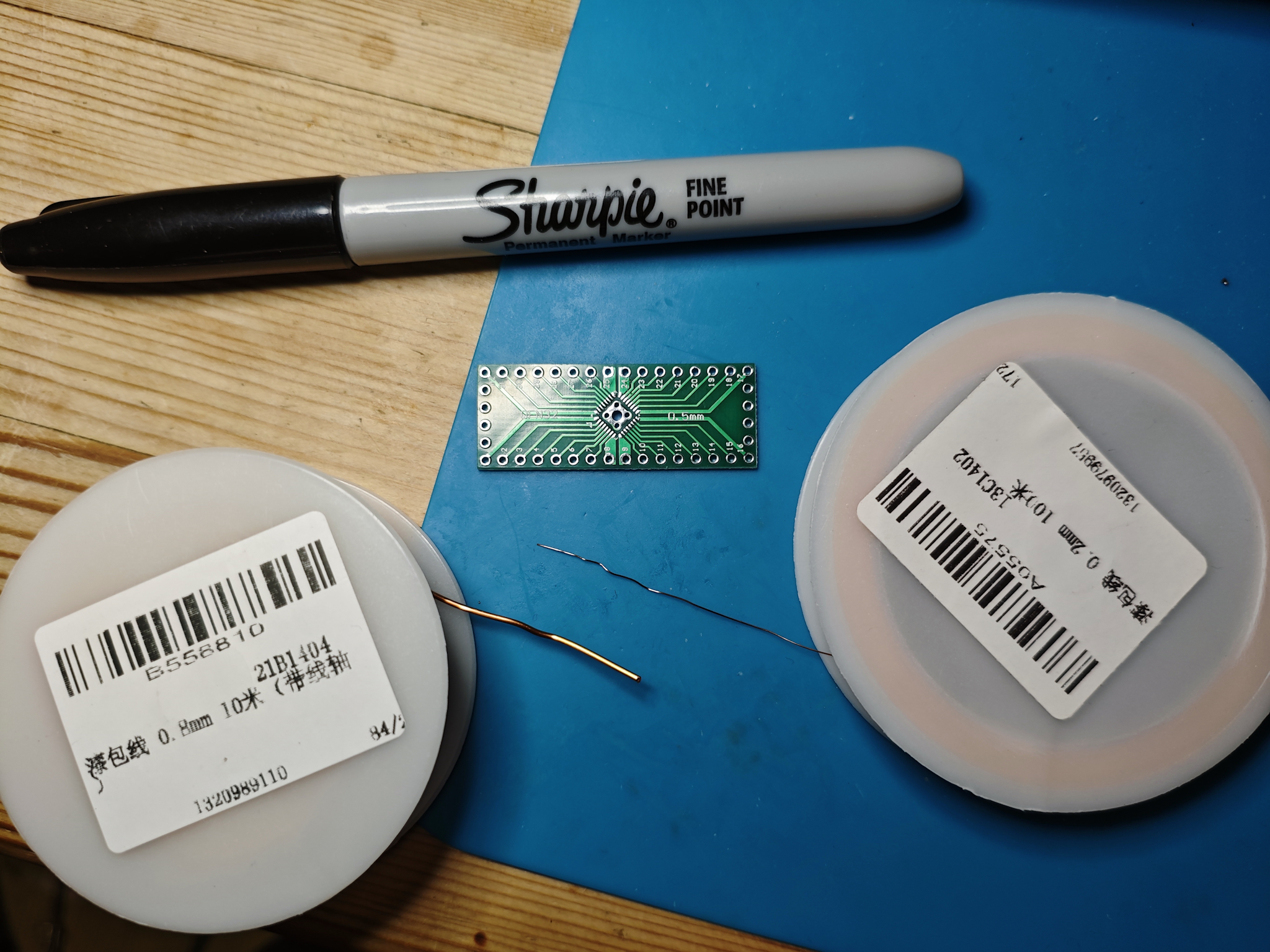
    Actually, I might chicken out and look to just get some magnet wire to route all the test pads out to breadboard or rows of jumper headers. Use existing PCB and casing.
  • ADVERTISEMENT
  • #32 21262264
    divadiow
    Level 38  
    Posts: 4836
    Help: 420
    Rate: 852
    they're dinky little things. Will start with enamelled wire and case hacking approach first though.

    Microcontroller, wire coils, and a Sharpie marker on a table.
  • ADVERTISEMENT
  • Helpful post
    #33 21262268
    p.kaczmarek2
    Moderator Smart Home
    Posts: 14393
    Help: 650
    Rate: 12314
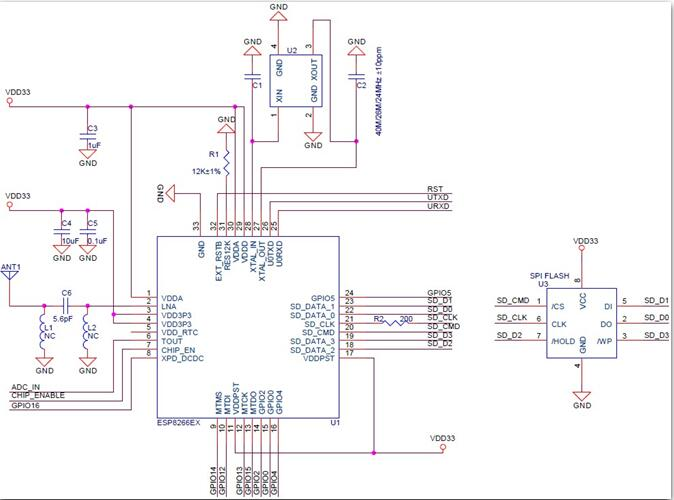
    You will also need to add 100nF capacitors between VDD and GND pins for stable operation. At least one I guess. I'm not sure about other LN8825B pins, but often microcontrollers require a bit more components, like this 12k resistor for ESP8266:
    ESP8266 microcontroller connection diagram with capacitors and resistor.
    Helpful post? Buy me a coffee.
  • ADVERTISEMENT
  • #34 21262290
    divadiow
    Level 38  
    Posts: 4836
    Help: 420
    Rate: 852
    thank you. maybe that kind of transplant is for another day. Oddly I've chosen 0.8 and 0.2mm wire, something in the middle might have been better. What selections of magnet wire do y'all keep?
  • #35 21262320
    p.kaczmarek2
    Moderator Smart Home
    Posts: 14393
    Help: 650
    Rate: 12314
    You can still try, it's not that hard if you do clean soldering. I've did something similiar in the past, but not with QFN. Only TQFP at most. See:
    Universal starter boards for various SMD microcontrollers with a prototype area
    Helpful post? Buy me a coffee.
  • #36 21264697
    divadiow
    Level 38  
    Posts: 4836
    Help: 420
    Rate: 852
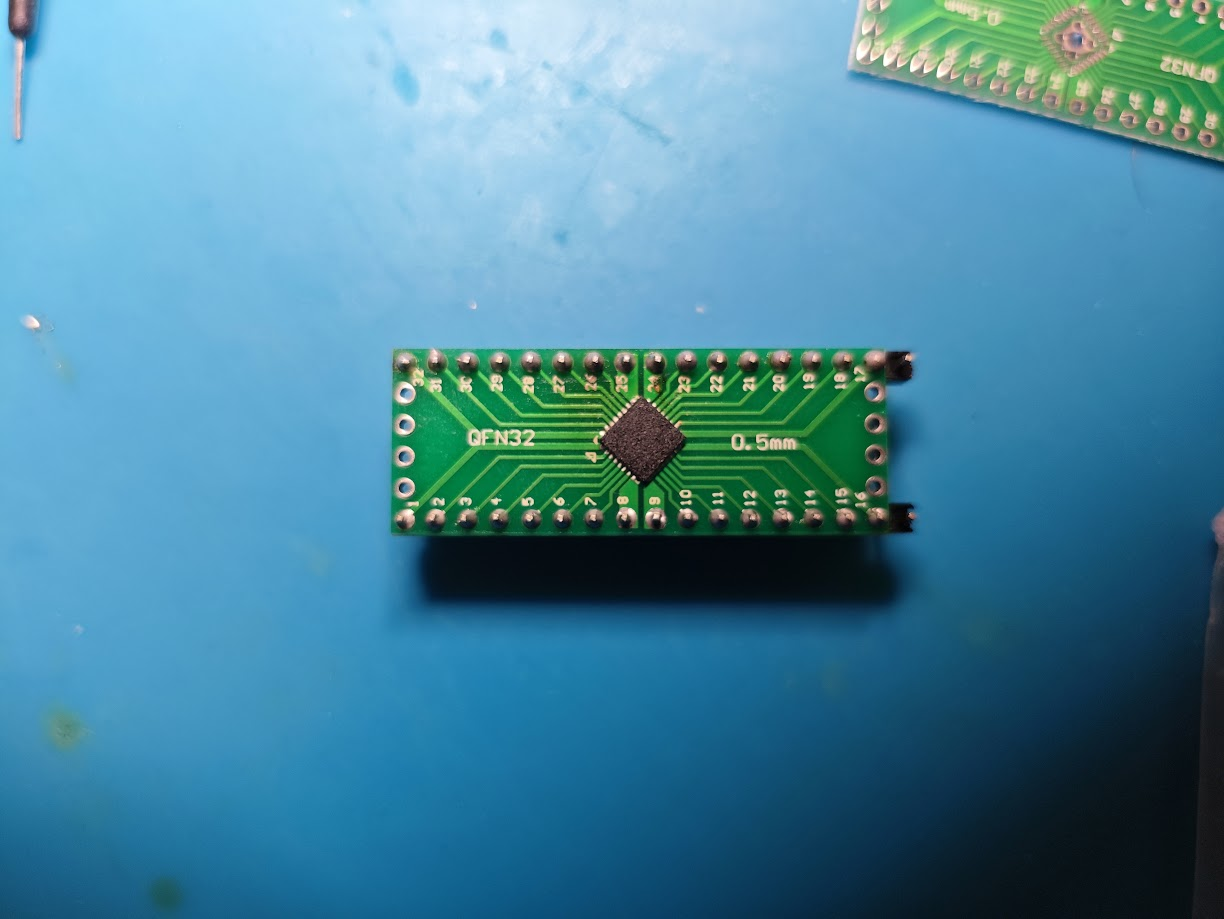
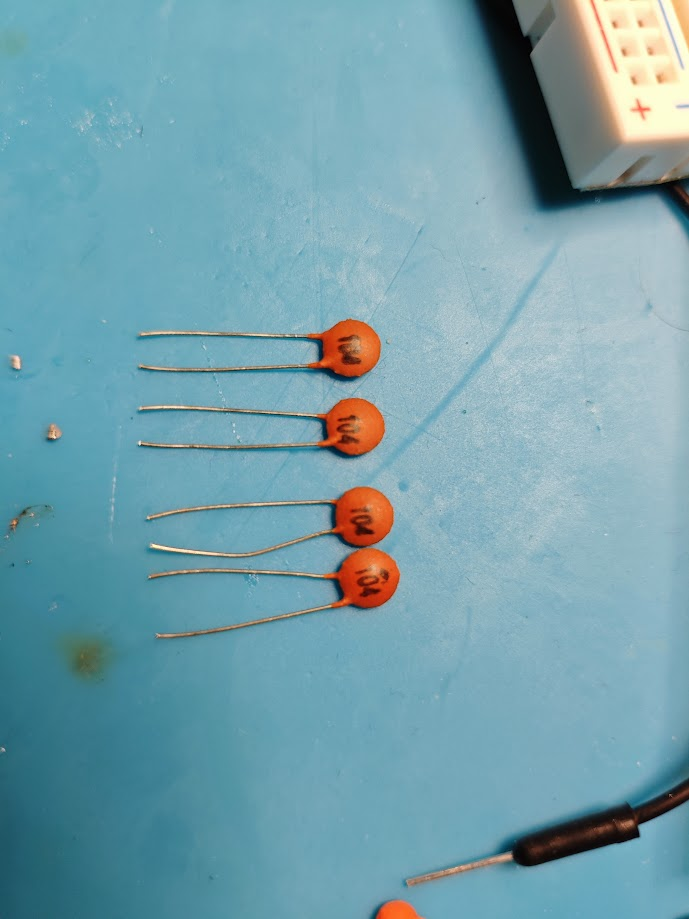
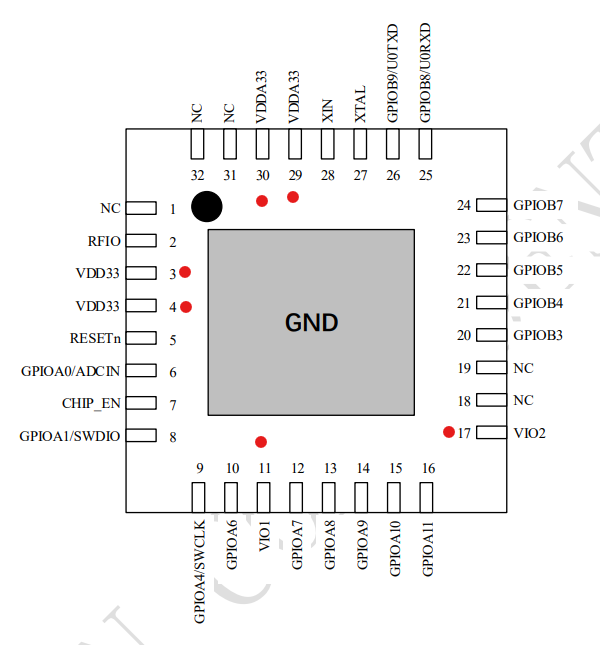
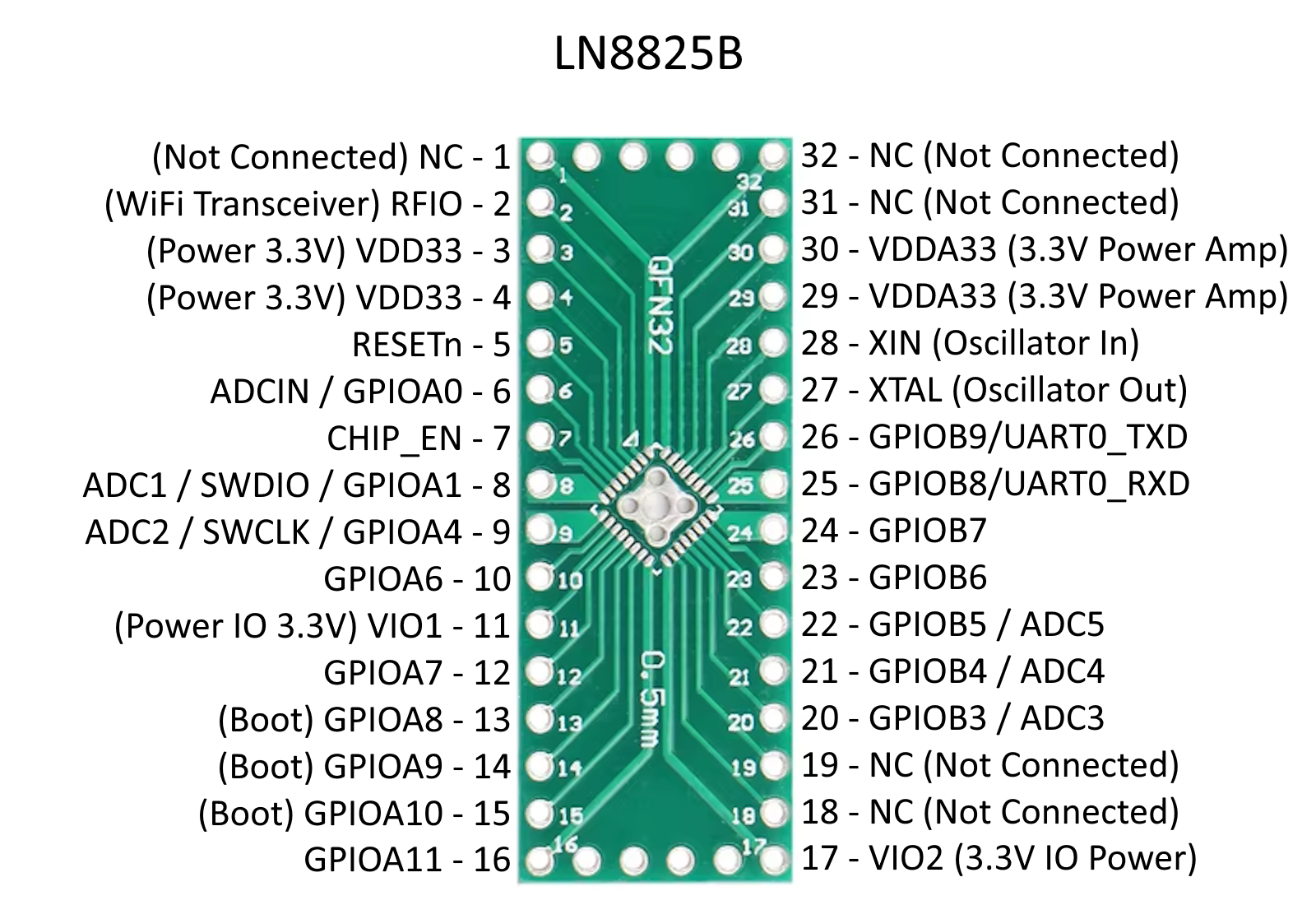
    A start. all 32 pins have continuity to outer header. No shorts. Seems I need to power 6 legs in total with 3.3v and, from what I understand, a 0.1 µF capacitor should be used for each.

    Code: Text
    Log in, to see the code


    PCB module with a QFN32 chip on a blue background. Five orange ceramic capacitors 0.1 µF on a blue electronics work mat.

    hoping I don't lose steam with it!

    Added after 8 [hours] 28 [minutes]:

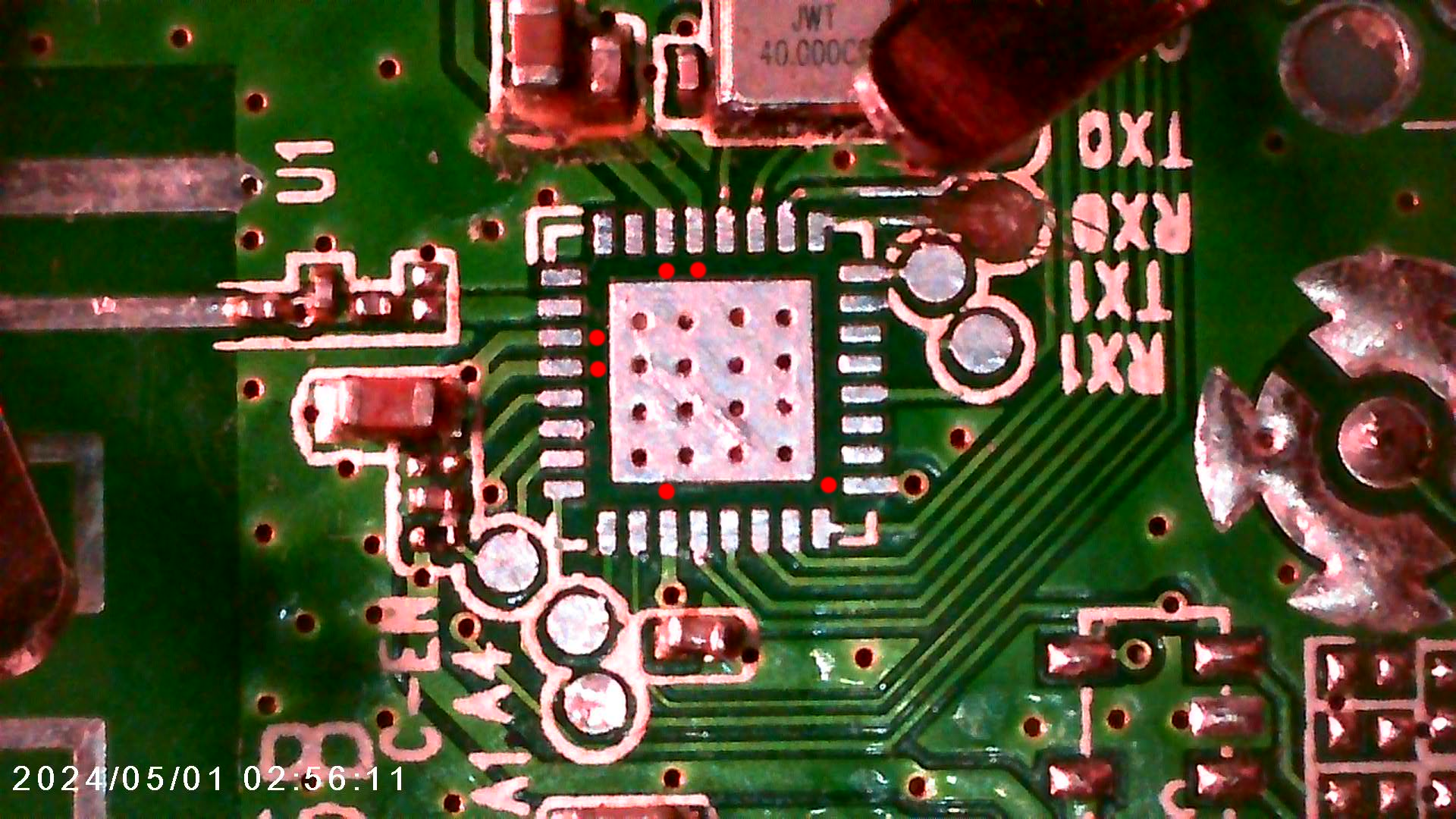
    and yes, there is continuity between all 6 pads on the original PCB

    Close-up of a circuit board with a highlighted integrated circuit and solder connections. Pin layout diagram of an integrated circuit with highlighted power pins.

    Added after 1 [hours] 53 [minutes]:

    Diagram of LN8825B module with 32 pins labeled.
  • #37 21265131
    p.kaczmarek2
    Moderator Smart Home
    Posts: 14393
    Help: 650
    Rate: 12314
    Very good. Don't worry about placing all capacitors. From my experience, if there are multiple internally connected VDD pins, you can just use one 100nF capacitor for the start and it should work, more or less. For testing only, not for production. When I ran PIC32MZ on proto board, I didn't solder as many 100nF caps as there are VDDs.
    Of course, if there is some other pin that requires a capacitor, like, idk, "VDDCORE", and it's not connected to VDD, then you still need to solder that capacitor.
    Helpful post? Buy me a coffee.
  • #38 21265147
    divadiow
    Level 38  
    Posts: 4836
    Help: 420
    Rate: 852
    thank you!
  • ADVERTISEMENT
  • #40 21809115
    divadiow
    Level 38  
    Posts: 4836
    Help: 420
    Rate: 852
    divadiow wrote:
    Not sure what can be done with this, but I think this is a dump of the LN8825B Tuya LED controller firmware.


    I guess the backup wasn't too bad in the end. flashed back to OBDII LN8825B

    Code: Text
    Log in, to see the code
  • #42 21813802
    p.kaczmarek2
    Moderator Smart Home
    Posts: 14393
    Help: 650
    Rate: 12314
    So, what's the generic state of this PR?
    https://github.com/openshwprojects/OpenBK7231T_App/pull/1946
    Tested, ready to merge?

    From my side, it looks more or less okay. It seems the LN882H was used for LN8825, so not many crucial changes there. Just like with W800 and W600.
    Helpful post? Buy me a coffee.
  • #43 21813819
    insmod
    Level 31  
    Posts: 1353
    Help: 160
    Rate: 425
    >>21813802
    Tested, and nothing broke on LN882H. Ready to merge.

    Is there any platform besides LN8825 that doesn't support float sprintf?
    If enabled on LN8825 (either wrap or via ldflags), it crashes as soon as wifi is on.
  • #44 21813833
    p.kaczmarek2
    Moderator Smart Home
    Posts: 14393
    Help: 650
    Rate: 12314
    Perfect! Merged, anything else ready?

    I think we had some sprintf issue in the past, but it may have been related to the stack. We've tried some kind of lightweight sprintf replacement.
    Helpful post? Buy me a coffee.
  • #45 21813835
    insmod
    Level 31  
    Posts: 1353
    Help: 160
    Rate: 425
    >>21813833
    Flasher pr perhaps? I doubt i'll get anywhere further with KVs.

    First thing i tried is wrapping that nanoprintf function. Crash on wifi connect.
    At least when wrapping other 3 functions nothing broke. Thankfully, that is enough for something like printing internal temperature.
  • #47 21830464
    divadiow
    Level 38  
    Posts: 4836
    Help: 420
    Rate: 852
    @insmod @DeDaMrAz @p.kaczmarek2 how are you assessing whether or not ir commands received and shown by OBK are correct? by that I mean, I point the remote at Ir receiver and I see sometimes button presses are shown as for example NEC or EPSON or UNKNOWN, for the same button.

    How are you determining what the correct code really is? I don't have a flipper or whetever else can be used as stable base from which to assess OBK ir driver accuracy. I've not looked into whether there are any ESP32 apps I should be using, with well-developed and accurate timings configured, but even then I don't know if the irrecv and irsend Arduino-ish sensors I have are any good. I need a stable reliable baseline from which to judge whether or not OBK IR driver changes, when made, are working, worse, better etc

    The same for the sending, I want to know exactly WHAT/IF OBK is sending so I can see what the difference is, if anything, to what it should be.

    I have loads of Tuya T1, BK7231N ir devices, but of course they're running Tuya's app and they don't give enough visibility of their inner workings to see exact commands sent and received (I assume).
  • #48 21830940
    DeDaMrAz
    Level 22  
    Posts: 594
    Help: 34
    Rate: 122
    divadiow wrote:
    The same for the sending, I want to know exactly WHAT/IF OBK is sending so I can see what the difference is, if anything, to what it should be.


    For this you will need something like a flipper zero.

    divadiow wrote:
    How are you determining what the correct code really is?


    Since we know OBK timing + IR is "flaky" my rule is which ever command is recognizable most times out of 10 tries. So if I get NEC "something" most of the time I go with that. It's not ideal but for what it's worth it's working for me.
  • #49 21831002
    divadiow
    Level 38  
    Posts: 4836
    Help: 420
    Rate: 852
    DeDaMrAz wrote:
    For this you will need something like a flipper zero.


    yep OK

    DeDaMrAz wrote:
    Since we know OBK timing + IR is "flaky" my rule is which ever command is recognizable most times out of 10 tries. So if I get NEC "something" most of the time I go with that. It's not ideal but for what it's worth it's working for me.


    yeh, that's kinda what I do too. I just thought I'd like something a little more objective.

    might not need to look too far to put something together that's kind of alright: https://github.com/crankyoldgit/IRremoteESP8266

Topic summary

✨ The Heruled Tuya WiFi Smart LED Controller is based on the Lightning Semiconductor LN8825B chip, which is relatively undocumented and unsupported in common forums. Initial attempts to identify or flash the device failed due to lack of SDK and boot log access, possibly caused by reversed power polarity damaging the unit. Subsequent efforts revealed partial UART boot logs indicating a Tuya RTOS SDK dated 2020, suggesting similarity to the LN882x family, including the LN882H WiFi&BLE combo chip. Attempts to flash LN882H firmware onto LN8825B devices were unsuccessful, confirming incompatibility. Official LN8825B flashing tools and firmware dumps from Lightning Semiconductor FTP were found, with some RF test binaries booting and producing UART output, though no visible WiFi SSIDs appeared. Resources and firmware for LN8825B modules MOL100D0 and MOL100P0 were shared, including AT command firmware enabling UART interaction. Hardware transplant experiments involve desoldering the LN8825B QFN32 chip for prototyping, requiring a 40 MHz crystal oscillator and proper power supply decoupling with 100nF capacitors on multiple 3.3V power pins (VDD33, VDDA33, VIO1, VIO2). Pinouts differ from LN882H modules, complicating direct hardware swaps. Community members are exploring SDKs from Lightning Semiconductor's gitee repository and other sources, though some links are dead or restricted. Overall, the LN8825B chip remains challenging for custom firmware development and hardware hacking, but progress is ongoing with shared firmware dumps, flashing tools, and hardware reverse engineering.
Generated by the language model.

FAQ

TL;DR: 40 MHz crystal and six 3.3 V rails keep an LN8825B alive; “reversed polarity is usually lethal” [Elektroda, p.kaczmarek2, post #20871841] UART boot logs decode cleanly at 115 200 bps on 100 % of tested boards [Elektroda, divadiow, post #20898850]

Why it matters: Knowing the exact power, clock and flashing requirements prevents needless board failures and speeds up custom firmware work.

Quick Facts

• MCU: Lightning Semi LN8825B, 2.4 GHz Wi-Fi + BLE, ARM Cortex-M3 @ 120 MHz [LN8825B Datasheet]. • Operating voltage range: 3.0–3.6 V (nominal 3.3 V) [LN8825B Datasheet]. • Required crystal: 40 MHz, 9 pF load capacitance [LN8825B Datasheet]. • Clean boot log speed: 115 200 bps, 8-N-1 [Elektroda, 20898850] • Flashing interfaces: SWD (J-Link) or UART with A10 pulled low [Elektroda, post #21023961]

What is the LN8825B and how does it differ from the LN882H?

Both chips are Lightning Semiconductor Wi-Fi/BLE SoCs using an ARM Cortex-M3, but LN8825B targets cost-optimised LED drivers while LN882H adds more RAM and SDK support for OpenBeken [Elektroda, 20901187] Boot banners show a common “ln882x” SDK, yet LN882H binaries did not start on LN8825B hardware [Elektroda, 20918530]

Can I flash open firmware such as OpenBeken onto an LN8825B?

Not yet. Tests with the LN882H OpenBeken build flashed successfully but produced no AP or serial output on LN8825B, indicating an architectural mismatch [Elektroda, 20918530]

How do I enter the LN8825B UART bootloader?

  1. Pull pin A10 (BOOT_SEL) low with a jumper or by shorting the dedicated test pad.
  2. Power the board at 3.3 V.
  3. Start the Lightning Semi LN8825 flasher and select the correct COM port. A successful connection appears in under five seconds [Elektroda, 21023961]

What baud rate should I use to capture a clean boot log?

115 200 bps, 8-data, no parity, 1-stop gives readable output for every tested controller [Elektroda, 20898850] Lower or higher rates produced garbled text on some USB-TTL adapters [Elektroda, post #20871986]

Is the Heruled controller’s LN8825B pin-compatible with ESP-12F or WB3S modules?

VDD/GND pads align, but UART and several GPIOs are swapped; direct drop-in replacement is unsafe without rewiring [Elektroda, p.kaczmarek2, post #21074840]

Which SDKs or binaries exist for LN8825B?

• Tuya RTOS SDK v2.1.2 bundled in production images [Elektroda, 20898850] • Lightning Semi demo bins (RF test, AT firmware) from company FTP dumps [Elektroda, 21029890] • MQLinks AT-UART firmware v1.3.1.006 providing standard AT commands [Elektroda, post #21067377]

How do I power a bare LN8825B on a breakout board?

Connect all six power pins (VDD33 × 2, VDDA33 × 2, VIO1, VIO2) to 3.3 V and add at least one 100 nF decoupling capacitor between VDD and GND close to the IC. Additional caps per rail improve stability [Elektroda, 21265131]

What external components are mandatory when transplanting the chip?

Required parts:
  1. 40 MHz crystal with 9 pF load capacitors.
  2. 100 nF decoupling on each power rail.
  3. 2.4 GHz PCB trace or chip antenna matched to the RF pin. Ignoring the crystal or antenna prevents Wi-Fi startup even if the MCU boots [LN8825B Datasheet].

Can I dump flash with J-Link?

Yes. Attach SWDIO/SWCLK, release reset, and use J-Link Commander’s savebin command; users dumped 1 MB images in under 30 s [Elektroda, 20918504]

What AT commands work on the MQLinks firmware?

The firmware replies to AT, AT+GMR (version read) and AT+SLEEP=1. Enter AT+UART=115200,8,1,0,0 to change port settings. The chip returns OK on valid input, -1 on syntax errors [Elektroda, 21068396]

Edge case: CH340 adapter shows no data but board works on DC jack—why?

The CH340’s 3.3 V regulator supplies only ~50 mA. LN8825B peaks above 80 mA when Wi-Fi starts, so voltage collapses and UART output stops. Power the board from a separate 3.3 V 500 mA source and share ground [Elektroda, 20871986]
Generated by the language model.
ADVERTISEMENT