Can I enlarge LittleFS on a BK7231T to host the OpenBeken web app files locally, and will a larger LittleFS break OTA updates?
Yes — you can enlarge LittleFS with `lfs_format`, and OTA may erase the LittleFS contents, so keep a backup; it does not sound like a blocker if you can restore the files afterward [#20928195] A 128 kB LFS was not enough for the original unmodified web app files, and because LittleFS uses 4 kB blocks, you need to budget space per file in whole sectors rather than raw file size [#20930090] The thread’s working setup used about 212 kB (`0x34000`) and later even 196 kB (`0x30000`) after minifying the `.vue` files and `httpVueLoader.js`; the key missing file was `filesystem.vue`, and `startup.js` had to be pointed at `/api/lfs/` paths with `indexdevice.html`/`indexlocal.html` adjusted accordingly [#20944917][#20946139] Large-file uploads were unstable until a fix was added: a small RTOS delay in the file upload function made drag-and-drop uploads work reliably [#20941452] For the final result, the web app was served from the device itself, and the “Logs” and filesystem pages worked in a closed network [#20944917][#20947236]
I tried to build a small shell script to do the minification using my laptop by accessing the API's given for the tools.
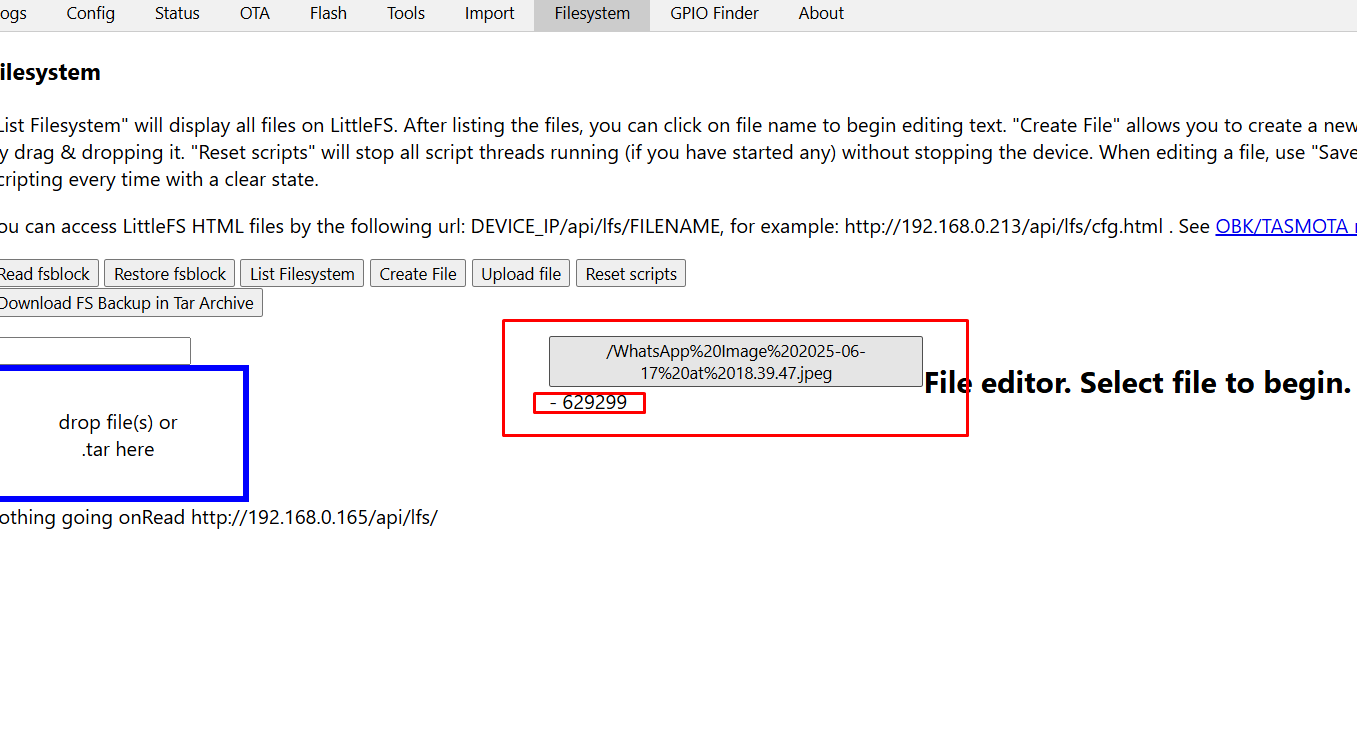
It works except I am having an issue with the large chunk of javascript found in filesystem.vue.
Anyway that is trivial as I don't mind having to do that manually.
With your help I now have a means of running OpenBK devices in a closed WiFi network and have access to Logs & Filesystem interfaces for on and off maintenance.
I even tested configuring the other devices also to use same FS. So these files need to be stored in one device only.
I also have Tasmota device with a RTC and it is running a NTP Server.
So for my specific closed network I can now freely add more OpenBK devices.
@jkwim I'm very glad everything is okay with you. Finally had some time to test it - I confirm it works like a charm... although I'm not going to use it. Please consider writing a tutorial and posting it.
EDIT: To be clear - I used your tar file for the test
@p.kaczmarek2 I'm pretty sure without your help (RTOS delay) this couldn't happen, so thank you for the work you are doing and keep going. Personally, I will help with whatever I can for further development. Thank you.
EDIT: And I already have a list for you to implement, but you probably already know my list from my posts
@p.kaczmarek2 I'm pretty sure without your help (RTOS delay) this couldn't happen, so thank you for the work you are doing and keep going. Personally, I will help with whatever I can for further development. Thank you.
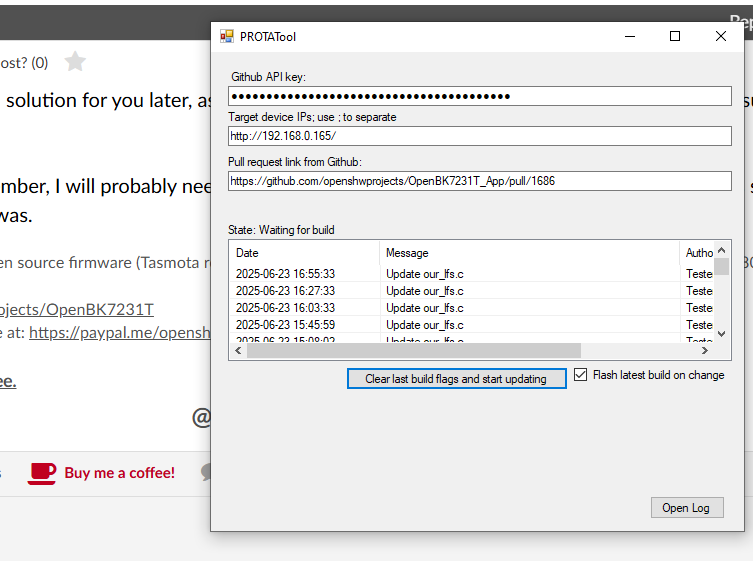
Do you know how to do online builds? It would be great if you had time to try playing around this RTOS delay, maybe it's possible to get better settings/better stability somehow, but the delay may need to be adjusted. Maybe delay must be more frequent or longer? You can do it fully online, without having any toolchain on your PC.
See:
OpenBeken online building system - compiling firmware for all platforms (BK7231, BL602, W800, etc)
Angel0fDeath wrote:
EDIT: And I already have a list for you to implement, but you probably already know my list from my posts
I like your suggestions, but I am just a single person and it's sometimes hard for me to track things. So, please, feel free to repost your requests or open a separate topic about them. Don't worry, it will be considered helpful and not rude, altough the final decision of implementation depends on many factors, for example, on useability versus implementation difficulty ratio.
In general, to anyone reading - any suggestions and help is welcome, feel free to post questions and requests on our forum. We're here to help. It's just as I said, I'm just a one person, it's hard to reply to every request quickly. You can support me via: https://www.paypal.com/paypalme/openshwprojects
Will check it Concerning the list - it is not so long... currently:
1. Smaller block size for Little FS if possible. 4K block size is too much for small partitions
2. Flags 0 doesn't clear all flags. I also don't know why this command behaves differently on T and N devices setting different flags on...
3. Flags page in device - the number in the beginning is not giving any useful information, unless you are very good in converting the number from dec to bin and see which bits are on - without calculator of course. More informative will be just to list the numbers of active flags, if someone can remember the meaning of all of the flags.... In general not needed...
I am working on a feature that may be related to this topic.
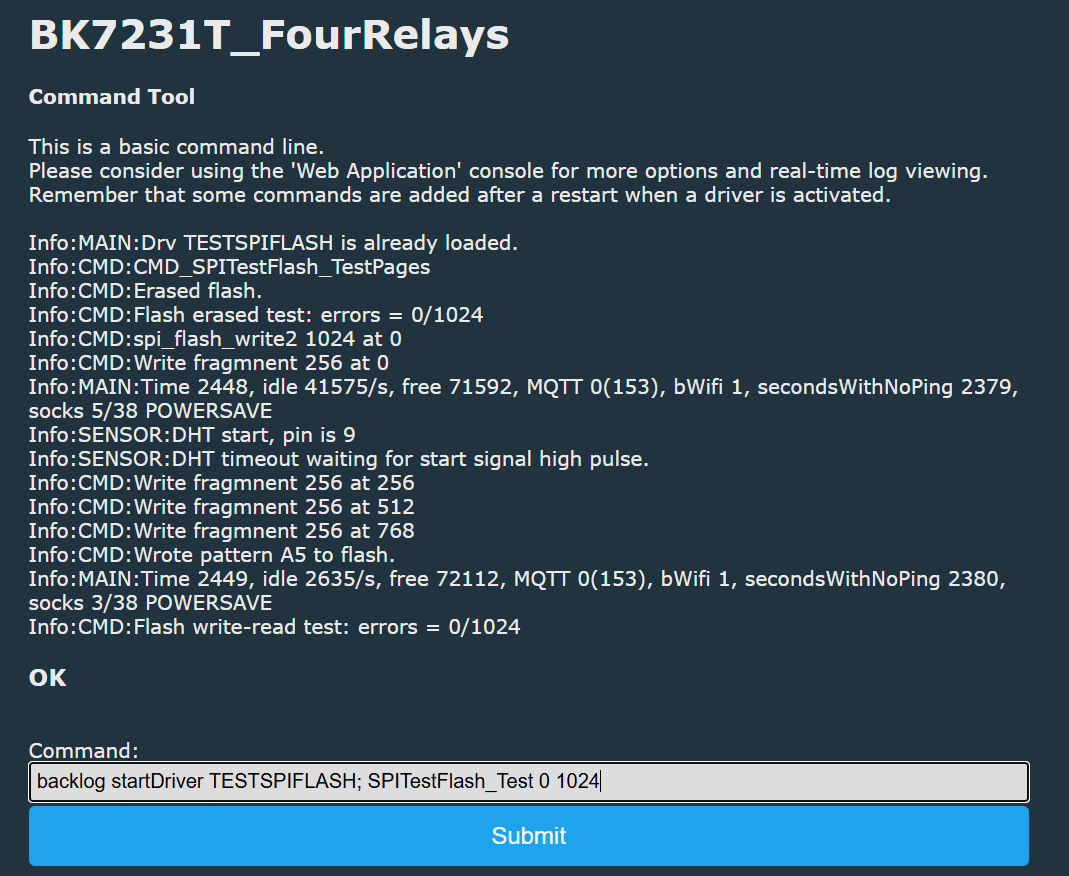
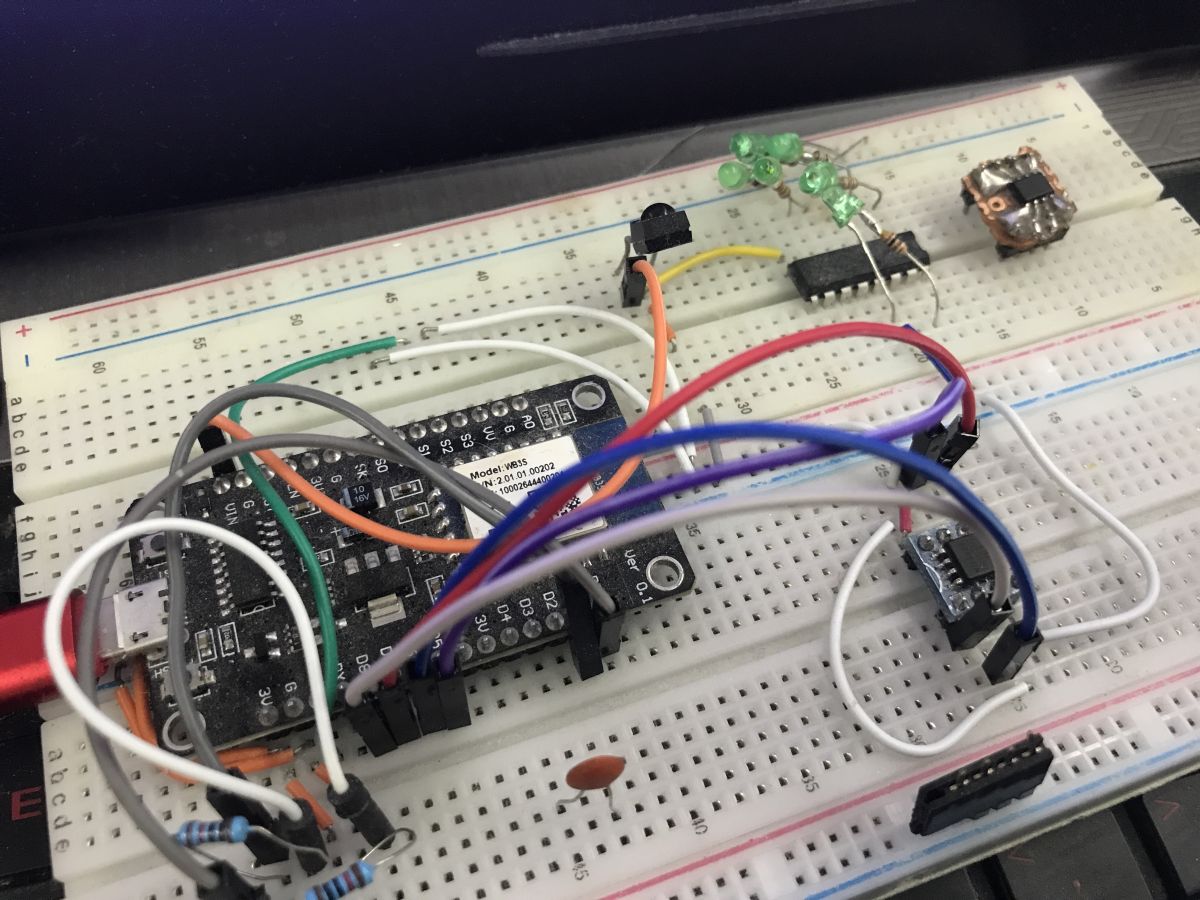
I am going to try moving LFS to external flash chip, currently interfaced by software SPI. I am not sure about the perfomance yet, but I'll just check this once it works.
This would mean that we could get like even 4MB or 8MB of LFS.
Anyone interested in testing that? @divadiow do you have any flash chips? You know, like from old laptop, etc?
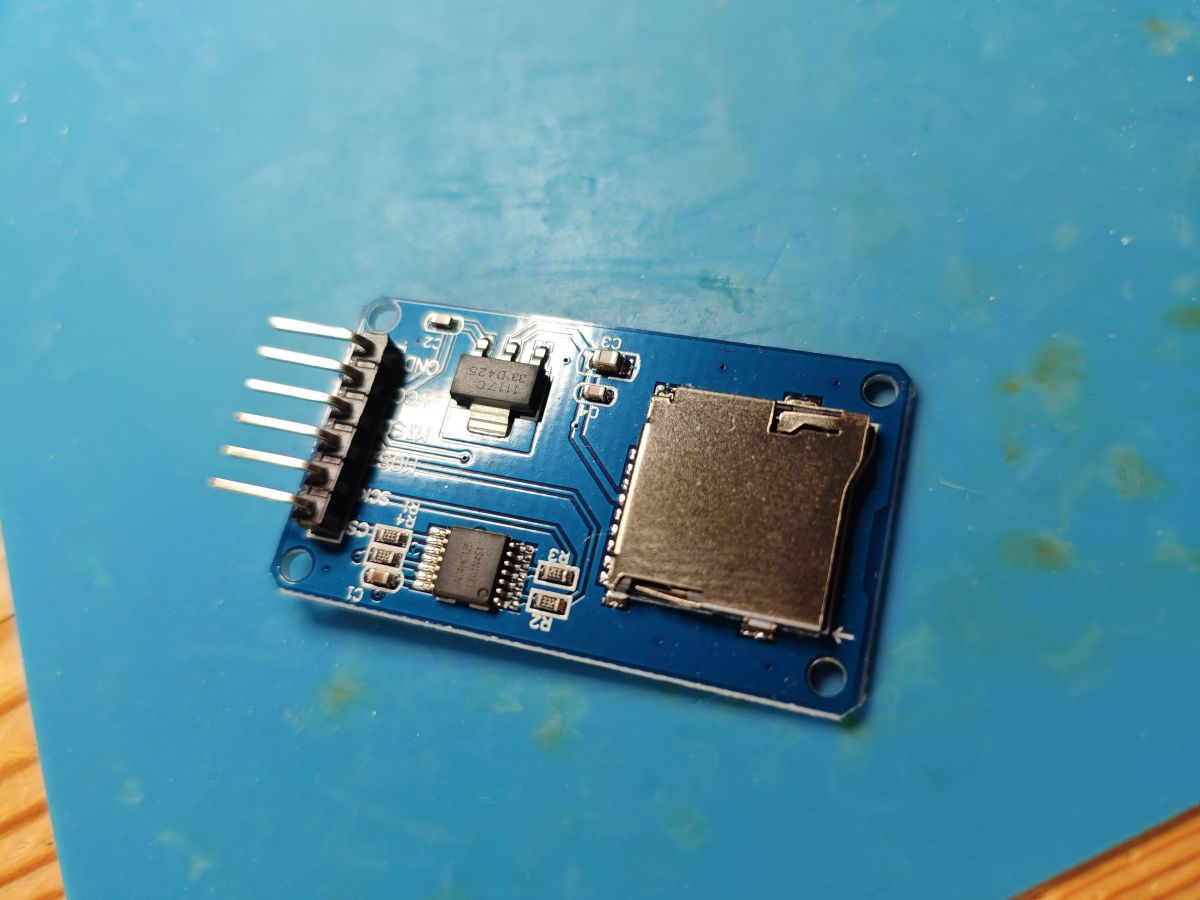
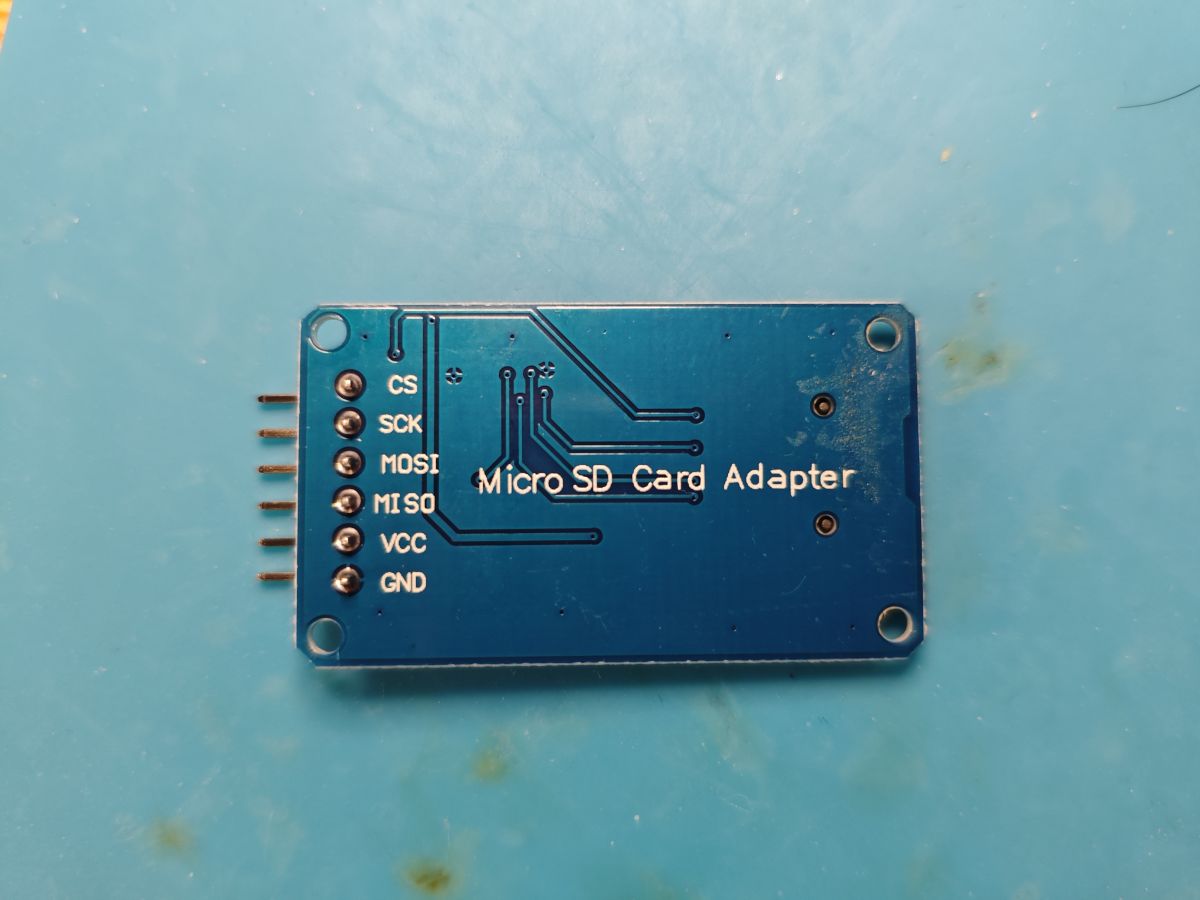
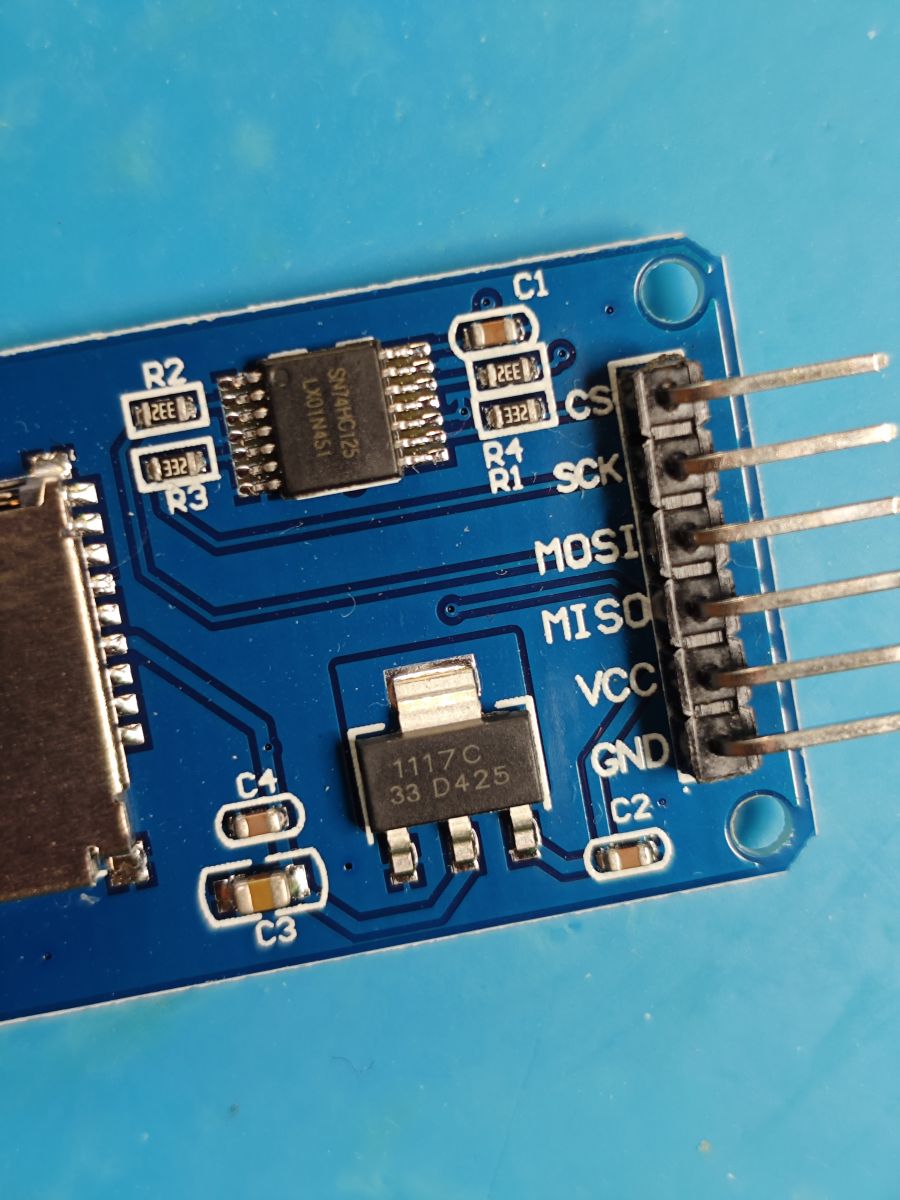
SD card is also good idea, but I chose SPI Flash chips for a start because I just have lots of them from various scrap devices and they are also easier for install to me - no need to buy adapter, just a piece of proto board is enough (sample: https://www.elektroda.pl/rtvforum/topic3993012.html )
My personal end use for such large LFS would be something like a measurements history, so I don't really need tens of megabytes, 4 or 8MB will be enough.
Still, everything depends on speed and stuff, I will probably try to rewrite read/write routines to be faster and non-portable. As far as I remember, when testing bit bang WS2812, I managed to narrow down BK7231 port operations down to registers, and I guess they will be much faster than using SPI_Write HAL with platform HAL and Beken HAL.
Short sample of what I attempted in the past:
It seems it's almost working. Currently I decided to hardcode LFS switch to SPI chip, but I am not sure.... but still, who else would use it? It's in obk_config.h
I am doing final fixes, then I will check if it's even useable in current state.
Hm. 4 - 8 MB of data is not so much. You can store your history on home automation server. Bigger LFS will be great if SD card used.. In this case FS will not be deleted (hopefuly) during OTA update. But in general idea is good to move FS outside of the flash.
I can think about SD card solution for you later, as @insmod also requested it, but for my target purpose (measurements storage for history) flash chips are perfect.
However, as far as I remember, I will probably need to pick some existing FAT32 library for SD card. Still, it was some time since I did SD card support on PIC32 or whatever it was.
Added after 1 [minutes]:
PS: I love this tool:
With this (and OBK simulator) I can developer for OBK even while extremaly low on free time.
Added after 4 [minutes]:
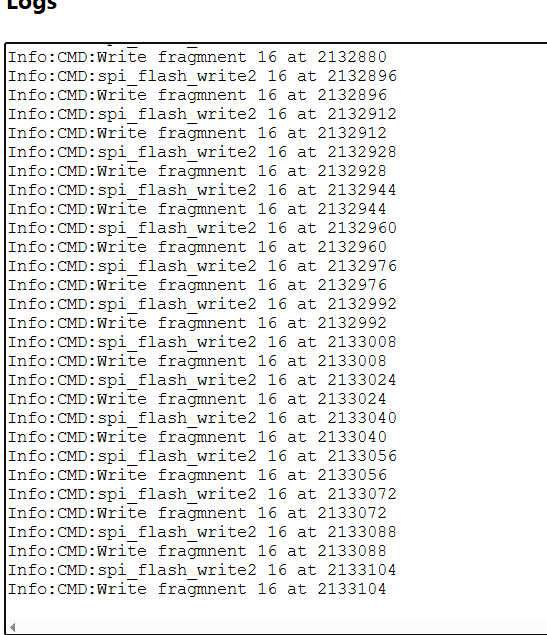
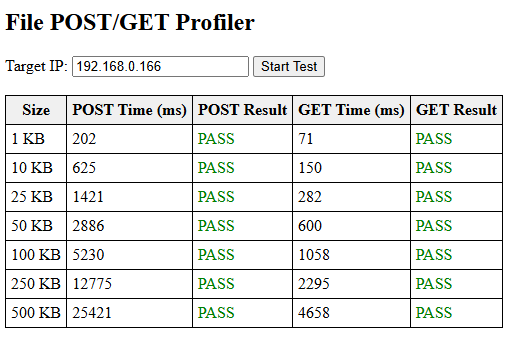
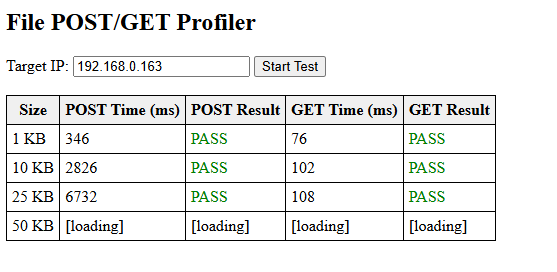
Interesting, it writes in 16 byte chunks internally.
>>21587418 16 bytes chunks I think is ok for this cpu. Maybe more cash is needed for more. But in general flash chips dont give big performance... Btw, Im not going to use obk devices as hard drives 😀. Just remembered an year ago a guy wanted to host web app on one of his devices and we both helped him. Thats the reason Im saying it will be better with SD card. And make this feature optional or via flag, i.e. not by default
Added after 5 [minutes]:
And why you use http to write over spi, no spi fs library?
>>21587455 I think the problem is with the size of your internal variables. An year ago I told you you dont host the flags correctly, because variables are max 32 bits. So for larger values you should make 2 (or 3) variables and to calculate them correctly. Negative values in your post mean variable is overflowed and not clear how much times.
Each overflow of the variable leads to negative values, if not declared as byte or word, but even if declared on some cpus after overflow it is interpreted as negative value
>>21587493 with the flags - not only printing, clearing also (didnt tested). ClearFlags command didnt clear all. Maybe already fixed...
Nevertheless, Im back, and thank you for all your work.
Well this also seems rather promising in relation to the topic of this thread, hosting webapp on a device.
I have some chips as well 😁 so adding some of them for testing will probably be soon. Can be great for the purpose of logging and storing thing on the module.
But overall I'll second the idea of an SD card instead of the chips just because of space and possibly speed. With that we can host the webapp and have "unlimited" log space which is always nice.
✨ The discussion focuses on hosting the OpenBekenIOT Web App's 'Logs' function within the device's LittleFS filesystem on BK7231T and BK7231N devices. The default LittleFS size is 32kB, which is insufficient for hosting multiple web app files such as startup.js, httpVueLoader.js, vue.min.js, and logs.vue. Users experimented with increasing LittleFS size up to 256kB and 200kB (0x32000), with mixed success due to device reboots and low heap warnings during large file uploads. A key finding was that adding RTOS delays during file upload improved stability, as implemented in a test firmware build. Firmware upgrades to versions around 1.17.404 and above were recommended for better performance. Minification of JavaScript and Vue files significantly reduced storage requirements, enabling hosting within the constrained LittleFS space. The memory layout of BK7231T and BK7231N devices was reviewed to understand partitioning and avoid overwriting OTA or application partitions. Alternative hosting solutions suggested include running the web app on a NAS or router with OpenWrt. Further development includes moving LittleFS to external SPI flash chips (4-8MB) or SD cards to expand storage capacity for logs and web app files. Fast bitbang SPI implementations and increased LittleFS cache sizes were tested to improve performance. The community encourages creating tutorials for these solutions and ongoing firmware improvements to enhance stability and usability of hosting web apps directly on BK7231 devices. Generated by the language model.
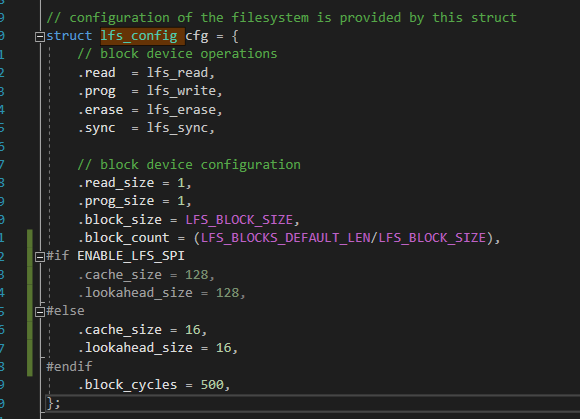
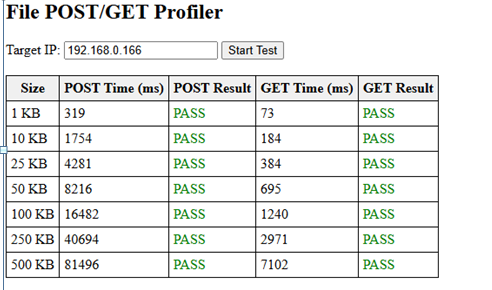
TL;DR: Increasing LittleFS cache from 16 B to 128 B sped up writes by 6×, and “large uploads now work after adding a 5 ms RTOS delay” [Elektroda, p.kaczmarek2, #21589234; #20941452]. Use ≤200 KB partitions, minify .vue files, and firmware ≥1.17.432 for stable on-device WebApp hosting.
Why it matters: you can keep Logs and Filesystem tools available on a closed network without breaking OTA or exhausting heap.
1. What is the factory-set LittleFS size and how do I expand it?
OpenBeken ships with a 32 KB LittleFS partition. Enlarge it with lfs_format <bytes>; e.g., lfs_format 0x32000 creates a 200 KB filesystem [Elektroda, jkwim, #20928161; Angel0fDeath, #20930090].
2. Does enlarging LittleFS endanger OTA updates?
LittleFS lives after the application image. If the new size stays below the OTA start address, OTA still works; contents are wiped but firmware installs normally [Elektroda, p.kaczmarek2, post #20928195]
3. Why did my device reboot when uploading a 92 KB file?
Firmware <1.17.432 lacked an RTOS delay in the upload loop, causing watchdog resets during long writes. Update to the delay-patched build or newer and the reboot disappears [Elektroda, p.kaczmarek2, #20941452; Angel0fDeath, #20942411].
7. Can I host the WebApp (Logs tab only) on the device itself?
Yes. Copy vue.min.js, httpVueLoader.min.js, startup.js, logs.min.vue and indexdevice.html into LittleFS, then point “Configure WebApp” to http://IP/api/lfs/indexdevice.html[Elektroda, jkwim, post #20944917]
8. How do I shrink .vue and .js files to fit 200 KB?
Minify <script> sections with a JS minifier and <style> with a CSS minifier; jkwim cut httpVueLoader from 10.9 KB to 5.8 KB and entire package to 196 KB [Elektroda, jkwim, post #20946139]
12. How can I move LittleFS to external SPI flash?
A branch adds software-SPI support; compile with USE_EXT_SPI_LFS in obk_config.h and wire a SOIC-8 NOR flash (e.g., W25Q32) to four GPIOs. Early tests wrote 600 KB successfully albeit slowly [Elektroda, p.kaczmarek2, post #21587455]
14. How do I back up and restore LittleFS quickly?
Use Web-FS “Download TAR”. To restore large sets, upload the biggest files first, then the main tar to avoid heap exhaustion [Elektroda, jkwim, post #20944917]
15. What performance gain will I see from enlarging cache?
16. The log shows “Low heap warning!”. Safe to ignore?
A single warning appears when LittleFS ≥212 KB on 4 MB flash. If functions run and no resets occur, operation remains stable [Elektroda, jkwim, post #20931820]