logo elektroda
logo elektroda
X
logo elektroda

[CB2S/BK7231N] Loratap SC500W-V2N2-YELLOW Smart WiFi Curtain Switch

snakesrules94 4968 15
Best answers LABEL_AI_GENERATED

Can this BK7231N curtain switch with an external MCU be converted to OpenBeken, and are its TuyaMCU datapoints supported?

Yes — this looks like a TuyaMCU-based BK7231N curtain switch, so it should be convertible to OpenBeken, and later reports also show it can be flashed with Tuya Cloudcutter for ESPHome [#21083797] [#21210876] The important part is that the curtain logic runs on the MCU, so after flashing the Wi-Fi module you just need to map the Tuya datapoints rather than reverse the whole motor control [#21083797] [#21084358] The extracted Tuya schema for modelId `000003pv54` gives dpID 1 for `control` with `open/stop/close`, dpID 8 for `control_back` with `forward/back`, and dpID 10 for `tr_timecon` with a 1–120 s travel-time setting [#21084328] [#21210876] That means the device already has enough information to build the OBK or ESPHome configuration without capturing UART packets first [#21084358] [#21210876]
AI summary based on the discussion. May contain errors.
ADVERTISEMENT
  • Assessing OBK compatibility of CB2S curtain switch MCU

    #1 21083208
    snakesrules94
    Level 9  
    Posts: 37
    Help: 3
    Rate: 4

    Hi all,
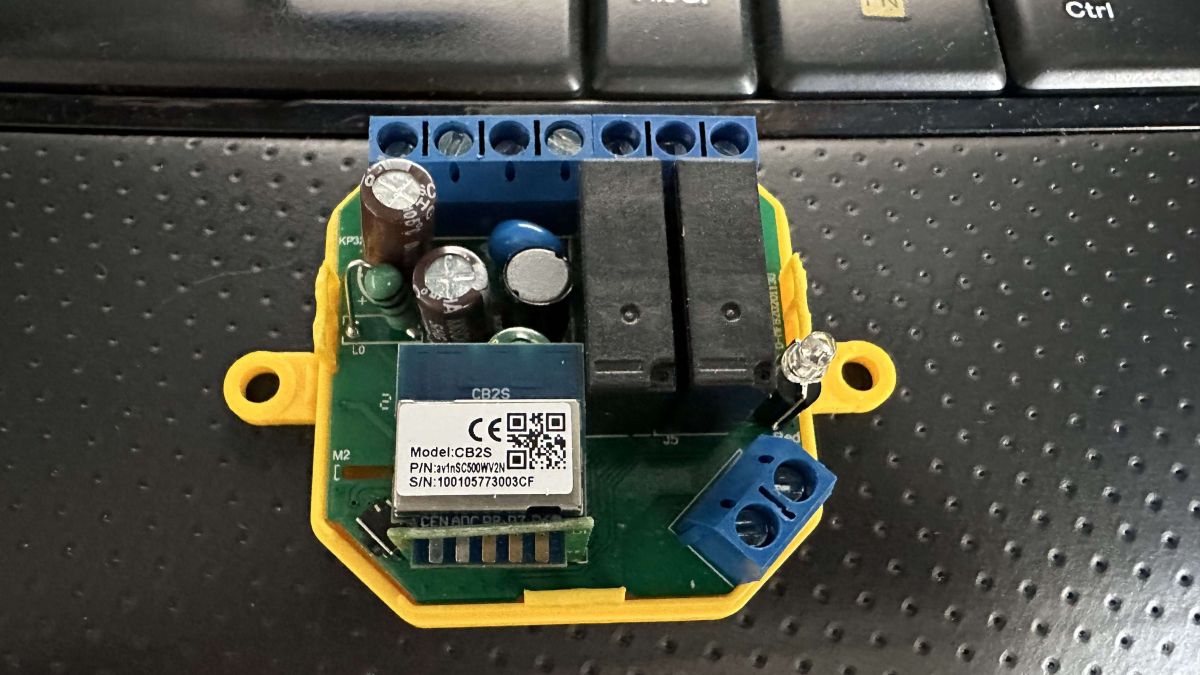
    in order to repair my curtain, I've ordered this switch and here are some pictures:
    It can control a 3 wires curtain and you can also attach an up/down switch to the S1/S2 contacts
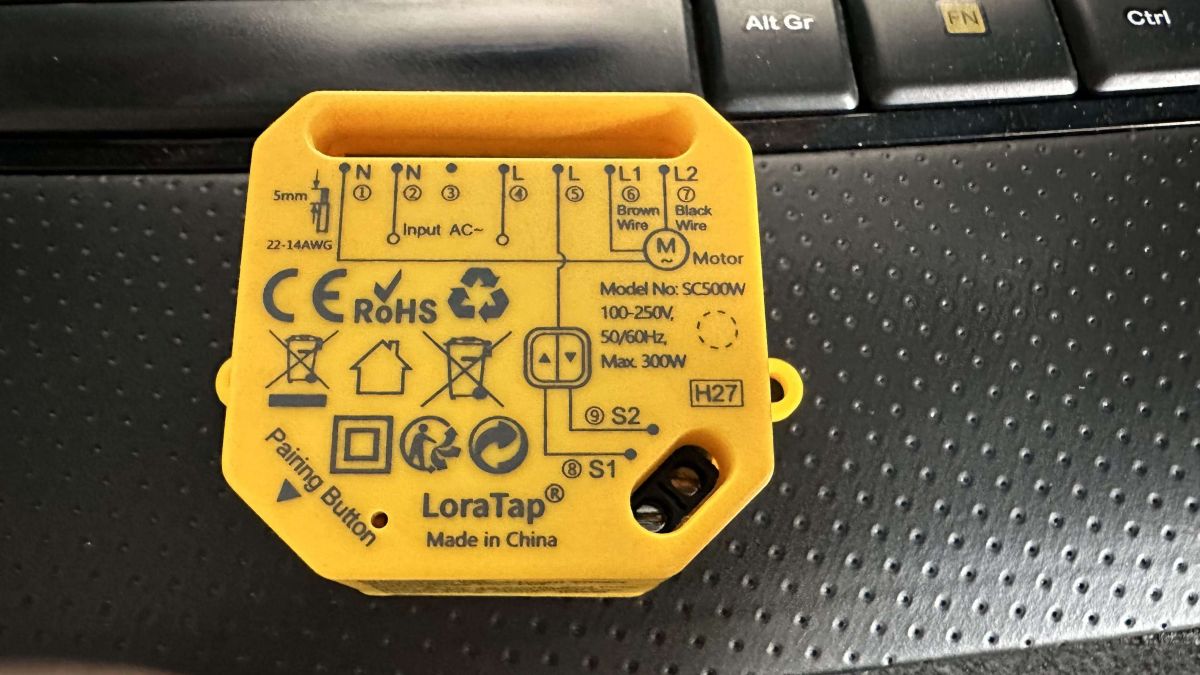
    Yellow LoraTap SC500W module on a keyboard background.Electronic module CB2S on a keyboard.

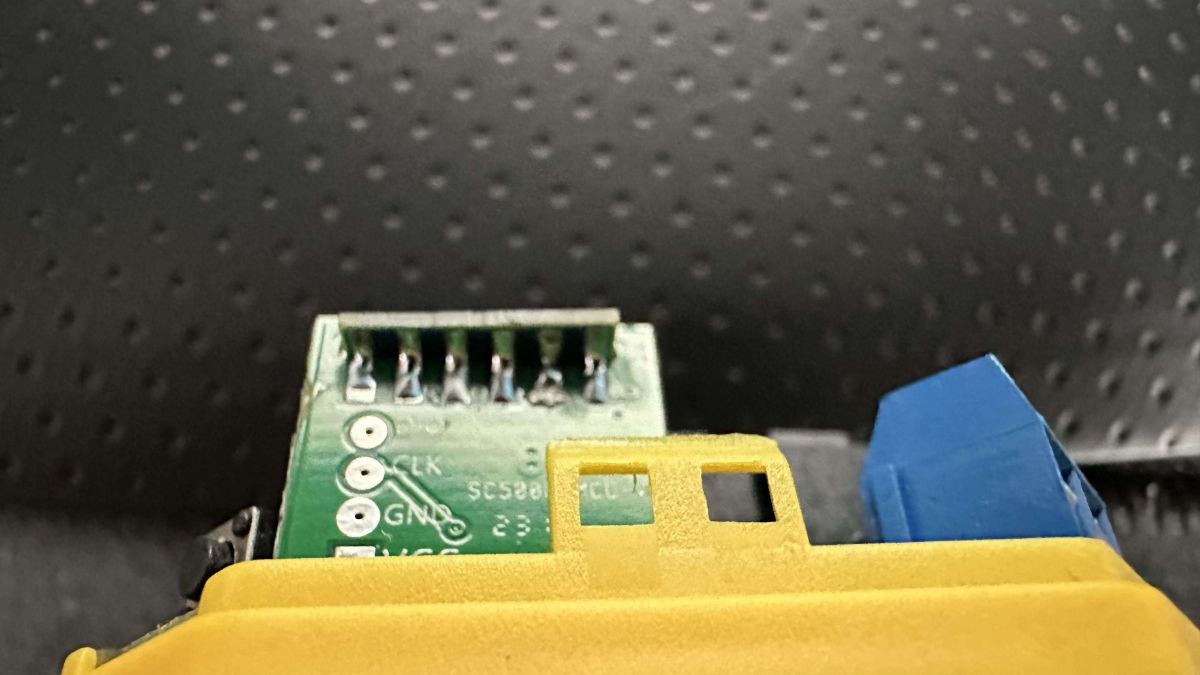
    PCB with pins and markings CLK, GND, and VCC.Close-up view of an electronic switch with a mounted integrated circuit module.


    As you can see, a good old CB2S soldered only on one side to a kind of raiser holding what I supposed to be the MCU.

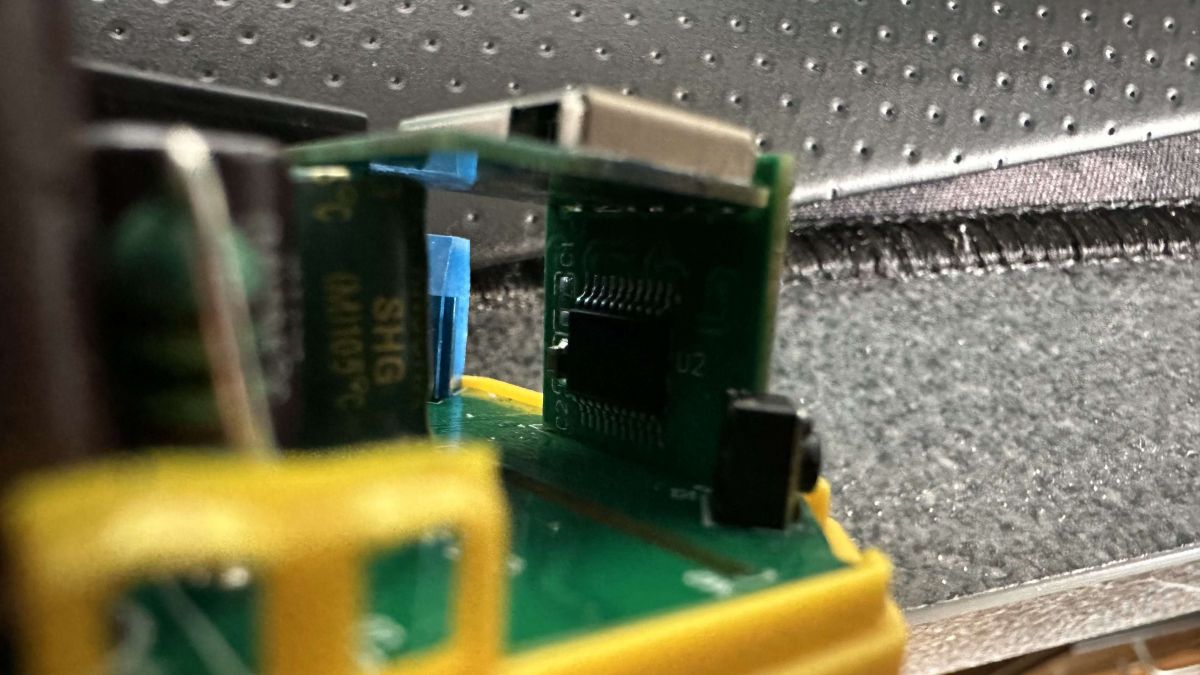
    This component you can see on the last picture below the CB2S is that one:
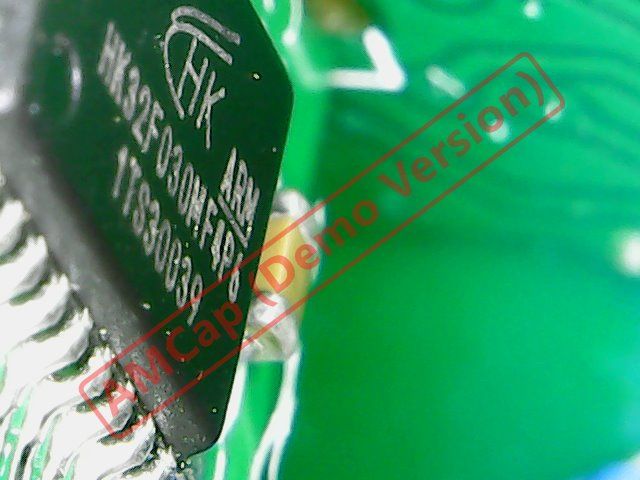
    Close-up of an HK32F030MF4P6 MCU microprocessor on a green circuit board.

    Info from Tuya app are:
    - main module: V2.0.2
    - MCU Module: V1.0.0

    I've dumped the original firmware but no config found.

    Do you think this device could be converted to OBK or this MCU (if it is one) is not supported?
    HK32F030M ...ev.1.2.pdf (1.43 MB)You must be logged in to download this attachment.CW500S-D..P.zip (1.03 MB)You must be logged in to download this attachment.
  • ADVERTISEMENT
  • Request to locate the 3.3V regulator on the board

    #2 21083797
    p.kaczmarek2
    Moderator Smart Home
    Posts: 14770
    Help: 659
    Rate: 12913
    This is most likely TuyaMCU device. This may be tricky to convert but end result will be very good, as the main shutter logic is on the MCU , and not on the WiFi module.

    Here is a broad TuyaMCU guide: TuyaMCU flashing, setup and configuration guide - configure dpIDs for Home Assistant

    Please familiarize yourself with it and then we can try to convert this device to work with OBK. I will guide you step by step.

    Are you able to find the AMS1117-3.3V or the step down converter on this board?
    Helpful post? Buy me a coffee.
  • Tuya model ID and curtain control datapoints identified

    #3 21084328
    snakesrules94
    Level 9  
    Posts: 37
    Help: 3
    Rate: 4

    Hello,
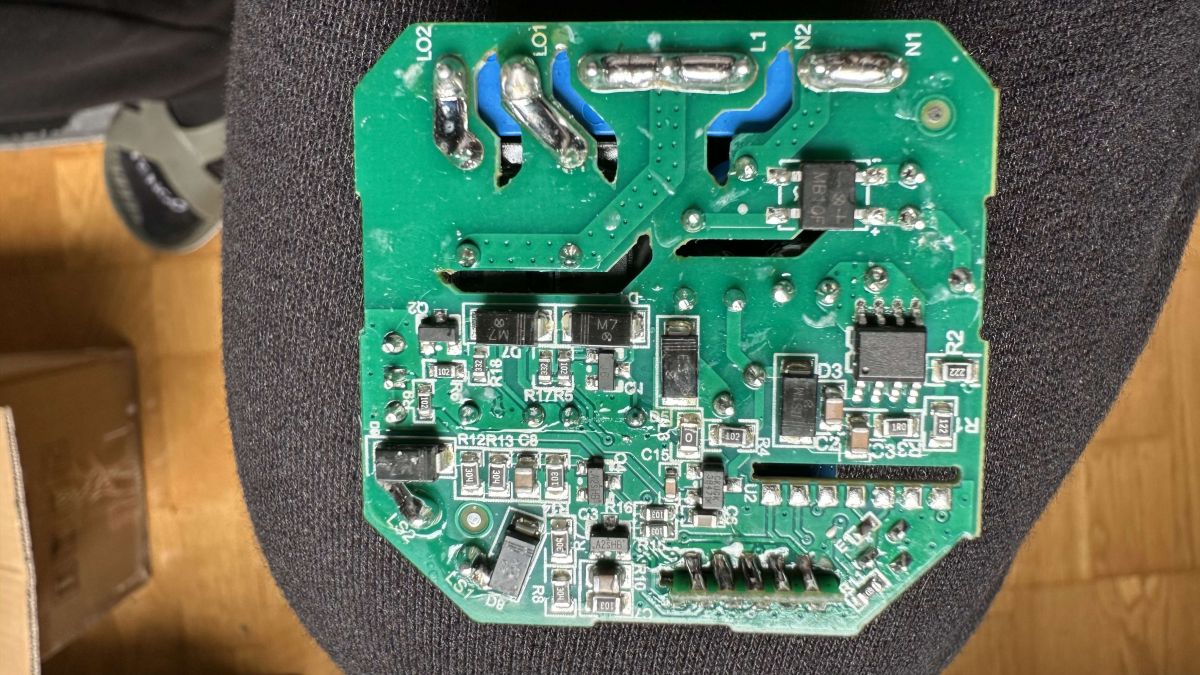
    i can't find the former voltage regulator for 3.3V and not skilled enough to find the other voltage regulator/dropdown components. Here is a picture of the board :

    Image of a green electronic circuit board with various components like capacitors and resistors.

    I spent some time to explore the Tuya dev website and i've extracted the following info about this module :

    {
      "modelId": "000003pv54",
      "services": [
        {
          "actions": [],
          "code": "",
          "description": "",
          "events": [],
          "name": "默认服务 (Default Service)",
          "properties": [
            {
              "abilityId": 1,
              "accessMode": "rw",
              "code": "control",
              "description": "",
              "extensions": {
                "iconName": "icon-a_power",
                "attribute": "1280"
              },
              "name": "一路窗帘开关 (All the way curtain switch)",
              "typeSpec": {
                "type": "enum",
                "range": [
                  "open",
                  "stop",
                  "close"
                ]
              }
            },
            {
              "abilityId": 8,
              "accessMode": "rw",
              "code": "control_back",
              "description": "",
              "extensions": {
                "iconName": "icon-dp_loop",
                "attribute": "1024"
              },
              "name": "电机反转 (Motor reverse)",
              "typeSpec": {
                "type": "enum",
                "range": [
                  "forward",
                  "back"
                ]
              }
            },
            {
              "abilityId": 10,
              "accessMode": "rw",
              "code": "tr_timecon",
              "description": "",
              "extensions": {
                "iconName": "icon-dp_time2",
                "attribute": "1024"
              },
              "name": "行程时间设置 (Travel time settings)",
              "typeSpec": {
                "type": "value",
                "max": 120,
                "min": 1,
                "scale": 0,
                "step": 1,
                "unit": "s"
              }
            }
          ]
        }
      ]
    }


    Is this already a good start point ?
  • ADVERTISEMENT
  • #4 21084358
    p.kaczmarek2
    Moderator Smart Home
    Posts: 14770
    Help: 659
    Rate: 12913
    I asked about LDO because I was considering doing UART packets capture, but with the dpIDs you extracted, this is no longer needed. I think you can flash OpenBeken and then we will together configure dpID to channel mappings for your device.
    Helpful post? Buy me a coffee.
  • ADVERTISEMENT
  • Keeping Tuya for easier handoff to future owners

    #5 21084552
    snakesrules94
    Level 9  
    Posts: 37
    Help: 3
    Rate: 4

    Hi and thanks for your support.
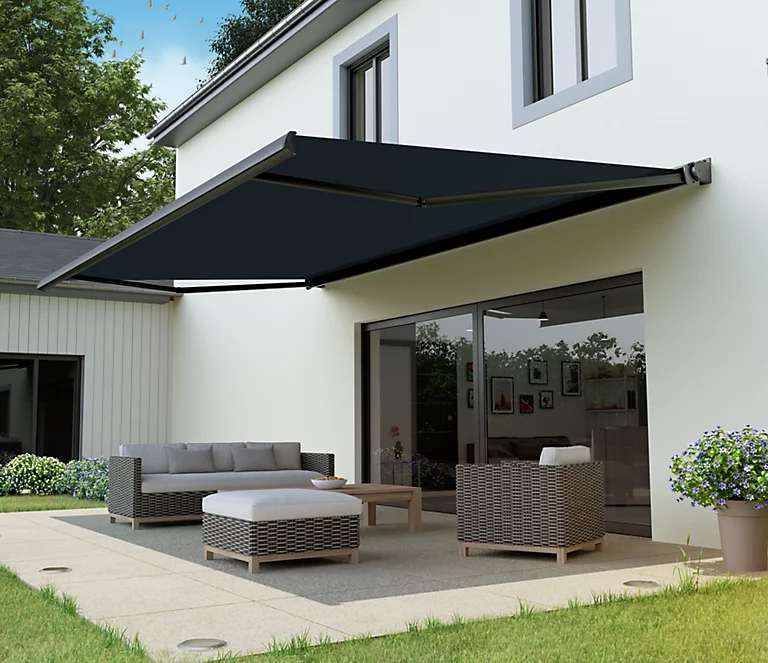
    After some thinking, I think I will stay with Tuya for this one as it will be linked to my main "garden curtain" (I don't know the right translation but here is a sample picture: )
    Patio with an outdoor canopy and garden furniture

    In the case of we decide to leave/sell the house, the device would be linked to my WiFi network/mqtt/HA instance and it could be difficult for the next owners to use it if they're not into that tech stuff as the curtain is not something I will take with me if I should leave the house.
    It would be, I guess, easier to unbind/rebind the device to Smartlife APP than changing all the network config/dependency.

    Anyway, the dpId will maybe be useful for someone else with the same switch in case of OBK conversion :-)
  • Helpful post
    #6 21084587
    p.kaczmarek2
    Moderator Smart Home
    Posts: 14770
    Help: 659
    Rate: 12913
    No problem, those dpIDs are useful already. If you ever change your mind, let me know - I can help. You can also just make a 2MB flash backup and restore it when selling house.
    Helpful post? Buy me a coffee.
  • Cloudcutter flash and ESPhome config for BK7231N curtain switch

    #7 21210876
    surfcu
    Level 1  
    Posts: 1
    For anyone trying to use this with ESPhome, this can be flashed with Tuya Cloudcutter.

    After flashing, the following configuration can be used;
    
    esphome:
      name: panjur1
      friendly_name: panjur1
    
    bk72xx:
      board: generic-bk7231n-qfn32-tuya
    
    # Enable logging
    logger:
    
    # Enable Home Assistant API
    api:
      encryption:
        key: ""
    
    ota:
      - platform: esphome
        password: ""
    
    wifi:
      ssid: !secret wifi_ssid
      password: !secret wifi_password
    
      # Enable fallback hotspot (captive portal) in case wifi connection fails
      ap:
        ssid: "Panjur1 Fallback Hotspot"
        password: ""
    
    captive_portal:
    
    text_sensor:
      - platform: libretiny
        version:
          name: LibreTiny Version
    
    uart:
      rx_pin: RX1
      tx_pin: TX1
      baud_rate: 115200
    
    tuya:
      # DPIDs processed from schema model: 000003pv54
    
    select:
      - platform: tuya
        enum_datapoint: 1
        name: (Unconfirmed) Control
        optimistic: true
        options:
          0: Open
          1: Stop
          2: Close
      - platform: tuya
        enum_datapoint: 8
        name: (Unconfirmed) Control Back
        optimistic: true
        options:
          0: Forward
          1: Back
    
    number:
      - platform: tuya
        number_datapoint: 10
        name: (Unconfirmed) Tr Timecon
        unit_of_measurement: s
        min_value: 1
        max_value: 120
        step: 1
    
  • #8 21644692
    opfer15
    Level 7  
    Posts: 8
    >>21210876 Can you elaborate what you did with cloudcutter to pick this up? I tried nearly all payloads for the FW-Versions and not a single one picked up on my SC500W. Is AP mode the normal "pairing button", because I never see an AP like described in the Instructions.md of the cloudcutter project.
    TIA
  • #9 21927401
    opfer15
    Level 7  
    Posts: 8
    >>21084587
    Got back to my devices. Modells SC500W-V2N and SC500V1N use the same dIPs as Loratap Sc500W-V2N2

    {"1":"Curtain Switch 1","8":"Motor reversal","10":"Schedule time"}


    How do we get the right pins? I was not able to
  • No relay response after flashing and GPIO tests

    #11 21927857
    opfer15
    Level 7  
    Posts: 8
    >>21927489

    Yeah I already flashed both of them. I tried another SC500W template from here (https://www.elektroda.com/rtvforum/topic4174621.html) put if I get mentioned GPIO Doctor threat right it does not fit tuya MCU units. I tried to pull every pin high put I can't here the relais click, see the LED or anything else.

    One unit has a backup, the other one had an unknown crypto key and could not backup image :)
  • #12 21927860
    divadiow
    Level 38  
    Posts: 5220
    Help: 449
    Rate: 918
    if you run your backup through Easy Flasher here, does it produce a json output?
    eg
    [CB2S/BK7231N] Loratap SC500W-V2N2-YELLOW Smart WiFi Curtain Switch
  • ADVERTISEMENT
  • Tuya device info dump with UUID and keys

    #13 21927878
    opfer15
    Level 7  
    Posts: 8
    >>21927860
    yeah i get the following output

    {
      "gw_bi": {
        "uuid": "a0bcbabfd6dd2e02",
        "psk_key": "WvNgGggbVWEBebh4e4kcraNdgGfHGjVzMl454",
        "auth_key": "IANThlyl6yWIldY4E2pC1ADqjAMu64v3",
        "ap_ssid": "SmartLife",
        "ap_passwd": null,
        "country_code": "CN",
        "bt_mac": null,
        "bt_hid": null,
        "prod_test": false,
        "fac_pin": "nnfrmb3val45av1n"
      },
      "baud_cfg": {
        "baud": 115200
      },
      "tls_ca_cnt": 0,
      "gw_di": {
        "abi": 0,
        "id": "bfdd929f225a02230eu77p",
        "swv": "2.1.28",
        "bv": "40.00",
        "pv": "2.2",
        "lpv": "3.4",
        "pk": "nnfrmb3val45av1n",
        "firmk": "key83r5jq9qqeaxt",
        "cadv": "1.0.5",
        "cdv": "1.0.0",
        "dev_swv": "1.0.0",
        "s_id": "000003pv54",
        "dtp": 9,
        "sync": 0,
        "attr_num": 1,
        "mst_tp_0": 9,
        "mst_ver_0": "1.0.0",
        "mst_md5_0": null,
        "mst_tp_1": 0,
        "mst_ver_1": null,
        "mst_md5_1": null,
        "mst_tp_2": 0,
        "mst_ver_2": null,
        "mst_md5_2": null,
        "mst_tp_3": 0,
        "mst_ver_3": null,
        "mst_md5_3": null,
        "mst_tp_4": 0,
        "mst_ver_4": null,
        "mst_md5_4": null,
        "mst_tp_5": 0,
        "mst_ver_5": null,
        "mst_md5_5": null,
        "mst_tp_6": 0,
        "mst_ver_6": null,
        "mst_md5_6": null,
        "mst_tp_7": 0,
        "mst_ver_7": null,
        "mst_md5_7": null,
        "mst_tp_8": 0,
        "mst_ver_8": null,
        "mst_md5_8": null,
        "mst_tp_9": 0,
        "mst_ver_9": null,
        "mst_md5_9": null
      },
      "gw_wsm": {
        "nc_tp": 9,
        "ssid": "ZXRlcm5hbF9jaGFvcw==",
        "passwd": "Nzk3MTY1ODMyNjU0MzAzMDg3NTU=",
        "md": 0,
        "random": 0,
        "wfb64": 1,
        "stat": 2,
        "token": "Sh8vrCAz",
        "region": "EU",
        "reg_key": "2Do1",
        "dns_prio": 0
      },
      "is_stride": 0,
      "ble_beaconkey": "51526837686C3256A64DADD3684E8D9E",
      "wf_start_md": 3,
      "000003pv54": [
        {
          "mode": "rw",
          "property": {
            "range": [
              "open",
              "stop",
              "close"
            ],
            "type": "enum"
          },
          "id": 1,
          "type": "obj"
        },
        {
          "mode": "rw",
          "property": {
            "range": [
              "forward",
              "back"
            ],
            "type": "enum"
          },
          "id": 8,
          "type": "obj"
        },
        {
          "mode": "rw",
          "property": {
            "min": 1,
            "max": 120,
            "scale": 0,
            "step": 1,
            "type": "value"
          },
          "id": 10,
          "type": "obj"
        }
      ],
      "astro_timer": {
        "timestamp": 1782313651,
        "index": 0
      },
      "gw_ai": {
        "key": "|ZzqJ<&6fYDLhw>e",
        "lckey": "^+YPu-&l$aGSBnwI",
        "h_url": "http://a.tuyaeu.com/d.json",
        "h_ip": "35.159.150.3",
        "hs_url": null,
        "hs_ip": null,
        "hs_psk": "https://a3.tuyaeu.com/d.json",
        "hs_psk_ip": "3.67.116.46",
        "mqs_url": null,
        "mqs_ip": null,
        "mq_url": "m2.tuyaeu.com:1883",
        "mq_ip": "52.28.114.157",
        "ai_sp": null,
        "ai_sp_ip": null,
        "mq_psk": "m2.tuyaeu.com:8886",
        "mq_psk_ip": "52.28.114.157",
        "lp_url": "baal.tuyaeu.com:443",
        "lp_ip": "3.124.173.10",
        "time_z": "+01:00",
        "s_time_z": "[[1774746000,1792890000],[1806195600,1824944400],[1837645200,1856394000],[1869094800,1887843600],[1901149200,1919293200]]",
        "wx_app_id": null,
        "wx_uuid": null,
        "dy_tls_m": 0,
        "cloud_cap": 1025,
        "psk21_key": null
      },
      "em_sys_env": "bk7231n",
      "mf_test_close": true,
      "timer_arr": {
        "lastFetchTime": 0,
        "cnt": 0
      }
    }


    Sorry, no meaningful pins data found. This device may be TuyaMCU or a custom one with no Tuya config data.
    Baud keyword found, this device may be TuyaMCU or BL0942. Baud value is 115200
    No module information found.
    Device internal platform - bk7231n, equals BK7231N.
    And the Tuya section starts, as usual, at 2023424 (0x1EE000)
  • TuyaMCU dpIDs for curtain switch config

    #14 21927891
    divadiow
    Level 38  
    Posts: 5220
    Help: 449
    Rate: 918
    dpIDs for TuyaMCU config

    Code: JSON
    Log in, to see the code
  • How to map Tuya dpIDs and channel ranges

    #15 21928294
    opfer15
    Level 7  
    Posts: 8
    >>21927891
    Thanks for your help!
    But how do we get the dpIDs into a template like here? https://www.elektroda.com/rtvforum/topic4174621.html

    Do I just map them them in autoexec.bat like this?

    // Start TuyaMCu driver
    startDriver TuyaMCU
    // set TuyaMCU baud rate
    //tuyaMcu_setBaudRate 115200
    // set TuyaMCU default wifi state 0x04, which means "paired",
    // because some TuyaMCU MCUs will not report all data
    // unless they think they are connected to cloud
    tuyaMcu_defWiFiState 4
    
    //"modelId": "000003pv54"
    
    setChannelType 1 enum
    setChannelLabel 1 "control"
    SetChannelEnum 1 "0:open" "1:stop" "2:close"
    // Map given tuya dpID 1 to beken channel 1
    linkTuyaMCUOutputToChannel 1 enum 1
    
    setChannelType 8 enum
    setChannelLabel 8 "Motor Reverse"
    SetChannelEnum 8 "0:forward" "1:backward"
    // Map given tuya dpID 1 to beken channel 1
    linkTuyaMCUOutputToChannel 8 enum 8
    
    setChannelType 10 value 
    setChannelLabel 10 "Travel Time Settings"
    // Map given tuya dpID 1 to beken channel 1
    linkTuyaMCUOutputToChannel 10 enum 10


    How to map ranges on Channel 10?
    Do I not need to care about beken channel numbers and may assign any I want?
  • #16 21928531
    p.kaczmarek2
    Moderator Smart Home
    Posts: 14770
    Help: 659
    Rate: 12913
    You can assign any OBK channel numbers as long as they are relatively low, so start with 1 or something, don't try like 500, we have a limited number of channels.
    Helpful post? Buy me a coffee.

Topic summary

LABEL_AI_GENERATED
The discussion concerns a Loratap SC500W-V2N2-YELLOW smart WiFi curtain switch based on a CB2S/BK7231N module and a TuyaMCU-controlled shutter mechanism. The board appears to use an external MCU for curtain logic, with S1/S2 inputs for an up/down wall switch. Tuya app data and a dumped firmware showed no obvious config at first, but the Tuya cloud schema later revealed modelId 000003pv54 and dpIDs for curtain control, motor reversal, and schedule time. It was concluded that the device can likely be converted to OpenBeken or ESPHome using TuyaMCU mapping, and a working ESPhome/LibreTiny configuration was shared, including Cloudcutter flashing and tuya datapoint setup. Later posts discussed how to map dpIDs to OBK channels and how to assign channel numbers for TuyaMCU templates.
AI summary based on the discussion. May contain errors.
ADVERTISEMENT