Czy wolisz polską wersję strony elektroda?
Nie, dziękuję Przekieruj mnie tambuenogy wrote:Work Verry Well !!!
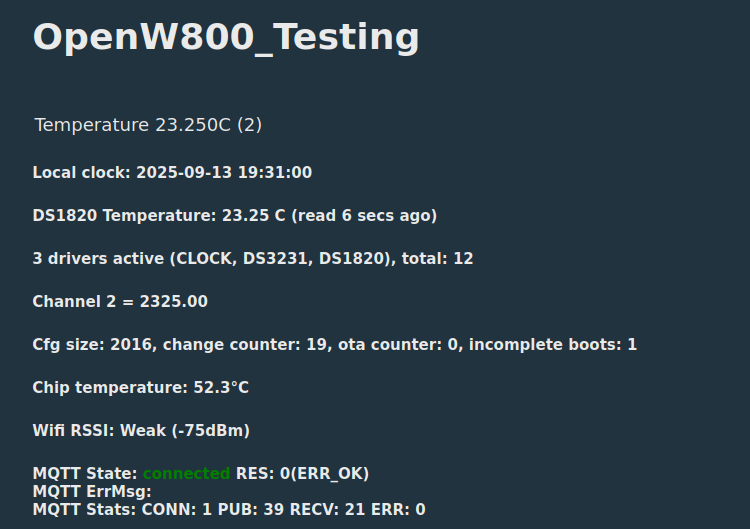
setChannelType 2 Temperature_div100TL;DR: For TYTE-D1 owners, the fix is simple: map the 3.5 mm probe to GPIO P26, then start the DS18B20 driver. As one expert put it, "The GPIO for DS18B20 on the TYTE-D1 is P26." This FAQ solves the common OpenBeken problem where relay and BL0937 power metering work, but temperature does not. [#21147604]
Why it matters: If you use the TYTE-D1 for heaters or aquariums, correct sensor setup determines whether the device can switch loads based on real probe temperature instead of relay state alone.
| Option | GPIO / Setting | Status in thread | Main limitation |
|---|---|---|---|
| TYTE-D1 on BK7231N/CB3S | P26 + DS1820_IO |
Eventually working in later builds | Early builds needed manual driver start and had CRC/timing issues |
| BL602 test path | startDriver DS1820 18 discussed |
Better results reported earlier | Not the TYTE-D1 hardware |
| Power metering path | BL0937 on P6/P9/P24 | Worked from the start | Unrelated to probe detection |
Key insight: GPIO mapping alone was not enough. The thread shows the TYTE-D1 needed both the correct pin assignment on P26 and a working DS18B20 driver path in OpenBeken before temperature, MQTT, and Home Assistant reporting became reliable. [#21276251]
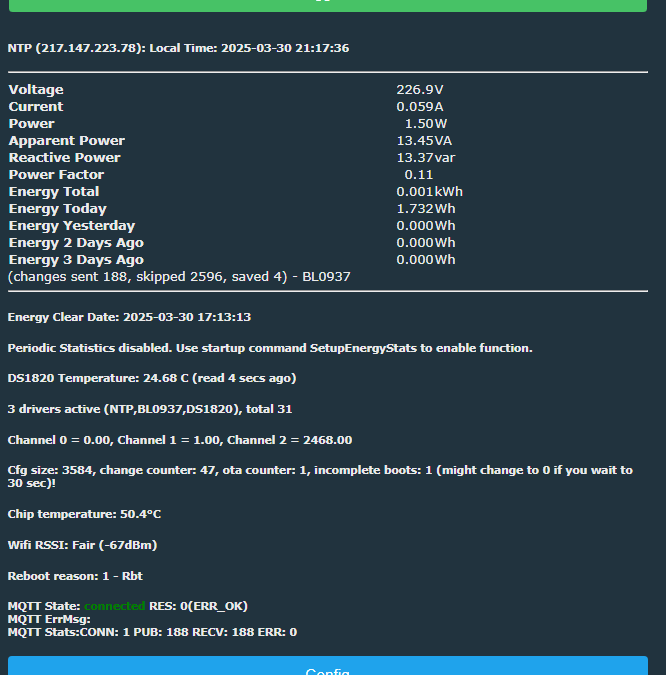
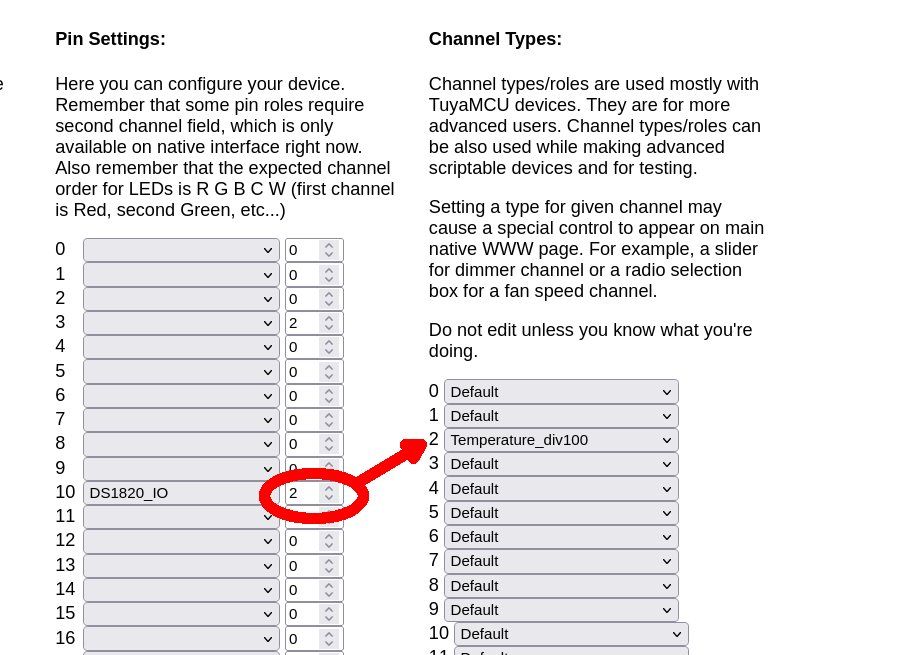
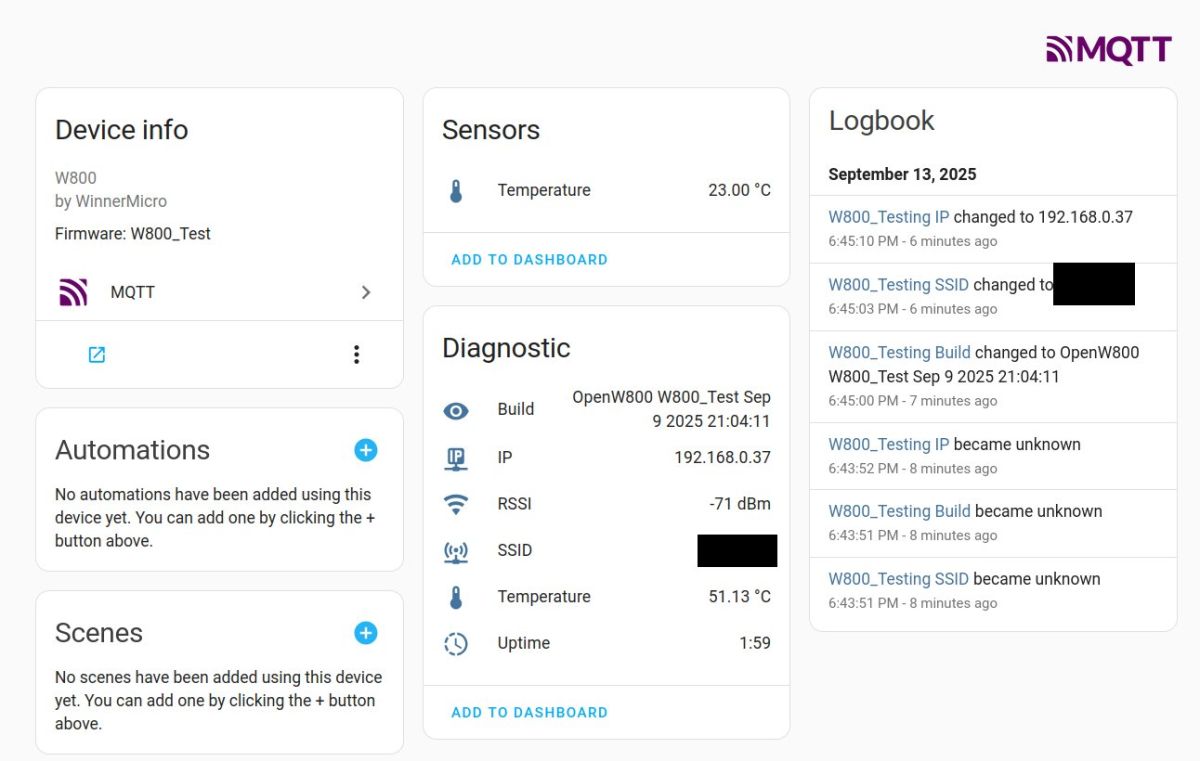
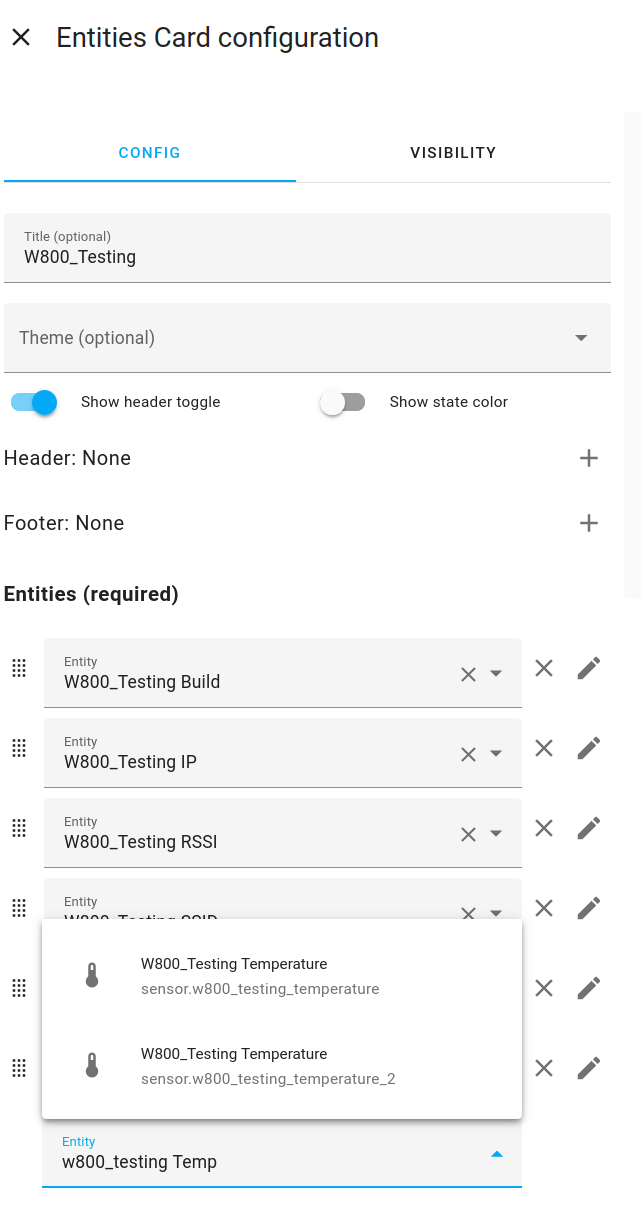
one_wire_pin:"26", which directly led to the TYTE-D1 external probe being mapped to GPIO P26. [#21147604]"26": "DS1820_IO;2" and device keywords including DS18B20, DS1820B, and sensylink. [#21276251]Temperature_div100 made the external probe appear as a separate temperature entity after HA Discovery. [#21689034]DS1820_IO and start the DS18B20 driver. The thread shows relay and BL0937 metering can work first, while temperature stays missing until the one-wire probe is mapped and the driver is active. The later TYTE-D1 template explicitly added "26": "DS1820_IO;2", which was the turning point for temperature support on this device. [#21276251]one_wire_pin:"26"; that matched the device’s external probe design and later template work. A key thread conclusion stated directly: "The GPIO for DS18B20 on the TYTE-D1 is P26." [#21147604]startDriver DS1820 starts the DS18B20 one-wire temperature driver in OpenBeken. To make it persistent, add it once under Execute Custom Command for testing, then place the same command in Configure Startup so it runs after every reboot. A later user confirmed this exact startup method, alongside other startup commands like NTP, on March 30, 2025. [#21501442]ds18b20 reset fail lines appeared because the test unit was booted without the sensor attached, so the firmware could not complete one-wire reset detection. During troubleshooting, treat that log as a sign to check probe presence, wiring, driver start, and the selected GPIO. [#21135749]DS1820_IO and bind it to a data channel, typically channel 2 on this device. The working TYTE-D1 template for the BK7231N / CB3S hardware used "26": "DS1820_IO;2", which means GPIO 26 carries the one-wire sensor and reports into channel 2. After that, start the driver so readings actually begin. [#21276251]one_wire_pin. [#21147604]module:"CB3S". [#21135746]DS1820_IO. 2. startDriver DS1820 was executed. 3. The firmware version is recent enough to include the working driver path. In January 2025, this exact symptom appeared even though relay, button, LED, and MQTT were already working. [#21379314]Temperature_div100. One working example used channel 2, where a raw value of 2468 represented 24.68°C, and after a new HA Discovery run the external probe appeared as a separate temperature entity. You can also set it by command: setChannelType 2 Temperature_div100. [#21689056]startDriver DS1820 18, PR build 1296_merge_7117258cf00e, and powersave 0; the user said they did not find a working timing with powersave 1. That makes BK7231N the trickier platform here, especially during the driver’s development phase. [#21177339]