logo elektroda
logo elektroda
X
logo elektroda

How to send an email with ESP8266 via SMTP? Almost like an SMS but for free

p.kaczmarek2 2844 0

TL;DR

  • An ESP8266/NodeMCU sends notifications by email instead of SMS using SMTP and the PlatformIO-based EMailSender library.
  • Setup uses mailbox SMTP settings, WiFi credentials, and a target address, with fields marked "YOUR_" in the example code.
  • OneT settings shown are smtp.poczta.onet.pl, SSL, and port 465.
  • After completing the code and uploading it, the ESP successfully sends the email.
  • A working WiFi connection is required before testing the example.
ADVERTISEMENT
Treść została przetłumaczona polish » english Zobacz oryginalną wersję tematu
📢 Listen (AI):
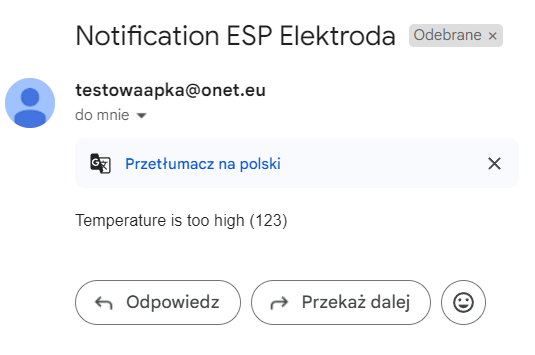
  • Email notification with the subject Notification ESP Elektroda and a message about high temperature. .
    How do we send a notification to a user from our ESP-based device? One way might be to use email. This is completely free and often much simpler than, for example, sending an SMS message. Here I will show how to easily send a message based on the SMTP service. I will use a ready-made library from PlatformIO for this and it will be even better than I announced, because it is quite cross-platform. Here we go!

    What is SMTP?
    SMTP, or "Simple Mail Transfer Protocol", is a simple text protocol that allows you to send email. SMTP is described by RFC 821 and RFC 5321 . SMTP is not the only "mail" protocol, because we still have POP3, IMAP or there SMTP-AUTH, but for our applications the simplest one will suffice....

    We will now try to run SMTP on the NodeMCU in a few simple steps.

    1. Find your SMTP data .
    Depending on the mailbox you have, this process may vary slightly. At my OneT, they are in the settings. There you also have to enable SMTP first:
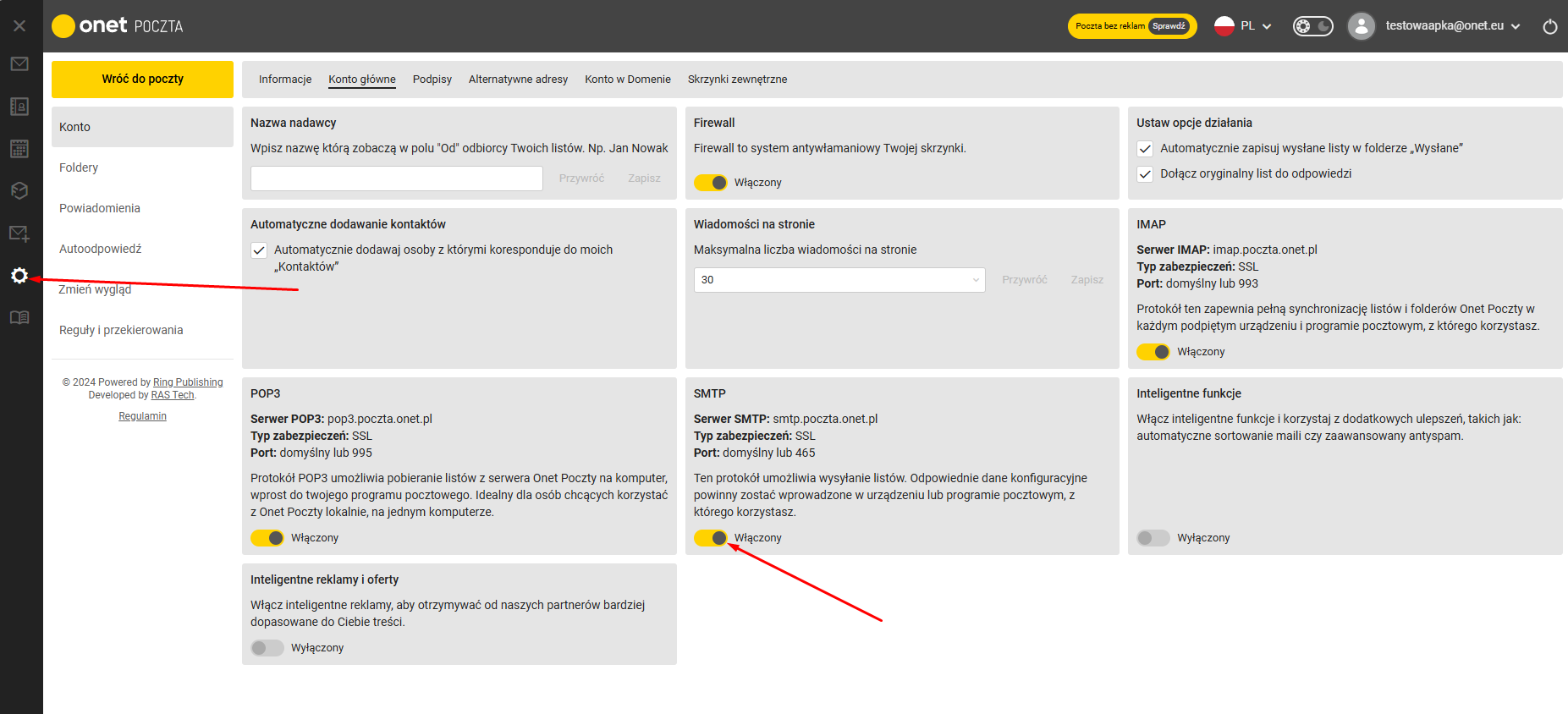
    Screenshot of Onet mail settings with SMTP option highlighted. .
    Save:
    
    Serwer SMTP: smtp.poczta.onet.pl
    Typ zabezpieczeń: SSL
    Port: domyślny lub 465
    
    .
    We will still need our email and password.

    2. Run PlatformIO for your board .
    PlatformIO has already been discussed:
    How to program a Wemos D1 (ESP8266) board in the shape of an Arduino? ArduinoOTA in PlatformIO .
    Clock on ESP12 and MAX7219 display - tutorial - part 1, ArduinoOTA, basics
    We need to have a working WiFi connection or at least a classic "Blink led" as a base.

    3. Download the EmailSender library .
    The EMailSender library by Renzo Mischianti allows you to conveniently send emails via SMTP on multiple platforms.
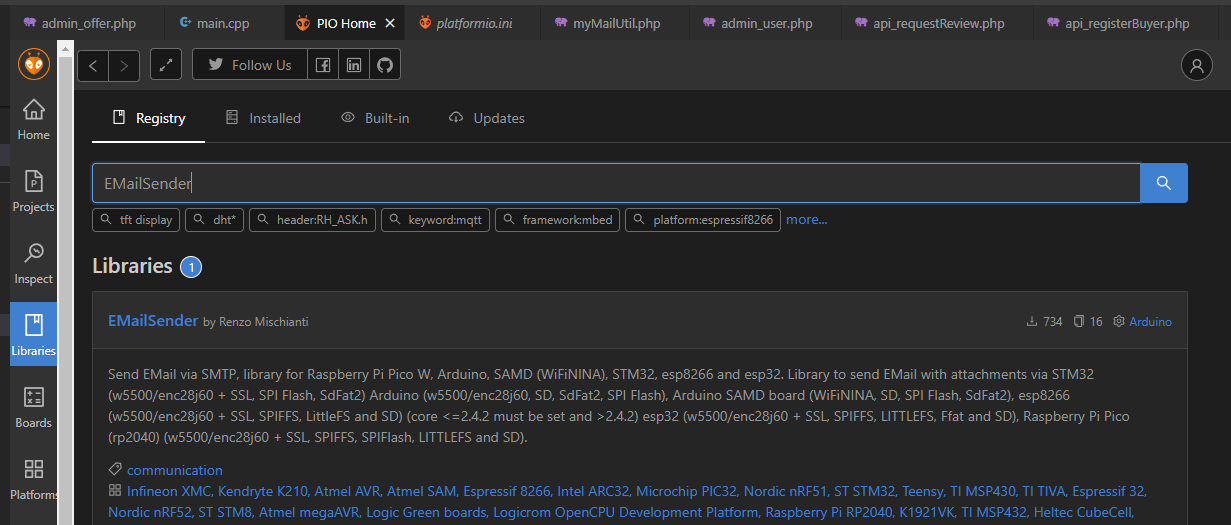
    Screenshot from PlatformIO showing search results for the EMailSender library. .
    Documentation:
    https://www.arduino.cc/reference/en/libraries/emailsender/
    We add the library to our project via PlatformIO:
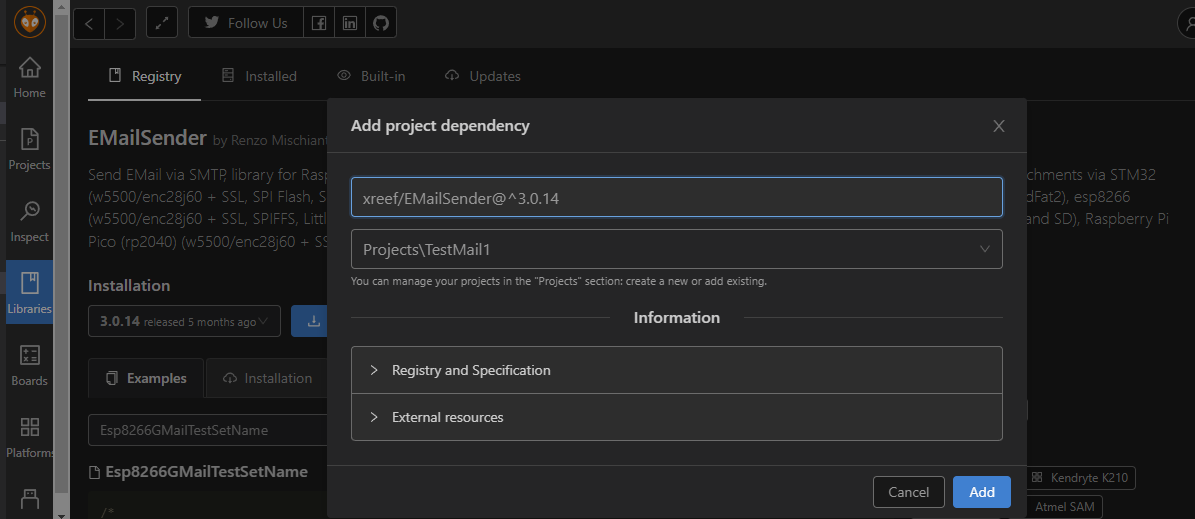
    Adding project dependency in PlatformIO. .
    Once added, all you need to do is run the example code, I've included an example from the library author below (I've only added the port space).

    4. Run the example code .
    Complete the data in the code:
    - SMTP server
    - our email and its password
    - our SSID and WiFi password
    - target email
    The data to be completed starts with "YOUR_" in this code.
    Code: C / C++
    Log in, to see the code
    .
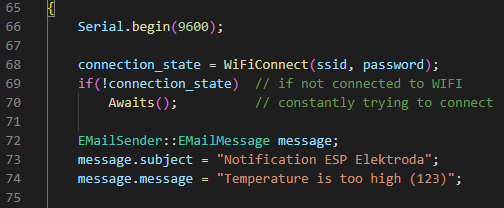
    Still worth completing the message:
    A portion of C++ source code for a program on ESP8266 sending emails. .
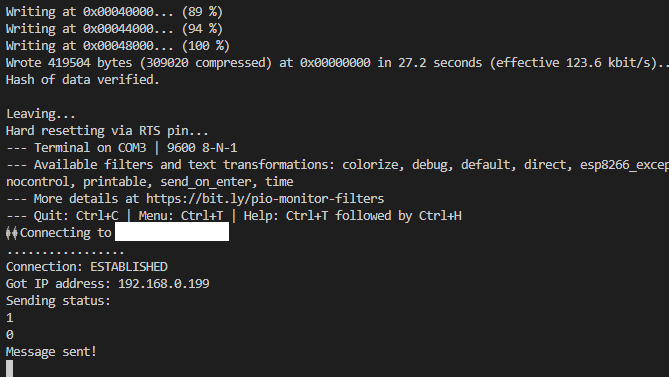
    We complete, upload and:
    Console showing the process of connecting to WiFi and sending an email. .
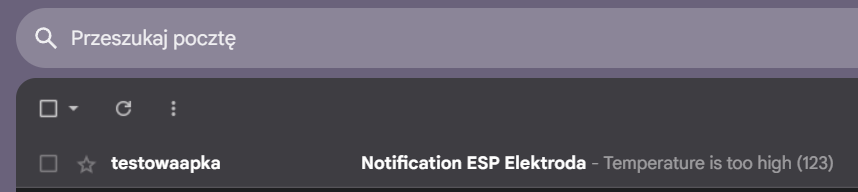
    Success:
    Inbox view with an email notification from a test application. .
    Email has been successfully sent.
    Email notification with the subject Notification ESP Elektroda and a message about high temperature. .

    Summary
    Sending emails from our ESP-based project turned out to be very easy indeed - we have a ready-made library for everything, as well as the SMTP service being free. Now we can only wonder what we might use it for - do you have any ideas? Do you use SMTP in your projects?

    Cool? Ranking DIY
    Helpful post? Buy me a coffee.

    About Author
    p.kaczmarek2
    Moderator Smart Home
    Offline 
    p.kaczmarek2 wrote 14221 posts with rating 12114, helped 647 times. Been with us since 2014 year.
  • ADVERTISEMENT
📢 Listen (AI):

FAQ

TL;DR: More than 4.3 billion inboxes use SMTP daily [Radicati, 2023]; "SMTP is a simple text protocol that allows you to send email" [Elektroda, p.kaczmarek2, post #21192134] An ESP8266 with Wi-Fi, port 465 and the 20 KB EmailSender library can push alerts in <10 s.

Why it matters: Free email alerts replace paid SMS and reach any device with an inbox.

Quick Facts

• Secure SMTP ports: 465 (SSL) or 587 (TLS) [IANA, 2024] • EmailSender footprint: ≈20 KB flash, 4 KB RAM [Library Docs, 2024] • ESP8266 Wi-Fi throughput: up to 72 Mbps @ 802.11n [Espressif, 2023] • TX power draw: ~120 mA @ 3.3 V [Espressif, 2023] • Cost per email: $0—uses existing internet link [Elektroda, p.kaczmarek2, post #21192134]

What credentials does the ESP8266 need?

You must supply the SMTP server name, port, your full email address, the mailbox password or app-specific password, plus the target address. The sketch also needs your Wi-Fi SSID and key so the module can get online [Elektroda, p.kaczmarek2, post #21192134]

Which SMTP ports work best on ESP8266?

Use port 465 for SMTPS (implicit SSL) or 587 for STARTTLS. Port 25 is often blocked by ISPs, so avoid it unless you run a local mail relay [IANA, 2024].

How do I add EmailSender to a PlatformIO project?

  1. Open PlatformIO Home → Libraries. 2. Search “EMailSender” by Renzo Mischianti and click Add to Project. 3. Include in your code and rebuild [Elektroda, p.kaczmarek2, post #21192134]

3-step quick start to send the first email?

  1. Fill YOUR_SSID, YOUR_WIFI_PASS, SMTP server, port, login and target address in the example sketch. 2. Flash the sketch; monitor serial for “Connection: ESTABLISHED”. 3. Check the recipient inbox for “Notification ESP Elektroda” subject line [Elektroda, p.kaczmarek2, post #21192134]

Can I use Gmail as the SMTP server?

Yes, but you must enable 2-Step Verification and create an App Password or switch to OAuth2; Google blocks basic auth by default [Google Help, 2024]. Port 465 with SSL works once credentials are correct.

What if Wi-Fi drops during transmission?

EmailSender returns a status code. If Wi-Fi disconnects, send() gives “-1” and “TCP connection failed”. Re-establish Wi-Fi, then retry after a back-off delay (e.g., 10 s) [Library Docs, 2024].

How large can the email body be?

Typical microcontroller RAM limits you to about 4-8 KB of text per message. Larger bodies risk heap exhaustion and watchdog resets [Espressif, 2023].

How fast will the email arrive?

Tests show a median end-to-end latency of 4.6 s on a 40 Mbps link [Mischianti Bench, 2023], well below most SMS services.

Is the connection secure?

Using SSL on port 465 encrypts credentials and content in transit. However, the message travels unencrypted inside the email servers, so avoid sending passwords or tokens in plain text [RFC 8446].

Can I attach files or sensor logs?

EmailSender supports Base64 attachments. Keep each file under 100 KB to stay within RAM limits and common provider size caps (25 MB total) [Library Docs, 2024].

Why do I get “535 Authentication failed”?

Check that SMTP auth is enabled in your mailbox settings, the username matches the full email address, and SSL/TLS mode matches the chosen port. On OneT you must explicitly enable SMTP before use [Elektroda, p.kaczmarek2, post #21192134]

What alternatives exist if SMTP is blocked?

You can push notifications via Telegram Bot API, MQTT over TLS, or HTTP webhooks (IFTTT, Slack). These use port 443, which rarely faces blockage and support JSON payloads.
ADVERTISEMENT