logo elektroda
logo elektroda
X
logo elektroda

Exploring BSD16 HomeKit 10A Breaker Switch with DOIT ESP-C2-02 N2 Module - WIP

divadiow 3243 12
ADVERTISEMENT
  • Helpful post
    #1 21225221
    divadiow
    Level 38  
    Posts: 4835
    Help: 420
    Rate: 852
    This may be a little premature given that ESP32 OpenESP32 development is still in progress (at the time of posting). But I was too excited to find a device I ordered, and was just delivered, before the ESP news came out has an ESP-C2 module inside. The hope is that this device look-over will end with a working switch running OpenESP32C2.

    It's a non-Tuya HomeKit 10A breaker/switch in a standard white casing. Model BSD16.
    ON/OFF smart switch with box and user manual on a carpet. White Wi-Fi smart switch BSD16 on a light brown carpet background.
    Cozylife device manual with QR code, app images, and icons. Cozylife user manual with QR code Packaging of a white smart switch with QR code and CE markings.

    and inside
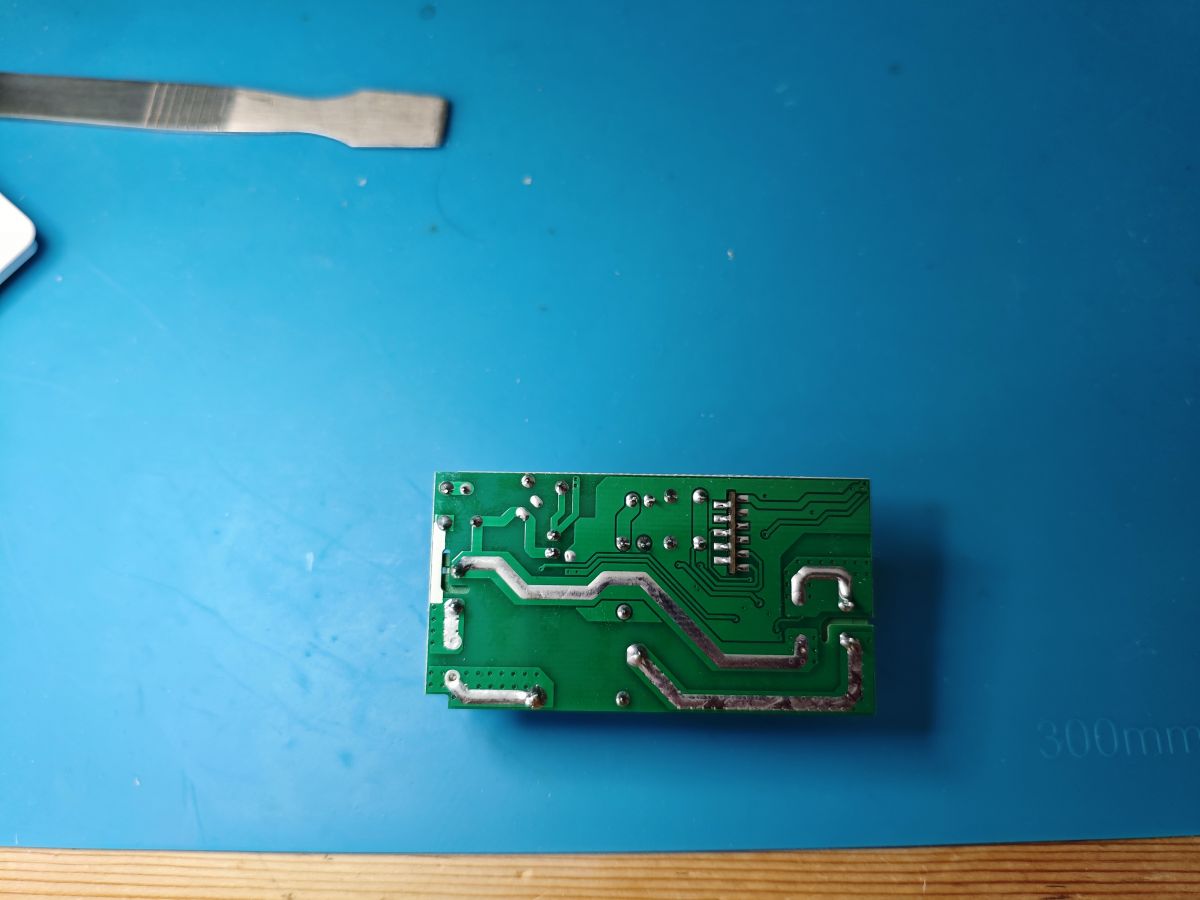
    Circuit board of a switch with ESP-C2 module. Photo of the DOIT ESP-C2-02 N2 module on a PCB, with visible connection terminals. Photo of an electronic module on a blue background with visible components such as a YONGWEI relay. PCB with visible traces and solder points

    The module is a DOIT ESP-C2-02 N2. I think N2 means it has 2Mb flash.
    DOIT ESP-C2-02 N2 module mounted on a PCB with a capacitor DOIT ESP-C2-02 N2 module on a printed circuit board with visible electronic components.

    thanks to StudioPieters for this module diagram

    Diagram of ESP-C2-02 module with pins and their functions

    Before I unsolder or solder up too much, in case the ESP is locked and I cannot flash it (and so it can go into the resale pile), I attached 3.3v and ground and used a sewing needle on TX to capture the UART log (74880 baud).
    Code: Text
    Log in, to see the code


    So it's a Cozylife device, also evidenced by the logo in the QR code in the manual. No mention of Secure Boot or encrypted flash.
    Proceeding to solder RX/TX and using a pogo pin to ground BOOT pad to pull it low and into flash download mode:

    ESP-C2-02 N2 soldered on a printed circuit board.

    The ESP enters download mode when powered:

    Code: Text
    Log in, to see the code


    Using esptool.exe some queries:

    esptool.exe --port COM10 flash_id
    Code: Text
    Log in, to see the code

    2Mb as predicted

    esptool.exe --port COM10 get_security_info
    Code: Text
    Log in, to see the code


    Result. No secure boot/encryption in the way. And so now a flash backup:

    esptool.EXE -p com10 -b 921600 read_flash 0 0x200000 BSD16_ESP32C2.bin
    Code: Text
    Log in, to see the code

    and just for the sake of it, the bootloader and partition table separately too

    esptool.exe --chip esp32c2 --port COM10 --baud 115200 read_flash 0x0 0x8000 BSD16_ESP32C2_BL.bin
    Code: Text
    Log in, to see the code


    esptool.exe --chip esp32c2 --port COM10 --baud 115200 read_flash 0x8000 0x6000 BSD16_ESP32C2_PT.bin
    Code: Text
    Log in, to see the code


    And now the moment of truth. Using the Jason2866's Tasmota-ESP-Flasher loaded with the latest OpenESP32C2 factory binary OpenESP32C2_1344_merge_ebdaa9544209.factory.bin from https://github.com/openshwprojects/OpenBK7231T_App/actions/runs/10845712403
    Screenshot of Tasmota ESP-Flasher showing the flashing process of an ESP32C2 device

    Flash success. After a power-cycle with BOOT/GPIO9 disconnected from ground, the OpenESP32C2 AP can be seen broadcasting
    A Wi-Fi connection window showing the OpenESP32C2_EA6592FC network.

    Connecting to the AP causes a brownout reboot though, so I guess I'm not feeding it enough power, despite it being connected to an external PSU that should be able to give it <5A.

    Code: Text
    Log in, to see the code
    Attachments:
    • BSD16_ESP32C2_PT.bin (24 KB) You must be logged in to download this attachment.
    • BSD16_ESP32C2_BL.bin (32 KB) You must be logged in to download this attachment.
    • BSD16_ESP32C2.bin (2 MB) You must be logged in to download this attachment.
  • ADVERTISEMENT
  • #2 21225606
    divadiow
    Level 38  
    Posts: 4835
    Help: 420
    Rate: 852
    With wires unsoldered and the unit back together

    White Wi-Fi switch with connected wires on a blue background. Electronic circuit with connected wires
    and powered from the mains the device does not brownout when AP is joined.

    OpenESP32C2 system interface displaying device information and configuration options.

    I went through each GPIO pulling all those available on the module high - 4, 5, 6, 7, 10, 18, 19, 20 but they had no effect. Taking the unit apart again it seems the button is GPIO5 and the LED is GPIO7. The button always seems to have continuity with GPIO5, pressed or not. I've not found the GPIO for the relay.

    The main GUI is responsive, but I am finding I need to power-cycle the unit quite a lot. The logs sometimes come through and sometimes nothing shows for a while.

    lots of malloc errors appear sometimes.

    Code: Text
    Log in, to see the code


    With the button set and after a quick push, these will sometimes show in the logs

    Code: Text
    Log in, to see the code


    I might flash original firmware back to be sure all works as expected.
  • ADVERTISEMENT
  • #3 21225735
    p.kaczmarek2
    Moderator Smart Home
    Posts: 14393
    Help: 650
    Rate: 12314
    Very interesting experiments, I wonder if there is OTA possiblity for this platform, or is it too secured? I mean, before flashing via UART.

    The decreasing amount of free 22804 memory usually means that something is blocking TCP sockets of HTTP server and they don't free HTTP buffer. It's an unexpected behaviour of LWIP. Maybe we can fix it by adjusting some LWIP settings, like a socket timeout, etc, I don't know, just speculating at the moment. @insmod might have some ideas. Does it happen only on this ESP module or on others as well?
    Helpful post? Buy me a coffee.
  • Helpful post
    #4 21225740
    insmod
    Level 31  
    Posts: 1353
    Help: 160
    Rate: 425
    >>21225735 The RAM problem i encountered only on C2. I now pushed some changes, which should increase amount of free RAM on C2.
  • #5 21225771
    divadiow
    Level 38  
    Posts: 4835
    Help: 420
    Rate: 852
    1344_merge_ff4d8fde47e8

    hmm. untouched, the free memory slowly decreases towards unresponsiveness. the device seems to be staying up, but there are periods where it is unresponsive. When it comes back it'll splurge a load of mallocs into the log.

    Code: Text
    Log in, to see the code


    Added after 40 [minutes]:

    p.kaczmarek2 wrote:
    I wonder if there is OTA possiblity for this platform, or is it too secured

    an adventure to add to the list
  • Helpful post
    #6 21225929
    insmod
    Level 31  
    Posts: 1353
    Help: 160
    Rate: 425
    >>21225771 Pushed further optimizations, i have about 40-60k free heap now on 500s online. No malloc errors yet.
  • #7 21225958
    divadiow
    Level 38  
    Posts: 4835
    Help: 420
    Rate: 852
    1344_merge_27cc79fd11d3
    the past couple of minutes:

    Code: Text
    Log in, to see the code


    still responsive at the moment

    Added after 2 [minutes]:

    still up and button pushes are registered in decent time

    Spoiler:
    Info:MAIN:Time 249, idle 0/s, free 72080, MQTT 0(16), bWifi 1, secondsWithNoPing 183, socks 0/0
    Info:MAIN:Time 250, idle 0/s, free 71928, MQTT 0(16), bWifi 1, secondsWithNoPing 184, socks 0/0
    Info:MAIN:Time 251, idle 0/s, free 71792, MQTT 0(16), bWifi 1, secondsWithNoPing 185, socks 0/0
    Info:MAIN:Time 252, idle 0/s, free 71624, MQTT 0(16), bWifi 1, secondsWithNoPing 186, socks 0/0
    Info:MAIN:Time 253, idle 0/s, free 71288, MQTT 0(16), bWifi 1, secondsWithNoPing 187, socks 0/0
    Info:MAIN:Time 254, idle 0/s, free 70944, MQTT 0(16), bWifi 1, secondsWithNoPing 188, socks 0/0
    Info:MAIN:Time 255, idle 0/s, free 70776, MQTT 0(16), bWifi 1, secondsWithNoPing 189, socks 0/0
    Info:MAIN:Time 256, idle 0/s, free 70440, MQTT 0(16), bWifi 1, secondsWithNoPing 190, socks 0/0
    Info:MAIN:Time 257, idle 0/s, free 69936, MQTT 0(16), bWifi 1, secondsWithNoPing 191, socks 0/0
    Info:MAIN:Time 258, idle 0/s, free 69768, MQTT 0(16), bWifi 1, secondsWithNoPing 192, socks 0/0
    Info:MAIN:Time 259, idle 0/s, free 69264, MQTT 0(16), bWifi 1, secondsWithNoPing 193, socks 0/0
    Info:MAIN:Time 260, idle 0/s, free 69096, MQTT 0(16), bWifi 1, secondsWithNoPing 194, socks 0/0
    Info:MAIN:Time 261, idle 0/s, free 68592, MQTT 0(16), bWifi 1, secondsWithNoPing 195, socks 0/0
    Info:MAIN:Time 262, idle 0/s, free 68040, MQTT 0(16), bWifi 1, secondsWithNoPing 196, socks 0/0
    Info:MAIN:Time 263, idle 0/s, free 67920, MQTT 0(16), bWifi 1, secondsWithNoPing 197, socks 0/0
    Info:MAIN:Time 264, idle 0/s, free 67584, MQTT 0(16), bWifi 1, secondsWithNoPing 198, socks 0/0
    Info:MQTT:mqtt_host empty, not starting mqtt
    Info:MAIN:Time 265, idle 0/s, free 67248, MQTT 0(17), bWifi 1, secondsWithNoPing 199, socks 0/0
    Info:MAIN:Time 266, idle 0/s, free 66912, MQTT 0(17), bWifi 1, secondsWithNoPing 200, socks 0/0
    Info:GEN:5 Button_OnInitialPressDown
    Info:GEN:5 key_short_press
    Info:MAIN:Time 267, idle 0/s, free 66408, MQTT 0(17), bWifi 1, secondsWithNoPing 201, socks 0/0
    Info:MAIN:Time 268, idle 0/s, free 66208, MQTT 0(17), bWifi 1, secondsWithNoPing 202, socks 0/0
    Info:MAIN:Time 269, idle 0/s, free 65904, MQTT 0(17), bWifi 1, secondsWithNoPing 203, socks 0/0
    Info:GEN:5 Button_OnInitialPressDown
    Info:MAIN:Time 270, idle 0/s, free 65568, MQTT 0(17), bWifi 1, secondsWithNoPing 204, socks 0/0
    Info:GEN:5 key_short_press
    Info:MAIN:Time 271, idle 0/s, free 65232, MQTT 0(17), bWifi 1, secondsWithNoPing 205, socks 0/0
    Info:GEN:5 Button_OnInitialPressDown
    Info:MAIN:Time 272, idle 0/s, free 64896, MQTT 0(17), bWifi 1, secondsWithNoPing 206, socks 0/0
    Info:GEN:5 key_short_press
    Info:MAIN:Time 273, idle 0/s, free 64560, MQTT 0(17), bWifi 1, secondsWithNoPing 207, socks 0/0
    Info:MAIN:Time 274, idle 0/s, free 64392, MQTT 0(17), bWifi 1, secondsWithNoPing 208, socks 0/0
    Info:GEN:5 Button_OnInitialPressDown
    Info:GEN:5 key_short_press
    Info:MAIN:Time 275, idle 0/s, free 64056, MQTT 0(17), bWifi 1, secondsWithNoPing 209, socks 0/0
    Info:MAIN:Time 276, idle 0/s, free 63720, MQTT 0(17), bWifi 1, secondsWithNoPing 210, socks 0/0
    Info:GEN:5 Button_OnInitialPressDown
    Info:GEN:5 key_short_press
    Info:MAIN:Time 277, idle 0/s, free 63552, MQTT 0(17), bWifi 1, secondsWithNoPing 211, socks 0/0
    Info:MAIN:Time 278, idle 0/s, free 63216, MQTT 0(17), bWifi 1, secondsWithNoPing 212, socks 0/0
    Info:GEN:5 Button_OnInitialPressDown
    Info:GEN:5 key_short_press
    Info:MAIN:Time 279, idle 0/s, free 63048, MQTT 0(17), bWifi 1, secondsWithNoPing 213, socks 0/0
    Info:GEN:5 Button_OnInitialPressDown
    Info:GEN:5 key_short_press
    Info:MAIN:Time 280, idle 0/s, free 50940, MQTT 0(17), bWifi 1, secondsWithNoPing 214, socks 0/0
    Info:MQTT:mqtt_host empty, not starting mqtt
    Info:MAIN:Time 281, idle 0/s, free 62376, MQTT 0(18), bWifi 1, secondsWithNoPing 215, socks 0/0
    Info:MAIN:Time 282, idle 0/s, free 62040, MQTT 0(18), bWifi 1, secondsWithNoPing 216, socks 0/0
    Info:MAIN:Time 283, idle 0/s, free 61704, MQTT 0(18), bWifi 1, secondsWithNoPing 217, socks 0/0
    Info:MAIN:Time 284, idle 0/s, free 61368, MQTT 0(18), bWifi 1, secondsWithNoPing 218, socks 0/0
    Info:MAIN:Time 285, idle 0/s, free 60864, MQTT 0(18), bWifi 1, secondsWithNoPing 219, socks 0/0
    Info:GEN:5 Button_OnInitialPressDown
    Info:GEN:5 key_short_press
    Info:MAIN:Time 286, idle 0/s, free 60696, MQTT 0(18), bWifi 1, secondsWithNoPing 220, socks 0/0
    Info:MAIN:Time 287, idle 0/s, free 60192, MQTT 0(18), bWifi 1, secondsWithNoPing 221, socks 0/0
    Info:MAIN:Time 288, idle 0/s, free 59728, MQTT 0(18), bWifi 1, secondsWithNoPing 222, socks 0/0
    Info:MAIN:Time 289, idle 0/s, free 59688, MQTT 0(18), bWifi 1, secondsWithNoPing 223, socks 0/0
    Info:MAIN:Time 290, idle 0/s, free 59352, MQTT 0(18), bWifi 1, secondsWithNoPing 224, socks 0/0
    Info:MAIN:Time 291, idle 0/s, free 58816, MQTT 0(18), bWifi 1, secondsWithNoPing 225, socks 0/0
    Info:MAIN:Time 292, idle 0/s, free 58680, MQTT 0(18), bWifi 1, secondsWithNoPing 226, socks 0/0
    Info:MAIN:Time 293, idle 0/s, free 58176, MQTT 0(18), bWifi 1, secondsWithNoPing 227, socks 0/0
    Info:MAIN:Time 294, idle 0/s, free 57996, MQTT 0(18), bWifi 1, secondsWithNoPing 228, socks 0/0
    Info:MAIN:Time 295, idle 0/s, free 57660, MQTT 0(18), bWifi 1, secondsWithNoPing 229, socks 0/0
    Info:GEN:5 Button_OnInitialPressDown
    Info:MAIN:Time 296, idle 0/s, free 57324, MQTT 0(18), bWifi 1, secondsWithNoPing 230, socks 0/0
    Info:GEN:5 key_short_press
    Info:MQTT:Channel has changed! Publishing 1 to channel 1
    Info:MQTT:mqtt_host empty, not starting mqtt
    Info:MAIN:Time 297, idle 0/s, free 56988, MQTT 0(19), bWifi 1, secondsWithNoPing 231, socks 0/0
    Info:GEN:5 Button_OnInitialPressDown
    Info:GEN:5 key_short_press
    Info:MQTT:Channel has changed! Publishing 0 to channel 1
    Info:MAIN:Time 298, idle 0/s, free 56652, MQTT 0(19), bWifi 1, secondsWithNoPing 232, socks 0/0
    Info:MAIN:Time 299, idle 0/s, free 56316, MQTT 0(19), bWifi 1, secondsWithNoPing 233, socks 0/0
    Info:MAIN:Time 300, idle 0/s, free 55972, MQTT 0(19), bWifi 1, secondsWithNoPing 234, socks 0/0
    Info:MAIN:Time 301, idle 0/s, free 55468, MQTT 0(19), bWifi 1, secondsWithNoPing 235, socks 0/0
    Info:MAIN:Time 302, idle 0/s, free 55300, MQTT 0(19), bWifi 1, secondsWithNoPing 236, socks 0/0
    Info:MAIN:Time 303, idle 0/s, free 54788, MQTT 0(19), bWifi 1, secondsWithNoPing 237, socks 0/0
    Info:MAIN:Time 304, idle 0/s, free 54924, MQTT 0(19), bWifi 1, secondsWithNoPing 238, socks 0/0
    Info:GEN:5 Button_OnInitialPressDown
    Info:MAIN:Time 305, idle 0/s, free 52224, MQTT 0(19), bWifi 1, secondsWithNoPing 239, socks 0/0
    Info:GEN:5 key_short_press
    Info:MQTT:Channel has changed! Publishing 1 to channel 1
    Info:MAIN:Time 306, idle 0/s, free 44316, MQTT 0(19), bWifi 1, secondsWithNoPing 240, socks 0/0
    Info:GEN:5 Button_OnInitialPressDown
    Info:MAIN:Time 307, idle 0/s, free 54772, MQTT 0(19), bWifi 1, secondsWithNoPing 241, socks 0/0
    Info:GEN:5 key_short_press
    Info:MQTT:Channel has changed! Publishing 0 to channel 1
    Info:GEN:5 Button_OnInitialPressDown
    Info:MAIN:Time 308, idle 0/s, free 54940, MQTT 0(19), bWifi 1, secondsWithNoPing 242, socks 0/0
    Info:GEN:5 key_short_press
    Info:MQTT:Channel has changed! Publishing 1 to channel 1
    Info:MAIN:Time 309, idle 0/s, free 54604, MQTT 0(19), bWifi 1, secondsWithNoPing 243, socks 0/0
    Info:GEN:5 Button_OnInitialPressDown
    Info:MAIN:Time 310, idle 0/s, free 54564, MQTT 0(19), bWifi 1, secondsWithNoPing 244, socks 0/0
    Info:GEN:5 key_short_press
    Info:MQTT:Channel has changed! Publishing 0 to channel 1
    Info:MAIN:Time 311, idle 0/s, free 54596, MQTT 0(19), bWifi 1, secondsWithNoPing 245, socks 0/0
    Info:GEN:5 Button_OnInitialPressDown
    Info:MAIN:Time 312, idle 0/s, free 54428, MQTT 0(19), bWifi 1, secondsWithNoPing 246, socks 0/0
    Info:GEN:5 key_short_press
    Info:MQTT:Channel has changed! Publishing 1 to channel 1
    Info:GEN:5 Button_OnInitialPressDown
    Info:GEN:5 key_short_press
    Info:MQTT:Channel has changed! Publishing 0 to channel 1
    Info:MQTT:mqtt_host empty, not starting mqtt
    Info:MAIN:Time 313, idle 0/s, free 54228, MQTT 0(20), bWifi 1, secondsWithNoPing 247, socks 0/0
    Info:MAIN:Time 314, idle 0/s, free 54268, MQTT 0(20), bWifi 1, secondsWithNoPing 248, socks 0/0
    Info:GEN:5 Button_OnInitialPressDown
    Info:MAIN:Time 315, idle 0/s, free 54060, MQTT 0(20), bWifi 1, secondsWithNoPing 249, socks 0/0
    Info:GEN:5 key_short_press
    Info:MQTT:Channel has changed! Publishing 1 to channel 1
    Info:GEN:5 Button_OnInitialPressDown
    Info:MAIN:Time 316, idle 0/s, free 54060, MQTT 0(20), bWifi 1, secondsWithNoPing 250, socks 0/0
    Info:GEN:5 key_short_press
    Info:MQTT:Channel has changed! Publishing 0 to channel 1
    Info:GEN:5 Button_OnInitialPressDown
    Info:GEN:5 key_short_press
    Info:MQTT:Channel has changed! Publishing 1 to channel 1
    Info:GEN:5 Button_OnInitialPressDown
    Info:MAIN:Time 317, idle 0/s, free 45024, MQTT 0(20), bWifi 1, secondsWithNoPing 251, socks 0/0
    Info:GEN:5 key_short_press
    Info:MQTT:Channel has changed! Publishing 0 to channel 1
    Info:GEN:5 Button_OnInitialPressDown
    Info:MAIN:Time 318, idle 0/s, free 54060, MQTT 0(20), bWifi 1, secondsWithNoPing 252, socks 0/0
    Info:GEN:5 key_short_press
    Info:MQTT:Channel has changed! Publishing 1 to channel 1
    Info:GEN:5 Button_OnInitialPressDown
    Info:GEN:5 key_short_press
    Info:MQTT:Channel has changed! Publishing 0 to channel 1
    Info:MAIN:Time 319, idle 0/s, free 53924, MQTT 0(20), bWifi 1, secondsWithNoPing 253, socks 0/0
    Info:GEN:5 Button_OnInitialPressDown
    Info:GEN:5 key_short_press
    Info:MQTT:Channel has changed! Publishing 1 to channel 1
    Info:GEN:5 Button_OnInitialPressDown
    Info:GEN:5 key_short_press
    Info:MQTT:Channel has changed! Publishing 0 to channel 1
    Info:MAIN:Time 320, idle 0/s, free 53756, MQTT 0(20), bWifi 1, secondsWithNoPing 254, socks 0/0
    Info:GEN:5 Button_OnInitialPressDown
    Info:MAIN:Time 321, idle 0/s, free 53588, MQTT 0(20), bWifi 1, secondsWithNoPing 255, socks 0/0
    Info:GEN:5 Button_OnLongPressHoldStart
    Info:MAIN:Time 322, idle 0/s, free 42692, MQTT 0(20), bWifi 1, secondsWithNoPing 256, socks 0/0
    Info:GEN:5 Button_OnLongPressHold
    Info:GEN:5 Button_OnLongPressHold
    Info:MAIN:Time 323, idle 0/s, free 53420, MQTT 0(20), bWifi 1, secondsWithNoPing 257, socks 0/0
    Info:GEN:5 Button_OnLongPressHold
    Info:MAIN:Time 324, idle 0/s, free 53420, MQTT 0(20), bWifi 1, secondsWithNoPing 258, socks 0/0
    Info:GEN:5 Button_OnInitialPressDown
    Info:MAIN:Time 325, idle 0/s, free 53252, MQTT 0(20), bWifi 1, secondsWithNoPing 259, socks 0/0
    Info:MAIN:Time 326, idle 0/s, free 53252, MQTT 0(20), bWifi 1, secondsWithNoPing 260, socks 0/0
    Info:GEN:5 Button_OnLongPressHoldStart
    Info:GEN:5 Button_OnLongPressHold
    Info:MAIN:Time 327, idle 0/s, free 52956, MQTT 0(20), bWifi 1, secondsWithNoPing 261, socks 0/0
    Info:GEN:5 Button_OnInitialPressDown
    Info:MAIN:Time 328, idle 0/s, free 53420, MQTT 0(20), bWifi 1, secondsWithNoPing 262, socks 0/0
    Info:GEN:5 Button_OnLongPressHoldStart
    Info:GEN:5 Button_OnLongPressHold
    Info:MQTT:mqtt_host empty, not starting mqtt
    Info:MAIN:Time 329, idle 0/s, free 53084, MQTT 0(21), bWifi 1, secondsWithNoPing 263, socks 0/0
    Info:GEN:5 Button_OnInitialPressDown
    Info:MAIN:Time 330, idle 0/s, free 52916, MQTT 0(21), bWifi 1, secondsWithNoPing 264, socks 0/0
    Info:GEN:5 key_short_press
    Info:MQTT:Channel has changed! Publishing 1 to channel 1
    Info:GEN:5 Button_OnInitialPressDown
    Info:MAIN:Time 331, idle 0/s, free 52748, MQTT 0(21), bWifi 1, secondsWithNoPing 265, socks 0/0
    Info:GEN:5 key_short_press
    Info:MQTT:Channel has changed! Publishing 0 to channel 1
    Info:GEN:5 Button_OnInitialPressDown
    Info:MAIN:Time 332, idle 0/s, free 52916, MQTT 0(21), bWifi 1, secondsWithNoPing 266, socks 0/0
    Info:GEN:5 key_short_press
    Info:MQTT:Channel has changed! Publishing 1 to channel 1
    Info:GEN:5 Button_OnInitialPressDown
    Info:GEN:5 key_short_press
    Info:MQTT:Channel has changed! Publishing 0 to channel 1
    Info:MAIN:Time 333, idle 0/s, free 52748, MQTT 0(21), bWifi 1, secondsWithNoPing 267, socks 0/0
    Info:GEN:5 Button_OnInitialPressDown
    Info:GEN:5 key_short_press
    Info:MQTT:Channel has changed! Publishing 1 to channel 1
    Info:GEN:5 Button_OnInitialPressDown
    Info:MAIN:Time 334, idle 0/s, free 52556, MQTT 0(21), bWifi 1, secondsWithNoPing 268, socks 0/0
    Info:GEN:5 key_triple_press
    Info:GEN:5 Button_OnInitialPressDown
    Info:MAIN:Time 335, idle 0/s, free 52588, MQTT 0(21), bWifi 1, secondsWithNoPing 269, socks 0/0
    Info:GEN:5 key_short_press
    Info:MQTT:Channel has changed! Publishing 0 to channel 1
    Info:GEN:5 Button_OnInitialPressDown
    Info:GEN:5 key_short_press
    Info:MQTT:Channel has changed! Publishing 1 to channel 1
    Info:MAIN:Time 336, idle 0/s, free 52596, MQTT 0(21), bWifi 1, secondsWithNoPing 270, socks 0/0
    Info:GEN:5 Button_OnInitialPressDown
    Info:GEN:5 key_short_press
    Info:MQTT:Channel has changed! Publishing 0 to channel 1
    Info:MAIN:Time 337, idle 0/s, free 41968, MQTT 0(21), bWifi 1, secondsWithNoPing 271, socks 0/0
    Info:GEN:5 Button_OnInitialPressDown
    Info:MAIN:Time 338, idle 0/s, free 52420, MQTT 0(21), bWifi 1, secondsWithNoPing 272, socks 0/0
    Info:GEN:5 key_short_press
    Info:MQTT:Channel has changed! Publishing 1 to channel 1
    Info:GEN:5 Button_OnInitialPressDown
    Info:MAIN:Time 339, idle 0/s, free 52588, MQTT 0(21), bWifi 1, secondsWithNoPing 273, socks 0/0
    Info:GEN:5 key_short_press
    Info:MQTT:Channel has changed! Publishing 0 to channel 1
    Info:MAIN:Time 340, idle 0/s, free 52588, MQTT 0(21), bWifi 1, secondsWithNoPing 274, socks 0/0
    Info:GEN:5 Button_OnInitialPressDown
    Info:GEN:5 key_short_press
    Info:MQTT:Channel has changed! Publishing 1 to channel 1
    Info:MAIN:Time 341, idle 0/s, free 52756, MQTT 0(21), bWifi 1, secondsWithNoPing 275, socks 0/0
    Info:MAIN:Time 342, idle 0/s, free 42136, MQTT 0(21), bWifi 1, secondsWithNoPing 276, socks 0/0
    Info:GEN:5 Button_OnInitialPressDown
    Info:MAIN:Time 343, idle 0/s, free 52756, MQTT 0(21), bWifi 1, secondsWithNoPing 277, socks 0/0
    Info:GEN:5 key_short_press
    Info:MQTT:Channel has changed! Publishing 0 to channel 1
    Info:GEN:5 Button_OnInitialPressDown
    Info:MAIN:Time 344, idle 0/s, free 52420, MQTT 0(21), bWifi 1, secondsWithNoPing 278, socks 0/0
    Info:GEN:5 key_short_press
    Info:MQTT:Channel has changed! Publishing 1 to channel 1
    Info:MQTT:mqtt_host empty, not starting mqtt
    Info:MAIN:Time 345, idle 0/s, free 52420, MQTT 0(22), bWifi 1, secondsWithNoPing 279, socks 0/0
    Info:MAIN:Time 346, idle 0/s, free 52420, MQTT 0(22), bWifi 1, secondsWithNoPing 280, socks 0/0


    Added after 11 [minutes]:

    still responsive.
    Screenshot showing device startup details based on ESP32C2.
    and I just thought to try PWM on for the LED instead of LED and that works.

    Screenshot showing IO7 set to PWM with a value of 3.

    It does oddly flickery when 'off' though. Still, feels like progress.


    Added after 24 [minutes]:

    and it turns out the relay is on IO4 and is also PWM. I guess the frequency needs determining as with 4:PWM:2 it'll click on and off when switched to on


    Added after 1 [hours] 27 [minutes]:

    There's a BP2525 (bottom middle) and there appears to be continuity from at least 2 of the legs to the D3 side of the T4 component, the other side of which is connected to the leg of the relay in that corner. Not sure what this means for an OBK config at this point though.

    Close-up of a circuit board with visible electronic components and markings.
  • ADVERTISEMENT
  • #8 21227358
    divadiow
    Level 38  
    Posts: 4835
    Help: 420
    Rate: 852
    Software version and online time information for the ESP32C2 device.
    👍🏼

    Added after 5 [hours] 7 [minutes]:

    LED, and to some extent the relay, are better with 1344_merge_be604adfa333 where I see some PWM/pin changes have been made. Currently LED does not flicker when off and is solid when on. Relay are both a bit hit-and-miss triggering on, but maybe this is down to the unknown PWM frequency needed for either.

    User interface with IO configuration settings.

    Added after 4 [minutes]:

    strings from factory fw
    Attachments:
    • BSD16.bin.txt (89.38 KB) You must be logged in to download this attachment.
  • #9 21227994
    insmod
    Level 31  
    Posts: 1353
    Help: 160
    Rate: 425
    >>21227358 Try without PWM on latest build
  • ADVERTISEMENT
  • Helpful post
    #10 21228574
    divadiow
    Level 38  
    Posts: 4835
    Help: 420
    Rate: 852
    genius!
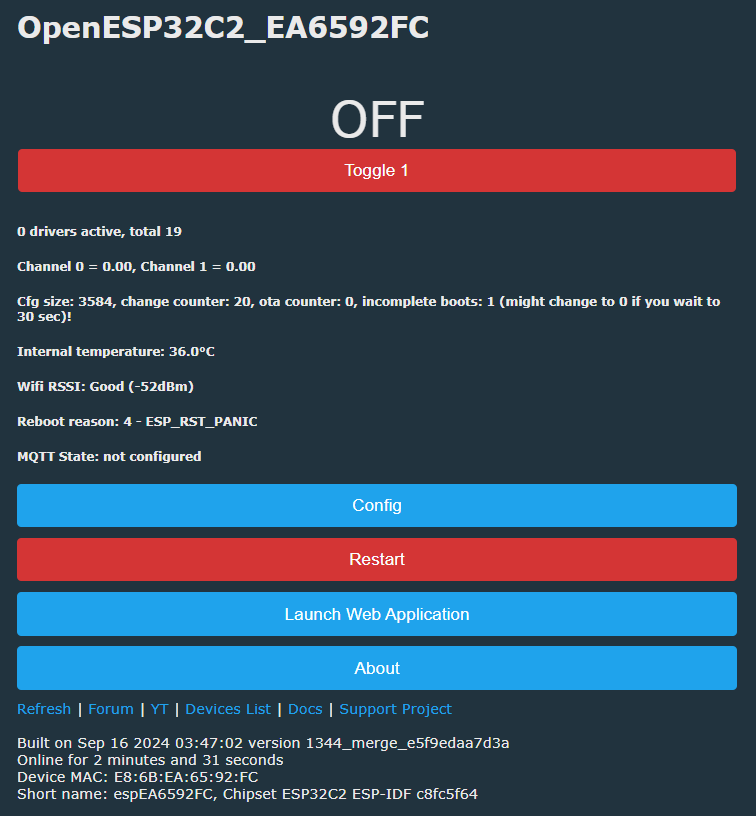
    OpenESP32C2 user interface with Toggle 1 button in off state.
    Screenshot of a device pin settings interface with fields for IO4, IO5, IO6, and IO7.

    relay, button, LED all work as normal. I didn't mention that I'd hooked up a logic analyser to LED and relay contacts and there was no sign of PWM, so this makes sense.

    Added after 2 [hours] 53 [minutes]:

    unless there are other, yet to be identified, issues this could be considered a complete conversion to OpenESP32C2. In which case the template would be

    Code: JSON
    Log in, to see the code
  • #11 21229886
    p.kaczmarek2
    Moderator Smart Home
    Posts: 14393
    Help: 650
    Rate: 12314
    Very good job! How stable is the ESP32 port currently? Can I soon merge the PR into the main tree?
    Helpful post? Buy me a coffee.
  • #12 21229894
    divadiow
    Level 38  
    Posts: 4835
    Help: 420
    Rate: 852
    Seems fast and stable in all the testing above since malloc issue was sorted. I've not left it online for any longer than a day but I'll leave it plugged in to be sure it's happy for days/weeks

    Added after 24 [minutes]:

    thought it was unplugged. currently:
    Text indicating system build date and uptime.
  • Helpful post
    #13 21229957
    insmod
    Level 31  
    Posts: 1353
    Help: 160
    Rate: 425
    >>21229886 The system itself runs stable.
    Problems:
    I2C not working on some pins (most important - i wasn't able to get bp5758d on wroom-07 module working)
    UART receiving (on C6 if connected to RX pin - works okay, on C2 soldered to tuyamcu battery pir sensor - receives nothing). Sending works ok.
    OTA can be very slow, up to 3-4 minutes. Restart before OTA is recommended.
    PWM was flickering heavily on C2, cause unknown. But, i believe it is solved when timer clk_cfg started using SOC_MOD_CLK_RC_FAST instead of LEDC_AUTO_CLK.
    No static ip.
    When using powersave dynamic frequency, if entered freq is wrong - esp-idf driver will print it to uart only - so we won't know that custom frequency wasn't applied. Also, when max freq value is too low (like 40mhz on C3), wifi will disconnect and won't be able to reconnect.
    No pindeepsleep.
    BL0937 gpio isr is not implemented.

    Those are off the top of my head, some other issues may also be present.

    For I2C - perhaps because Soft_I2C_SetHigh calls for HAL_PIN_Setup_Input_Pullup, instead of HAL_PIN_SetOutputValue(pin, 1)?

Topic summary

✨ The discussion revolves around the BSD16 HomeKit 10A breaker switch, which incorporates a DOIT ESP-C2-02 N2 module. The user is experimenting with the device to run OpenESP32C2 firmware. Initial tests revealed issues with GPIO functionality, particularly with the button and LED connections. Users reported memory management problems, including malloc errors and unresponsiveness, which were addressed through firmware optimizations. The relay and LED behavior improved after adjustments to PWM settings. The device is now considered stable for use, with successful integration into the OpenESP32C2 environment, although some issues with I2C and OTA performance remain. The final configuration includes specific GPIO assignments for the relay, button, and LED.
Generated by the language model.

FAQ

TL;DR: OTA on ESP32‑C2 can take 3–4 minutes; "The system itself runs stable." This FAQ shows how to flash OpenESP32C2 on the BSD16, set GPIO4/5/7, fix brownouts, and track current limits. [Elektroda, insmod, post #21229957]

Why it matters: It helps ESP32‑C2 tinkerers convert CozyLife/HomeKit breakers safely and understand current platform constraints.

Quick Facts

What hardware is inside the BSD16 HomeKit breaker?

It uses a DOIT ESP‑C2‑02 N2 module with an ESP32‑C2 rev v1.2. Detected flash size is 2 MB. Stock boot logs show CozyLife SDK 0.6.0 and HomeKit (HAP) initialization with mDNS announcements. It is a non‑Tuya HomeKit 10 A breaker. [Elektroda, divadiow, post #21225221]

How do I flash OpenESP32C2 onto the BSD16 safely?

  1. Hold BOOT/GPIO9 low and power on to enter DOWNLOAD(UART0).
  2. Back up flash: esptool read_flash 0x0 0x200000; optionally dump bootloader and partition table.
  3. Use Tasmota‑ESP‑Flasher to write the latest OpenESP32C2 factory binary, then power‑cycle with BOOT released. The device should broadcast its AP. [Elektroda, divadiow, post #21225221]

How do I enter UART download mode on the ESP32‑C2 module?

Ground the BOOT pad (GPIO9) while powering the device. The ROM prints boot:0x4 (DOWNLOAD(UART0)) and “waiting for download.” Release BOOT after flashing to boot normally. [Elektroda, divadiow, post #21225221]

Is Secure Boot or Flash Encryption enabled on this unit?

No. get_security_info shows Secure Boot: Disabled, Flash Encryption: Disabled, and SPI_BOOT_CRYPT_CNT: 0x0. That allows full backups and custom firmware flashing without decryption keys. [Elektroda, divadiow, post #21225221]

What’s the correct UART baud to capture the stock boot log?

Use 74880 baud on TX with 3.3 V and GND attached. The captured log shows CozyLife SDK details, HomeKit HAP initialization, BLE MAC, and other startup info. [Elektroda, divadiow, post #21225221]

My unit reboots with BROWNOUT_RST when I join the AP. How do I fix it?

This occurred on bench power during setup. When reassembled and powered from mains, the brownout disappeared and the AP join was stable. Use a robust supply or mains power during configuration. [Elektroda, divadiow, post #21225606]

What GPIO mapping works for relay, button, and LED in OpenESP32C2?

Use GPIO4=Rel1, GPIO5=Btn1, and GPIO7=WifiLED. The LED and relay operate as simple digital outputs; PWM is not required on the latest build. “Relay, button, LED all work as normal.” [Elektroda, divadiow, post #21228574]

Why did PWM flicker on ESP32‑C2, and what’s the fix?

Earlier builds flickered on C2. The fix uses an LEDC timer clock based on RC_FAST rather than AUTO. Alternatively, avoid PWM for the LED and relay on this device. “PWM was flickering heavily on C2.” [Elektroda, insmod, post #21229957]

I see free heap dropping and HTTP malloc errors. What’s happening?

A maintainer noted the HTTP server’s TCP sockets can block and not free LWIP buffers. Free memory falls and the web server becomes unresponsive. Adjusting LWIP timeouts may help. “Something is blocking TCP sockets of HTTP server.” [Elektroda, p.kaczmarek2, post #21225735]

Did the recent RAM optimizations help ESP32‑C2 stability?

Yes. After updates, free heap is about 40–60 kB at 500 seconds online with no malloc errors observed. Responsiveness improved during extended runs. [Elektroda, insmod, post #21225929]

Is OTA supported, and how long does it take?

Yes, OTA works but can be slow. Expect about 3–4 minutes per update. Restarting before OTA is recommended to ensure sufficient free RAM and reliability. “Restart before OTA is recommended.” [Elektroda, insmod, post #21229957]

Does I2C work on ESP32‑C2 right now?

Not consistently. I2C failed on some pins, and the BP5758D driver did not work on a WROOM‑07 test module. Developers are investigating software I2C handling and pin behavior. [Elektroda, insmod, post #21229957]

Is UART receive reliable on C2?

Mixed results. On ESP32‑C6, RX worked fine. On C2 with a TuyaMCU battery PIR sensor, RX received nothing, although TX worked normally. Testing your sensor is advised. [Elektroda, insmod, post #21229957]

Can I set a static IP or use deep sleep?

Static IP is not available yet, and pin deep sleep is not implemented. Also, using an incorrect dynamic Wi‑Fi frequency can break connectivity on some chips. [Elektroda, insmod, post #21229957]

How do I confirm the device runs Apple HomeKit stock?

Capture the boot log at 74880 baud. You should see HAP initialization, Setup ID (e.g., 93UR), mDNS for _hap._tcp, and “Accessory is not Paired.” CozyLife SDK details also appear. [Elektroda, divadiow, post #21225221]

Is the ESP32 port stable enough for daily use now?

A tester reports it “fast and stable” since the RAM fixes. They plan multi‑day runs, and early uptimes look solid with responsive UI and buttons. [Elektroda, divadiow, post #21229894]
Generated by the language model.
ADVERTISEMENT