logo elektroda
logo elektroda
X
logo elektroda

Flashing OpenBeken/OBK firmware to ESP8266/ESP8285 devices

divadiow 5313 95
ADVERTISEMENT
  • #31 21597924
    max4elektroda
    Level 24  
    Posts: 745
    Help: 47
    Rate: 183
    DeDaMrAz wrote:
    Again to ping @max4elektroda whose idea on that topic I liked (not tested by me).

    I heard your ping, @DeDaMrAz, but will not be able to answer the ping before next week. First my notebook died and this weekend I will not be able to afford much time.
  • ADVERTISEMENT
  • #32 21599164
    divadiow
    Level 38  
    Posts: 4849
    Help: 421
    Rate: 854
    Tasmota info
    Code: Text
    Log in, to see the code


    2mb OBK after esptool.exe erase_flash. This is on ESP-02S in BSD48 UK plug referenced earlier.
    Code: Text
    Log in, to see the code


    is this because the flash is DOUT and not QIO?
  • #33 21599187
    insmod
    Level 31  
    Posts: 1353
    Help: 160
    Rate: 425
    >>21599164 Try to play with esptool --flash-mode argument
  • #34 21599222
    divadiow
    Level 38  
    Posts: 4849
    Help: 421
    Rate: 854
    insmod wrote:
    Try to play with esptool --flash-mode argument


    ah I see, cool. switching device for a sec

    Code: Text
    Log in, to see the code


    1mb mini module from GU10 bulb - https://discourse.superhouse.tv/t/flashing-an-esp-8285-on-a-wiz-bulb/741/4

    Code: Text
    Log in, to see the code


    first boot + client join AP. says QIO but boots.
    Code: Text
    Log in, to see the code


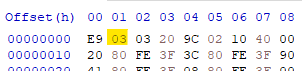
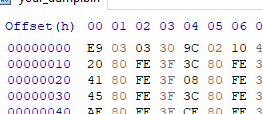
    I see 03 here in post-flash dump = DOUT
    Flashing OpenBeken/OBK firmware to ESP8266/ESP8285 devices

    Added after 7 [minutes]:

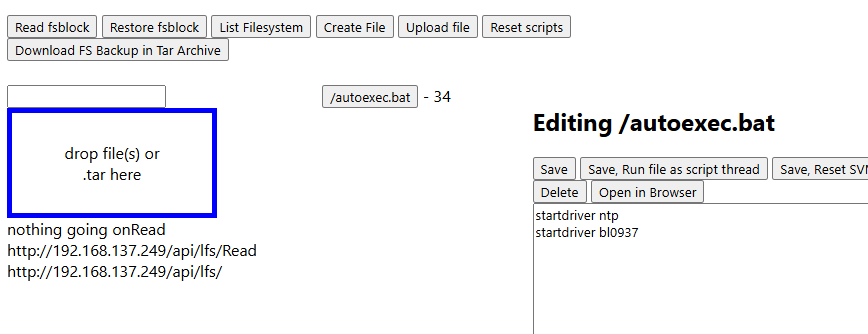
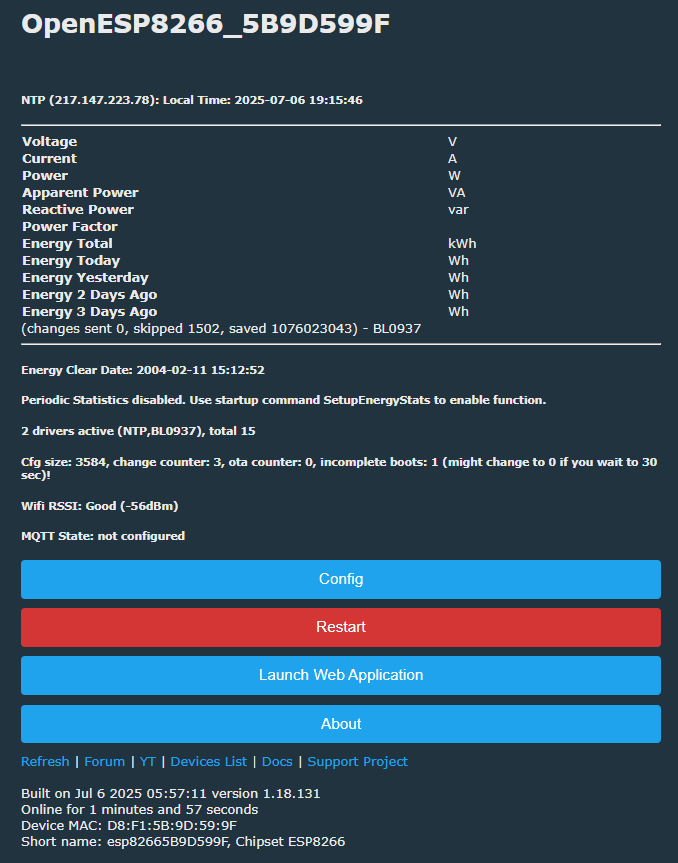
    1mb still. LFS OK. These two drivers start.

    Flashing OpenBeken/OBK firmware to ESP8266/ESP8285 devices
    Flashing OpenBeken/OBK firmware to ESP8266/ESP8285 devices

    Added after 8 [minutes]:

    memory with no drivers started
    Code: Text
    Log in, to see the code
  • #35 21599242
    DeDaMrAz
    Level 22  
    Posts: 596
    Help: 34
    Rate: 125
    divadiow wrote:
    memory with no drivers started


    So more or less same as 8266, right? Am I seeing this right you are running OBK on 8285??
  • #36 21599254
    divadiow
    Level 38  
    Posts: 4849
    Help: 421
    Rate: 854
    >>21599242

    same thing aren't they but 8285 has internal flash and 8266 supports external flash
    DeDaMrAz wrote:
    Am I seeing this right you are running OBK on 8285??

    yes
  • #37 21599257
    p.kaczmarek2
    Moderator Smart Home
    Posts: 14406
    Help: 650
    Rate: 12345
    Both ESP8266 and ESP8285 have the same amount of RAM. The difference is the flash chip - ESP8285 has built-in 1MB and ESP8266 has external connected via SPI.
    Helpful post? Buy me a coffee.
  • #38 21599272
    divadiow
    Level 38  
    Posts: 4849
    Help: 421
    Rate: 854
    Code: Text
    Log in, to see the code


    Code: Text
    Log in, to see the code


    Flashing OpenBeken/OBK firmware to ESP8266/ESP8285 devices

    Added after 9 [hours] 20 [minutes]:

    https://github.com/openshwprojects/OpenBK7231T_App/actions/runs/16106020194

    used ESP-Flasher.exe - ie not esptool cmd

    Code: Text
    Log in, to see the code


    Added after 11 [hours] 58 [minutes]:

    I don't think BL0937 is working. Tried on ESP-02S real device and NodeMCU with Arduino PWM sketch thing https://www.elektroda.com/rtvforum/topic4109046.html

    Flashing OpenBeken/OBK firmware to ESP8266/ESP8285 devices
  • Helpful post
    #39 21601376
    p.kaczmarek2
    Moderator Smart Home
    Posts: 14406
    Help: 650
    Rate: 12345
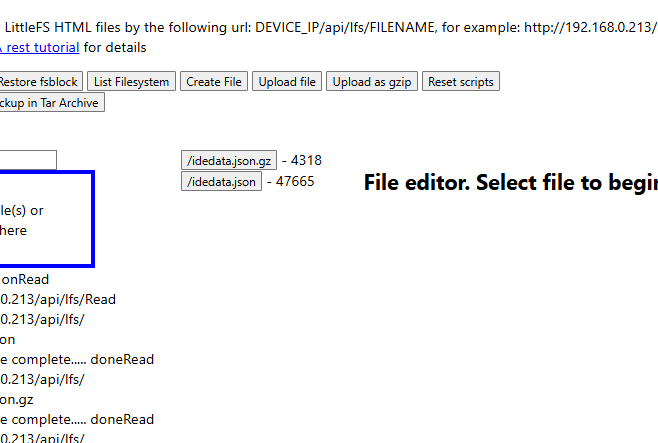
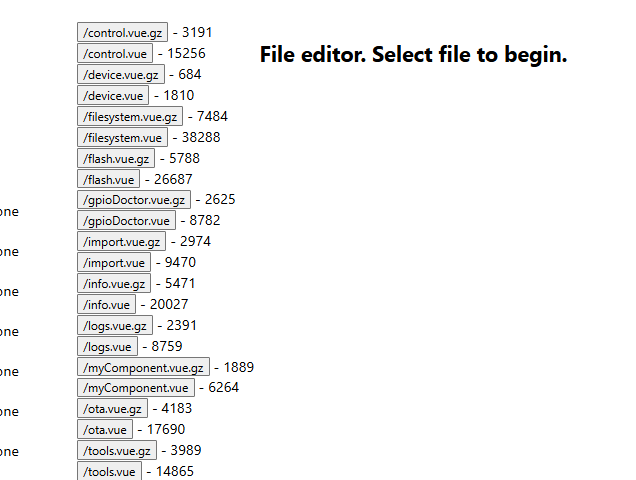
    I am adding "upload as GZIP" button along with simple gzip header handling in the firmware code. Browser will decode file on the fly.
    Flashing OpenBeken/OBK firmware to ESP8266/ESP8285 devices

    Added after 2 [minutes]:

    Here is comparison with and without compression:

    Flashing OpenBeken/OBK firmware to ESP8266/ESP8285 devices

    Added after 3 [hours] 53 [minutes]:

    LFS GZIP Topic: https://www.elektroda.com/rtvforum/topic4129516.html
    Helpful post? Buy me a coffee.
  • #40 21614400
    divadiow
    Level 38  
    Posts: 4849
    Help: 421
    Rate: 854
    no WPA3 success on OpenESP8266
    Code: Text
    Log in, to see the code
  • ADVERTISEMENT
  • #41 21631565
    divadiow
    Level 38  
    Posts: 4849
    Help: 421
    Rate: 854
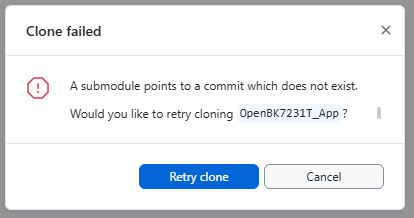
    hmm. fresh clone
    Error dialog: clone failed because a submodule points to a missing commit.

    Code: Text
    Log in, to see the code


    Added after 21 [minutes]:

    just cloned without submodules
    Code: Text
    Log in, to see the code
  • ADVERTISEMENT
  • #42 21638769
    divadiow
    Level 38  
    Posts: 4849
    Help: 421
    Rate: 854
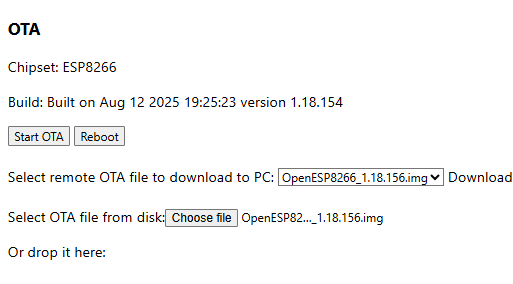
    OTA interface for ESP8266 with buttons and update file selection


    insmod wrote:
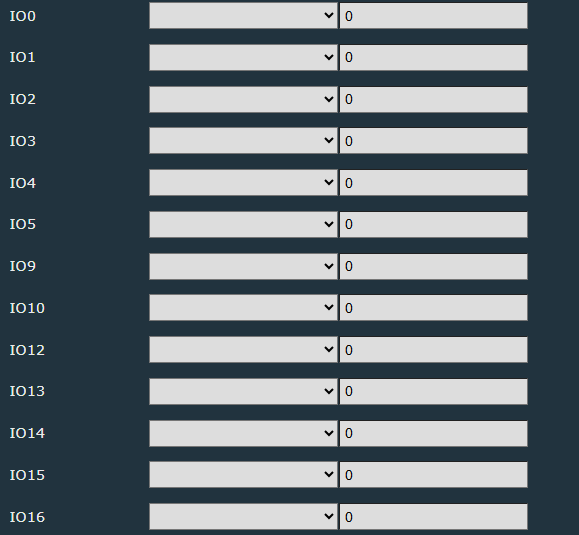
    + breaking change for esp8266, added 3 missing pins (io9, io10 and io16).


    before
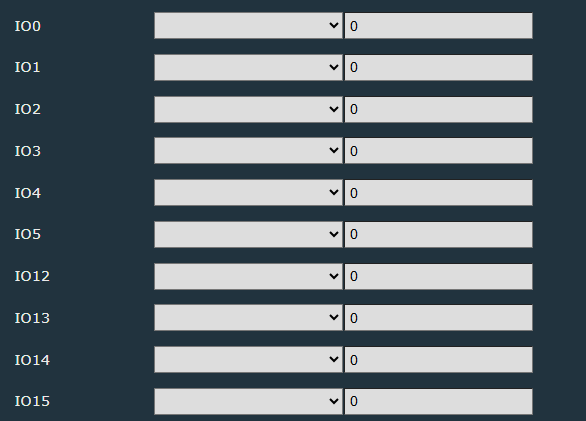
    GPIO configuration interface with all values set to 0

    after
    Configuration table with dropdown settings for IO0–IO16 pins


    free mem 1.18.156
    Code: Text
    Log in, to see the code


    Added after 3 [minutes]:

    wasn't able to OTA from 1.18.154 to 1.18.156. Wipe and UART 1.18.156 -> 1.18.155 =

    web app REST

    Code: Text
    Log in, to see the code
  • #43 21654350
    divadiow
    Level 38  
    Posts: 4849
    Help: 421
    Rate: 854
    just playing with Sonoff Basic R2 breaker. 1mb ESP8285. 1.18.168

    toggling relay from HA, OBK GUI and physical button with MQTT enabled produces this crash:

    Code: Text
    Log in, to see the code
  • #44 21691103
    p.kaczmarek2
    Moderator Smart Home
    Posts: 14406
    Help: 650
    Rate: 12345
    We've got such report:
    Quote:

    tilator
    opened 6 hours ago · edited by tilator
    Describe the bug
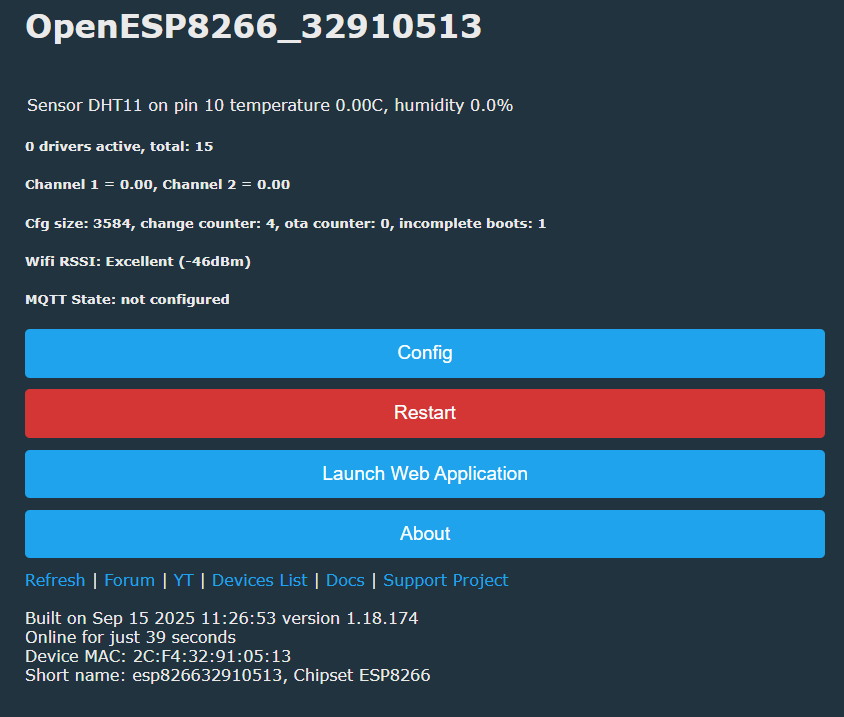
    When I have DHT11 connected and configured to GPIO14, it reports it on the home page as connected to pin 10.

    Firmware:

    1.18.163
    ESP8266 (Sonoff Basic)
    And not any values are given.

    I did also try to config it other pins and it seems to report every one 4 smaller than what it is configured to.

    Same HW did work just fine using Tasmota. I just would like to change it to OpenESP.
    Helpful post? Buy me a coffee.
  • #45 21691124
    insmod
    Level 31  
    Posts: 1353
    Help: 160
    Rate: 425
    OpenESP8266 is pretty unstable, i wouldn't recommend using it.
    DHT probably reports pin index, not pin name.
  • #46 21691138
    divadiow
    Level 38  
    Posts: 4849
    Help: 421
    Rate: 854
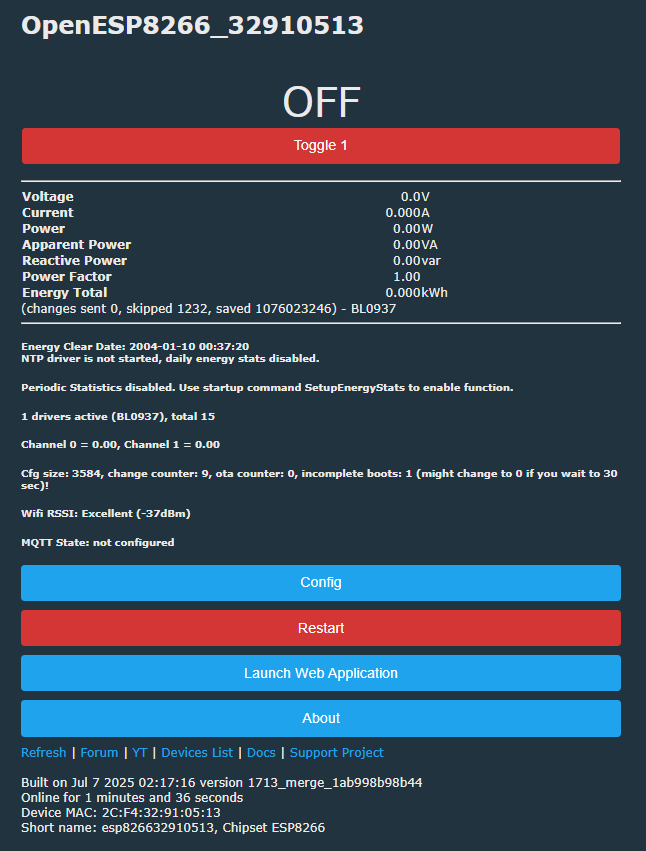
    OpenESP8266 web interface showing sensor data and system status
  • #47 21691144
    Tilator
    Level 12  
    Posts: 130
    Help: 2
    Rate: 13
    >>21691103

    I tested it a bit more.

    While DHT11 is configured to pin 1-5, it's reported correctly on home page.

    When configured to pin 9-10, it's reported to be connected to pin 6-7.

    If I configure it to pins 14-16, it's reported to pin 10-12.
  • ADVERTISEMENT
  • #48 21691147
    divadiow
    Level 38  
    Posts: 4849
    Help: 421
    Rate: 854
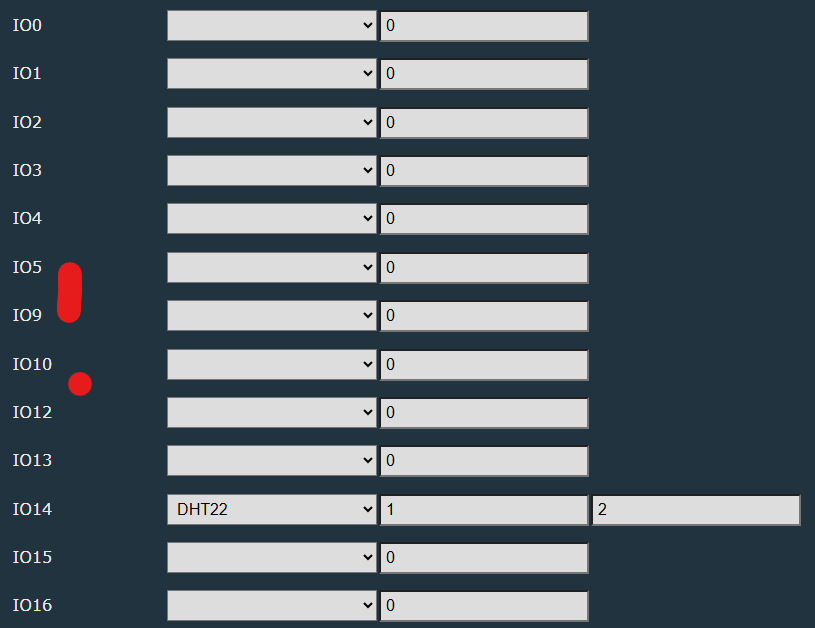
    isn't it just because there are 4 pins not available above IO5

    Screenshot showing IO pin settings, with IO9 and IO10 marked in red.
  • #49 21691155
    Tilator
    Level 12  
    Posts: 130
    Help: 2
    Rate: 13
    divadiow wrote:
    isn't it just because there are 4 pins not available above IO5


    That's how I find it too. It reports config page list index on home page and only pins 0-5 correspond the index.

    I did also try to connect the sensor with pin 14 using console command "setPinRole 14 DHT11", but it was not possible. Max pin value seems to be 13.
  • #50 21691202
    insmod
    Level 31  
    Posts: 1353
    Help: 160
    Rate: 425
    >>21691155
    setPinRole sets role at pin index.
    So, pin with index №12 is IO16 on ESP8266.
    Pin with index 6 is IO9.
    All of this is because IO6-IO8 are flash pins and can't be used, and were therefore excluded from pin list.
  • #51 21691217
    Tilator
    Level 12  
    Posts: 130
    Help: 2
    Rate: 13
    >>21691202

    setPinRole 11 DHT11 does put it to IO15 on config page.
  • #52 21695550
    Tilator
    Level 12  
    Posts: 130
    Help: 2
    Rate: 13
    I tested it yet bit more by installing this to an ESP-S01. I have replaced the original 1MB flash with 8MB flash to enable easier updating.

    Assigning pins 0-5 to a relay works as expected. But assigning it to pins 9-16 makes UI hanging and other odd behavior.

    So - would it really be possible that config UI is not correct?
  • Helpful post
    #53 21695760
    max4elektroda
    Level 24  
    Posts: 745
    Help: 47
    Rate: 183
    Tested on ESP-12F:
    Can't get pin 5 working at all - even "always low" won't change it.
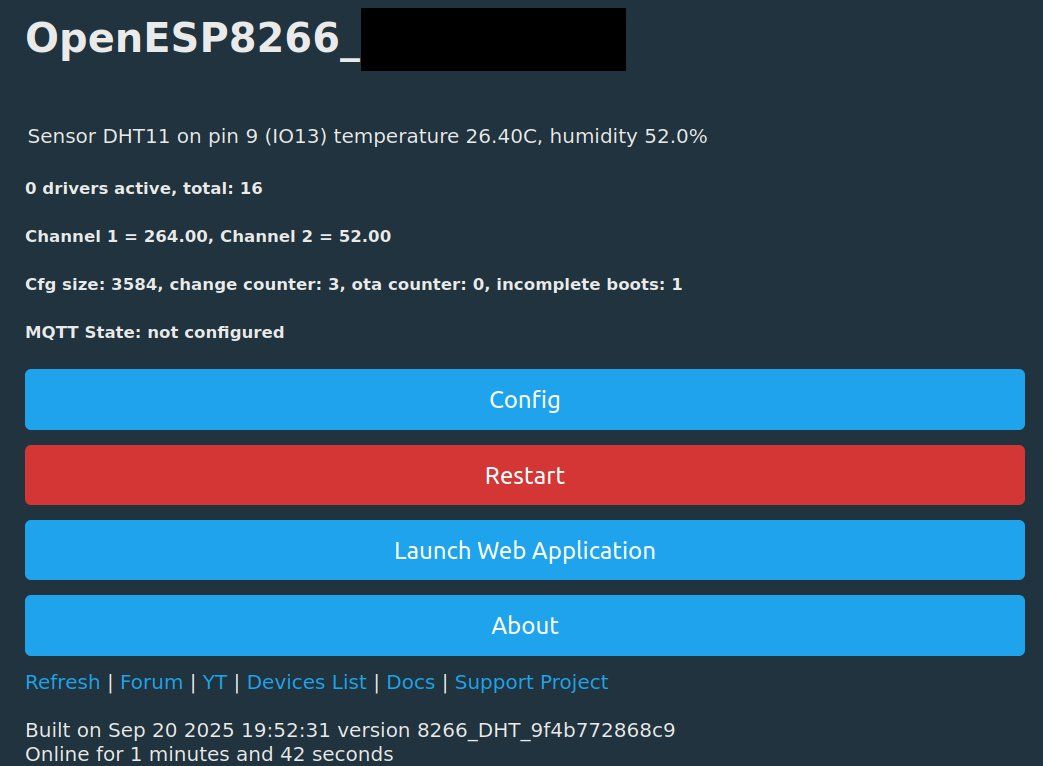
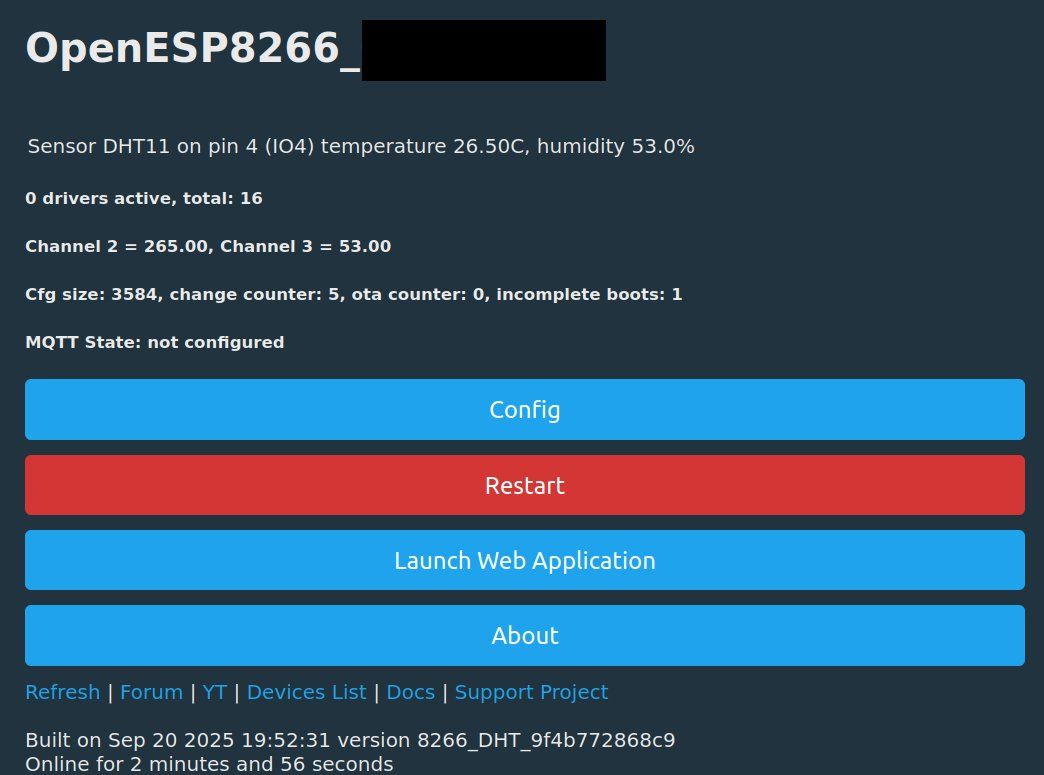
    But a quick test with pins 2, 4, 12, 13, 15 works (compiled a firmware with DHT driver https://github.com/MaxineMuster/OpenBK7231T_App/actions/runs/17883510649 and tested with DHT11, DS1820 won't work, probably timing issues)

    Added after 37 [minutes]:

    To check, I also added pin alias on DHT display on main page:
    https://github.com/MaxineMuster/OpenBK7231T_App/actions/runs/17884126801


    OpenESP8266 interface showing DHT11 sensor reading: 26.4°C and 52.0% humidity
    OpenESP8266 interface with DHT11 sensor data on pin IO4
  • #54 21702652
    max4elektroda
    Level 24  
    Posts: 745
    Help: 47
    Rate: 183
    This run

    https://github.com/MaxineMuster/OpenBK7231T_App/actions/runs/18063697171

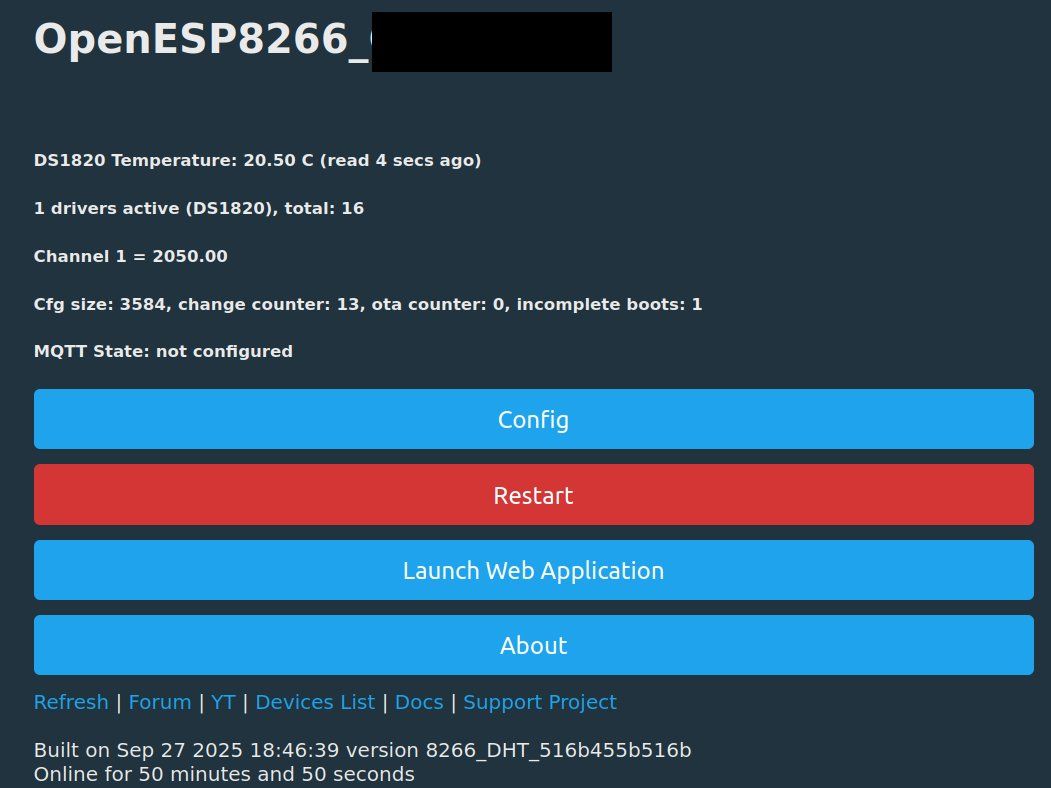
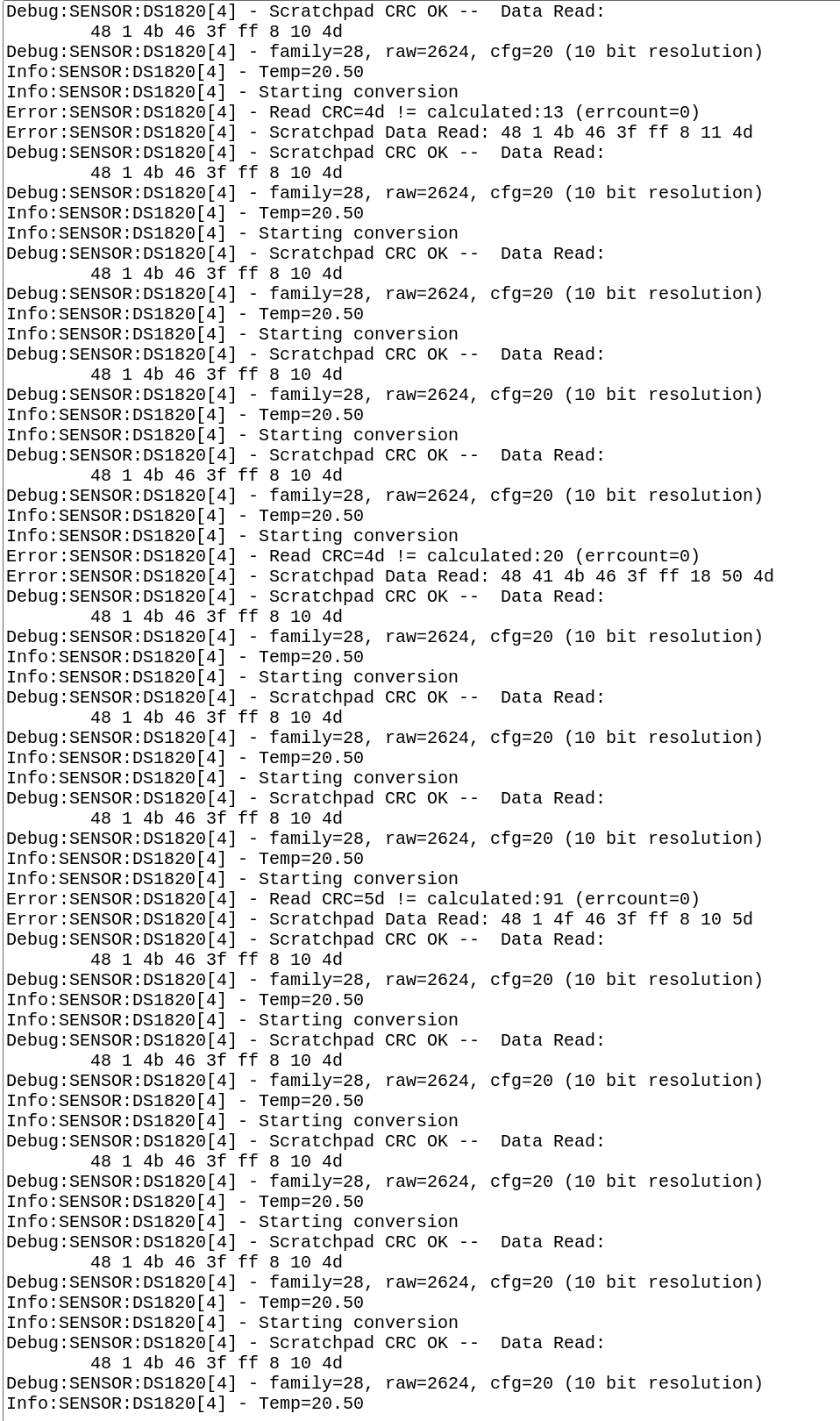
    will provide a "hacky" DS1820 enabled ESP8266 firmware.
    To get timing kind of working, first I had to make "writeByte" doing all "writeBit" inline in a loop.
    But even then reading did always fail.
    In the end I removed all "usleeps", when reading the onewire pin. It's only set output "0", set input "Pullup" and immediately read the pin.
    This way I often get valid readings.

    OpenESP8266 dashboard showing DS1820 temperature data and configuration buttons Screenshot of temperature sensor DS18B20 logs with CRC read errors

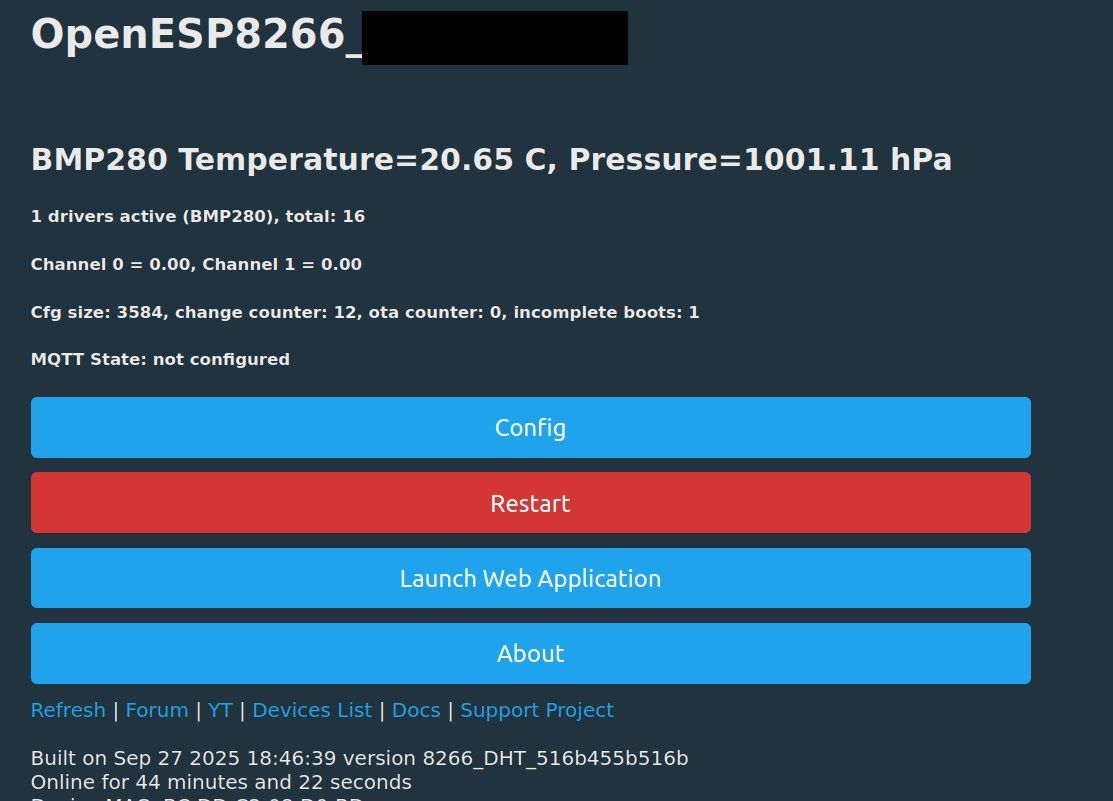
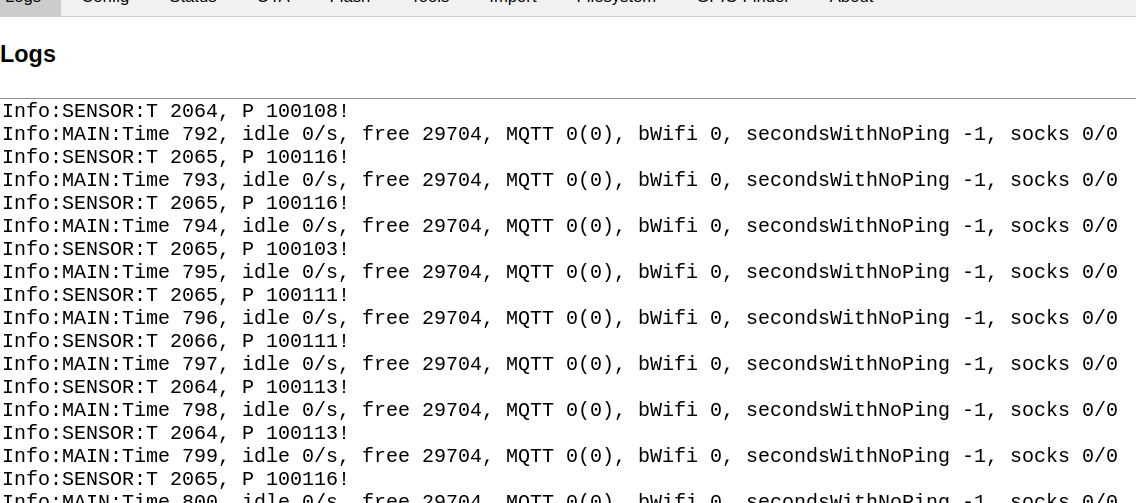
    Also enabled is DHT (tested with DHT11, see above) and BMP280:
    OpenESP8266 interface showing 20.65°C and 1001.11 hPa from BMP280 sensor Console screenshot showing sensor logs and system status messages
  • #55 21702673
    Tilator
    Level 12  
    Posts: 130
    Help: 2
    Rate: 13
    Nice. It's going right direction.

    B.T.W I just found an annoying difference between Tasmota and OpenBeken. Tasmota uses name DS18B20 for this sensor in json report while OpenBeken seems to report DS1820.
  • #56 21702719
    max4elektroda
    Level 24  
    Posts: 745
    Help: 47
    Rate: 183
    Tilator wrote:
    Tasmota uses name DS18B20 for this sensor in json report while OpenBeken seems to report DS1820.

    Since we support both DS1820 and DS18B20 we would need another call in json sensor code to distinguish between the families.
    On the other hand, since almost all sensors around today are DS18B20 we might also use DS18B20.
    Any more explanation why the name is important?
  • #57 21702724
    Tilator
    Level 12  
    Posts: 130
    Help: 2
    Rate: 13
    max4elektroda wrote:
    Any more explanation why the name is important?


    Name is not important. Both will do. If it just was the same whatever platform there was in use.

    Now it takes two different decodings. One for both of them. If naming was same, same decoding would do for both. That's the only difference.

    It takes something like

    $result["StatusSNS"]["DS1820"]["Temperature"] to print temp in OpenBeken and
    $result["StatusSNS"]["DS18B20"]["Temperature"] to print it if FW is Tasmota.

    Same device, same sensor.
  • #58 21702740
    p.kaczmarek2
    Moderator Smart Home
    Posts: 14406
    Help: 650
    Rate: 12345
    I think we should follow Tasmota standard
    Helpful post? Buy me a coffee.
  • #59 21702745
    Tilator
    Level 12  
    Posts: 130
    Help: 2
    Rate: 13
    I have this PHP script to store temperature values in a file. I run it on a router having OpenWRT in it.

    Code: PHP
    Log in, to see the code


    it takes device names as arguments separated by space. Now it works for both platforms as there is one line for each one.

    It works just fine, but having same standard would be "nice".
  • #60 21702907
    p.kaczmarek2
    Moderator Smart Home
    Posts: 14406
    Help: 650
    Rate: 12345
    Ok, i changed it, can you check is it better now?
    https://github.com/openshwprojects/OpenBK7231...mmit/98a115cb54359c71143a90493e9c7c69dbf7eb71
    Do you know any other places where OBK does not follow Tasmota standard?
    Helpful post? Buy me a coffee.

Topic summary

✨ The discussion centers on flashing a 2MB OpenBeken/OBK firmware onto a 4MB ESP8266 board. Initial boot logs confirm successful recognition of the 4MB flash size with a detailed partition table including OTA data, WiFi NVS, two OTA app partitions, and an LFS partition. Users report smooth flashing and stable WiFi connectivity without resets after manual reboot. GPIO2 functionality is confirmed. Subsequent updates include added PWM and UART support, with UART implemented via a task-based polling method to avoid crashes seen with interrupt-driven approaches. PWM operates inverted but functional, with PWM_n also working as expected. OTA updates remain non-functional despite passing image checks. Adjustments to QuickTick timer handling and stack size were necessary to prevent crashes. Disabling PWM on GPIO0 resolved bootloop issues. Overall, the firmware demonstrates improved hardware compatibility and peripheral support on the 4MB ESP8266 platform.
Generated by the language model.

FAQ

TL;DR: OpenESP8266 now boots on 1MB, 2MB, 4MB, and 8MB ESP8266/ESP8285 boards, and one developer called the OTA fix "merge-ready" after partition issues were corrected. This FAQ helps builders flash, size, and troubleshoot OpenBeken on ESP8266-class hardware with ESP-Flasher or esptool. [#21597042]

Why it matters: ESP8266 support is usable for testing and many real devices, but flash mode, partition size, OTA headroom, and pin indexing still decide whether a build boots cleanly or crashes.

Topic 1MB flash 2MB flash 4MB/8MB flash
Firmware style seen in thread factory app OTA layout OTA layout
Example boot result confirmed boot confirmed boot after DOUT flashing confirmed boot
LFS space seen 64KB 128KB 192KB in shown 4MB/8MB layouts
OTA status in thread fixed build exists fixed after partition change fixed after partition change

Key insight: Most "bad firmware" symptoms in this thread were not random. They came from three concrete causes: wrong flash mode, wrong partition layout, or too little free flash/RAM for OTA and runtime features. [#21596825]

Quick Facts

  • Boot logs in the thread show OpenESP8266 running with SPI flash sizes of 1MB, 2MB, 4MB, and 8MB. The reported AP fallback IP is 192.168.4.1 after first boot. [#21599222]
  • A full device-hosted WebApp was measured at 287,278 bytes before aggressive minification and 195,261 bytes after complete minification, which is why gzip and LFS matter on small flash targets. [#21597082]
  • On one stable ESP8285 1MB test, free heap stayed around 28,680–29,360 bytes with Wi-Fi connected and no extra drivers started. That is workable, but not generous. [#21599222]
  • OTA failures were traced to partition layout first, then later to oversized builds and active runtime load. One failing OTA log showed a mapped segment of 732,660 bytes before image validation failed. [#21757126]

How do I flash OpenBeken/OpenESP8266 firmware onto an ESP8266 or ESP8285 with ESP-Flasher or esptool, including the correct boot mode wiring and flash address?

Flash the UART or factory image at address 0x0 with the chip in download mode. 1. Wire TX↔RX, hold GPIO0 to GND, and power the module. 2. In ESP-Flasher, write the image to 0x0; with esptool, the thread shows write_flash 0 ...bin. 3. If boot fails on ESP8285-class boards, retry with --flash_mode dout. One tester said the ESP-12F process was the same as ESP-01: GPIO0 low, normal serial wiring, flash to 0x0, and boot succeeded. [#21757469]

Why does OTA update on OpenESP8266 fail with errors like "unaligned segment length 0xffffffff" or "image is corrupted" when the build gets too large?

OTA fails because the second app slot no longer has enough room for the new image. In one failing case, the OTA log mapped a segment of 732,660 bytes and then reported unaligned segment length 0xffffffff and Image validation failed. Later testing showed OTA started working again after removing some compiled drivers and, in practice, stopping running drivers before update. The thread ties this to image size and memory pressure, not to Wi-Fi alone. [#21758993]

What is LFS in OpenBeken/OpenESP8266, and why do logs show messages like "lfs is absent" after first boot?

LFS is a small on-device file system used to store files such as scripts and WebApp assets. "LFS is a flash file system that stores user files inside a dedicated partition, separate from the app image, so firmware can read scripts or web assets after boot." Fresh boots often show lfs is absent because the partition exists in the table but no files have been uploaded yet. The same logs also show failed to get file autoexec.bat, which matches an empty LFS rather than a bad firmware flash. [#21595385]

What is GPIO_NUM_NC in the ESP8266 pin mapping, and how is it used for hidden or non-usable pins like flash-connected GPIOs?

GPIO_NUM_NC marks entries that exist in the index map but should not be driven as real GPIOs. In the proposed ESP8266 remap, indexes 6, 7, 8, and 11 were set to GPIO_NUM_NC, labeled NC, and hidden in the UI so the index numbers could line up with real IO names like IO12 and IO16. The same discussion added a separate ADC entry while keeping unusable flash-connected pins out of normal configuration. [#21759275]

Which partition layout should I use for OpenESP8266 on 1MB, 2MB, 4MB, and 8MB flash chips?

Use the layout that matches the actual flash size and OTA strategy shown by the working boots. The 1MB build used nvs at 0x9000, factory app at 0x10000, and lfs at 0x0f0000. The working 2MB DOUT build used otadata, app0 at 0x10000, lfs at 0x0f0000, app1 at 0x110000, and nvs at 0x1f0000. The 4MB and 8MB examples kept app0/app1 at 0x10000 and 0x0f0000 with larger LFS space around 0x1d0000. [#21597261]

Why does an ESP8266 or ESP8285 boot only after flashing with --flash_mode dout, even when the boot log later reports QIO?

Because the flash write mode used during programming can still decide whether the image lands in a bootable form. In the thread, a 1MB ESP8285H08 booted only after esptool write_flash 0 ... --flash_mode dout, even though the later log still printed SPI Mode : QIO. A separate 2MB case also failed until a flasher run produced a boot log that explicitly showed SPI Mode : DOUT. The practical fix was simple: use DOUT when the module refuses to boot after normal flashing. [#21599222]

What’s the difference between ESP8266 and ESP8285 when running OpenBeken, especially regarding RAM, internal flash, and supported firmware sizes?

They run the same firmware class with the same RAM budget, but they differ in flash packaging. One developer stated that ESP8266 and ESP8285 have the same amount of RAM, while ESP8285 has built-in 1MB flash and ESP8266 uses external SPI flash. That is why the thread shows ESP8285 tests mainly on 1MB and 2MB parts, while ESP8266 boards were tested with 2MB, 4MB, 8MB, and even 16MB-modified hardware. Runtime limits still come mostly from RAM, not just flash size. [#21599257]

How does OpenESP8266 OTA from Tasmota differ from normal OBK OTA, and why does the RTOS SDK vs NONOS SDK mismatch matter?

Tasmota-to-OpenESP8266 OTA is not the same as normal OpenBeken OTA because the frameworks differ. The thread states that Tasmota uses the Arduino framework with NONOS SDK, while OpenESP8266 uses ESP8266 RTOS SDK, so their image expectations and upgrade paths are incompatible by default. A manual bridge is possible only with a special FOTA workflow from Espressif. Standard OBK OTA assumes an RTOS-compatible partition layout and image format, which is why direct Tasmota-style upgrades are not the normal path. [#21597062]

Why is the DHT11 or other sensor shown on the wrong pin number in the OpenESP8266 home page or console when using higher GPIOs like IO14-IO16?

The display is wrong because the UI and some console paths used pin indexes instead of real GPIO aliases. The thread shows DHT11 configured on GPIO14 appearing as pin 10, and other tests found pins 14–16 displayed as 10–12. One maintainer explained that this happens because IO6–IO8 are flash pins and were removed from the visible list, so later entries shift. The sensor was not necessarily wired wrong; the mapping layer was. [#21691202]

What causes Wi-Fi connection problems on OpenESP8266, including first-connect issues, reconnect bugs, and failure to join WPA3 networks?

Early Wi-Fi failures came from unfinished porting, and WPA3 still did not work in the thread. One developer explicitly posted that they fixed Wi-Fi first connect and reconnect, and later testers confirmed the Wi-Fi fix. By contrast, a later log shows repeated handler warnings and immediate disconnect when joining a WPA3 SSID, with no IP address assigned. So first-connect and reconnect bugs were fixed during July 2025, but WPA3 remained unsuccessful in the reported tests. [#21614400]

In OpenBeken on ESP8266, how should pin indexes map to real pin names like IO12 or IO16, and what is the best way to avoid confusion in startDriver commands?

Map indexes so they match real IO numbers, or accept string pin names in commands. The thread shows why users get confused: on the older ESP8266 mapping, IO12 could require index 8 in startDriver, not 12. A proposed fix used NC placeholders for missing pins so index 12 equals IO12 and index 16 equals IO16. Another maintainer preferred parsing names like IO12 directly in commands, which avoids platform-specific mental math entirely. [#21759160]

Where does the free heap go on ESP8266 when enabling MQTT, Home Assistant discovery, Berry, or multiple drivers, and how can low-memory crashes be reduced?

It goes into protocol buffers, task stacks, HTTP client work, and discovery payloads, and ESP8266 does not have much spare RAM. One report shows free heap dropping from 34,284 to 16,812 bytes after Home Assistant discovery, with malloc failure causing a crash. Berry also triggered a Stack canary watchpoint in the HTTP client path, and maintainers said there is simply not enough RAM for heavy features together. Reduce crashes by compiling fewer drivers, disabling active drivers during OTA, and avoiding Berry execution through the HTTP client path. [#21819086]

Which OpenBeken features have been confirmed working on ESP8266 so far, such as PWM, UART, DHT, DS18B20/DS1820, BMP280, ADC, Charts, MAX72XX, and WebApp hosting?

Many core features now work, but some remain rough. Confirmed in the thread are PWM, UART, Wi-Fi reconnect, DHT11/DHT22, DS18B20/DS1820, BMP280, Charts, MAX72XX, and device-hosted WebApp tests. ADC was later added to HAL and UI work was underway. Limits remain: PWM was once inverted, GPIO0 PWM could bootloop, OTA had size limits, and some sensor timing on ESP8266 needed hacky workarounds. Still, by late 2025 multiple testers had real, repeatable success across these drivers. [#21758993]

How can gzip-compressed WebApp files be stored and served from LFS in OpenBeken to save flash space on ESP8266 and other small devices?

Store the WebApp files precompressed in LFS and return them with Content-Encoding: gzip. The thread proposed an LFS lookup that checks for filename.gzip first, then streams that compressed file while keeping a normal fallback path. A maintainer then implemented an "upload as GZIP" button and simple gzip header handling in firmware so the browser decodes the file on the fly. This matters because the fully minified WebApp was measured at 195,261 bytes, which is large for small-flash targets. [#21601376]

ESP8266 vs Tasmota for OpenBeken migration: which JSON naming and sensor reporting conventions should be followed for compatibility with DS18B20, MQTT, and external scripts?

Follow Tasmota naming where possible, especially for DS18B20 JSON keys. The thread shows a real compatibility issue: OpenBeken originally reported DS1820, while Tasmota used DS18B20, forcing external scripts to handle both keys. Maintainers agreed that OBK should follow the Tasmota standard, then changed it and also checked Tasmota’s multi-sensor format using names like DS18B20-1 with an Id field. That keeps MQTT consumers and simple PHP or Home Assistant tooling more portable. [#21702907]
Generated by the language model.
ADVERTISEMENT