logo elektroda
logo elektroda
X
logo elektroda

TOMZN 1P 63A Circuit Breaker BL602 ptblu-w No GPIO Response After OpenBL602 Flash

andreyrose 1839 21
Best answers

How do I configure a TOMZN BL602 circuit breaker so the bistable relay and power measurement work after flashing OpenBL602, and do I need a special build for BridgeDriver support?

You need a BL602 build with the Bridge driver enabled, because it is not included in the default firmware; the thread confirms that a one-off/fresh build with bridge support is required, and that the startup script must include `startDriver BL0942` for power measurement [#21652600] [#21699105] [#21867741] [#21869364] The working pin setup shown is `WifiLED_n` on pin 2, `LED_n` on pin 3, `Btn` on pin 14, `BridgeREV` on pin 20, and `BridgeFWD` on pin 21 [#21652600] If the relay direction is wrong, swap the `BridgeFWD` and `BridgeREV` assignments in the config [#21869364] The import tool may not add `startDriver BL0942` automatically, so add it manually in the startup/config page [#21869364]
Generated by the language model.
ADVERTISEMENT
  • #1 21652116
    andreyrose
    Level 2  
    Posts: 6
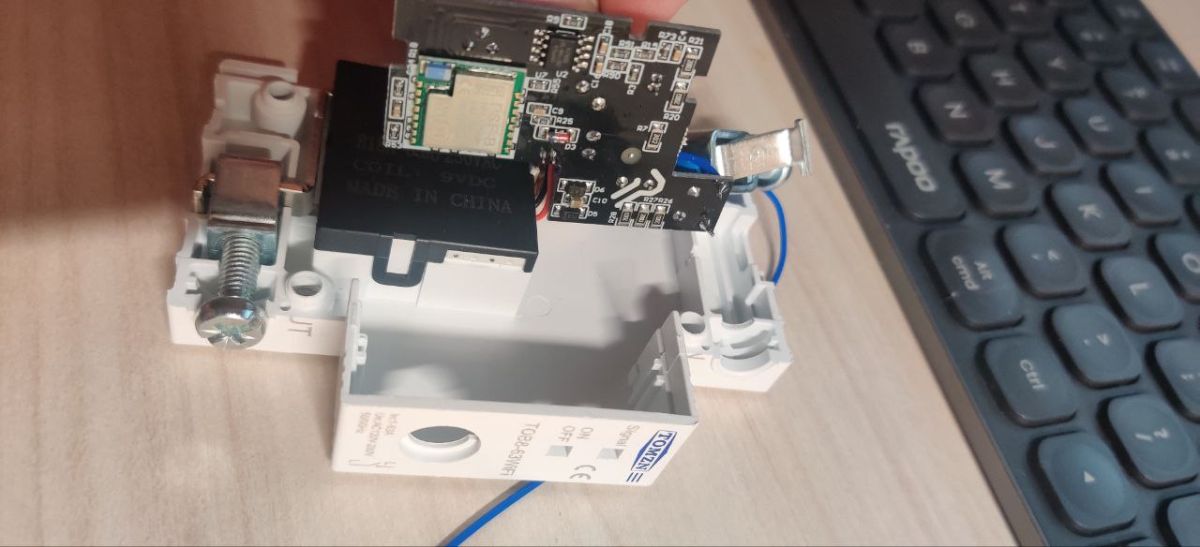
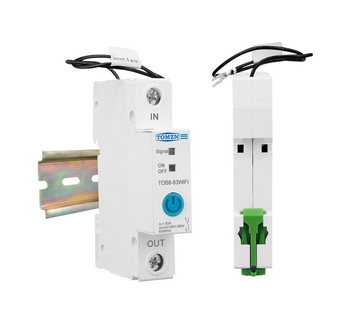
    TOMZN 1P 63A Circuit Breaker Power Monitoring DIN Relay
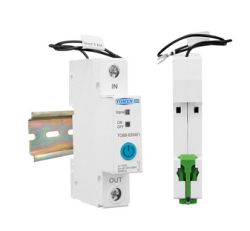
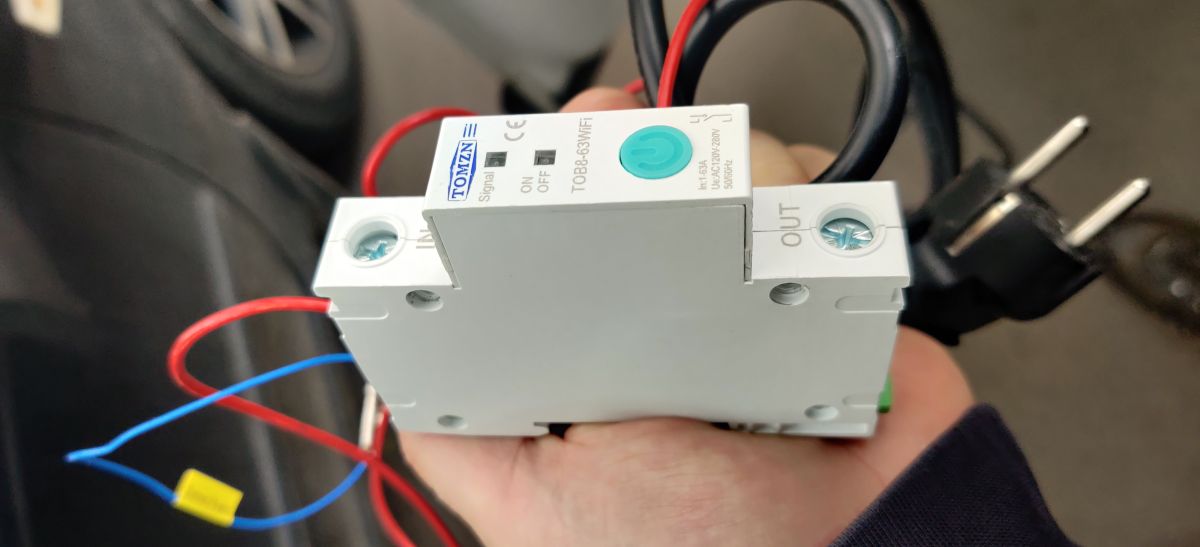
    WiFi circuit breaker for DIN rail with IN/OUT labels and power button.
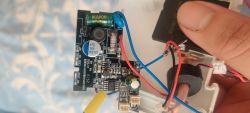
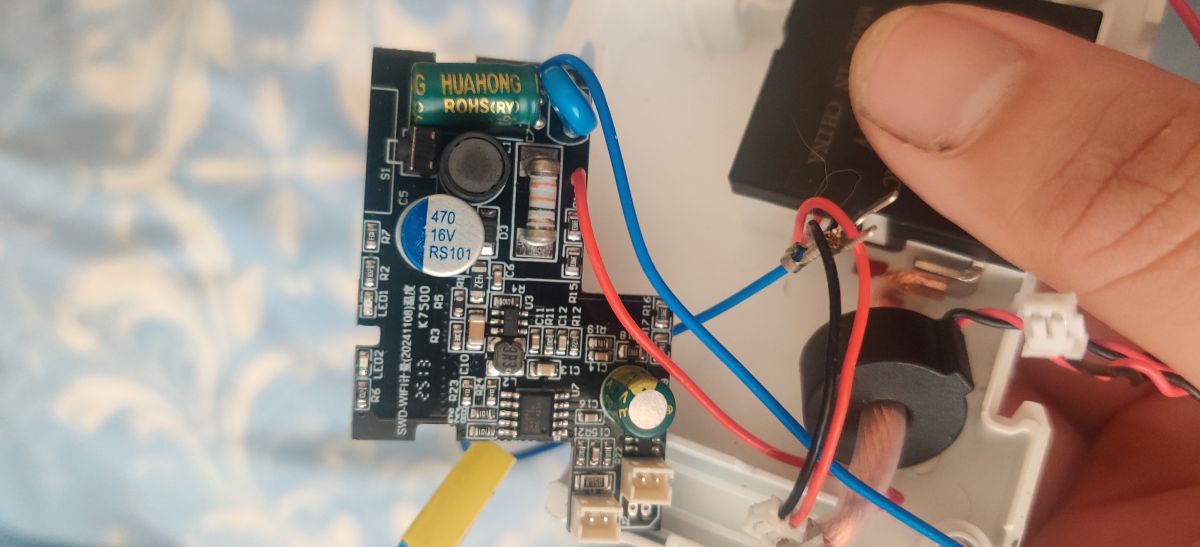
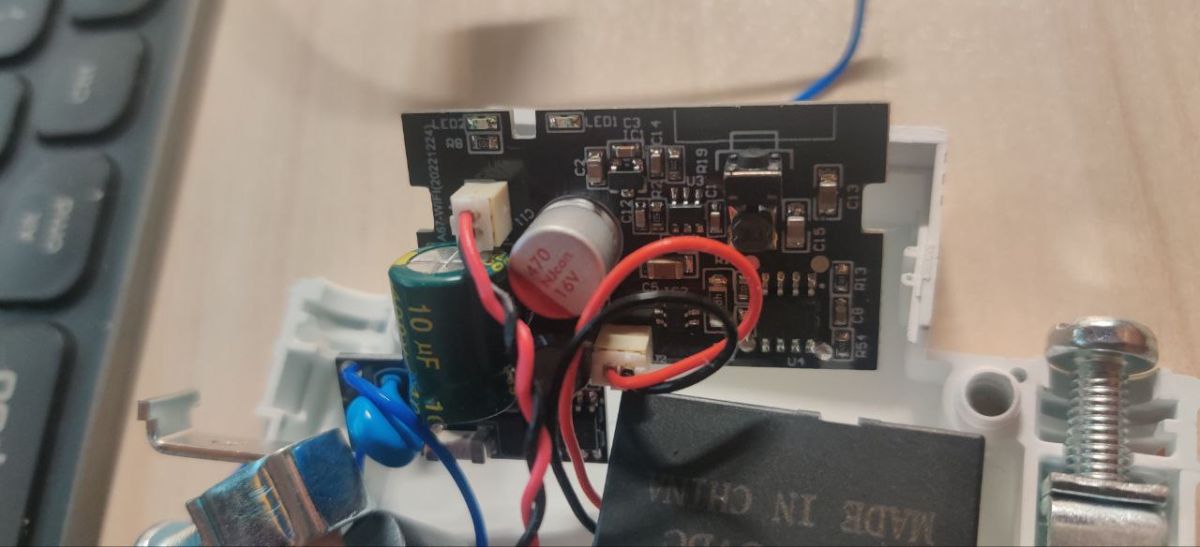
    Close-up of a circuit board with electronic components and wiring.
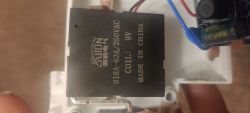
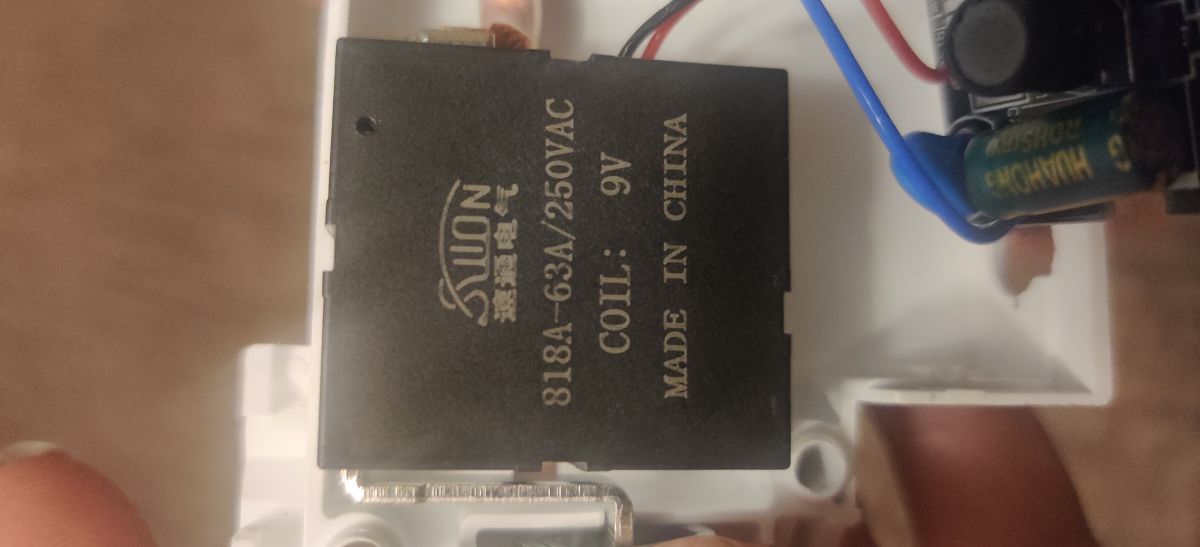
    The image shows a black SUON electrical relay labeled 818A-63A/250VAC with a 9V coil.
    Few days ago I received this Breaking hoping simple installation of Tasmota firmware
    https://templates.blakadder.com/tomzn_TOB8-63WiFi.html
    During teardown I found completely different platform, looks like it contains
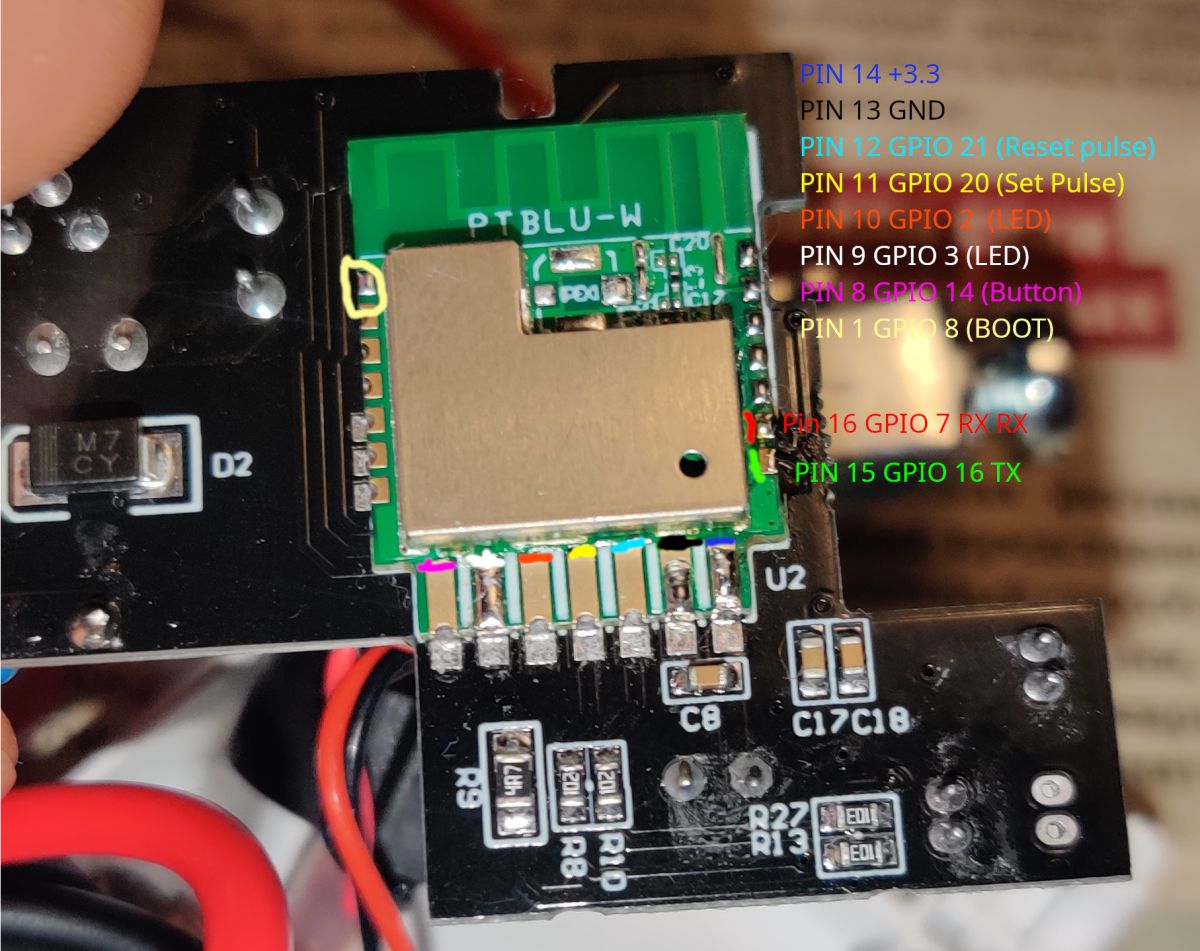
    ptblu-w motherboard with BL602 chip
    After tracing path using multimeter I found this pins layout.
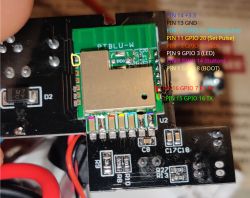
    Close-up of an electronic module with labeled GPIO and signal pins.
    Using firmware tool and BOOT pin (with 10k resistor connected to 3.3V) I successfully flashed OpenBL602_1.18.164.bin image, after firmware I connect device to my WiFi.
    But during testing pins layout I found that no pins react to high signal. I tried filling config, I tried GPIO internal tool, no pins even WiFi and power LED are affected by high level


    AI: Can you share more details about how you flashed the OpenBL602_1.18.164.bin firmware—what tool and steps did you use, and did you see any errors during the process?
    No error during firmware,
    AI: Which pins did you test for hi signal, and do you have a pinout diagram or list of the pin numbers/names you tried?
    I test all pins followed multimeter traced path

    Added after 4 [hours] 26 [minutes]:

    ok looks like i find issues with this this device, i wrong connect Phase and zero wire. so at this moment i successfully find and setup power and wifi led. and using GPIO doctor find BiStable Relay pins. its turnON and turnOFF without any problem, but how to configure bitsable relay in pins configuration menu? BridgeFWD BridgeREV only setup voltage to both pins

    Added after 1 [hours] 12 [minutes]:

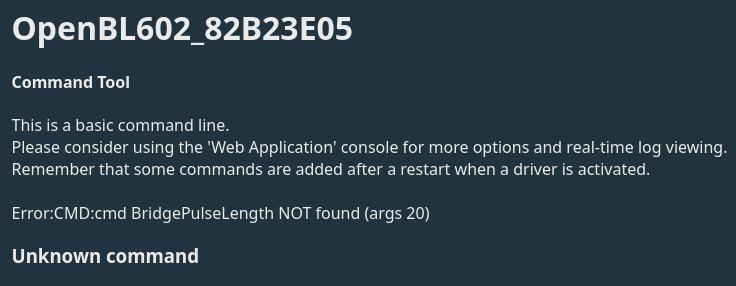
    looks like my i don't have activated BridgeDriver how i can activate this or i need recompile image?
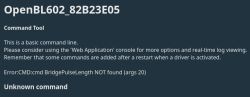
    Screenshot from OpenBL602 showing a command error saying Unknown command.
    Info:MAIN:Driver Bridge is not known in this build.
  • ADVERTISEMENT
  • #2 21652588
    divadiow
    Level 38  
    Posts: 4854
    Help: 424
    Rate: 860
    try this build
    Attachments:
    • OpenBK7231T_App_bl602bridge_06326df0ee1a_OpenBL602.zip (1.72 MB) You must be logged in to download this attachment.
    • OpenBK7231T_App_bl602bridge_06326df0ee1a_OpenBL602_berry.zip (1.99 MB) You must be logged in to download this attachment.
  • #3 21652600
    andreyrose
    Level 2  
    Posts: 6
    >>21652588
    I already build version with bridge support. But anyway thank you.
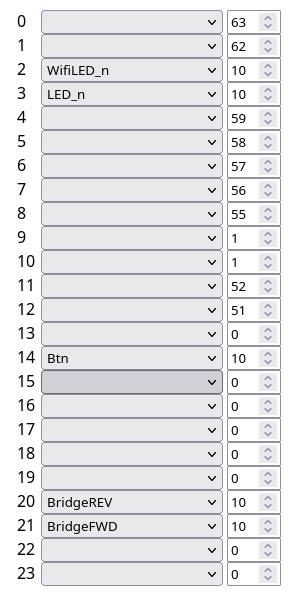
    Looks like i finally have fully work config for this relay.
    Everythink works normal PowerON/OFF, WIFI/POWER LED, and button.
    Can some one say, is it possible to add bridge driver in to default firmware?
    I think it's very useful driver.
    {
      "vendor": "Tuya",
      "bDetailed": "0",
      "name": "Full Device Name Here",
      "model": "enter short model name here",
      "chip": "BL602",
      "board": "TODO",
      "flags": "1024",
      "keywords": [
        "TODO",
        "TODO",
        "TODO"
      ],
      "pins": {
        "2": "WifiLED_n;10",
        "3": "LED_n;10",
        "14": "Btn;10",
        "20": "BridgeREV;10",
        "21": "BridgeFWD;10"
      },
      "command": "delay_s 11\r\nstartDriver BL0942",
      "image": "https://obrazki.elektroda.pl/YOUR_IMAGE.jpg",
      "wiki": "https://www.elektroda.com/rtvforum/topic_YOUR_TOPIC.html"
    }


    Dropdown list with assigned pin names and numeric values in a 24-row table
  • ADVERTISEMENT
  • #4 21652672
    divadiow
    Level 38  
    Posts: 4854
    Help: 424
    Rate: 860
    I can open the PR but it'll be up to admin peeps to merge.

    https://github.com/openshwprojects/OpenBK7231T_App/pull/1787

    Added after 6 [minutes]:

    did you happen to take a pre-paired (if you did at all) factory firmware backup?

    Added after 19 [minutes]:

    similar https://www.elektroda.com/rtvforum/topic4129041.html

    device list PR (let me know if wrong/anything changes) https://github.com/OpenBekenIOT/webapp/pull/2...mits/5691c64376b4385a452965b192d9031a6d43ea2b
  • #5 21652838
    andreyrose
    Level 2  
    Posts: 6
    Yes I have backup image fresh from box, for firmware but I can't verify correct
    Attachments:
    • OpenBK.zip (2 MB) You must be logged in to download this attachment.
  • #6 21652840
    andreyrose
    Level 2  
    Posts: 6
    >>21652672
    It's different device, may be similar in common but different in in details.
    Please attach my real image of device

    TOMZN TOB8-63WIFI Wi-Fi relay held in hand with connected wires
  • #8 21654252
    andreyrose
    Level 2  
    Posts: 6
    Oh my god, I just received another device. with PSF-B motherboard. Looks like if date production 2025 and later it contains bl602-motherboard and PSF-B with ESP8285 module in another.

    Disassembled TOSR02T relay device with visible ESP8266 module and PCB
    Inside of electronic device with PCB, wires, and capacitors
  • #9 21698165
    goblinmaks
    Level 3  
    Posts: 5
    Which tool do you use to flash BL602 ?
  • ADVERTISEMENT
  • #10 21698304
    andreyrose
    Level 2  
    Posts: 6
    >>21698165
    BL-DEV tool from buffalo lab, but not latest version 1.4xxx something like this
  • #12 21698937
    goblinmaks
    Level 3  
    Posts: 5
    >>21698343

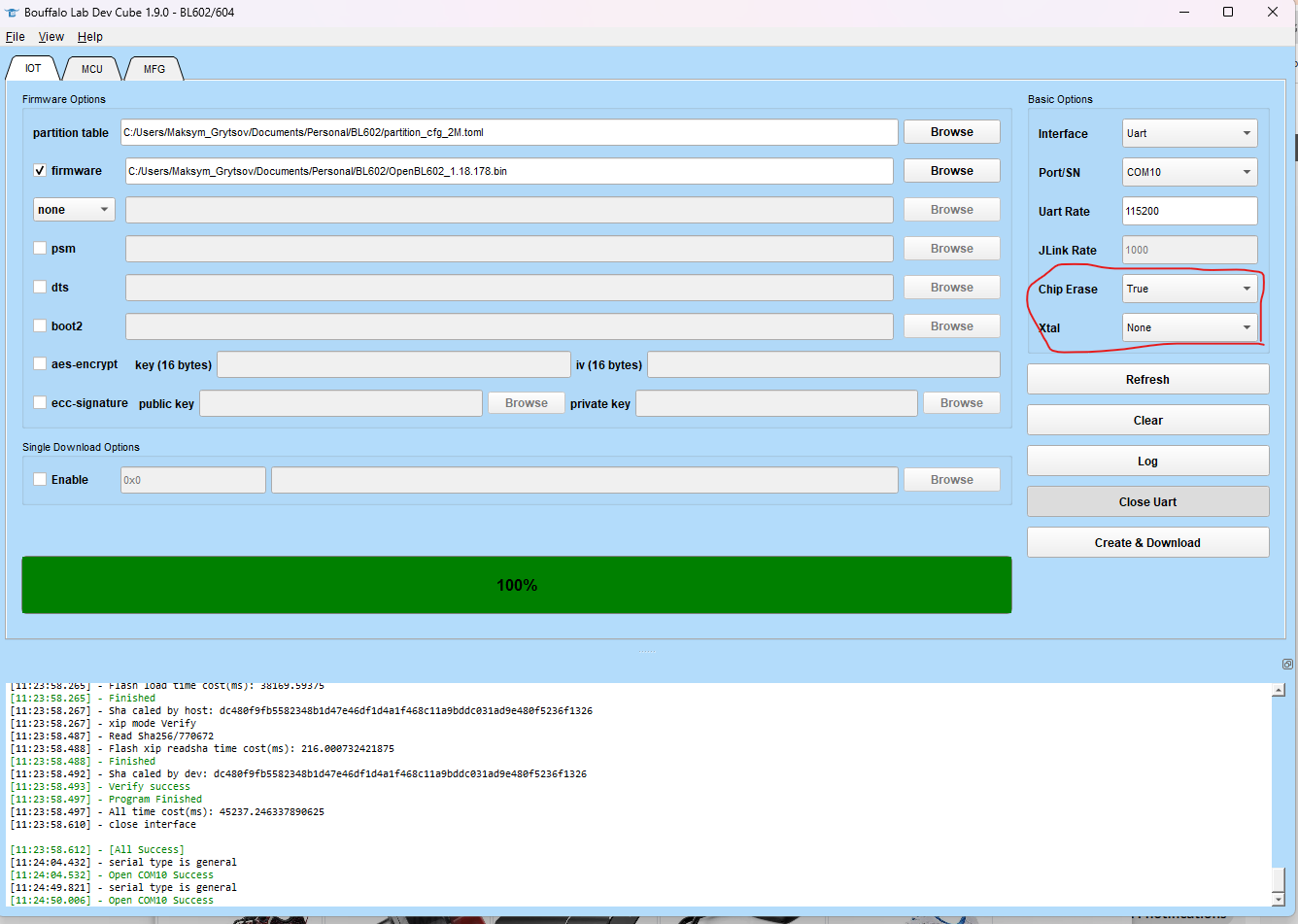
    Ok, looks I bricked chip, after erasing flash with xtal = none
    Which correct parameters for this chip ?
    Nothing received in UART, I found openBeken AP after first reboot, but not connected to Wi-Fi correctly, then I wrote chip again with erase option.

    Bouffalo Lab Dev Cube interface with loaded firmware file
  • #13 21698942
    insmod
    Level 31  
    Posts: 1353
    Help: 160
    Rate: 425
    >>21698937
    boot2 is required
    xtal needs to be 40m
    dts is recommended to be bl_factory_params_IoTKitA_40M.dts (in chips/bl602/device_tree)
  • #14 21698977
    goblinmaks
    Level 3  
    Posts: 5
    >>21698942
    which boot2 need to use ?

    Added after 7 [minutes]:

    >>21698977 >>21698977


    Works, Appreciate you.
  • #15 21698983
    insmod
    Level 31  
    Posts: 1353
    Help: 160
    Rate: 425
    >>21698977
    In 1.9.0 devcube - any in chips\bl602\builtin_imgs\boot2_isp_bl602_v6.6.2
  • #16 21699101
    goblinmaks
    Level 3  
    Posts: 5
    >>21698983

    Button and LED work correctly with firmware OpenBL602_1.18.178.bin
    But not bridges. How can I check it?
  • ADVERTISEMENT
  • #17 21699105
    insmod
    Level 31  
    Posts: 1353
    Help: 160
    Rate: 425
    >>21699101
    It's not yet merged into main.
    Here is a build with bridge enabled
    Attachments:
    • OpenBK7231T_App_1808_merge_7a9531fa45b6_OpenBL602.zip (1.72 MB) You must be logged in to download this attachment.
  • #18 21867449
    suchystan
    Level 8  
    Posts: 3
    Hi, has anyone discovered already what to do to make power measurement? All seems to be working fine with this build:
    OpenBL602_1808_merge_7a9531fa45b6_OTA.bin.xz.ota

    Relay on/off and pwr, Wi-Fi LEDs are fine as well, but the major thing I still missing is power measurement.
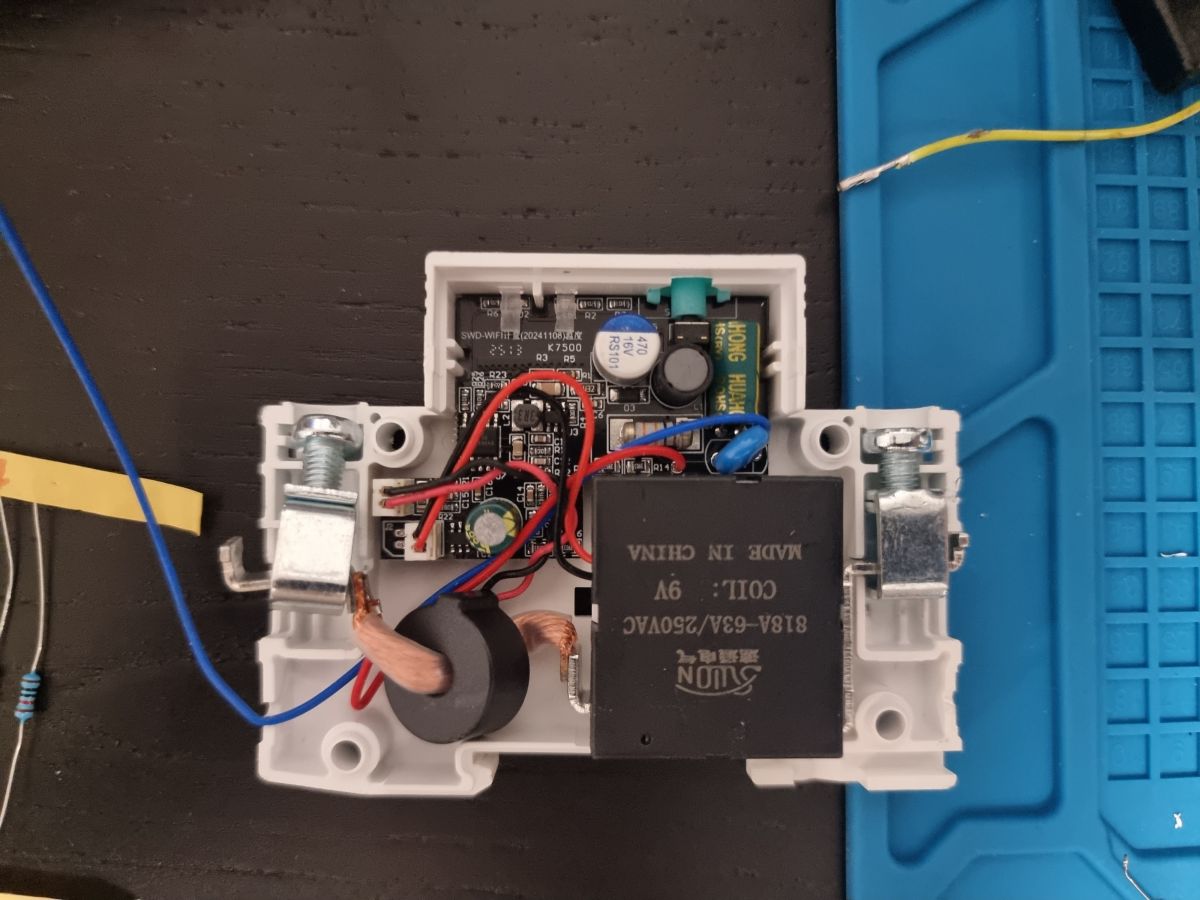
    I use this board:

    Open electronics enclosure with PCB, JYONN relay, and red/blue wires on a work mat
  • #20 21867542
    suchystan
    Level 8  
    Posts: 3
    Yes, it is BL0942 however I still cannot get it working.
    After applying json template, in logs I see following line:
    Info:MAIN:Driver BL0942" is not known in this build.

    As said above, I use this build: OpenBL602_1808_merge_7a9531fa45b6_OTA.bin.xz.ota where only power measurement does not work.
    When I use any of the latest builds like: OpenBL602_1.18.277_OTA.bin.xz.ota, the relay and button does not work while PINs config is the same and I get as well the same error message "Info:MAIN:Driver BL0942" is not known in this build."

    I have found a solution, for some reason the configuration from Json was not applied, after manually sending the command to startDriver BL0942 I got the readings :)
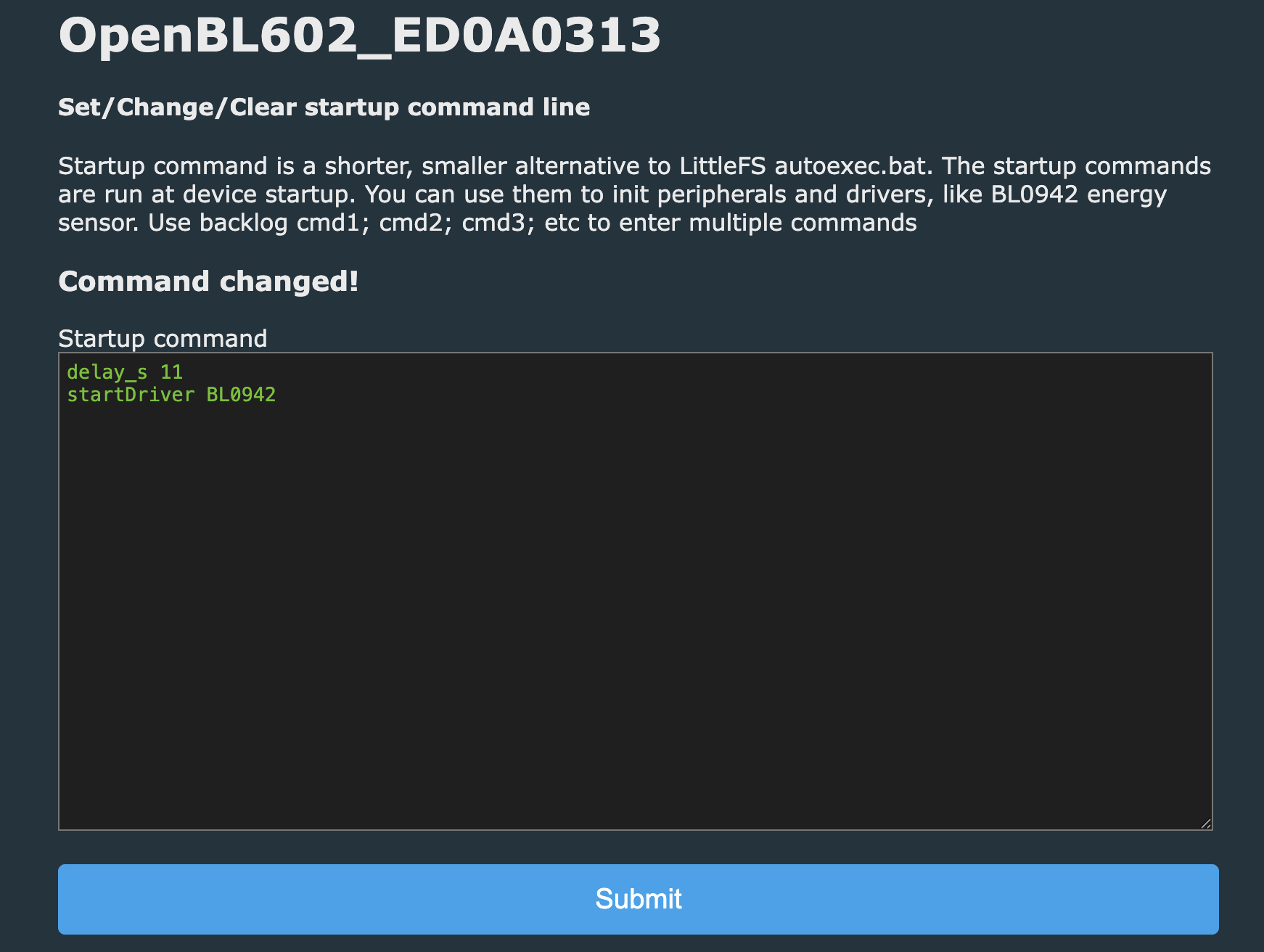
    Finall solution for me was to update startup script by adding startDriver BL0942 as it was missing.

    OpenBL602 screenshot: “Startup command” box showing “delay_s 11” and “startDriver BL0942”


    Anyhow, I still do not get why only this buid with "merge" in the name is working correctly...
  • #21 21867741
    divadiow
    Level 38  
    Posts: 4854
    Help: 424
    Rate: 860
    suchystan wrote:
    Anyhow, I still do not get why only this buid with "merge" in the name is working correctly...


    because Bridge driver is not enabled by default for BL602 so that build was a one-off with it added. Here's a new run if you want an update: https://github.com/openshwprojects/OpenBK7231T_App/actions/runs/23399064691

    maybe @p.kaczmarek2 would consider having it enabled by default, there have been a few BL602 needing bridge driver in the last 6 months or so
  • #22 21869364
    suchystan
    Level 8  
    Posts: 3
    Thanks @divadiow for pointing me in the right direction. I have created fresh builds with Bridge driver enabled and all works great! For some reason, the import tool was not adding the start script startDriver BL0942 value:
    "command": "delay_s 11rnstartDriver BL0942",
    I had to add it manually from the config page

    Also, I have found out that the main script has reverted PINs for relay control. I had to swap them from this:
    "20": "BridgeREV;10",
    "21": "BridgeFWD;10"
    to this:
    "20": "BridgeFWD;10",
    "21": "BridgeREV;10"

    For anyone who needs a fresh build with bridge driver enabled, you can find it here :)
    Attachments:
    • OpenBK7231T_App_main_5d3e18ad7470_OpenBL602.zip (1.75 MB) You must be logged in to download this attachment.

Topic summary

✨ The discussion centers on the TOMZN 1P 63A Circuit Breaker with power monitoring and DIN relay functionality, originally expected to support Tasmota firmware. Upon teardown, the device was found to use a ptblu-w motherboard with a BL602 chip, differing from initial assumptions. The user successfully flashed the OpenBL602_1.18.164.bin firmware using a BOOT pin with a 10k resistor to 3.3V, and connected the device to WiFi. However, no GPIO pins responded to high signals, and neither WiFi nor power LEDs reacted as expected. A custom build with bridge support was developed, enabling normal operation of power ON/OFF, WiFi and power LEDs, and button functionality. The user inquired about integrating the bridge driver into the default firmware. Responses included a pull request submission for device support and references to similar devices and firmware backups, suggesting ongoing development and community collaboration for full device integration.
Generated by the language model.

FAQ

TL;DR: If your TOMZN 1P 63A uses BL602, set XTAL to 40 MHz and include boot2 or GPIO won’t respond. As one expert said, “boot2 is required.” Use the latest Bouffalo tool and, for bistable relays, an image with the Bridge driver. [Elektroda, insmod, post #21698942]

Why it matters: These settings prevent soft-bricks and unlock working LEDs, button, and relay control on BL602-based breakers.

Quick Facts

What is this TOMZN 1P 63A BL602 device, and why doesn’t Tasmota work?

Some units ship with a ptblu‑w motherboard using a Bouffalo BL602, not ESP/Tuya. Tasmota targets ESP chips, so you need OpenBL602/OpenBeken builds for BL602. Initial GPIO issues often trace to firmware options or wiring. The thread maps LEDs, button, and relay pins for BL602 and shows the needed drivers. [Elektroda, andreyrose, post #21652116]

How do I flash BL602 firmware safely with Bouffalo tools?

Use the latest Bouffalo DevCube and the revised 2 MB partition TOML. Connect BOOT to 3.3 V through 10 kΩ, then flash OpenBL602/OpenBeken. Avoid outdated BL‑DEV versions. After flashing, configure Wi‑Fi and pins. If your image needs Bridge, use a build that includes it. [Elektroda, divadiow, post #21698343]

What BL602 clock and boot settings do I need?

Set XTAL to 40 MHz. Include boot2 in the image. Use the 40 MHz device‑tree file (bl_factory_params_IoTKitA_40M.dts). An expert emphasized, “boot2 is required.” These settings prevent silent boots and missing UART output. [Elektroda, insmod, post #21698942]

Which boot2 binary should I pick in DevCube?

In DevCube 1.9.0, choose a boot2 from chips/bl602/builtin_imgs/boot2_isp_bl602_v6.6.2. Flash it along with your firmware. This aligns boot flow with the 40 MHz crystal configuration. [Elektroda, insmod, post #21698983]

I erased flash with XTAL=None and the chip seems bricked. How do I recover?

Reflash with XTAL set to 40 MHz. Add the boot2 image. Select the 40 MHz DTS for factory parameters. After that, the chip should boot and UART output will return. This addresses the no‑output failure caused by incorrect clock configuration. [Elektroda, insmod, post #21698942]

Why did none of my GPIOs respond after flashing?

One reported cause was swapping phase and neutral during install. After correcting wiring, LEDs and relay pins responded, and the Bridge driver enabled bistable control. Always verify mains wiring before debugging firmware. This edge case mimics dead GPIOs. [Elektroda, andreyrose, post #21652116]

How do I configure the bistable relay (BridgeFWD/BridgeREV) in OpenBeken?

Assign BridgeREV to pin 20 and BridgeFWD to pin 21. Map WiFiLED_n to pin 2, LED_n to pin 3, and Btn to pin 14. Use a firmware build compiled with the Bridge driver; default images may not include it. Example JSON and commands are provided in‑thread. [Elektroda, andreyrose, post #21652600]

Is the Bridge driver included in the main OpenBeken BL602 firmware yet?

Not as of September 24, 2025. A maintainer shared a special build with Bridge enabled while a PR awaited admin review. Use that build if you need bistable relay control today. [Elektroda, insmod, post #21699105]

What are the working pin assignments for LEDs, button, and relay on this board?

Logs show Wi‑Fi LED on pin 2, Power LED on pin 3, Button on pin 14. Bistable relay uses lr0_on=20 (REV) and lr0_off=21 (FWD). Typical pulse width is 30 ms and interval 250 ms. These values were read from a boot log after restoring backup. [Elektroda, divadiow, post #21652869]

Which tool version should I use—BL‑DEV 1.4.x or something newer?

Use the latest Bouffalo DevCube from the official site. A contributor noted there’s no need to stick with 1.4.8 and provided a revised 2 MB partition TOML for flashing. This combination simplifies reliable writes. [Elektroda, divadiow, post #21698343]

Are there different hardware revisions of this TOMZN breaker?

Yes. Users received a second unit labeled PSF‑B with an ESP8285 module, while 2025‑dated units showed a BL602 motherboard. Expect different firmware paths and pinouts between these variants. Check your board before flashing. [Elektroda, andreyrose, post #21654252]

Can I back up or restore the factory firmware on BL602?

Yes. A shared factory backup booted successfully and revealed GPIO assignments in the boot log. Backups help verify pins and recover from bad flashes. Keep your original dump safe before experimenting. [Elektroda, divadiow, post #21652869]

Why doesn’t toggling GPIO directly switch the relay on my BL602 board?

This relay is bistable and expects timed pulses to two coils. The log shows lr_pulse_width=30 ms and lr_interval_width=250 ms. Use the Bridge driver to generate proper forward and reverse pulses instead of holding a single GPIO high. [Elektroda, divadiow, post #21652869]

Do you have a quick three‑step recovery guide for a non‑booting BL602?

  1. Enter boot mode and open DevCube. 2. Select the revised 2 MB partition TOML and flash your image. 3. Reboot, configure Wi‑Fi, then map pins. This process avoids outdated tools and partition mismatches. [Elektroda, divadiow, post #21698343]

What UART speeds does the factory BL602 firmware use on this device?

Boot logs show UART0 at 2,000,000 baud and UART1 at 4800 baud. If you see gibberish, match these rates in your terminal. High baud on UART0 enables fast logs during boot and flashing. [Elektroda, divadiow, post #21652869]
Generated by the language model.
ADVERTISEMENT