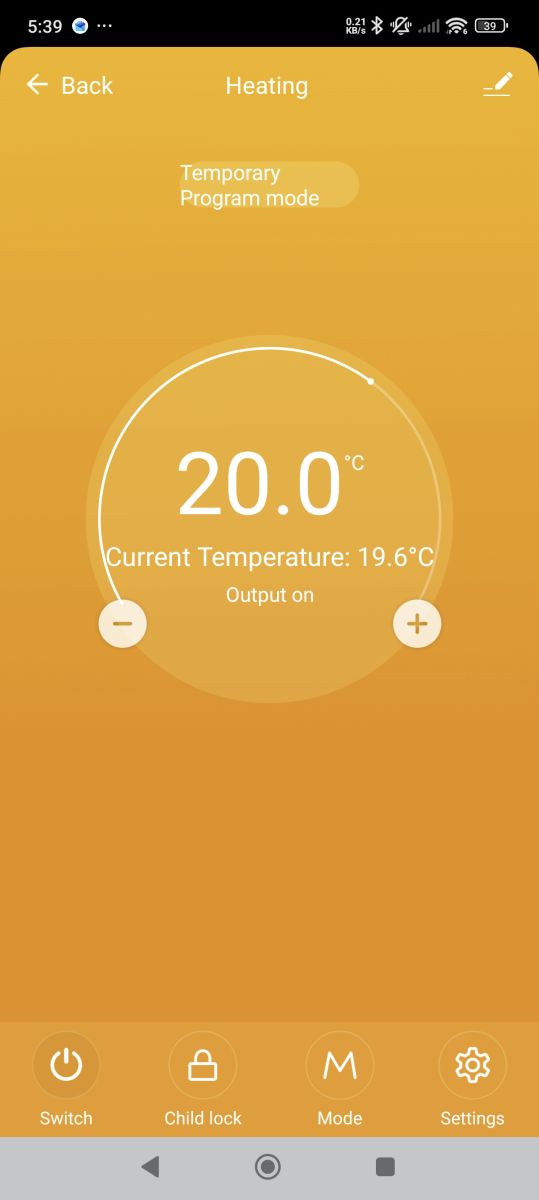
Info:CMD:[WebApp Cmd 'tuyaMcu_sendQueryState' Result] OK
Info:TuyaMCU:Received: 55 AA 03 07 00 05 01 01 00 01 01 12
Info:TuyaMCU:ProcessIncoming[v=3]: cmd 7 (State) len 12
Info:TuyaMCU:ParseState: id 1 type 1-bool len 1
Info:TuyaMCU:ParseState: byte 1
Info:TuyaMCU:Received: 55 AA 03 07 00 08 03 02 00 04 00 00 00 B6 D0
Info:TuyaMCU:ProcessIncoming[v=3]: cmd 7 (State) len 15
Info:TuyaMCU:ParseState: id 3 type 2-val len 4
Info:TuyaMCU:ParseState: int32 182
Info:TuyaMCU:Received: 55 AA 03 07 00 05 04 04 00 01 01 18
Info:TuyaMCU:ProcessIncoming[v=3]: cmd 7 (State) len 12
Info:TuyaMCU:ParseState: id 4 type 4-enum len 1
Info:TuyaMCU:ParseState: byte 1
Info:TuyaMCU:Received: 55 AA 03 07 00 05 05 04 00 01 00 18
Info:TuyaMCU:ProcessIncoming[v=3]: cmd 7 (State) len 12
Info:TuyaMCU:ParseState: id 5 type 4-enum len 1
Info:TuyaMCU:ParseState: byte 0
Info:TuyaMCU:Received: 55 AA 03 07 00 05 08 01 00 01 00 18
Info:TuyaMCU:ProcessIncoming[v=3]: cmd 7 (State) len 12
Info:TuyaMCU:ParseState: id 8 type 1-bool len 1
Info:TuyaMCU:ParseState: byte 0
Info:TuyaMCU:Received: 55 AA 03 07 00 05 0D 01 00 01 00 1D
Info:TuyaMCU:ProcessIncoming[v=3]: cmd 7 (State) len 12
Info:TuyaMCU:ParseState: id 13 type 1-bool len 1
Info:TuyaMCU:ParseState: byte 0
Info:TuyaMCU:Received: 55 AA 03 07 00 05 10 05 00 01 00 24
Info:TuyaMCU:ProcessIncoming[v=3]: cmd 7 (State) len 12
Info:TuyaMCU:ParseState: id 16 type 5-bitmap len 1
Info:TuyaMCU:ParseState: byte 0
Info:TuyaMCU:Received: 55 AA 03 07 00 08 14 02 00 04 FF FF FF FB 23
Info:TuyaMCU:ProcessIncoming[v=3]: cmd 7 (State) len 15
Info:TuyaMCU:ParseState: id 20 type 2-val len 4
Info:TuyaMCU:ParseState: int32 -5
Info:TuyaMCU:Received: 55 AA 03 07 00 08 15 02 00 04 00 00 00 1C 48
Info:TuyaMCU:ProcessIncoming[v=3]: cmd 7 (State) len 15
Info:TuyaMCU:ParseState: id 21 type 2-val len 4
Info:TuyaMCU:ParseState: int32 28
Info:TuyaMCU:Received: 55 AA 03 07 00 05 19 04 00 01 00 2C
Info:TuyaMCU:ProcessIncoming[v=3]: cmd 7 (State) len 12
Info:TuyaMCU:ParseState: id 25 type 4-enum len 1
Info:TuyaMCU:ParseState: byte 0
Info:TuyaMCU:Received: 55 AA 03 07 00 05 1A 01 00 01 00 2A
Info:TuyaMCU:ProcessIncoming[v=3]: cmd 7 (State) len 12
Info:TuyaMCU:ParseState: id 26 type 1-bool len 1
Info:TuyaMCU:ParseState: byte 0
Info:TuyaMCU:Received: 55 AA 03 07 00 05 1F 01 00 01 00 2F
Info:TuyaMCU:ProcessIncoming[v=3]: cmd 7 (State) len 12
Info:TuyaMCU:ParseState: id 31 type 1-bool len 1
Info:TuyaMCU:ParseState: byte 0
Info:TuyaMCU:Received: 55 AA 03 07 00 05 29 04 00 01 01 3D
Info:TuyaMCU:ProcessIncoming[v=3]: cmd 7 (State) len 12
Info:TuyaMCU:ParseState: id 41 type 4-enum len 1
Info:TuyaMCU:ParseState: byte 1
Info:TuyaMCU:Received: 55 AA 03 07 00 05 2A 04 00 01 02 3F
Info:TuyaMCU:ProcessIncoming[v=3]: cmd 7 (State) len 12
Info:TuyaMCU:ParseState: id 42 type 4-enum len 1
Info:TuyaMCU:ParseState: byte 2
Info:TuyaMCU:Received: 55 AA 03 07 00 24 2B 00 00 20 02 02 00 78 06 1E 00 D2 07 1E 00 78 0C 1E 00 78 11 00 00 78 17 00 00 78 08 00 00 78 17 00 00 78 50
Info:TuyaMCU:ProcessIncoming[v=3]: cmd 7 (State) len 43
Info:TuyaMCU:ParseState: id 43 type 0-raw len 32
Info:TuyaMCU:Received: 55 AA 03 07 00 05 65 01 00 01 00 75
Info:TuyaMCU:ProcessIncoming[v=3]: cmd 7 (State) len 12
Info:TuyaMCU:ParseState: id 101 type 1-bool len 1
Info:TuyaMCU:ParseState: byte 0
Info:TuyaMCU:Received: 55 AA 03 07 00 08 69 02 00 04 00 00 00 05 85
Info:TuyaMCU:ProcessIncoming[v=3]: cmd 7 (State) len 15
Info:TuyaMCU:ParseState: id 105 type 2-val len 4
Info:TuyaMCU:ParseState: int32 5
Info:TuyaMCU:Received: 55 AA 03 07 00 08 6B 02 00 04 00 00 00 1C 9E
Info:TuyaMCU:ProcessIncoming[v=3]: cmd 7 (State) len 15
Info:TuyaMCU:ParseState: id 107 type 2-val len 4
Info:TuyaMCU:ParseState: int32 28
Info:TuyaMCU:Received: 55 AA 03 07 00 08 02 02 00 04 00 00 00 78 91
Info:TuyaMCU:ProcessIncoming[v=3]: cmd 7 (State) len 15
Info:TuyaMCU:ParseState: id 2 type 2-val len 4
Info:TuyaMCU:ParseState: int32 120
Added after 3 [minutes]:
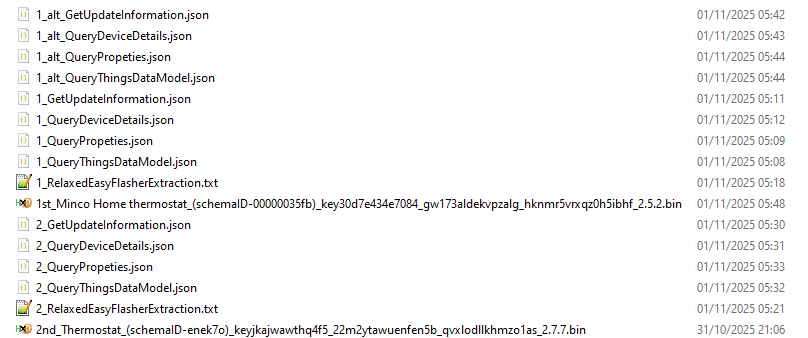
And this is the config from the newer unit along with its firmware backup
Info:CMD:[WebApp Cmd 'tuyaMcu_sendQueryState' Result] OK
Info:TuyaMCU:Received: 55 AA 03 07 00 05 01 01 00 01 01 12
Info:TuyaMCU:ProcessIncoming[v=3]: cmd 7 (State) len 12
Info:TuyaMCU:ParseState: id 1 type 1-bool len 1
Info:TuyaMCU:ParseState: byte 1
Info:TuyaMCU:Received: 55 AA 03 07 00 08 02 02 00 04 00 00 00 EB 04
Info:TuyaMCU:ProcessIncoming[v=3]: cmd 7 (State) len 15
Info:TuyaMCU:ParseState: id 2 type 2-val len 4
Info:TuyaMCU:ParseState: int32 235
Info:TuyaMCU:Received: 55 AA 03 07 00 08 03 02 00 04 00 00 00 A7 C1
Info:TuyaMCU:ProcessIncoming[v=3]: cmd 7 (State) len 15
Info:TuyaMCU:ParseState: id 3 type 2-val len 4
Info:TuyaMCU:ParseState: int32 167
Info:TuyaMCU:Received: 55 AA 03 07 00 05 04 04 00 01 00 17
Info:TuyaMCU:ProcessIncoming[v=3]: cmd 7 (State) len 12
Info:TuyaMCU:ParseState: id 4 type 4-enum len 1
Info:TuyaMCU:ParseState: byte 0
Info:TuyaMCU:Received: 55 AA 03 07 00 05 05 04 00 01 01 19
Info:TuyaMCU:ProcessIncoming[v=3]: cmd 7 (State) len 12
Info:TuyaMCU:ParseState: id 5 type 4-enum len 1
Info:TuyaMCU:ParseState: byte 1
Info:TuyaMCU:Received: 55 AA 03 07 00 05 09 01 00 01 00 19
Info:TuyaMCU:ProcessIncoming[v=3]: cmd 7 (State) len 12
Info:TuyaMCU:ParseState: id 9 type 1-bool len 1
Info:TuyaMCU:ParseState: byte 0
Info:TuyaMCU:Received: 55 AA 03 07 00 05 0B 05 00 01 00 1F
Info:TuyaMCU:ProcessIncoming[v=3]: cmd 7 (State) len 12
Info:TuyaMCU:ParseState: id 11 type 5-bitmap len 1
Info:TuyaMCU:ParseState: byte 0
Info:TuyaMCU:Received: 55 AA 03 07 00 08 0F 02 00 04 00 00 00 3C 62
Info:TuyaMCU:ProcessIncoming[v=3]: cmd 7 (State) len 15
Info:TuyaMCU:ParseState: id 15 type 2-val len 4
Info:TuyaMCU:ParseState: int32 60
Info:TuyaMCU:Received: 55 AA 03 07 00 08 13 02 00 04 FF FF FF F6 1D
Info:TuyaMCU:ProcessIncoming[v=3]: cmd 7 (State) len 15
Info:TuyaMCU:ParseState: id 19 type 2-val len 4
Info:TuyaMCU:ParseState: int32 -10
Info:TuyaMCU:Received: 55 AA 03 07 00 24 69 00 00 20 06 00 00 C8 08 00 00 A0 0B 1E 00 A0 0C 1E 00 A0 11 00 00 DC 16 00 00 A0 08 00 00 DC 17 00 00 A0 FD
Info:TuyaMCU:ProcessIncoming[v=3]: cmd 7 (State) len 43
Info:TuyaMCU:ParseState: id 105 type 0-raw len 32
Info:TuyaMCU:Received: 55 AA 03 07 00 08 66 02 00 04 00 00 00 3C B9
Info:TuyaMCU:ProcessIncoming[v=3]: cmd 7 (State) len 15
Info:TuyaMCU:ParseState: id 102 type 2-val len 4
Info:TuyaMCU:ParseState: int32 60
Info:TuyaMCU:Received: 55 AA 03 07 00 08 65 02 00 04 00 00 00 0A 86
Info:TuyaMCU:ProcessIncoming[v=3]: cmd 7 (State) len 15
Info:TuyaMCU:ParseState: id 101 type 2-val len 4
Info:TuyaMCU:ParseState: int32 10
Info:TuyaMCU:Received: 55 AA 03 07 00 05 67 01 00 01 00 77
Info:TuyaMCU:ProcessIncoming[v=3]: cmd 7 (State) len 12
Info:TuyaMCU:ParseState: id 103 type 1-bool len 1
Info:TuyaMCU:ParseState: byte 0
Info:TuyaMCU:Received: 55 AA 03 07 00 05 6D 01 00 01 01 7E
Info:TuyaMCU:ProcessIncoming[v=3]: cmd 7 (State) len 12
Info:TuyaMCU:ParseState: id 109 type 1-bool len 1
Info:TuyaMCU:ParseState: byte 1
Info:TuyaMCU:Received: 55 AA 03 07 00 05 6C 01 00 01 00 7C
Info:TuyaMCU:ProcessIncoming[v=3]: cmd 7 (State) len 12
Info:TuyaMCU:ParseState: id 108 type 1-bool len 1
Info:TuyaMCU:ParseState: byte 0
Info:TuyaMCU:Received: 55 AA 03 07 00 05 6A 04 00 01 03 80
Info:TuyaMCU:ProcessIncoming[v=3]: cmd 7 (State) len 12
Info:TuyaMCU:ParseState: id 106 type 4-enum len 1
Info:TuyaMCU:ParseState: byte 3
Info:TuyaMCU:Received: 55 AA 03 07 00 05 6E 04 00 01 00 81
Info:TuyaMCU:ProcessIncoming[v=3]: cmd 7 (State) len 12
Info:TuyaMCU:ParseState: id 110 type 4-enum len 1
Info:TuyaMCU:ParseState: byte 0
Info:TuyaMCU:Received: 55 AA 03 07 00 05 6B 04 00 01 01 7F
Info:TuyaMCU:ProcessIncoming[v=3]: cmd 7 (State) len 12
Info:TuyaMCU:ParseState: id 107 type 4-enum len 1
Info:TuyaMCU:ParseState: byte 1
Info:TuyaMCU:Received: 55 AA 03 07 00 05 68 01 00 01 00 78
Info:TuyaMCU:ProcessIncoming[v=3]: cmd 7 (State) len 12
Info:TuyaMCU:ParseState: id 104 type 1-bool len 1
Info:TuyaMCU:ParseState: byte 0
Info:TuyaMCU:Received: 55 AA 03 07 00 05 01 01 00 01 01 12
Info:TuyaMCU:ProcessIncoming[v=3]: cmd 7 (State) len 12
Info:TuyaMCU:ParseState: id 1 type 1-bool len 1
Info:TuyaMCU:ParseState: byte 1
Info:TuyaMCU:Received: 55 AA 03 07 00 08 03 02 00 04 00 00 00 B6 D0
Info:TuyaMCU:ProcessIncoming[v=3]: cmd 7 (State) len 15
Info:TuyaMCU:ParseState: id 3 type 2-val len 4
Info:TuyaMCU:ParseState: int32 182
Info:TuyaMCU:Received: 55 AA 03 07 00 05 04 04 00 01 01 18
Info:TuyaMCU:ProcessIncoming[v=3]: cmd 7 (State) len 12
Info:TuyaMCU:ParseState: id 4 type 4-enum len 1
Info:TuyaMCU:ParseState: byte 1
Info:TuyaMCU:Received: 55 AA 03 07 00 05 05 04 00 01 00 18
Info:TuyaMCU:ProcessIncoming[v=3]: cmd 7 (State) len 12
Info:TuyaMCU:ParseState: id 5 type 4-enum len 1
Info:TuyaMCU:ParseState: byte 0
Info:TuyaMCU:Received: 55 AA 03 07 00 05 08 01 00 01 00 18
Info:TuyaMCU:ProcessIncoming[v=3]: cmd 7 (State) len 12
Info:TuyaMCU:ParseState: id 8 type 1-bool len 1
Info:TuyaMCU:ParseState: byte 0
Info:TuyaMCU:Received: 55 AA 03 07 00 05 0D 01 00 01 00 1D
Info:TuyaMCU:ProcessIncoming[v=3]: cmd 7 (State) len 12
Info:TuyaMCU:ParseState: id 13 type 1-bool len 1
Info:TuyaMCU:ParseState: byte 0
Info:TuyaMCU:Received: 55 AA 03 07 00 05 10 05 00 01 00 24
Info:TuyaMCU:ProcessIncoming[v=3]: cmd 7 (State) len 12
Info:TuyaMCU:ParseState: id 16 type 5-bitmap len 1
Info:TuyaMCU:ParseState: byte 0
Info:TuyaMCU:Received: 55 AA 03 07 00 08 14 02 00 04 FF FF FF FB 23
Info:TuyaMCU:ProcessIncoming[v=3]: cmd 7 (State) len 15
Info:TuyaMCU:ParseState: id 20 type 2-val len 4
Info:TuyaMCU:ParseState: int32 -5
Info:TuyaMCU:Received: 55 AA 03 07 00 08 15 02 00 04 00 00 00 1C 48
Info:TuyaMCU:ProcessIncoming[v=3]: cmd 7 (State) len 15
Info:TuyaMCU:ParseState: id 21 type 2-val len 4
Info:TuyaMCU:ParseState: int32 28
Info:TuyaMCU:Received: 55 AA 03 07 00 05 19 04 00 01 00 2C
Info:TuyaMCU:ProcessIncoming[v=3]: cmd 7 (State) len 12
Info:TuyaMCU:ParseState: id 25 type 4-enum len 1
Info:TuyaMCU:ParseState: byte 0
Info:TuyaMCU:Received: 55 AA 03 07 00 05 1A 01 00 01 00 2A
Info:TuyaMCU:ProcessIncoming[v=3]: cmd 7 (State) len 12
Info:TuyaMCU:ParseState: id 26 type 1-bool len 1
Info:TuyaMCU:ParseState: byte 0
Info:TuyaMCU:Received: 55 AA 03 07 00 05 1F 01 00 01 00 2F
Info:TuyaMCU:ProcessIncoming[v=3]: cmd 7 (State) len 12
Info:TuyaMCU:ParseState: id 31 type 1-bool len 1
Info:TuyaMCU:ParseState: byte 0
Info:TuyaMCU:Received: 55 AA 03 07 00 05 29 04 00 01 01 3D
Info:TuyaMCU:ProcessIncoming[v=3]: cmd 7 (State) len 12
Info:TuyaMCU:ParseState: id 41 type 4-enum len 1
Info:TuyaMCU:ParseState: byte 1
Info:TuyaMCU:Received: 55 AA 03 07 00 05 2A 04 00 01 02 3F
Info:TuyaMCU:ProcessIncoming[v=3]: cmd 7 (State) len 12
Info:TuyaMCU:ParseState: id 42 type 4-enum len 1
Info:TuyaMCU:ParseState: byte 2
Info:TuyaMCU:Received: 55 AA 03 07 00 24 2B 00 00 20 02 02 00 78 06 1E 00 D2 07 1E 00 78 0C 1E 00 78 11 00 00 78 17 00 00 78 08 00 00 78 17 00 00 78 50
Info:TuyaMCU:ProcessIncoming[v=3]: cmd 7 (State) len 43
Info:TuyaMCU:ParseState: id 43 type 0-raw len 32
Info:TuyaMCU:Received: 55 AA 03 07 00 05 65 01 00 01 00 75
Info:TuyaMCU:ProcessIncoming[v=3]: cmd 7 (State) len 12
Info:TuyaMCU:ParseState: id 101 type 1-bool len 1
Info:TuyaMCU:ParseState: byte 0
Info:TuyaMCU:Received: 55 AA 03 07 00 08 69 02 00 04 00 00 00 05 85
Info:TuyaMCU:ProcessIncoming[v=3]: cmd 7 (State) len 15
Info:TuyaMCU:ParseState: id 105 type 2-val len 4
Info:TuyaMCU:ParseState: int32 5
Info:TuyaMCU:Received: 55 AA 03 07 00 08 6B 02 00 04 00 00 00 1C 9E
Info:TuyaMCU:ProcessIncoming[v=3]: cmd 7 (State) len 15
Info:TuyaMCU:ParseState: id 107 type 2-val len 4
Info:TuyaMCU:ParseState: int32 28
Info:TuyaMCU:Received: 55 AA 03 07 00 08 02 02 00 04 00 00 00 78 91
Info:TuyaMCU:ProcessIncoming[v=3]: cmd 7 (State) len 15
Info:TuyaMCU:ParseState: id 2 type 2-val len 4
Info:TuyaMCU:ParseState: int32 120
Added after 3 [minutes]:
And this is the config from the newer unit along with its firmware backup
Info:CMD:[WebApp Cmd 'tuyaMcu_sendQueryState' Result] OK
Info:TuyaMCU:Received: 55 AA 03 07 00 05 01 01 00 01 01 12
Info:TuyaMCU:ProcessIncoming[v=3]: cmd 7 (State) len 12
Info:TuyaMCU:ParseState: id 1 type 1-bool len 1
Info:TuyaMCU:ParseState: byte 1
Info:TuyaMCU:Received: 55 AA 03 07 00 08 02 02 00 04 00 00 00 EB 04
Info:TuyaMCU:ProcessIncoming[v=3]: cmd 7 (State) len 15
Info:TuyaMCU:ParseState: id 2 type 2-val len 4
Info:TuyaMCU:ParseState: int32 235
Info:TuyaMCU:Received: 55 AA 03 07 00 08 03 02 00 04 00 00 00 A7 C1
Info:TuyaMCU:ProcessIncoming[v=3]: cmd 7 (State) len 15
Info:TuyaMCU:ParseState: id 3 type 2-val len 4
Info:TuyaMCU:ParseState: int32 167
Info:TuyaMCU:Received: 55 AA 03 07 00 05 04 04 00 01 00 17
Info:TuyaMCU:ProcessIncoming[v=3]: cmd 7 (State) len 12
Info:TuyaMCU:ParseState: id 4 type 4-enum len 1
Info:TuyaMCU:ParseState: byte 0
Info:TuyaMCU:Received: 55 AA 03 07 00 05 05 04 00 01 01 19
Info:TuyaMCU:ProcessIncoming[v=3]: cmd 7 (State) len 12
Info:TuyaMCU:ParseState: id 5 type 4-enum len 1
Info:TuyaMCU:ParseState: byte 1
Info:TuyaMCU:Received: 55 AA 03 07 00 05 09 01 00 01 00 19
Info:TuyaMCU:ProcessIncoming[v=3]: cmd 7 (State) len 12
Info:TuyaMCU:ParseState: id 9 type 1-bool len 1
Info:TuyaMCU:ParseState: byte 0
Info:TuyaMCU:Received: 55 AA 03 07 00 05 0B 05 00 01 00 1F
Info:TuyaMCU:ProcessIncoming[v=3]: cmd 7 (State) len 12
Info:TuyaMCU:ParseState: id 11 type 5-bitmap len 1
Info:TuyaMCU:ParseState: byte 0
Info:TuyaMCU:Received: 55 AA 03 07 00 08 0F 02 00 04 00 00 00 3C 62
Info:TuyaMCU:ProcessIncoming[v=3]: cmd 7 (State) len 15
Info:TuyaMCU:ParseState: id 15 type 2-val len 4
Info:TuyaMCU:ParseState: int32 60
Info:TuyaMCU:Received: 55 AA 03 07 00 08 13 02 00 04 FF FF FF F6 1D
Info:TuyaMCU:ProcessIncoming[v=3]: cmd 7 (State) len 15
Info:TuyaMCU:ParseState: id 19 type 2-val len 4
Info:TuyaMCU:ParseState: int32 -10
Info:TuyaMCU:Received: 55 AA 03 07 00 24 69 00 00 20 06 00 00 C8 08 00 00 A0 0B 1E 00 A0 0C 1E 00 A0 11 00 00 DC 16 00 00 A0 08 00 00 DC 17 00 00 A0 FD
Info:TuyaMCU:ProcessIncoming[v=3]: cmd 7 (State) len 43
Info:TuyaMCU:ParseState: id 105 type 0-raw len 32
Info:TuyaMCU:Received: 55 AA 03 07 00 08 66 02 00 04 00 00 00 3C B9
Info:TuyaMCU:ProcessIncoming[v=3]: cmd 7 (State) len 15
Info:TuyaMCU:ParseState: id 102 type 2-val len 4
Info:TuyaMCU:ParseState: int32 60
Info:TuyaMCU:Received: 55 AA 03 07 00 08 65 02 00 04 00 00 00 0A 86
Info:TuyaMCU:ProcessIncoming[v=3]: cmd 7 (State) len 15
Info:TuyaMCU:ParseState: id 101 type 2-val len 4
Info:TuyaMCU:ParseState: int32 10
Info:TuyaMCU:Received: 55 AA 03 07 00 05 67 01 00 01 00 77
Info:TuyaMCU:ProcessIncoming[v=3]: cmd 7 (State) len 12
Info:TuyaMCU:ParseState: id 103 type 1-bool len 1
Info:TuyaMCU:ParseState: byte 0
Info:TuyaMCU:Received: 55 AA 03 07 00 05 6D 01 00 01 01 7E
Info:TuyaMCU:ProcessIncoming[v=3]: cmd 7 (State) len 12
Info:TuyaMCU:ParseState: id 109 type 1-bool len 1
Info:TuyaMCU:ParseState: byte 1
Info:TuyaMCU:Received: 55 AA 03 07 00 05 6C 01 00 01 00 7C
Info:TuyaMCU:ProcessIncoming[v=3]: cmd 7 (State) len 12
Info:TuyaMCU:ParseState: id 108 type 1-bool len 1
Info:TuyaMCU:ParseState: byte 0
Info:TuyaMCU:Received: 55 AA 03 07 00 05 6A 04 00 01 03 80
Info:TuyaMCU:ProcessIncoming[v=3]: cmd 7 (State) len 12
Info:TuyaMCU:ParseState: id 106 type 4-enum len 1
Info:TuyaMCU:ParseState: byte 3
Info:TuyaMCU:Received: 55 AA 03 07 00 05 6E 04 00 01 00 81
Info:TuyaMCU:ProcessIncoming[v=3]: cmd 7 (State) len 12
Info:TuyaMCU:ParseState: id 110 type 4-enum len 1
Info:TuyaMCU:ParseState: byte 0
Info:TuyaMCU:Received: 55 AA 03 07 00 05 6B 04 00 01 01 7F
Info:TuyaMCU:ProcessIncoming[v=3]: cmd 7 (State) len 12
Info:TuyaMCU:ParseState: id 107 type 4-enum len 1
Info:TuyaMCU:ParseState: byte 1
Info:TuyaMCU:Received: 55 AA 03 07 00 05 68 01 00 01 00 78
Info:TuyaMCU:ProcessIncoming[v=3]: cmd 7 (State) len 12
Info:TuyaMCU:ParseState: id 104 type 1-bool len 1
Info:TuyaMCU:ParseState: byte 0