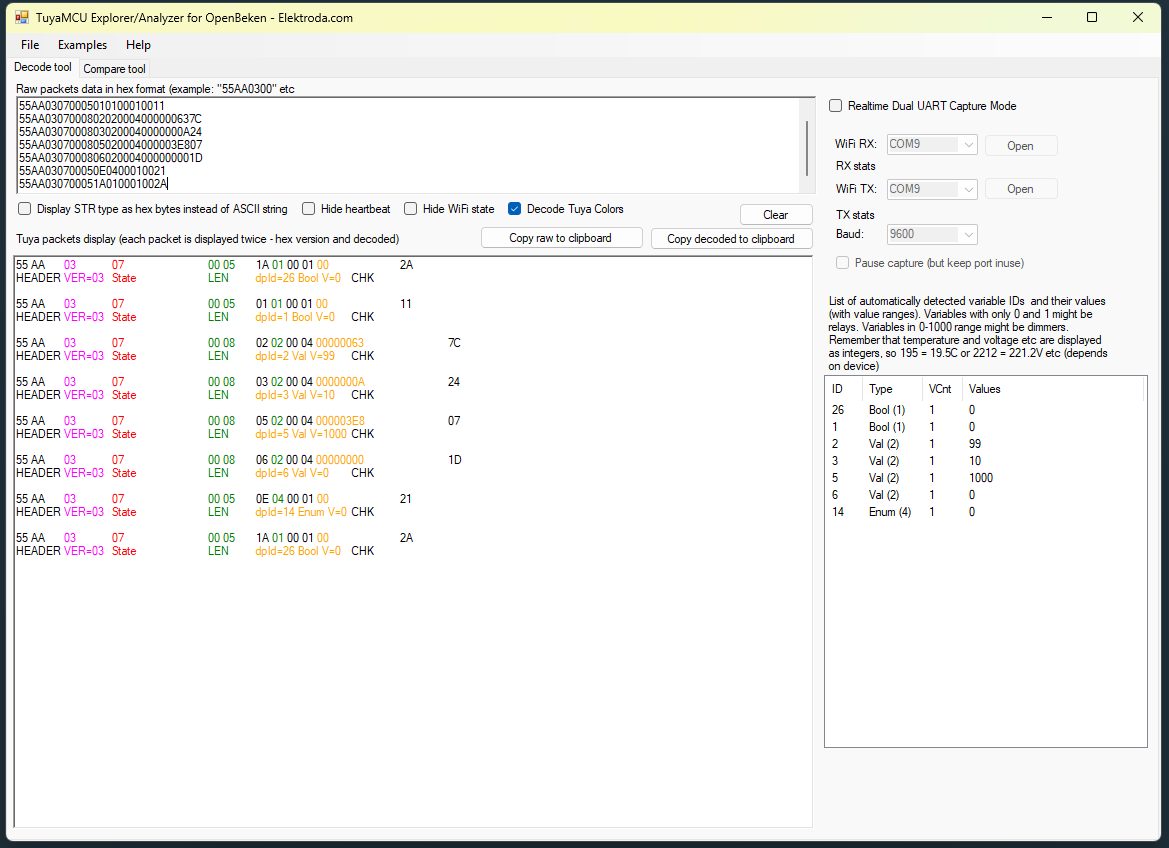
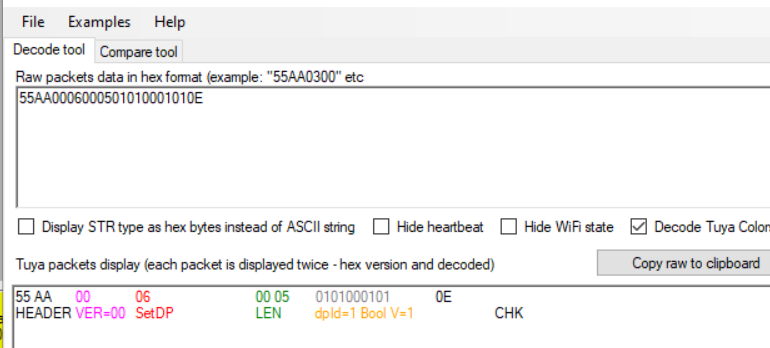
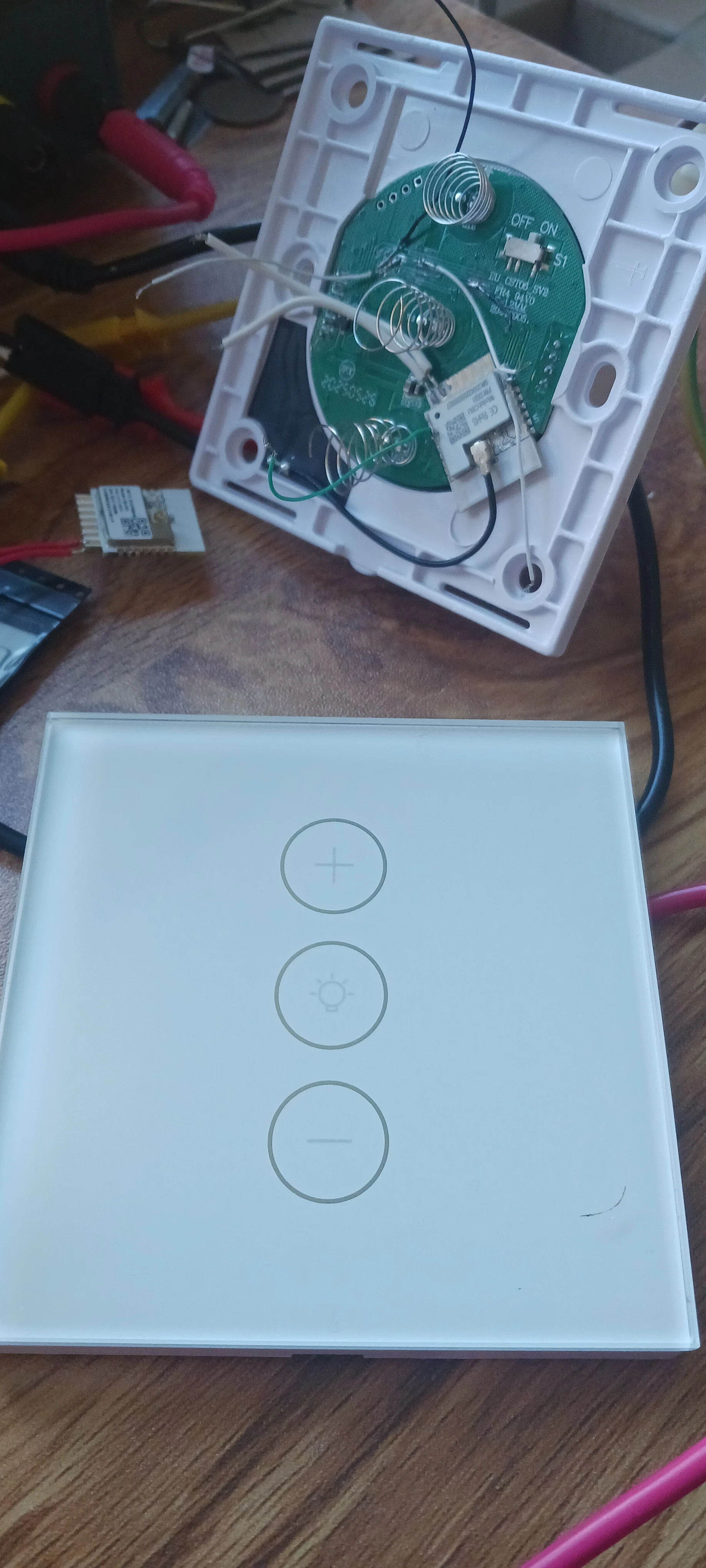
I have a Tuya dimmer switch, It has a Beken unit in it BK7231N it had a and and - symbol on it and a middle on and off switch.
It talks serial to a chip that is unmarked with a baud rate of 9600
The protocol is structured so a variable length of hex values is sent and then some are received. The ones that are received contain the status. The sending ones are telling the electronics what to do (Control). All message start with 55 this gives a nice square wave for each side to sync with. Then AA...
Here are the signals I found that do specific thinks like
on/off .
This is the protocol in hex values.
TX
light on
55AA0006000501010001010E
RX
55AA03070005010100010112
55AA03070005010100010112
55AA03070008020200040000030C28
55AA03070008030200040000000A24
55AA0307000805020004000003E807
55AA0307000806020004000000001D
55AA030700050E040001002155AA030700051A010001012B
light off
TX
55AA0006000501010001000D
RX
55AA03070005010100010011
55AA03070005010100010011
55AA0307000802020004000000D0E9
55AA03070008030200040000000A24
55AA0307000805020004000003E807
55AA0307000806020004000000001D
55AA030700050E040001002155AA030700051A010001012B
by holding down the middle button the back light can be turned on and off. With the following signals.
back light on
TX
55 AA 00 06 00 05 1A 01 00 01 01 27
RX
55AA030700051A010001012B
55AA03070005010100010011
55AA0307000802020004000000637C
55AA03070008030200040000000A24
55AA0307000805020004000003E807
55AA0307000806020004000000001D
55AA030700050E0400010021
55AA030700051A010001012B
back light off
TX
55 AA 00 06 00 05 1A 01 00 01 00 26
RX
55AA030700051A010001002A
55AA03070005010100010011
55AA0307000802020004000000637C
55AA03070008030200040000000A24
55AA0307000805020004000003E807
55AA0307000806020004000000001D
55AA030700050E0400010021
55AA030700051A010001002A
Here is the TX when adjusting the brightness
dimmness 15 byte tx
TX Brightness
55AA00060008020200040000001429 1%
55AA00060008020200040000001E33 2%
55AA0006000802020004000000283D 3%
55AA00060008020200040000003247 4%
55AA0006000802020004000000455A 5%
55AA0006000802020004000000596E 6%
55AA0006000802020004000000778C higher I can't remember what this one was.
There is a long press on the bottom "-" button on the physical light switch that will put the beken unit into access point mode so the Tuya app can tell it what wifi details to use. I will capture this at some point.
What I need is to work out how to get openbeken to send these serial commands over the tx0 and rx0 pins.
It talks serial to a chip that is unmarked with a baud rate of 9600
The protocol is structured so a variable length of hex values is sent and then some are received. The ones that are received contain the status. The sending ones are telling the electronics what to do (Control). All message start with 55 this gives a nice square wave for each side to sync with. Then AA...
Here are the signals I found that do specific thinks like
on/off .
This is the protocol in hex values.
TX
light on
55AA0006000501010001010E
RX
55AA03070005010100010112
55AA03070005010100010112
55AA03070008020200040000030C28
55AA03070008030200040000000A24
55AA0307000805020004000003E807
55AA0307000806020004000000001D
55AA030700050E040001002155AA030700051A010001012B
light off
TX
55AA0006000501010001000D
RX
55AA03070005010100010011
55AA03070005010100010011
55AA0307000802020004000000D0E9
55AA03070008030200040000000A24
55AA0307000805020004000003E807
55AA0307000806020004000000001D
55AA030700050E040001002155AA030700051A010001012B
by holding down the middle button the back light can be turned on and off. With the following signals.
back light on
TX
55 AA 00 06 00 05 1A 01 00 01 01 27
RX
55AA030700051A010001012B
55AA03070005010100010011
55AA0307000802020004000000637C
55AA03070008030200040000000A24
55AA0307000805020004000003E807
55AA0307000806020004000000001D
55AA030700050E0400010021
55AA030700051A010001012B
back light off
TX
55 AA 00 06 00 05 1A 01 00 01 00 26
RX
55AA030700051A010001002A
55AA03070005010100010011
55AA0307000802020004000000637C
55AA03070008030200040000000A24
55AA0307000805020004000003E807
55AA0307000806020004000000001D
55AA030700050E0400010021
55AA030700051A010001002A
Here is the TX when adjusting the brightness
dimmness 15 byte tx
TX Brightness
55AA00060008020200040000001429 1%
55AA00060008020200040000001E33 2%
55AA0006000802020004000000283D 3%
55AA00060008020200040000003247 4%
55AA0006000802020004000000455A 5%
55AA0006000802020004000000596E 6%
55AA0006000802020004000000778C higher I can't remember what this one was.
There is a long press on the bottom "-" button on the physical light switch that will put the beken unit into access point mode so the Tuya app can tell it what wifi details to use. I will capture this at some point.
What I need is to work out how to get openbeken to send these serial commands over the tx0 and rx0 pins.