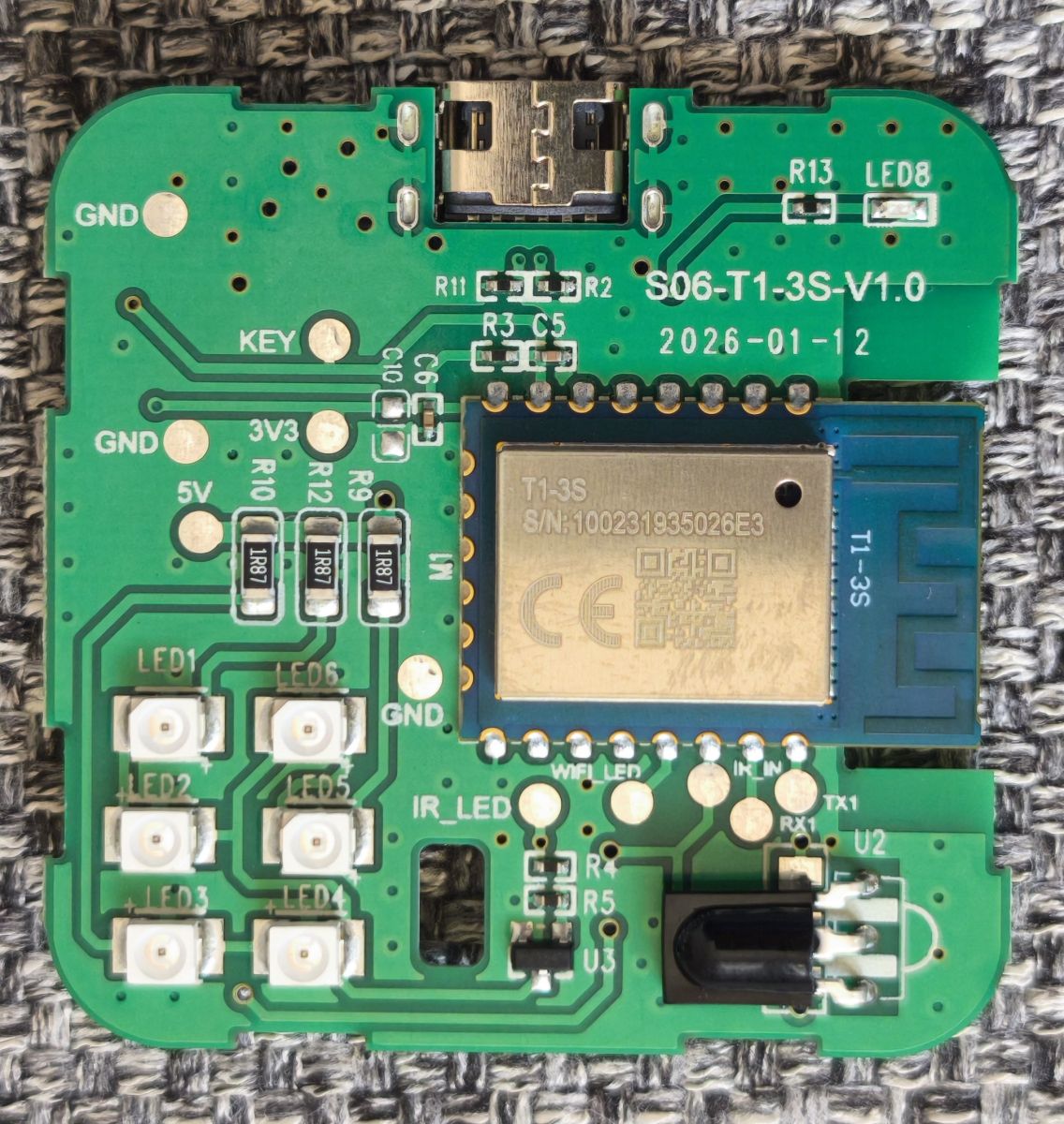
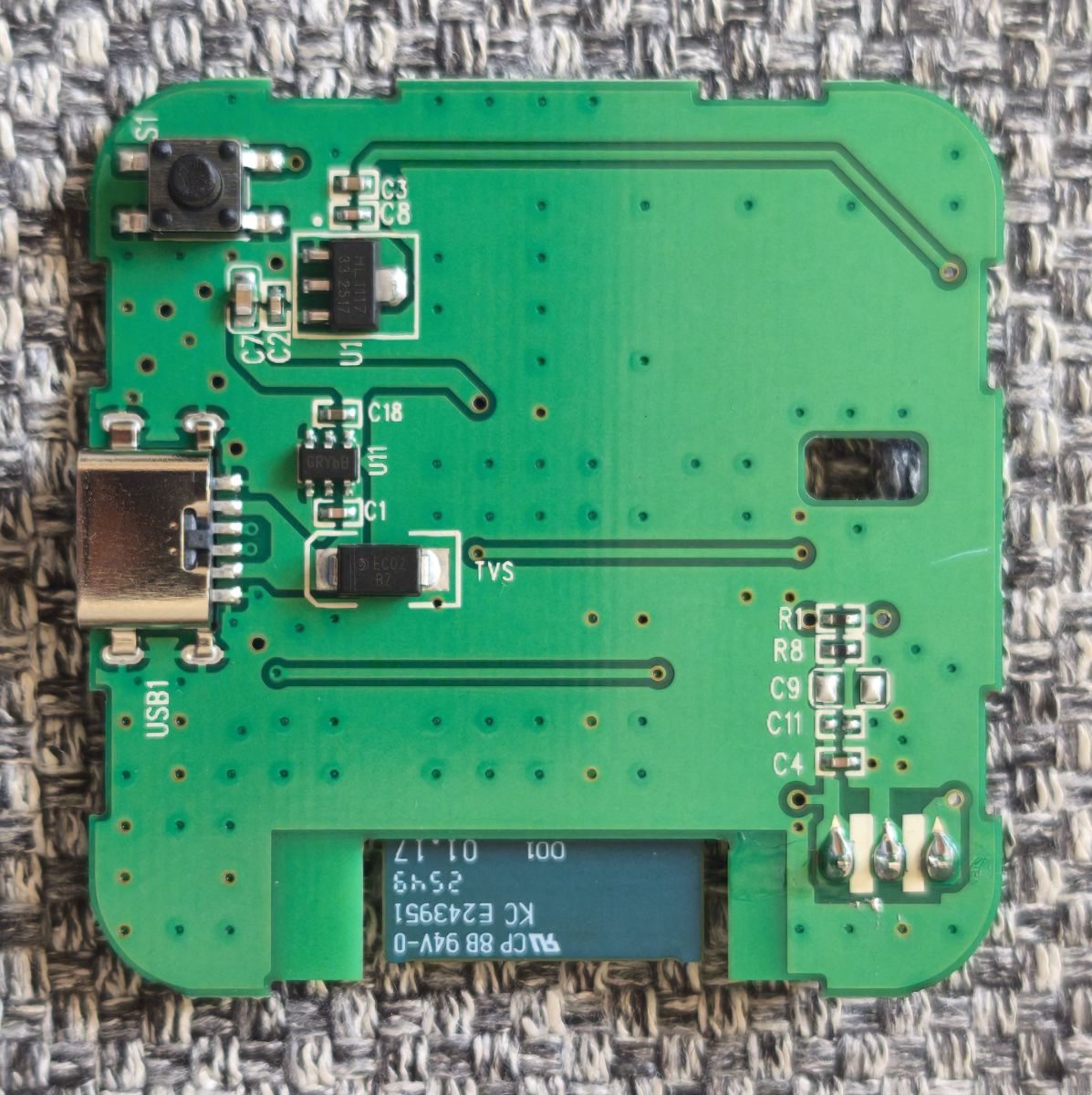
I recently did a tear-down and reflash of a new S06 Pro.
Hardware
This device has already been covered in a number of posts and is already in the teardown database.
However, as you can see from the images, my device seems to be a new version that uses the T1-3S CPU - which is a BK7238.
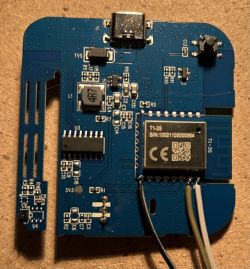

For the original jailbreak I first tried Tuya Cloudcutter on the off-chance - but no avail.
I would have been amazed if it was not patched to block this.
However, a UART based attempt was fairly simple.
The relevant pins for UART connection were:
As the device is USB-C powered there is no need to hook up 3.3v rail - just connect to USB-C power.
Firmware
The most recent BK7231GUIFlashTool worked fine to backup firmware and reflash the latest version of OpenKeben BK7238.
I did have a bit of trouble getting a stable baud rate as both the backup and flash failed a few times.
I tried lots of slower rates, but in the end a rate of 460800 seemed pretty reliable.
I also found that the initial erase often failed at the above rate and that 115200 seemed to work better (probably as erase takes more power?).
Once the Tuya firmware was erased, the higher rate seemed to work fine.
I have tried a few of the more recent versions of OpenBeken and all seem to work OK.
I traced the board to determine the pins used for the relevant connections and found these as follows:
The corresponding config template I am using is:
To determine how the Tuya MCU was handled I booted with the new firmware.
On first boot of OpenBeken all seemed OK - except that the device would reboot every 60 seconds or so.
I assume this is some sort of watchdog reboot either within the BK7238 or with the Tuya MCU.
Adding startDriver TuyaMCU fixed this.
The OpenBeken log clearly showed the temperature and humidity values being transmitted from the Tuya MCU.
Using this data, I figured out the channels used.
The autoexec.bat I used was:
The OpenBeken UI behaves as expected with these settings showing the temperature and humidity.

MQTT
With MQTT configured correctly I was able to see the relevant topics.
I then set the following flags:
Flag 2 - [MQTT] Broadcast self state every N (def: 60) seconds (delay configurable by 'mqtt\_broadcastInterval' and 'mqtt\_broadcastItemsPerSec' commands)
Flag 10 - [MQTT] Broadcast self state on MQTT connect
Flag 19 - [MQTT] Always publish channels used by TuyaMCU
Following this Home Assistant MQTT discovery works fine also.

Infra-Red
Finally I tested that IR could be detected using a simple NEC compatible remote.

And I was able to send the same IR codes using:

I set the following flags to send IR back to Home Assistant:
Flag 14 - [IR] Do MQTT publish (RAW STRING) for incoming IR data
Flag 22 - [IR] Do MQTT publish (Tasmota JSON format) for incoming IR data
Both settings work fine with both raw and JSON transmitted as MQTT topic/payloads.

I have not yet tested sending IR from Home Assistant, but I assume this should work OK.
Summary
This was my first time using Open Beken.
I was pretty impressed with how easy it was to setup for this device.
I have been a longtime user of ESPHome for ESP8266 and ESP32 - but ESPTiny does not support BK7238 (yet?).
Open Beken provides that support and lets me use a greater variety of off-the-shelf devices.
Many thanks to the dev(s).
Next Steps
For me, the icing on the cake would be to get MQTT over TSL working on this device allowing me to use it in remote locations.
My investigations show that the BK7238 should have enough capacity to do this.
I have been able to build my own copy of Open Beken firmware locally, but struggle with enabling the TLS option.
See my other post on the subject.
I also have a recently purchased S09 which is my next target.
However, I want to be able to use it remotely, so I have not yet removed the Tuya Firmware, because until I get MQTT over TSL working, that is my only solution.
Much of the above builds on the great work already done by the folks on this forum, but I hope I have provided sufficient information to help others with the latest version of this device.
Thanks
Hardware
This device has already been covered in a number of posts and is already in the teardown database.
However, as you can see from the images, my device seems to be a new version that uses the T1-3S CPU - which is a BK7238.


For the original jailbreak I first tried Tuya Cloudcutter on the off-chance - but no avail.
I would have been amazed if it was not patched to block this.
However, a UART based attempt was fairly simple.
The relevant pins for UART connection were:
| UART | MCU | RX | TX1 (16) | TX | RX1 (15) | GND | GND (9) |
As the device is USB-C powered there is no need to hook up 3.3v rail - just connect to USB-C power.
Firmware
The most recent BK7231GUIFlashTool worked fine to backup firmware and reflash the latest version of OpenKeben BK7238.
I did have a bit of trouble getting a stable baud rate as both the backup and flash failed a few times.
I tried lots of slower rates, but in the end a rate of 460800 seemed pretty reliable.
I also found that the initial erase often failed at the above rate and that 115200 seemed to work better (probably as erase takes more power?).
Once the Tuya firmware was erased, the higher rate seemed to work fine.
I have tried a few of the more recent versions of OpenBeken and all seem to work OK.
I traced the board to determine the pins used for the relevant connections and found these as follows:
| Physical Pin | MCU Pin Name | Function | Connected to | 13 | P24 | GPIO\_24 / PWM4 | LED 8 / WiFi/Pair | 14 | P26 | GPIO\_26 / PWM5 | IR Receiver | 5 | P6 | GPIO\_06 / PWM0 | IR Transmitter | 7 | P9 | GPIO\_09 / PWM3 | Push Button |
The corresponding config template I am using is:
Code: JSON
To determine how the Tuya MCU was handled I booted with the new firmware.
On first boot of OpenBeken all seemed OK - except that the device would reboot every 60 seconds or so.
I assume this is some sort of watchdog reboot either within the BK7238 or with the Tuya MCU.
Adding startDriver TuyaMCU fixed this.
The OpenBeken log clearly showed the temperature and humidity values being transmitted from the Tuya MCU.
Using this data, I figured out the channels used.
The autoexec.bat I used was:
   startDriver TuyaMCU

    // set TuyaMCU default wifi state 0x04, which means "paired",
    // because some TuyaMCU MCUs will not report all data
    // unless they think they are connected to cloud
    tuyaMcu\_defWiFiState 4

    startDriver NTP

    // dpID 1 is temperature div 10
    setChannelType 1 temperature\_div10
    linkTuyaMCUOutputToChannel 101 val 1

    // dpID 2 is % humidity
    setChannelType 2 Humidity
    linkTuyaMCUOutputToChannel 102 val 2
ADVERTISEMENT
The OpenBeken UI behaves as expected with these settings showing the temperature and humidity.

MQTT
With MQTT configured correctly I was able to see the relevant topics.
I then set the following flags:
Flag 2 - [MQTT] Broadcast self state every N (def: 60) seconds (delay configurable by 'mqtt\_broadcastInterval' and 'mqtt\_broadcastItemsPerSec' commands)
Flag 10 - [MQTT] Broadcast self state on MQTT connect
Flag 19 - [MQTT] Always publish channels used by TuyaMCU
Following this Home Assistant MQTT discovery works fine also.

Infra-Red
Finally I tested that IR could be detected using a simple NEC compatible remote.

And I was able to send the same IR codes using:

I set the following flags to send IR back to Home Assistant:
Flag 14 - [IR] Do MQTT publish (RAW STRING) for incoming IR data
Flag 22 - [IR] Do MQTT publish (Tasmota JSON format) for incoming IR data
Both settings work fine with both raw and JSON transmitted as MQTT topic/payloads.

I have not yet tested sending IR from Home Assistant, but I assume this should work OK.
Summary
This was my first time using Open Beken.
I was pretty impressed with how easy it was to setup for this device.
I have been a longtime user of ESPHome for ESP8266 and ESP32 - but ESPTiny does not support BK7238 (yet?).
Open Beken provides that support and lets me use a greater variety of off-the-shelf devices.
Many thanks to the dev(s).
Next Steps
For me, the icing on the cake would be to get MQTT over TSL working on this device allowing me to use it in remote locations.
My investigations show that the BK7238 should have enough capacity to do this.
I have been able to build my own copy of Open Beken firmware locally, but struggle with enabling the TLS option.
See my other post on the subject.
I also have a recently purchased S09 which is my next target.
However, I want to be able to use it remotely, so I have not yet removed the Tuya Firmware, because until I get MQTT over TSL working, that is my only solution.
Much of the above builds on the great work already done by the folks on this forum, but I hope I have provided sufficient information to help others with the latest version of this device.
Thanks