logo elektroda
logo elektroda
X
logo elektroda

BK7231 RF receiver driver tutorial - how to use SYN590R or similar to control multiple devices

p.kaczmarek2 1854 33
ADVERTISEMENT
📢 Listen (AI):
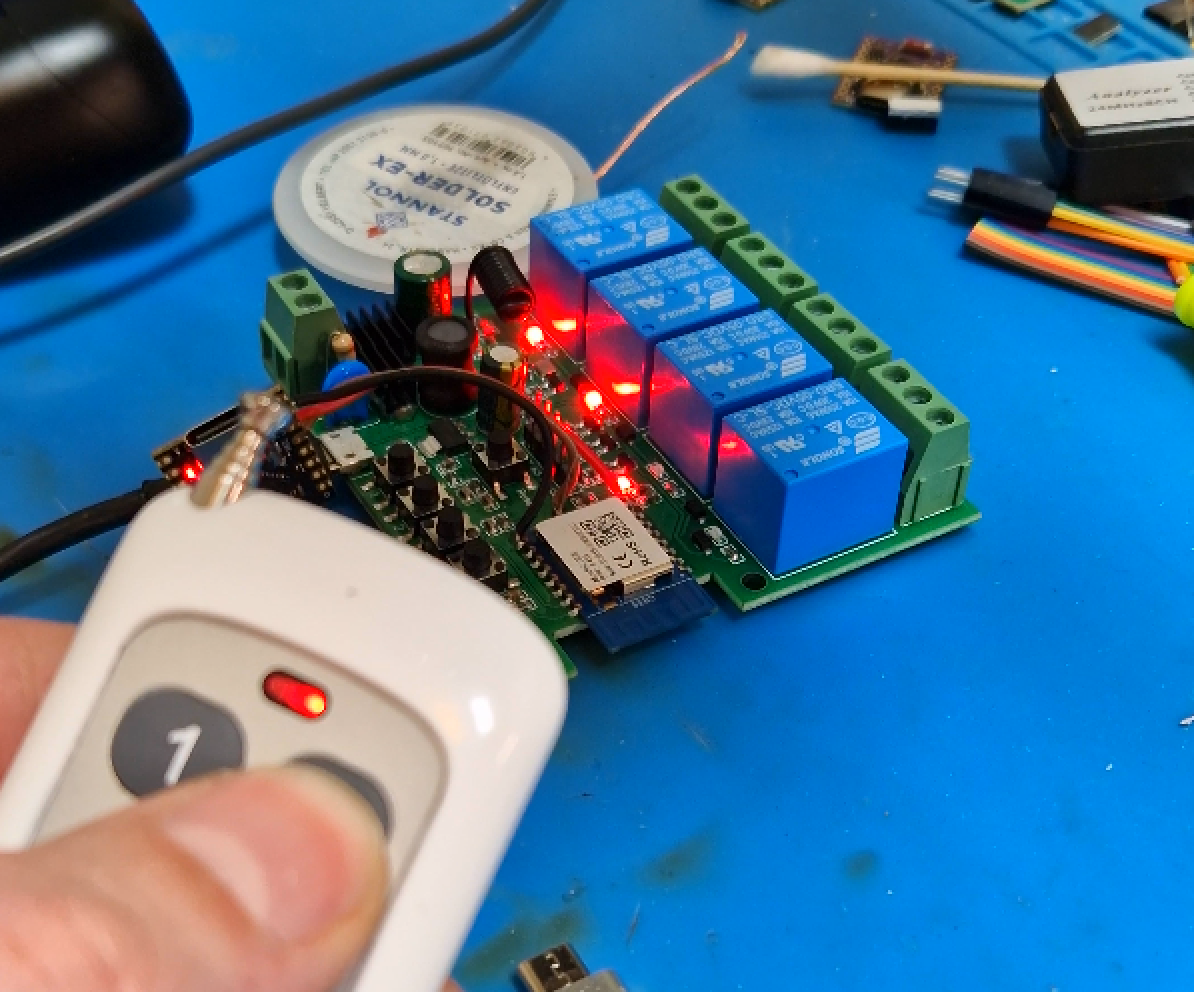
  • Wi-Fi relay board with 4 RF 433 MHz relays controlled by a handheld remote
    How to flash and configure RF remote receiver with open source firmware? How to use it to control relays and external devices, with and without Home Assistant? How to add custom remotes? Here's a short guide to RC (Radio Control) driver in OpenBeken, all basics covered. With this tutorial you'll be able to transform your simple RF relays controller into all-in-one RF control hub for many other Wi-Fi appliances, such as smart bulbs, LED strip controllers, external relay modules and much more.

    Device used for presentation
    The driver presented here can work with many devices and receivers, for presentation we used a popular Tuya 4-channel 220V AC Wi-Fi Remote Control Relay Switch Module 433 MHz RF from Aliexpress:
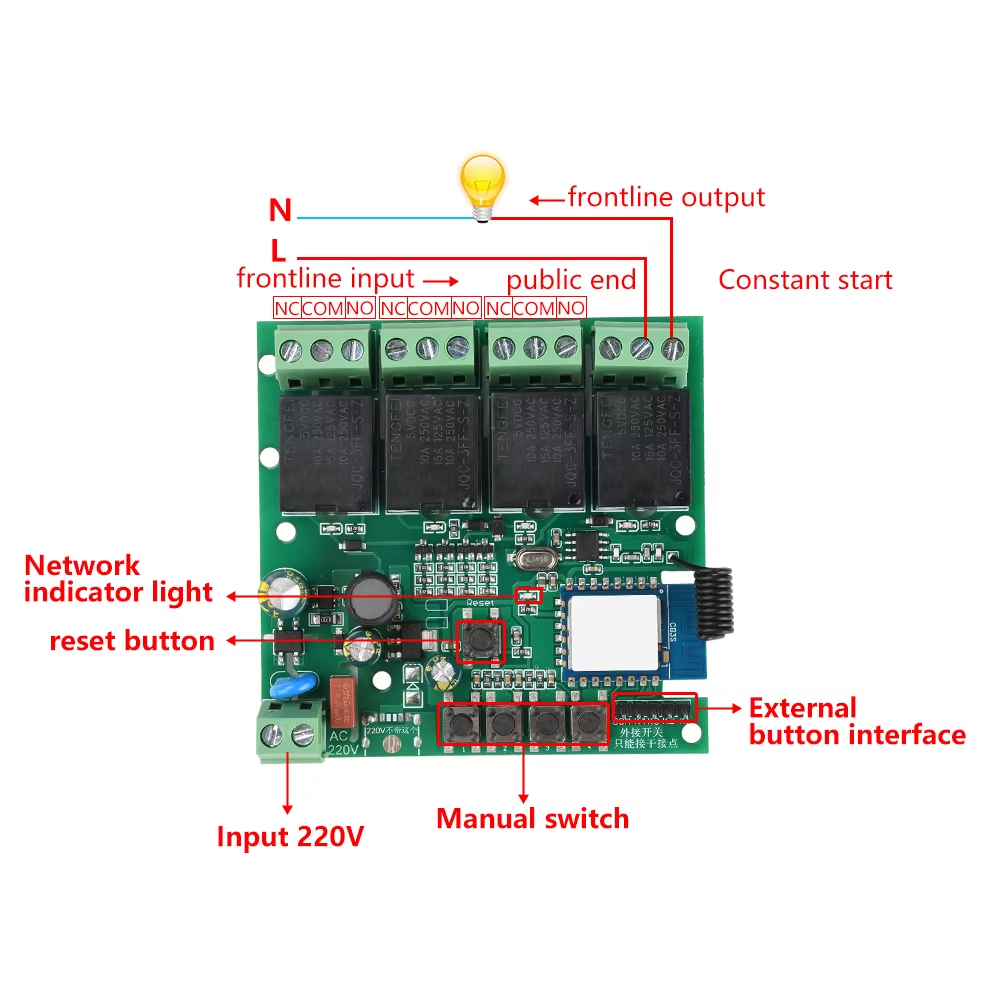
    Wi-Fi relay module with 4 220V AC channels and labeled control components
    This board features CB3S (BK7231) Wi-Fi module, which can be flashed with OpenBeken.
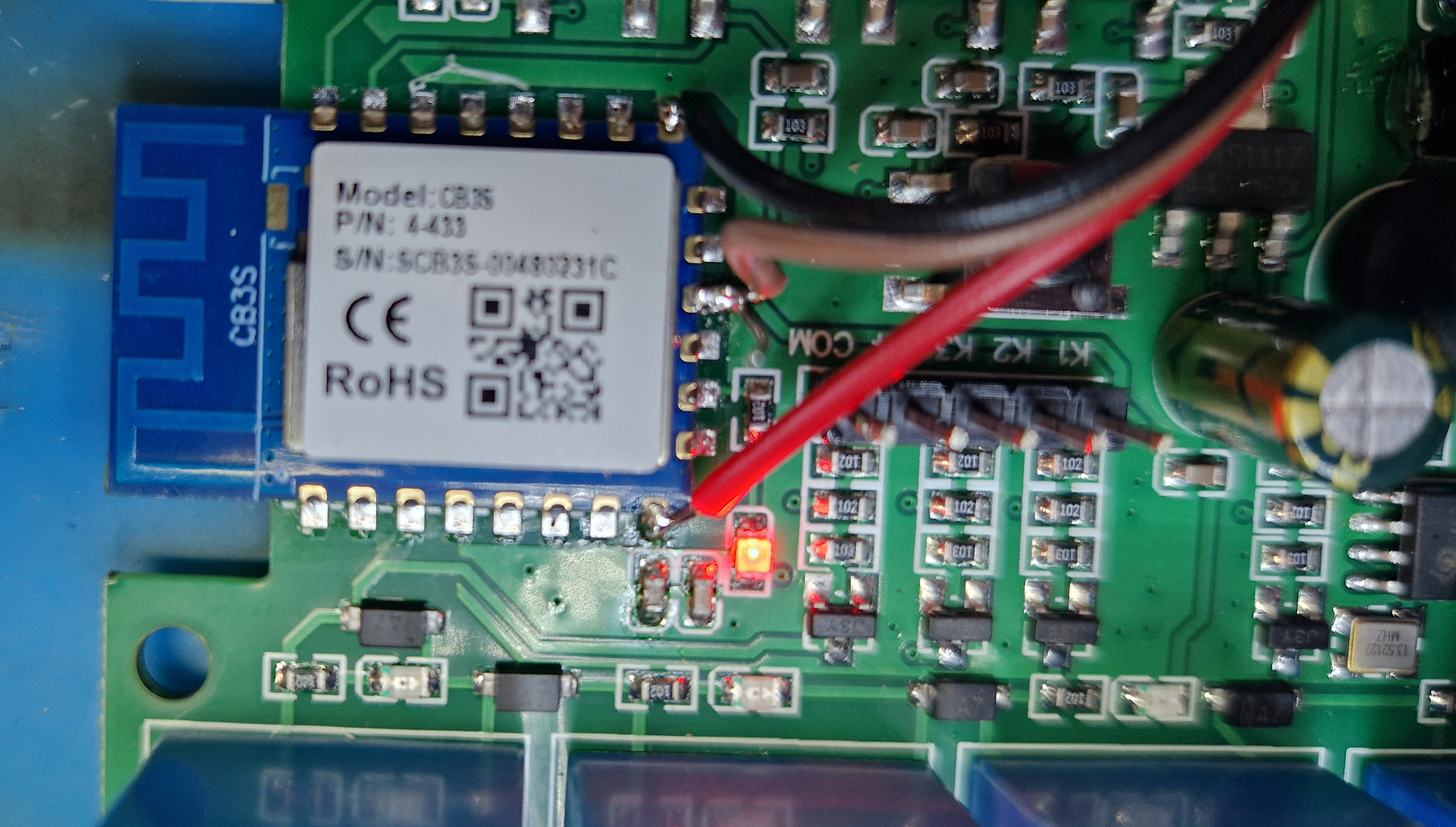
    CB3S module on relay board with a red debugging wire connected
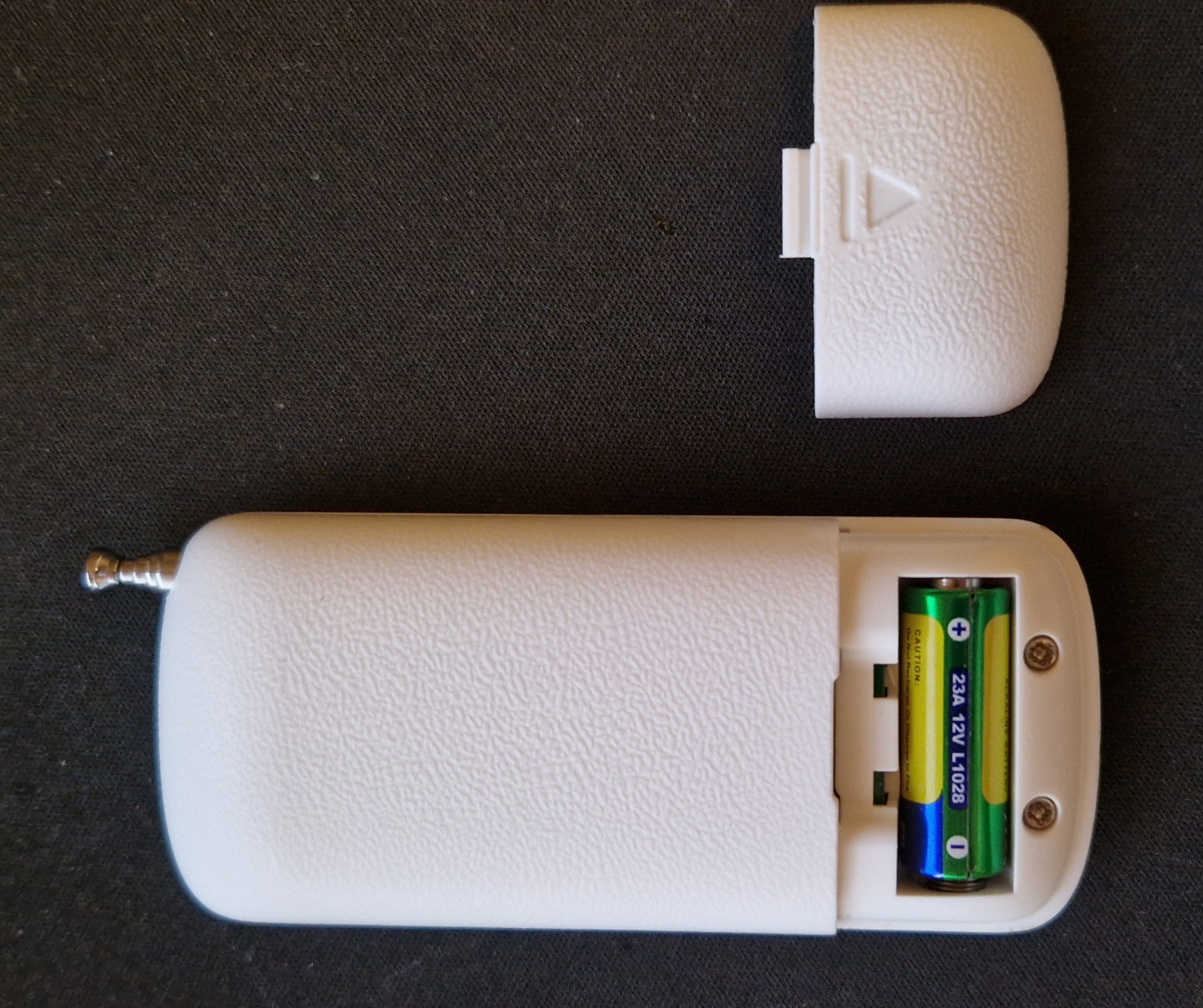
    The device comes with a single remote, more remotes can be bought separately:
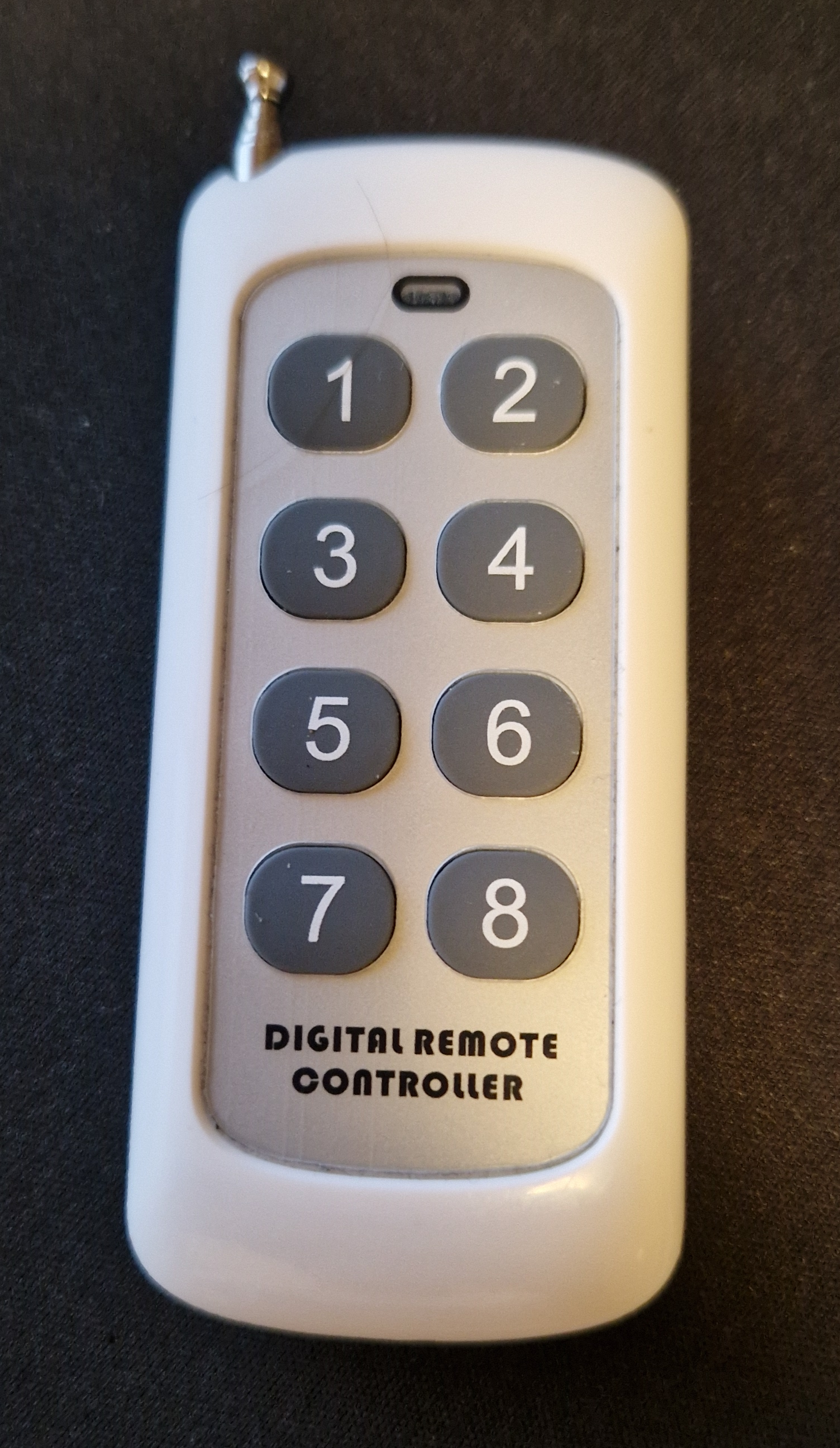
    RF remote with 8 numbered buttons and antenna, text reads DIGITAL REMOTE CONTROLLERBack of RF remote with battery cover removed and 23A 12V battery visible
    This device features SYN590R (590R), which is connected directly to one of Wi-Fi module pads. It's not connected via external MCU, like on some devices, so in order to utilize it, Wi-Fi chip firmware must have a special driver for it. Luckily, there is such a driver in OBK!
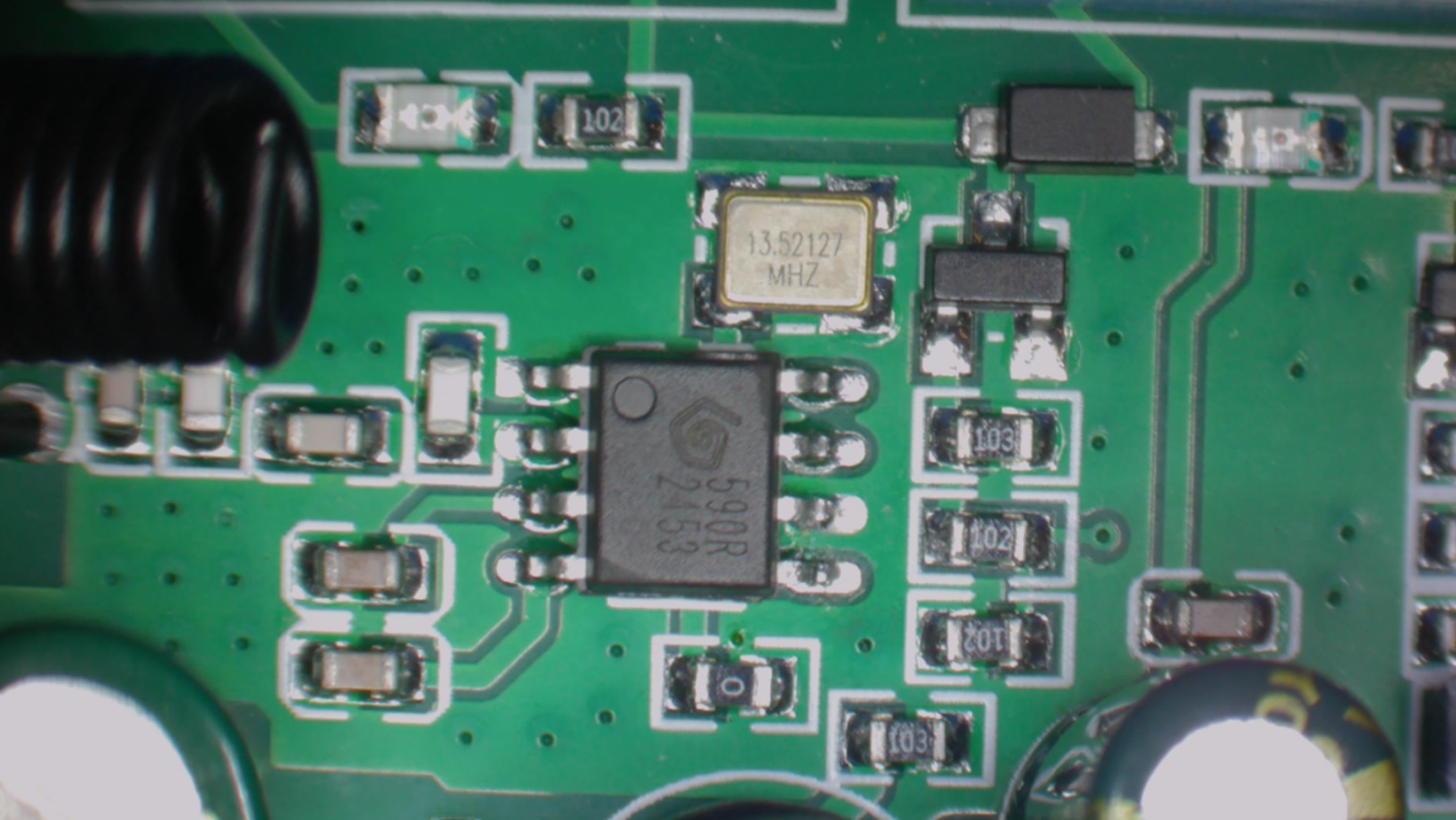
    Close-up of PCB with SYN590R RF module and 13.52127 MHz crystal oscillator
    For the flashing part, see our BK7231 flasher page. Our flasher, which is a recommended solution for Beken and other OBK-supported chips, can also detect device configuration:
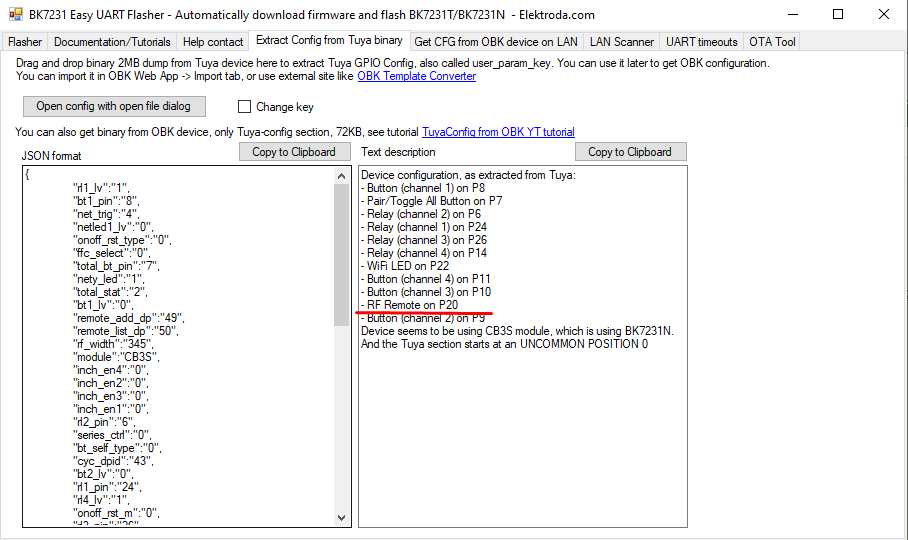
    Screenshot of BK7231 Easy UART Flasher showing RF pin P20 configuration
    Import the template and proceed to RF setup:


    Basic guide for OBK RC driver
    So, in order to run RC (Radio Control) driver in OBK, you need to set the RCRecv pin (check PCB trace or extract Tuya config if possible) and start the driver with startDriver RC command. Then you will get events and codes in OBK console:
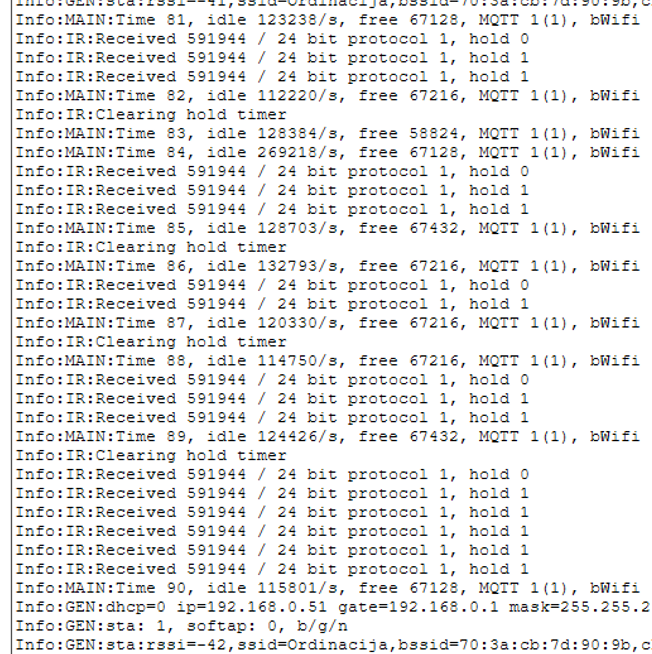
    OBK console log showing received RF codes and MQTT connection details
    We may add more information or hex format for codes in the future, but the core functionality will remain the same.
    Then, to handle events, use the event handler in autoexec.bat:
    
    addEventHandler2 RC 591946 0 POWER TOGGLE
    

    First argument is always RC, second is remote control code, third is held state - first press has 0 value, further repeats (when the button is held) have a value of 1 there.
    If you don't know how to create autoexec.bat, see guide:
    https://www.youtube.com/watch?v=kXi8S12tmC8

    Comparison with Tasmota
    For the comparison purposes, we've hooked ESP32 flashed with Tasmota to the same receiver:
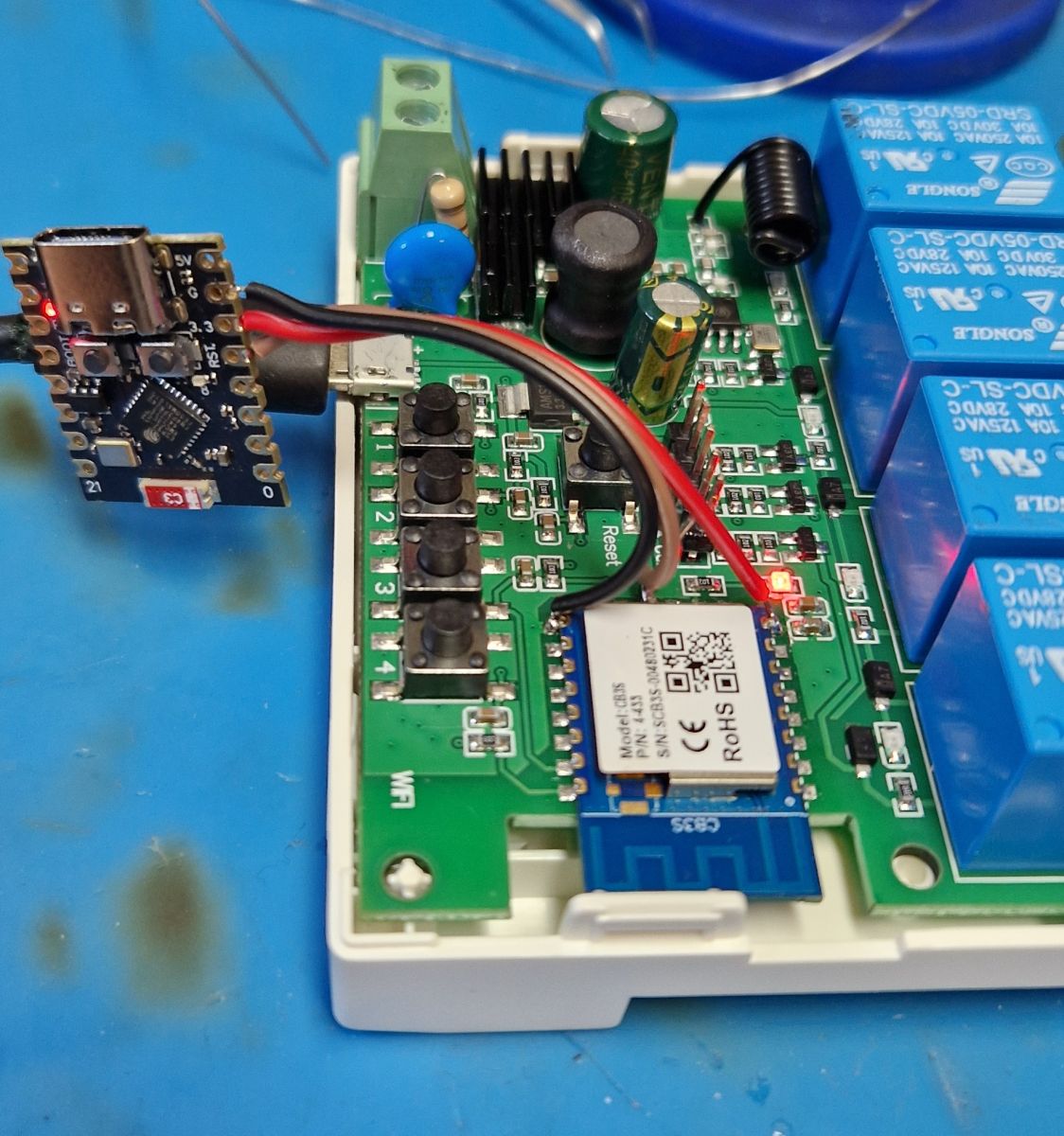
    Wi-Fi relay module with USB flasher connected, on a blue work surface
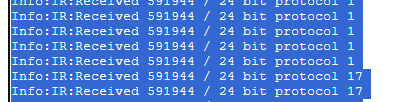
    This way, both Tasmota and OBK can see the same signal:
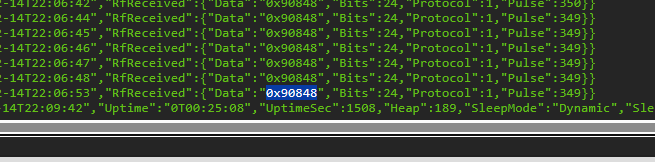
    OBK console screenshot showing RF code 0x90848 received in hexadecimal format
    Screenshot from OBK console showing received RF codes 591944 using protocols 1 and 17
    OBK currently uses decimal format for RF code, but a little conversion can clearly show us that the codes are matching, so both solutions are interchangeable.
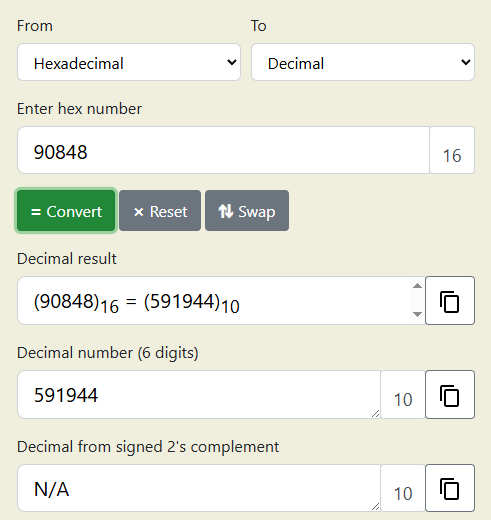
    Conversion of 90848 from hexadecimal to decimal: result is 591944


    Sample device config (autoexec.bat)
    Sample autoexec.bat was based on OBK documentation. It's designed to showcase control of both the same RF device (relays), and other devices directly via their IPs.
    The procedure to create autoexec.bat is simple - we just test the remote with OBK console open to see what the code is, and then write the code down.
    Autoexec.bat can be rerun without restarting OBK device in many cases, so it's easy to develop quickly.
    
    // addEventHandler RC 1234 toggleChannel 5 123
    
    // on first receive
    // addEventHandler2 RC 1234 0 toggleChannel 5 123
    // on hold
    // addEventHandler2 RC 1234 1 toggleChannel 5 123
    
    addEventHandler2 RC 591944 0 ToggleChannel 1
    addEventHandler2 RC 591940 0 ToggleChannel 2
    addEventHandler2 RC 591948 0 ToggleChannel 3
    addEventHandler2 RC 591938 0 ToggleChannel 4
    
    addEventHandler2 RC 591937 0 PowerAll 1
    
    addEventHandler2 RC 591950 0 PowerAll 0
    
    // sample of external device control
    addEventHandler2 RC 591946 0 SendGet http://192.168.0.58/cm?cmnd=Power0%20Toggle
    

    And here is short presentation - first control of the relays device itself:


    Then usage of RF device as a gateway to control another device via HTTP GET - the LED strip controller is under the table, it's the device with 192.168.0.58 IP, as you can see in autoexec.bat:


    Home Assistant support
    We're also working on Home Assistant support - it should be released within upcoming days. The published RF format will match Tasmota standard, as can be seen there: https://tasmota.github.io/docs/RF-Protocol/

    Summary
    The following method should work with many RF receivers, including STX882 and so on. It allows you to reuse cheap 433 MHz RF hardware as a flexible automation input without relying on cloud services or vendor firmware. Thanks to event handlers and HTTP/MQTT integration, RF buttons can trigger virtually any action in your local network. The solution scales well, from simple relay toggling to complex multi-device scenes and automations. Combined with MQTT Home Assistant support, OpenBeken turns RF receivers into a powerful and fully open smart-home control layer.
    Do you have any devices with RF inputs? Let us know!

    Cool? Ranking DIY
    Helpful post? Buy me a coffee.

    About Author
    p.kaczmarek2
    Moderator Smart Home
    Offline 
    p.kaczmarek2 wrote 14182 posts with rating 12067, helped 645 times. Been with us since 2014 year.
  • ADVERTISEMENT
  • #2 21781630
    DeDaMrAz
    Level 22  
    One thing to note is that the remotes that come with these type of devices are Princeton protocol RF remotes. OBK driver recognizes Roger protocol as well and we didn't test beyond that right now but it will be done and tested.
  • #3 21781676
    divadiow
    Level 38  
    great work guys!

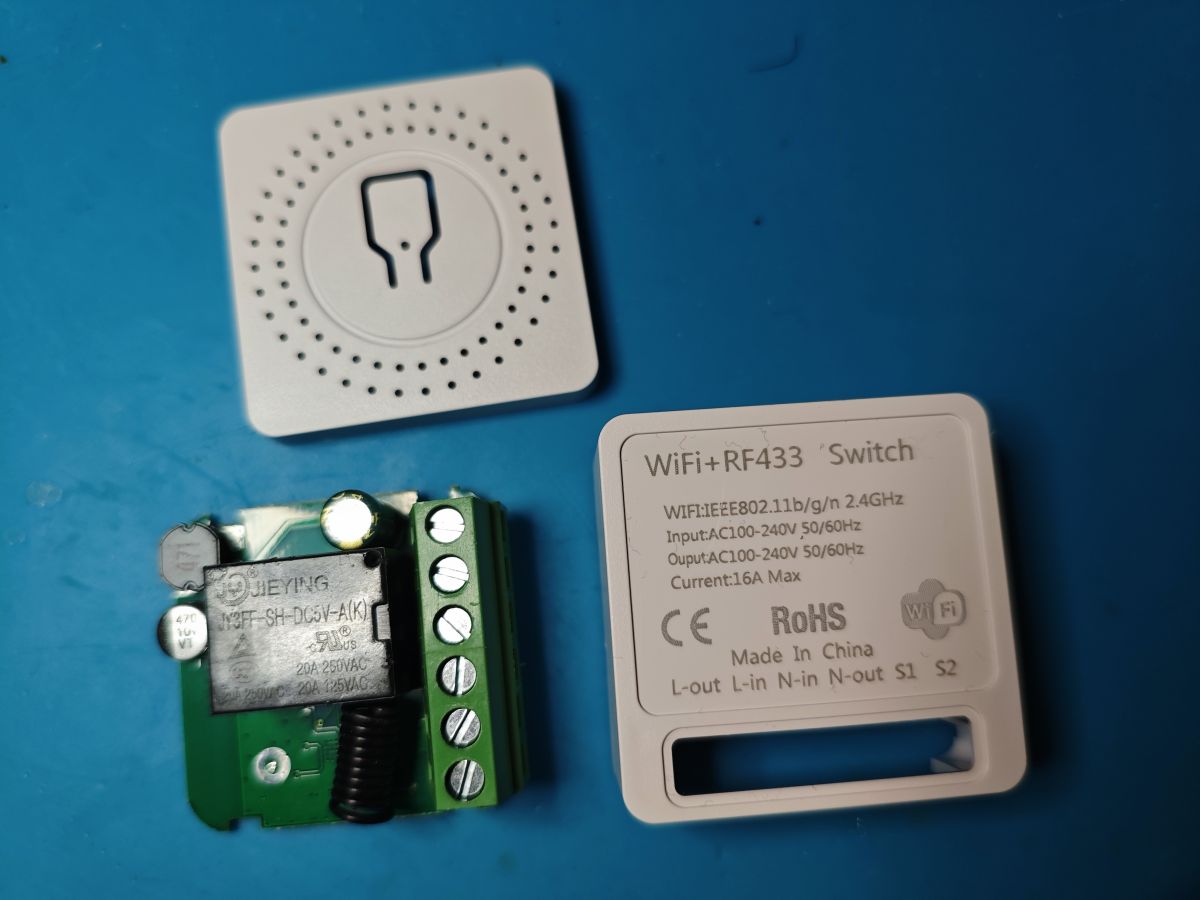
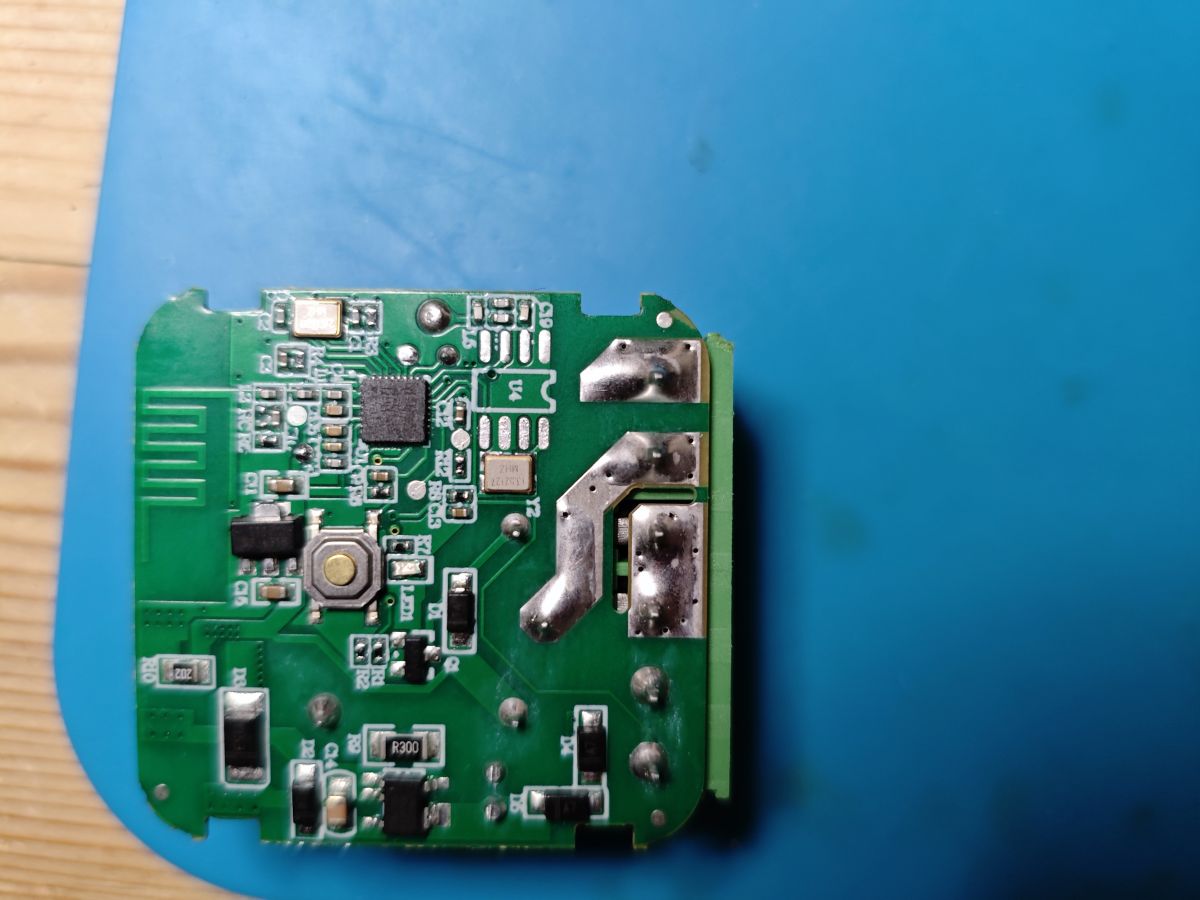
    regarding this standard mini breaker/switch with RF on P8

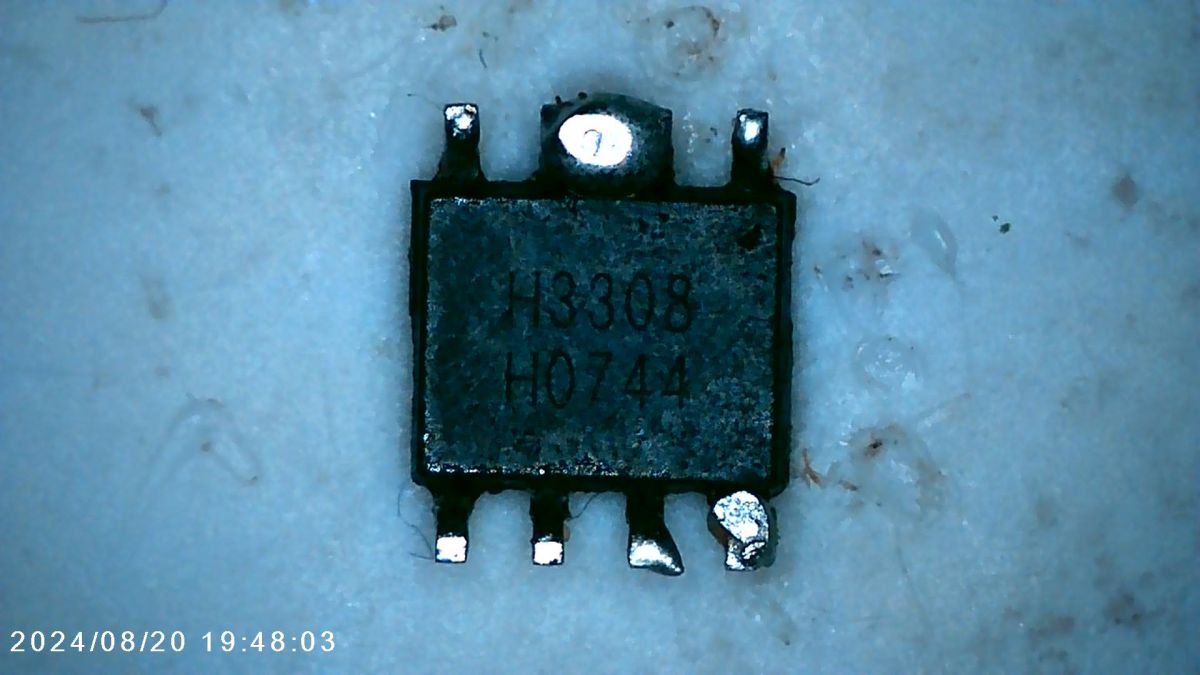
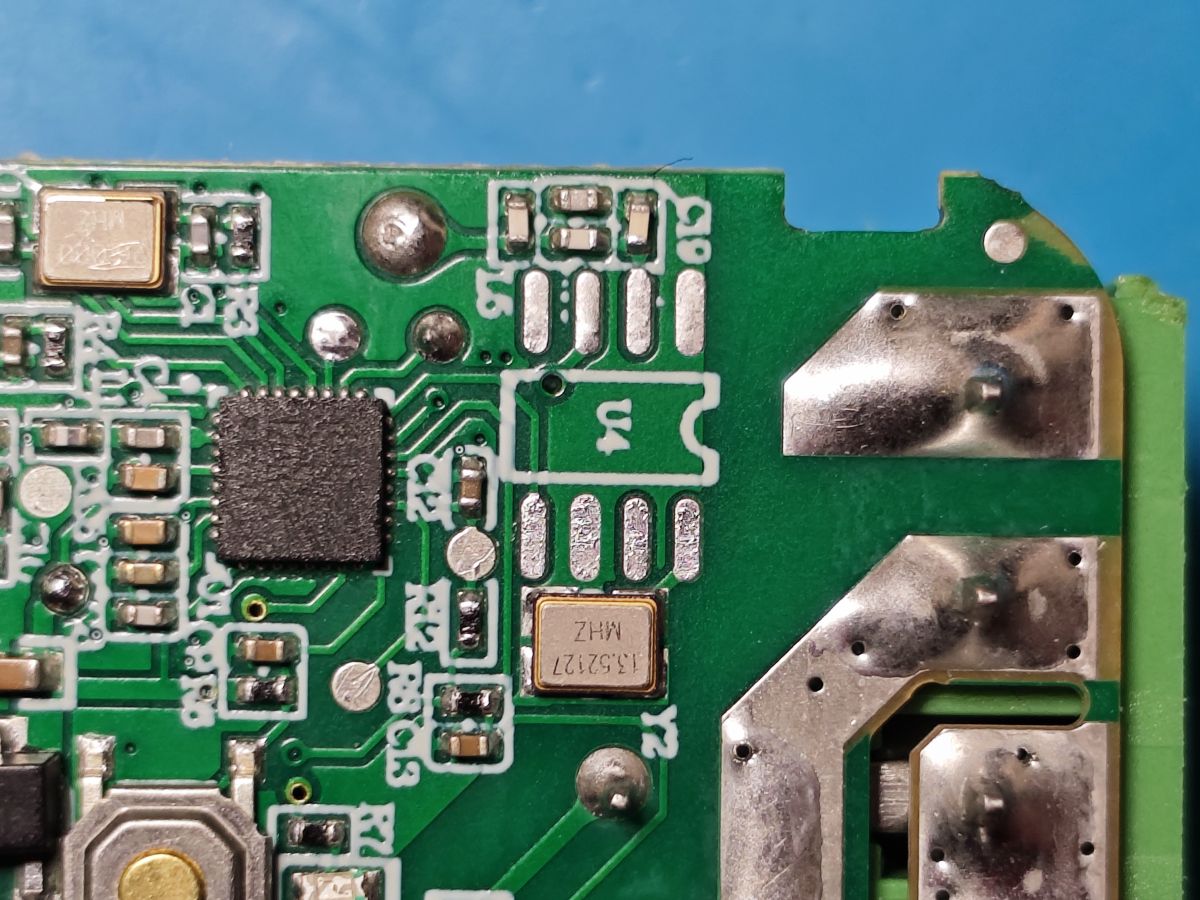
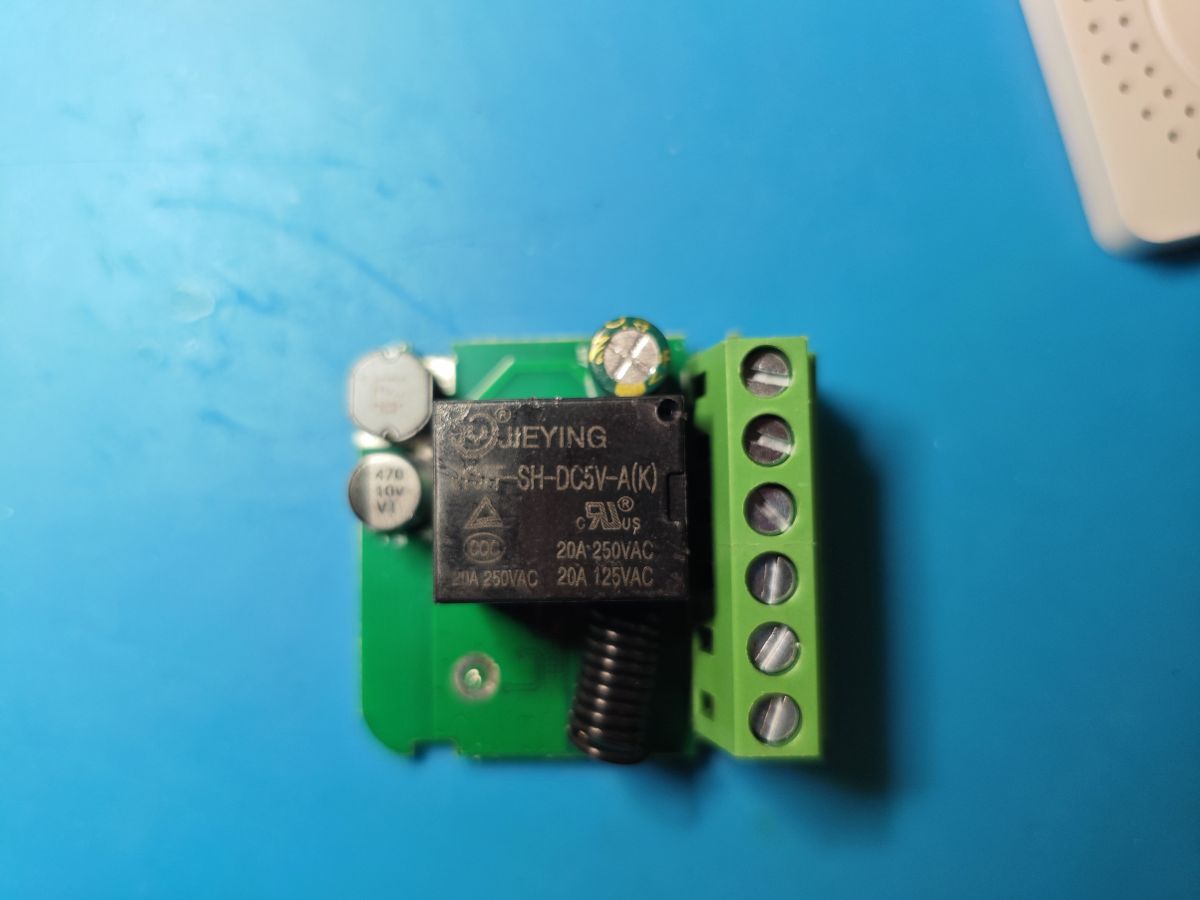
    Disassembled WiFi+RF433 switch with circuit board and casing on a blue surfaceClose-up of a green printed circuit board with electronic components and solder joints.Close-up of surface-mounted integrated circuit labeled H3308 H0744. Close-up of green PCB with microchip, SMD components, and solder joints HEYING SH-DC5V-A(K) relay module with screw terminal block

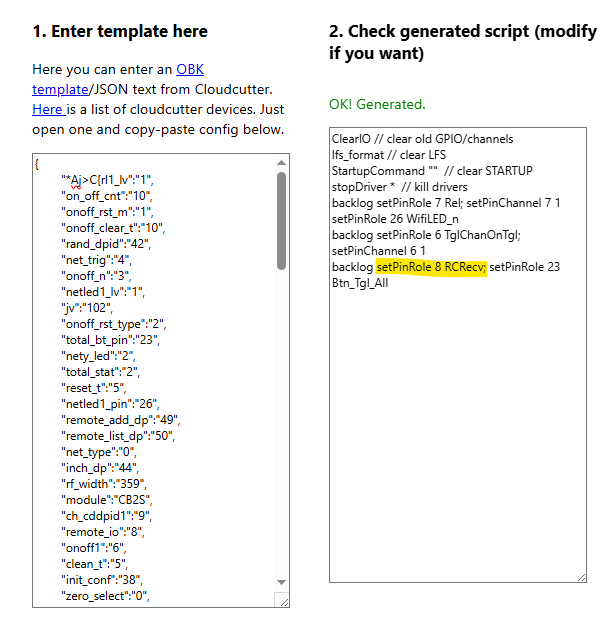
    I see Easy Flasher sees remote_io pin on P8 and the json import configuring the device in the web app is successful

    Editor view with JSON OBK template and generated configuration script

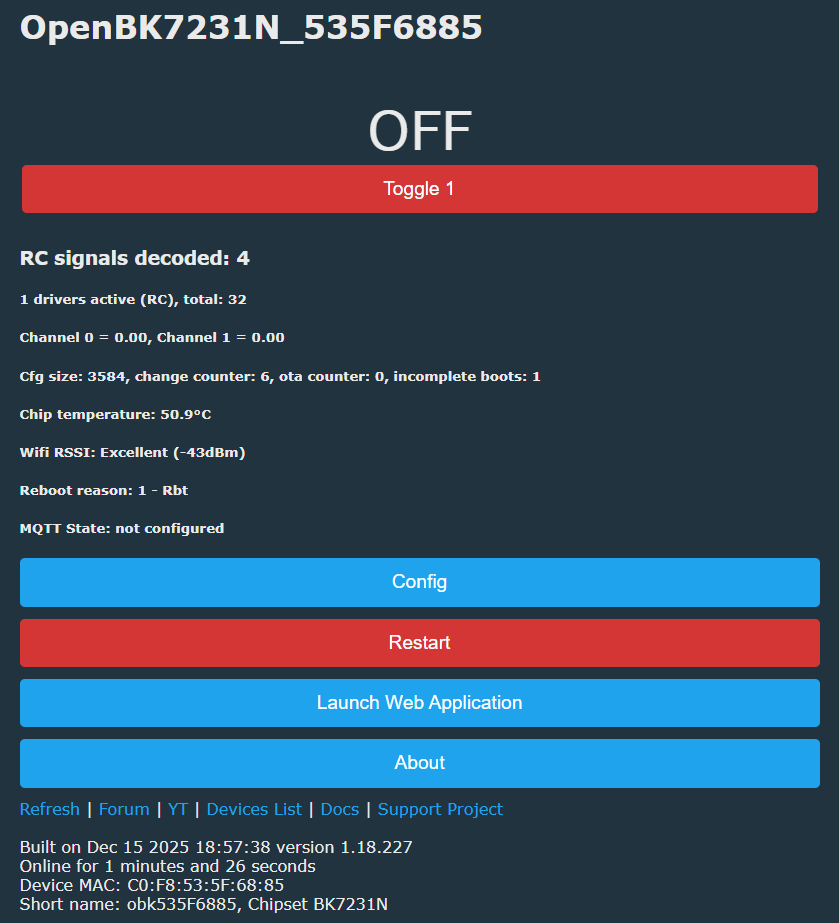
    OpenBK7231N control panel with OFF button and system status details

    these logs are generated when I push buttons on RF control

    Code: Text
    Log in, to see the code


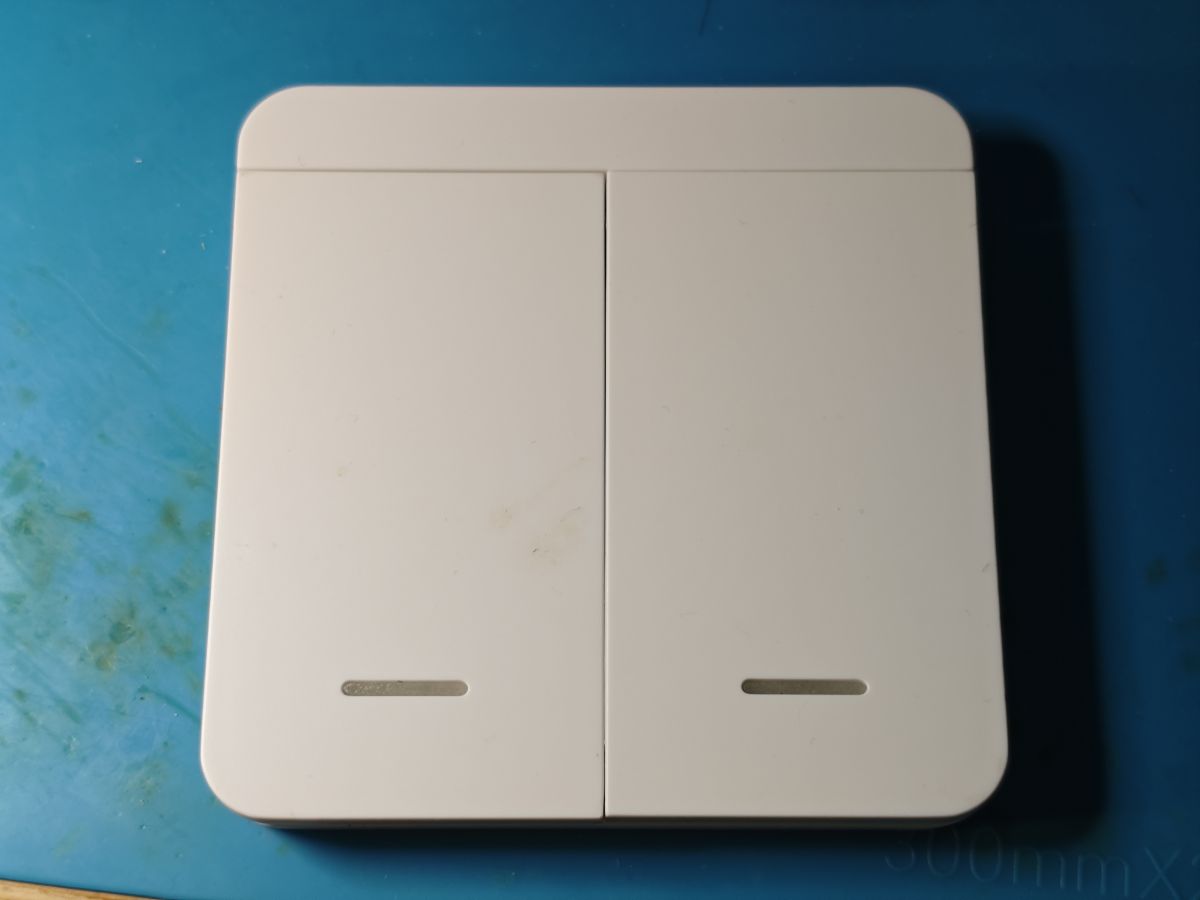
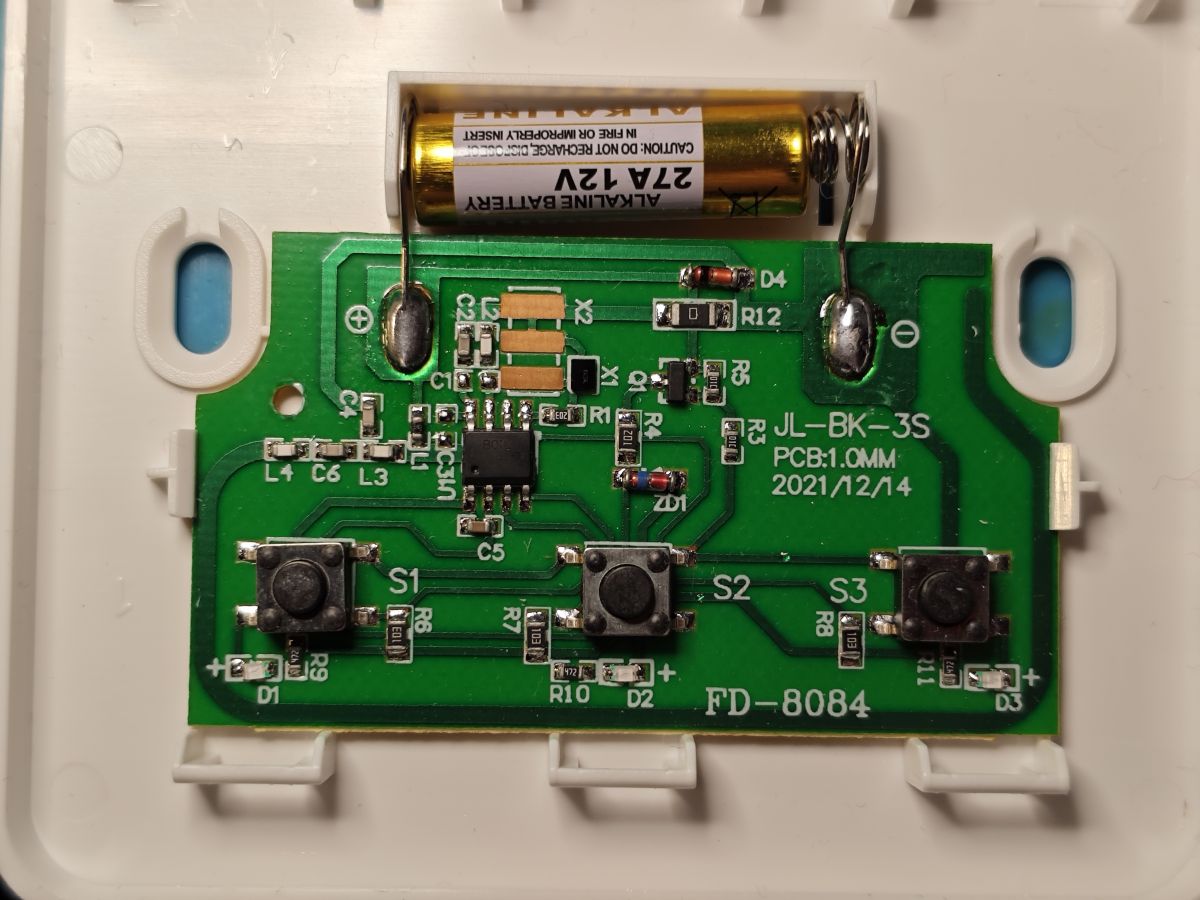
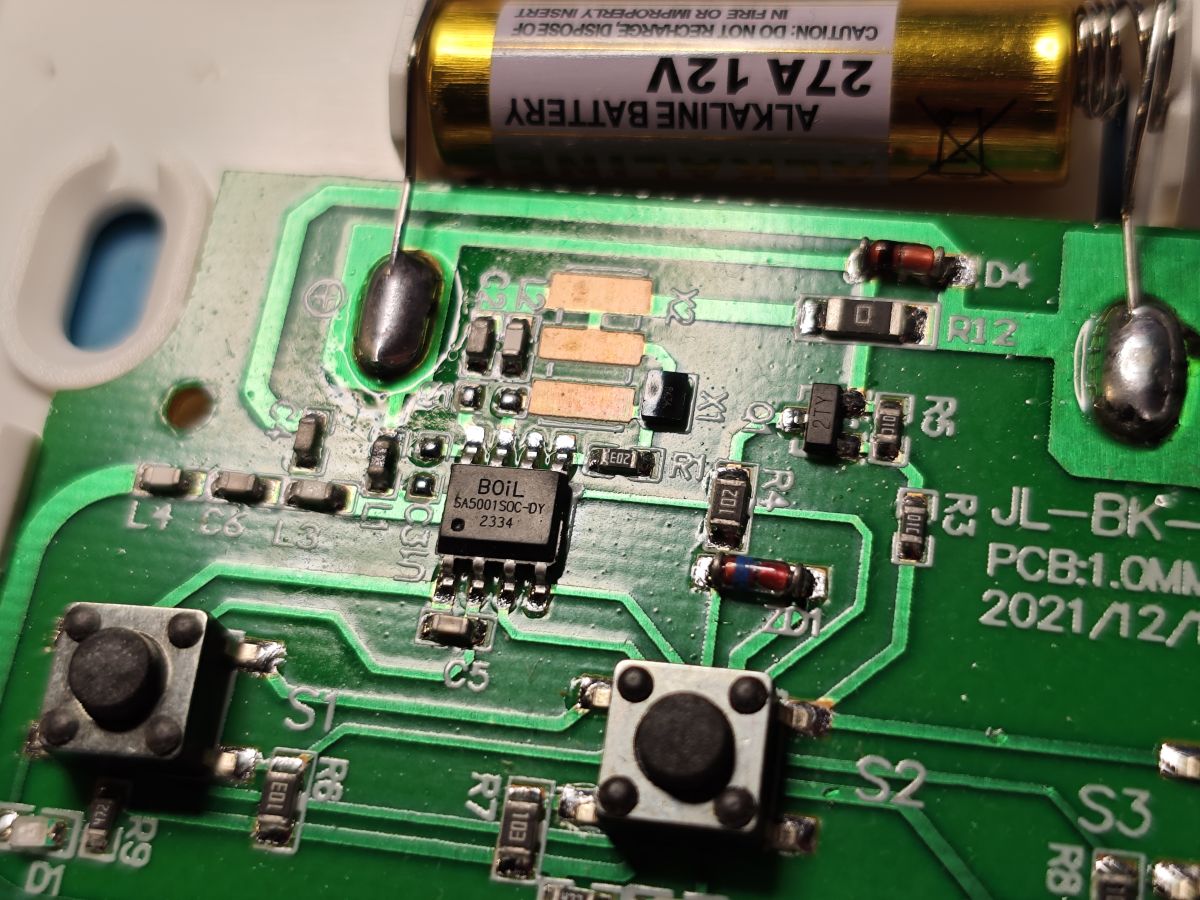
    White double light switch with rounded edges on blue surface Printed circuit board with three buttons, 12V battery, and electronic components Close-up of a green circuit board with buttons, battery, and BOiL chip

    Just noticed chassis is for 2 buttons but PCB has 3. They each have unique frequencies

    with basic autoexec (4 because one or more of the buttons seems to vary)

    Code: Text
    Log in, to see the code


    https://github.com/OpenBekenIOT/webapp/pull/238
  • #4 21781681
    p.kaczmarek2
    Moderator Smart Home
    By the way, do you remember those switches where 480RA RF receiver is connected to buttons controller MCU, and not to Wi-Fi module?
    Like there: https://www.elektroda.com/rtvforum/topic4110013.html
    I think we could now "hack" them by connecting RF receiver directly to Wi-Fi module, for more functionality.
    Helpful post? Buy me a coffee.
  • ADVERTISEMENT
  • #5 21781694
    divadiow
    Level 38  
    well, yes, though it seems I do have one of those switch types but it does contain remote_io in the config - Bingoelec W601 T34.

    On the other hand, the two other devices I posted about here do not seem to be have GPIO connected to the RF.

    I note your 4CH relay board in the demonstration is the 230v version but mine is the 5V & 7-32V one and has additional chips.

    Added after 2 [minutes]:

    oh yes. even in boot log of W601

    Code: Text
    Log in, to see the code


    Added after 22 [minutes]:

    The BSEED/Bingoelec W601 T34 works too. Template updated https://github.com/OpenBekenIOT/webapp/commit/d9c8d15b083004b7d37dbf13b89dd148d0cd40de
  • #6 21781803
    p.kaczmarek2
    Moderator Smart Home
    Ah, I think the board on photos has USB port, so it's 5 V powered, it's just that I found the 230V-powered version and put the schematic of that.

    Thanks for updating template!

    RC driver should be easy to port - it requires the same timer that IR has, 50 us.

    Timer HAL, anyone? @insmod
    Helpful post? Buy me a coffee.
  • #7 21782468
    divadiow
    Level 38  
    just confirming, is RCRecv an assignment that requires a channel or is the channel field just not auto-hiding like it does for some?
  • #8 21783179
    p.kaczmarek2
    Moderator Smart Home
    Channels are not used. This should be hidden. Please hide, if you can. The RF receiver has a single instance and works on only one pin, multiple pins are not supported yet.
    Helpful post? Buy me a coffee.
  • ADVERTISEMENT
  • #10 21783399
    p.kaczmarek2
    Moderator Smart Home
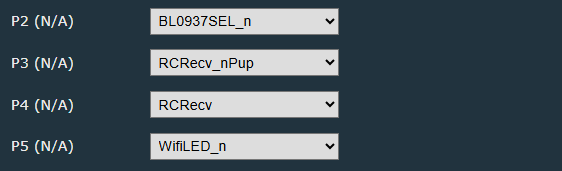
    Yes, sure, merged. You may also run docs update now, or I'll run it later.
    Helpful post? Buy me a coffee.
  • #11 21783451
    divadiow
    Level 38  
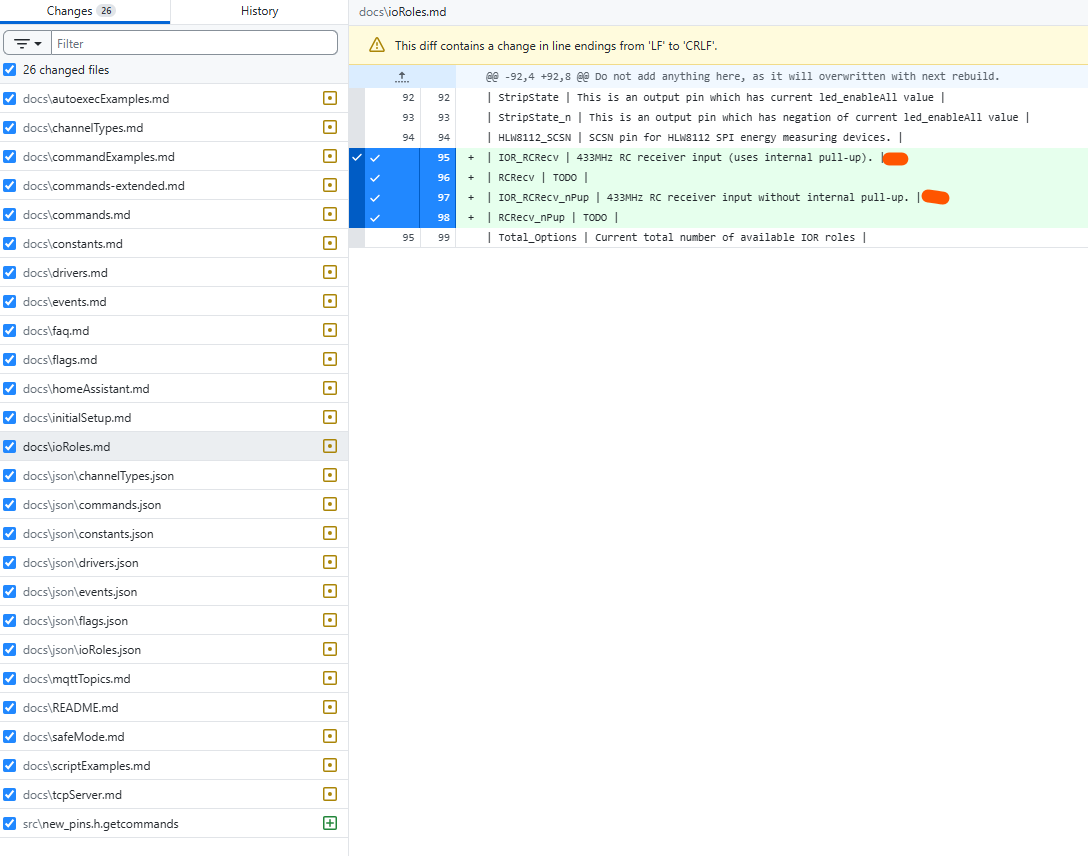
    just trying to work out why these are getting generated

    Edit to docs/ioRoles.md file showing added I/O roles for 433MHz RF receiver.
  • #12 21783463
    p.kaczmarek2
    Moderator Smart Home
    Probably the xml has name with prefix IOR_ and it doesn't like it and tries to create it without this prefix.

    Solution: remove manually IOR_ prefix from xml before running getcommands.js
    Helpful post? Buy me a coffee.
  • #14 21783586
    max4elektroda
    Level 24  
    Maybe again a point to advocate for a PR I made some time ago to put all "IOR", description, number of channels... in a separate file and generate the source code for new_pins.h and so on (first PR 1773 with awk script, later 1827 with a python script). Will need some work to update to the changes during the time, but I think this approach will make the handling of adding new roles much easier and minimize potential errors in description or channels like here.

    Edit:
    Maybe I can show, what would be the task for the two new roles in this approach:
    You would edit one file to add all information there, in this case:

       //iodetail:{"name":"RCRecv",
       //iodetail:"title":"RCRecv Pin",
       //iodetail:"descr":"433MHz RC receiver input (uses internal pull-up).",
       //iodetail:"channels used":"0",
       //iodetail:"channel 1 usage":"",
       //iodetail:"channel 2 usage":"",
       //iodetail:"htmlPinRoleName":"RCRecv",
       //iodetail:"enum":"IOR_RCRecv",
       //iodetail:"file":"new_pins.h",
       //iodetail:"define":"ENABLE_DRIVER_RC",
       //iodetail:"driverfile":"src/driver/drv_rc.cpp",
       //iodetail:"driver":"RC"}
       IOR_RCRecv,
       //iodetail:{"name":"RCRecv_nPup",
       //iodetail:"title":"RCRecv_nPup Pin",
       //iodetail:"descr":"433MHz RC receiver input without internal pull-up.",
       //iodetail:"channels used":"0",
       //iodetail:"channel 1 usage":"",
       //iodetail:"channel 2 usage":"",
       //iodetail:"htmlPinRoleName":"RCRecv_nPup",
       //iodetail:"enum":"IOR_RCRecv_nPup",
       //iodetail:"file":"new_pins.h",
       //iodetail:"define":"ENABLE_DRIVER_RC",
       //iodetail:"driverfile":"src/driver/drv_rc.cpp",
       //iodetail:"driver":"RC"}


    This is an extended "clone" of the content for the "IO-roles" as used at the moment in new_pins.h.
    The "new" lines are:
    
        //iodetail:"channels used":"0",
       //iodetail:"channel 1 usage":"",
       //iodetail:"channel 2 usage":"",
       //iodetail:"htmlPinRoleName":"RCRecv_nPup",
       //iodetail:"define":"ENABLE_DRIVER_RC",
       //iodetail:"driverfile":"src/driver/drv_rc.cpp",
    

    The number of channels used and (for further use) their "usage".
    The "HTML role name": this will be used in the GUI (and replaces the names actually defined in new_http.c).
    Two other new lines will contain (if applicable) the "define" used for the driver using this role and the driver file (might be used to enrich the documentation in the future) .
    With the "define" line it's possible to "hide" all roles, which can not be used, because the needed driver is simply not present in the build.

    The "usage" can be used to explain the usage of the channels in the config page - e.g. for the DHT sensors this would be
    
       //iodetail:"channel 1 usage":"Temperature",
       //iodetail:"channel 2 usage":"Humidity",
    
  • #16 21787173
    p.kaczmarek2
    Moderator Smart Home
    I currently think that's adding extra dependency for a little gain. Wouldn't it be better to just .... fix getcommands.js to handle missing/extra IOR_ prefix correctly?

    I would like to avoid forcing people who want to just try OBK simulator with MSVC to also download and setup Python. I don't have Python myself on one of my smaller machines (it's still with Windows 7 but I manage to compile OBK Simulator there).

    The setup curve for OBK simulator should be as easy as possible, so people can check it out fast.
    Helpful post? Buy me a coffee.
  • #17 21788127
    max4elektroda
    Level 24  
    The "problem" I saw is, that you need to change code in different locations, and every change has the (small) chance you break of forget something.
    Especially for the forgetting part a one-stop-change will be better. And you might feel forced to give all information and avoid "Todo" entries or even rely on getcommand.js fixing the code.
    As long as the script code is correct, you will also not break other code, if your entries in the file are correct.

    So in the end there are two questions:
    are you willing to change the way of coding for the IORoles, channels, ...?
    If, which scripting language is fine?

    You might remember that I started with an awk script and you disagreed for awk is not present on windows.
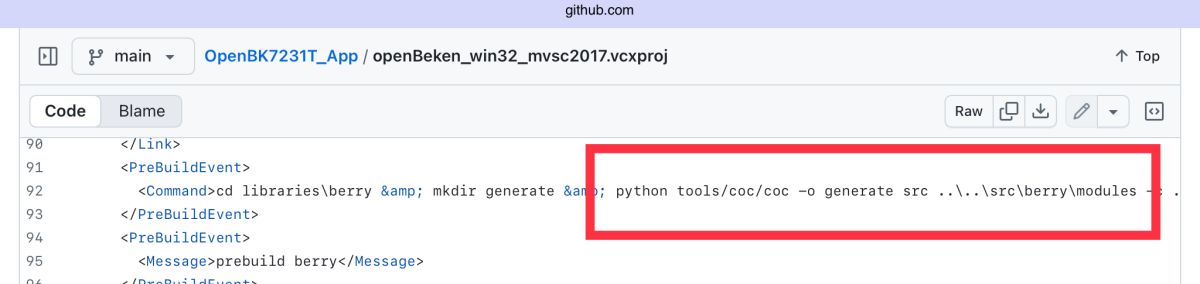
    So I switched to python, which is already used (even on windows) for berry code, if I'm not mistaken.

    Project file code snippet with prebuild command in XML from GitHub repository.

    If you would agree to question number one, which scripting language would be acceptable (as long as it's present on linux, too, since only very few firmwares use windows as build systems , the absolute vast majority is build on linux if I got it right.)?
  • #19 21830455
    divadiow
    Level 38  
    p.kaczmarek2 wrote:
    Wouldn't it be better to just .... fix getcommands.js to handle missing/extra IOR_ prefix correctly?


    I didn't have any of this chat in mind, but I did fiddle with getcommands.js so the autogenerated docs like commands-extended.md are now accurate when the same command exists in more than one implementation. The main problem before was that duplicate cmddetail entries could overwrite each other internally, which led to misleading output: for example IRSend and IREnable could show up twice but both rows would incorrectly claim the same File/Function (both attributed to drv_ir_new.cpp), so you couldn’t tell which IR stack you were looking at.

    Before, you’d see duplicates like:
    - IREnable listed twice but both pointing at the same driver file/function (no way to tell variants apart)
    - IRSend variants not reliably attributed (eg the “...-BITS” form appearing as if it came from the IRremoteESP8266 driver)

    After, both variants are preserved deliberately and correctly attributed:
    - IREnable now appears once for Arduino-IRremote and once for IRremoteESP8266, each with the correct File/Function
    - IRSend likewise shows the correct split (eg the PROT-ADDR-CMD-REP-BITS form comes from the legacy driver, while the other form comes from the IRremoteESP8266 driver)
    - I also added a clear Req: discriminator via cmddetail.requires, so the table explicitly shows which build flag applies (e.g. ENABLE_DRIVER_IR vs ENABLE_DRIVER_IRREMOTEESP)

    to illustrate:
    Code: Text
    Log in, to see the code


    plus a couple of other fixes like invalid character, events blurb + actual updated docs run https://github.com/openshwprojects/OpenBK7231T_App/pull/1973
  • #20 21831182
    insmod
    Level 31  
    I updated RC and old IR drivers to use HAL.
    In need of some testing of course.
    IR is BK only (since it's still using BK PWM funcs), RC can be enabled on any platform that supports cpp.

    Potential IR and RC coexistence?
  • #21 21831318
    p.kaczmarek2
    Moderator Smart Home
    Thanks , @divadiow merged
    @insmod very nice HAL, merged, however currently it's a single callback - so a plan is to allow "shared" timers?
    Helpful post? Buy me a coffee.
  • ADVERTISEMENT
  • #23 21831364
    insmod
    Level 31  
    >>21831318
    I think it was merged a bit too early. It wasn't fully tested. RC may not even work, i don't have anything to test it on.
    The only things i've tested are IRRemoteESP receive on BK7238, RTL8710B, RTL8720C, RTL8720D, RTL8721DA and W800.
    @divadiow reported that LN8825 IR works too.
    Yet to be tested - LN882H and BL602.
    Plus default IR driver.

    No, one callback per timer. But then, there are several timers on many platforms.
  • #24 21831382
    p.kaczmarek2
    Moderator Smart Home
    Oh ok, merged fix. Any SDK PRs pending? OpenLN882H has one
    Helpful post? Buy me a coffee.
  • #25 21831388
    insmod
    Level 31  
    >>21831382
    LN + W800 (added cpp support)
  • #26 21831401
    p.kaczmarek2
    Moderator Smart Home
    Oh I see, thank you!

    I've asked @DeDaMrAz to check this RC, but he can't today, so we probably need to wait few days.

    If lucky enough, I may be able to find some time myself, I still have this wall switch that has RF connected to buttons controller... i could now modify it so RF is handled by OBK directly.

    Btw, with such a nice timers, I may consider adding software PWM. Should be pretty easy.
    Helpful post? Buy me a coffee.
  • #27 21831427
    insmod
    Level 31  
    >>21831401
    Wouldn't software pwm encounter same problems as esp8266 (flickering)?

    Each platform has different timers
    BKs - 6 timers overall, usable - 4 timers (3 in new, but can be freed in sdk, used for task watchdog)
    BL602 - 2 timers
    ECR6600 - 4 timers. Not tested
    ESP8266 - 1 timer. Not tested
    ESP32 (S2, S3) - 4 timers. Not tested
    ESP32 (C3, C6, C61) - 2 timers. Not tested
    ESP32-C2 - 1 timer. Not tested
    LN882H - 4 timers, 1 already used.
    LN8825 - 4 timers, 1 already used.
    RDA5981 - not implemented, 2 timers, both are used, but one can be freed (lp ticker, 32khz src)
    RTL8710A - 5 timers, 1 in use. Not tested
    RTL8710B - 4 timers, 2 in use, 32khz src. 1 high speed timer is available, but attaching interrupt hangs the device
    RTL8710C - 9 timers, 2 in use
    RTL8720D - 4 timers, 2 in use, 32khz src. 1 high speed timer is available, but attaching interrupt hangs the device
    RTL8721DA - 12 timers, 0 to 7 inclusive are 32khz, the rest are XTAL. 8 and 9 are reserved. In OBK - 2 timers (10 to 11) are used.
    RTL8720E - 15 timers, 0 to 7 inclusive are 32khz, the rest are XTAL. 8 and 9 are reserved. In OBK - 5 timers (10 to 14) are used.
    TR6260 - 1 timer. Not tested
    TXW81X - not implemented, seems to have 9 timers
    XRs - 2 timers. Not tested
    W600 - 6 timers (first is used by delay?). Not tested
    W800 - 6 timers

    Allow using old IR on non-bekens: https://github.com/openshwprojects/OpenBK7231T_App/pull/1979
    Both receive and send seems to work on BK7238.
    Those drivers are a mess...

    I backported pvPortRealloc from FreeRTOS pr https://github.com/FreeRTOS/FreeRTOS-Kernel/pull/1351
    https://github.com/NonPIayerCharacter/beken_f...mmit/9c3a8e4b8b43d389b3368698b6607fd7231c38a3
    Seems to fix realloc issues on BK (i ran realloc test command with 10000 arg and 100 as an event, no errors)
    Port it to T & N SDKs?
  • #28 21832834
    max4elektroda
    Level 24  
    divadiow wrote:
    Before, you’d see duplicates like:
    - IREnable listed twice but both pointing at the same driver file/function (no way to tell variants apart)
    - IRSend variants not reliably attributed (eg the “...-BITS” form appearing as if it came from the IRremoteESP8266 driver)

    After, both variants are preserved deliberately and correctly attributed:
    - IREnable now appears once for Arduino-IRremote and once for IRremoteESP8266, each with the correct File/Function
    - IRSend likewise shows the correct split (eg the PROT-ADDR-CMD-REP-BITS form comes from the legacy driver, while the other form comes from the IRremoteESP8266 driver)
    - I also added a clear Req: discriminator via cmddetail.requires, so the table explicitly shows which build flag applies (e.g. ENABLE_DRIVER_IR vs ENABLE_DRIVER_IRREMOTEESP)

    Thanks a lot @divadiow, especially for identifying and fixing the error that my test for "are the commands/drivers equal despite their location" did change original object!
    Though I still find it would be better to have unique commands/drivers, it's a very good idea to include the defining "ENABLE_DRIVER_..." in the documentation for the time being.

    Maybe I can propose some changes/enhancements ? - as usual it's relative what is seen as a "better" way ;-)

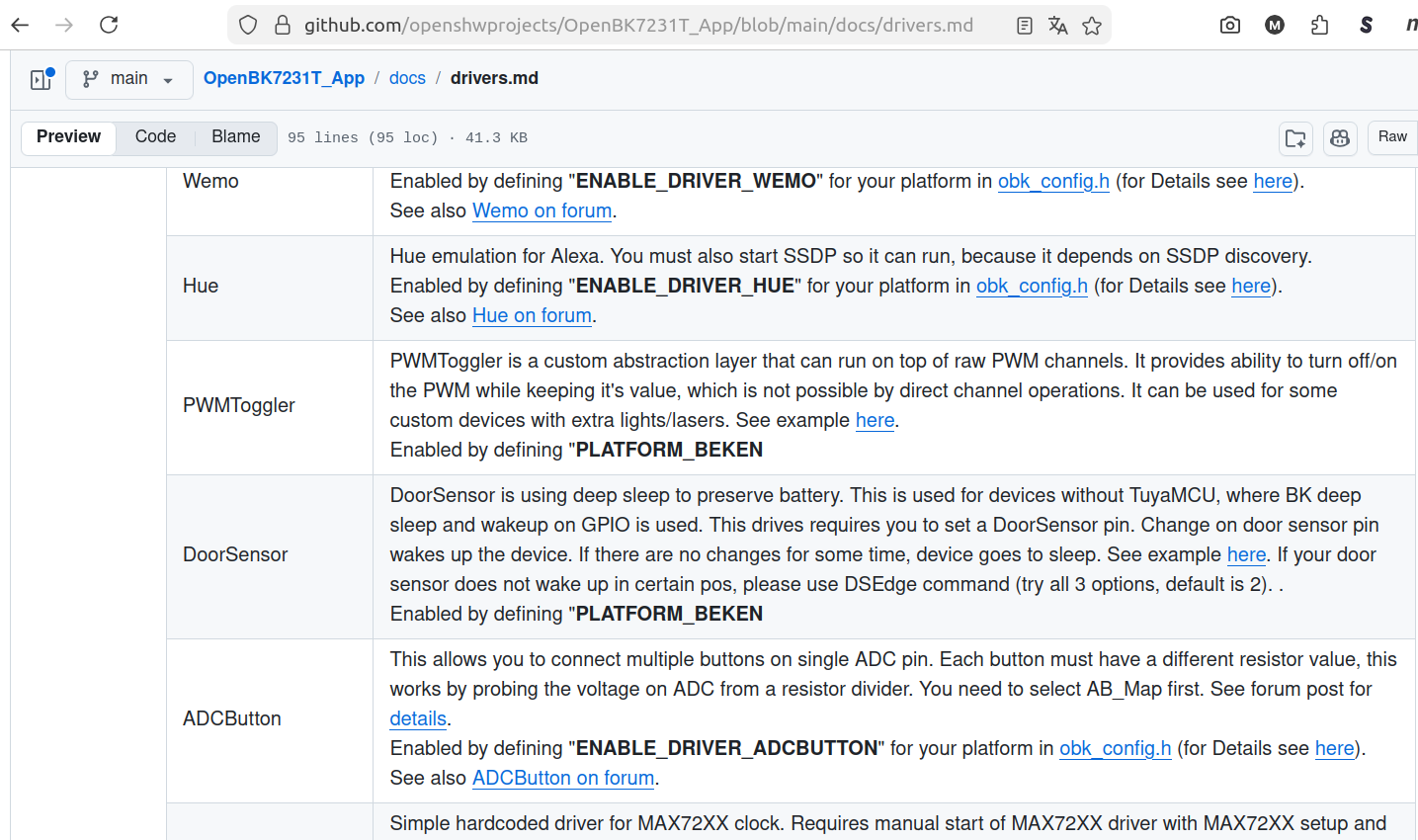
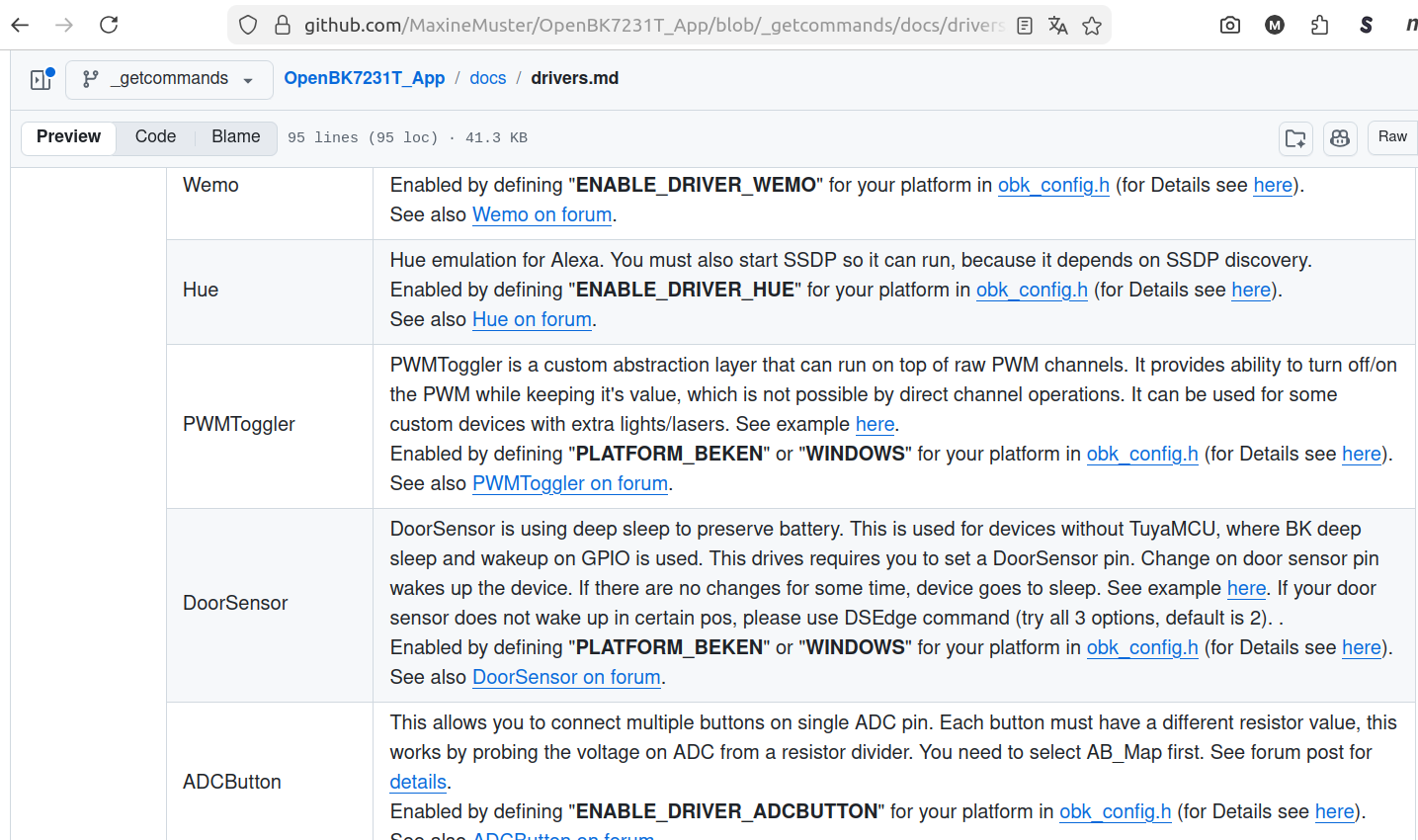
    The actual driver.md is "broken" for the rare cases of "#if defined(PLATFORM_BEKEN) || defined(WINDOWS)"
    Screenshot of GitHub showing drivers.md with a driver table (Wemo, Hue, PWMToggler, DoorSensor, ADCButton)

    I added some code to "parse" the #if lines, so now it looks like
    Screenshot of GitHub preview of drivers.md showing a drivers table with entries like Wemo, Hue, PWMToggler

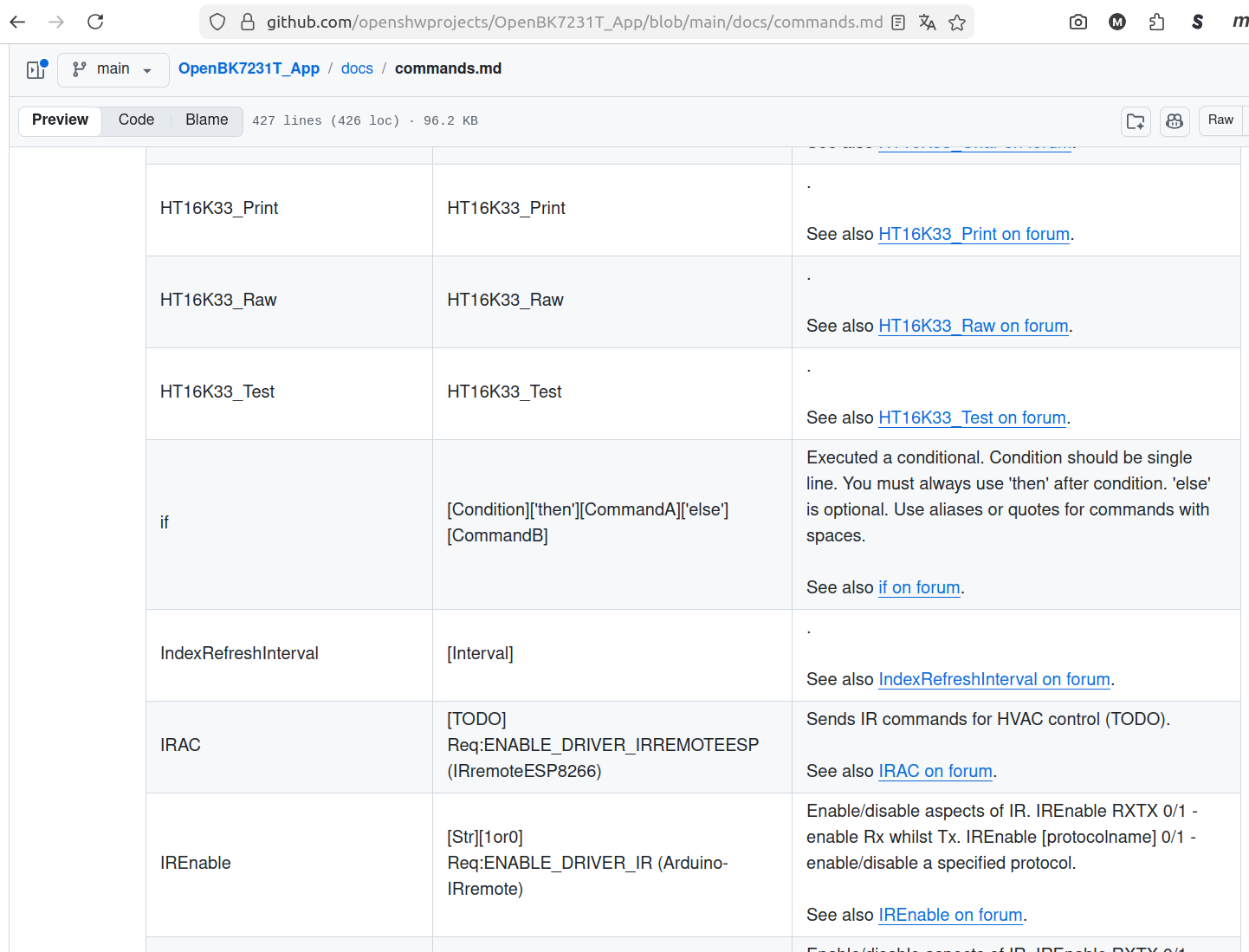
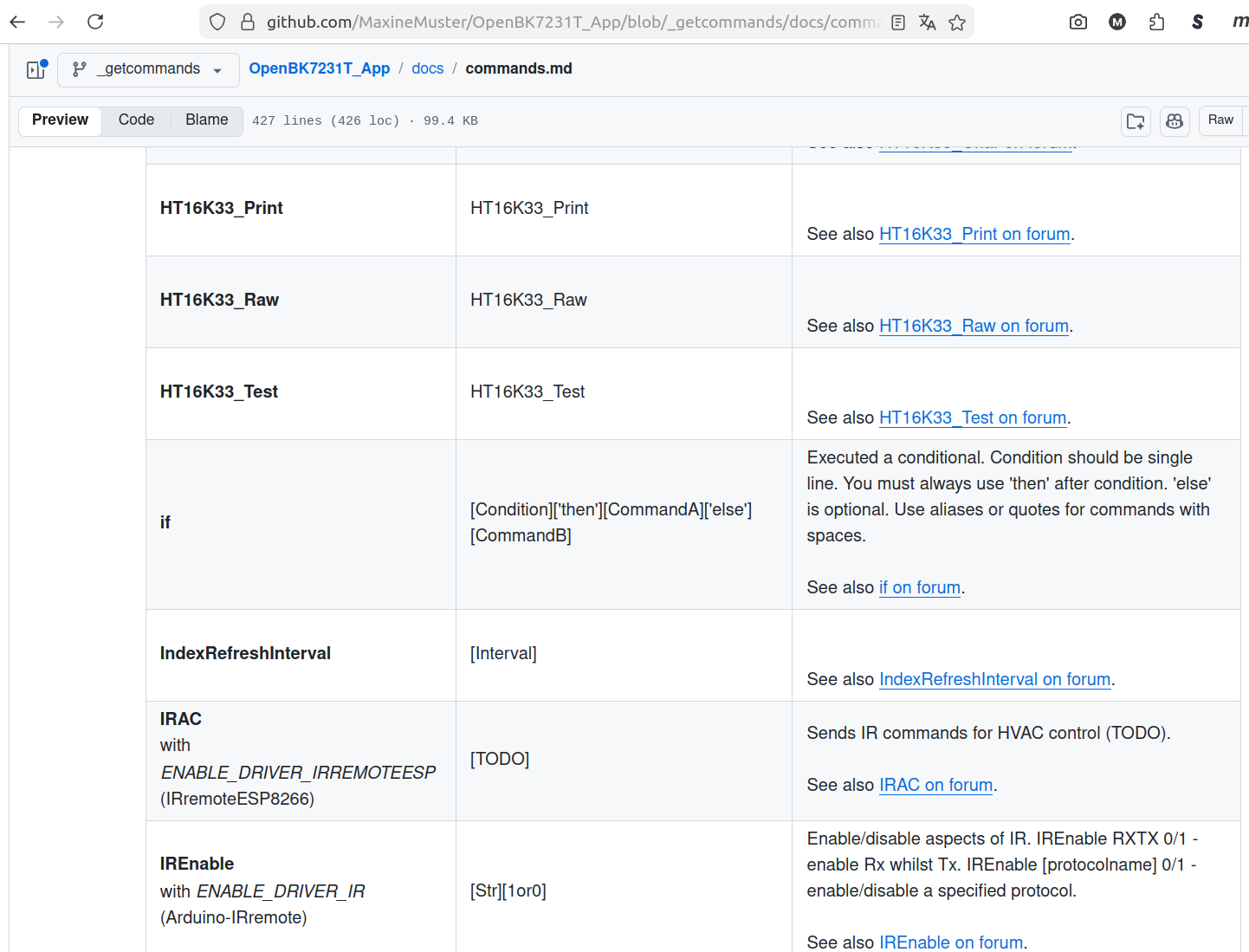
    My proposal would be to move the information about the define for "multiple" commands away from the "Arguments" column to the first "Command" column:
    So from:
    GitHub screenshot: commands.md showing a table of commands, including HT16K33 entries and “if”.

    To (on github):
    GitHub screenshot showing commands.md preview with a table of commands like HT16K33_Print, if, and IREnable

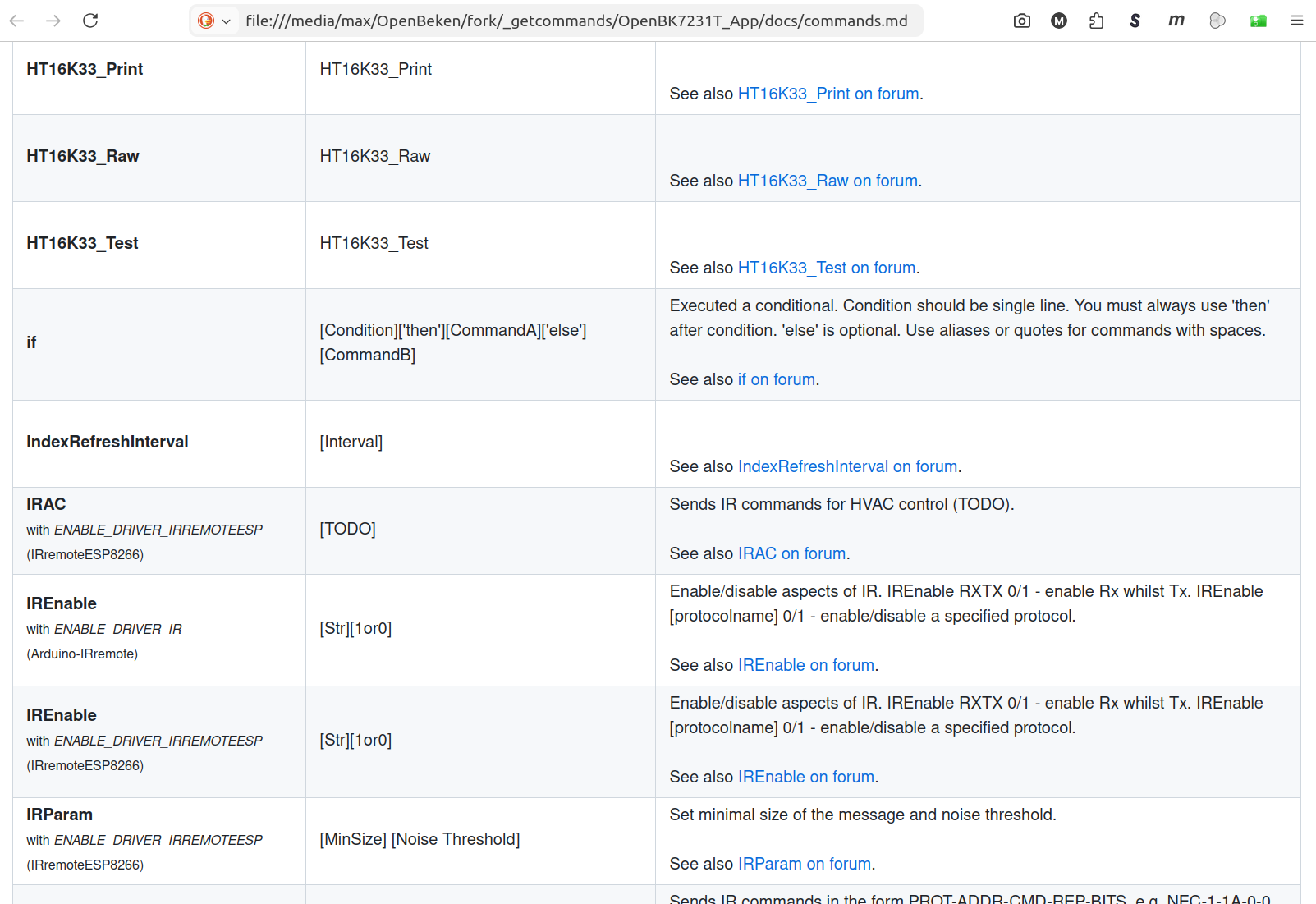
    With a "decent" rendering (md not rendered by github "preview") you can see, I made the additional information slightly smaller:
    Screenshot of a commands documentation table with HT16K33 and IR entries and an “if” syntax note.

    Can be found in PR#1982
  • #30 21834083
    p.kaczmarek2
    Moderator Smart Home
    Hey aren't defines fixed by @DeDaMrAz in Docker PR?
    Helpful post? Buy me a coffee.
📢 Listen (AI):

Topic summary

The discussion focuses on using the BK7231-based Tuya 4-channel 433 MHz RF Wi-Fi relay module flashed with OpenBeken firmware to create a versatile RF control hub for multiple devices including relays, smart bulbs, and LED controllers. The OpenBeken RC driver supports Princeton and Roger RF protocols, with ongoing testing for broader compatibility. Users report successful configuration of RF input pins (e.g., remote_io on P8) and integration with Easy Flasher and JSON device templates. The Bingoelec W601 T34 5V/7-32V relay board with RF receiver connected to GPIO pins is confirmed compatible, with updated templates available in the OpenBeken webapp repository. The discussion also explores hacking older switches where the 480RA RF receiver is connected to a button controller MCU, suggesting direct connection to the Wi-Fi module for enhanced functionality. The RC driver implementation requires a 50 µs timer similar to the IR driver, with calls for Timer HAL support to facilitate development.
Summary generated by the language model.
ADVERTISEMENT