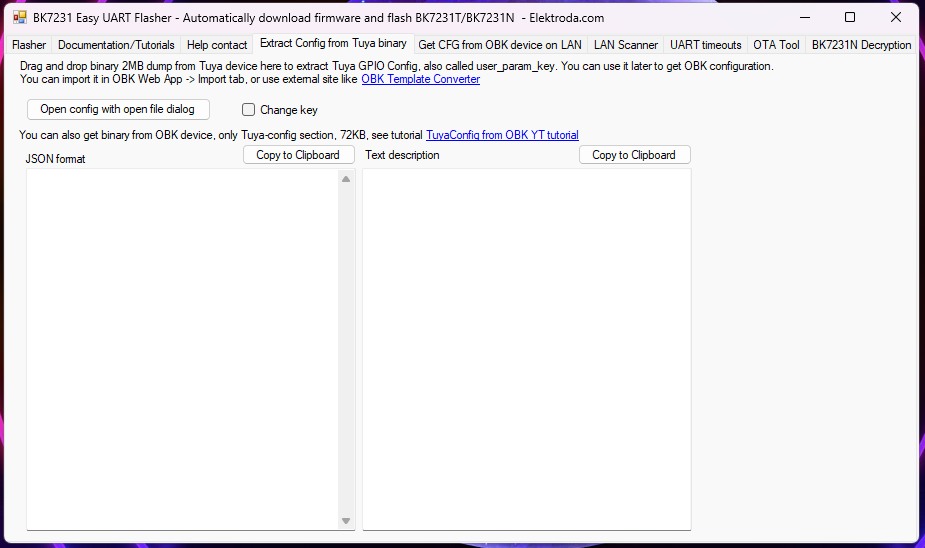
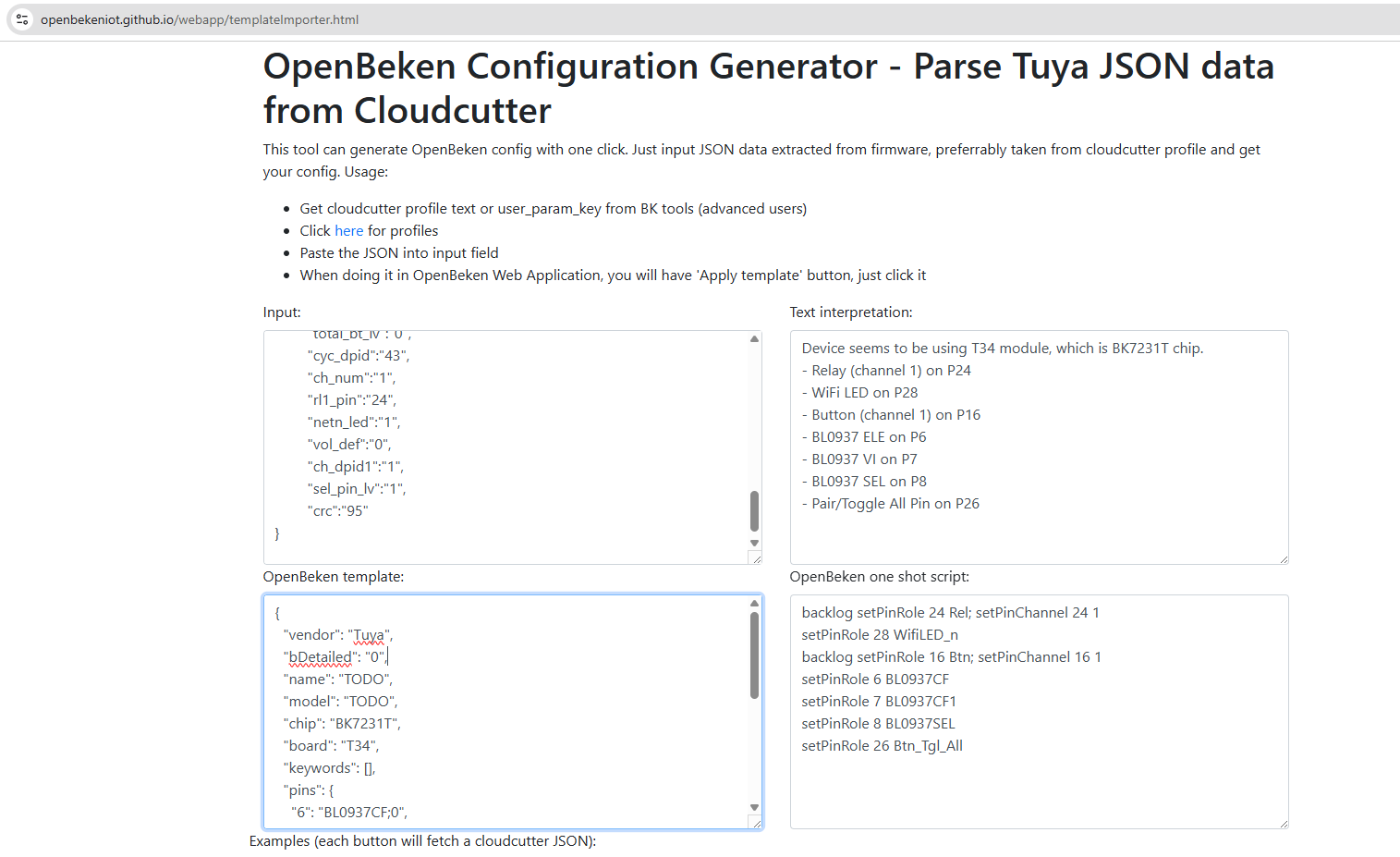
Fresh from the success of my Temp/Humidity sensor reprogramming I thought I would try a mains plug adapter as I have a few which are all Tuya based...
I bought a new one to play with and it came with a different chip to the others I have. Turns out this one is a single chip T34 based plug.
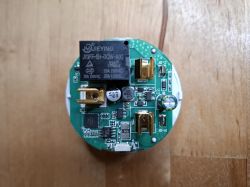
After opening the case with the gentle use of a vice to crack the casing joint, this is what it looks like inside...
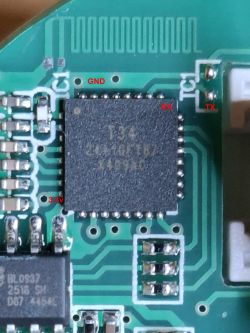
Looking at the chip datasheet I picked these 4 points to talk to the chip...
Not wanting to solder onto something quite so small, I opted for a 3D printed socket to fit over the chip and hold pins in the right place...
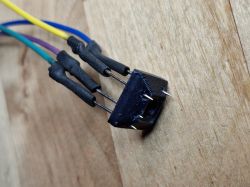
This is then held in place by hand while the chip is read/programmed...
Worked really well!
I have read the existing firmware and extracted the Tuya config.
Interestingly the flasher reported it as a BK7231N but the web app reports it as a BK7321T ?
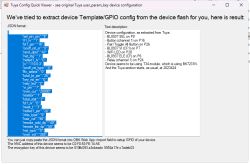
Before I go ahead and flash the latest BK firmware is there anything else I should get from the unit and will I have the full funtionality after flashing? How do I know which of the settings give me energy usage etc?
Thanks
Simon
I bought a new one to play with and it came with a different chip to the others I have. Turns out this one is a single chip T34 based plug.
After opening the case with the gentle use of a vice to crack the casing joint, this is what it looks like inside...
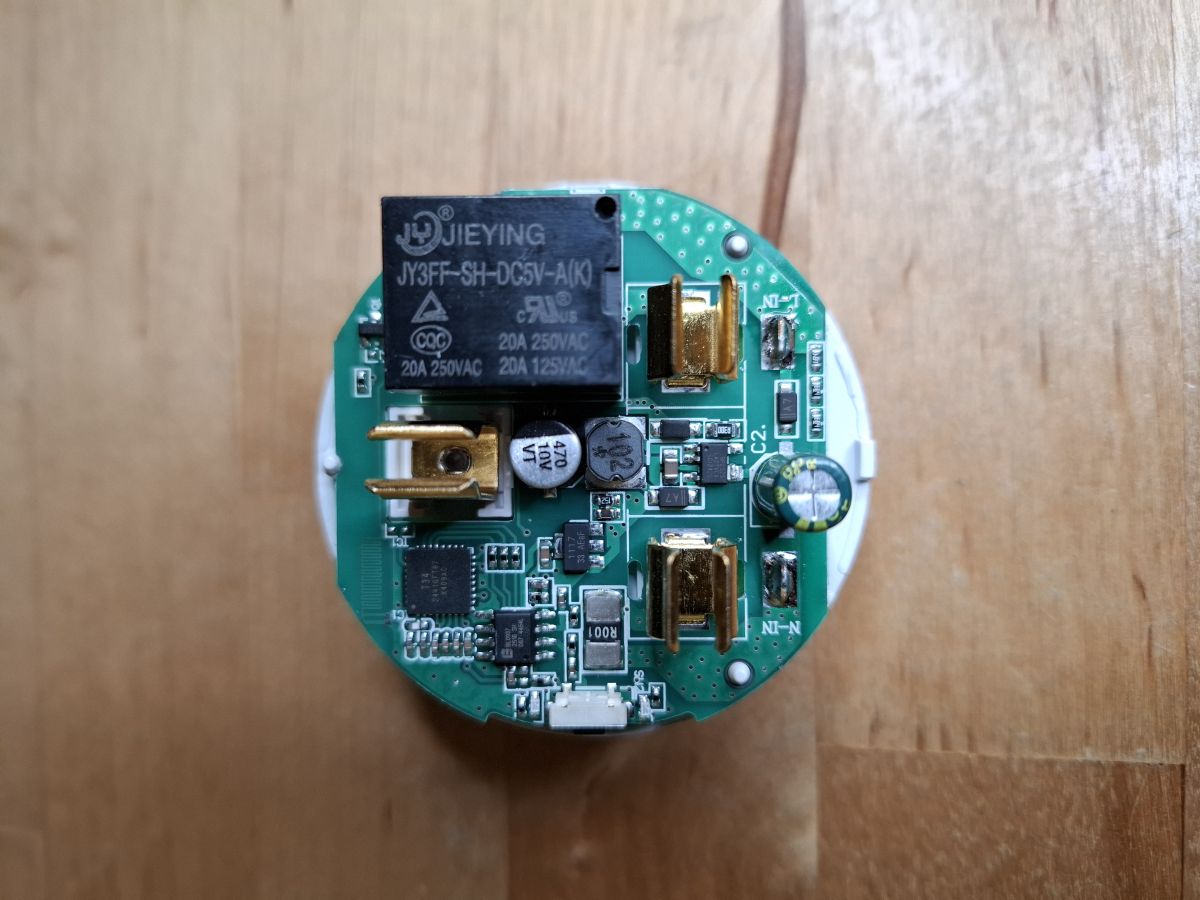
Looking at the chip datasheet I picked these 4 points to talk to the chip...
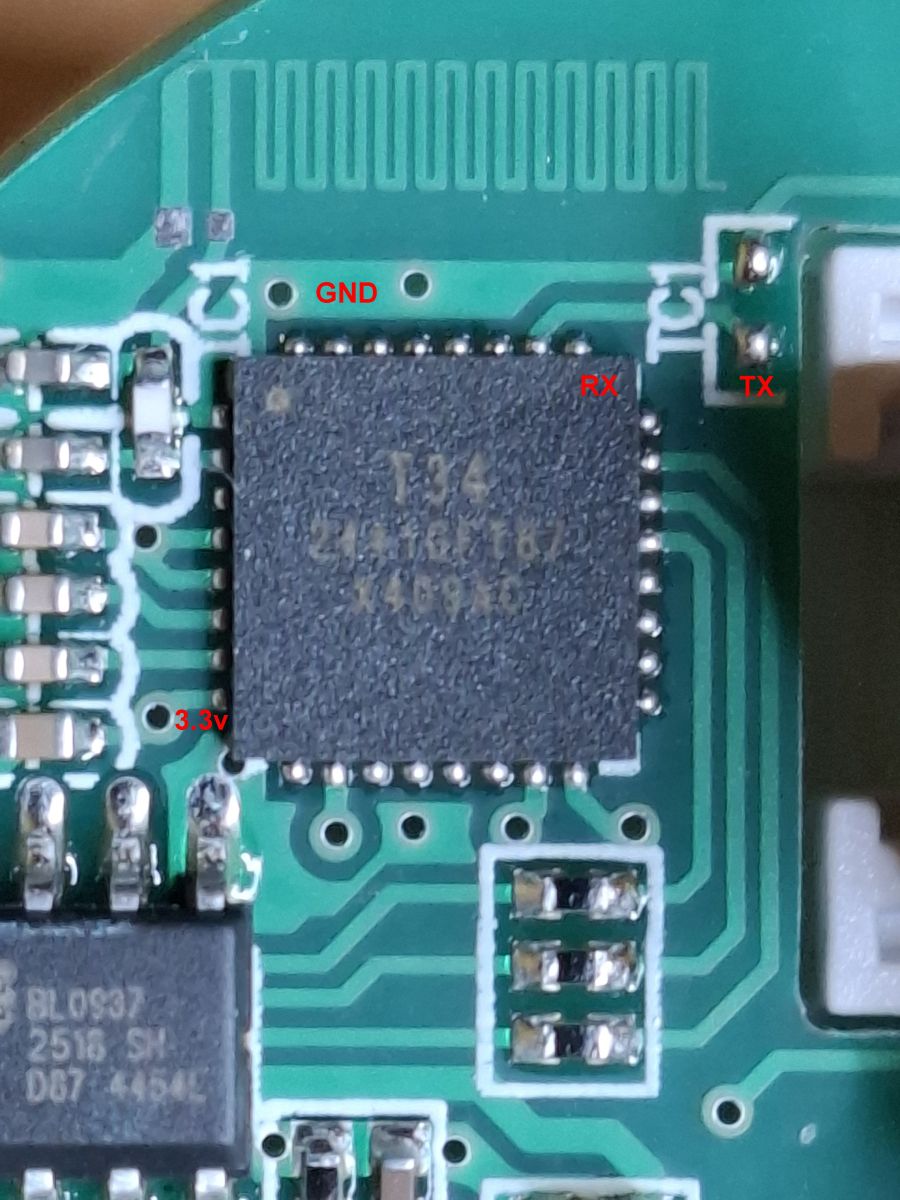
Not wanting to solder onto something quite so small, I opted for a 3D printed socket to fit over the chip and hold pins in the right place...
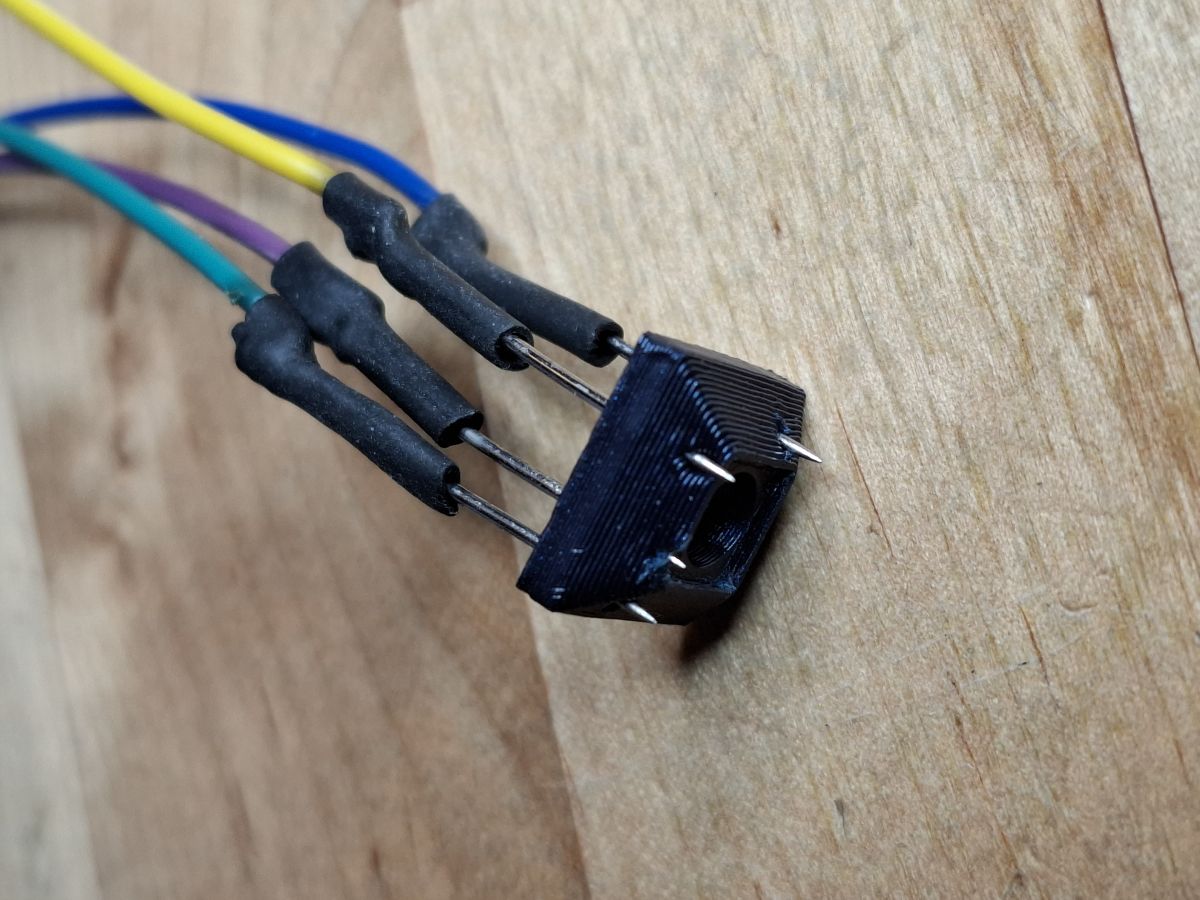
This is then held in place by hand while the chip is read/programmed...
Worked really well!
I have read the existing firmware and extracted the Tuya config.
{
	"sel_pin_pin":"8",
	"rl1_lv":"1",
	"bt1_pin":"16",
	"onoff_rst_m":"0",
	"rand_dpid":"42",
	"net_trig":"1",
	"netled1_lv":"0",
	"jv":"110.0.3",
	"onoff_rst_type":"0",
	"ffc_select":"0",
	"total_bt_pin":"26",
	"key_rst_en":"0",
	"nety_led":"2",
	"vi_pin":"7",
	"over_cur":"20000",
	"resistor":"1",
	"total_stat":"2",
	"bt1_lv":"0",
	"reset_t":"3",
	"netled1_pin":"28",
	"chip_type":"0",
	"lose_vol":"90",
	"remote_add_dp":"49",
	"remote_list_dp":"50",
	"net_type":"0",
	"over_vol":"265",
	"inch_dp":"44",
	"module":"T34",
	"ele_pin":"6",
	"ch_cddpid1":"9",
	"inch_en1":"0",
	"init_conf":"38",
	"zero_select":"0",
	"onoff_type":"2",
	"series_ctrl":"2",
	"bt_self_type":"0",
	"total_bt_lv":"0",
	"cyc_dpid":"43",
	"ch_num":"1",
	"rl1_pin":"24",
	"netn_led":"1",
	"vol_def":"0",
	"ch_dpid1":"1",
	"sel_pin_lv":"1",
	"crc":"95"
}
Interestingly the flasher reported it as a BK7231N but the web app reports it as a BK7321T ?
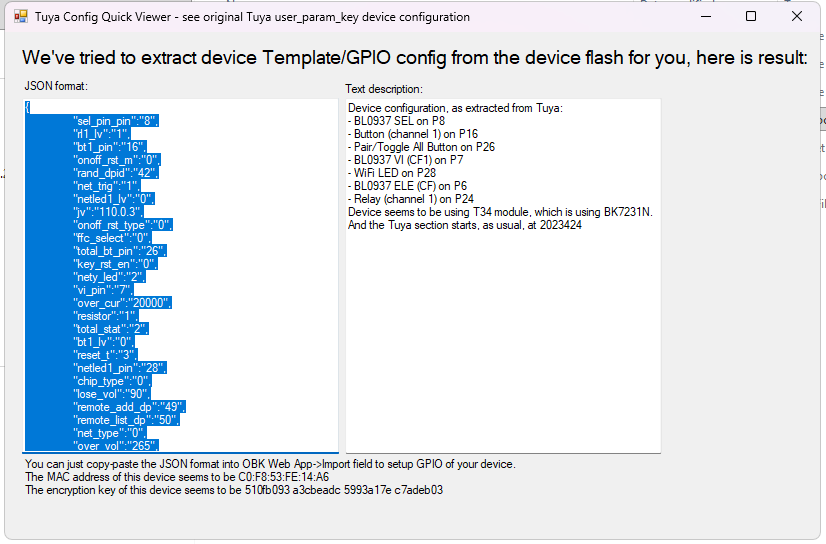
Before I go ahead and flash the latest BK firmware is there anything else I should get from the unit and will I have the full funtionality after flashing? How do I know which of the settings give me energy usage etc?
Thanks
Simon