logo elektroda
logo elektroda
X
logo elektroda

[w800] XM-HE201 24G Sensor flashed to OpenBeken, sensors partially working

juanwick 894 14
ADVERTISEMENT
  • #1 21796926
    juanwick
    Level 3  
    Posts: 5
    XM-HE201 24 GHz Human Presence Sensor. I've managed to flash one of these to OpenBeken but I am struggling to get all the sensors working.

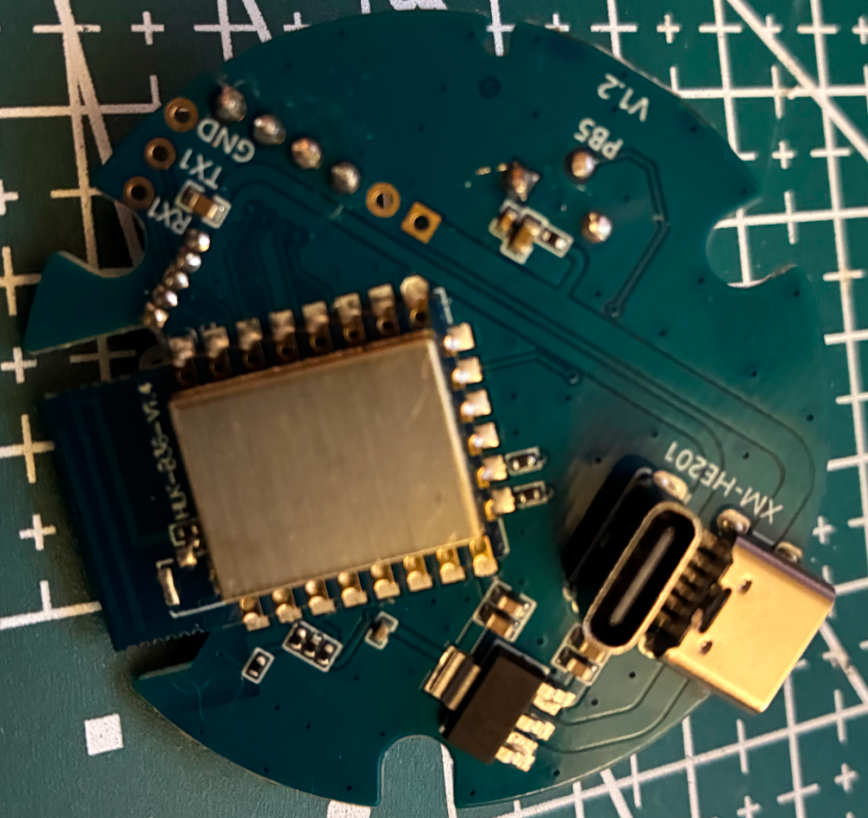
    To flash to OpenBeken you need to tie the boot pin to ground on startup, UART will output "C" continuously when it's ready to receive the firmware from wm_tool.exe. Use TX0/RX0 to flash the firmware; TX1/RX1 are connected to the mmWave sensor (LD2410B.)

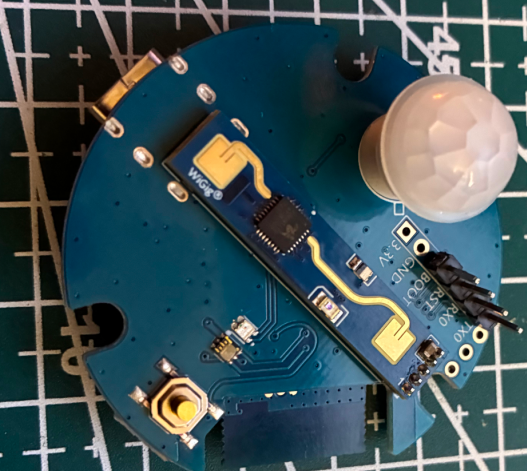
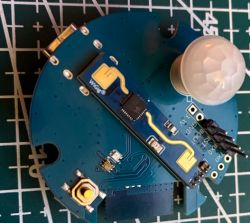
    Pin 21 is connected to the PIR sensor and Pin 24 to the mmWave sensor's GPIO pin; setting them to DoorSnsrWSleep has them working. I believe the illuminance sensor is between the button and the LED and one of its pins did have continuity with pin 4 but I don't know how to identify it or configure it with OpenBeken. To fully support this device I believe a driver would have to be written to interface the LD2410B UART; way beyond my depth, barely got it flashed with LLM assistance.
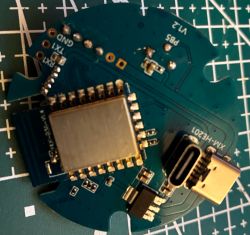
    XM-HE201 PCB with USB-C port, RF module, and labeled TX/RX and GND pins.

    PCB with PIR and mmWave modules placed on a blue cutting mat with grid lines


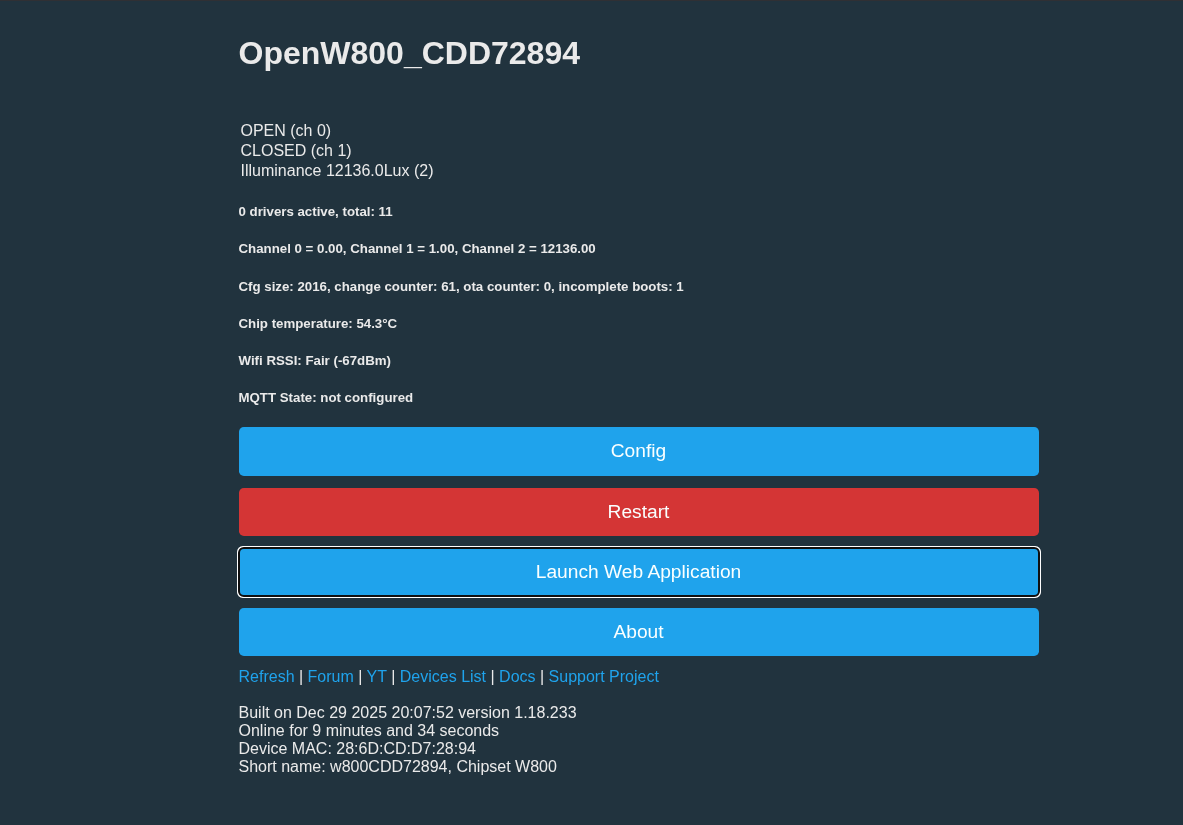
    OpenW800 panel showing 12136.0 Lux light level and 54.3°C chip temperature
    AI: When you try to configure or read from the illuminance sensor in OpenBeken, what exactly happens—do you get any readings, errors, or does it just not show up at all?
    I set the pin to ADC. The value stays between 10k and 12k whether the device is covered or a flashlight is shined directly on it. This is all on the advice of an LLM so it didn't really seem appropriate to even post as it's based on nothing tangible.
    AI: Have you tried any specific OpenBeken settings, commands, or logs to identify or configure the illuminance sensor, and if so, what were the results?
    I wouldn't know what to try; I tried dumping the OEM firmware from a second device, but OpenBK7231T_App couldn't extract the Tuya GPIO information from the dump. The dump had my SSID and network pass inside, so I'm fairly certain it's valid.
  • ADVERTISEMENT
  • #2 21797071
    divadiow
    Level 38  
    Posts: 4859
    Help: 424
    Rate: 860
    I guess it would need some driver writing to parse the uart comms from the S3KM1110?

    I guess if you used wm_tool.exe you didn't come across Easy Flasher which can take a backup of W800 before flashing to OpenW800
  • #3 21797096
    juanwick
    Level 3  
    Posts: 5
    Thank you for that. Took a backup of a second device. It was not able to extract any Tuya information as far as I can tell, but this backup does look better than my w800-python-flash-read attempt.
    Saving debug Tuya decryption data to lastRawDecryptedStrings.bin
    Failed to extract Tuya keys - no json start found
    Sorry, failed to extract keys from Tuya Config in backup binary.
    Tuya config extractor - magic is at 1933312 


    The protocol is documented. LD2410 tool.exe is able to connect to the chip over TX1/RX1.

    EDIT
    Took another backup without my wifi information inside to share.
    Attachments:
    • w800_light_5_rgbcw_v2.bin (2 MB) You must be logged in to download this attachment.
    • HLK-LD2410B Serial communication protocol V1.04.pdf (483.04 KB) You must be logged in to download this attachment.
  • #4 21798204
    divadiow
    Level 38  
    Posts: 4859
    Help: 424
    Rate: 860
    boot log from your w800 dump, with some obvious differences because I don't have the real device with sensor

    Code: Text
    Log in, to see the code


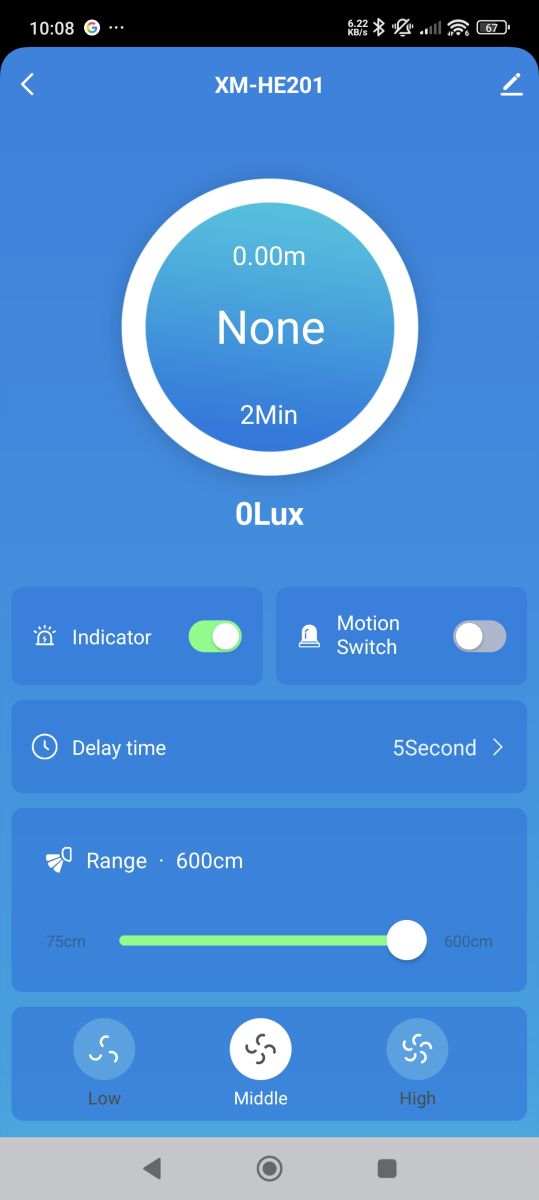
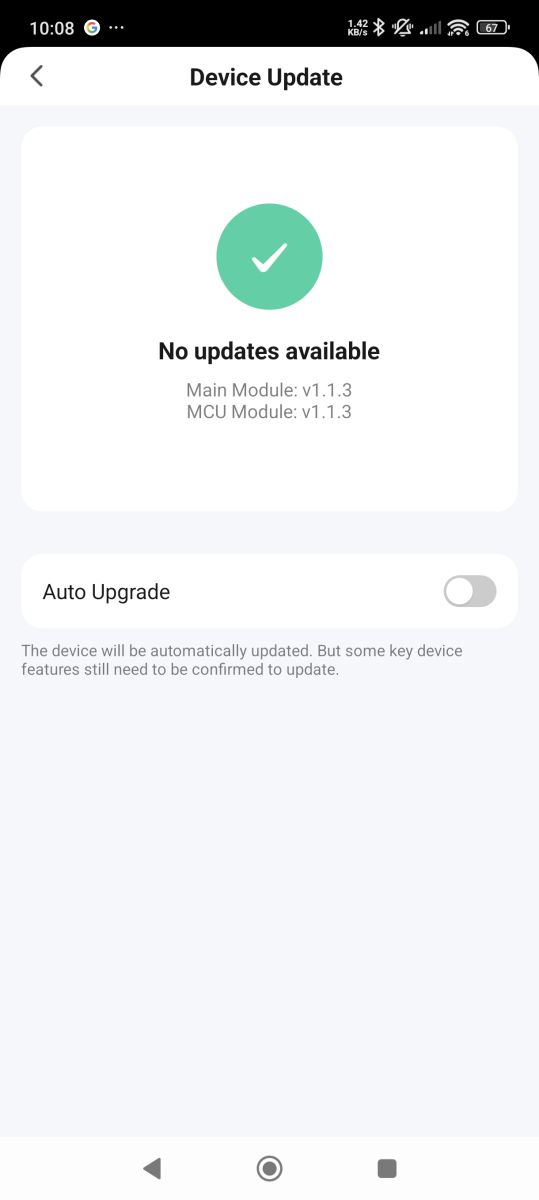
    appearance in Tuya app
    [w800] XM-HE201 24G Sensor flashed to OpenBeken, sensors partially workingApp screen showing motion sensor settings for device XM-HE201Device update screen showing “No updates available” message
  • ADVERTISEMENT
  • #5 21798545
    juanwick
    Level 3  
    Posts: 5
    The light sensor visually looks like a Liteon LTR-303ALS-01 eBay listing I found. I see this in my log: I2C data received PART_ID = A0 I2C data received MANUFAC_ID = 05
  • #6 21799119
    p.kaczmarek2
    Moderator Smart Home
    Posts: 14416
    Help: 650
    Rate: 12371
    So, is it I2C or UART? If that's UART, then I can add a driver maybe, i'm just not sure if we have generic UART driver on W800.

    Still, UART protocol in the documentation of HLK-LD2410B looks somewhat more advanced than I'd expect from such a simple sensor.

    Would you be able to provide a capture of packets from UART so I can work on parsing them on my side?
    Helpful post? Buy me a coffee.
  • #7 21799142
    juanwick
    Level 3  
    Posts: 5
    >>21799119
    It's a separate light sensor that is I2C as far as I can tell, while the mmWave LD2410B sensor is UART.
    Attachments:
    • ld2410b_uart0.hex (21.59 KB) You must be logged in to download this attachment.
    • ld2410b_uart.hex (61.67 KB) You must be logged in to download this attachment.
  • Helpful post
    #8 21799291
    insmod
    Level 31  
    Posts: 1353
    Help: 160
    Rate: 425
    I ordered both of them, will try to help when they arrive.
    Is your device battery powered? If not, then change DoorSnsrWSleep to dInput
  • #9 21799297
    p.kaczmarek2
    Moderator Smart Home
    Posts: 14416
    Help: 650
    Rate: 12371
    I can't see any battery there, only USB C connector.

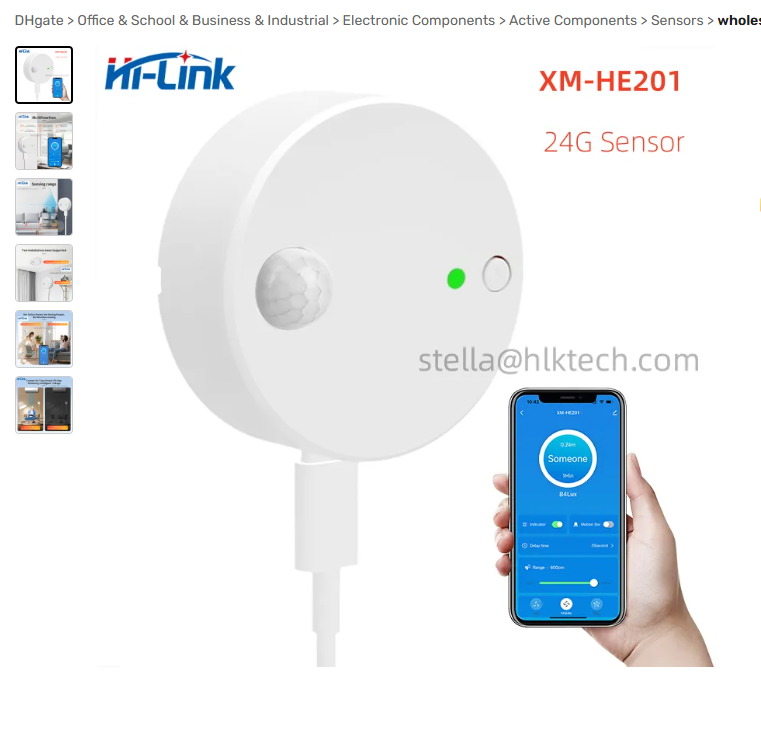
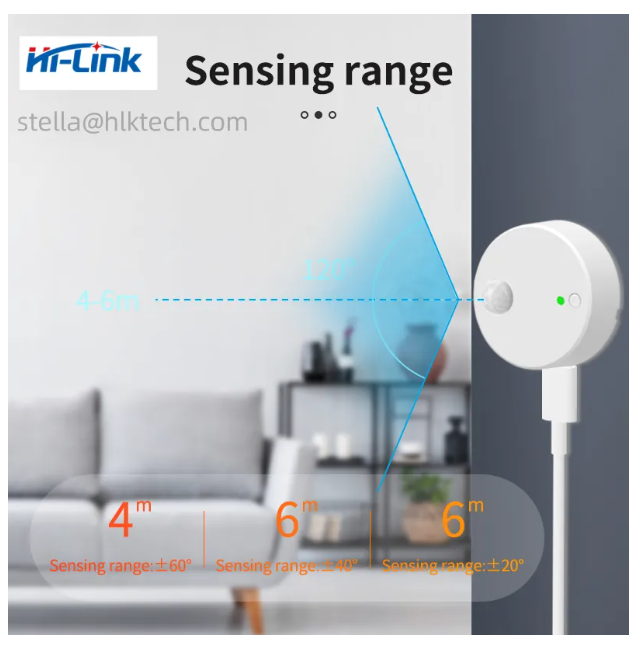
    Is this your device?
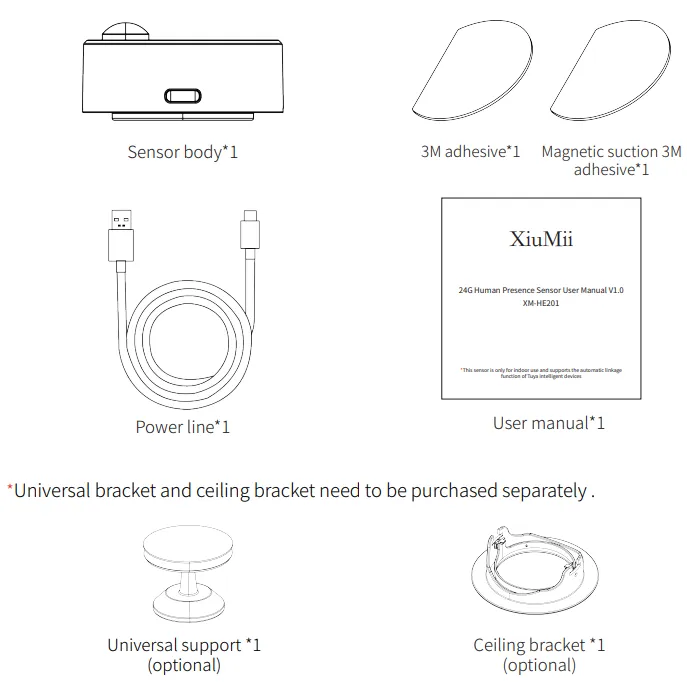
    XM-HE201 sensor with USB-C connection and mobile app shown on phone
    Motion sensor with USB-C port and 120-degree detection range up to 6 meters
    XiuMii presence sensor kit contents with USB-C cable and mounting accessories
    It should be, I got confused at first, because it has two USB C ports for easier mounting.
    Helpful post? Buy me a coffee.
  • ADVERTISEMENT
  • #10 21799418
    juanwick
    Level 3  
    Posts: 5
    Yes that is it.
  • #11 21799995
    divadiow
    Level 38  
    Posts: 4859
    Help: 424
    Rate: 860
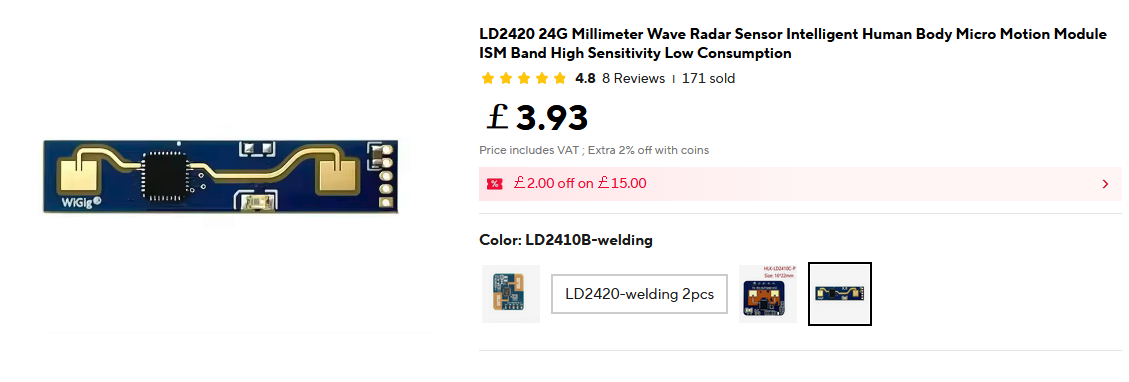
    not wanting to be left out, I have ordered the sensor

    LD2420 millimeter wave radar module with blue PCB and electronic components
  • ADVERTISEMENT
  • #12 21806677
    divadiow
    Level 38  
    Posts: 4859
    Help: 424
    Rate: 860
    mine's tiny!
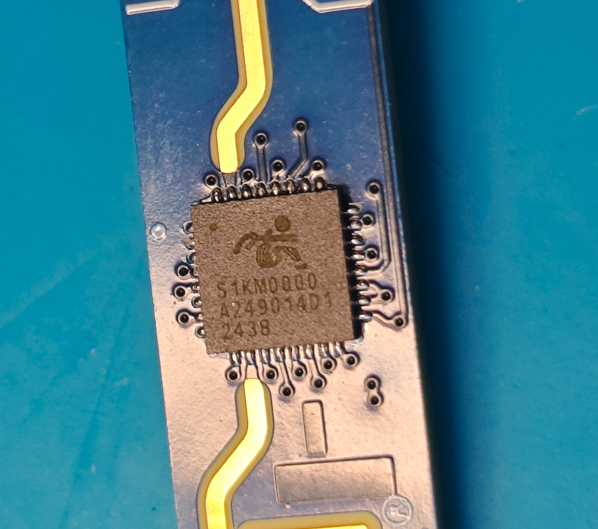
    hmm. also, S1KM0000

    S1KM0000 integrated circuit on blue PCB with gold traces and visible QFP pins
    Attachments:
    • [w800] XM-HE201 24G Sensor flashed to OpenBeken, sensors partially working IMG_0339.JPG (810.92 KB) You must be logged in to download this attachment.
    • [w800] XM-HE201 24G Sensor flashed to OpenBeken, sensors partially working IMG_0338.JPG (890.45 KB) You must be logged in to download this attachment.
  • Helpful post
    #14 21821486
    divadiow
    Level 38  
    Posts: 4859
    Help: 424
    Rate: 860
    insmod wrote:
    don't you already have this device?


    negative. only the above sensor

    Added after 2 [hours] 42 [minutes]:

    cool

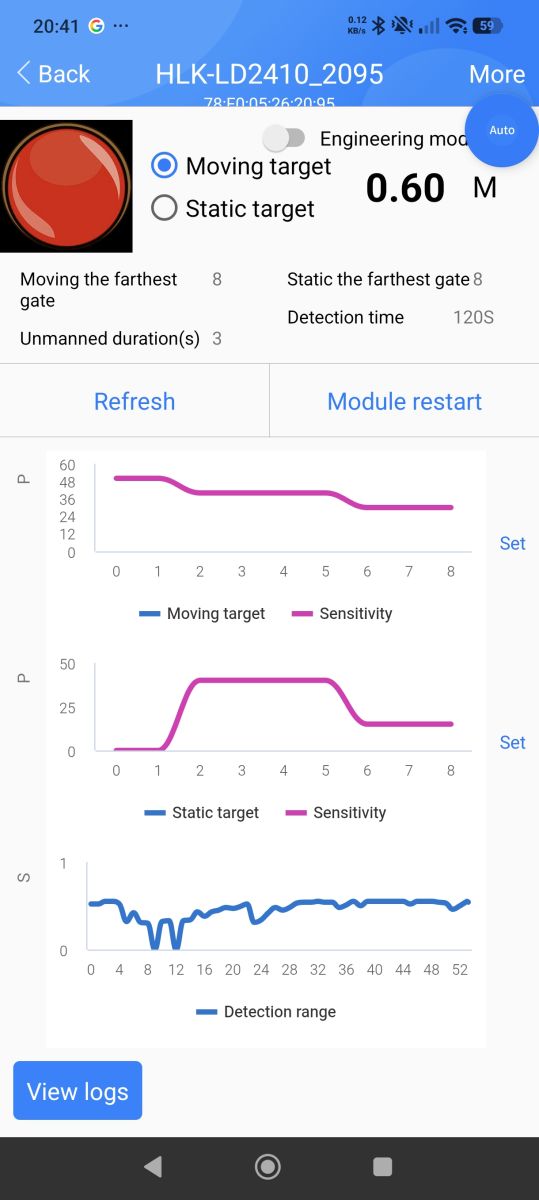
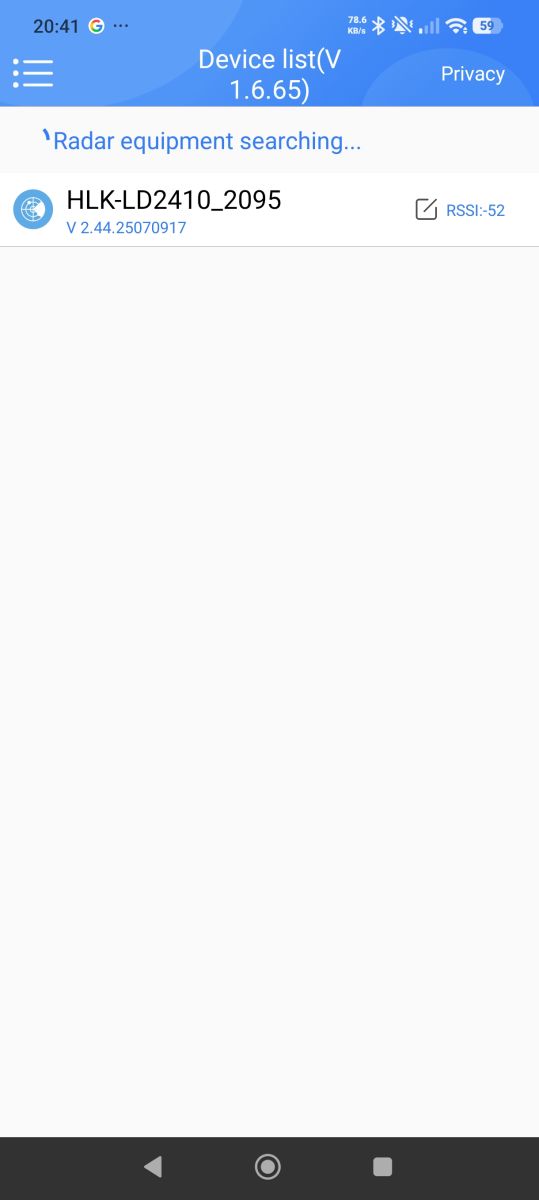
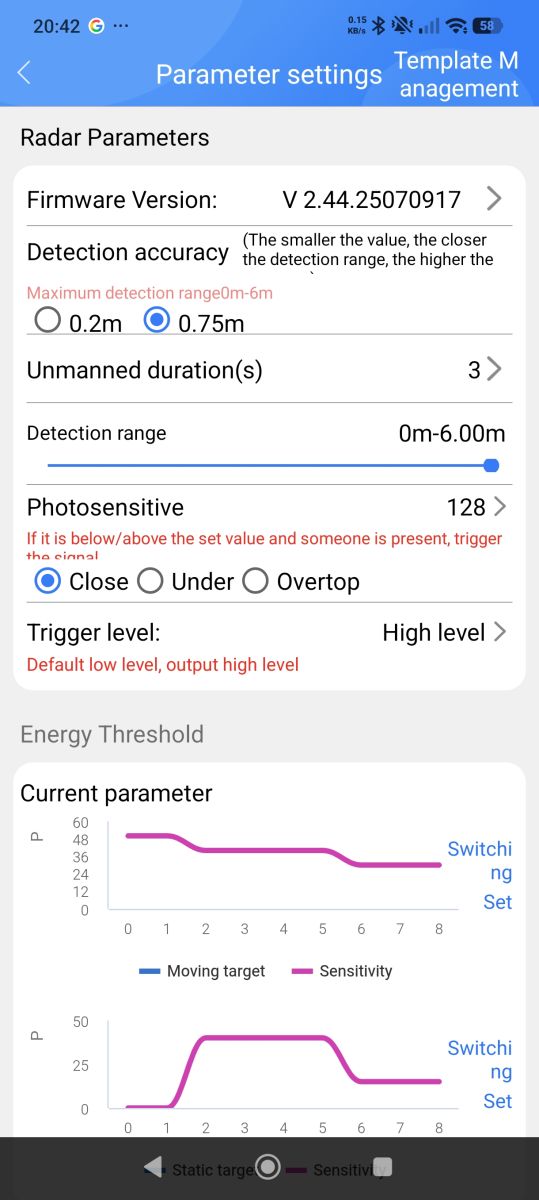
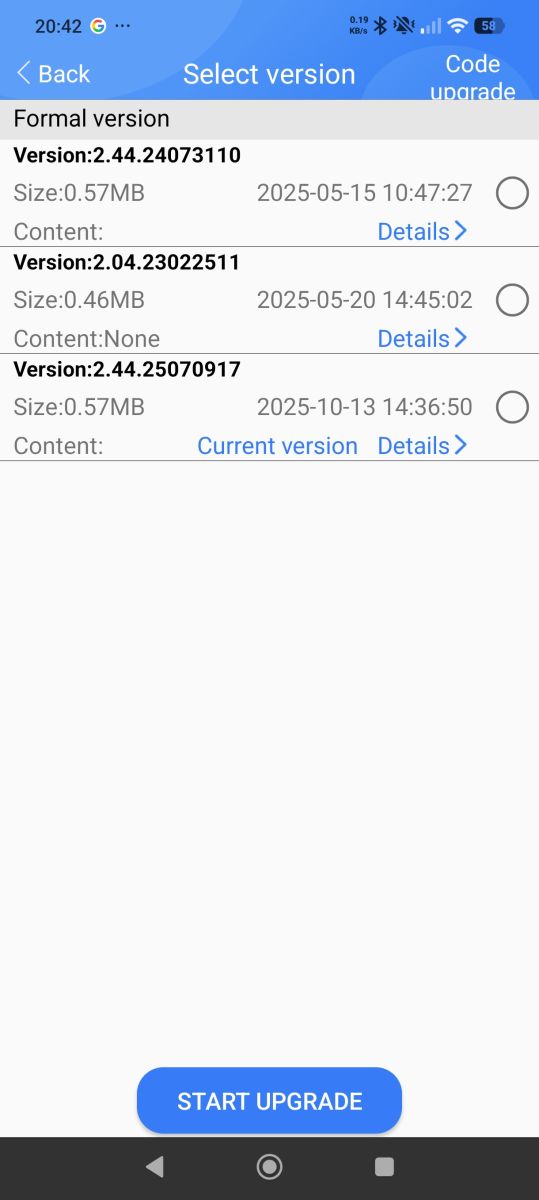
    HLK-LD2410 app screen displaying motion sensor data and detection graphs App screen showing detected sensor HLK-LD2410_2095 with RSSI signal -52 Radar parameter settings screen with sensitivity and motion graphs Software update screen showing three selectable firmware versions

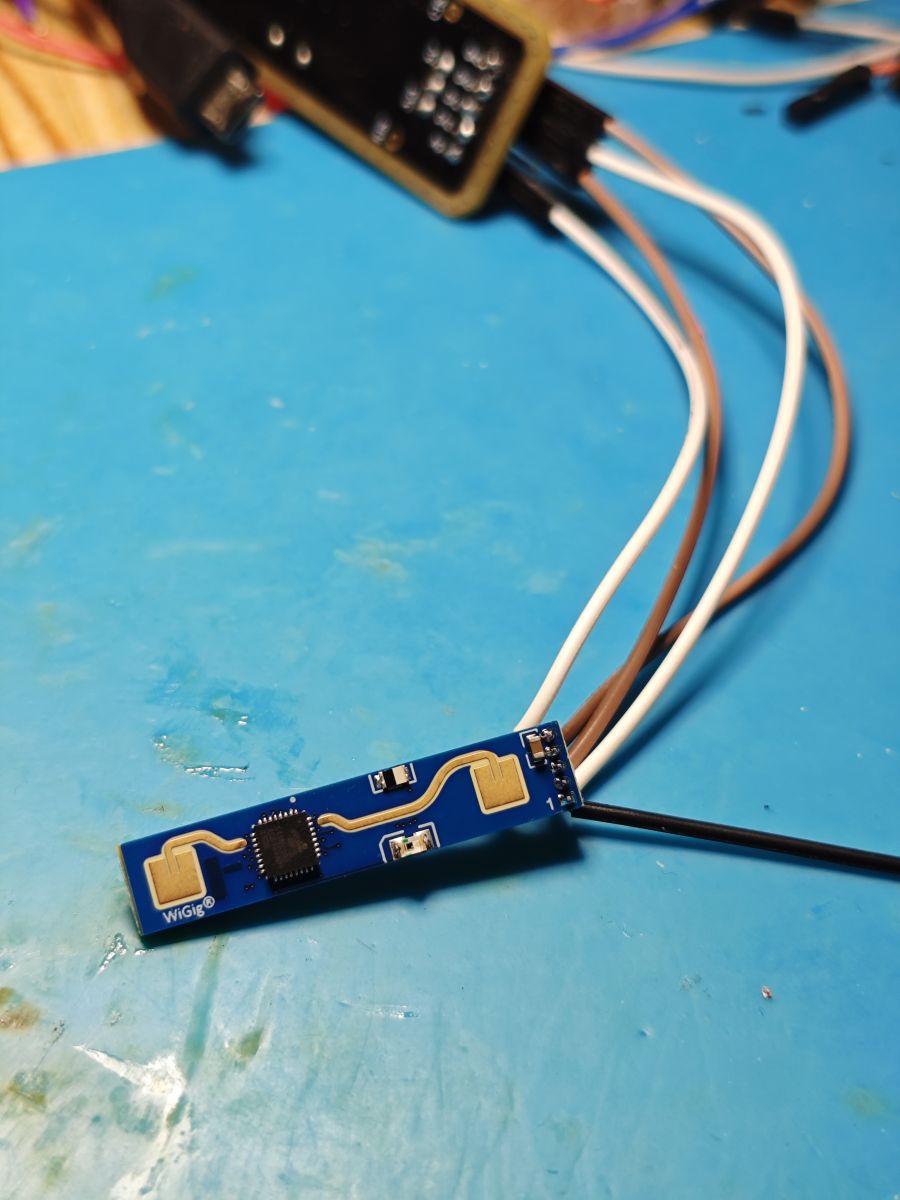
    Blue WiGig sensor with chip and wires on a blue work mat

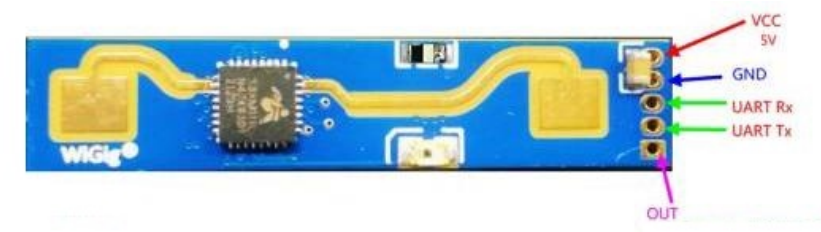
    uart sniff attached is what the W800 dump is sending from PB6

    Sensor module with labeled pins: VCC, GND, UART Rx, UART Tx, and OUT

    Tuya firmware doesn't seem to want to talk to I don't think. Connected to PB6/PB16 and OUT is to PB24

    Code: Text
    Log in, to see the code


    Maybe I should just get the same device
    Attachments:
    • ld2410b_uart_sniffer.py.zip (2.93 KB) You must be logged in to download this attachment.
    • uart_sniff_COM49_20260127_195952.log.txt (12.09 KB) You must be logged in to download this attachment.

Topic summary

✨ The XM-HE201 24 GHz Human Presence Sensor was successfully flashed to OpenBeken firmware by grounding the boot pin at startup and using UART TX0/RX0 for flashing, while TX1/RX1 interfaces with the LD2410B mmWave sensor. Pins 21 and 24 correspond to the PIR sensor and mmWave sensor GPIO, respectively, and can be configured as DoorSnsrWSleep to function. The illuminance sensor's identification and configuration remain unclear, with partial continuity noted to pin 4. Full device support likely requires developing a UART driver for the LD2410B, which is complex. Backup attempts using Easy Flasher provided better data than w800-python-flash-read but failed to extract Tuya keys. The LD2410 tool.exe can communicate with the LD2410B chip over TX1/RX1, indicating documented protocol availability.
Generated by the language model.

FAQ

TL;DR: XM-HE201 is a 24 GHz presence sensor flashed via TX0/RX0; “Use TX0/RX0 to flash the firmware.” Flashing works, but full LD2410B UART/light I2C support needs setup. [Elektroda, juanwick, post #21796926] Why it matters: This FAQ helps tinkerers get PIR, mmWave, and light sensing working on OpenBeken/OpenW800 without bricking devices.

Quick Facts

How do I put the XM-HE201 into flash mode and which pins do I use?

Hold the boot pin to ground during power‑up. The UART will stream “C” when the bootloader awaits firmware. Use TX0/RX0 for flashing with wm_tool.exe. TX1/RX1 are reserved for the LD2410B mmWave module. This sequence reliably enters flashing and avoids interfering with the sensor UART. [Elektroda, juanwick, post #21796926]

What OpenBeken pin roles make PIR and mmWave GPIO work?

Map Pin 21 to the PIR input and Pin 24 to the LD2410B’s GPIO. Set them to DoorSnsrWSleep for battery‑type behavior or switch to dInput if the device is mains‑powered. This exposes motion states without a custom UART driver. [Elektroda, insmod, post #21799291]

Is the LD2410B fully supported on W800 today?

Not yet. The LD2410B uses UART on TX1/RX1, and a driver is needed to parse its frames. An OpenBeken developer noted uncertainty about a generic UART driver on W800 and requested captured packets to proceed. “UART protocol ... looks more advanced.” [Elektroda, p.kaczmarek2, post #21799119]

My light sensor shows a flat ADC value (10k–12k). What’s wrong?

That light device is on I2C, not analog. Setting the pad to ADC will return meaningless, flat values. Reconfigure the pin as I2C (SCL/SDA) and query via the light driver once identified. The user’s constant 10k–12k readings came from treating an I2C sensor as analog. [Elektroda, juanwick, post #21799142]

Which I2C light sensor is on the board?

It visually matches Lite‑On’s LTR‑303ALS family. Logs show I2C PART_ID 0xA0 and MANUFAC_ID 0x05, which supports an LTR‑series ID pattern. Use these IDs when binding an ALS driver in OpenBeken. [Elektroda, juanwick, post #21798545]

How can I help get the LD2410B driver implemented?

Capture raw UART frames from TX1/RX1 while the sensor operates. Share logs with timestamps and baud. The maintainer asked for packet captures to implement parsing on W800. Use a USB‑TTL adapter in parallel with the module for clean traces. [Elektroda, p.kaczmarek2, post #21799119]

What’s the safest way to back up the factory firmware?

Use the BK7231 Easy Flasher before writing OpenW800/OpenBeken. It can dump the W800 image, which helps recovery and Tuya config analysis later. This avoids losing Wi‑Fi credentials and GPIO maps if extraction works. [Elektroda, divadiow, post #21797071]

Why does Tuya key/GPIO extraction fail on my backup?

Backups can be valid yet lack a readable JSON header for Tuya config. Logs show “Failed to extract Tuya keys – no json start found,” even when SSID/password are present. This is a known edge case for some W800 images. [Elektroda, juanwick, post #21797096]

Is XM-HE201 battery powered? Which input role should I pick?

No. The board uses USB‑C power and includes two USB‑C ports to simplify mounting. For mains power, assign digital inputs as dInput rather than DoorSnsrWSleep to avoid sleep semantics. [Elektroda, p.kaczmarek2, post #21799297]

What does the Tuya boot log tell me about the OEM firmware?

A shared log shows TY IOT SDK 2.3.0, firmware V1.1.3 (Jun 16, 2023), and free_mem_size 77,824 bytes. It also records repeated I2C PART_ID reads and a “Start Timer Fail ... -2,” indicating a timing issue during init. These stats help compare runtime behavior. [Elektroda, divadiow, post #21798204]

How do I wire and flash OpenBeken on this board (quick steps)?

  1. Ground the boot pin and power the board; wait for continuous “C” on UART.
  2. Connect TX0/RX0 to your USB‑UART; run wm_tool.exe and flash OpenBeken.
  3. Reboot, then configure Pin 21 (PIR) and Pin 24 (LD2410B GPIO). [Elektroda, juanwick, post #21796926]

What is OpenBeken/OpenW800 in this context?

OpenBeken is community firmware that replaces Tuya builds on W800 hardware, enabling custom pin roles and drivers. Users have flashed XM‑HE201 successfully and begun mapping PIR, mmWave GPIO, and I2C light functions under OpenBeken. [Elektroda, juanwick, post #21796926]

Can I see how the device appears in the Tuya app before flashing?

Yes. A contributor posted screenshots of the OEM Tuya UI with motion and light elements. Reviewing them helps you map expected datapoints when recreating behavior on OpenBeken. Use these as a baseline for MQTT/topics later. [Elektroda, divadiow, post #21798204]

Are there board or marking variants I should know about?

One unit arrived labeled S1KM0000 and was notably small. Minor revisions can alter pin routing or sensor markings, so verify pads and IDs before assuming the same map. Photograph your PCB for future reference. [Elektroda, divadiow, post #21806677]

Which tools are mentioned and why?

wm_tool.exe flashes firmware over UART; Easy Flasher backs up W800 images; LD2410 tool.exe talks to the mmWave module over TX1/RX1. These tools cover flashing, recovery, and sensor diagnostics. [Elektroda, juanwick, post #21797096]
Generated by the language model.
ADVERTISEMENT