logo elektroda
logo elektroda
X
logo elektroda

Teardown and OpenBeken Configuration for DYGSM DY-SQ400B Water Leak Sensor with T1-U-HL Module

chmieleckimikolaj 852 2

TL;DR

  • Teardown and OpenBeken setup for the DYGSM DY-SQ400B water leak sensor with T1-U-HL module based on BK7238.
  • Reverse engineering found the pin configuration and required a custom autoexec.bat for deep sleep, faster wakeup on MQTT failure, buzzer control, AP mode, and battery-state publishing workaround.
  • The sensor cost $1 and uses a T1-U-HL Module (BK7238), unlike the similar CB3S-based teardown.
  • MQTT integration with Home Assistant plus a heartbeat template tracks connectivity and clearly shows disconnect events.
  • Planned automations include shutting off the main water pipe and alerting when heartbeat loss or leakage occurs.
Generated by the language model.
ADVERTISEMENT
📢 Listen (AI):
  • Hello
    This is my first teardown article so please for understanding.

    Introduction
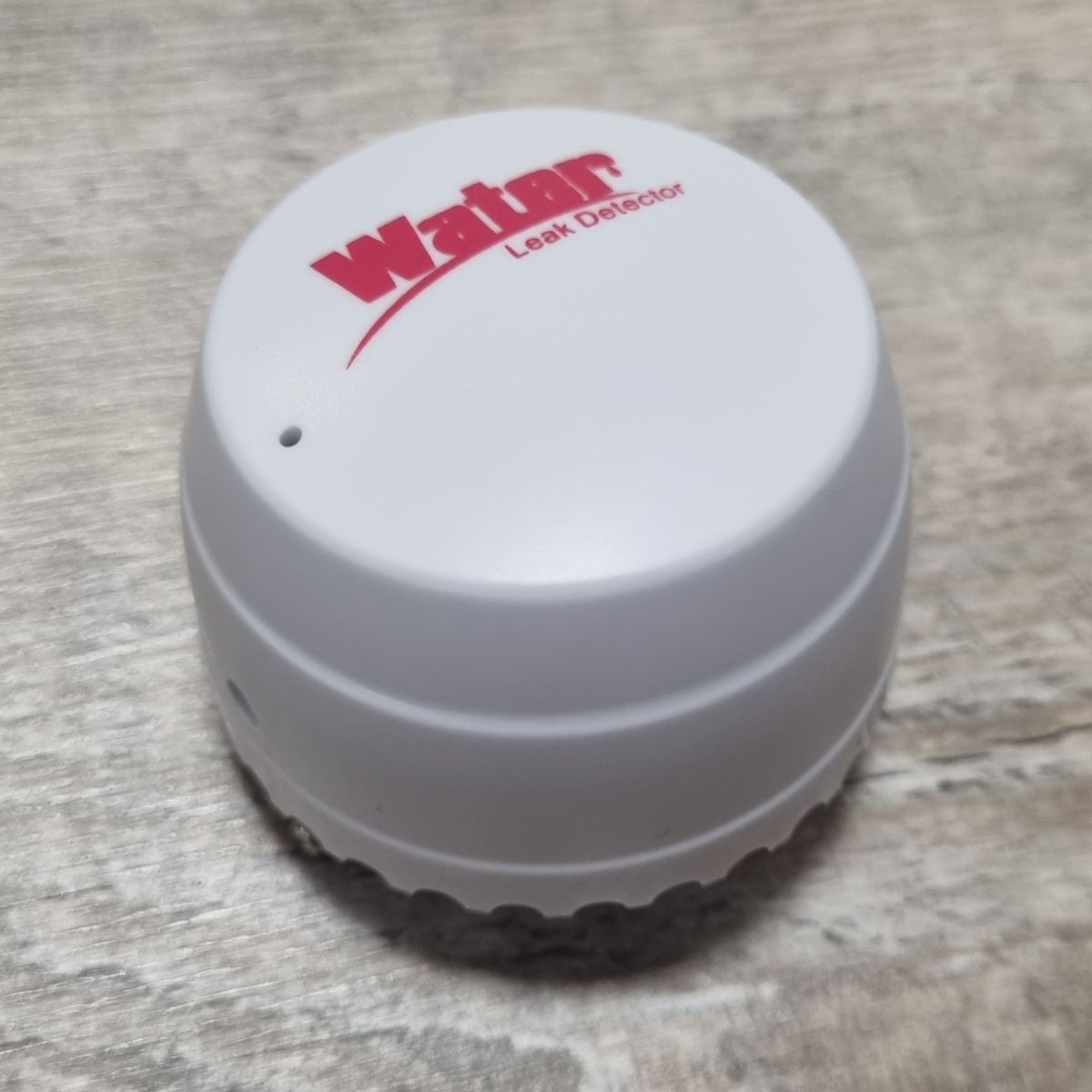
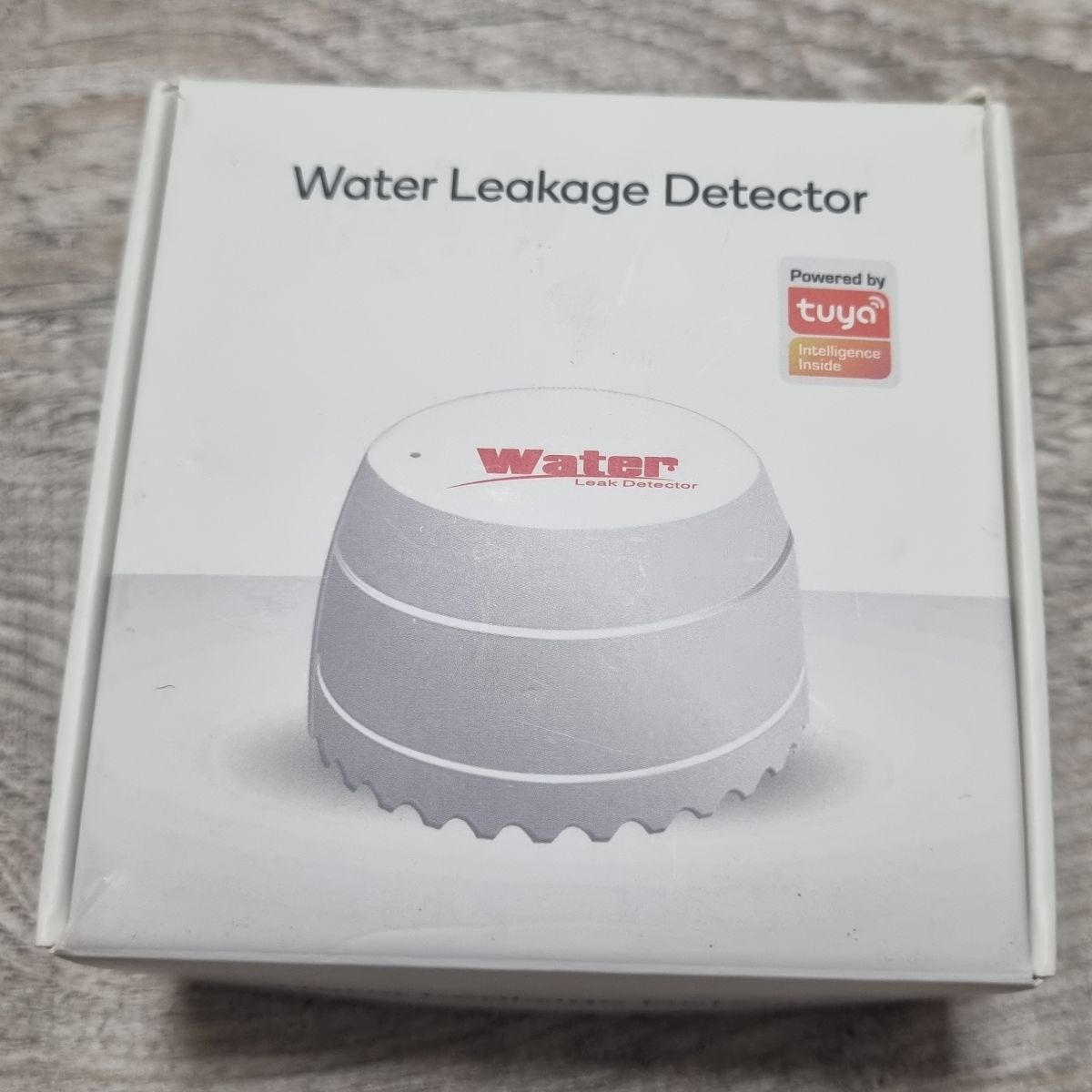
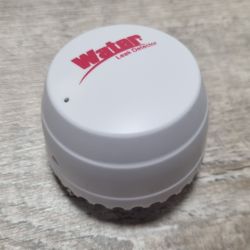
    I bought water leakage sensor DYGSM DY-SQ400B from Aliexpress for 1$. I wanted to connect it directly to my HA instance (bypass Internet connection requirement, which could be a bottleneck during critical situation). I flashed it with great OpenBeken (great thanks for authors :D)

    There is a teardown of very similar device, but with different chip (CB3S)
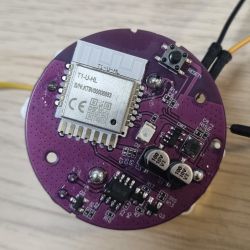
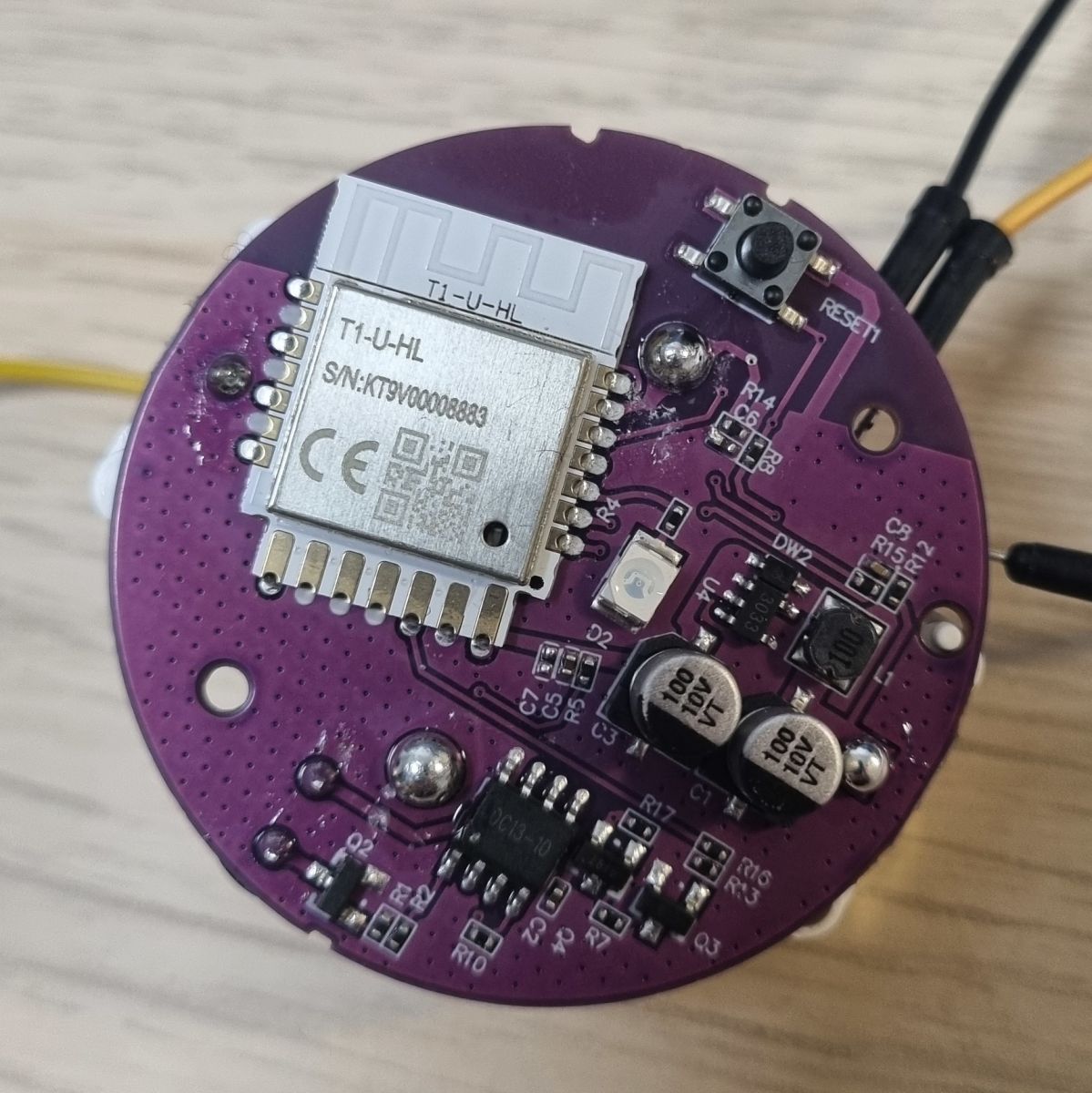
    My device has T1-U-HL Module (BK7238) and I didn't found ready configuration on this forum neither on this website

    Teardown
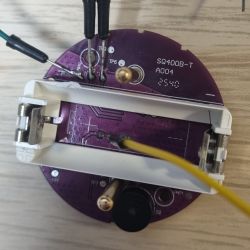
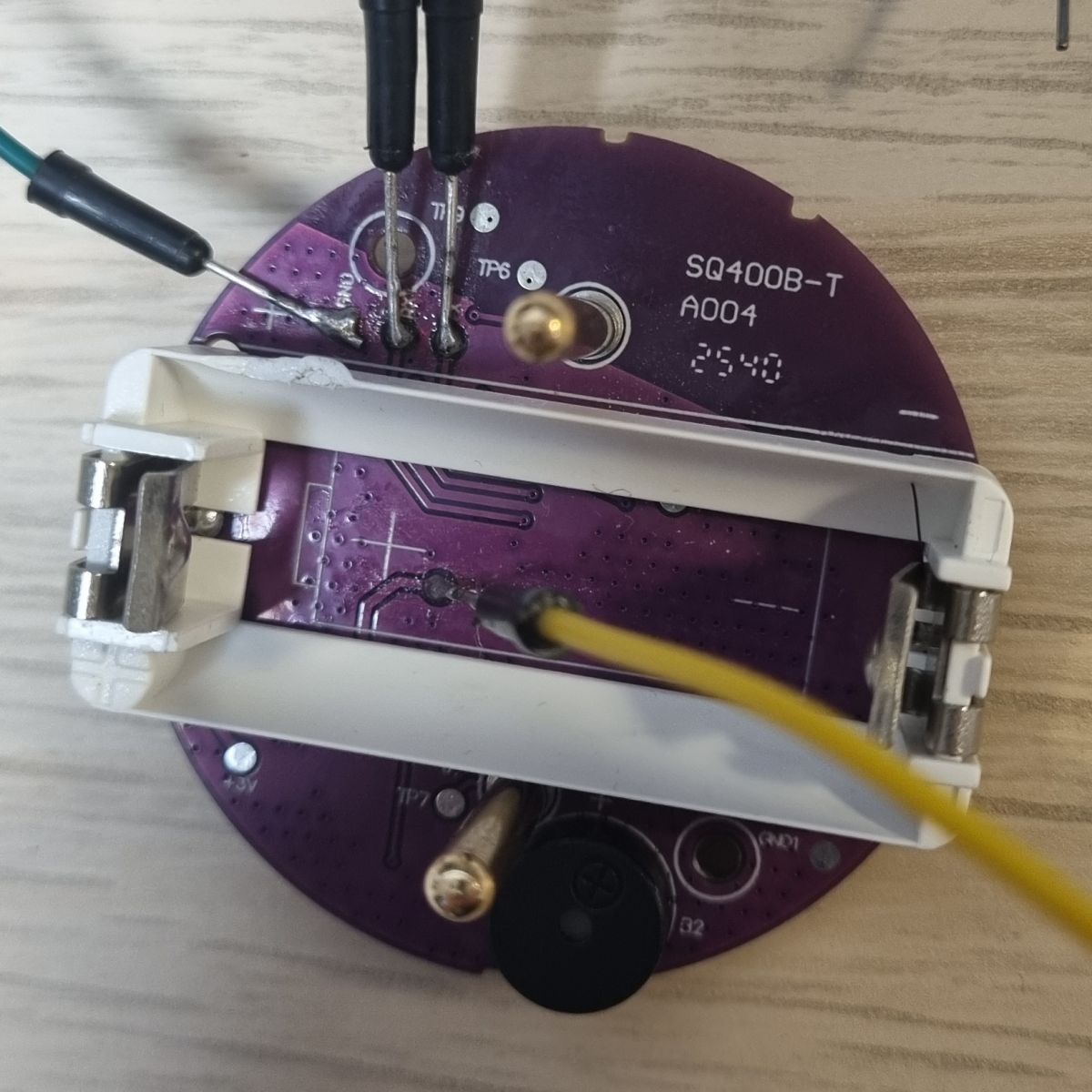
    So I performed reverse engineering. Below is my teardown.
    Teardown and OpenBeken Configuration for DYGSM DY-SQ400B Water Leak Sensor with T1-U-HL ModuleTeardown and OpenBeken Configuration for DYGSM DY-SQ400B Water Leak Sensor with T1-U-HL ModuleT1-U-HL (BK7238) module on purple PCB with visible RESET button and capacitorsSQ400B-T sensor PCB with soldered wires and visible test points and component labels

    Pins configuration:
    Code: Text
    Log in, to see the code

    I created startup script autoexec.bat:
    Code: Text
    Log in, to see the code

    Responsibilities of my autoexec.bat:
    - DeepSleep configuration for battery saving,
    - configuration of faster wakeup when MQTT connection failed and water leakage is detected,
    - turns on buzzer when leakage is detected (label: enableSyrena),
    - turns on AP mode on reset button hold event and keeps AP mode for 60 seconds (label: apLabel),
    - workaround for problem with publishing battery state when MQTT connection is established with delay (after battery measure) (label: publishBatteryState).

    Home Assistant integration
    I connected this sensor to my local Home Assistant instance by MQTT protocol by default OpenBeken configuration. Additionally, I created template for sensor heartbeat monitoring:
    Code: Text
    Log in, to see the code


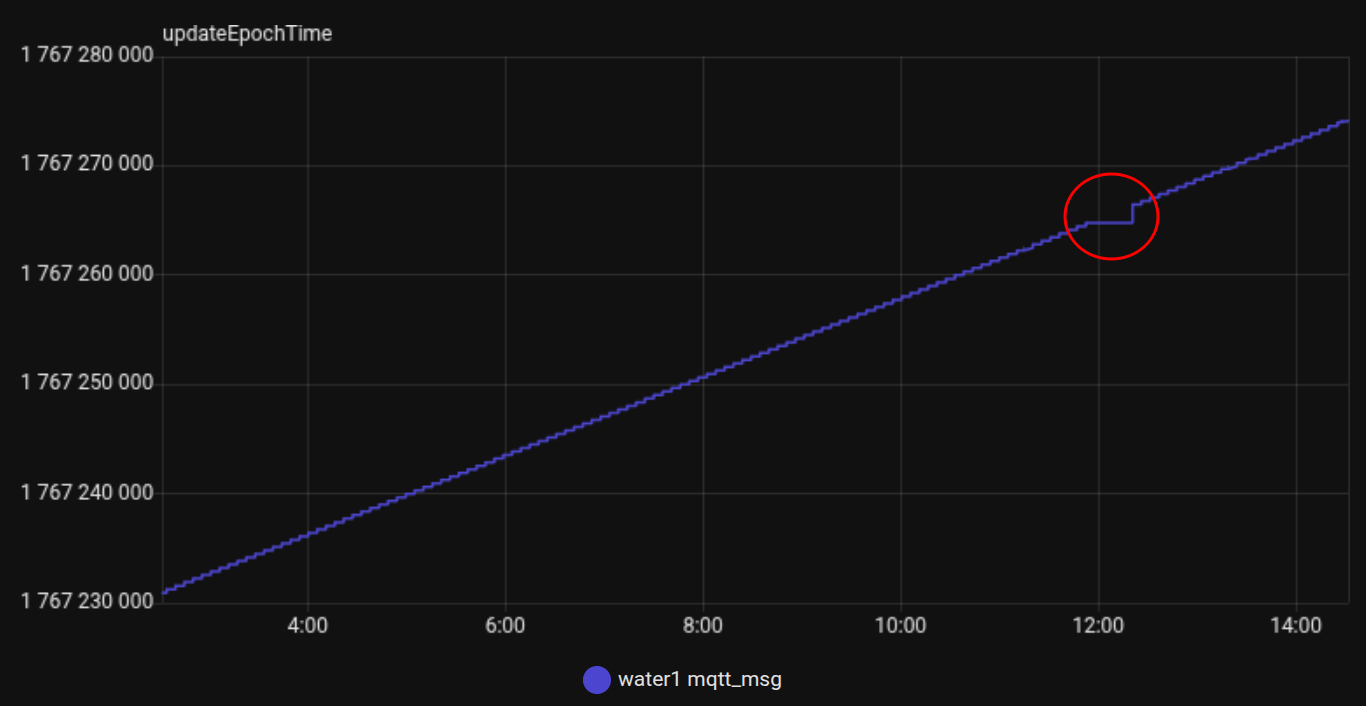
    Thank to this, I can easily monitor water leakage sensor connectivity:
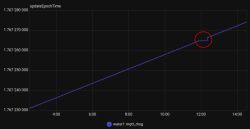
    updateEpochTime chart with a communication drop marked by a red circle
    The red circle shows the moment of disconnection

    Next steps
    1. Automation to turn off the main water source pipe in case of water leakage
    2. Automation to send notification in case of lack of heartbeat for specific period of time and water leakage situation

    Cool? Ranking DIY
    About Author
    chmieleckimikolaj
    Level 4  
    Offline 
    chmieleckimikolaj wrote 9 posts with rating 4. Been with us since 2025 year.
  • ADVERTISEMENT
  • #2 21797278
    gulson
    System Administrator
    Thank you! Where are you using this water leak sensor? Does he have battery power? I wonder how long the battery will last.
  • #3 21797412
    chmieleckimikolaj
    Level 4  
    I will use this sensor in my basement. Yes, it has battery slot. Battery model: CR123A
    Until now, I am at configuration phase, so it has stable power source.
    Power consumption:
    30 µA during deep sleep
    55 mA during wake up - while reporting data

    I will perform test on battery power source soon. I will tell you
📢 Listen (AI):

FAQ

TL;DR: DY-SQ400B leak sensor can be flashed with OpenBeken and integrated via MQTT; it cost $1. “I flashed it with great OpenBeken.” [Elektroda, chmieleckimikolaj, post #21795564]

Why it matters: This guide helps DIY users get local, cloud-free leak alerts and battery-friendly uptime for Home Assistant.

Quick Facts

Who is this FAQ for and what problem does it solve?

For Home Assistant and OpenBeken tinkerers who want a cheap, Wi‑Fi leak sensor that works locally without Tuya cloud. It explains teardown notes, exact pin mapping, deep‑sleep scripting, MQTT setup, and a heartbeat template to catch disconnects. It targets DY‑SQ400B units with the Tuya T1‑U‑HL (BK7238) module. [Elektroda, chmieleckimikolaj, post #21795564]

What is OpenBeken in this context?

OpenBeken is an open firmware the author flashed onto the DY‑SQ400B to enable local MQTT control and custom scripts. It replaces Tuya cloud dependence and supports features like deep sleep, event handlers, and channel mapping on BK7238 devices. “I flashed it with great OpenBeken.” [Elektroda, chmieleckimikolaj, post #21795564]

What’s the exact pin mapping used for this DY‑SQ400B build?

Pins: 8=Rel;2 (buzzer), 17=DoorSnsrWSleep_nPup;1 (water input), 20=BAT_ADC;0, 21=Btn_ScriptOnly;0 (reset), 23=BAT_Relay;0, 28=WifiLED_n;0 (LED). Map these in OpenBeken’s pins config before scripting. This mapping enables sensing, sound, LED, battery readout, and button actions. [Elektroda, chmieleckimikolaj, post #21795564]

How do I enable AP mode for configuration on this sensor?

Hold the reset button to trigger AP mode for 60 seconds, then it auto‑restarts. The autoexec includes an apLabel routine: OpenAP → delay_s 60 → restart. Use that window to connect and adjust MQTT or scripts. This is useful during first setup or recovery. [Elektroda, chmieleckimikolaj, post #21795564]

How does the deep‑sleep and wake logic save battery?

The script uses DSTime and conditional PinDeepSleep to sleep when idle. It shortens wake time if MQTT failed and water is detected, prioritizing alerts. Battery cycle is set to 86,400 seconds, reducing radio use while still reporting health and voltage when online. [Elektroda, chmieleckimikolaj, post #21795564]

What statistic-based settings should I copy first?

Copy Battery_Setup 2600 3300 2 1730 4096 and Battery_cycle 86400. These calibrate voltage-to-percent and set a daily battery check. Then add addChangeHandler for Channel1 to trigger the buzzer. These values matched the author’s working unit and logs. [Elektroda, chmieleckimikolaj, post #21795564]

How do I integrate the sensor with Home Assistant via MQTT?

Use OpenBeken’s default MQTT. Then add the provided template sensor listening to topic water1/host to record a timestamp and readable date on each message. This acts as a heartbeat to spot gaps when the device disconnects. [Elektroda, chmieleckimikolaj, post #21795564]

What’s an easy 3‑step setup to replicate this build?

  1. Flash OpenBeken on the DY‑SQ400B (T1‑U‑HL/BK7238) and set Wi‑Fi/MQTT.
  2. Apply the exact pin map, then paste the autoexec.bat script.
  3. In Home Assistant, add the MQTT template sensor for heartbeat monitoring. [Elektroda, chmieleckimikolaj, post #21795564]

How does the buzzer alert get triggered on leak?

Channel 1 is the water sensor; Channel 2 drives the buzzer (alias enableSyrena). A change handler addChangeHandler Channel1 == 1 enableSyrena turns the buzzer on when leakage is detected, ensuring an audible alert immediately. [Elektroda, chmieleckimikolaj, post #21795564]

What is Tuya T1‑U‑HL (BK7238) in simple terms?

It’s a Tuya Wi‑Fi module using BK7238 that powers the sensor. OpenBeken supports it, enabling direct MQTT and custom scripts. In this teardown, it replaced a CB3S‑based approach seen in similar devices, while delivering the same local‑control outcome. [Elektroda, chmieleckimikolaj, post #21795564]

How do I publish battery voltage and percent reliably?

The script waits for MQTTState 1, then publishes voltage and battery level in a publishBatteryState label. This avoids missing battery updates when the broker connects after measurement. It’s a targeted fix for delayed MQTT sessions. [Elektroda, chmieleckimikolaj, post #21795564]

What edge cases should I expect with MQTT connectivity?

If MQTT connects slowly, battery telemetry may fail to publish without the added waitFor MQTTState 1 logic. The script also accelerates wake when MQTT fails and water is detected, reducing time‑to‑alert during outages. “Faster wakeup when MQTT connection failed.” [Elektroda, chmieleckimikolaj, post #21795564]

Can I detect when the sensor goes offline in Home Assistant?

Yes. The MQTT template writes the current epoch on each message. Plotting the value reveals gaps; a red circle in the author’s chart marks a disconnect. Use automations to alert if no heartbeat arrives within your chosen interval. [Elektroda, chmieleckimikolaj, post #21795564]

How should I plan next automations?

Create an automation to close the main water valve on leak detection. Add another to notify when heartbeat is missing for a set time, especially during an active leak. These were the author’s stated next steps. [Elektroda, chmieleckimikolaj, post #21795564]

What’s the best naming and channel strategy?

Use SetChannelLabel 1 Wyciek (Leak) and 2 Syrena (Buzzer). SetChannelType 1 OpenClosed_Inv for clear HA semantics. This keeps dashboards readable and scripts maintainable while matching the device’s behavior. [Elektroda, chmieleckimikolaj, post #21795564]

How do I keep configuration access without opening the device?

Hold the reset button to start AP mode for 60 seconds, then the device restarts. Use that window to adjust MQTT, Wi‑Fi, or scripts without disassembly. This behavior is baked into the autoexec’s apLabel routine. [Elektroda, chmieleckimikolaj, post #21795564]
Generated by the language model.
ADVERTISEMENT