logo elektroda
logo elektroda
X
logo elektroda

Web App Flash Tab: Inconsistent Status Messages for Tuya GPIO and Custom Dump Buttons

divadiow 1134 34
Best answers

How can the web app flash tab be fixed so the Download Tuya GPIO Config and Download Custom buttons show the correct status messages and completion logs?

Make the flash tab use one shared dump-start function instead of duplicated button-specific code, so all dump buttons use consistent status handling and you can rename it to `startDumpJob` for clarity [#21800819] For the full dump path, call the shared helper with explicit parameters such as `startDumpJob("full 2MB dump", "FullDump", 0, 2097152, "QIO")` instead of repeating setup in multiple places [#21801475] The Tuya GPIO config button should also route through that shared helper with arguments like `"Tuya GPIO config"` and `"TuyaConfig"`, which fixes the inconsistent text and makes the UI easier to maintain [#21800819] The revised version was reported as “way better” and approved for merge [#21801475]
Generated by the language model.
ADVERTISEMENT
  • #31 21827572
    divadiow
    Level 38  
    Posts: 4859
    Help: 424
    Rate: 860
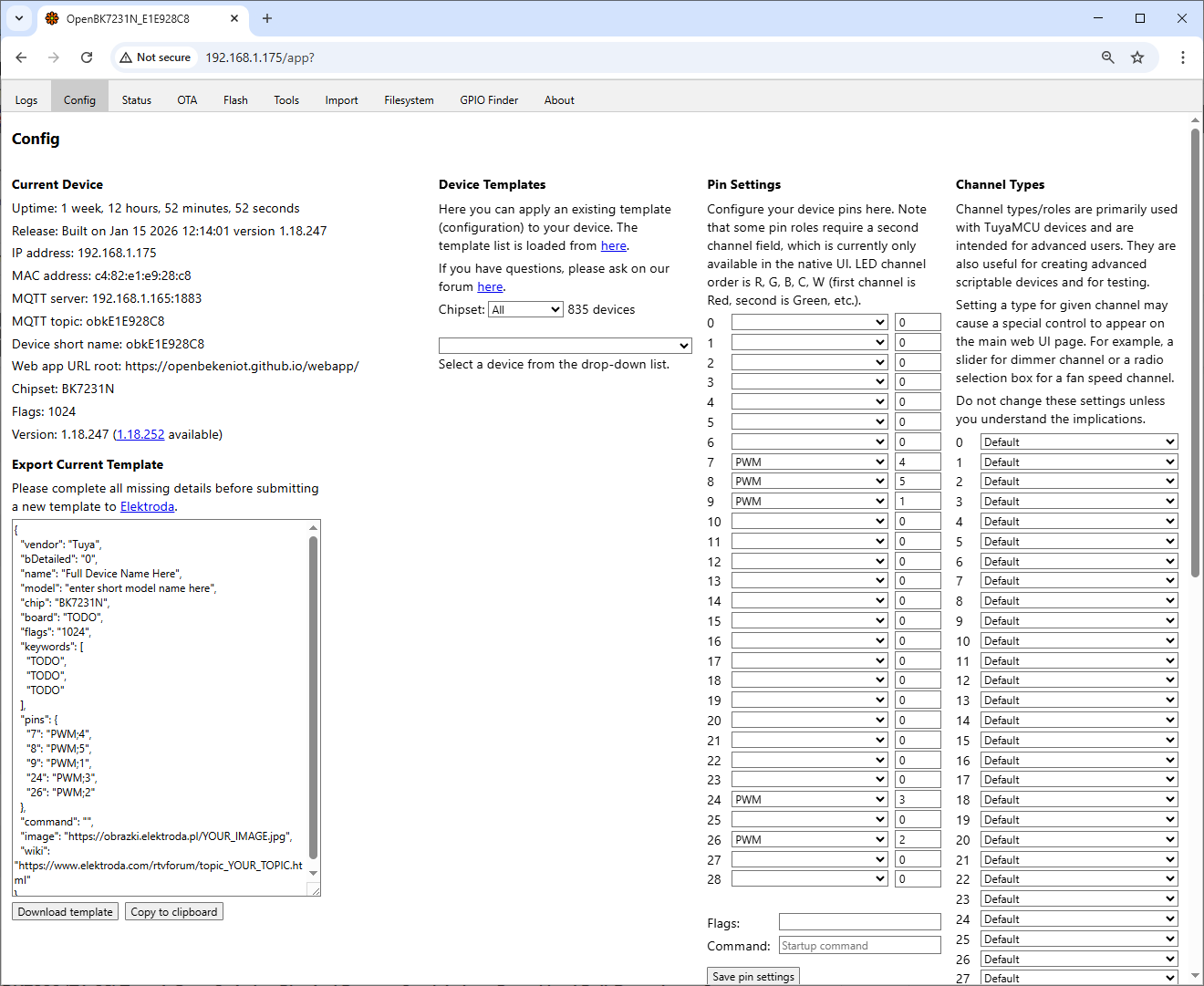
    OpenBK7231N config panel with pin setup and device template settings

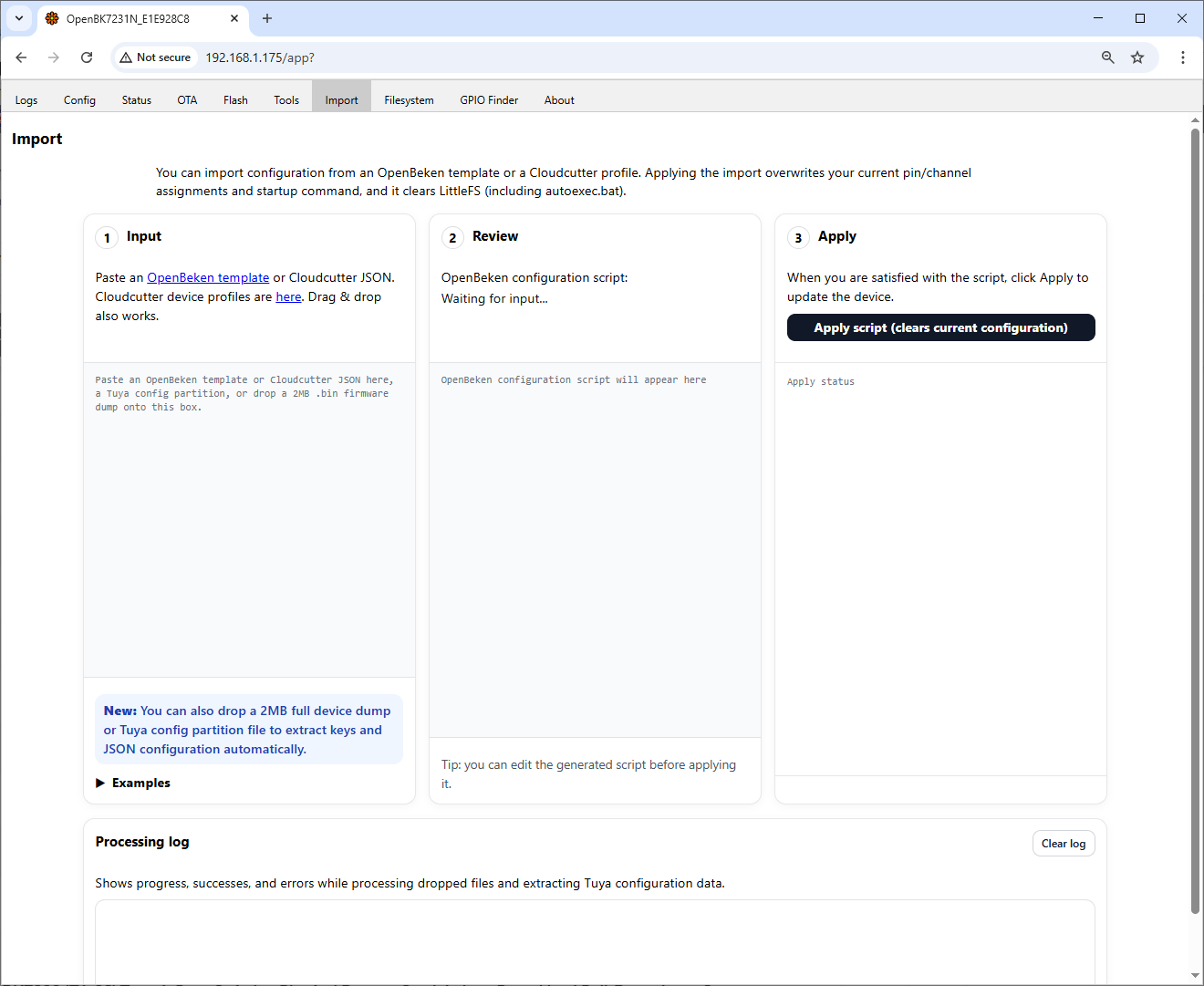
    OpenBeken import page with three sections: Input, Review, and Apply

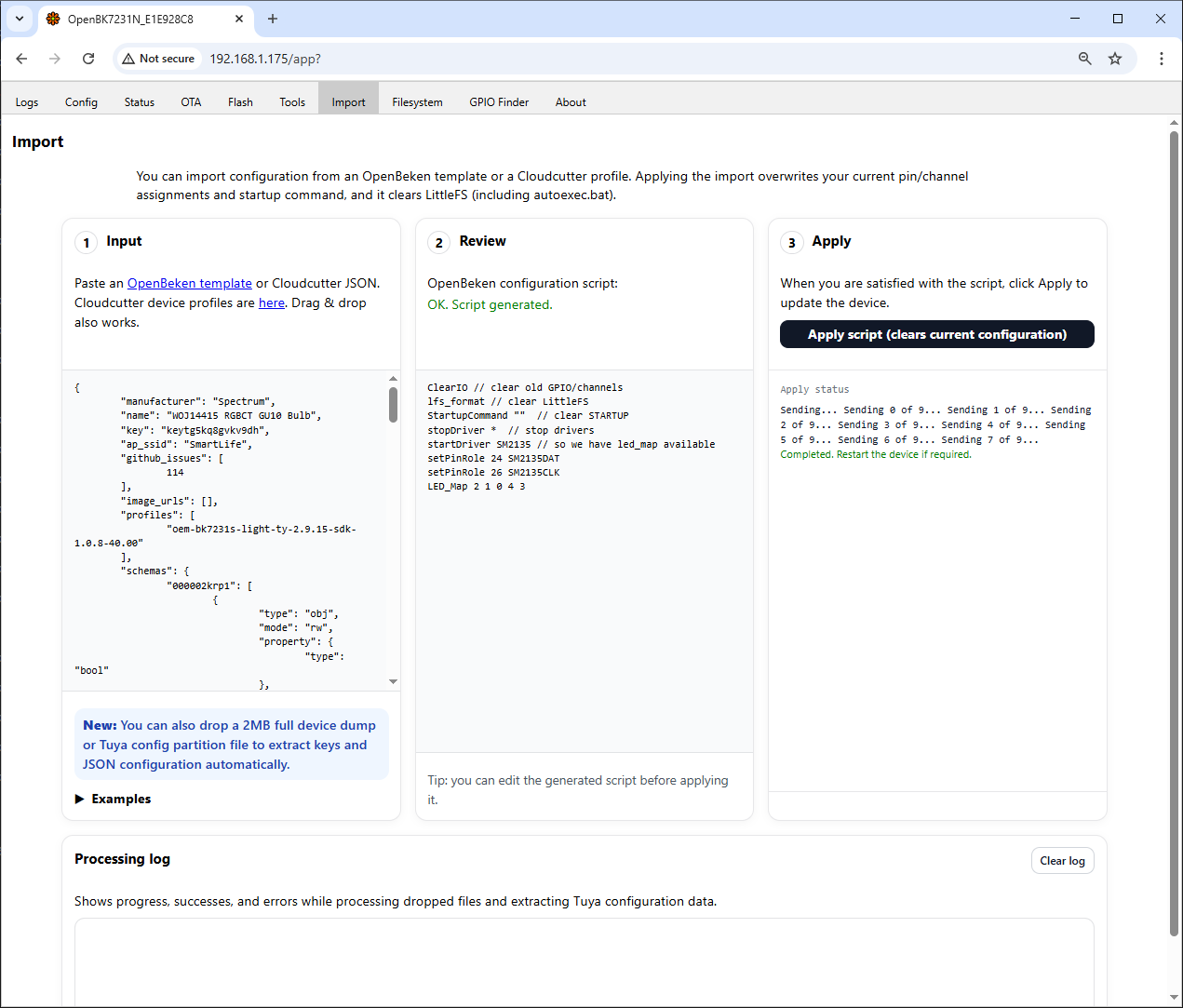
    OpenBeken interface screen with imported smart device configuration

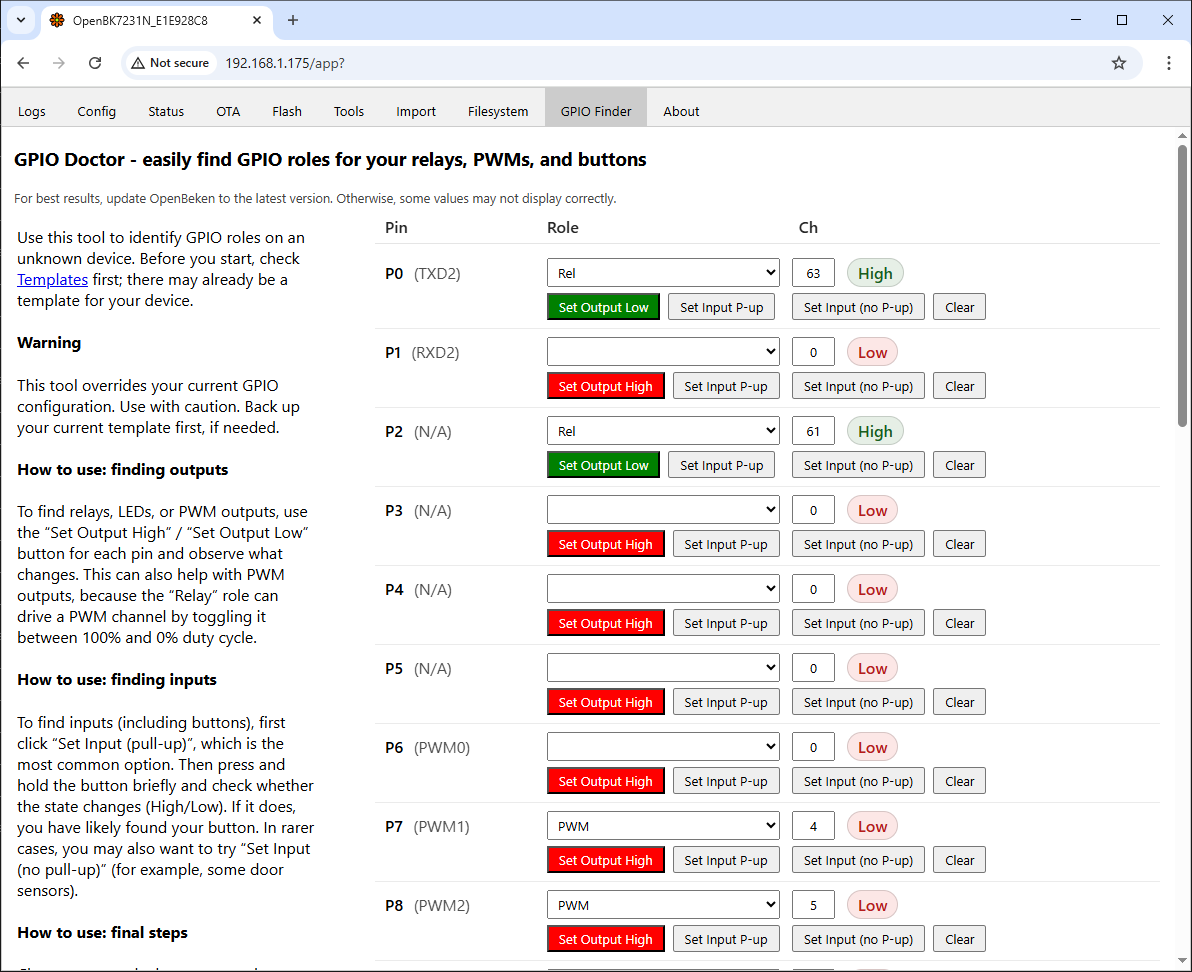
    GPIO Doctor interface in OpenBeken with assigned pin roles and control buttons
  • ADVERTISEMENT
  • #32 21838149
    divadiow
    Level 38  
    Posts: 4859
    Help: 424
    Rate: 860
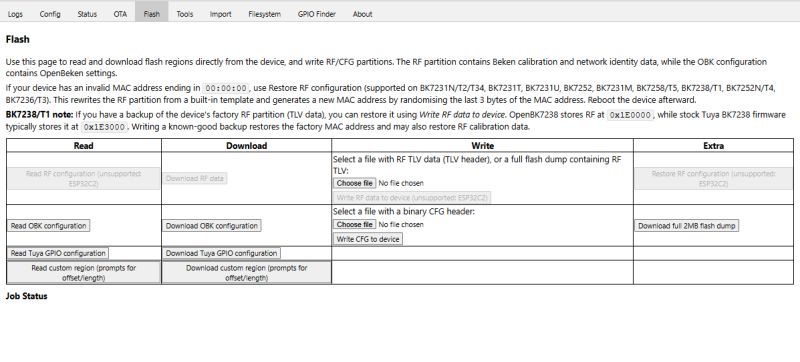
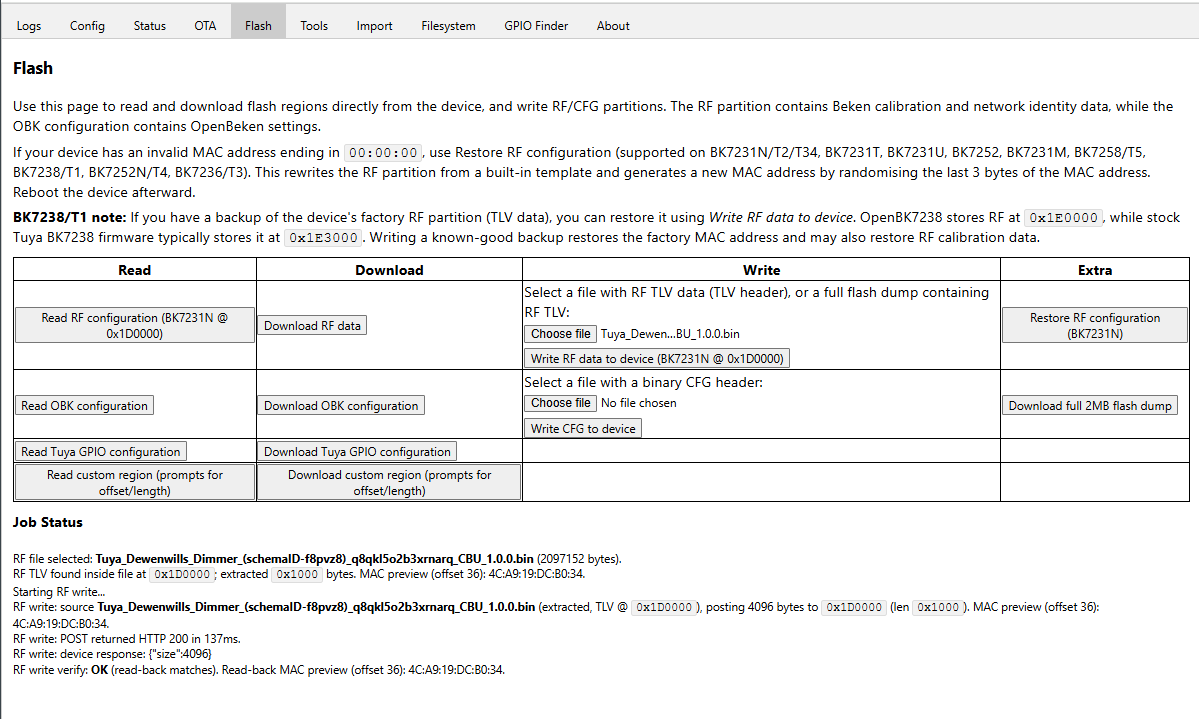
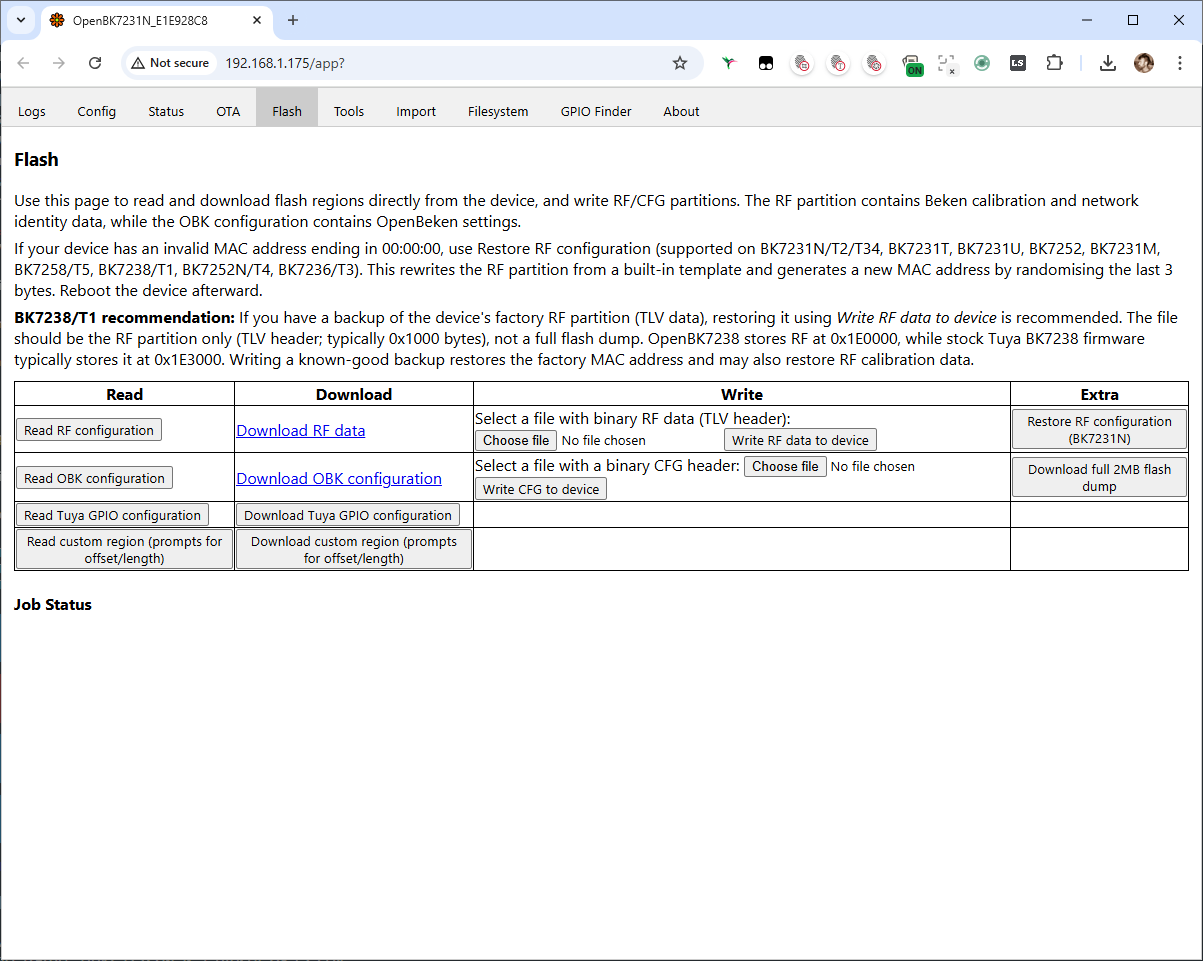
    revised wording in flash.vue a little. The RF write from backup requires the file selected starts with TLV\0 (0x54 0x4C 0x56 0x00), so not full backup. Maybe that should be next.

    Screenshot of OpenBeken “Flash” page with options to read, download, and write RF/CFG data.
  • ADVERTISEMENT
  • #33 21840644
    divadiow
    Level 38  
    Posts: 4859
    Help: 424
    Rate: 860
    did some more. but ..overkill?

    - Refactored RF offsets into a single chipset->RF base table and derived CFG as (RF + 0x1000).
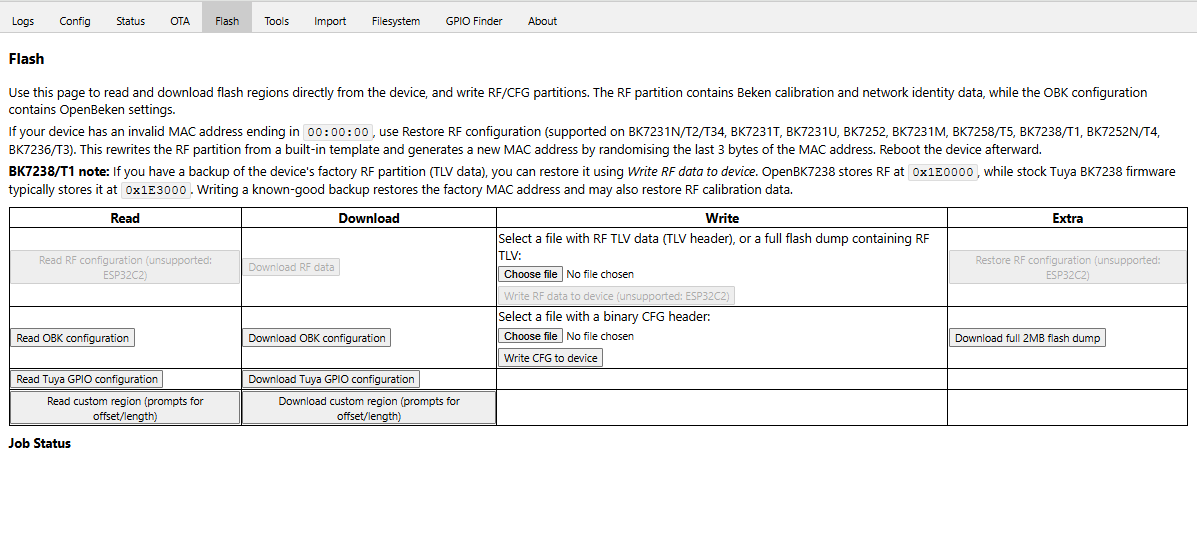
    - Added RF support guarding for non-Beken/unsupported chipsets (disabled buttons, tooltips, and runtime hard-stops).
    - Guarded “Read RF Configuration” to match the restore/write RF button behaviour (same enable/disable logic and messaging).
    - Converted “Download RF data” from link to guarded button and implemented it via fetch+Blob download.
    - Converted “Download OBK configuration” from link to button (left unguarded) and implemented it via fetch+Blob download.
    - Fixed RF download to save as rfdata.bin with application/octet-stream (prevents “text file” saves) and aligned config naming similarly.
    - Implemented BK7238 RF read/download auto-detect: try 0x1E3000 first, fall back to 0x1E0000 if the block doesn’t start with TLV\0.
    - Added ability to use a full flash dump for RF “TLV restore” by locating TLV\0 and extracting exactly 0x1000 bytes for flashing.
    - Added an 8MB max-size rejection for the RF file input to avoid accidental huge uploads.
    - Added RF source metadata and logging (filename, whether extracted vs direct TLV-at-0, and extracted offset).
    - Added MAC preview logging and read-back verification for RF write (compare written 0x1000 vs device read-back).
    - Standardised confirmation prompts via a single promptYes() helper (case-insensitive YES/y handling).
    - Improved custom length prompt parsing to accept decimal bytes or hex (0xNNNN / NNNNh) and translate to backend hex length.
    - Added a single RF-supported-chipset constant/list reused by enablement logic and tooltip text (reduces drift/duplication).
    - Added central fetch helpers (fetchOrThrow/fetchArrayBufferOrThrow/fetchTextOrThrow) and applied them to previously unchecked calls (ensures response.ok is enforced consistently).
    - Improved full dump chunk download to enforce response.ok before consuming the body.
    - Changed downloadArrayBuffer() to revoke object URLs after a short delay instead of immediately (browser reliability).
    - Removed an unused full-dump workflow field (fullDumpFileTag) while keeping dump naming based on chipset/style/shortName.
    - Minor copy/tooltip text adjustments (including the BK7238 note and restore-RF MAC wording).
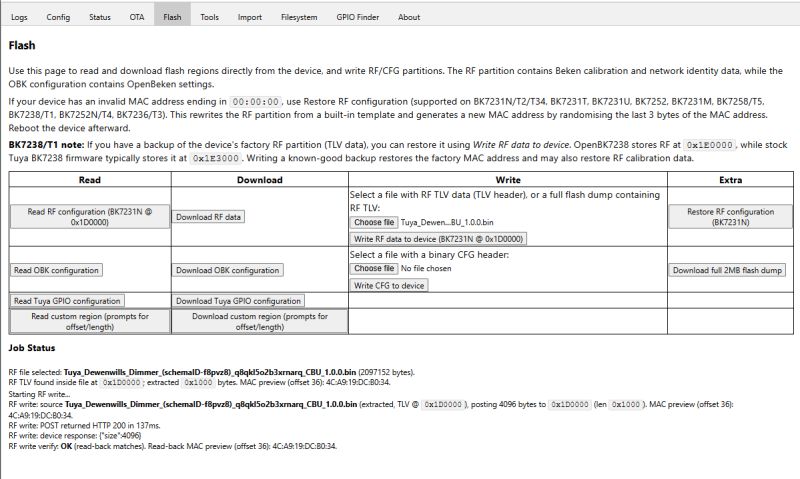
    Screenshot of the “Flash” tab with buttons to read, download, and write RF/CFG data and configs.

    Screenshot of a “Flash” page with a table for reading, downloading, and writing RF/CFG/OBK configurations

    is OBK CFG download/read used? should it stay?

    Should I continue to confirm all OK in testing or...?
  • ADVERTISEMENT
  • #34 21840816
    p.kaczmarek2
    Moderator Smart Home
    Posts: 14416
    Help: 650
    Rate: 12371
    At first glance seems acceptable, but avoid low contrast graphical changes and excessive styling, we still hope to host it on OBK LFS itself when required, with GZIP of course. Any serious changes?
    Helpful post? Buy me a coffee.

Topic summary

✨ The discussion addresses inconsistencies in the status messages displayed on the Flash tab of a web application related to firmware dumping functions. Specifically, when selecting "Download Tuya GPIO Config," the app incorrectly shows "reading full dump...." followed by "Full dump ready!" which is misleading. Additionally, the "Download Custom" button lacks a completion message similar to the other buttons. Modifications to the flash.vue component were proposed and tested to improve user feedback by adjusting the status messages: changing "reading..." to "downloading..." for download buttons and ensuring all buttons provide a clear completion log. A related pull request (PR #249) on the OpenBekenIOT/webapp GitHub repository implements these improvements, enhancing clarity and consistency in the UI during firmware dump operations.
Generated by the language model.

FAQ

TL;DR: The Web App’s Flash tab now distinguishes “downloading…” vs “reading…”, and the full dump is 2 MB. “Way better, I will merge it now.” [Elektroda, p.kaczmarek2, post #21801475] Why it matters: It prevents misflashes and helps users back up RF data correctly on BK7-series chips.

Quick Facts

What exactly changed in the Flash tab status messages?

Download actions now log “downloading…” instead of “reading…”, while read actions continue to log “reading…”. This fixes the earlier mismatch where the Tuya GPIO and Custom downloads could show read-style messages and Custom lacked a final ready log. The Full Dump already confirmed completion correctly. [Elektroda, divadiow, post #21800096]

How do I trigger a proper full dump from the Web App?

Use the Full 2MB dump action. Internally it calls startDumpJob with parameters like name, job type “FullDump”, start=0, size=2097152, mode="QIO". Expect a completion message when the dump finishes. This maps to a 2,097,152‑byte image suitable for full backup. [Elektroda, p.kaczmarek2, post #21801475]

What is startDumpJob and why was it introduced?

startDumpJob centralizes dump setup to remove duplicated logic. It takes arguments for label, job type, start offset, size, and flash mode, then starts the dump. This refactor improves maintainability and ensures consistent status messaging across Full, Tuya GPIO, and Custom operations. [Elektroda, divadiow, post #21801456]

Is flash reading limited to Beken (BK7) devices?

The workflow is currently BK7‑centric. The UI now greys out certain RF/TLV tools when the detected chipset does not start with “bk7”, signaling features are scoped to BK7. Broader platform read support remains an open consideration. [Elektroda, divadiow, post #21802297]

Why might BK7238 TLV scanning fail after converting to OBK?

After conversion, the TLV block can be gone, so a scan returns nothing. Screenshots in the thread show a converted BK7238 image with TLV missing, implying the original factory TLV was overwritten during the process. [Elektroda, divadiow, post #21802340]

What overwrites the TLV/RF area on BK7238 during conversion?

Flash vars overwrite it. An expert confirmed, “Flash vars” are the component responsible for overwriting, which explains missing TLV post‑conversion and failed TLV detection. [Elektroda, insmod, post #21802415]

How can I avoid losing RF data when converting BK7238 devices?

Back up the entire flash before conversion. Users often reassemble devices only to realize they need RF, and Easy Flasher does not require a full backup by default. Do a full 2 MB dump first to preserve RF data. [Elektroda, divadiow, post #21802348]

Is the fix for inconsistent messages merged?

Yes. The maintainer reviewed the improvements and stated, “Way better, I will merge it now,” referring to the startDumpJob refactor and parameterization shown with a Full 2MB example. [Elektroda, p.kaczmarek2, post #21801475]

What is Tuya in this context?

Here, “Tuya” refers to the Tuya GPIO configuration dump/download option in the Flash tab. The change ensures its button shows “downloading…” while read actions retain “reading…”, aligning logs with the operation. [Elektroda, divadiow, post #21800096]

What is OpenBeken (OBK) in this thread?

OpenBeken is the project whose Web App received PRs that fixed messaging and added BK7‑specific tooling. The maintainer discussed merge and future string cleanup around startDumpJob, indicating active development. [Elektroda, p.kaczmarek2, post #21801475]

Why is chunk size important when scanning for TLV headers?

The scan reads 0x1000‑byte (4096‑byte) chunks. A TLV header crossing chunk boundaries can be missed if you only check within each chunk. Use overlapping or carry‑over buffers to avoid boundary misses. “You won’t find it that way.” [Elektroda, p.kaczmarek2, post #21802316]

Can we move flash vars to protect RF/TLV regions?

Yes. The maintainer noted flash vars are not critical and can be moved globally elsewhere. Even if some updates break minor things, the trade‑off favors preserving RF data integrity across updates. [Elektroda, p.kaczmarek2, post #21802420]

How do I perform a clean Full 2MB dump (three steps)?

  1. Open Flash tab and select the Full 2MB dump action.
  2. Confirm it runs startDumpJob with start=0, size=2097152, mode="QIO".
  3. Wait for the completion message, then save the file. [Elektroda, p.kaczmarek2, post #21801475]

Does the Custom download now show a completion message?

Custom previously lacked a final “ready!” log. With the update, downloads show “downloading…”, bringing parity with other buttons. The Full Dump already indicated completion correctly, so user feedback is now consistent. [Elektroda, divadiow, post #21800096]

Will string names for dump modes be simplified later?

Yes, the maintainer suggested possibly removing one string name in the future, since all three may not be required. That would further streamline startDumpJob usage and UI text. [Elektroda, p.kaczmarek2, post #21801475]

What’s a safe default if I’m unsure about my platform support?

If the UI greys out BK7‑specific tools, avoid those steps and do a standard full dump first. That preserves data while you verify hardware support and tool compatibility. Then proceed with targeted operations. [Elektroda, divadiow, post #21802297]
Generated by the language model.
ADVERTISEMENT