logo elektroda
logo elektroda
X
logo elektroda

missing config pinout from bin - NOVADIGITAL Wall Power Outlet CB2S BK7231N

tadeu1 138 21
ADVERTISEMENT
  • #1 21807160
    tadeu1
    Level 6  
    NOVADIGITAL WALL POWER OUTLET

    I just extract the config from the firmware, I cannot get some info
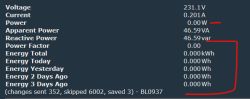

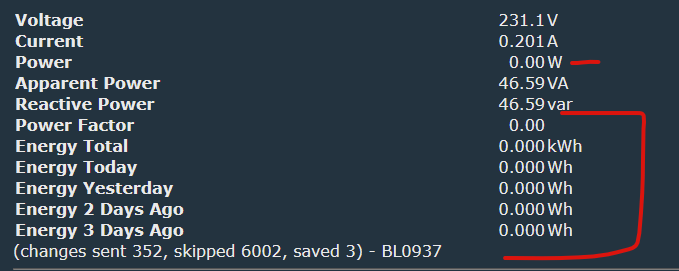
    Screenshot of electrical energy data with zero energy consumption


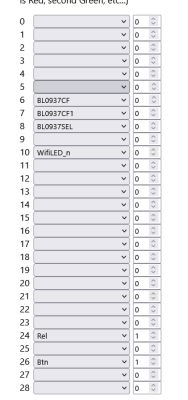
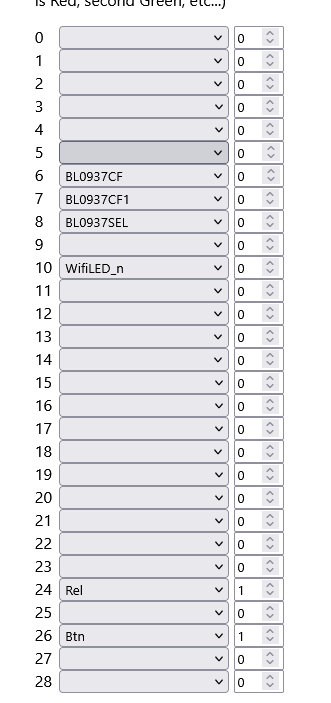
    Configuration interface with dropdown menus and numeric input fields

    looks like one of the pin is not correct
    ---------
    JSON
    ----------
    {
    "sel_pin_pin":"8",
    "rl1_lv":"1",
    "bt1_pin":"26",
    "net_trig":"1",
    "jv":"1.0.5",
    "netled1_lv":"0",
    "netled_reuse":"1",
    "bt1_type":"0",
    "ffc_select":"1",
    "vi_pin":"7",
    "resistor":"1",
    "over_cur":"21000",
    "bt1_lv":"0",
    "reset_t":"5",
    "netled1_pin":"10",
    "chip_type":"0",
    "lose_vol":"96",
    "over_vol":"265",
    "module":"CB2S",
    "ele_pin":"6",
    "ch_cddpid1":"9",
    "ch1_stat":"2",
    "rl1_type":"0",
    "ch_num":"1",
    "ele_fun_en":"1",
    "rl1_pin":"24",
    "vol_def":"0",
    "ch_dpid1":"1",
    "sel_pin_lv":"1",
    "crc":"70"
    }

    ----------
    TEXT
    ----------
    Device configuration, as extracted from Tuya:
    - BL0937 SEL on P8
    - Button (channel 1) on P26
    - BL0937 VI (CF1) on P7
    - WiFi LED on P10
    - BL0937 ELE (CF) on P6
    - Relay (channel 1) on P24
    Device seems to be using CB2S module, which is using BK7231N.
    And the Tuya section starts, as usual, at 2023424
  • ADVERTISEMENT
  • #2 21807198
    max4elektroda
    Level 22  
    Did you calibrate the plug (on the "Tools" page of Web App)?
    Are the values slightly changing?
  • #3 21807411
    tadeu1
    Level 6  
    >>21807198
    Yeah, I did. Also I rechecked the solder points to see if it's OK and is!

    Is it possible the app extracted the wrong points?

    Added after 3 [minutes]:

    There's no BL0937SEL_i? I find some in Tasmota inverted.
  • #4 21807422
    max4elektroda
    Level 22  
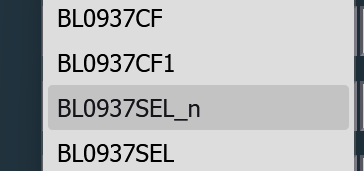
    If it's inverted, in OBK it's "_n" so maybe BL0937SEL_n for you?

    File list with BL0937SEL_n highlighted

    In that case, if I got it right, voltage and current would be exchanged.

    But missing power values are strange, even in this case, I would expect some "unexpected" values, but "0"?!?
  • #5 21807432
    tadeu1
    Level 6  
    >>21807422 There's no n for obk right?
    Yeah, that's weird. ;-(
  • #6 21807434
    max4elektroda
    Level 22  
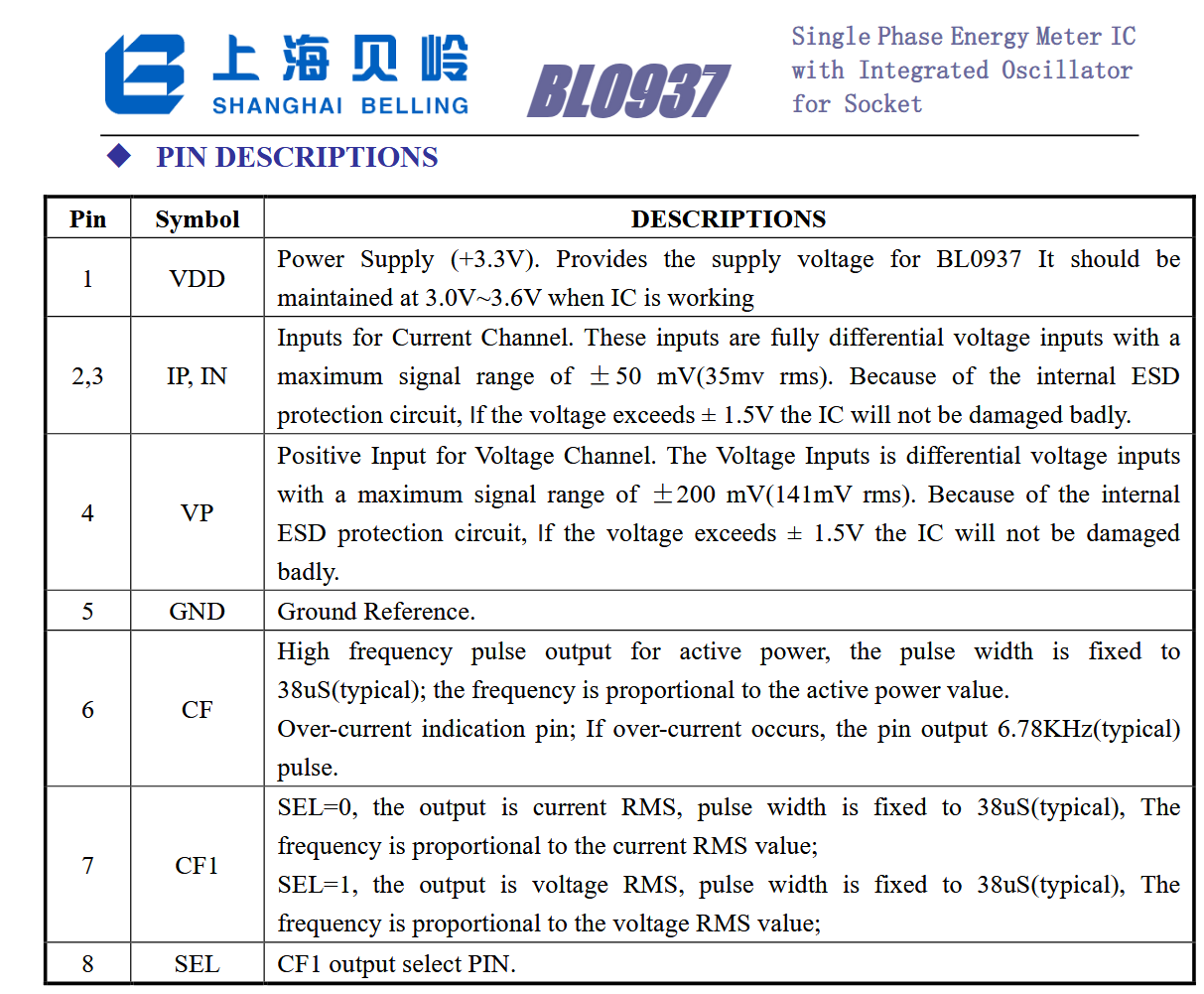
    Thinking about it, probably CF pin is not correct (or connection is broken), this pin will read BL0937's power, while CF1 reads current/voltage, depending on SEL value.

    Table describing the pin functions of the BL0937 energy meter IC by Shanghai Belling
  • ADVERTISEMENT
  • #7 21807519
    tadeu1
    Level 6  
    That's weird
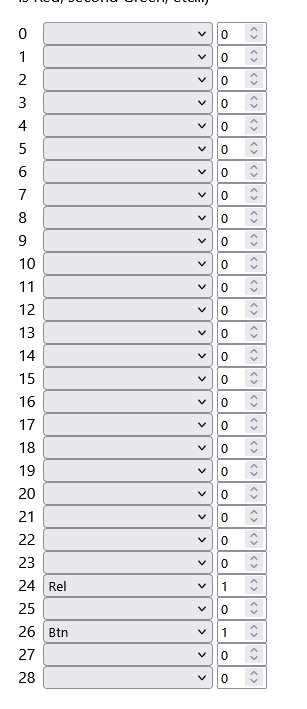
    I just leave the rel and btn (I know both are working)


    Dropdown list and number fields from 0 to 28 with labels “Rel” and “Btn”
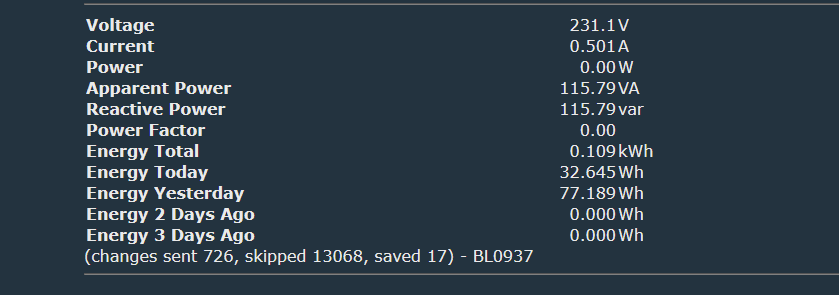
    And still showing


    Screenshot of electrical parameters and energy consumption data.
  • ADVERTISEMENT
  • #8 21807524
    max4elektroda
    Level 22  
    If you don't stop the driver (ore restart), it will continue.
    IIRC only if you change the pins for the chip, the driver will use the new pins. If you "delete" them, it will continue with the old pin assignment.
  • ADVERTISEMENT
  • #9 21807526
    tadeu1
    Level 6  
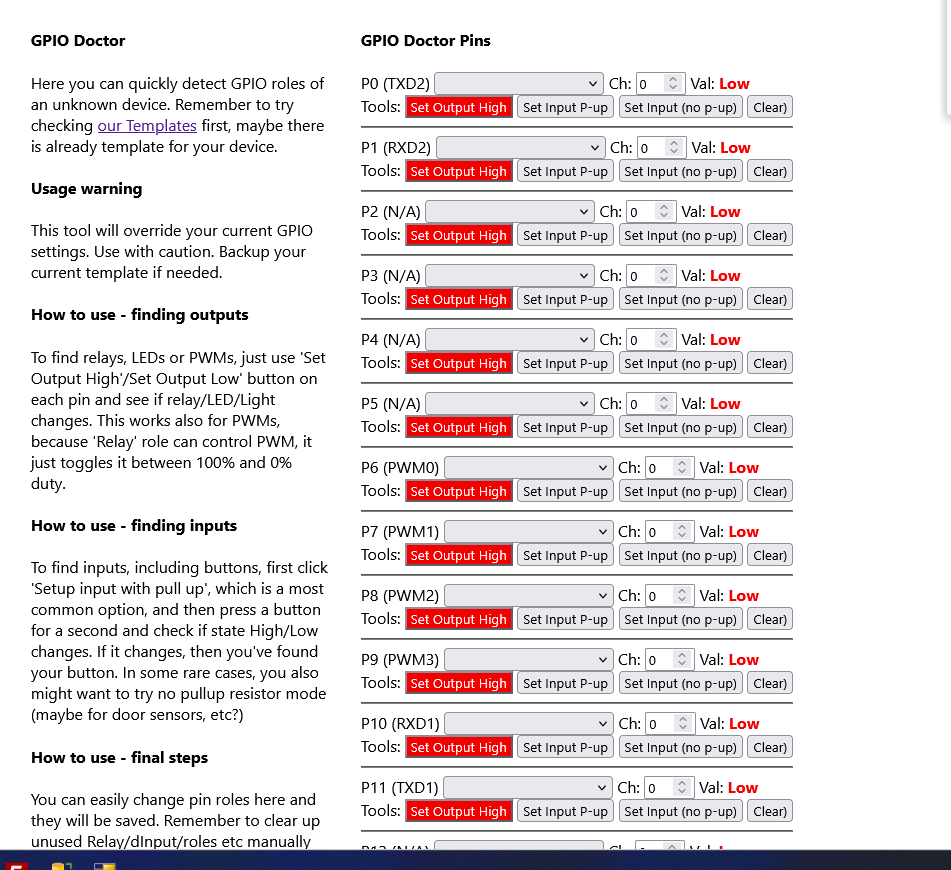
    Also I cleared all in gpio doctos


    GPIO Doctor tool interface with pin list and configuration buttons.


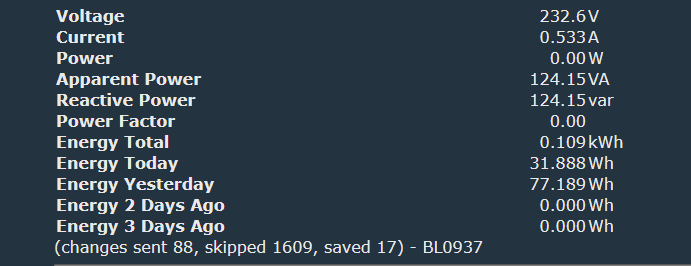
    And still

    Screenshot of electrical data: voltage 232.6V, current 0.533A, power 0.00W


    It's weird, right?
  • #10 21807547
    max4elektroda
    Level 22  
    max4elektroda wrote:
    If you don't stop the driver (ore restart), it will continue.

    But you stopped the driver or restarted after clearing the pins?
  • #11 21807560
    tadeu1
    Level 6  
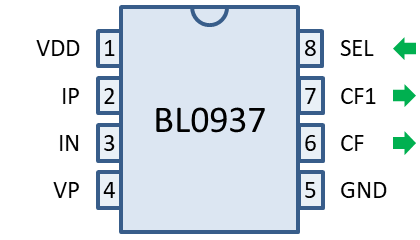
    I'm trying to check the pinout from bl0973
    Pinout diagram of the BL0937 integrated circuit with labeled pins

    to the CB2S pin, just gnd and 3.3 Its connect, the cf cf1 and sel the multimeter dont beep. omg;;;

    Added after 6 [minutes]:

    >>21807547 ill try it
  • #12 21807574
    max4elektroda
    Level 22  
    At least CF1 should be right, since you get some readings and SEL for the values seem "o.k.".
    I can force the same here by assigning CF to a wrong pin (and, sorry, seems I was wrong, I restarted the plug after changing the pin assignment)


    Device interface screen showing electrical data and green Toggle 0 button
  • #13 21807595
    tadeu1
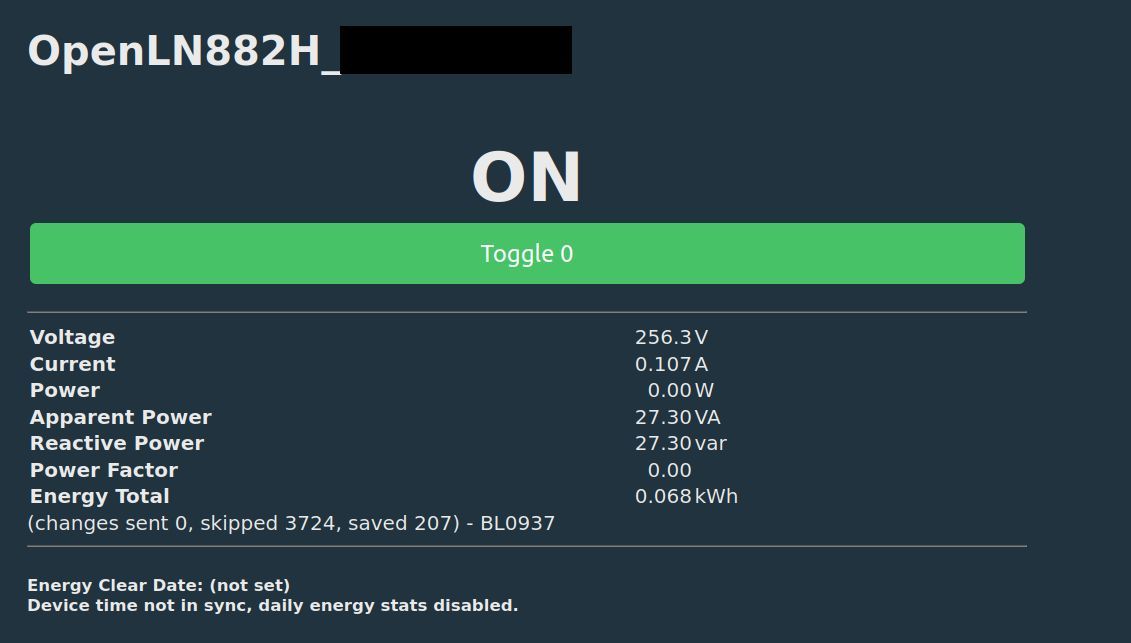
    Level 6  
    >>21807574

    I set same voltage and current just to check if var its looks like same and I get 27.30 too ;-)

    I can set all pins no selected to CF? its should work?

    Added after 6 [minutes]:

    dumb questions, theres I way if I return to the original firware to recheck it?
  • #14 21807612
    max4elektroda
    Level 22  
    You need to set all three related pis in order to automatically start the bl0937 driver.

    Since you did a backup you should be able to flash it back (but sadly I think only via UART, not with OTA).
  • #15 21807613
    tadeu1
    Level 6  
    I just resolder 3 times, with the micorsope.
    I take out, clean, and resolder again.
    now its working.

    sorry man,
  • Helpful post
    #16 21807615
    max4elektroda
    Level 22  
    Sorry misread the question: That would not help, the driver will only take one (the first, if I'm not mistaken).
    Or it would help, if you later start to clear them one by one (and reboot) until the correct one is found...
  • #17 21807618
    tadeu1
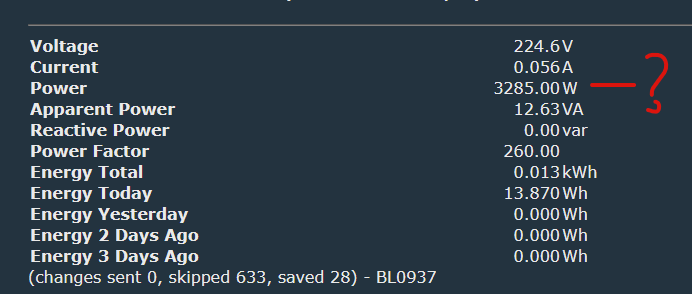
    Level 6  
    now its almost


    Screenshot of electrical data showing 3285 W power at low current of 0.056 A


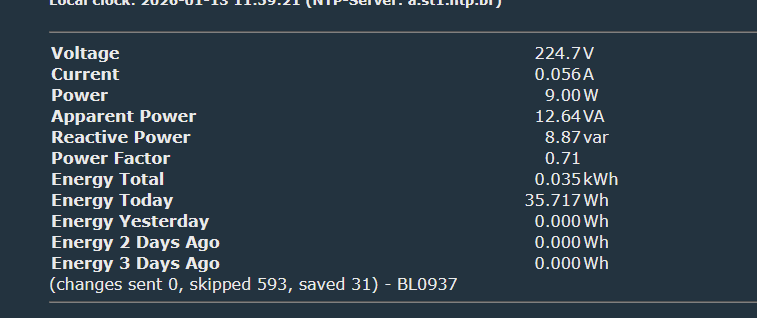
    and change agian to the correct

    Screenshot showing voltage, current, power, and energy readings from BL0937 meter
  • Helpful post
    #18 21807619
    max4elektroda
    Level 22  
    Don't worry, glad to hear it's working, so I expect the extracted pin was correct?
  • #19 21807627
    tadeu1
    Level 6  
    >>21807619

    almost
    I get the correct power, and after 1 second, wrong, its back to correnct and back to wrong.
    like a loop
  • Helpful post
    #20 21807651
    max4elektroda
    Level 22  
    Only power, current and voltage o.k.?
    Did you enable powersave? That doesn't work well together with BL0973.
    Else I'm running out of ideas, if connection now is fine...
  • #21 21807687
    tadeu1
    Level 6  
    I did a jump from the bl0973 and cb2s, its ok now, something is wrong with the pcb ;-(

    Added after 1 [hours] 6 [minutes]:


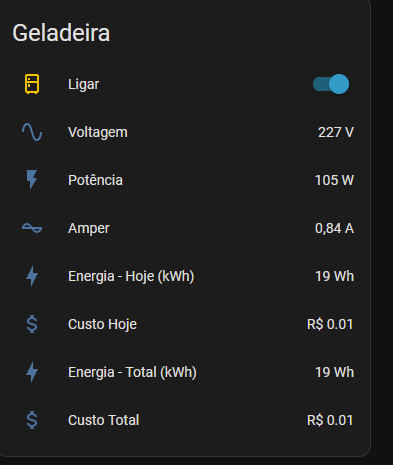
    Refrigerator control panel showing power consumption and cost values
    WORKING FLAWLESS
  • #22 21807756
    tadeu1
    Level 6  
    JUMP BETWEEN BL0973 AND CB2S

Topic summary

The discussion addresses issues extracting and verifying the correct pinout configuration from the firmware of the NOVADIGITAL Wall Power Outlet model CB2S with BK7231N chip. The user extracted a JSON configuration but encountered incorrect or missing pin assignments, particularly related to the BL0937 energy metering IC pins such as SEL, CF, and CF1. Troubleshooting involved checking solder joints, verifying pin continuity with a multimeter, and testing different pin assignments including inverted signals (e.g., BL0937SEL_n). It was noted that the BL0937 driver requires all related pins correctly assigned and the device restarted to apply changes. The user eventually identified a faulty PCB connection affecting the CF pin, resolved by creating a jumper wire between BL0973 and CB2S pins, restoring accurate power, voltage, and current readings. The discussion highlights the importance of correct pin mapping, driver restart after configuration changes, and hardware verification for reliable energy metering on this device.
Summary generated by the language model.
ADVERTISEMENT