Module name: Moes Matter 2 Gang Smart Switch Module MS-104B
Vendor: Moes
Protocol: WiFi 2,4GHz
Input Voltage: 90 - 250V AC 50/60Hz
Max Current: Total 10A
Chip: BK7231N
Board: Tuya CBU
Bought in: AliExpress
Related topics:
[BK7231N CB2S] Moes Smart Switch 1 gang WiFi - MS-104
Wiring MOES MS-104B s WB2S to TTL FT232RL for OpenBK7231T Flashing
Pictures of the module:
Preparation to flash:
1. Open the module
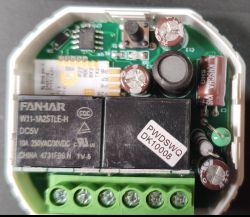
2. Release the 2 relays to access the Tuya CBU
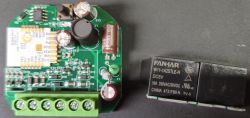
Important! If you prefer to remove the Tuya CBU and flash it outside the module, then jump to the step 5.
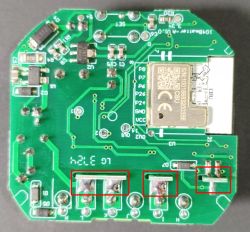
3. Cut both 3V3 and GND vias near the Tuya CBU
You need to do it to break the pull-ups and pull-downs preventing to flash the Tuya CBU.
Note: you will need to re-join them again, so do a very small cut.
Before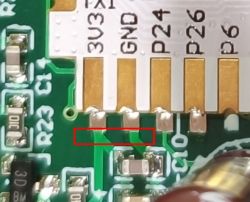 After
After 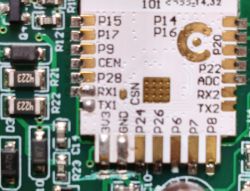
4. Remove following components:
- Micro controller U4 - signal conditioning, not required anymore will be replaced by 2 shunts, mandatory
- Resistor R20 - 10k pulling up the RX1 and the button S1, mandatory
- Diode D8 - debounce and voltage limiter for S1 and RX1, mandatory
- Button S1 - Pulled up and connected to RX1, optional
- Capacitor C7 - power filter to U4, not required, optional
Front side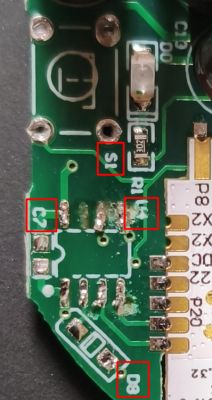 Back side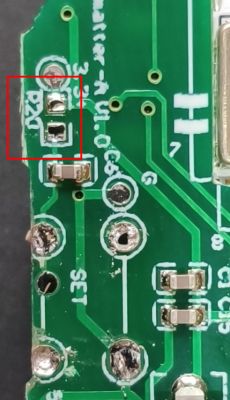
5. Connect the wires:
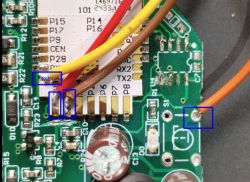
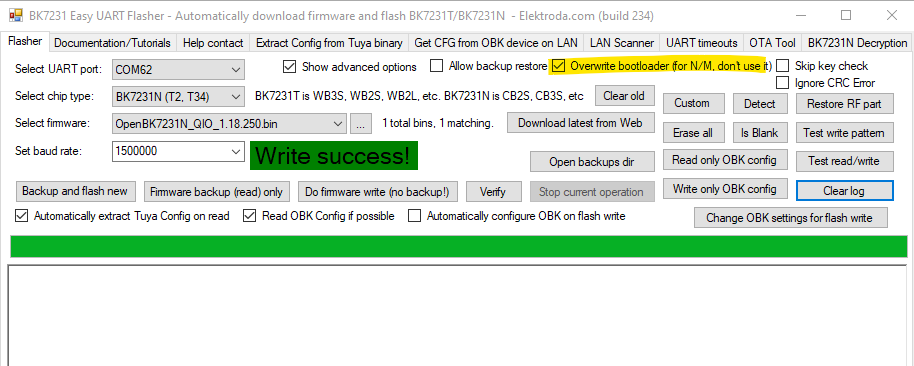
6. Flash it with BK7231 Flasher
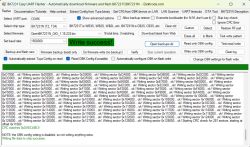
7. Restore:
- 3v3 via
- GND via
- Relays
8. Do 2 shunts for the S1 and S2 external inputs
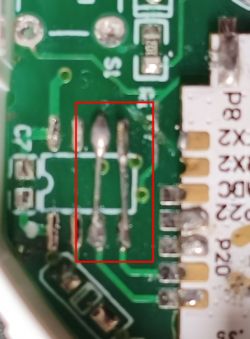
9. Connect the module to mains
WARNING! NEVER connect the module to mains (e.g. 230VAC) and to the computer trough FTDI adapter at same time!
10. Configuration:
- Find the Wi-Fi host and connect to it
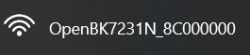
- Into web browser open the 192.168.4.1 page

- Configure the Wi-Fi with your network router SSID and Password


- Configure the MQTT - optional
- Pin setting:
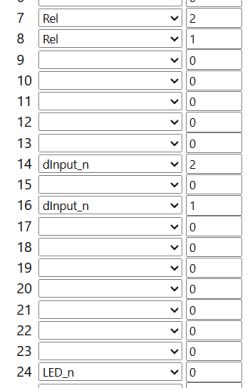
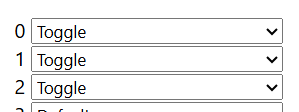
- Channel Types:
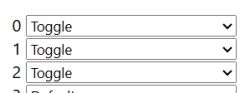
- Template:
AI: Could you clarify if you are facing any specific issues or errors during the flashing process, or are you looking for confirmation that your steps are correct?
I confirm that the described steps work.
AI: If you have already attempted the flashing, what was the result—did the device flash successfully, or did you encounter any problems (e.g., error messages, device not responding)?
Flash successfully.
Vendor: Moes
Protocol: WiFi 2,4GHz
Input Voltage: 90 - 250V AC 50/60Hz
Max Current: Total 10A
Chip: BK7231N
Board: Tuya CBU
Bought in: AliExpress
Related topics:
[BK7231N CB2S] Moes Smart Switch 1 gang WiFi - MS-104
Wiring MOES MS-104B s WB2S to TTL FT232RL for OpenBK7231T Flashing
Pictures of the module:
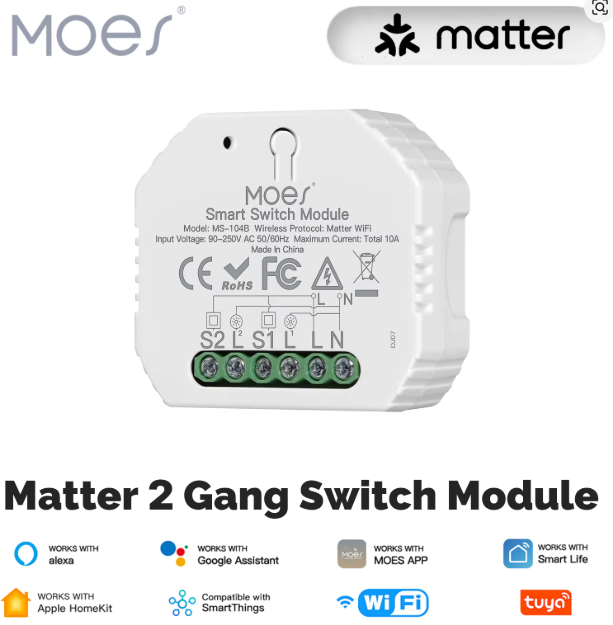
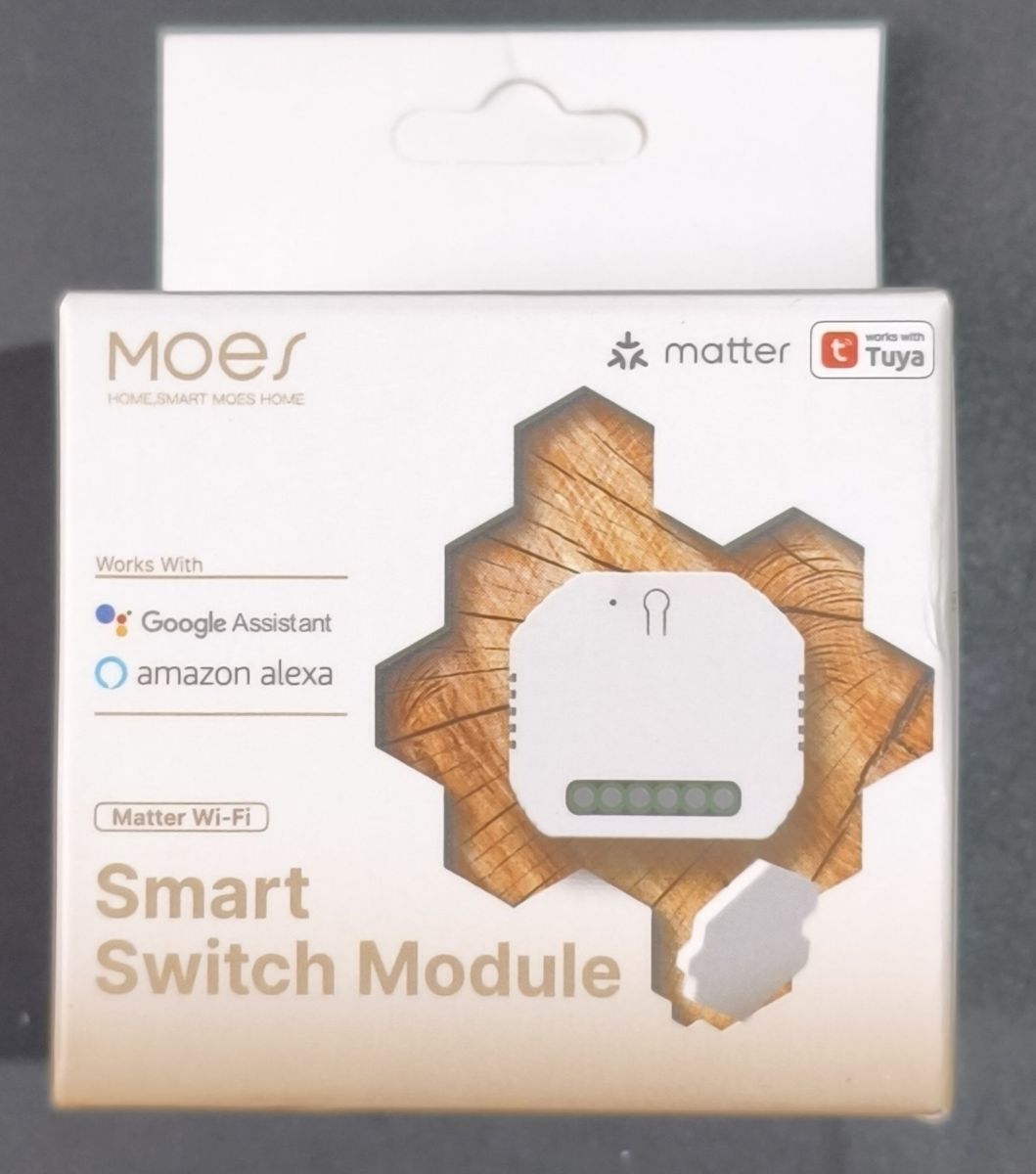
Preparation to flash:
1. Open the module
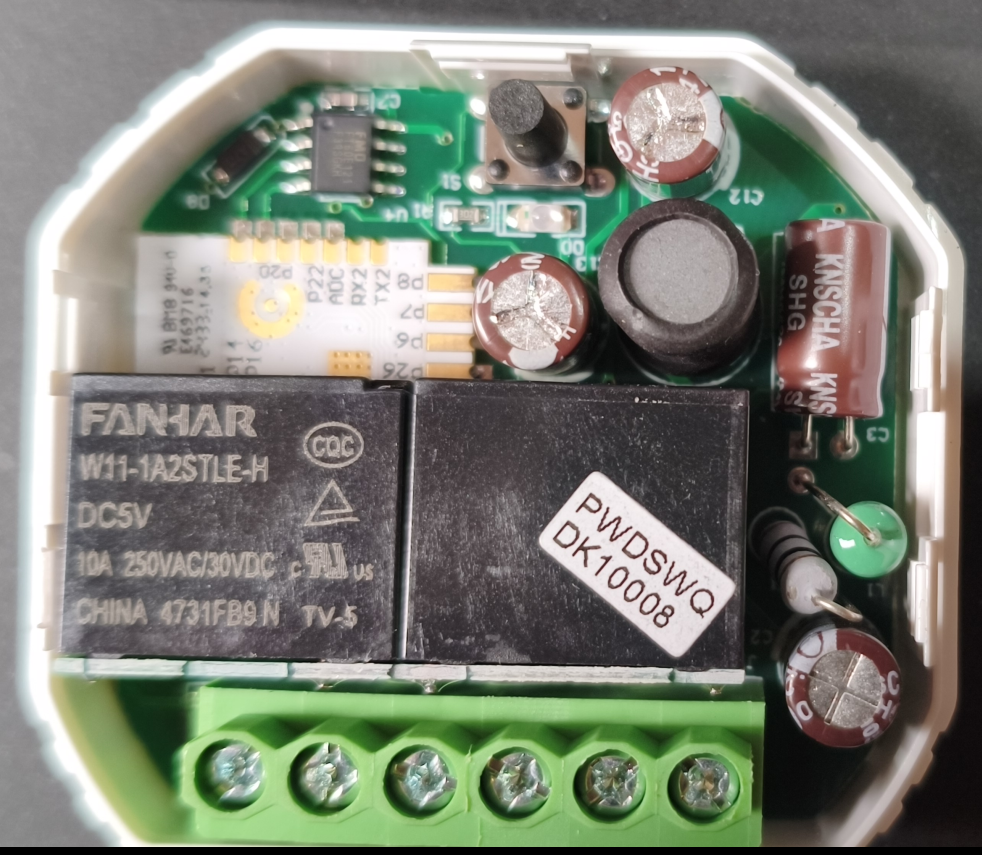
2. Release the 2 relays to access the Tuya CBU
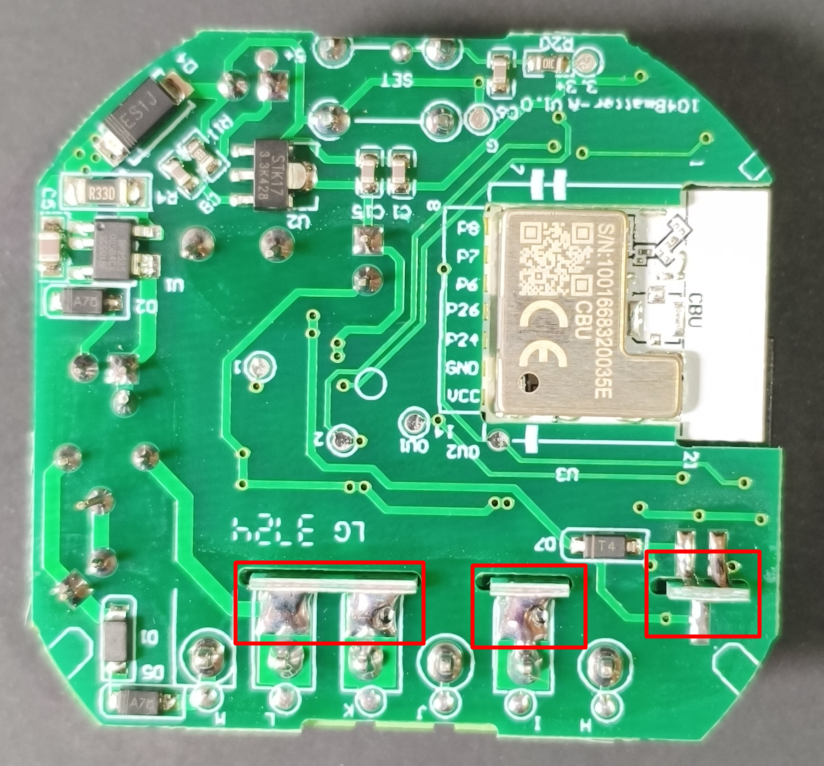
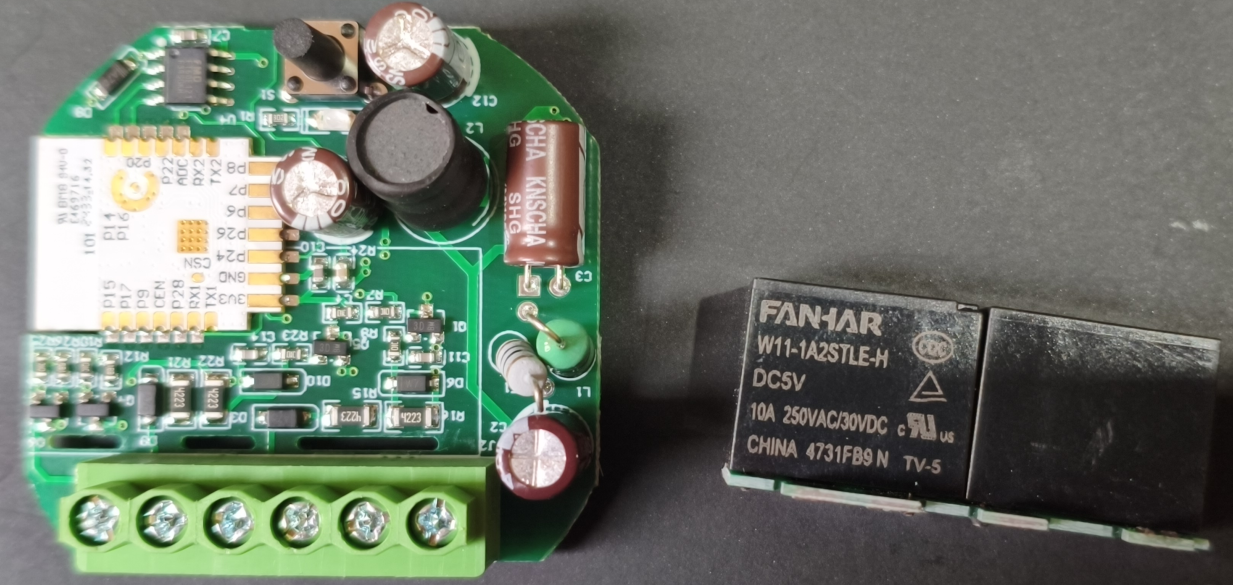
Important! If you prefer to remove the Tuya CBU and flash it outside the module, then jump to the step 5.
3. Cut both 3V3 and GND vias near the Tuya CBU
You need to do it to break the pull-ups and pull-downs preventing to flash the Tuya CBU.
Note: you will need to re-join them again, so do a very small cut.
Before
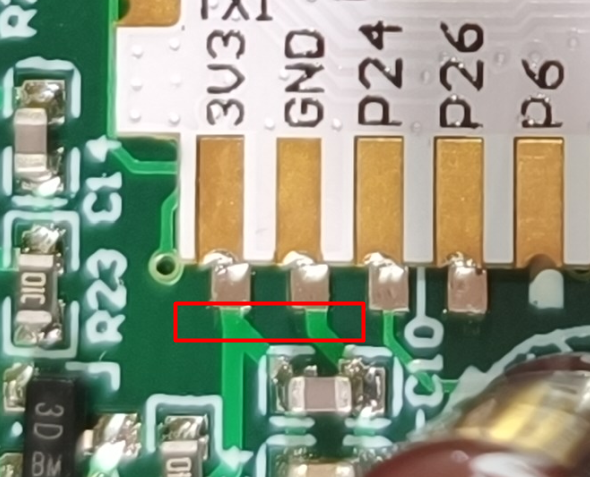 After
After 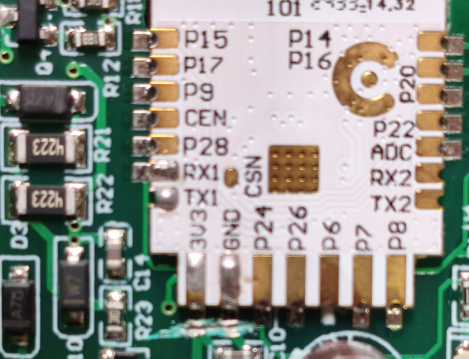
4. Remove following components:
- Micro controller U4 - signal conditioning, not required anymore will be replaced by 2 shunts, mandatory
- Resistor R20 - 10k pulling up the RX1 and the button S1, mandatory
- Diode D8 - debounce and voltage limiter for S1 and RX1, mandatory
- Button S1 - Pulled up and connected to RX1, optional
- Capacitor C7 - power filter to U4, not required, optional
Front side
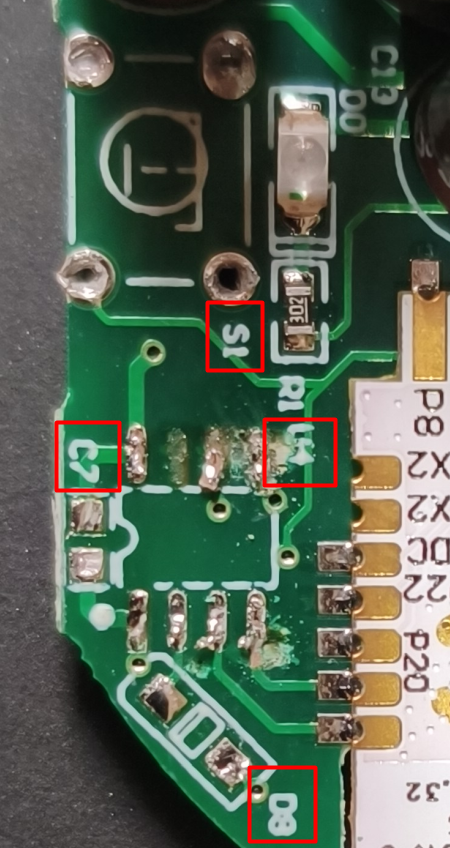 Back side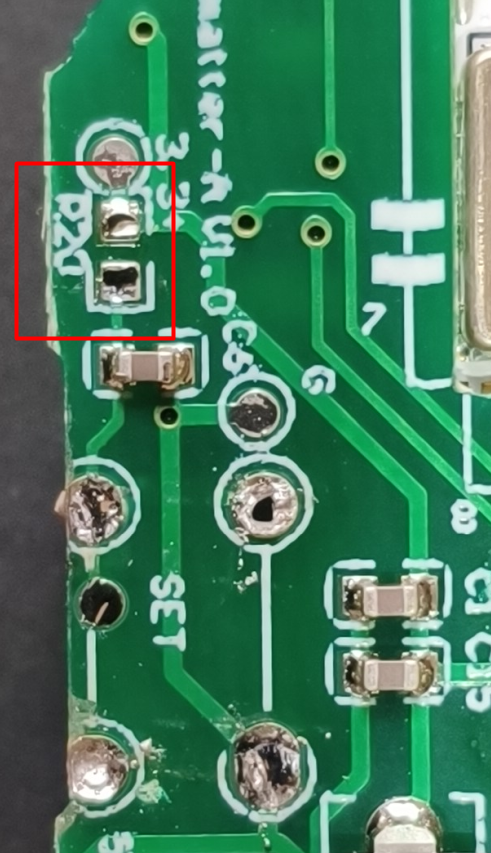
5. Connect the wires:
Code: Text
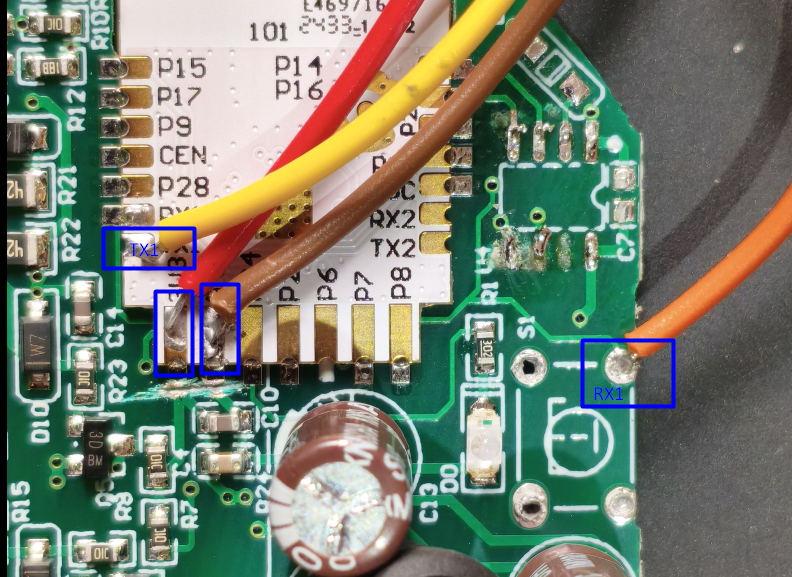
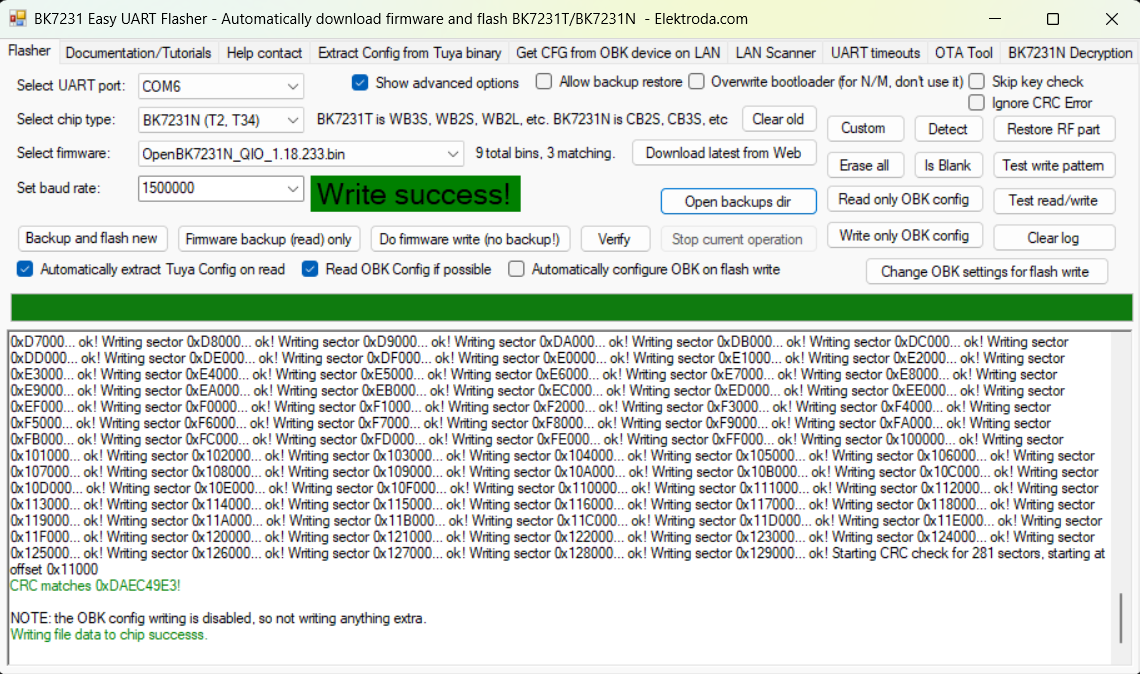
6. Flash it with BK7231 Flasher
7. Restore:
- 3v3 via
- GND via
- Relays
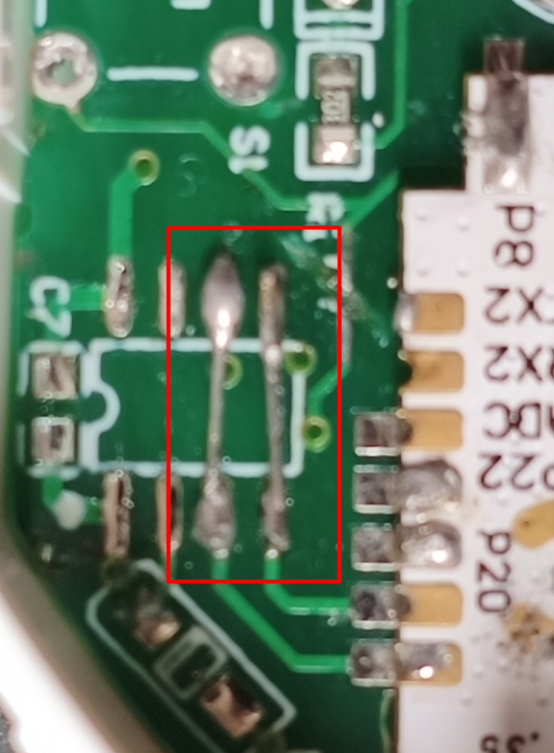
8. Do 2 shunts for the S1 and S2 external inputs
9. Connect the module to mains
WARNING! NEVER connect the module to mains (e.g. 230VAC) and to the computer trough FTDI adapter at same time!
10. Configuration:
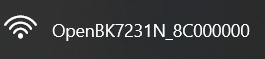
- Find the Wi-Fi host and connect to it
- Into web browser open the 192.168.4.1 page

- Configure the Wi-Fi with your network router SSID and Password


- Configure the MQTT - optional
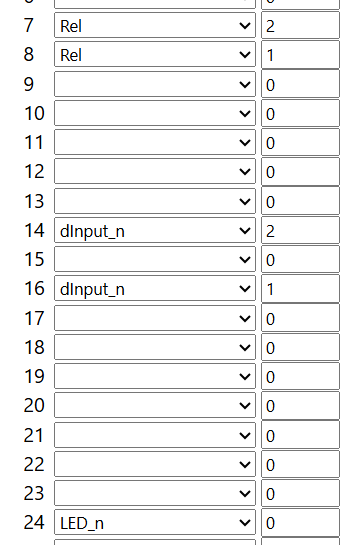
- Pin setting:
- Channel Types:
- Template:
Code: JSON
AI: Could you clarify if you are facing any specific issues or errors during the flashing process, or are you looking for confirmation that your steps are correct?
I confirm that the described steps work.
AI: If you have already attempted the flashing, what was the result—did the device flash successfully, or did you encounter any problems (e.g., error messages, device not responding)?
Flash successfully.