logo elektroda
logo elektroda
X
logo elektroda

Exploring BK7231N Chip in Mini Smart Switch: Firmware Version 1.3.10 Flashing Experience

mistikdonbass 4938 3
ADVERTISEMENT
📢 Listen (AI):
  • I came across a seemingly ordinary smart switch.
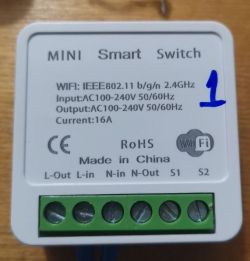
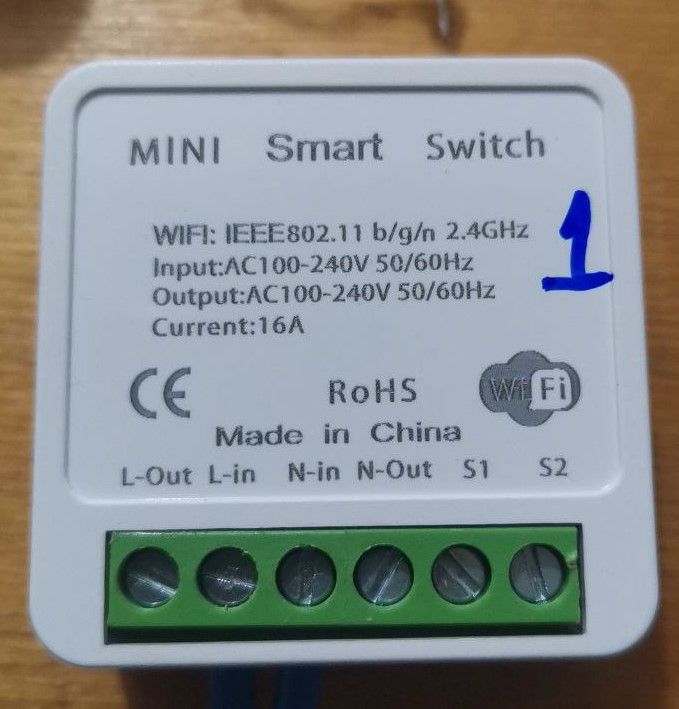
    Photo of a mini smart switch with technical specifications.
    But inside there is some kind of simplified version with a BK7231N chip.
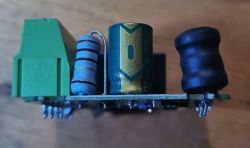
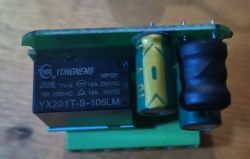
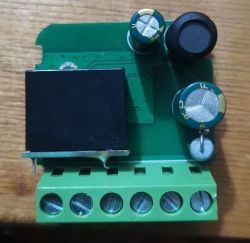
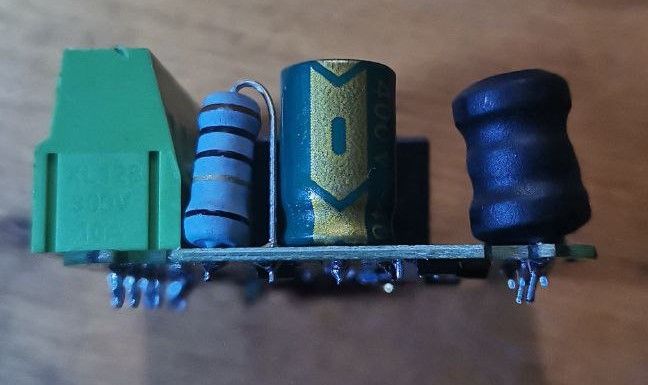
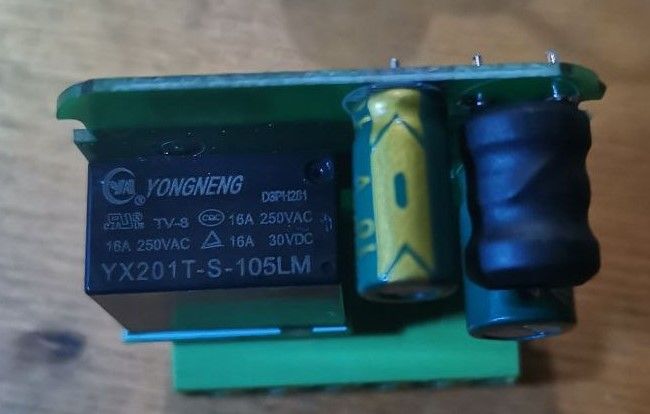
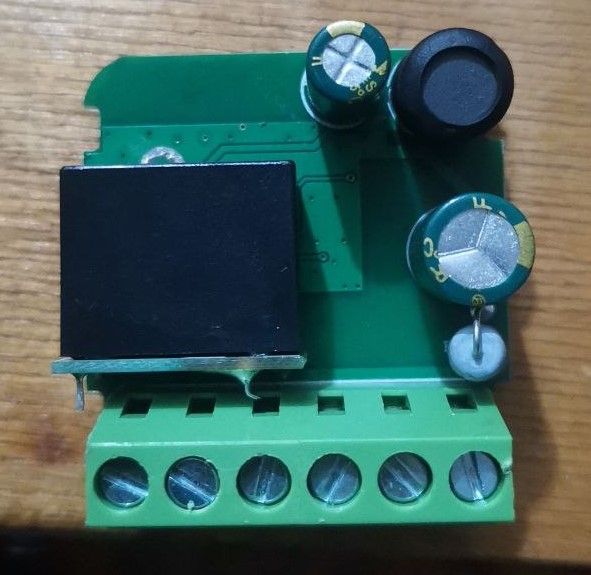
    Side view of an electronic board with a connector, resistor, capacitor, and inductor. Close-up of the inside of a smart switch with electronics and components. Close-up of the internal part of a smart switch with a BK7231N chip.
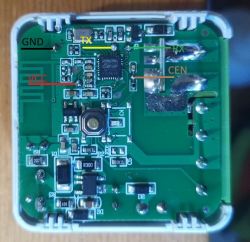
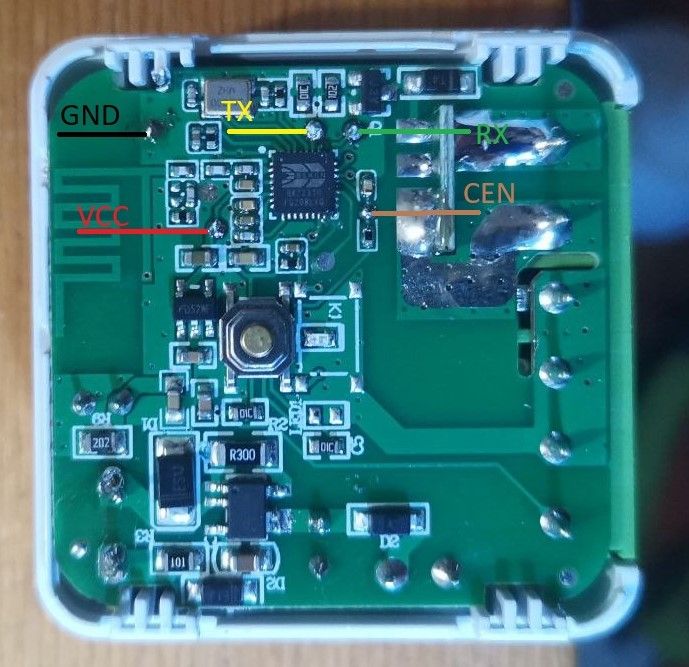
    The image shows a circuit board of a smart switch with markings for GND, VCC, TX, RX, and CEN.

    At first I decided to flash it with Tuya-Convert, but the version of the native firmware was 1.3.10 and it did not allow flashing wirelessly.
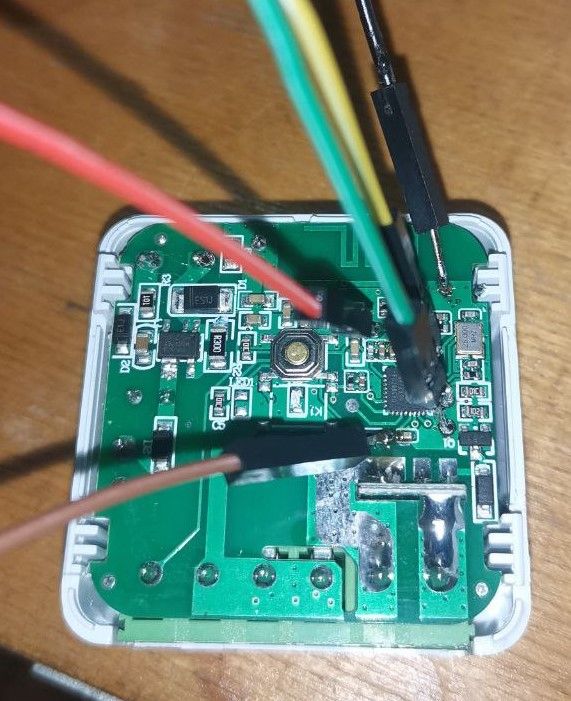
    After calling the contacts, I decided to flash it in the usual way.
    I did not need the CEN contact for the firmware.
    Everything went well.
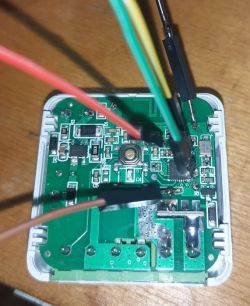
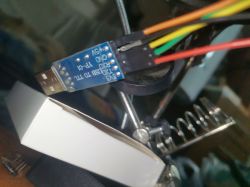
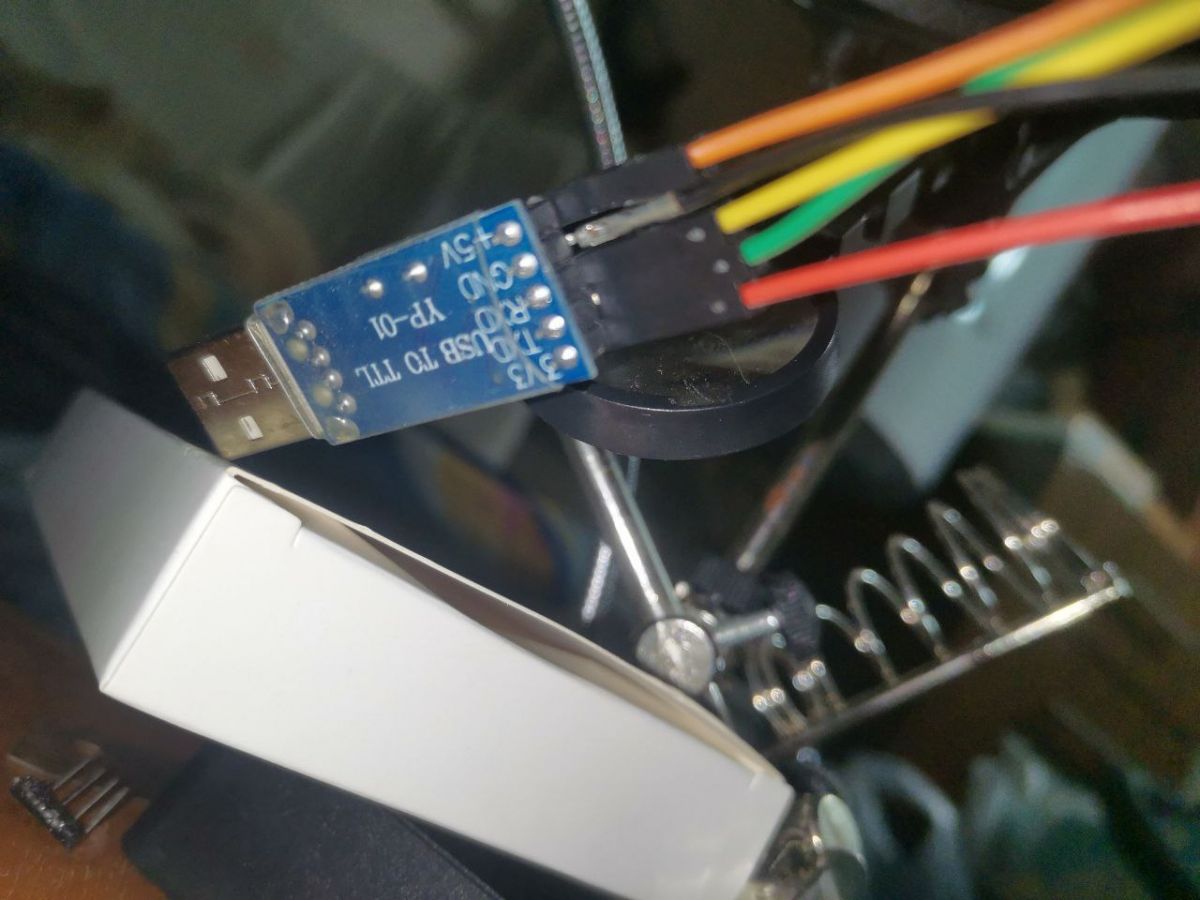
    Image of a circuit board with connected wires. Close-up of a USB to TTL adapter with connected wires.

    {
    	"rl1_lv":"1",
    	"on_off_cnt":"10",
    	"onoff_rst_m":"1",
    	"onoff_clear_t":"10",
    	"rand_dpid":"42",
    	"net_trig":"2",
    	"onoff_n":"3",
    	"netled1_lv":"1",
    	"jv":"102",
    	"onoff_rst_type":"2",
    	"total_bt_pin":"23",
    	"nety_led":"2",
    	"total_stat":"2",
    	"reset_t":"5",
    	"netled1_pin":"26",
    	"remote_add_dp":"49",
    	"remote_list_dp":"50",
    	"net_type":"0",
    	"inch_dp":"44",
    	"module":"CB2S",
    	"ch_cddpid1":"9",
    	"onoff1":"6",
    	"clean_t":"5",
    	"init_conf":"38",
    	"zero_select":"0",
    	"onoff_type":"0",
    	"series_ctrl":"0",
    	"total_bt_lv":"0",
    	"cyc_dpid":"43",
    	"remote_select":"0",
    	"ch_num":"1",
    	"rl1_pin":"7",
    	"netn_led":"2",
    	"ch_dpid1":"1",
    	"crc":"6",
    	"}PPAgw_di{abi":"0",
    	"id":"null",
    	"swv":"1.3.10",
    	"bv":"40.00",
    	"pv":"2.2",
    	"lpv":"3.4",
    	"pk":"keyjnuy4s3kre7m7",
    	"firmk":"keyjnuy4s3kre7m7",
    	"cadv":"1.0.5",
    	"cdv":"1.0.0",
    	"dev_swv":"1.3.10",
    	"s_id":"null",
    	"dtp":"0",
    	"sync":"0",
    	"attr_num":"1",
    	"mst_tp_0":"9",
    	"mst_ver_0":"1.3.10",
    	"mst_md5_0":"null",
    	"mst_tp_1":"0",
    	"mst_ver_1":"null",
    	"mst_md5_1":"null",
    	"mst_tp_2":"0",
    	"mst_ver_2":"null",
    	"mst_md5_2":"null",
    	"mst_tp_3":"0",
    	"mst_ver_3":"null",
    	"mst_md5_3":"null }xAinch_time_key{ch0",
    	"ssid":"dnRydXN0LWZsYXNo",
    	"passwd":"null",
    	"md":"1",
    	"random":"0",
    	"wfb64":"1",
    	"stat":"0",
    	"token":"00000000",
    	"region":"US",
    	"reg_key":"0101",
    	"dns_prio":"0 "
    }


    Device configuration, as extracted from Tuya: 
    - Pair/Toggle All Button on P23
    - WiFi LED on P26
    - TglChannelToggle (channel 1) on P6
    - Relay (channel 1) on P7
    Device seems to be using CB2S module, which is using BK7231N.
    And the Tuya section starts, as usual, at 2023424

    Cool? Ranking DIY
    About Author
    mistikdonbass
    Level 4  
    Offline 
    mistikdonbass wrote 13 posts with rating 4, helped 1 times. Been with us since 2023 year.
  • ADVERTISEMENT
  • #2 20843084
    BH337
    Level 2  
    Posts: 2
    Hi -
    I found your posting about the Mini Smart switch and I wanted to flash new firmware on my device too.

    I just purchased a device that looks looks just like the one that you posted. It has a BK7231N chip on it. I would like to put on firmware that allows it to act much like the Tasmota firmware, but, if I understand correctly, the Tasmota project only works on ESP8266 or ESP8285.

    What firmware did you put on your device and where can I get it? and what method did you use to put it on?

    I have used Tasmotizer software to upload Tasmota for my ESP8285 Sonoff devices with a FTDI adapter, and that worked easily. Can I use that method?

    Thanks.
  • ADVERTISEMENT
  • #4 20848543
    BH337
    Level 2  
    Posts: 2
    Thanks - I succeeded. It was a bit more involved than Tasmota on a Sonoff, but I followed the instructions and got it done. Perhaps there was a bit too much information provided and I had to figure out what was necessary and what was not. Thanks for pointing me in the right direction.
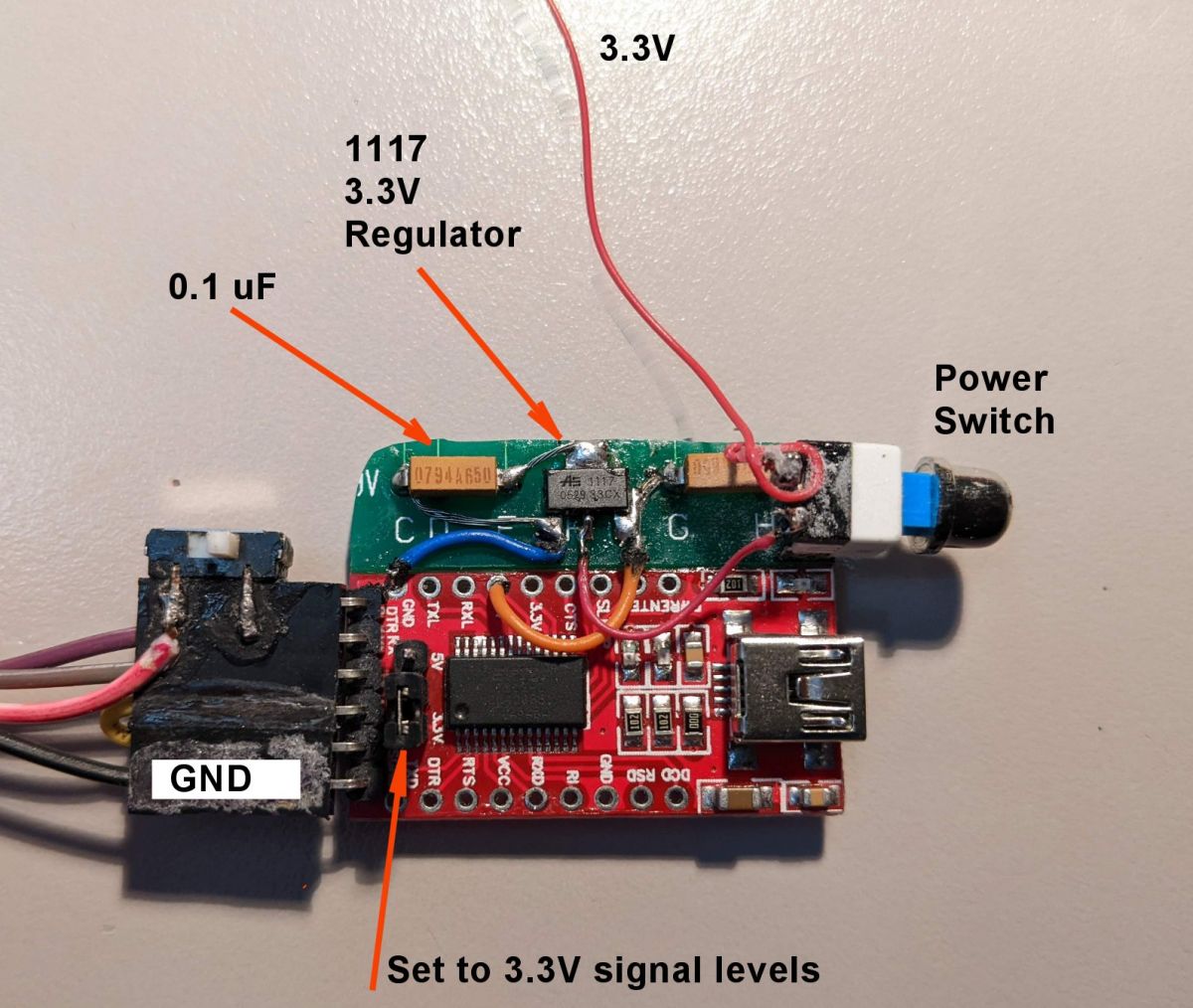
    I modified an FTDI module to add a 3.3V regulator to supply stable power to the BEKIN chip per recommendations. I don't know if it was necessary, but it worked first time.

    Electronic circuit with labeled components: 3.3V regulator, 0.1 uF capacitor, power switch, and GND port.
📢 Listen (AI):

FAQ

TL;DR: OpenBK replaces Tuya on BK7231N; "OpenBK supports 180+ devices" [OpenBK Docs, 2023]. "There's nothing complicated there" [Elektroda, mistikdonbass, post #20843179] Stock firmware v1.3.10 blocks OTA, but UART flashing succeeds in ~4 minutes [Elektroda, mistikdonbass, post #20809133] Expect Home Assistant integration and relay control.

Why it matters: Local firmware removes cloud lock-in and gives full MQTT/API freedom.

Quick Facts

• CPU: 32-bit ARM Cortex-M4F @ 120 MHz, 1 MB flash [Beken, 2022] • Supply voltage: 3.0–3.6 V; keep 3.3 V stable [Beken, 2022] • OpenBK current release: v1.18.75 (Dec 2023) [OpenBK Releases, 2023] • Typical UART flash time: 3–5 min including erase [OpenBK Docs, 2023] • FTDI adapter price: USD $2–$5 online [Amazon listings, 2023]

What is the BK7231N and how does it compare to the ESP8266?

BK7231N is a Wi-Fi/BLE SoC with a 32-bit Cortex-M4F core, 120 MHz clock, 1 MB flash, and 256 KB RAM [Beken, 2022]. The ESP8266 uses a 32-bit Tensilica core at 80–160 MHz with 160 KB RAM. BK7231N adds Bluetooth LE, lower standby current, and native OTA support, but lacks the vast ESP8266 ecosystem.

Which alternative firmware can I flash on a BK7231N smart switch?

OpenBK (aka OpenBeken) is the most mature open-source replacement. It mimics Tasmota features, supports MQTT, Home Assistant auto-discovery, timers, and rules [OpenBK Docs, 2023].

How do I flash OpenBK onto the mini smart switch?

  1. Solder RX, TX, 3.3 V, and GND pads; leave CEN floating [Elektroda, mistikdonbass, post #20809133]
  2. Connect to a 3.3 V FTDI adapter, enter UART mode by holding the button during power-up [OpenBK Docs, 2023].
  3. Use bk_writer or OBKFlasher to erase and upload the .bin; whole process takes under 5 minutes.

Can I reuse Tasmotizer and a standard FTDI adapter?

Yes. Replace Tasmotizer with OBKFlasher but keep the same 3.3 V FTDI wiring. One user added a low-noise regulator to ensure stable 3.3 V, then flashed first try [Elektroda, BH337, post #20848543]

Why did Tuya-Convert fail on devices with firmware 1.3.10?

Tuya patched the 2.2 SDK exploit after firmware 1.1.9, so OTA flashing is blocked on 1.3.10; only UART works [Elektroda, mistikdonbass, post #20809133]

What power issues can cause a flash to fail?

BK7231N can draw up to 230 mA during Wi-Fi TX [Beken, 2022]. A weak USB-TTL adapter that supplies <150 mA may brown-out the chip, corrupting flash. "Add a dedicated 3.3 V regulator" solved this edge case [Elektroda, BH337, post #20848543]

How can I revert to the Tuya stock firmware if needed?

Back up the entire 2 MB flash before erasing. To revert, simply re-write the saved .bin via bk_writer. Without a backup, Tuya cloud keys are lost permanently [OpenBK Docs, 2023].

Does OpenBK support OTA updates after the initial UART flash?

Yes. From build 1.17 onward, OpenBK offers one-click OTA updates via its web interface; average update takes 25 seconds [OpenBK Docs, 2023].

Can the new firmware integrate with Home Assistant or MQTT?

OpenBK publishes autodiscovery payloads, so entities appear in Home Assistant immediately. It also supports MQTT over TLS for encrypted local messaging [OpenBK Docs, 2023].

What safety precautions should I follow when flashing a mains device?

Isolate the PCB from mains wires, power it only by 3.3 V during flashing, and discharge capacitors. "Working live risks lethal shock" [Electrical Safety First, 2022].
Generated by the language model.
ADVERTISEMENT