logo elektroda
logo elektroda
X
logo elektroda

OpenBeken logic configuration questions after flashing for beginners

proks777 315 9
ADVERTISEMENT
  • #1 21890073
    proks777
    Level 2  
    Posts: 9
    I've flashed OpenBeken >>21888469 and am now trying to configure its logic. Along the way, I've encountered many questions I can't find answers to. I hope this thread will help me and other newbies better understand OpenBeken.

    I'm currently trying to integrate two functions:
    addEventHandler OnHold and addRepeatingEventID.

    When adding addRepeatingEventID to the file, the addEventHandler OnHold function no longer works as expected; it triggers addRepeatingEventID!
    I want the device to remain active when I long-press the button, rather than going to sleep! How can this be accomplished?

    Here's an example of my file.
    startDriver battery
    startDriver CHT83XX
    Battery_Setup 2200 3000 1.92 2400 4096
    addEventHandler OnHold 8 stopAllscripts
    addRepeatingEventID 60 1 777 DeepSleep 300
    waitFor WiFiState 4
    waitFor MQTTState 1
    cancelRepeatingEvent 777
    delay_s 2
    publishChannels
    delay_s 4
    PinDeepSleep 60
  • ADVERTISEMENT
  • Helpful post
    #2 21890077
    divadiow
    Level 38  
    Posts: 4881
    Help: 427
    Rate: 869
    not really sure but are you trying to stop scripts and cancel the repeating event, so the line should be

    Code: Text
    Log in, to see the code

    ?
  • ADVERTISEMENT
  • #3 21890088
    proks777
    Level 2  
    Posts: 9
    >>21890077
    Yes! Excellent! I've been struggling with this for two days.)) Thank you so much!

    Added after 11 [minutes]:

    Is there a way to switch MQTT publishing to manual mode?
    I'm currently sending data—temperature, humidity, battery in volts, and percentage! And I don't like that the data can be published multiple times during a single device startup!
    If I enable Flag 37 and Flag 51, the first data transmission happens too quickly, and I see 0% battery charge in Home Assistant.
    As I understand it, this is because the Driver battery initially displays a low voltage of ~700 mV and only after a couple of seconds displays a normal voltage of 2.7 V.
    When the device is booted, it constantly publishes data to MQTT. Is it possible to disable this and publish only once per session?
  • #4 21892972
    p.kaczmarek2
    Moderator Smart Home
    Posts: 14449
    Help: 650
    Rate: 12425
    Maybe use setChannelPrivate ?

    Or just do your own simple fork and comment out MQTT calls. We have online builds for that, should be very easy:
    https://www.elektroda.com/rtvforum/topic4033833.html

    For too quick publishes, there is also a work around - use -1 as start value for channel so device actually remembers it between reboots. But yet, that's not perfect...
    Helpful post? Buy me a coffee.
  • ADVERTISEMENT
  • #5 21893181
    proks777
    Level 2  
    Posts: 9
    p.kaczmarek2 wrote:
    Maybe use setChannelPrivate ?

    How to assign setChannelPrivate to a battery?

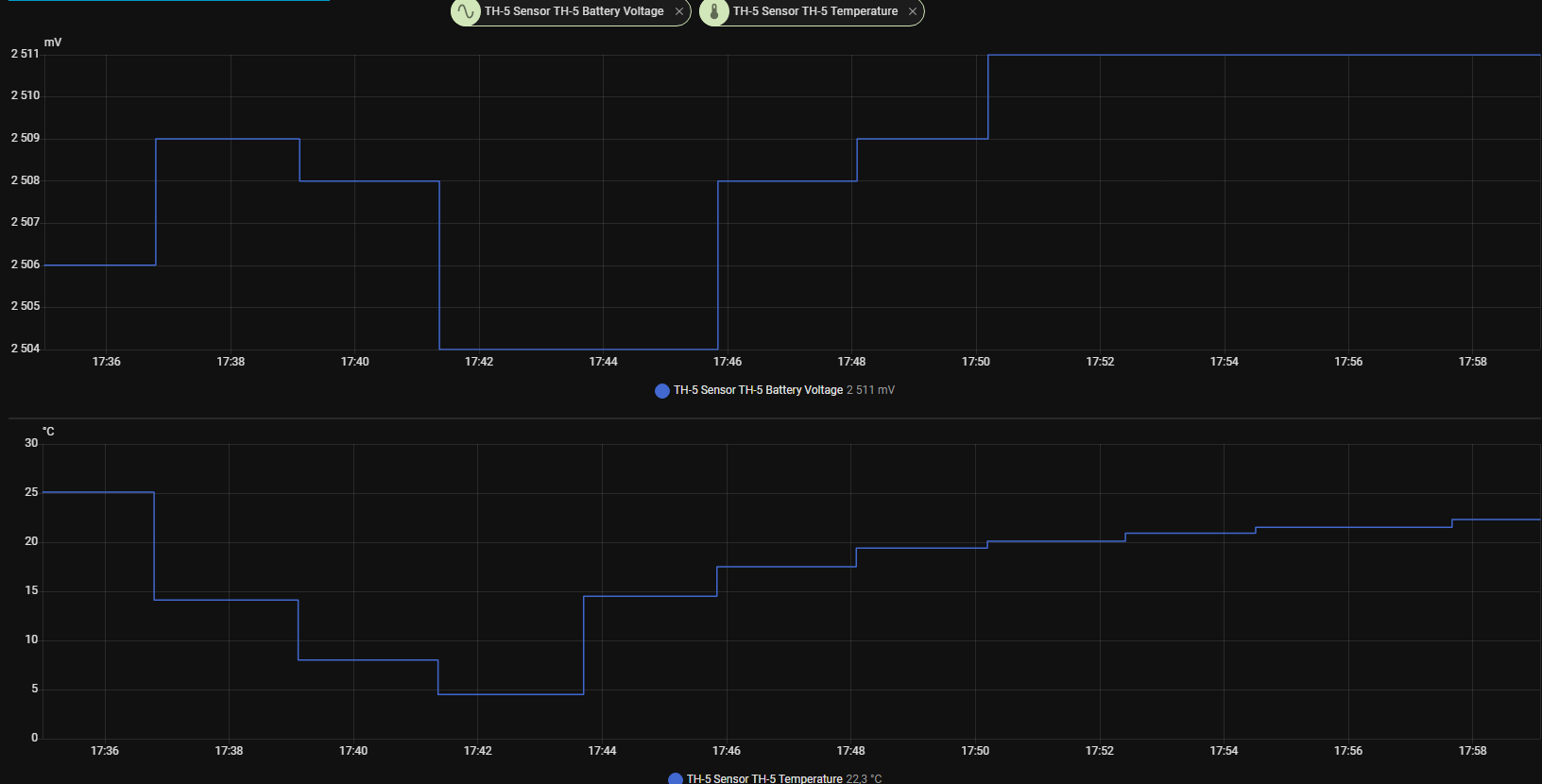
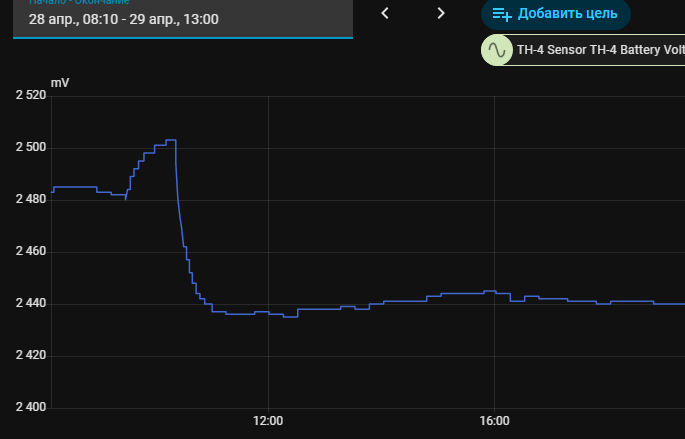
    I can't figure out how to find the correct battery pins. I'm currently using 5 - BAT_Relay, 10 - BAT_ADC. With this setup, I don't see 0% when starting. But I still think the pins are incorrect, as I get a large deviation in the readings when the temperature changes! After calibrating at 25C, I see 2.5V, but at 15C, I see 2.43V. Is this normal?

    OpenBeken logic configuration questions after flashing for beginners


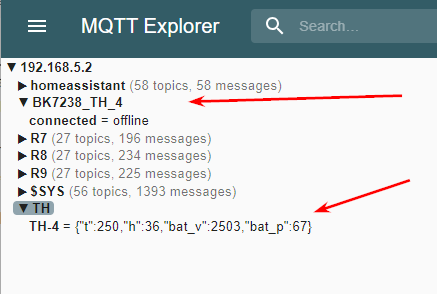
    I think I got what I wanted. But I can't figure out why it works.

    Screenshot of MQTT Explorer showing topic list and a JSON message for “TH-4”


    {
      "vendor": "Tuya",
      "bDetailed": "0",
      "name": "Full Device Name Here",
      "model": "enter short model name here",
      "chip": "BK7238",
      "board": "TODO",
      "flags": "0",
      "keywords": [
        "TODO",
        "TODO",
        "TODO"
      ],
      "pins": {
        "0": "CHT83XX_SDA;2;3",
        "1": "CHT83XX_SCK;0",
        "5": "BAT_Relay;0",
        "6": "WifiLED_n;0",
        "8": "Btn;0",
        "9": "dInput;0",
        "10": "BAT_ADC;0"
      },
      "command": "",
      "image": "https://obrazki.elektroda.pl/YOUR_IMAGE.jpg",
      "wiki": "https://www.elektroda.com/rtvforum/topic_YOUR_TOPIC.html"
    }


    startDriver battery
    startDriver CHT83XX
    
    //CHT_Calibrate -1 3
    
    Battery_Setup 2100 2700 1.8 2400 4096
    Battery_Cycle 2
    CHT_Cycle 3
    delay_s 2
    Battery_Cycle 10
    CHT_Cycle 10
    
    
    addEventHandler OnHold 8 backlog cancelRepeatingEvent 777; stopAllScripts
    addRepeatingEventID 30 1 777 DeepSleep 1800
    waitFor WiFiState 4
    waitFor MQTTState 1
    cancelRepeatingEvent 777
    
    delay_s 1
    publish TH/TH-4 "{"t":$CH2,"h":$CH3,"bat_v":$batteryVoltage,"bat_p":$batteryLevel}" 1
    
    CHT_Alert 0.3 5 60 2
    
    PinDeepSleep 900
    
  • #6 21895467
    proks777
    Level 2  
    Posts: 9
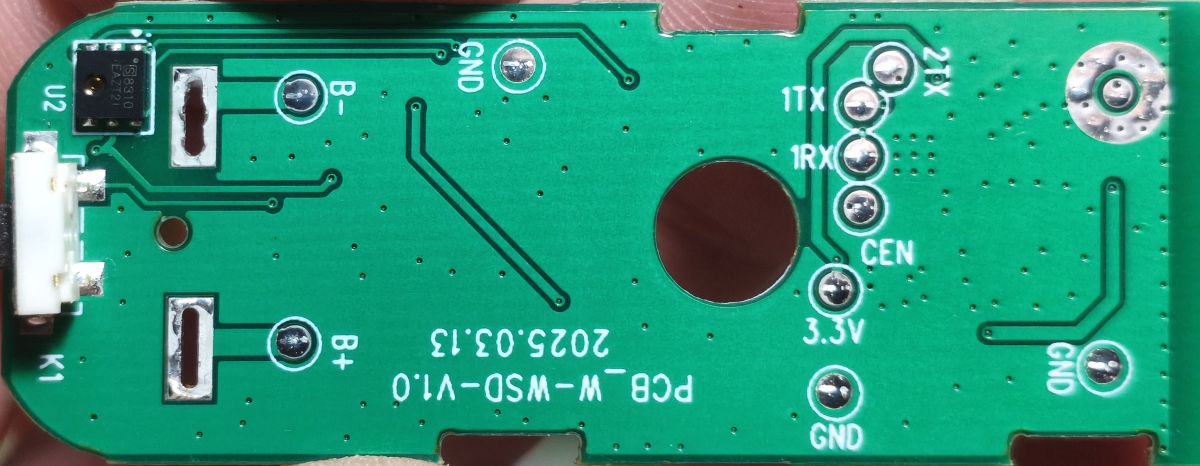
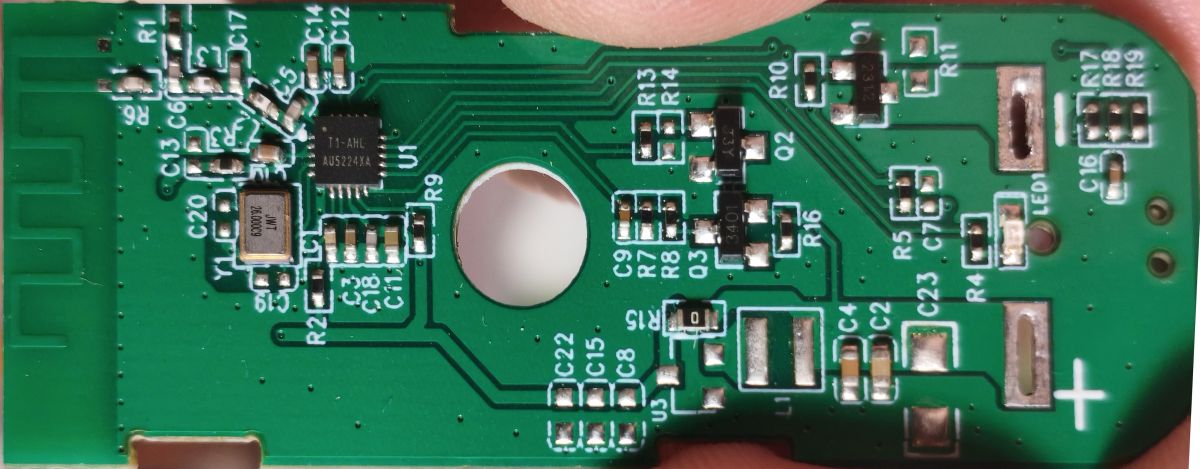
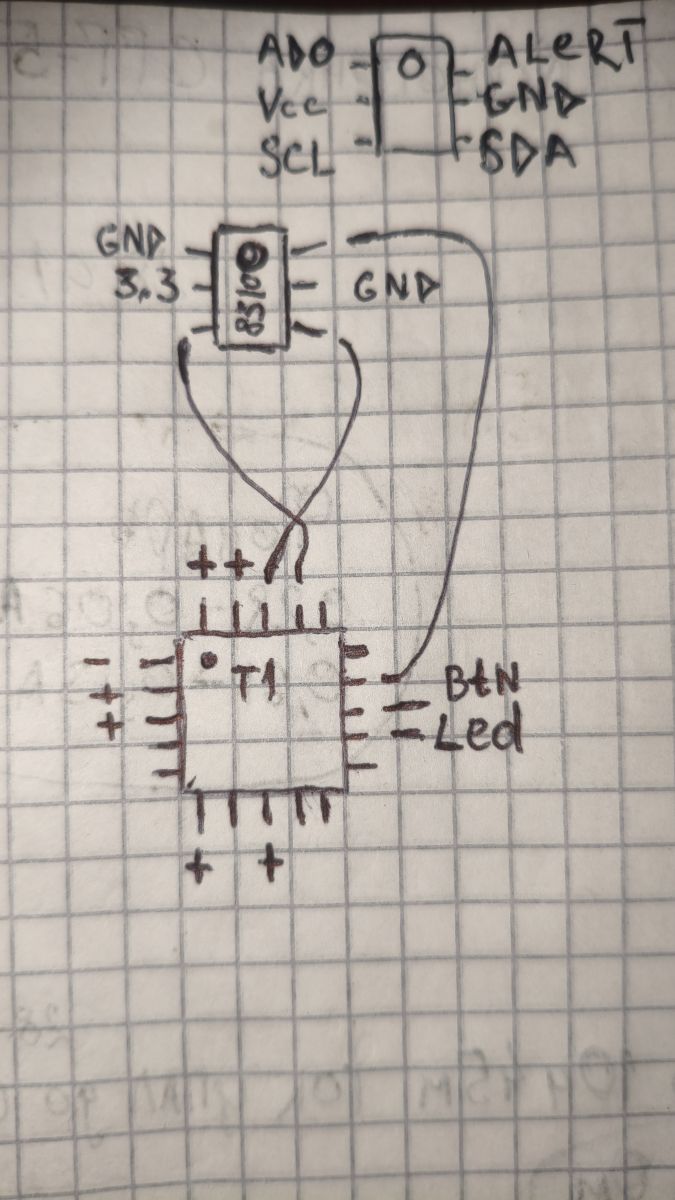
    Please help. I can't configure BAT_ADC and BAT_Relay. Everything I've tried gives incorrect readings. Temperature also significantly affects the readings. Can someone tell me the correct pins for BAT_ADC and BAT_Relay from a photo?
    OpenBeken logic configuration questions after flashing for beginners Close-up of a green PCB with SMD components, a mounting hole, and a plus sign marking Hand-drawn wiring diagram of a BME280 sensor connected to a microcontroller, with labeled I2C pins

    "pins": {
    "0": "CHT83XX_SDA;2;3",
    "1": "CHT83XX_SCK;0;0",
    "6": "WifiLED_n;0;0",
    "8": "Btn;0;0",
    "9": "dInput;0;0",
  • #7 21895498
    divadiow
    Level 38  
    Posts: 4881
    Help: 427
    Rate: 869
    I think BAT_ADC on BK7238 is always P20

    Did you take backup of original firmware? Any config extracted from it using Easy Flasher Tuya Config Extractor tab?
  • #8 21895516
    proks777
    Level 2  
    Posts: 9
    >>21895498
    I couldn't extract the pins using Easy Flasher. Yes, I did make a backup. I sent it to you in a private message.
  • ADVERTISEMENT
  • Helpful post
    #9 21895522
    divadiow
    Level 38  
    Posts: 4881
    Help: 427
    Rate: 869
    Oh yes! You did. Sorry

    Added after 1 [hours] 29 [minutes]:

    I remember now. no pin info was in the KV

    Code: JSON
    Log in, to see the code


    Code: Text
    Log in, to see the code


    the short boot log doesn't help either

    Code: Text
    Log in, to see the code


    Added after 13 [minutes]:

    OK, try

    P24 = BAT_ADC
    P26 = BAT_RELAY
  • #10 21895607
    proks777
    Level 2  
    Posts: 9
    divadiow wrote:
    P24 = BAT_ADC
    P26 = BAT_RELAY


    Looks like these are the correct pins! I stuck it in the fridge, and there's practically no deviation in the readings! As I understand it, 2.85 (Battery_Setup 2100 2700 2.85) isn't quite standard? But the main thing is that it works! I tried this option before, but the readings were ~3.00 mV. To get adequate readings, you need to reboot!
    Thank you so much!

    OpenBeken logic configuration questions after flashing for beginners

Topic summary

✨ Discussion about configuring OpenBeken logic after flashing, focusing on combining `addEventHandler OnHold` with `addRepeatingEventID` so a long button press cancels a repeating deep-sleep event and keeps the device awake. A working solution is suggested using `backlog cancelRepeatingEvent 777; stopAllScripts` in the `OnHold` handler. The follow-up asks how to prevent repeated MQTT publishing during boot, especially when battery readings are initially incorrect and flags 37 and 51 cause early transmission of a 0% battery value in Home Assistant. The goal is to switch MQTT publishing to manual mode and publish only once per device session.
Generated by the language model.
ADVERTISEMENT