logo elektroda
logo elektroda
X
logo elektroda

Flashing many Tuya BK7231N Devices with OpenBK for Offline Control in Home Assistant

eltigre4jc 828 12
ADVERTISEMENT
  • #1 21729308
    eltigre4jc
    Level 2  
    Hello
    I am new to the field of Home Assistant automation. I have around 19 devices for my new home, all of them Tuya devices, bought on Temu.
    Yes, maybe it was not the best choice, but they were cheap, and I was full of enthusiasm to buy them since I moved into my new house. Rented house.

    So, I have:
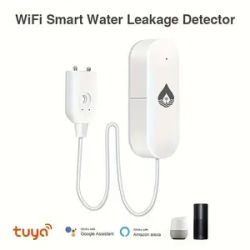
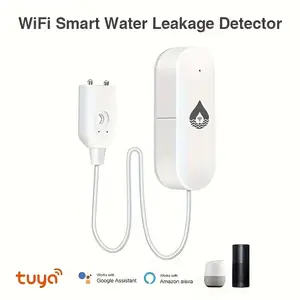
    - 3 flood sensors - battery powered - https://share.temu.com/i287eu4yWaB
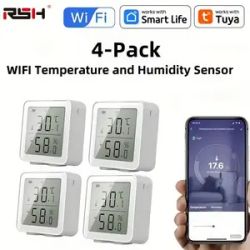
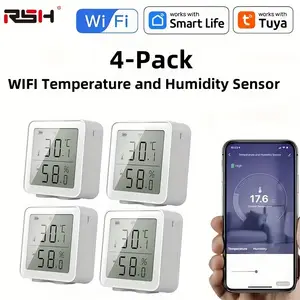
    - 4 thermometer and humidity sensors - battery powered - RSH-TH03-V1.1 - https://share.temu.com/dWTvvuKVjFB
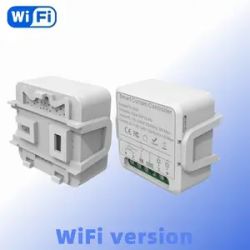
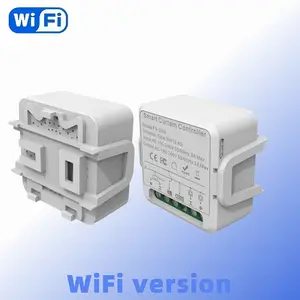
    - 7 smart curtain switches -
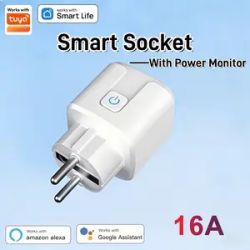
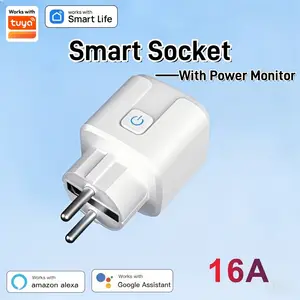
    - 5 smart plugs -
    Although I can manage them through the official Tuya integration, I want to get rid of the cloud. I want to be fully offline.

    From what I saw, all of them have the BK7231N chip inside. I want to flash OpenBK firmware to go fully offline, and also to be able to set the update time for the sensors, so that I can finish my automations.
    I do not know electronics since I am a developer, but I know how to follow instructions, and I have some very limited knowledge about electronics.

    Can you please help with some answers to some questions?
    1. Is it a good idea to flash battery-powered devices with OpenBK firmware? Will the battery drain faster? I want data reports every 5 minutes or so.
    2. Do you think it is a good idea for me to flash all my devices with OpenBK firmware? I do not need very complex configuration, only the basic, but fully offline.
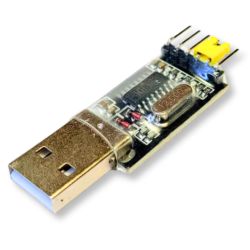
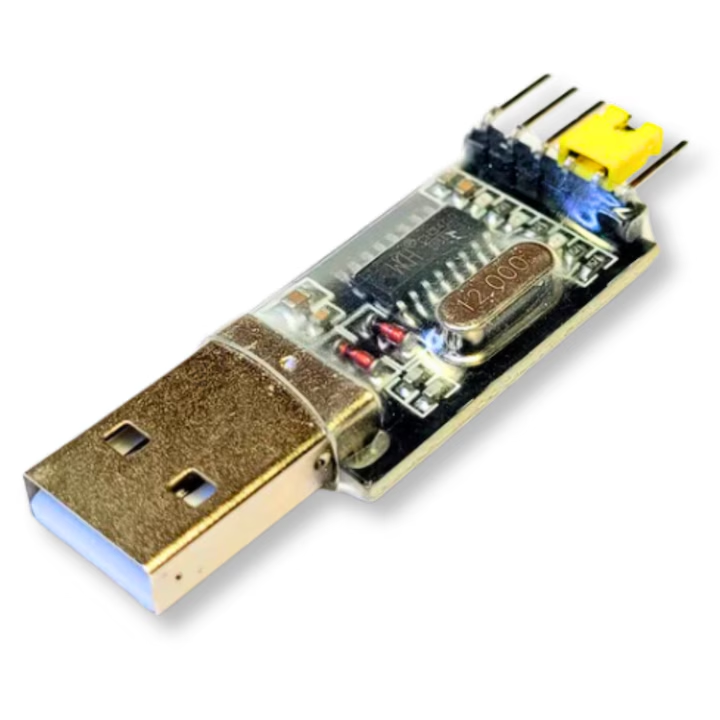
    3. Do I only need to find the GND, RX, TX, and CEN pins, and I am good to go? I will have an adapter to plug it into laptop USB (Convertor USB CH340G RS232 TTL UART 3.3/5V, Programator pentru Citire TX/RX, Cip CH340G, Pini RX, TX, 3.3V, 5V, GND)
    4. All of my devices are Wi-Fi devices. Will they become MQTT devices? Will I need an MQTT adapter in Home Assistant?

    Sorry for all the noob questions.

    Thank you very much

    P.S.
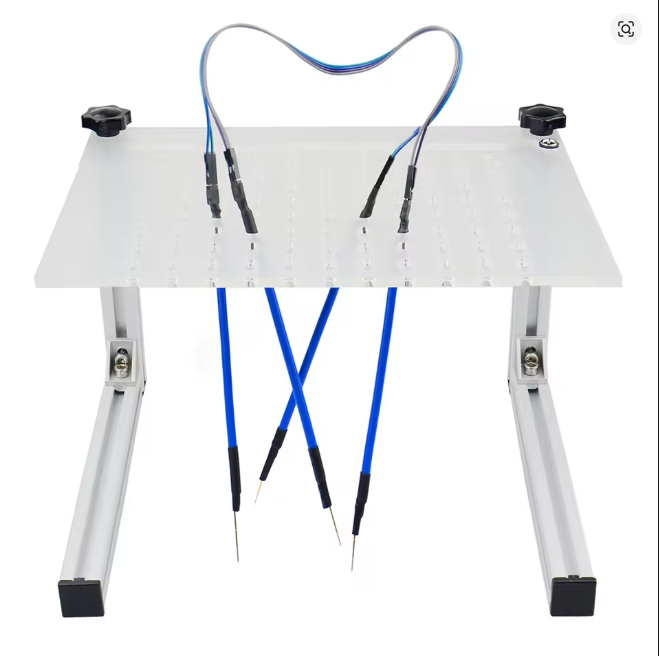
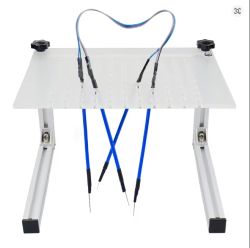
    I attached some pictures with the devices, and with the BRM board I bought to flash the firmware.

    Spoiler:
    Flashing many Tuya BK7231N Devices with OpenBK for Offline Control in Home Assistant
    Flashing many Tuya BK7231N Devices with OpenBK for Offline Control in Home Assistant
    Flashing many Tuya BK7231N Devices with OpenBK for Offline Control in Home Assistant
    Flashing many Tuya BK7231N Devices with OpenBK for Offline Control in Home Assistant
    WiFi curtain switch controller in white housing, shown from two angles

    USB to UART converter with visible electronic components on the circuit board


    P.S2
    I also extracted all the information I could get from Tuya IoT platform, but unfortunately not so much in there. I can upload the JSONs if needed
    AI: Could you please provide the exact model numbers or product links for your Tuya devices (especially the battery-powered sensors and switches), so we can check for any device-specific flashing instructions or compatibility issues with OpenBK?
    I provided some models, but I do not have all the models
    AI: Have you checked if your specific device models have already been successfully flashed with OpenBK by others, or if there are any known issues or special steps required for your devices?
    Not yet, since I first need some general questions answered
  • ADVERTISEMENT
  • #2 21730316
    p.kaczmarek2
    Moderator Smart Home
    eltigre4jc wrote:
    but they were cheap

    They should be more or less okay, just remember to use PowerSave (PowerSave 1 startup command) featured by OBK, otherwise capacitors may fail quickly:
    https://www.elektroda.com/rtvforum/topic3898805.html


    eltigre4jc wrote:

    - 3 flood sensors - battery powered - https://share.temu.com/i287eu4yWaB
    - 4 thermometer and humidity sensors - battery powered - RSH-TH03-V1.1 - https://share.temu.com/dWTvvuKVjFB

    Battery-powered devices with WiFi are hard to flash and reprogram. This is firmware-agnostic issue, no matter whether you use Tasmota or anything else. This also depends on whether your device is using tuyamcu or deep sleep, you'd need to check it first. I always recommend Zigbee for battery-powered devices.
    Still, OBK should work, we have some threads on that. We also have some nice features for battery powered devices, like quick connect by @insmod . In my opinion, it's relatively easier to convert battery powered device to deep sleep (without MCU) than to use it with TuyaMCU feature.


    eltigre4jc wrote:

    - 7 smart curtain switches -

    Flashing and usage should be easy, the only question is the curtain configuration script. We have some sample scripts for OpenBeken, but I didn't try them yet. If they are not good enough for you, then we can create a better one together. I can help, as long as you do the testing.

    eltigre4jc wrote:

    - 5 smart plugs -

    It should be very easy, just remember about PowerSave.


    eltigre4jc wrote:

    also to be able to set the update time for the sensors, so that I can finish my automations.

    Battery powered devices using only WiFi module with OBK are easily configurable, you can set sleep time easily in autoexec.bat script.


    eltigre4jc wrote:

    1. Is it a good idea to flash battery-powered devices with OpenBK firmware?

    In my opinion, this is not related to OpenBeken - Battery powered WiFi devices are hard to flash in general, Zigbee is much easier and efficient. It depends on how much you want to play around it, Zigbee works instantly.

    eltigre4jc wrote:

    Will the battery drain faster?

    It depends on various factors, sometimes it may drain a little bit faster, but if you have a device without TuyaMCU, and you set longer sleep time in OBK (deepsleep command) you can actually have longer battery life.

    eltigre4jc wrote:

    I want data reports every 5 minutes or so.

    This is easily configurable in battery powered devices which don't have TuyaMCU.

    eltigre4jc wrote:

    2. Do you think it is a good idea for me to flash all my devices with OpenBK firmware? I do not need very complex configuration, only the basic, but fully offline.

    Plugs are very easy to flash and convert, no problems there. Just remember about power save.
    Curtains controller requires futher setup for the logic, but there are some samples around for it, and I think I can help with devising a driver for that as well, as long as you also have a basic grasps of how it should work (I will write the code). I don't have curtains myself.
    Battery powered devices are up to discussion. It's worth to check if they are TuyaMCU first. Maybe we could try to convert one and decide then. I know some people who are using OBK in battery devices without any problems, but it's not as easy as with plugs.


    eltigre4jc wrote:

    3. Do I only need to find the GND, RX, TX, and CEN pins, and I am good to go?

    I don't use CEN, only GND, 3.3V, RX and TX. Also, make sure there is nothing connected to RX/TX.
    TuyaMCU devices have MCu connected there, so this may be an issue.


    eltigre4jc wrote:

    I will have an adapter to plug it into laptop USB (Convertor USB CH340G RS232 TTL UART 3.3/5V, Programator pentru Citire TX/RX, Cip CH340G, Pini RX, TX, 3.3V, 5V, GND)

    Photo? Probably 3.3V from CH340G can't supply enough current, you may need extra LDO.


    eltigre4jc wrote:

    4. All of my devices are Wi-Fi devices. Will they become MQTT devices? Will I need an MQTT adapter in Home Assistant?

    OBK has good MQTT support for HA, and configuration is more or less easy. I don't know about curtains, as I didn't use them, but for sensors and plugs the HA discovery should handle all.

    eltigre4jc wrote:

    I also extracted all the information I could get from Tuya IoT platform, but unfortunately not so much in there. I can upload the JSONs if needed

    Sure, share everything you have.
    Helpful post? Buy me a coffee.
  • ADVERTISEMENT
  • #3 21730390
    eltigre4jc
    Level 2  
    Thank you, sir
    You are very kind answering me in such a detailed way. I was not expecting this and thought my post will get lost between the hundreds of other posts.
    After reading your comments, I am a little in doubt if I should start flashing, especially the battery-powered devices. For the others (plugs, curtain switch), I can already skip them, since I made them work locally in Home Assistant and blocked the Internet and DNS calls for them.
    In my mind, as an unknowledgeable person, I thought I will connect to the PC, flash the device, and some configuration and that was all. But, of course, it is not as easy as it sounds.

    Anyway, I will proceed to flashing. That is how I will learn, even if it will be painful.

    I also attached all the JSON files with all the information I have extracted from Tuya IoT Platform, and can I please ask you to take a short look, especially at the battery-powered devices, to see if you can confirm that they indeed contain an MCU? :(
    Meanwhile, I am still waiting for my tools (BRm frame and USB adapter) to ship to my location before I can continue the journey
    Spoiler:

    Here is an archive with all the JSON files. I could not attach them to the post, since I probably do not have the rights
    https://drive.google.com/file/d/1UyC-p_YPb2ygGqR9vIewDcAhAfNCDsKu/view?usp=sharing

  • #4 21730407
    insmod
    Level 29  
    >>21730390
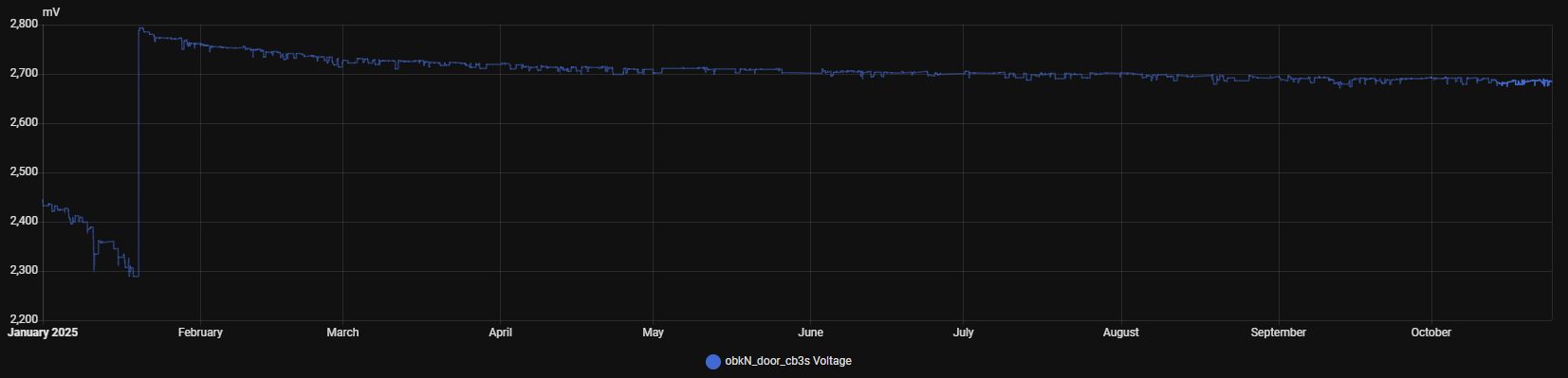
    Remember to make and keep backups for battery-powered devices.
    If you use common alkaline batteries or nickel batteries, and if they are almost fully discharged - device can enter a loop, where it tries to enable wifi, and since batteries are almost discharged, voltage drops too low and device reboots. In some cases it can brick a device, and full backup restore is needed.
    I didn't observe this behaviour with lithium AAA batteries.

    My door sensor with ni-mh batteries is still good after almost a year (with flags for fast connect enabled). It triggers about 10-15 times a day.
    Spoiler:
    Door sensor battery voltage chart from January to October 2025
  • ADVERTISEMENT
  • #5 21730412
    eltigre4jc
    Level 2  
    I have 2500 mAh, 1.2 V, HR6 NiMH batteries, rechargeable and 1000 mAh, 1.2 V, HR03 NiMH
    And I am planning to recharge them maybe once a month or once 2 months, just to be sure I have enough power.

    And for sure I will back up to everything. Because I also know for sure I will break things on my first attempt
    Thank you
  • #6 21762108
    DeDaMrAz
    Level 21  
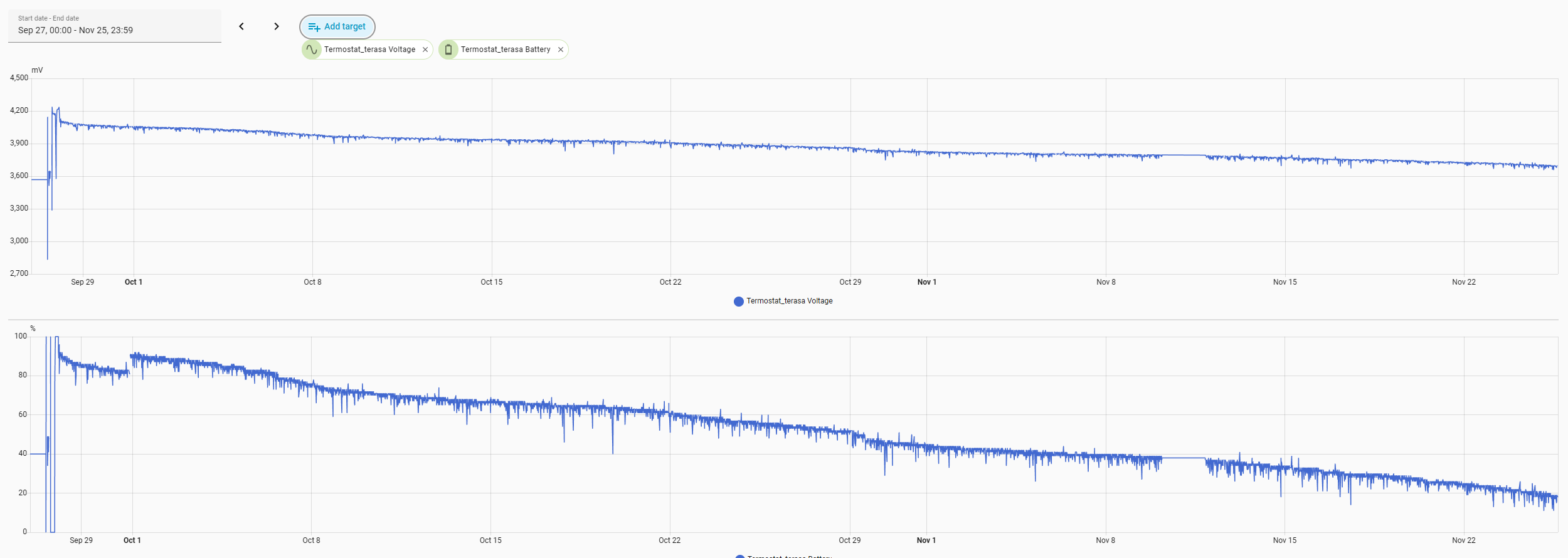
    This graph may be useful as it represents a Wi-Fi converted temperature sensor that's been on the long term testing for quick connect feature. In my setup it reports data every 15 minutes and is powered by a single second-hand Li-Ion 18650 cell.

    Graphs showing thermostat battery voltage and percentage decline from September to November.

    Almost 2 months now on a single incomplete charge, outdoors and now even with close to freezing temperatures.

    EDIT: ignore the flatline part of the graph, that's me switching and changing my wifi setup.
  • ADVERTISEMENT
  • #7 21762634
    eltigre4jc
    Level 2  
    Thank you for the graph.
    I received my tools to start flashing and see what I get. So, as soon as I get some time to play with the flashing, I will do it and post the updates here.
  • #8 21765892
    eltigre4jc
    Level 2  
    So, I tried today to flash a curtain switch controller, but without success.
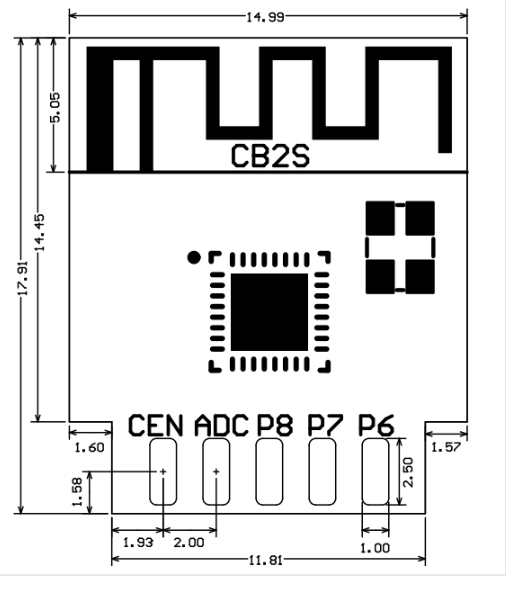
    The controller has BK7231N chip on a CB2S board.
    I tried using pogo pins linked to UART CH340, and an external power source to power with 3.3 V and 500 mA
    I tried power on/power off, but the bus was not recognized
    I tried pressing the pai button on the device; bus still not recognized
    I tried making a short between CEN and GND; bus still not recognized.

    And after some hours, and many tries, I gave up. Maybe the curtain controller is special as stated above.
    I will try with something else, maybe a plug or a battery-powered device.

    Thank you
  • #10 21765941
    eltigre4jc
    Level 2  
    I tried with TX => RX2 and RX => TX1, and also TX => TX1 and RX => RX2.
    All kinds of combinations and also tried asking ChatGPT and Gemini.
  • #11 21765951
    DeDaMrAz
    Level 21  
    eltigre4jc wrote:
    All kind of combinations and also tried asking chatGPT and Gemini


    Bad idea 😉

    Flashing many Tuya BK7231N Devices with OpenBK for Offline Control in Home Assistant
    Flashing many Tuya BK7231N Devices with OpenBK for Offline Control in Home Assistant

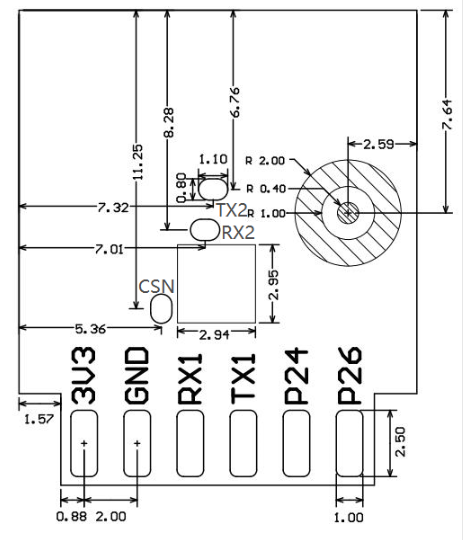
    Connect CH340 RX to TX1 and CH340 TX to RX1, check ground and 3v3, measure they are present on the module and after connecting it all short CEN pin to GND or module shield.
  • #12 21765972
    eltigre4jc
    Level 2  
    I tried the combination you said, but it did not work. Either my connections were weak or imperfect, or something else which I could not discover
    The power source showed that the module was consuming 6 mA. I had 2 LEDs lit up on the UART converter (power and data transfer), but still the bus could not be read.

    Maybe I will try again when I try to flash some other type of device.
    Thank you again.
  • #13 21765993
    p.kaczmarek2
    Moderator Smart Home
    Or maybe you have this strange WiFi module version with badly labeled pads, can you show a photo?
    Helpful post? Buy me a coffee.

Topic summary

A user with 19 Tuya devices based on the BK7231N chip, including flood sensors, thermometer and humidity sensors (RSH-TH03-V1.1), smart curtain switches, and smart plugs, seeks to flash OpenBK firmware to enable fully offline control within Home Assistant. The goal is to eliminate reliance on the Tuya cloud and customize sensor update intervals for improved automation. The user has limited electronics experience but is capable of following detailed instructions. The discussion focuses on the feasibility of flashing multiple BK7231N-based devices with OpenBK, the necessary tools and procedures for firmware flashing, and considerations for maintaining device functionality and integration with Home Assistant in an offline environment.
Summary generated by the language model.
ADVERTISEMENT