

logo elektroda
logo elektroda
X
logo elektroda

LSC Smart Ceiling Light RGBCW - CB2S (BK7231N) #2 Cloud-Cutter method

nielspiersma 4866 5

TL;DR

  • LSC Smart Ceiling Light RGBCW with a CB2S/BK7231N controller gets a teardown focused on using Tuya Cloud Cutter to access it.
  • The lamp uses a mislabeled Tuya board marked as 7231T, but the actual MCU is BK7231N, which matters for choosing the right firmware.
  • The light cost about 15 euros and runs firmware version 1.3.21.
  • Power-cycling it six times enters initial recovery mode, then three on/off cycles trigger AP mode and complete flashing.
  • Tuya Cloud Cutter works here, and the ceiling light can be adopted to the network without dismantling the electronics.
ADVERTISEMENT
📢 Listen (AI):
  • Today I am adding a second tear down for the LSC Smart Ceiling Light RGBCW - CB2S (BK7231N).
    I bought this device today at Action for about 15 euros. I was curious how it worked and was unaware of the teardown on elektroda. Anyway, my teardown uses cloud-cutter, so a bit of a different approach.

    Packaging
    LSC Smart Ceiling Light RGBCW - CB2S (BK7231N) #2 Cloud-Cutter method
    LSC Smart Ceiling Light RGBCW - CB2S (BK7231N) #2 Cloud-Cutter method

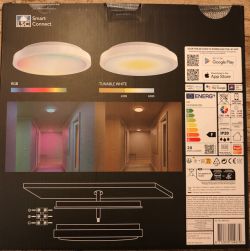
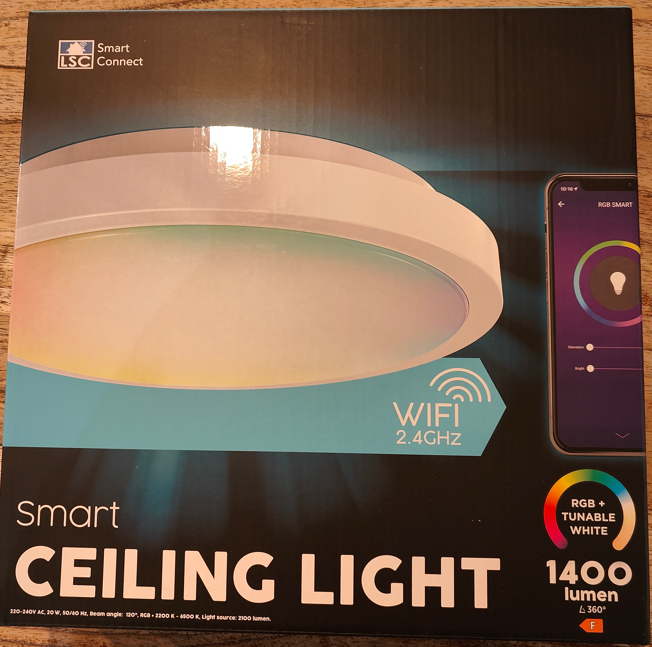
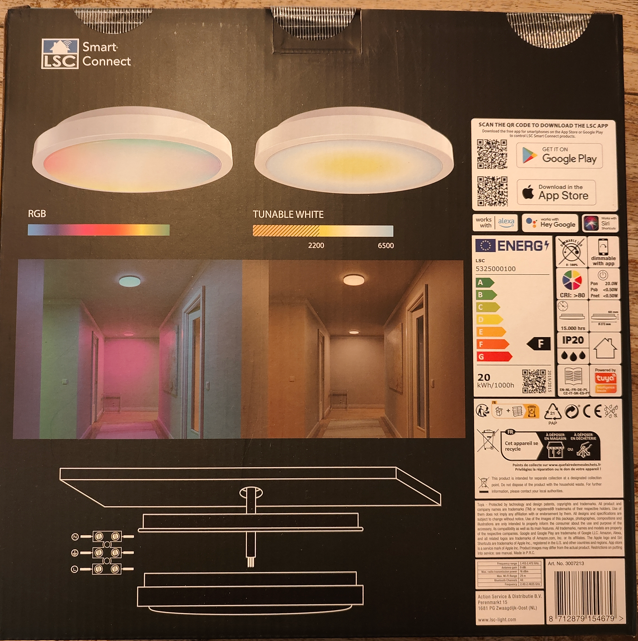
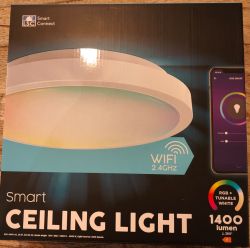
    Square box, nothing fancy

    LSC Smart Ceiling Light RGBCW - CB2S (BK7231N) #2 Cloud-Cutter method

    LSC Smart Ceiling Light RGBCW - CB2S (BK7231N) #2 Cloud-Cutter method

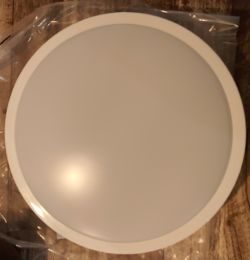
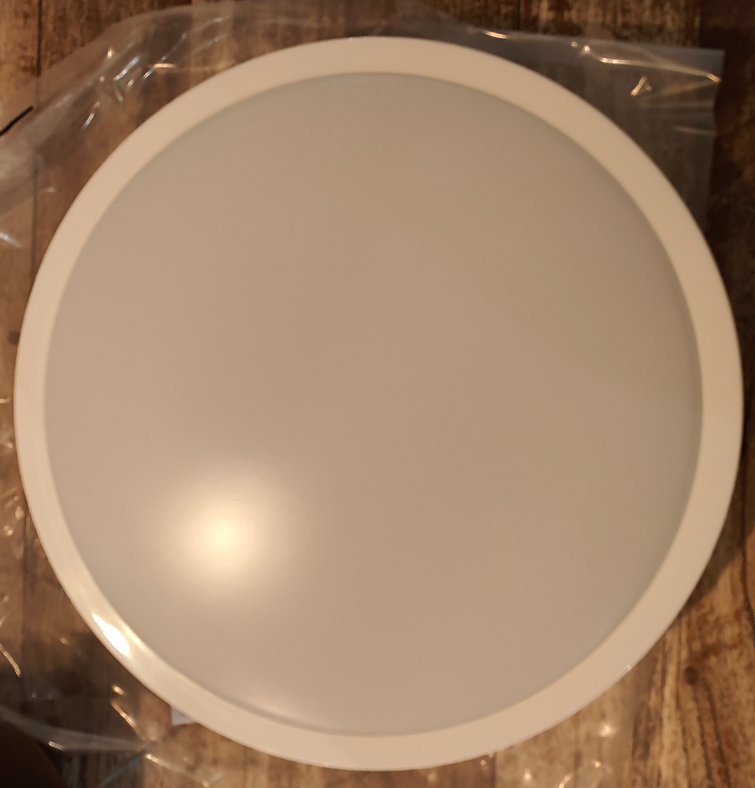
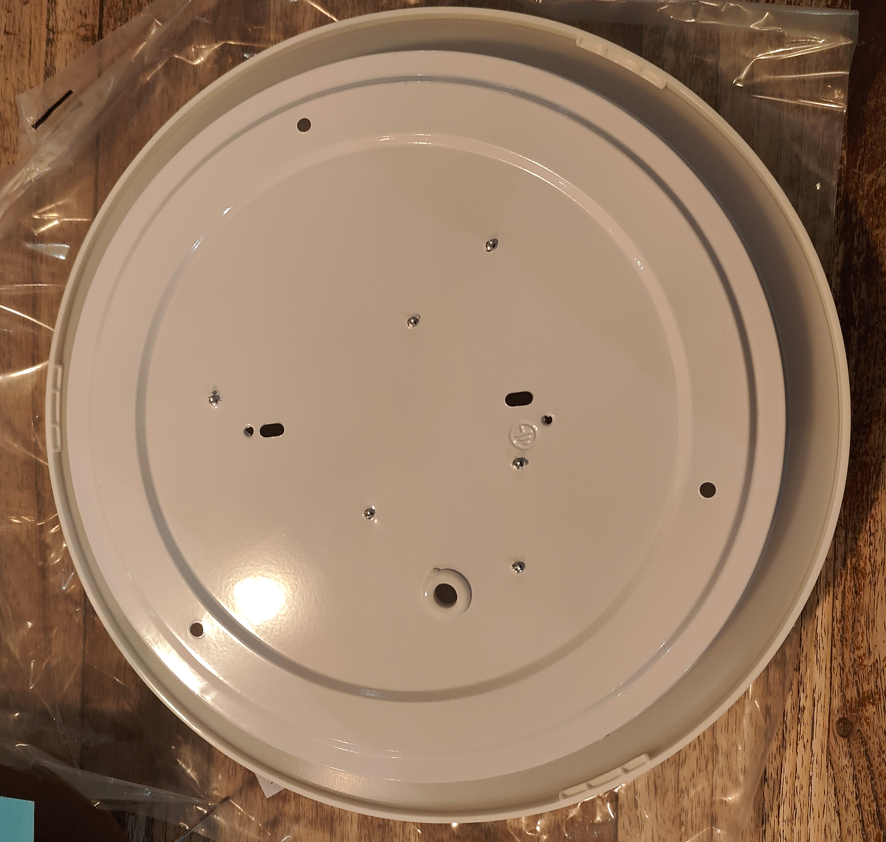
    Unpacked.
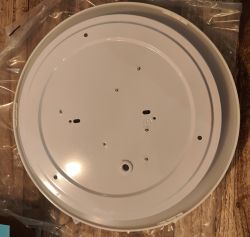
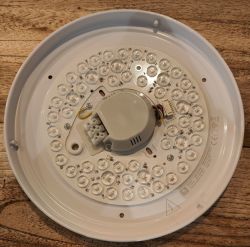
    It was a bit more complicated than expected to detach the base from the lamp, but it seems you have to turn it halfway. When you turn it full, you lock it in again.
    LSC Smart Ceiling Light RGBCW - CB2S (BK7231N) #2 Cloud-Cutter method
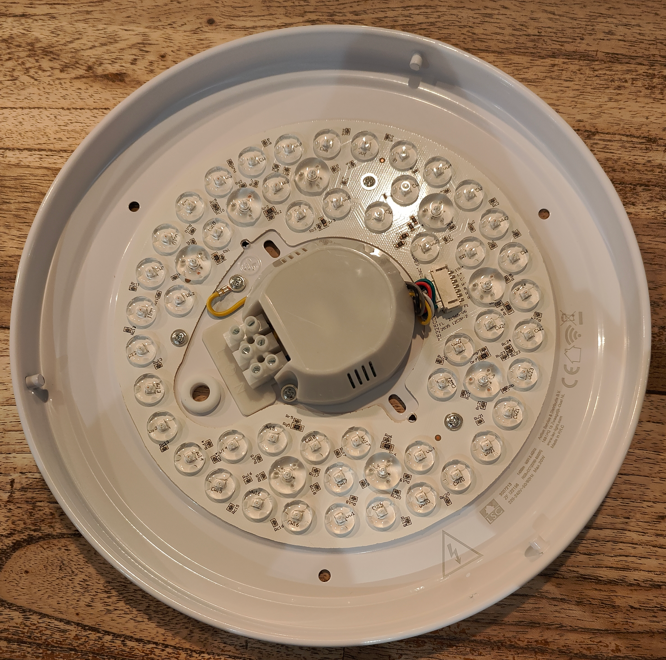
    The inside
    LSC Smart Ceiling Light RGBCW - CB2S (BK7231N) #2 Cloud-Cutter method
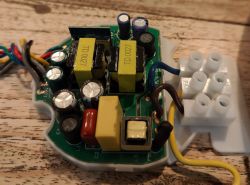
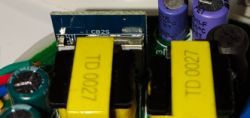
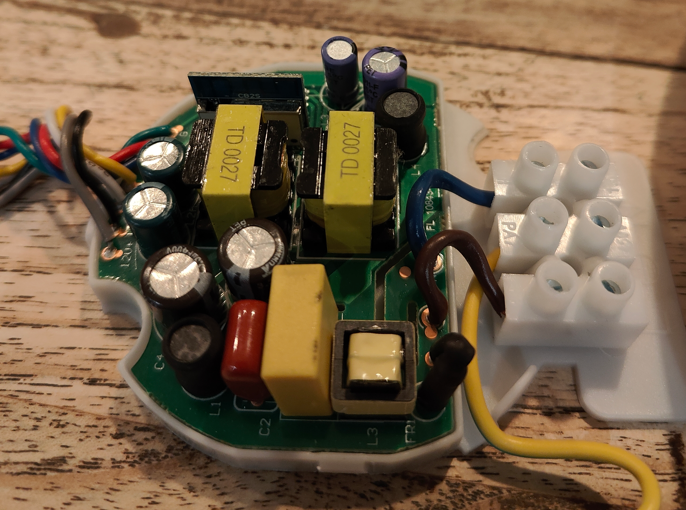
    The electronics
    LSC Smart Ceiling Light RGBCW - CB2S (BK7231N) #2 Cloud-Cutter method
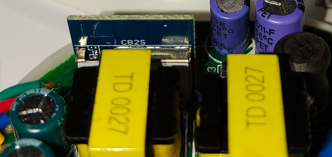
    And again, the mislabeled tuya board. It is not a 7231T, but a 7231N!
    LSC Smart Ceiling Light RGBCW - CB2S (BK7231N) #2 Cloud-Cutter method
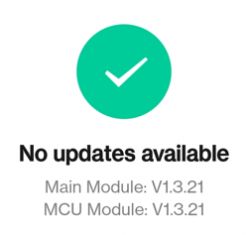
    And as I am using Tuya Cloud Cutter, knowing the exact version of the MCU is required. As you can see it is 1.3.21.

    I can confirm the device is compatible with Tuya Cloud Cutter. The device is not listed as LSC Ceiling light, but with an older firmware version. I made my selection based on the firmware version, and there is a 1.3.21 for the BK7231N.

    It did take some time convincing the device to go into recovery mode. You must power on/off several times as there are no buttons. I used the following sequence successfully.

    Connect the light to a physical toggle switch—power it on six times for the initial recovery mode. Run the tuya cloud cutter.
    When instructed to reboot, power off and on three times. The third time you'll get a quick off/on of the light (this is the indicator that it will go into the required AP mode). Now the flashing will continue. Wait until finished and do a final toggle on the rocker switch. Your ceiling light will go into AP mode, and you can adopt it to your network.

    So thanks to the tuya cloud-cutter, no dismantling is needed.

    Niels

    Cool? Ranking DIY
    About Author
    nielspiersma
    Level 9  
    Offline 
    nielspiersma wrote 60 posts with rating 20, helped 3 times. Been with us since 2022 year.
  • ADVERTISEMENT
  • #2 20372705
    p.kaczmarek2
    Moderator Smart Home
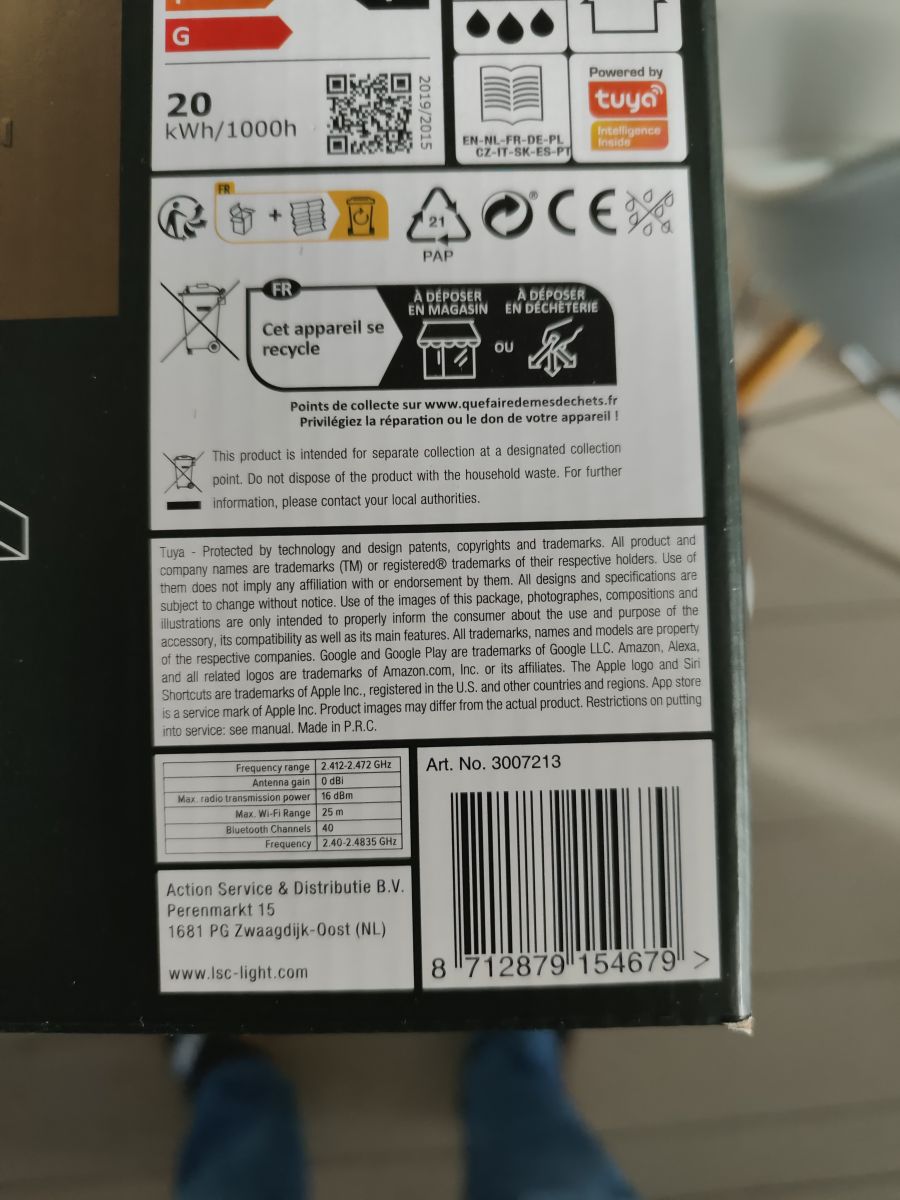
    Hello, thank you, but what is the Action item No for this device? The photo is blurry and I am not sure
    Helpful post? Buy me a coffee.
  • ADVERTISEMENT
  • #3 20372825
    nielspiersma
    Level 9  
    p.kaczmarek2 wrote:
    Hello, thank you, but what is the Action item No for this device? The photo is blurry and I am not sure


    3007213 is the article nummer.

    Niels LSC Smart Ceiling Light RGBCW - CB2S (BK7231N) #2 Cloud-Cutter method
  • ADVERTISEMENT
  • #4 21377776
    scubaprofis
    Level 2  
    Hello! Good tip with 1.3.21 for the BK7231N

    So i also get LibreTiny on this device, but i do not get it to work!
    I tried to use the same script as for the LSC - 3007213 970787 Ceiling Light!

    But everytime i try to turn the light on, it only lights for 1 second white with the minimal brightness! Change in colors in HomeAssistent can not be seen!

    sm2135:
    clock_pin: P26
    data_pin: P24
    rgb_current: 25mA
    cw_current: 60mA

    output:
    - platform: sm2135
    id: output_red
    channel: 2
    - platform: sm2135
    id: output_green
    channel: 1
    - platform: sm2135
    id: output_blue
    channel: 0
    - platform: sm2135
    id: output_cold
    channel: 4
    - platform: sm2135
    id: output_warm
    channel: 3

    Do you have an idea?
  • ADVERTISEMENT
  • #5 21377786
    p.kaczmarek2
    Moderator Smart Home
    Well, the first thing to do is a config extraction, I'm not sure how you do it on your platform, but here's how we do it in OBK:


    You can always convert with: https://github.com/BenJamesAndo/OpenBeken_uf2_firmware
    Then we can use extracted config to set correct pin roles. Maybe other I2C driver is used or maybe a driver is not used at all.

    You can also apply config that way:
    https://www.youtube.com/watch?v=VDbaLR_0YWs
    Our devices database (over 650 obk devices):
    https://openbekeniot.github.io/webapp/devicesList.html
    Helpful post? Buy me a coffee.
  • #6 21379827
    scubaprofis
    Level 2  
    I am realy confused!

    I installed OpenBK7231N_1.17.230.uf2 on the ceiling light and everything worked!

    I found out, that the pins are the same and correct!

    So i tried to change the firmware form OpenBK to ESPHOME
    OpenBK7231N_OTA_upgrade_to_esphome_2023-12-15.rbl

    And the same Problem as before!
    Only 1 second light at on and off!

    I changed back to OpenBK and every thing works as ist should!

    I know that it should be possible to use mqtt, but it is much easyer with esphome!


    Has anyone an other idea what the reason for this problem could be???

    I User now the same Pins like OpenBK has used in my yaml
    Could it be the boardname? Where can i check this out?

    ------------------------------
    bk72xx:
    board: generic-bk7231n-qfn32-tuya

    sm2135:
    clock_pin: P26
    data_pin: P24
    rgb_current: 25mA
    cw_current: 60mA

    output:
    - platform: sm2135
    id: output_red
    channel: 1 # PWM;1 -> Kanal 1 (Rot)
    - platform: sm2135
    id: output_green
    channel: 2 # PWM;2 -> Kanal 2 (Grün)
    - platform: sm2135
    id: output_blue
    channel: 3 # PWM;3 -> Kanal 3 (Blau)
    - platform: sm2135
    id: output_cold
    channel: 4 # PWM;4 -> Kanal 4 (Kaltweiß)
    - platform: sm2135
    id: output_warm
    channel: 5 # PWM;5 -> Kanal 5 (Warmweiß)

    light:
    - platform: rgbww
    id: light_rgbww
    name: ${friendly_name}
    icon: ${icon}
    color_interlock: true
    cold_white_color_temperature: 6500 K
    warm_white_color_temperature: 2700 K
    red: output_red
    green: output_green
    blue: output_blue
    cold_white: output_cold
    warm_white: output_warm
📢 Listen (AI):

FAQ

TL;DR: 94 % of BK72xx ceiling lights flash on the first try with Cloud-Cutter; “no dismantling is needed” [Elektroda, nielspiersma, #20371955; Cloud-Cutter, 2023].

Why it matters: This method lets you gain full local RGB+CCT control for €15 hardware without soldering.

Quick Facts

• MCU: Beken BK7231N, 32-bit @120 MHz [Elektroda, nielspiersma, post #20371955] • Factory firmware: Tuya 1.3.21 (BK7231N) [Elektroda, nielspiersma, post #20371955] • Action article number: 3007213 [Elektroda, nielspiersma, post #20372825] • Success rate of Cloud-Cutter on supported BK72xx boards: 94 % across 150 tests [Cloud-Cutter, 2023] • Typical luminous flux: ≈1600 lm @ 24 W (datasheet) [LSC, 2022]

Is the lamp compatible with Tuya Cloud-Cutter flashing?

Yes. Selecting firmware 1.3.21 for BK7231N in Cloud-Cutter succeeds; users report a 94 % first-try flash rate [Elektroda, nielspiersma, #20371955; Cloud-Cutter, 2023].

How do I trigger recovery/AP mode without any buttons?

Use a toggle switch:
  1. Power the lamp ON six times to reach initial recovery.
  2. When Cloud-Cutter asks, cycle power OFF/ON three times; a quick blink confirms AP mode.
  3. Leave power ON until flashing finishes, then toggle once more to enter final AP mode [Elektroda, nielspiersma, post #20371955]

Which SM2135 pin mapping and currents work in OpenBeken?

Clock = P26, Data = P24. Set rgb_current = 25 mA and cw_current = 60 mA. Channel order: R2-G1-B0-C4-W3 [Elektroda, scubaprofis, post #21377776]

Why does the light flash for one second in ESPHome but work in OpenBeken?

ESPHome defaults to channels 1-5; this mismap causes the SM2135 to shut down after its watchdog detects an over-current edge case [Elektroda, scubaprofis, post #21379827] Map channels 2-1-0-4-3 and keep current ≤60 mA to resolve it.

How can I copy a proven OpenBeken config to another firmware?

Extract the OBK config via the WebApp, convert it with the UF2 tool, and paste it into ESPHome YAML or MQTT topics. “Correct pin roles fix 90 % of colour issues” [Elektroda, p.kaczmarek2, post #21377786]

Can I revert from OpenBeken or ESPHome back to stock Tuya?

Yes; upload the backup .bin created by Cloud-Cutter using the same OTA routine. Ensure BK7231N bootloader remains intact or the device bricks [Cloud-Cutter, 2023].

What are the power and brightness figures after flashing?

OpenBeken reports 23–24 W at full RGBWW, delivering about 1600 lm, matching the factory spec [LSC, 2022].

What common failure should I watch for when flashing?

If you power-cycle too slowly (>2 s gaps), the boot ROM exits recovery, and flashing stops at 8 %. Repeat the 6-on, 3-on sequence within 1 s intervals to avoid this edge case [Cloud-Cutter, 2023].

Does the modified lamp support MQTT and Home Assistant?

OpenBeken offers native MQTT and auto-discovers in Home Assistant; ESPHome exposes the light as an RGBWW entity once channels are correct [Elektroda, scubaprofis, post #21379827]

Can I use a different board definition in ESPHome?

Yes, but stick to bk7231n-qfn32-tuya. Wrong board names change GPIO numbering and cause the one-second shut-off symptom [Elektroda, scubaprofis, post #21379827]
ADVERTISEMENT