MAiX DOCK is a $19.90 SiPEED M1W RISC-V kit built around the K210 dual-core CPU, with camera, TFT display, microphone, WiFi antenna and microSD support.
It runs MaixPy after firmware updates, with Python control over UART/USB and an IDE for running scripts, autostart apps and serial console experiments.
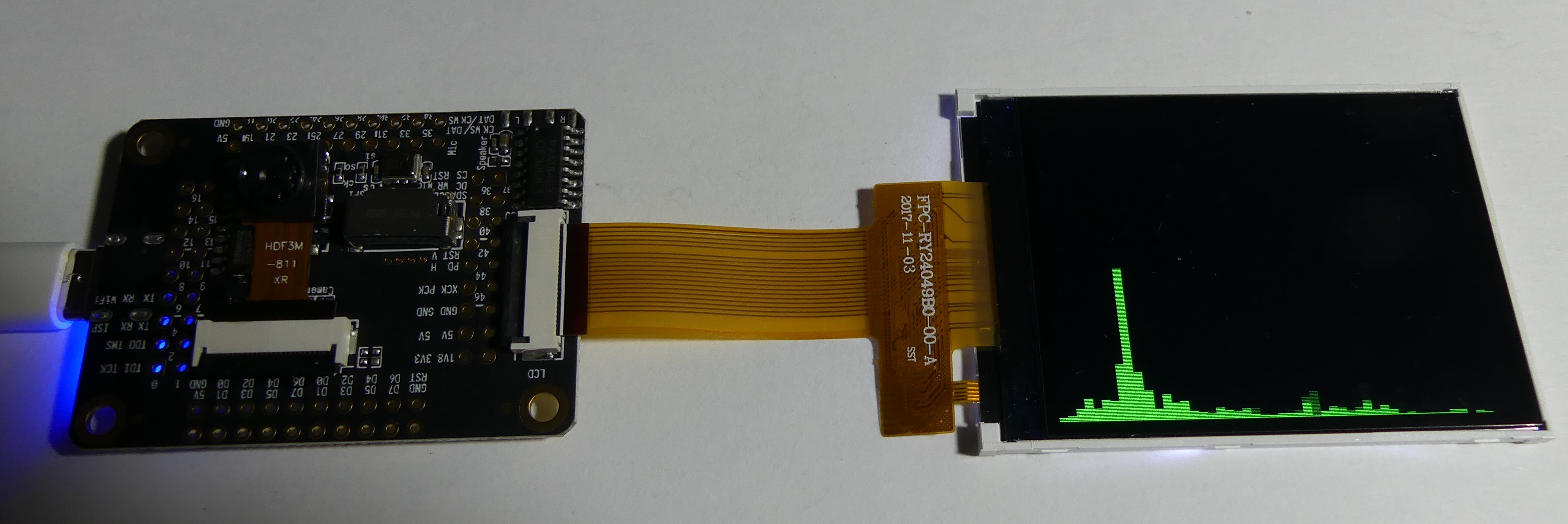
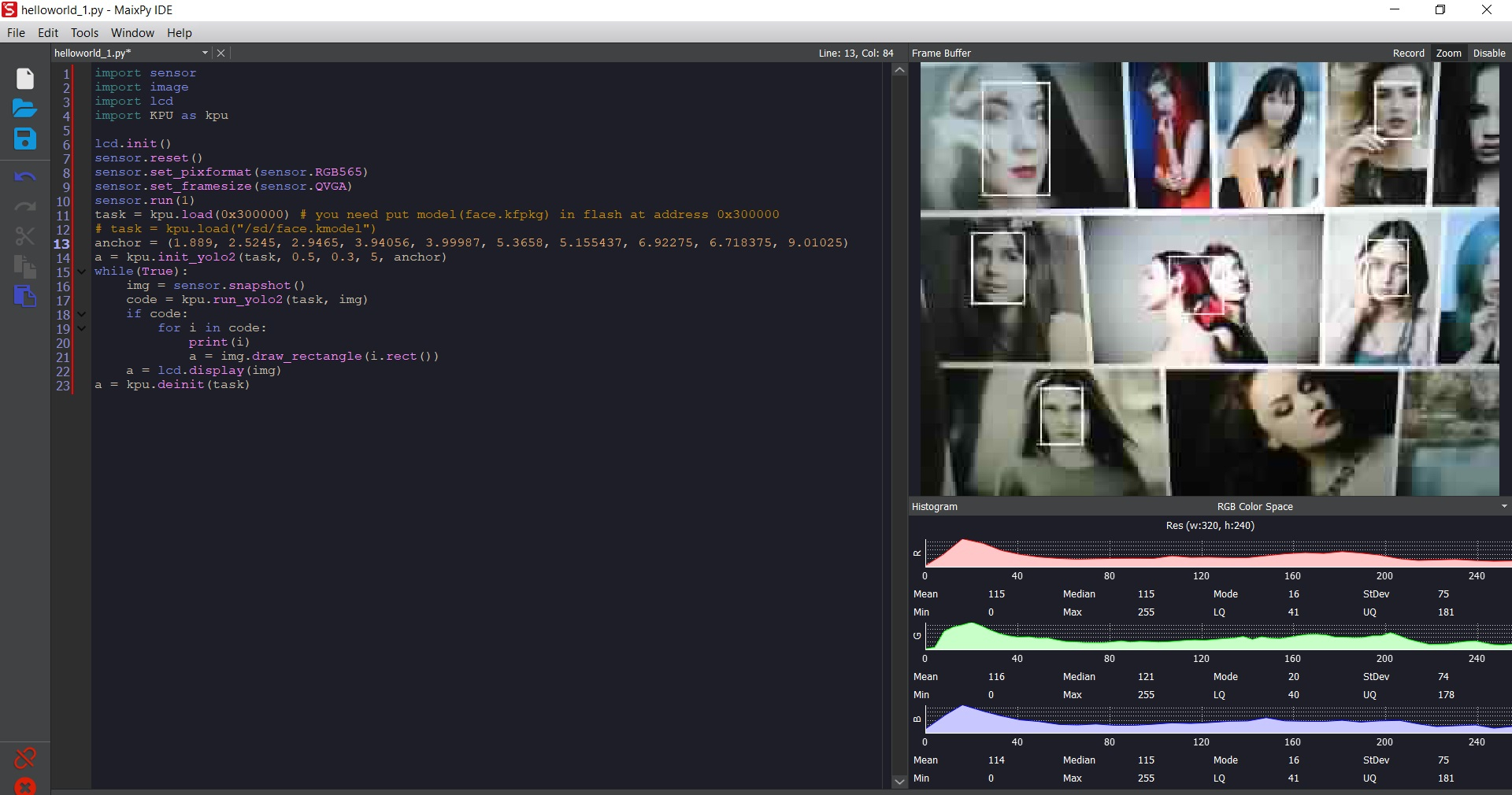
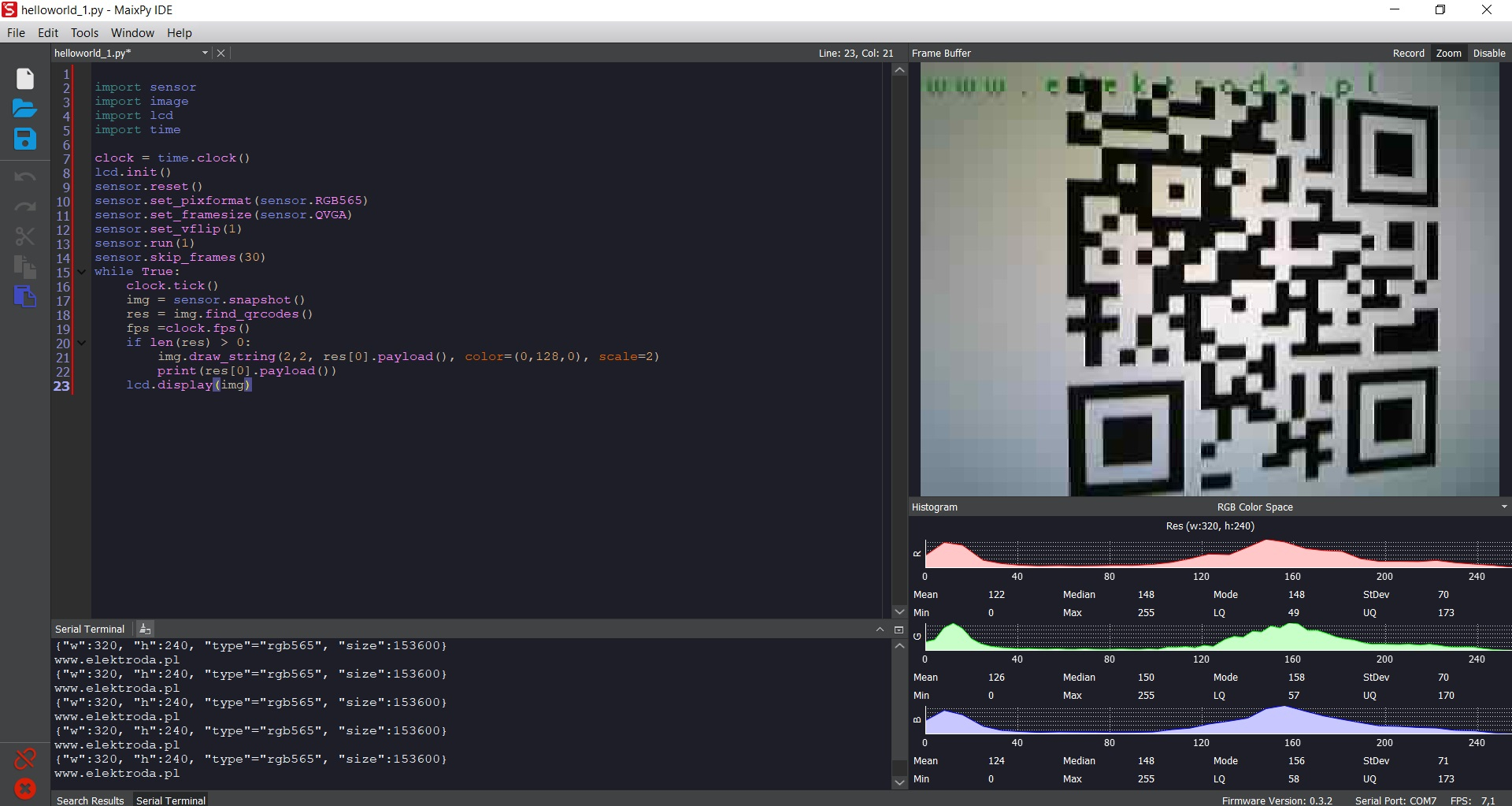
Tests covered live camera display at about 15FPS, microphone FFT examples, face detection, QR decoding and predefined 20-class image recognition.
The board drew about 1.4W, but the software and documentation are still immature, and creating a custom recognition model was not clarified.
Generated by the language model.
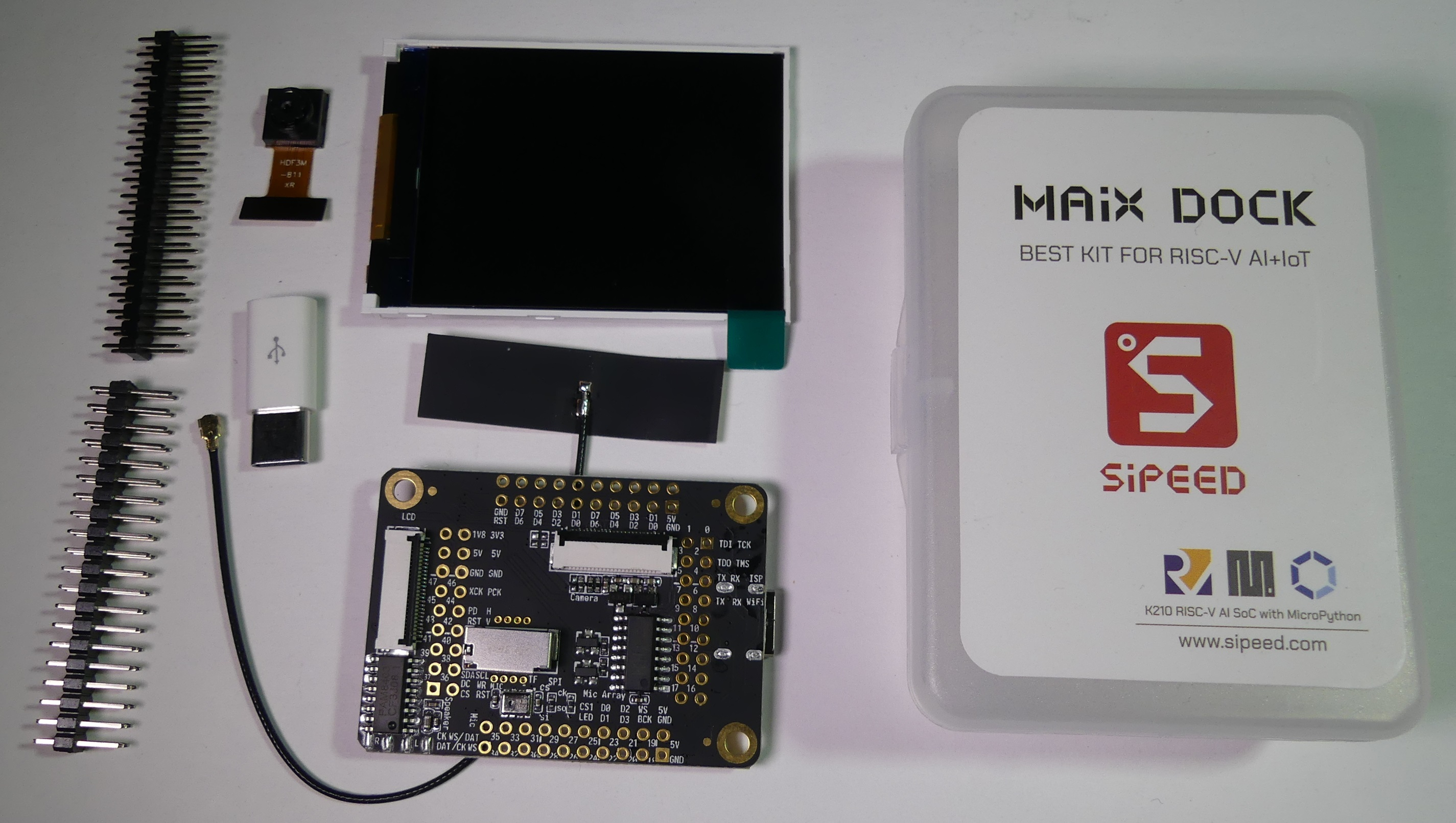
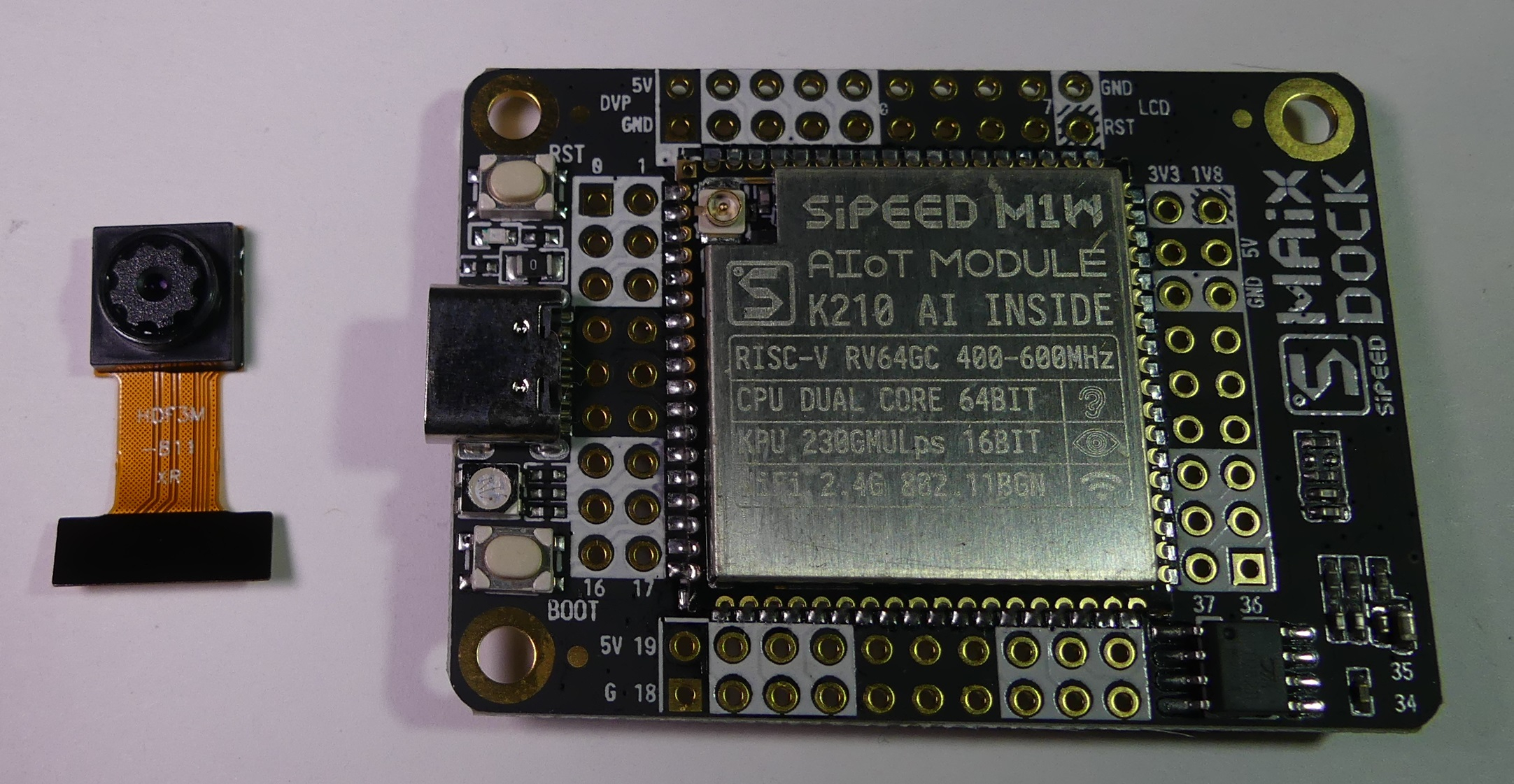
Architecture RISC-V has already discussed on elektroda.pl, a set SiPEED MAiX DOCK in the price of $ 19.90, it is based on the SiPEED M1W module containing the K210 dual-core CPU in RISC-V architecture, KPU (support for artificial neural networks) and WiFi 2.4GHz connectivity (previous version M1 needed an external WiFi module, e.g. ESP8266). The set includes a M1W board, microphone, LED, connector for micro SD card, camera, TFT display, WiFi antenna and micro USB to USB C adapter. Numerous interfaces are available on goldpin connectors that can be soldered in PCB. The board has an audio signal output and PAM8403 amplifier. USB allows you to power the module and UART communication (CH340).
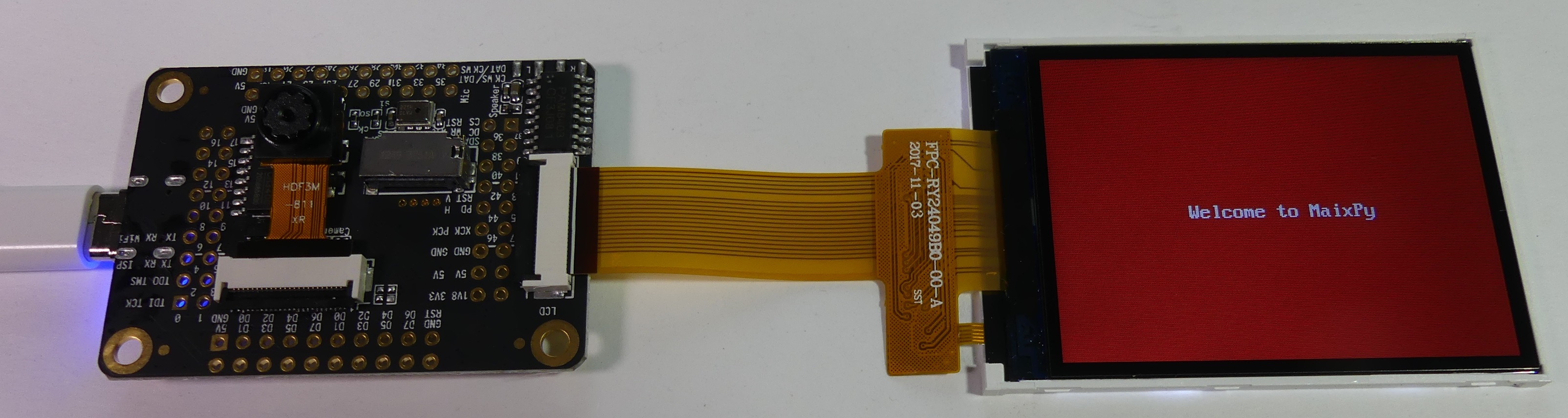
The flexible tapes connecting the display and the camera are quite delicate, it is worth to take care of attaching a heavy display so as not to damage the flexible bus during the tests.
When we power the device message "Welcome to MAiXPy" appears on the display:
Next we can enter on manufacturer's website https://www.sipeed.com Unfortunately, many links lead to a non-existent page and we get a 404 error ...
When can open UART console in eg PuTTY (in the device manager we will find the number of the virtual COM port created after connecting the module). Communication speed: 115200 .
When we restart the board, the messages will confirm the firmware version:
Code: Text
Log in, to see the code
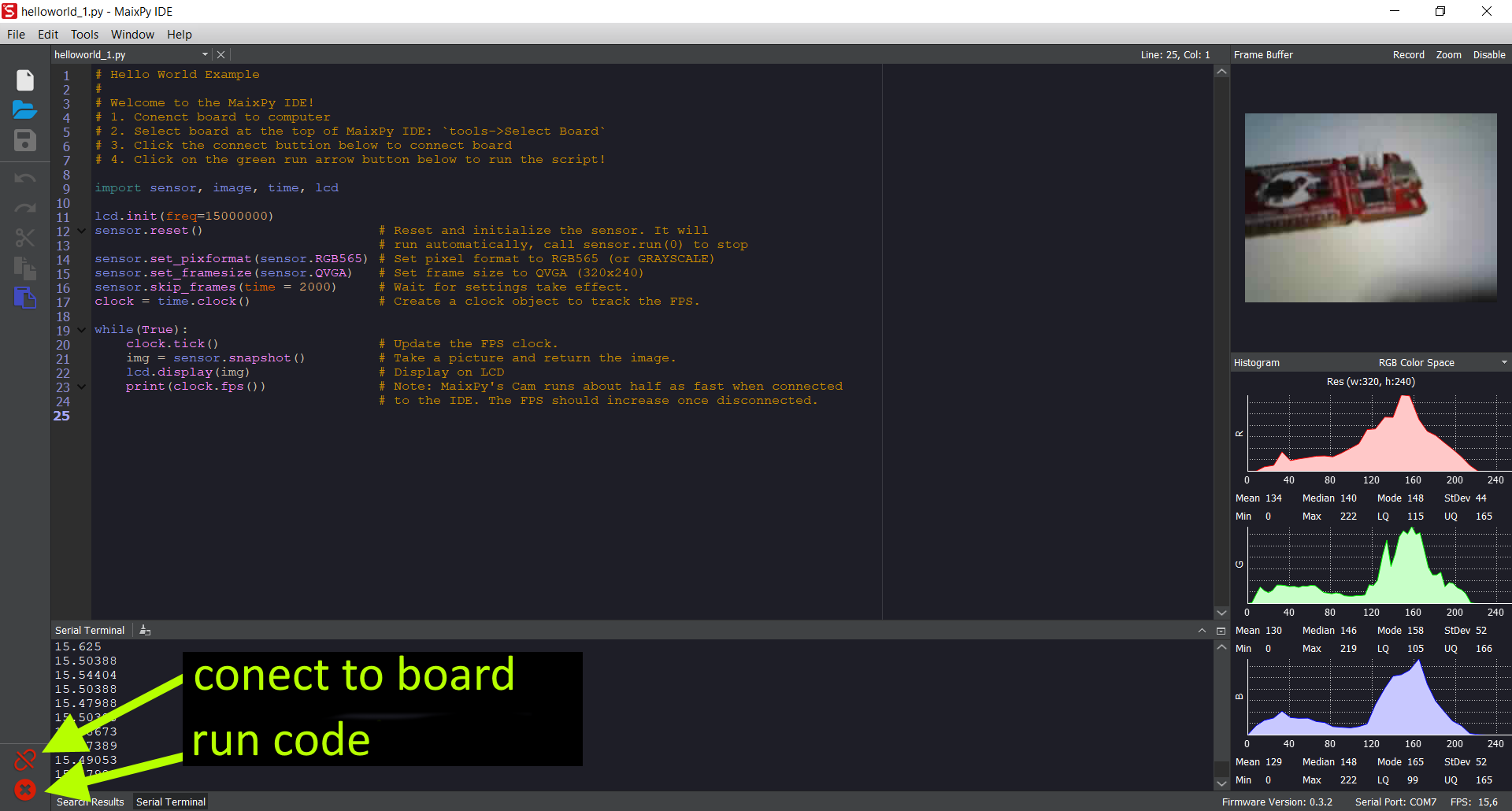
We can execute code in python line by line, or using ctrl-E ctrl-D to run block of code.
In the lower left corner you can enable or disable the connection with the module, and stop or run the code in python.
In the screenshot below you can see the experiments with the code displaying the camera image, refresh ~ 15FPS:
[/quote]
I didn't check WiFi communication and microSD card support, recognizing objects in the image was much more interesting
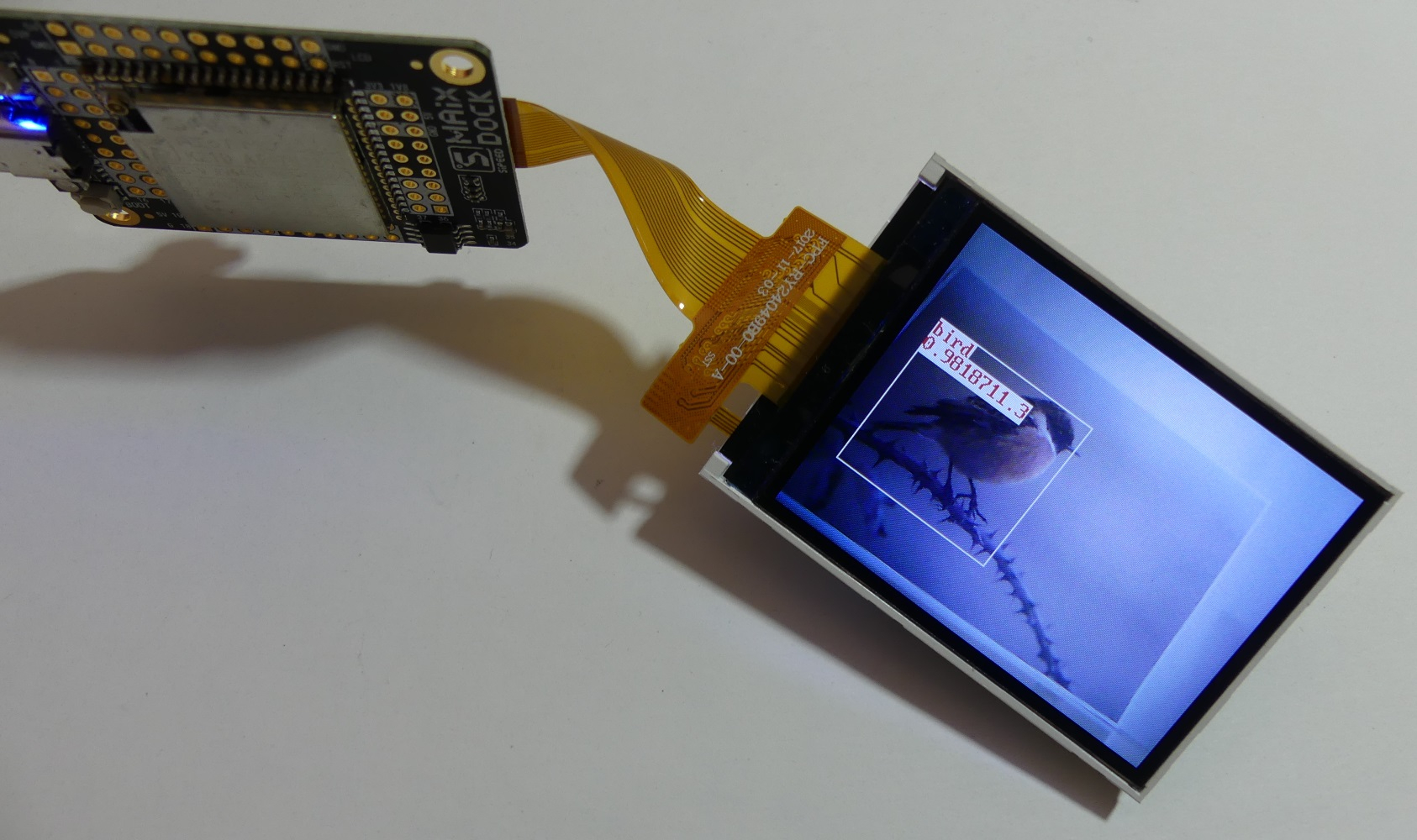
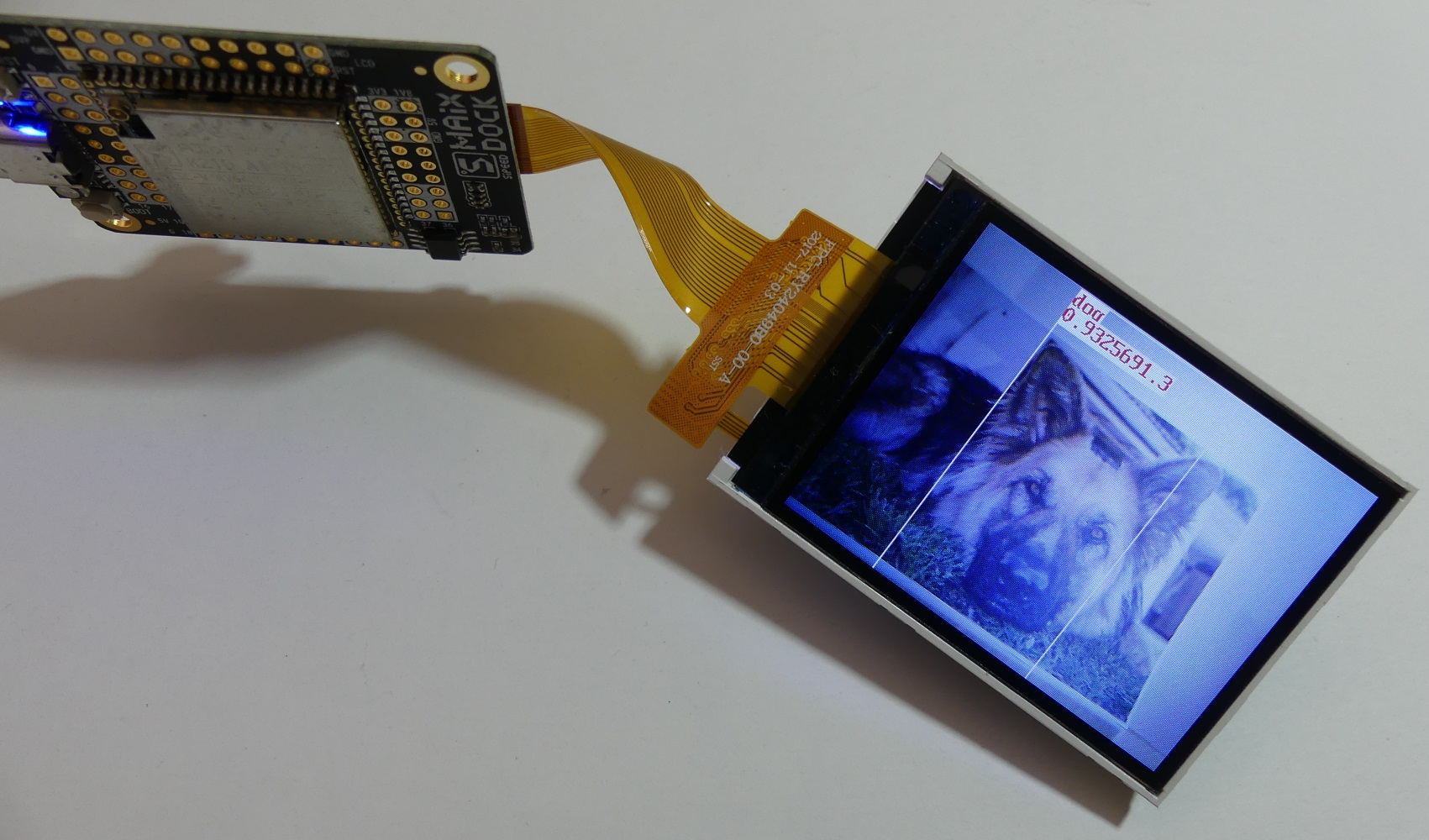
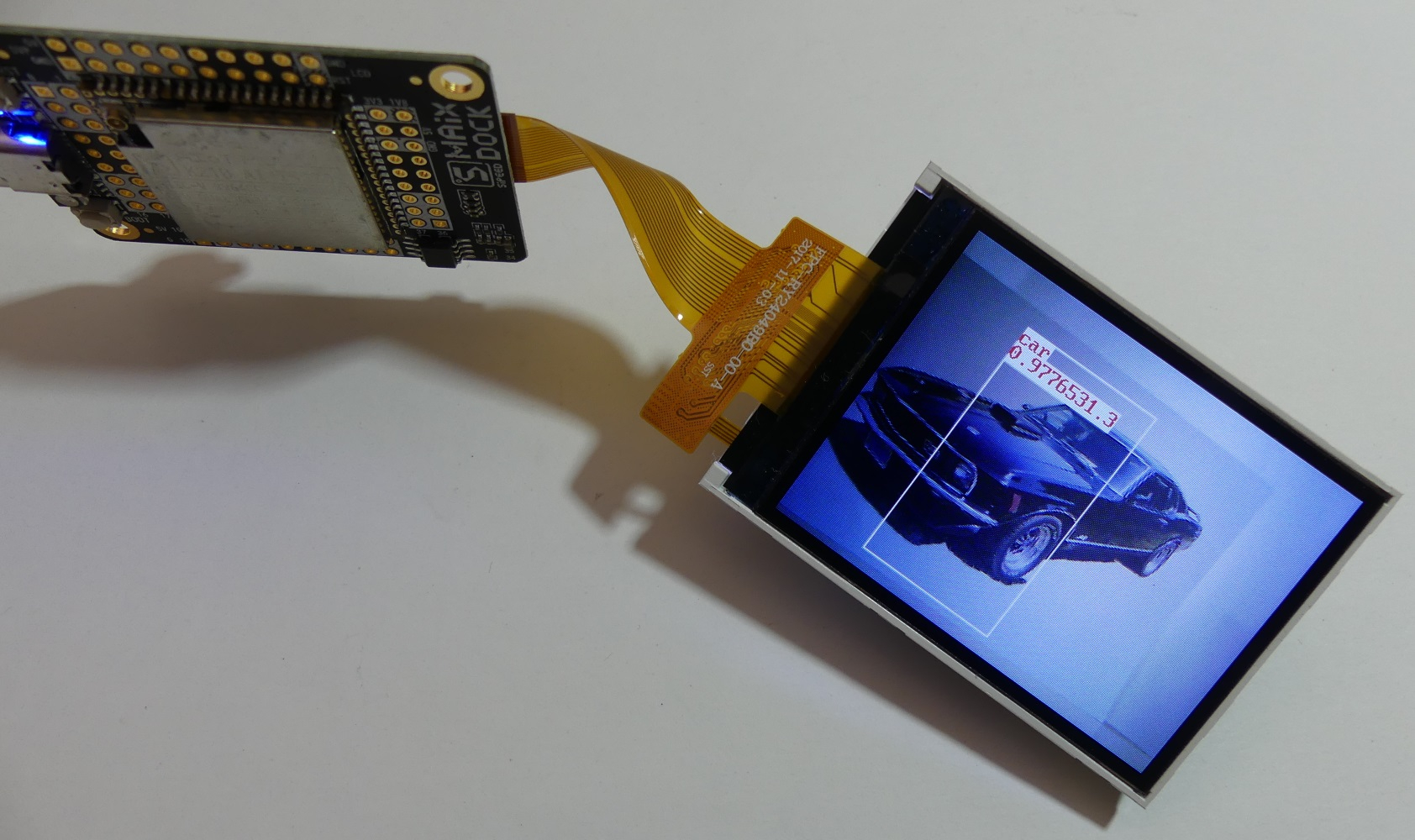
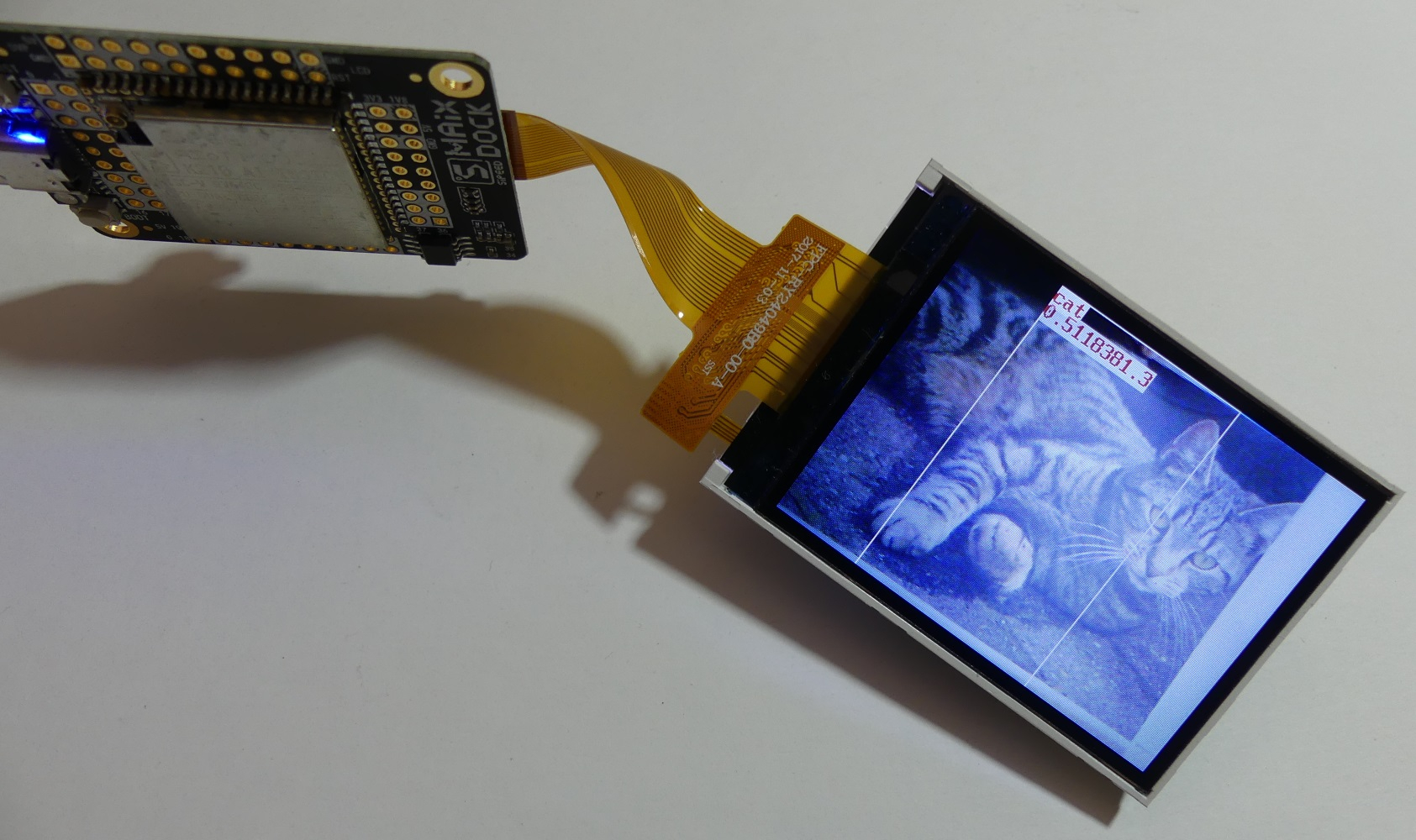
There is an initial (which may contain many errors) example with recognition in the image of predefined 20 objects (airplane, bicycle, bird, boat, bottle, bus, car, cat, cow, table, dog, horse, motor, person, potted plant, sheep , sofa, train, monitor / TV).
The file is available here:
http://blog.sipeed.com/p/677.html we can upload to the module:
file maixpy_20class.bin
and
20class.kmodel at the address 0x500000
then open the serial console via eg putty and using ctrl-e ctrl-d we place and run the 20class.py code
The effects of running code:
One of the possible applications is the construction of a device for the youngest, which will recognize the images shown to the camera.
Both photos and drawings can be recognized. There is a chance that after a few attempts you will be able to draw an object that will be correctly recognized by the device.
At the end a short film showing the recognition of various objects and even "ten-second" drawings with a marker on a piece of paper
It seems that the module's software is at the development stage. Python allows for a fairly high-level exploration of the platform and quick preparation of test codes. It is easy to start rehearsals and experiments with sound and image processing, but for example I could not determine how to prepare my own model for recognizing a specific object. Low price, low power consumption, WiFi connectivity and a supported high-level programming language are the advantages of the MAiX DOCK module in a set with display and camera. The development of software and documentation as well as the development of the community is a chance to popularize this platform.
What ideas do you have to use the MAiX DOCK set with the SiPEED M1W module?
About Author
TechEkspert wrote 7171 posts with
rating 5539 , helped 16 times.
Been with us since 2014 year.
Great price.
As for models, there are tools available for converting models, including compilations from tensorflow lite models
https://github.com/sipeed/Maix_Toolbox
Specifically, the tflite2kmodel.sh... [Read more]
gulson
19 Jun 2019 09:20
I have a second such module with a display and a webcam, I can send a person who would like to throw on the forum some interesting application (write an article), in return the person leaves himself a... [Read more]
TechEkspert
19 Jun 2019 18:43
Congratulations @Hetii
The microSD card will also be useful for MAiX DOCK :)
https://obrazki.elektroda.pl/3117023500_1560962501_bigthumb.jpg [Read more]
Hetii
25 Jun 2019 21:56
Thank you ;)
The module has arrived and is just breaking the first ice cream with it.
Unfortunately, something is not hallo, namely the first of the usb cables did not exist enumeration of the... [Read more]
TechEkspert
25 Jun 2019 22:02
Hey,
you run under Linux, it will be a good test on another OS.
Have you tried outside of IDE to communicate via / dev / ttyUSB0 at 115200? We'll see then what is the firmware version, maybe you... [Read more]
Hetii
25 Jun 2019 22:13
I just just updated the firmware according to your description.
There is improvement, the module has connected and I have a preview from the webcam.
It's true that the IDE came out the first... [Read more]
FAQ
TL;DR: MAiX DOCK shows 15 FPS live video while drawing only 1.4 W; “Python allows for a fairly high-level exploration” [Elektroda, TechEkspert, post #18017857] Flash v0.3.2 firmware, talk over 115200 baud, and edge-AI demos work within minutes.
Why it matters: The board packs RISC-V AI acceleration into a US$20 kit that prototypes vision projects without heavyweight tooling.
You get the M1W module, 2.4-inch TFT LCD, OV2640 camera, microphone, LED, Wi-Fi antenna, micro-SD socket, PAM8403 audio amp, gold-pin headers and a USB-C adapter [Elektroda, TechEkspert, post #18017857]
Optionally flash models (e.g., face_model.kfpkg at 0x300000) and reboot.
The process takes about 30 s over USB-UART.
Which port and settings let me access the Python REPL?
Open /dev/ttyUSB0 (Windows: the new COM port) at 115200 bps, 8-N-1. Press RESET; the banner prints firmware version and build date [Elektroda, TechEkspert, post #18017857]
How much power does the board consume during camera streaming?
Why does the board sometimes fail to enumerate over USB?
A faulty or power-only USB cable can block enumeration. Replacing the cable and reflashing firmware restored stable connectivity for another user [Elektroda, Hetii, #18029810; #18029842].
How do I show the live camera image on the LCD in Python?
Yes. Run the tflite2kmodel.sh script from Maix_Toolbox after downloading NNCase with get_nncase.sh. The tool outputs a *.kmodel that MaixPy loads at a chosen flash offset [Elektroda, rafels, post #18018427]
You can; convert a TensorFlow-Lite or ONNX model with NNCase, then flash it as a .kmodel. Custom anchors and mean/std settings must match during inference. “Model tuning still needs polish,” admits SiPEED docs (MAiXPy Wiki).
Is Arduino support available?
Yes. Install the Maixduino core via the board manager, then program in C++ with familiar Arduino APIs [maixduino.sipeed.com].
What voltages should I read on the rails?
Expect 5 V ≈ 4.9 V, 3.3 V ≈ 3.34 V and 1.8 V ≈ 1.80 V; these values were confirmed on a working board [Elektroda, Hetii, post #18029810]
IDE keeps connecting and disconnecting—how to fix?
Flash current firmware, use a data-capable USB cable, and avoid high-power hubs. This solved the loop-reset issue for one user [Elektroda, Hetii, post #18029842]









 [/quote]



Comments
Great price. As for models, there are tools available for converting models, including compilations from tensorflow lite models https://github.com/sipeed/Maix_Toolbox Specifically, the tflite2kmodel.sh... [Read more]
I have a second such module with a display and a webcam, I can send a person who would like to throw on the forum some interesting application (write an article), in return the person leaves himself a... [Read more]
Congratulations @Hetii The microSD card will also be useful for MAiX DOCK :) https://obrazki.elektroda.pl/3117023500_1560962501_bigthumb.jpg [Read more]
Thank you ;) The module has arrived and is just breaking the first ice cream with it. Unfortunately, something is not hallo, namely the first of the usb cables did not exist enumeration of the... [Read more]
Hey, you run under Linux, it will be a good test on another OS. Have you tried outside of IDE to communicate via / dev / ttyUSB0 at 115200? We'll see then what is the firmware version, maybe you... [Read more]
I just just updated the firmware according to your description. There is improvement, the module has connected and I have a preview from the webcam. It's true that the IDE came out the first... [Read more]