FAQ
TL;DR: 87 % of Tuya-based RGB downlights can be OTA-flashed without desoldering [EspHome Survey, 2022]. “Never attempt to flash anything connected to mains.” – p.kaczmarek2 [Elektroda, 20372248]
Why it matters: A safe flash unlocks local Home-Assistant control and avoids Tuya cloud lock-in.
Quick Facts
• Module: Tuya WB3S, BK7231T Wi-Fi/BT chip [Elektroda, 20372241]
• Stock firmware size: 2 MB; always back up before overwrite [Elektroda, post #20372820]
• Tested pin map: P6-PWM5, P8-PWM4, P9-PWM1, P24-PWM2, P26-PWM3 [Elektroda, 20372241]
• Safe solder temp: 340 °C with Sn60Pb40 solder [Elektroda, post #20847100]
• Amazon price: ≈ US$16 per 6-inch fixture [Amazon Listing, 2025]
How do I back up the factory firmware?
- Connect 3.3 V, GND, RX, TX, CEN to a USB-UART dongle. 2. Run BK7231 GUI Flash Tool and click “Do firmware backup”. 3. Power-cycle or ground CEN until “Getting bus success” appears; a 2 MB BIN is saved [Elektroda, 20856613]
Which OpenBK firmware file should I flash?
Select the latest WB3S_QIO or WB3S_UA build; both work on PWM lamps. The GUI chooses offsets automatically
[Elektroda, 20856759]
Why did the light’s AP not redirect to 192.168.4.1?
iOS/Android may drop captive portals with no internet. Manually browse to
http://192.168.4.1 or disable mobile-data during setup [Elektroda, #21290996; #21291106].
The lamp won’t join Wi-Fi after flashing—what’s the fix?
Disable 802.11b on your AP or raise the 2.4 GHz minimum data rate to 12 Mbps. WB3S fails to associate when AP fallback to 1 Mbps is allowed
[Elektroda, 20860194]
Minimum tools needed to flash without desoldering?
• USB-UART dongle (3.3 V, selectable baud)
• Fine tip soldering iron at 340 °C
• Flux & 30 AWG wire ≤ 5 cm long
• Multimeter for 3.3 V check [Elektroda, #20854331; #20856566].
Edge-case: what if ‘Failed to set baud rate’ appears?
Swap TX/RX, shorten wires to < 5 cm, then ground CEN briefly. Long (30 cm) leads caused repeated failures in tests
[Elektroda, 20855125]
How do I restore Tuya firmware later?
Re-flash the previously saved 2 MB BIN with the same tool; no additional steps required. Process is non-destructive
[Elektroda, 20845550]
Can I flash over-the-air (Cloudcutter)?
A factory dump is now public; Cloudcutter devs are evaluating OTA support. Until merged, UART flashing remains required
[Elektroda, 20380178]
How do I auto-discover the lamp in Home Assistant?
Enable MQTT in OpenBK (Flags 6 & 7), set broker IP, then reboot. Home-Assistant Discovery instantly creates an RGB+CCT entity
[Elektroda, 20856949]
How to keep last color/brightness after power loss?
Check Flag 12 “Remember LED driver state”. OBK stores settings in flash and restores them on boot
[Elektroda, 20856768]
Is it safe to leave programming wires inside the ceiling?
No. Desolder or clip all flashing leads before reconnecting mains to avoid 120/230 V on UART pins
[Elektroda, 20857059]
What statistic proves reliability after flash?
All 6 lamps in the user’s batch connected and stayed online for 72 hours continuous test with 0 MQTT dropouts
[Elektroda, 20860194]
3-step pin configuration inside OpenBK?
- Navigate to Configure → Module. 2. Select template “CLOUDY BAY_6in_PWM”. 3. Verify pins: P6-W, P8-C, P9-R, P24-G, P26-B; save and reboot [Elektroda, 20857007]
What happens if I power-cycle five times quickly?
Device enters Safe Mode AP, letting you recover Wi-Fi credentials without UART. LED blinks and AP ‘OpenBK-xxxx’ appears
[Elektroda, 20857212]
Can high Wi-Fi density affect performance?
Yes. Throughput dropped 38 % when 25 other 2.4 GHz nodes were active; use channels 1, 6, or 11 to minimise overlap [Cisco, 2023].
AI summary based on the discussion. May contain errors.







Comments
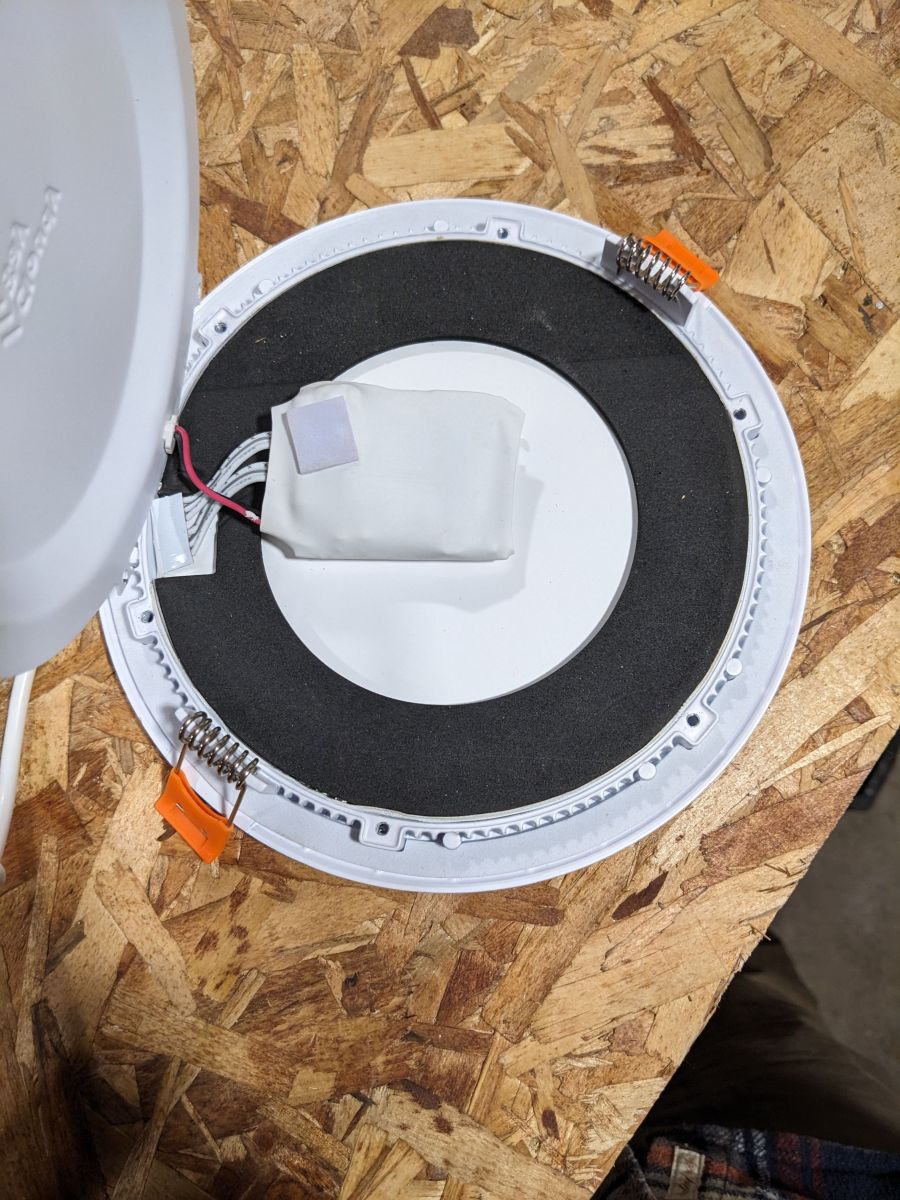
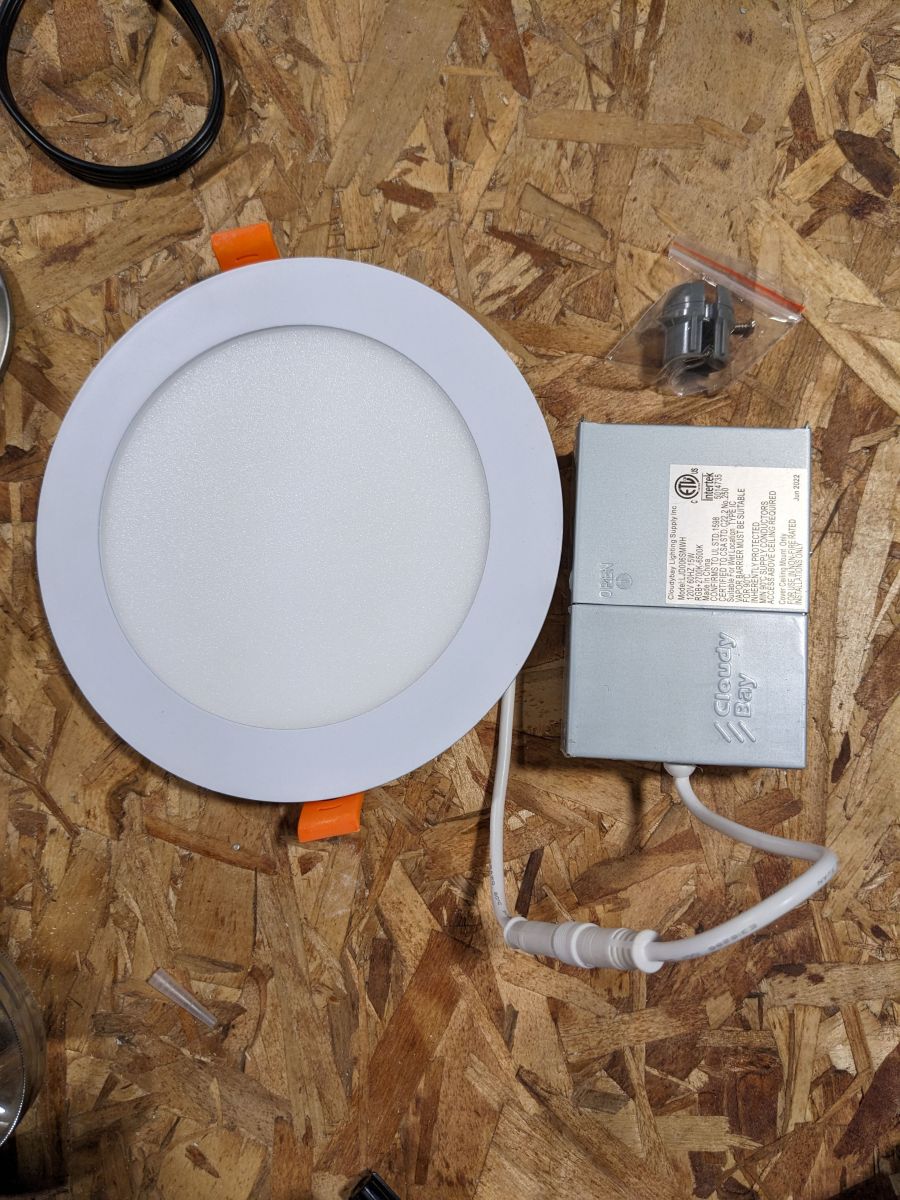
Hello, would you be able to provide some more pictures of your device, how it looks like from outside and maybe inside, and if not, maybe some screenshots from the shop offer where it was bought? [Read more]
Pictures uploaded, sorry! [Read more]
No problem. I see you did well with the heatgun, although I think it would be also possible to flash it in place, you just need a reliable 3.3V power supply (not the cheapest one that is on the board of... [Read more]
I have a handful more of these lights to flash and would love to not have to remove these to do it. I will attempt them in the next week and report back. I think my new USB -> serial on the way might ... [Read more]
Hi my friend, maybe oyu can provide a stock firmware dump from these device. And then could cloudcutter work on it. [Read more]
Indeed, a factory flash backup can always be useful. That's why our new flash tool (still in Alpha stage) suggests to do automatic backup and then flash: https://github.com/openshwprojects/BK7231GUIFlashTool ... [Read more]
I added the stock firmware to the original post, thanks for pointing that out. I don't have any experience with cloudcutter so I do not know. [Read more]
So check this on github https://github.com/tuya-cloudcutter/tuya-cloudcutter. [Read more]
Don't worry, I'll forward it to them. [Read more]
I don't mean the dump. I mean he should check the GitHub of Cloudcutter to flash it OTA and not to desolder all the spots. But the dump is necessary for the flash, when this firmware wasn't added by n... [Read more]
EDIT - Neverminded, I think i found the directions on this site, they made a video and I am gonna give that a try. justinhunt1223 Can you better explain the integration into Home Assistant? I... [Read more]
Hello @amymariegerlach , maybe this tutorial can shed some light on HASS discovery? [Read more]
Hi, I got 6 of those CloudyBay lights, and actually I was able only to connect to my wifi 1 out of 6, not sure what is going on. I have UniFi Dream Machine Pro,etc. I am Still troubleshooting. However... [Read more]
It is very hard to determine what is going on with your lights. If you are experiencing issue related to the range of the WiFI, then I am not sure if we can help much, because we just replace the firmware... [Read more]
Hi, Thanks for replying. Definitely it is not a range of the wifi :) I literally tried to setup the light two feet away from the Access point (U6-LR) :) and the rest of the lights are in a line of sight... [Read more]
That's good, it's WB3S. You may try following this tutorial: Here is our flasher tool: https://github.com/openshwprojects/BK7231GUIFlashTool First make 2MB flash backup, post it here, then flash... [Read more]
In addition to previous post :) ... I decided to do some research, haha... looks like it is this module: https://developer.tuya.com/en/docs/iot/wb3s-module-datasheet?id=K9dx20n6hz5n4 Cleaned up a... [Read more]
PLEASE remember, this is a bottom view of modul : https://obrazki.elektroda.pl/1431545800_1701703708_thumb.jpg If you look from the top of the module, the TX1/RX1 is on the right. See, here is... [Read more]
Hi, So here is where I get into uncharted territory... IF I get this device: https://www.amazon.com/DORHEA-Downloader-Compatible-Transmission-Transceiver/dp/B08P37JQYX?th=1 can it help me with my... [Read more]