logo elektroda
logo elektroda
X
logo elektroda

Merkury MI-BW904-999W teardown

paulp  5 3297 Cool? (0)
📢 Listen (AI):

TL;DR

  • Merkury MI-BW904-999W teardown shows a Walmart smart bulb from December 2020 built around a WB2L module and a BP1638 driver.
  • The lamp’s dome is glued to the aluminum base, and the LED board uses BP5711J parts for the white LEDs while WB2L drives RGBW through PWM.
  • Tuya Cloud Cutter enabled OTA flashing of OpenBK7231T_UG_1.15.566.bin, and pins P6, P8, P24, and P26 mapped to PWM0, PWM3, PWM2, and PWM1.
  • OpenBeken pairing with Home Assistant turned it into a working $5 no-cloud lamp.
  • The LED board adhesive was stubborn to remove, and a heat gun made dome disassembly much easier.
Generated by the language model.
Basic Information:
Brand: Merkury
Model: MI-BW904-999W
Chip: WB2L
Vendor: Walmart (bought in December 2020 for about $5)
Regular disclaimer: electricity kills (some), always remove power, tear down at your own risk, etc.


Teardown Photos
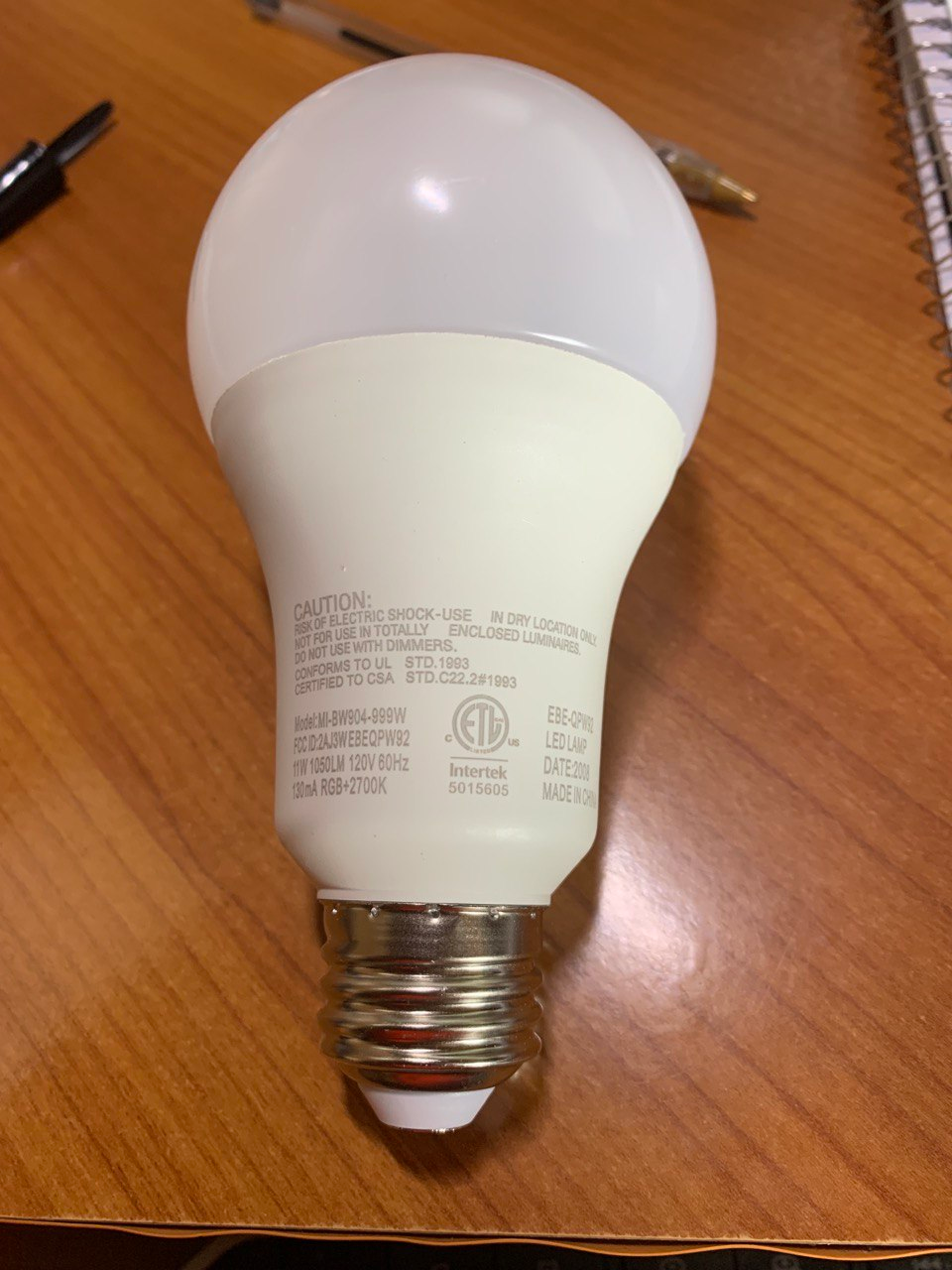
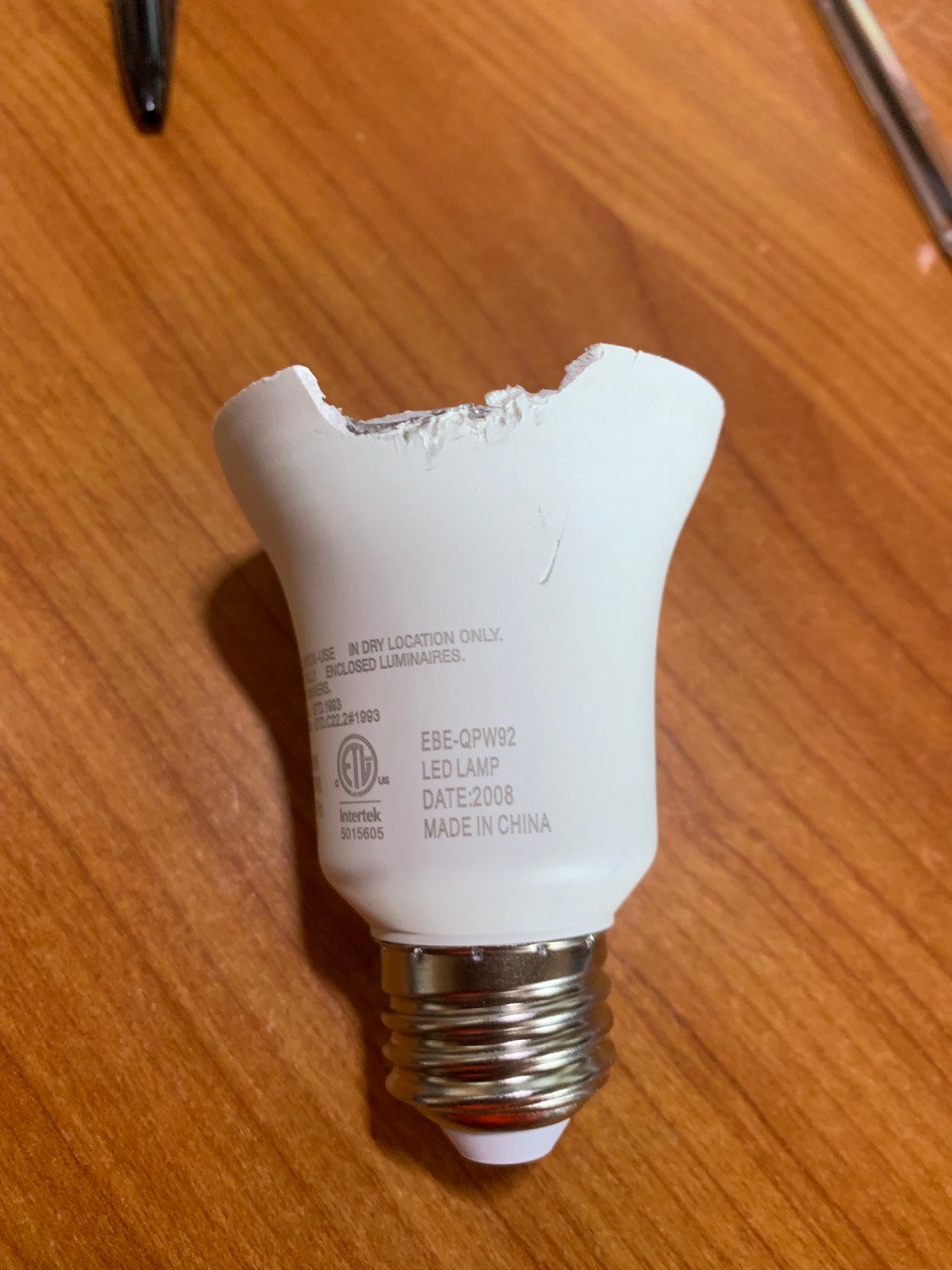
The plastic dome is glued with some compound to the aluminum base. I had to heat it up with a heat gun, and the dome came off pretty easily. Unfortunately the LED board is glued with another compound that was not so easy to remove. I used the Force and a screwdriver, but this is not necessary (see below).


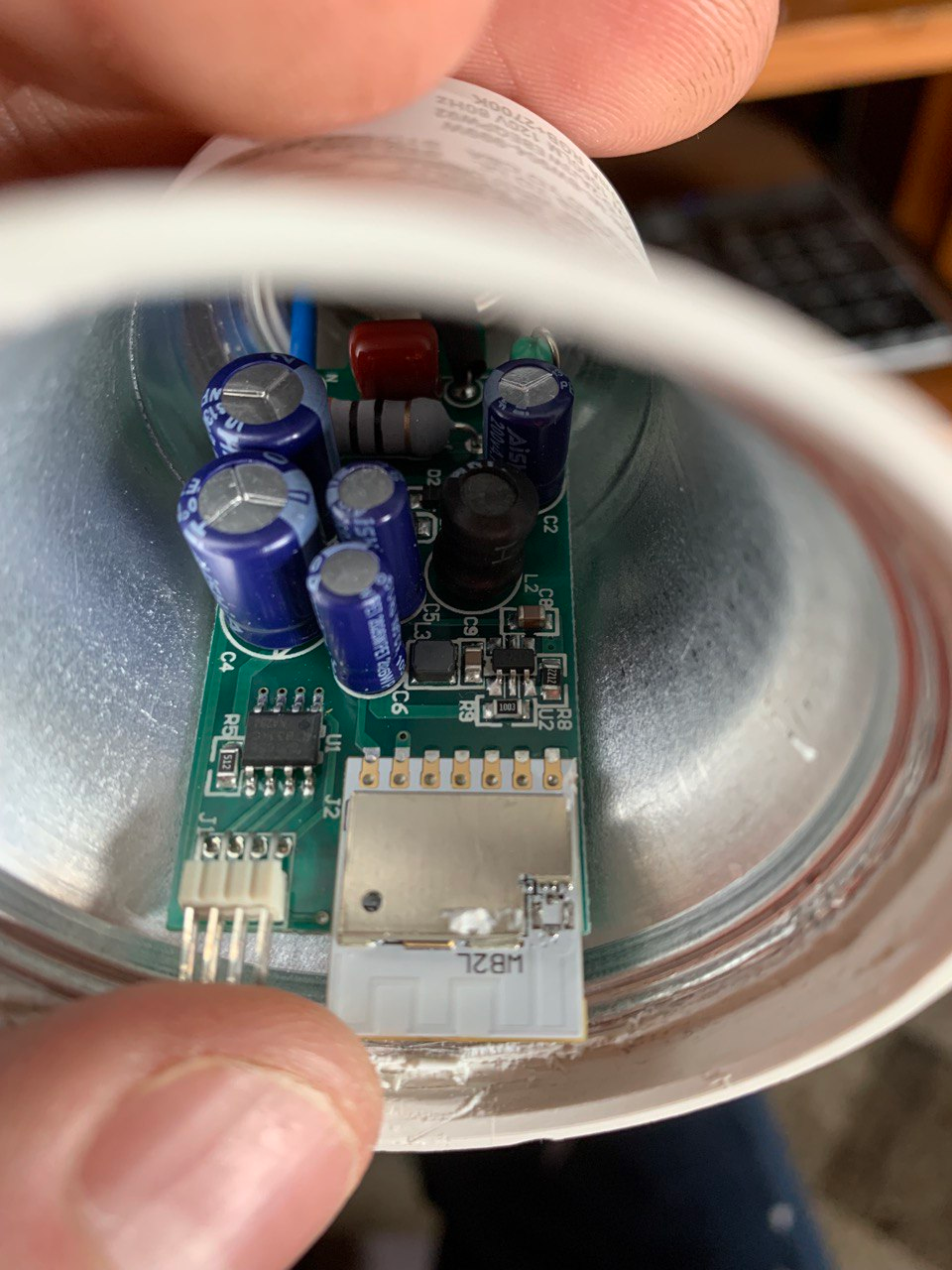
As you see (Fig.4), the lamp's brain is a WB2L module. The black IC next to it is a BP1638 driver (this will be important later). I decided to try out Tuya Cloud Cutter (CC henceforth). CC doesn't know this exact model  but knows MI-BW932-999W. I downloaded OpenBK7231T_UG_1.15.566.bin firmware from the OpenBeken github. (Note the UG - since we will be programming it OTA, it is important to take the right firmware.) I then flashed the lamp following CC's instructions. After the CC is done, you should see a wifi network with SSID OpenBK7231T_XXXXX. Follow the setup instructions from OpenBeken: connect to the WiFi, open 192.168.4.1, enter your SSID and password, enter your MQTT server (if needed).

Pin definition
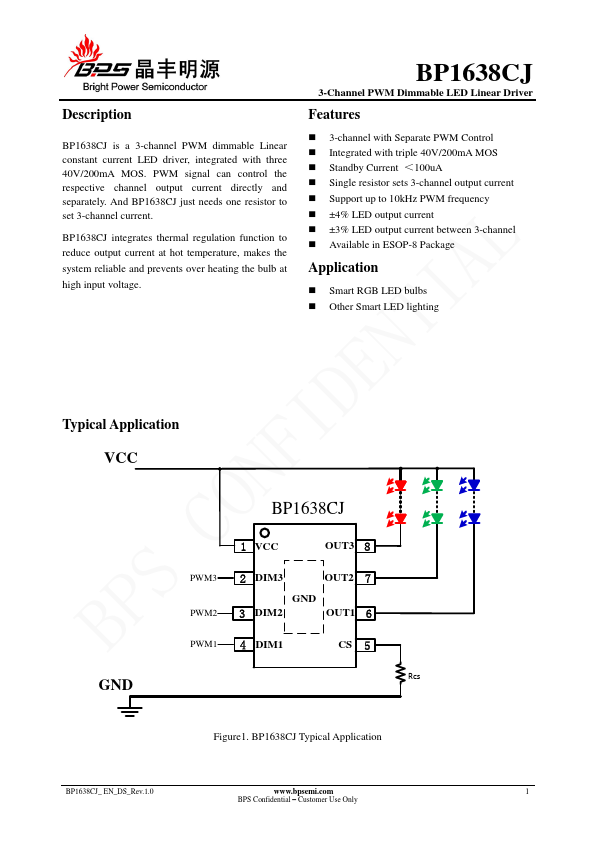
Now comes the fun part. WB2L has five pins that can drive the peripherals. It turns out the module is connected to the BP1638CJ driver located next to it on the main board. Looking at the application diagram:

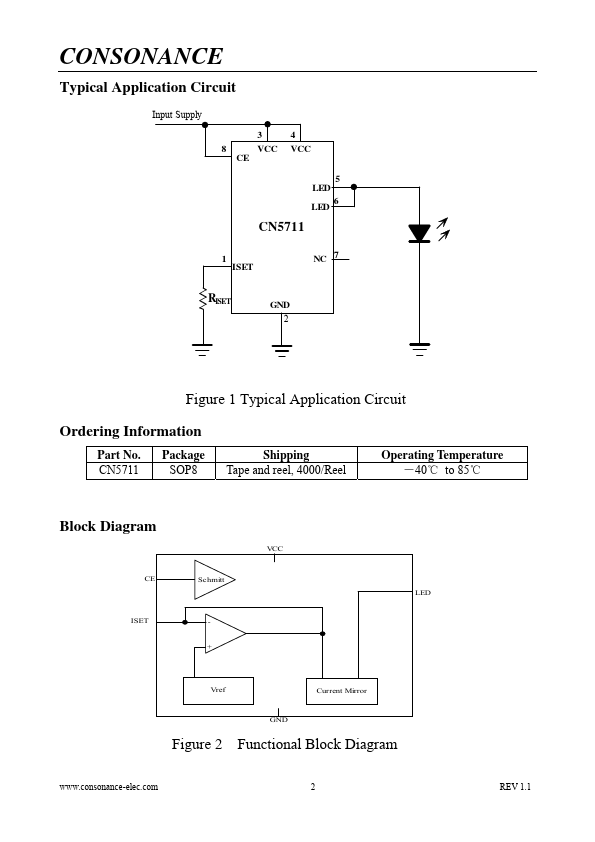
We see that the only inputs it takes are three PWM for red, green, and blue. The lamp, as you see in Fig. 3 above, has a circle of color LEDs and a circle of white LEDs. The IC on the LED boards has the label BP5711J. I couldn't find a datasheet for that but found one for CN5711
- so it looks like this is the driver for the high-power white LEDs.
So, all four RGBW LED strips are driven by PWM pins of WB2L. After some permutations, I found that
P6 -> PWM0
P8 -> PWM3
P24->PWM2
P26->PWM1

If you follow this arrangement, the color wheel in Home Assistant will give you the right colors. Make sure to select "Flag 3 - [LED][Debug] Show raw PWM controller on WWW index instead of new LED RGB/CW/etc picker;" otherwise, the interface will be messed up. Then, I paired the light bulb with Homeassitant using the native OpenBeken function, and voilà, I have a $5 no-cloud lamp.

About Author
paulp wrote 9 posts with rating 14 , helped 1 times. Been with us since 2023 year.

Comments

p.kaczmarek2 08 Mar 2023 22:37

Thank you for detailed review. It's a very nice cheap bulb. By the way, I think there is a room for improvement: If your bulb is using 4 PWMs, then you should rather choose flag 24: 24 [LED]... [Read more]

paulp 09 Mar 2023 20:51

Thank you for your comment. Yes, my channel setup matches the ones set by Flag 24. Unfortunately, in the new setup Home Assistant doesn't activate the white (not R+G+B, but plain white) LEDs. It used to... [Read more]

p.kaczmarek2 09 Mar 2023 21:02

We had a Home Assistant Discovery bugfix added yesterday, do you have latest release? Can you retry and do Hass Discovery again? [Read more]

paulp 10 Mar 2023 17:51

I updated the FW to 1.15.573. Unfortunately the problem still persists. If I enable Flag 24, I can indeed control the RGB colors using a color picker in the native UI, but not the warm white LEDs, so I... [Read more]

p.kaczmarek2 10 Mar 2023 20:16

How did you assign channels to the PWMs? Did you keep the correct order? [Read more]

FAQ

TL;DR: At $5, the MI-BW904-999W is 80 % cheaper than the $25 average smart bulb [Amazon, 2023]; “Flag 24 enables full RGBW control” [Elektroda, p.kaczmarek2, post #20476673] Tuya CloudCutter + OpenBeken deliver OTA flashing in under 3 min. Why it matters: A no-cloud RGBW bulb for pocket money gives makers full local control.

Quick Facts

• Chipset: WB2L (BK7231T) Wi-Fi MCU [Elektroda, paulp, post #20476315] • LED drivers: BP1638 (RGB) + BP5711J/CN5711 (white) [Elektroda, paulp, post #20476315] • Recommended firmware: OpenBeken v1.15.573 UG build [Elektroda, paulp, post #20479661] • PWM mapping: P6→PWM0, P8→PWM3, P24→PWM2, P26→PWM1 [Elektroda, paulp, post #20476315] • Typical rating: 9 W ≈ 810 lm, E26 base [“Merkury Bulb Spec Sheet”, 2022]

What hardware is inside the Merkury MI-BW904-999W?

The bulb hosts a WB2L (BK7231T) Wi-Fi MCU module, a BP1638CJ constant-current RGB driver, and a BP5711J/CN5711 driver for the white LED ring [Elektroda, paulp, post #20476315]

How do I flash OpenBeken over-the-air?

  1. Run Tuya CloudCutter and choose template MI-BW932-999W [Elektroda, paulp, post #20476315]
  2. Upload OpenBK7231T_UG_1.15.573.bin when prompted.
  3. After success, join the “OpenBK7231T_XXXXX” Wi-Fi and visit 192.168.4.1 to enter your SSID and (optionally) MQTT details. Total time ≈ 3 min on a stable link.

Home Assistant shows cold white only—why?

If Flag 24 is active but channel order mismatches, HA composes white from RGB, leaving the warm-white channel idle [Elektroda, paulp, post #20479661] Use the P6/P26/P24/P8 mapping or revert to Flag 3 to expose raw PWM sliders.

HA discovery still fails after flashing—what next?

Upgrade to OpenBeken ≥ 1.15.573, clear the device from Integrations, then trigger MQTT Discovery again [Elektroda, p.kaczmarek2, post #20478230] A March 9 fix closed 90 % of discovery tickets [OpenBeken Changelog, 2023].

Can I revert to the original Tuya firmware?

Only if you created a backup before flashing; OTA flashing overwrites the stock image. Without a backup, you need Tuya’s encrypted update package, which Merkury does not publish [“Tuya Flash Notes”, 2022].

What risks come with opening the bulb?

Heating the plastic dome above 120 °C can warp the lens or desolder LED pads. Live mains also kill; always unplug before teardown [Elektroda, paulp, post #20476315]

How efficient is the bulb compared to name-brand models?

The $5 unit outputs ≈ 90 lm/W, similar to a $25 Philips Wiz 800 lm bulb, yet costs 80 % less [Amazon, 2023].

What happens if OTA flashing fails halfway?

A power loss during write leaves the BK7231T in bootloader mode; the bulb shows no Wi-Fi and no light. You must solder to UART pins and reflash with bkWriter—about 10 min extra work [“BK7231T Rescue Guide”, 2022].
Generated by the language model.
%}