logo elektroda
logo elektroda
X
logo elektroda
Dostępna jest polska wersja

Czy wolisz polską wersję strony elektroda?

Nie, dziękuję Przekieruj mnie tam

[BK7231N / CB3S] AliExpress Generic PIR Sensor HW4008-W: Setup, Template, Features & Details

ThatGuyinOz  8 4245 Cool? (+2)
📢 Listen (AI):

TL;DR

  • BK7231N/CB3S-based AliExpress PIR sensor board HW4008-W combines a hidden “reset” switch, micro USB power, and internal 2×AAA batteries.
  • Flashing used BK7231Flasher Easy UART with soldered RX/TX/3.3/Gnd wires, an external 3.3V PSU, and 115200 baud; both inputs were set as Door Sensor With Sleep.
  • The board cost about AUD16 and the author set Flag 10, Flag 37, startup value 1 to 50, and startup value 2 to 1.
  • Motion detection produced the first MQTT packet after 5–6 seconds, and the unit went back to sleep about 5 seconds later.
  • A static IP setting was initially hard to find, and the effect on startup MQTT timing still needed testing.
Generated by the language model.
Purchased:from this link:
https://www.aliexpress.com/item/4000785415902...der_detail.order_detail_item.3.28fcf19cv5xMHt
Cost:
~$AUD16
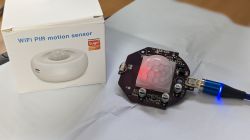
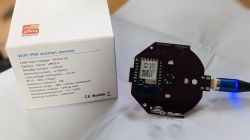
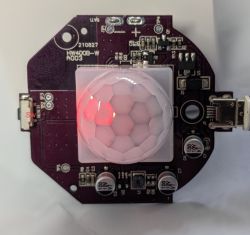
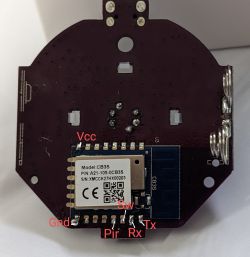
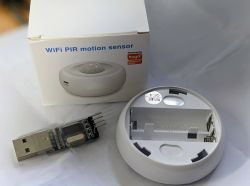

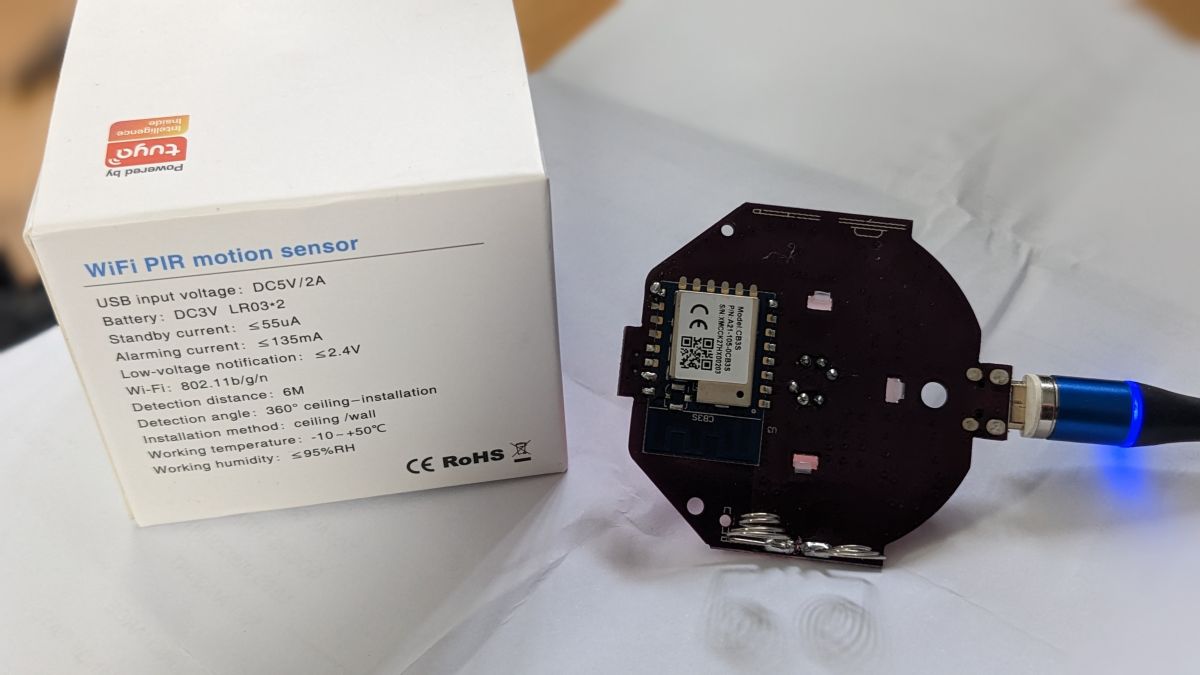
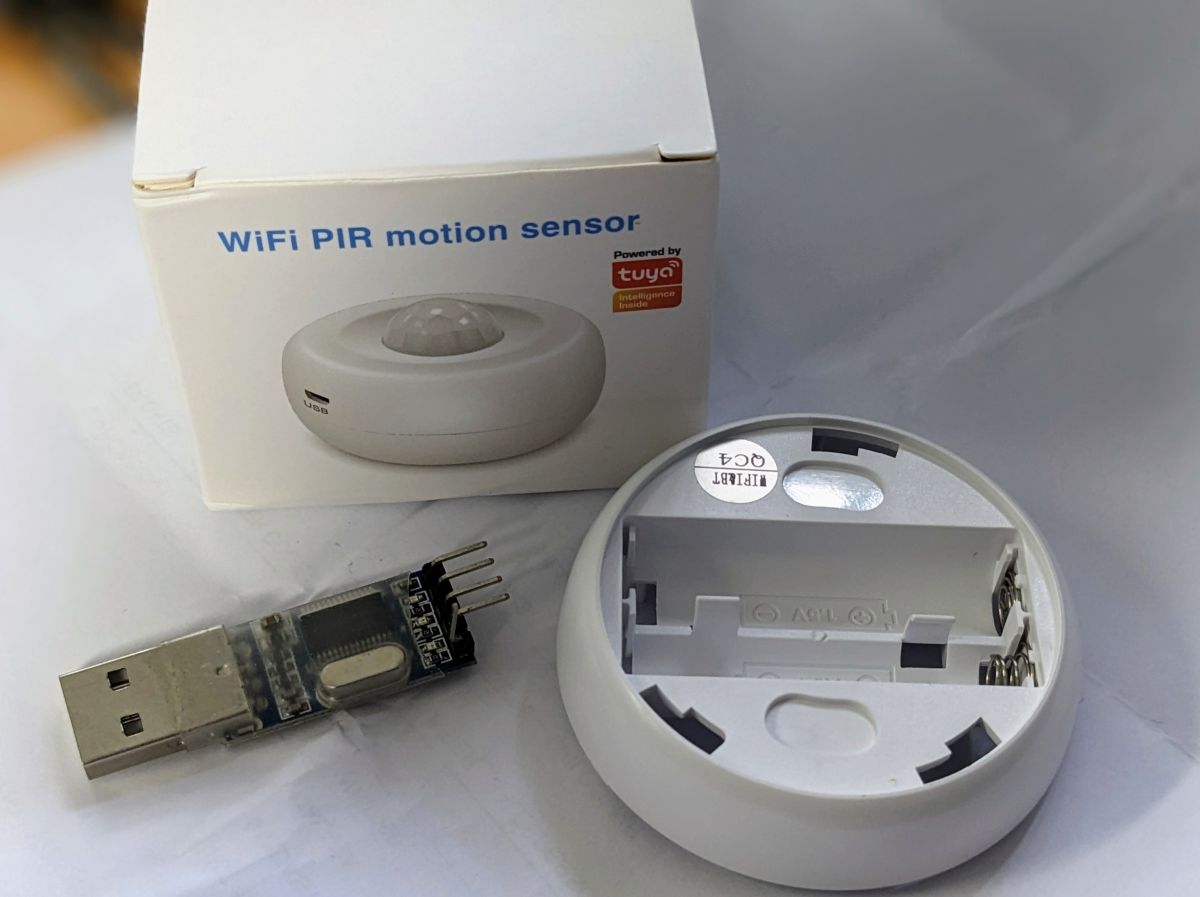
(USB TTL converter to show scale)


Inputs:
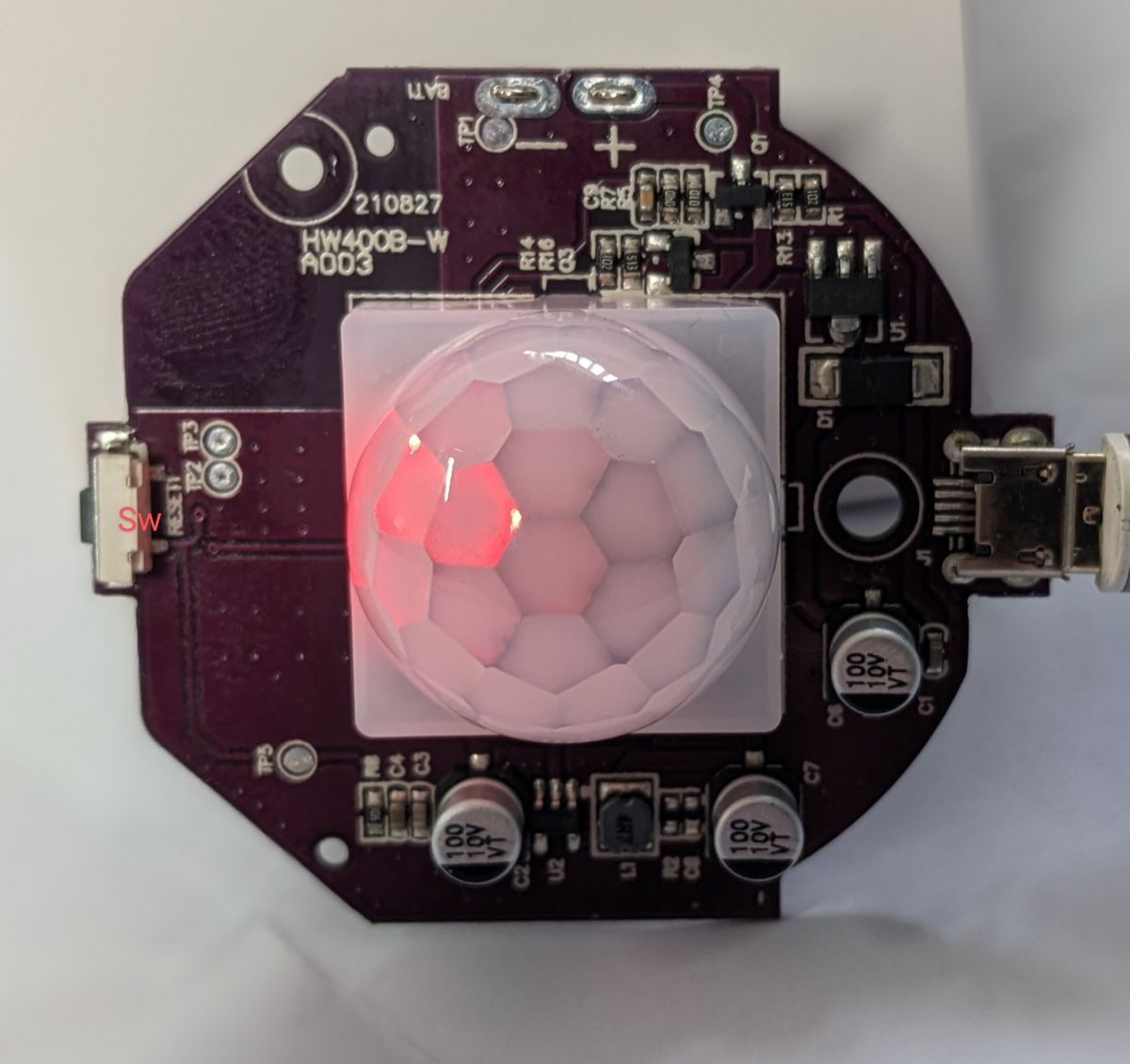
1 x hidden switch marked "reset"
Power:
External micro USB connector
Internal 2 x AAA batteries

Template:

Code: JSON
Log in, to see the code


The board has a model number HW4008-W printed on it
The "reset" switch is actually just attached to P7, it is not a hardware reset.
Both inputs activate on pull to Gnd.

Flashing:
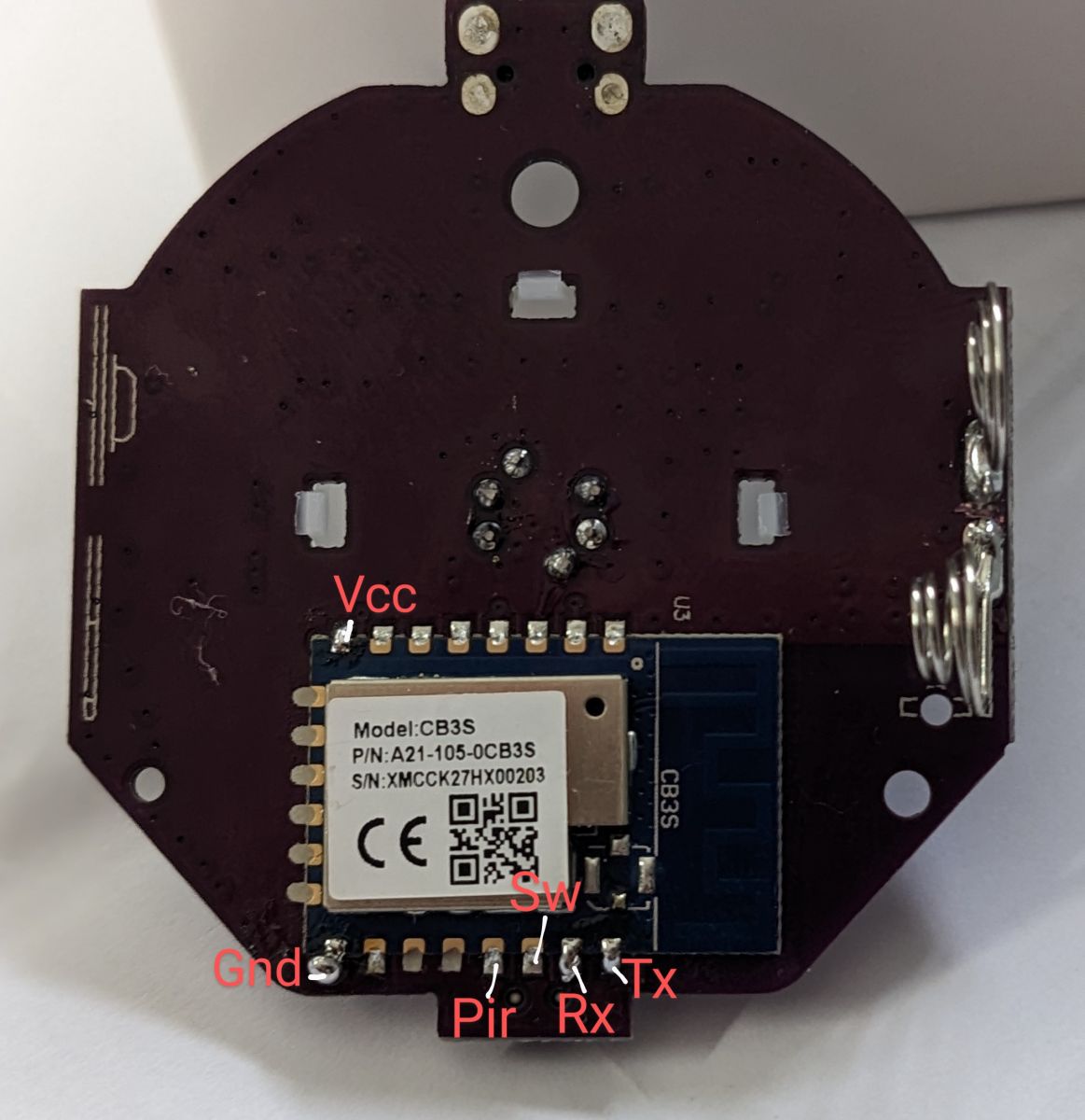
I used the BK7231Flasher Easy UART flasher after soldering RX/TX/3.3/Gnd wires.
I used an external PSU for 3.3v ( node MCU board powered from PC USB)
I had to set the UART speed to 115200 to avoid transfer failures

Flags :
I set Flag 10 - [MQTT] Broadcast self state on MQTT connect = On
I set Flag 37 - [WiFi] Quick connect to WiFi on reboot (TODO: check if it works for you and report on github) = On

Other Settings:
I have set both inputs to be "Door Sensor With Sleep" (DoorSnsrWSleep, with pullup)
I set startup value for 1 = 50. this makes the led illuminate dimly to show motion detection, with a small power saving.
I set startup value for 2 = 1. This seemed to be required to help door sensor driver.
After testing I set Startup Command text to "DSTime 10" to force shutdown for power saving reasons. (default is 60 sec)

Operation:
At motion detection I see first MQTT packet after 5-6 sec. unit goes to sleep about 5 sec later.

I would like to set a static IP address and see if that makes the initial connection faster but i cannot find the Command or setting anywhere.
[edit] I found the very obvious button on the main Config page... I'll update if it makes the first MQTT packet faster shortly.


About Author
ThatGuyinOz wrote 1 posts with rating 2 . Been with us since 2023 year.

Comments

p.kaczmarek2 08 Jun 2023 10:42

Yes, both Quick Connect flag and static IP can increase the connection time to MQTT server. It should be about 5 seconds or maybe even less. We're constantly improving it. [Read more]

ionoleinic 22 Jul 2023 11:30

I have the same device, but for me this configuration isn't working... I dont understand, why p26 should be pwm?? i think it should be wifi_led. Why 2 DoorSnsrWSleep? (P7 abd P8) I tried this: P7 -... [Read more]

p.kaczmarek2 22 Jul 2023 12:38

This device is battery powered and it's not TuyaMCU, which means we need to utilize deep sleep in order to preserve battery life. Otherwise batteries would drain in a matter of days. Using doorsensorwithdeepsleep... [Read more]

ionoleinic 22 Jul 2023 13:27

DoorSensor Driver only boot up wifi module? It does not change rel state? P26 is a Led. { "bt_pin":"7", "status_led_pin":"26", "rstcnt":"3", "basic_pin_pin":"8", "module":"CB3S", "jv":"1.0.1", "bt_lv":"0", "net_t":"180", "samp_type":"1", "basic_st":"1", "basic_pin_lv":"1", "samp_sw_pin":"14", "max_V":"3000", "min_V":"2400", "samp_sw_lv":"1", "status_led_lv":"1", "samp_pin":"23", "tamper_st":"0", "crc":"92" }... [Read more]

auntlydia 05 Sep 2023 19:54

Hi, from the photos above I believe I have the same device. It comes with battery state too. For me these settings have worked: - motion pin: p8 (dInput_n or DoorSnsrWSleep and Flag 42) (Channel 1) -... [Read more]

styb113 15 Jan 2025 15:30

Hello, I also want to run this Device via micro USB, how did you disable the Deep Sleep? [Read more]

auntlydia 16 Jan 2025 17:00

Hi there, if you have the same device, try setting "dInput_n" on P8 (or the pin your device has the motion sensor connected). This should keep the device awake. [Read more]

lottaro 22 Feb 2026 22:39

This is my config. working with microusb. { "vendor": "Tuya", "bDetailed": "0", "name": "Full Device Name Here", "model": "enter short model name here", "chip": "BK7231N", "board":... [Read more]

FAQ

TL;DR: This FAQ covers 15 setup points for the BK7231N/CB3S HW4008-W PIR sensor; expert guidance says, "use door sensor pin role for PIR pin." It helps OpenBeken users flash, map GPIOs, choose Deep Sleep or USB power, and speed MQTT reporting. [#20663571] Why it matters: Correct GPIO roles decide whether this AliExpress PIR sensor saves AAA battery power, reports motion quickly, or stays awake on MicroUSB.

Use case Motion pin role Power behavior Best supporting setting
Battery operation P8 DoorSnsrWSleep Deep Sleep between triggers DSTime 10
MicroUSB operation P8 dInput or dInput_n Stays awake No Deep Sleep command
Visible status LED P26 LED, LED_n, WiFiLED, or PWM LED can show state Optional dimming
Battery reading P23 BAT_ADC Reports battery channel Channel 2

Key insight: Treat P8 as the motion input and P7 as the button. Use DoorSnsrWSleep for batteries, but use dInput or dInput_n when constant 5 V MicroUSB power matters more than battery life.

Quick Facts

  • The board is marked HW4008-W, uses a BK7231N chip on a CB3S module, and was bought for about AUD 16. [#20609284]
  • Power options are external MicroUSB and 2 × AAA batteries, so the same device supports always-on and low-power builds. [#20609284]
  • Flashing used soldered RX, TX, 3.3 V, and GND wires; 115200 baud avoided UART transfer failures. [#20609284]
  • Reported motion timing was the first MQTT packet after 5–6 seconds, then sleep about 5 seconds later after setting DSTime 10. [#20609284]
  • A working MicroUSB template used P7 Btn;1, P8 dInput;1, P23 BAT_ADC;2, and P26 LED;1. [#21846213]

How do I flash an AliExpress HW4008-W PIR sensor with a BK7231N CB3S module using BK7231Flasher Easy UART?

Flash it over UART after soldering RX, TX, 3.3 V, and GND wires. Use BK7231Flasher Easy UART with an external 3.3 V supply. One tested setup used a NodeMCU board powered from PC USB. Set the UART speed to 115200 to avoid transfer failures.
  1. Solder RX, TX, 3.3 V, and GND to the CB3S board.
  2. Power the device from a stable external 3.3 V source.
  3. Run BK7231Flasher Easy UART at 115200 baud. [#20609284]

What pin template should I use for the AliExpress generic HW4008-W PIR sensor with BK7231N and CB3S?

Use P8 for motion, P7 for the button, P23 for battery ADC, and P26 for the LED. A battery-focused template used P7 and P8 as DoorSnsrWSleep, plus P26 as PWM. Later working MicroUSB mapping used P7 Btn;1, P8 dInput;1, P23 BAT_ADC;2, and P26 LED;1. Choose the template by power source: DoorSnsrWSleep for 2 × AAA batteries, dInput for MicroUSB. [#21846213]

Why is P8 used as DoorSnsrWSleep or dInput for motion detection on the HW4008-W PIR sensor?

P8 is the PIR motion signal pin in the shared Tuya GPIO config. The config lists basic_pin_pin as 8 and basic_pin_lv as 1. Users mapped it as DoorSnsrWSleep for battery operation, dInput_n with Flag 42, or dInput for MicroUSB operation. Both modes read motion, but they manage sleep differently. [#20663611]

What is DoorSnsrWSleep in OpenBeken, and why is it useful for battery-powered PIR sensors?

DoorSnsrWSleep lets the BK7231N wake, report the input, and return to Deep Sleep. "DoorSnsrWSleep is an OpenBeken input driver that treats a GPIO as a door-sensor-style wake source, then allows the Wi-Fi module to sleep, preserving battery power on non-TuyaMCU devices." Without Deep Sleep, the 2 × AAA batteries can drain in days. [#20663571]

How should P7, P8, P23, and P26 be configured on the HW4008-W PIR sensor?

Configure P7 as the button, P8 as motion, P23 as battery ADC, and P26 as the LED. One working setup used P8 as dInput_n or DoorSnsrWSleep on Channel 1. It used P7 as Btn on Channel 1. It used P26 as LED_n or WiFiLED on Channel 1. It used P23 as Bat_ADC on Channel 2. [#20722503]

Why did one HW4008-W template set both P7 and P8 as DoorSnsrWSleep, and what is the better configuration?

The first template used both pins as DoorSnsrWSleep to wake from either PIR or button activity. The better configuration is simpler: set only the PIR pin as DoorSnsrWSleep and set P7 as Button. The button still wakes the device from Deep Sleep. Expert advice in the thread says, "Please just use door sensor pin role for PIR pin." [#20663571]

What is the role of P26 on the HW4008-W PIR sensor: PWM, LED_n, WiFiLED, or normal LED?

P26 is the LED pin, and several OpenBeken roles can drive it. The Tuya GPIO config lists status_led_pin as 26 and status_led_lv as 1. Users mapped P26 as PWM for dimming, LED_n or WiFiLED for status behavior, and LED;1 in a working MicroUSB template. PWM is optional, not required for motion sensing. [#20663611]

How do I disable Deep Sleep on the HW4008-W PIR sensor when powering it from MicroUSB?

Use dInput_n or dInput on the motion pin instead of DoorSnsrWSleep. For the same HW4008-W device, one user set P8 to dInput_n to keep it awake. Another working MicroUSB template used P8 dInput;1, P7 Btn;1, P23 BAT_ADC;2, and P26 LED;1. This gives instant motion triggering when powered by constant 5 V MicroUSB. [#21395844]

dInput_n vs DoorSnsrWSleep: which OpenBeken input role is better for the HW4008-W PIR sensor on batteries or USB power?

Use DoorSnsrWSleep on batteries and dInput or dInput_n on MicroUSB. DoorSnsrWSleep supports Deep Sleep, which protects 2 × AAA battery life. dInput and dInput_n keep the module awake, which suits constant 5 V MicroUSB power. One MicroUSB user preferred always-on operation because it provided instant motion triggering. [#20722503]

How can I make the HW4008-W PIR sensor connect to Wi-Fi and publish MQTT messages faster after motion detection?

Enable Quick Connect and use a static IP address. The original setup saw the first MQTT packet after 5–6 seconds, then sleep about 5 seconds later. The expert reply says Quick Connect and static IP can improve MQTT connection time to about 5 seconds or less. Flag 37 enables Quick Connect on reboot. [#20609374]

What do OpenBeken Flag 10, Flag 37, and Flag 42 do on a BK7231N PIR sensor?

Flag 10 broadcasts the device state when MQTT connects, and Flag 37 enables quick Wi-Fi connect after reboot. The original HW4008-W setup enabled both. Flag 42 was reported with P8 as dInput_n or DoorSnsrWSleep for motion input. The thread does not define Flag 42 further, so treat it as a device-specific working setting from that report. [#20609284]

What is MQTT, and how is it used by a flashed BK7231N PIR motion sensor?

MQTT carries the PIR sensor state after the BK7231N wakes and connects to Wi-Fi. "MQTT is a lightweight messaging protocol that publishes device events to a broker, letting a flashed PIR sensor report motion state to home automation systems after wake-up." In the HW4008-W test, the first MQTT packet arrived after 5–6 seconds. [#20609284]

What is PWM, and why might someone use it to dim the LED on a PIR sensor?

PWM can dim the HW4008-W LED instead of only switching it fully on. "PWM is a GPIO output method that rapidly pulses a signal, controlling apparent brightness or power by changing duty cycle rather than changing voltage directly." The template set P26 as PWM;1 and startup value 1 to 50 for dim motion indication and power saving. [#20609284]

What is the Tuya Config partition, and how can it help identify GPIO pins on a BK7231N CB3S device?

The Tuya Config partition stores the original GPIO mapping for the CB3S device. "Tuya Config partition is a firmware data area that records Tuya module settings, including pins for button, PIR input, status LED, battery ADC, voltage limits, and wake behavior." In this thread, it identified bt_pin 7, basic_pin_pin 8, status_led_pin 26, and samp_pin 23. [#20663611]

Why does the DoorSensor driver wake the Wi-Fi module but not change the relay state, and how should relay outputs be handled on this PIR sensor?

The DoorSensor driver reports input state; it does not automatically toggle a relay output. This PIR sensor is not TuyaMCU, so Deep Sleep handles battery saving rather than relay automation. If you need an output, map the real output pin as Rel separately. The tested Tuya config identifies P8 as motion and P26 as LED, not P24 as a confirmed relay. [#20663571]
Generated by the language model.
%}