FAQ 
TL;DR: For users flashing a 5.5W Hama E14 RGBW bulb, "DON'T FORGET TO REBOOT AFTERWARDS" is the key fix. Use Tuya-Cloudcutter with the Hama 176586 profile, flash OpenBeken-v1.17.262_bk7231t.ug.bin, then set P24/P26 and the BP1658CJ map. This solves cloud-free control without opening the bulb. [#20828711]
Why it matters: This thread gives a complete no-disassembly path from stock Tuya firmware to a working OpenBeken setup.
| Method |
Dismantling |
Thread-provided details |
Best use |
| Tuya-Cloudcutter |
No |
Exact profile, firmware, pins, startup command |
Fast flashing from software |
| Manual opening / serial flashing |
Yes, implied |
No serial steps provided here |
Only if software flashing is unavailable |
Key insight: Flashing is only half the job. The bulb also needs the correct BP1658CJ pin setup, startup mapping, and a reboot before RGBW control works correctly.
Quick Facts
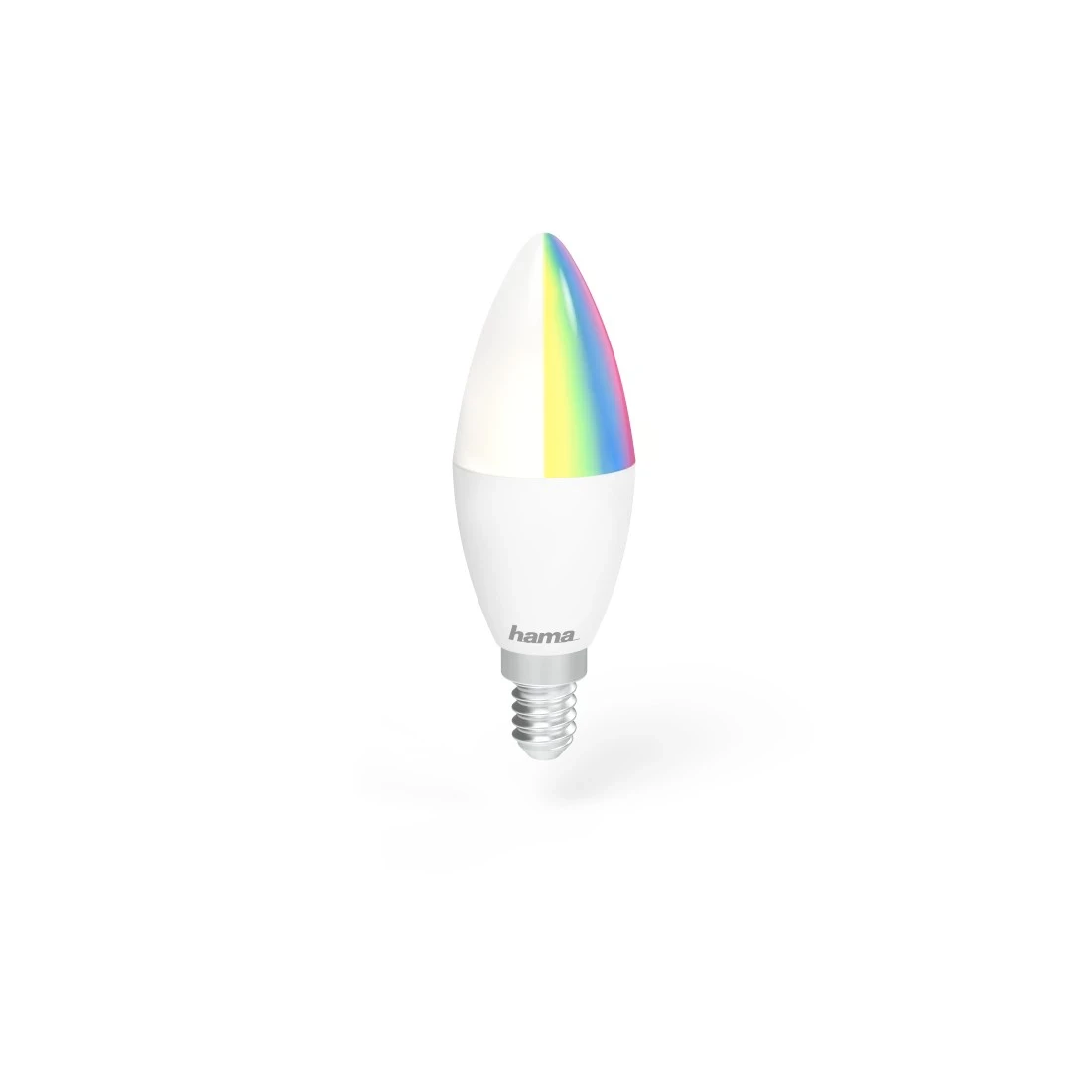
- Hama WLAN LED bulb model discussed: E14, 5.5W, RGBW, dimmable, identified as a candle-style smart bulb. [#20828711]
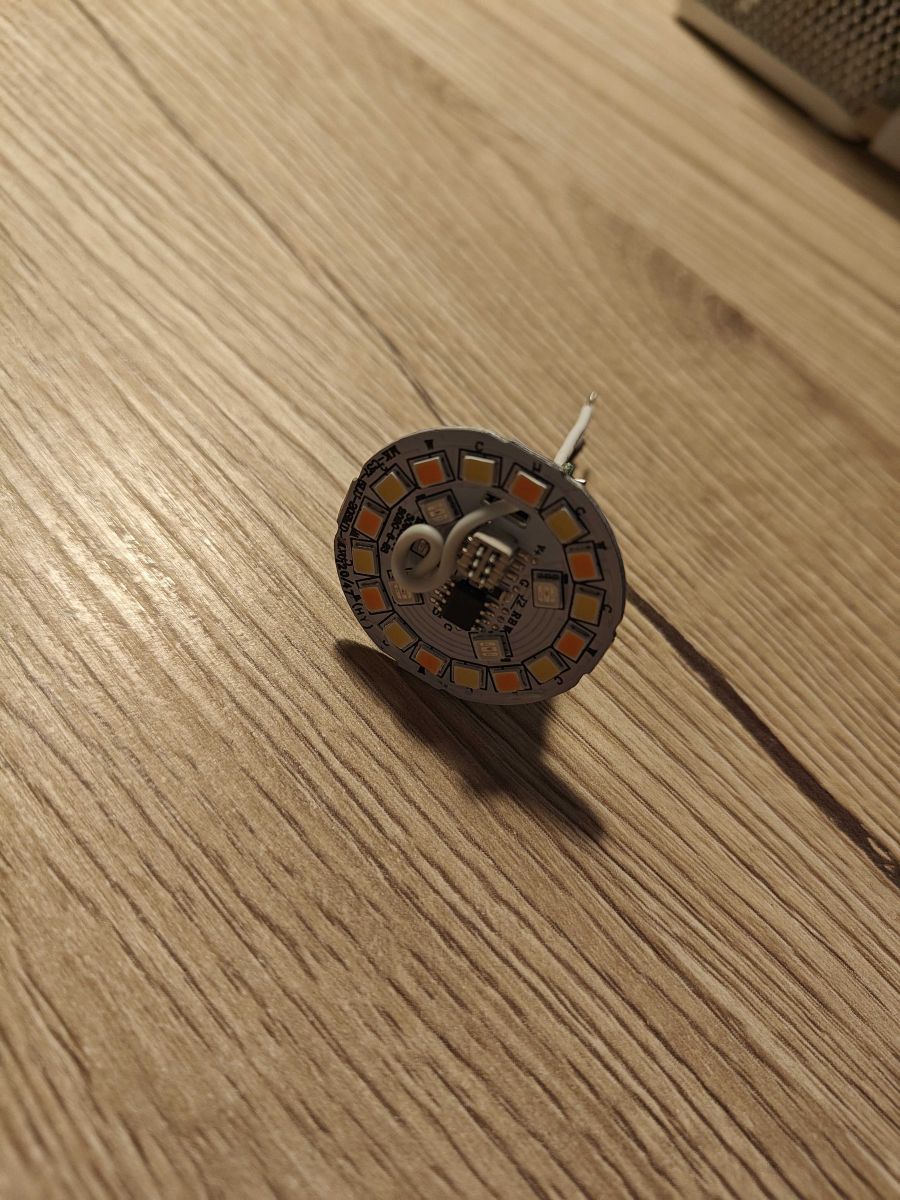
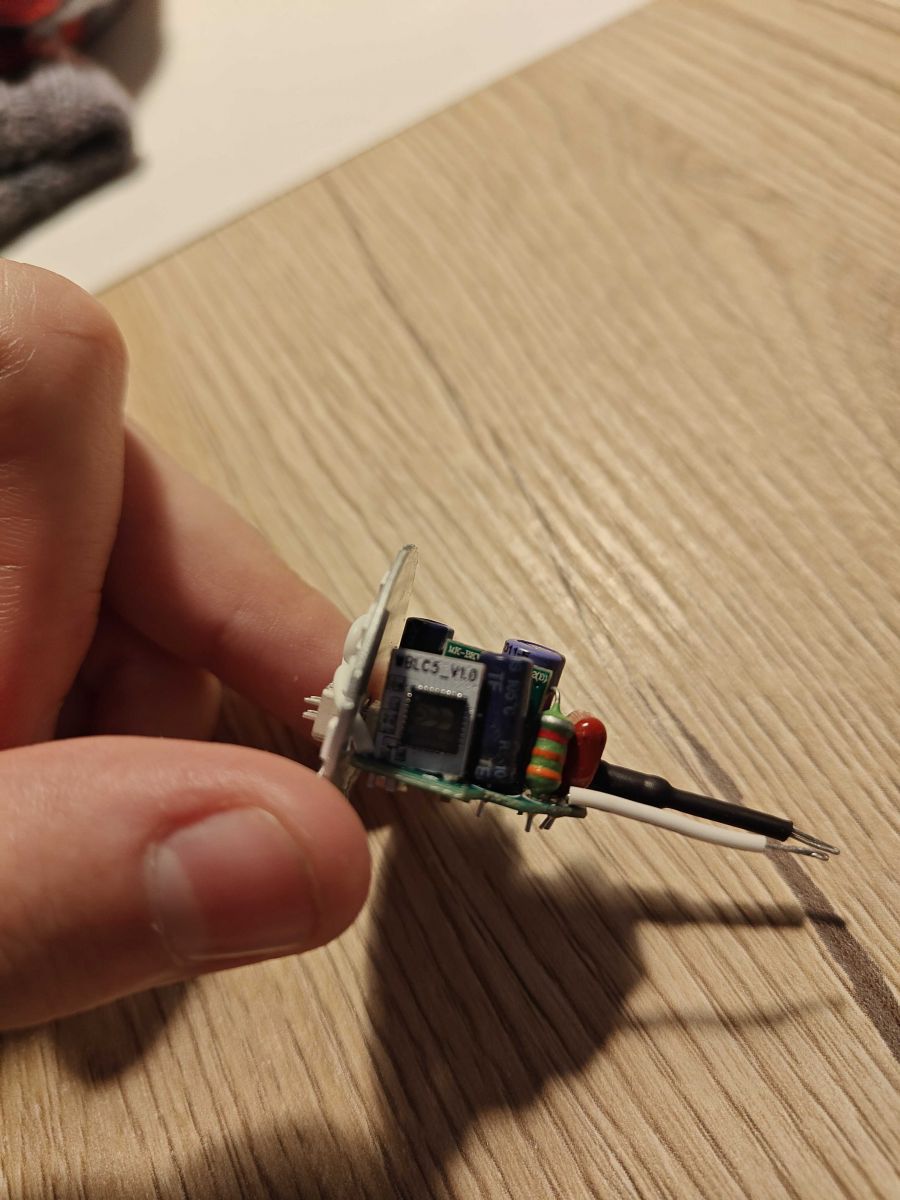
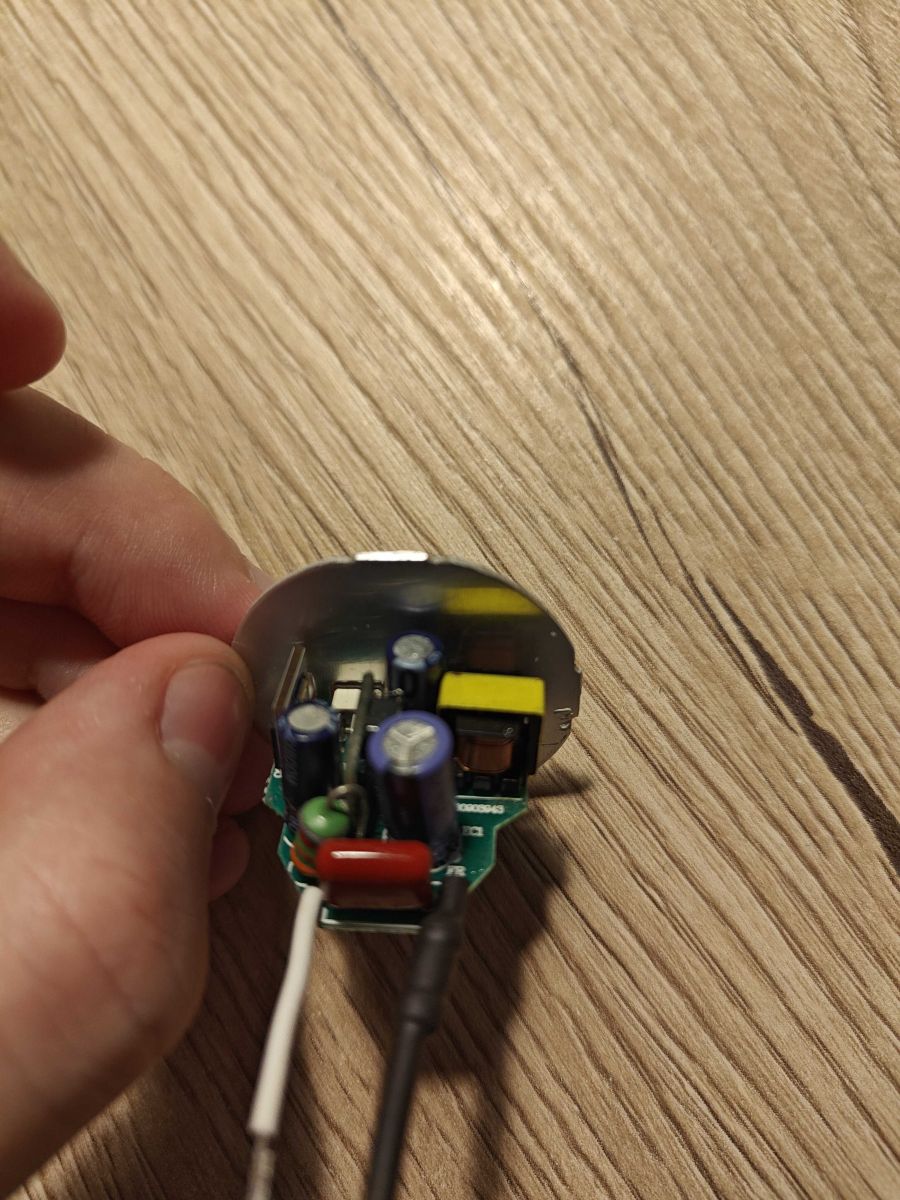
- Internal hardware reported in the thread: WBLC5 module with a BK7231T chip built in. [#20828711]
- Working flash command used:
sudo ./tuya-cloudcutter.sh -p hama-176586-e14-white-candle-smart-bulb -f OpenBeken-v1.17.262_bk7231t.ug.bin. [#20828711]
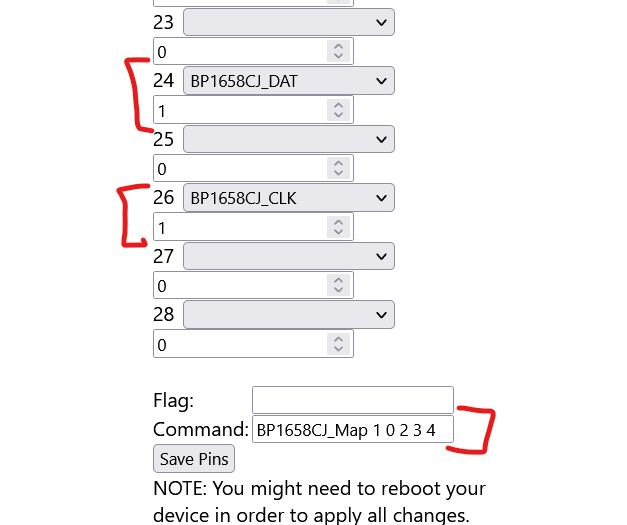
- OpenBeken GPIO mapping for the LED driver: P24 = BP1658CJ_DAT and P26 = BP1658CJ_CLK. [#20828711]
- Startup and behavior settings from the template: enable Flag12 for restore-on-power and use
BP1658CJ_Map 1 0 2 3 4, then reboot. [#20828711]
How do I flash a Hama WLAN-LED-light bulb E14 5.5W RGBW with Tuya-Cloudcutter without dismantling it?
You can flash it entirely in software with Tuya-Cloudcutter, so you do not need to open the bulb. 1. Run the provided Cloudcutter command with the Hama profile and BK7231T OpenBeken file. 2. Follow the on-screen instructions. 3. After flashing, set P24 and P26, add the BP1658CJ mapping command, enable Flag12 if wanted, and reboot. The bulb discussed is a Hama E14 5.5W RGBW model.
[#20828711]
What Tuya-Cloudcutter profile and OpenBeken firmware file should I use for the Hama 176586 E14 white candle smart bulb?
Use the
hama-176586-e14-white-candle-smart-bulb Tuya-Cloudcutter profile with
OpenBeken-v1.17.262_bk7231t.ug.bin. That exact pair was reported as working for this Hama WLAN E14 5.5W RGBW dimmable bulb. The command was shared in full, so you can reuse it directly instead of guessing the target profile or build.
[#20828711]
Which module and chip are inside the Hama WLAN-LED-light bulb E14, and how do WBLC5 and BK7231T affect flashing?
The bulb uses a WBLC5 module with a BK7231T chip inside.
"WBLC5 is a Tuya Wi‑Fi module that integrates the main control hardware, while BK7231T is the embedded SoC that determines which OpenBeken firmware build you must flash." In this thread, that means using the BK7231T build, not a different chip target.
[#20828711]
How should I configure the GPIO pins in OpenBeken for a Hama E14 bulb that uses the BP1658CJ LED driver?
Set P24 to
BP1658CJ_DAT and P26 to
BP1658CJ_CLK. Those two assignments are the complete GPIO configuration shown for this Hama E14 bulb. If either pin is wrong, OpenBeken may boot but the BP1658CJ LED driver will not receive correct data or clock signals for RGBW control.
[#20828711]
What startup command do I need for the Hama E14 RGBW bulb in OpenBeken, and what does "BP1658CJ_Map 1 0 2 3 4" actually do?
Use
BP1658CJ_Map 1 0 2 3 4 as the startup command. That command sets the channel order for the BP1658CJ driver so the bulb’s RGBW outputs match OpenBeken’s expected control layout. If the map is missing or wrong, the bulb can flash successfully but show incorrect colors or swapped channels in RGBW mode.
[#20828711]
Why do I need to reboot after configuring the Hama E14 bulb in OpenBeken, and what happens if I skip it?
You need to reboot because the thread explicitly warns,
"DON'T FORGET TO REBOOT AFTERWARDS." That restart applies the new pin roles, Flag12 setting, and startup command. If you skip it, the bulb may stay on the old runtime state, so the BP1658CJ mapping or restore-on-power behavior may not take effect immediately.
[#20828711]
How do I enable power-restore behavior on this Hama smart bulb with Flag12 in OpenBeken?
Enable
Flag12 in the General configuration and use it as restore-on-power. The post labels it clearly as
set Flag12 (restore on power). After you change it, reboot the bulb so the new startup behavior applies when mains power returns.
[#20828711]
What is Tuya-Cloudcutter, and how does it work for flashing Tuya-based smart bulbs like the Hama E14?
Tuya-Cloudcutter is the software tool used here to flash the bulb without dismantling it.
"Tuya-Cloudcutter is a software flashing method that targets supported Tuya devices over their normal interface, avoiding physical opening when a matching profile exists." In this thread, it works with the Hama 176586 profile and BK7231T OpenBeken build.
[#20828711]
What is the WBLC5 module in Tuya smart bulbs, and how is it related to the BK7231T?
WBLC5 is the module name, and BK7231T is the chip built into that module. The thread first identified the hardware as WBLC5 with BK7231T, then later corrected the JSON template field so
"board" became
"WBLC5". That board-and-chip pairing is the key hardware identification for this bulb.
[#20835166]
What's the difference between flashing the Hama E14 bulb with Tuya-Cloudcutter and opening it for manual serial flashing?
In this thread, the practical difference is simple: Tuya-Cloudcutter does not require dismantling, while opening the bulb would. The post states, "There is no dismantling necessary," because software flashing works for this model. No serial wiring, pad mapping, or UART procedure is provided here, so Cloudcutter is the only complete method documented in the thread.
[#20828711]
How can I extract the full OpenBeken configuration from a flashed smart bulb and attach it as a template?
The thread points to doing a config extraction and attaching it as a template, and it references a specific method video for that step. It also shows the result you want: a full JSON template containing vendor, name, model, chip, board, flags, pins, command, image, and wiki fields. For this bulb, the missing board field was later confirmed as WBLC5.
[#20835154]
Why might a Hama E14 bulb flash successfully but still have incorrect colors or channel order in RGBW mode?
A successful flash does not guarantee correct color output, because the startup channel map can still be wrong. This bulb needs
BP1658CJ_Map 1 0 2 3 4 after flashing. If you omit that command, OpenBeken can run on the BK7231T, but RGBW channels may appear swapped or inconsistent with the app controls.
[#20828711]
What should I check if the Hama E14 bulb doesn’t respond after flashing OpenBeken with the BK7231T build?
Check three items first: the firmware target, the GPIO setup, and whether you rebooted. Use the BK7231T build
OpenBeken-v1.17.262_bk7231t.ug.bin, set P24 to
BP1658CJ_DAT, set P26 to
BP1658CJ_CLK, and reboot after adding
BP1658CJ_Map 1 0 2 3 4. Any missing step can leave the bulb flashed but nonfunctional.
[#20828711]
How do I create a complete JSON template for a Hama smart bulb in OpenBeken, including the board, pins, flags, and startup command?
Create the JSON with the hardware and settings exactly as reported: vendor Hama, chip BK7231T, board WBLC5, flags
525312, pins
24 and
26 for BP1658CJ data and clock, and command
BP1658CJ_Map 1 0 2 3 4. The thread also includes model, keywords, image, and wiki fields. A later reply corrected the previously missing board field to
WBLC5.
[#20835166]
What is the BP1658CJ LED driver, and how do DAT and CLK pin assignments affect RGBW bulb control?
BP1658CJ is the LED driver this bulb uses for its RGBW outputs, and it relies on separate data and clock lines.
"BP1658CJ is an LED-driver IC that controls multiple light channels, using DAT for data transfer and CLK for synchronized timing." In this bulb, DAT is on P24 and CLK is on P26, so wrong assignments break channel control.
[#20828711]
AI summary based on the discussion. May contain errors.






Comments
Hello, do you know which module is used inside so I can fill the missing fields in the template? Can you do config extraction and attach it here? Use this method: https://www.youtube.com/watch?v=VDba... [Read more]
Hi, yes its all in the above post. :) [Read more]
I was referring to this field: "board": "TODO", [Read more]
Oh haha, I forgot to fill this out. Sorry, my bad. It's a WBLC5. [Read more]