Here is TuyaMCU guide:
https://www.elektroda.com/rtvforum/topic4038151.html
I'd start with:
// Start TuyaMCu driver
startDriver TuyaMCU
// set TuyaMCU baud rate
//tuyaMcu_setBaudRate 115200
//... [Read more]
babaganesh
25 Feb 2024 16:56
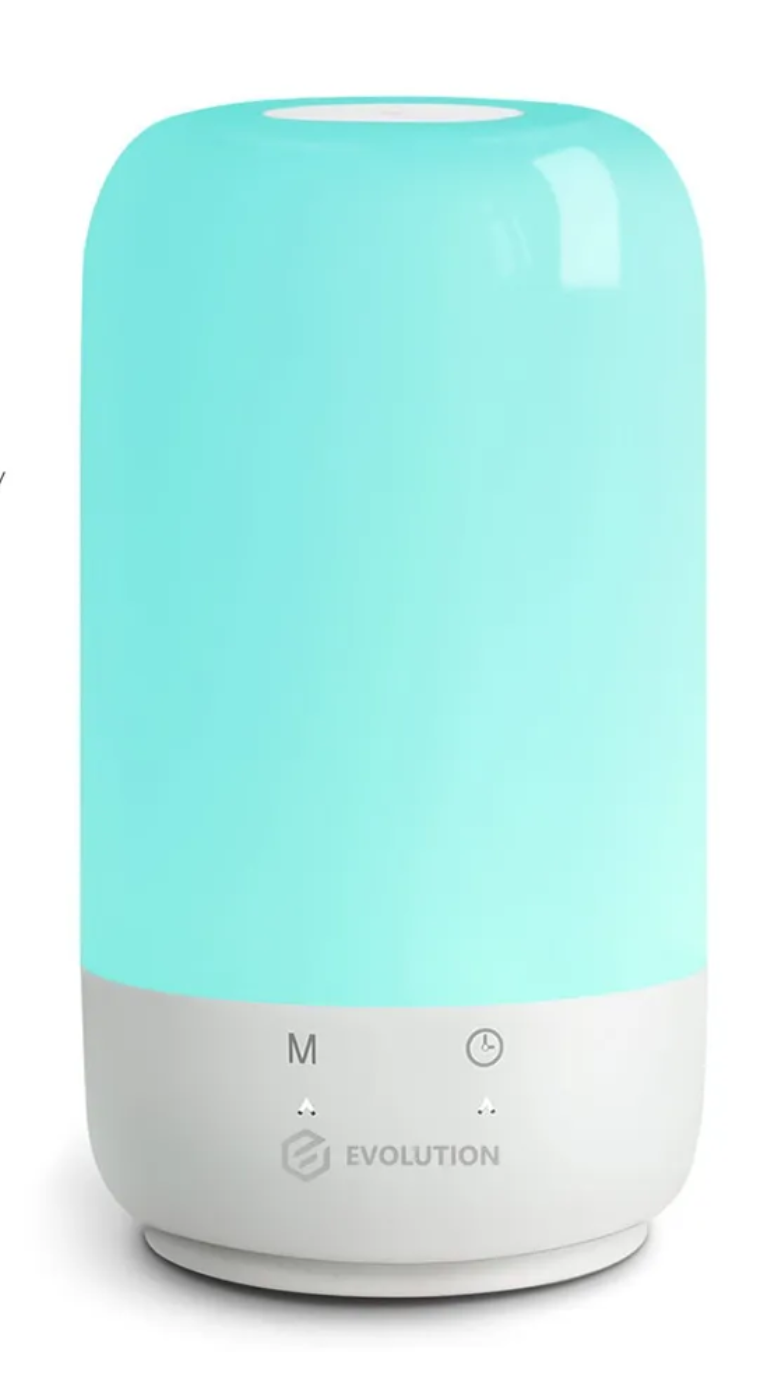
lamp is RGB + contrast and brightness.
With
startDriver TuyaMCU
tuyaMcu_setBaudRate 115200
tuyaMcu_defWiFiState 4
in autoexec.bat, here is result of tuyaMcu_sendQueryState
Info:CMD:[WebApp... [Read more]
@babaganesh thank you for providing TuyaMCU captures. However, it is not clear from your post, is the device working now with the OBK config I suggested, or is something still missing? The LED devices... [Read more]
FAQ
TL;DR: For OpenBeken users flashing a BK7231T/WB3S SL-02 lamp, the key finding is that 6 datapoints matter and "I’d start with"startDriver TuyaMCU, tuyaMcu_setBaudRate 115200, tuyaMcu_defWiFiState 4, then tuyaMcu_sendQueryState to map white, color, and scene modes before expecting working dimmer controls. [#20977514]
Why it matters: This FAQ helps OpenBeken and TuyaMCU users turn UART captures into a working RGB+CCT lamp configuration instead of a web UI that shows controls but does nothing.
Feature
RGB-only lamp
RGB + color temperature lamp in this thread
Main mode selector
Color mode only or simpler mapping
dpId 21 enum: 0 white, 1 color, 2 scene
White brightness
Often one brightness datapoint
dpId 22 value, range observed 10–1000
Color temperature
Usually absent
dpId 23 value, observed 0–1000
Color control
Color string datapoint
dpId 24 string, 12 hex chars observed
Scenes
Optional
dpId 25 string, presets plus long scene payloads
Key insight:tuyaMcu_setupLED 24 0 can expose dimmer widgets, but this SL-02 lamp still needs correct mode and datapoint handling for dpId 21, 22, 23, 24, and 25 before brightness and color commands will work reliably.
Quick Facts
The lamp reports RGB + color temperature + scenes through TuyaMCU, not as simple GPIO PWM channels, so OpenBeken must map UART datapoints instead of only exposing generic LED sliders. [#20978103]
The working base UART setup shown in the thread uses 115200 baud and Wi-Fi state 4, then queries the MCU for its full state. [#20978103]
In white mode, observed ranges were brightness 10–1000 on dpId 22 and color temperature 0–1000 on dpId 23; examples included 299 at 30% and 797 at 80% brightness. [#20978103]
In color mode, dpId 24 carries a 12-character string such as 012303e803e8; changing only brightness altered the last 4 hex digits from 000a to 03e8. [#20978103]
Scene mode uses dpId 25 and can send very long payloads; one captured state had length 158 for presets like soft, colorful, dazzling, and gorgeous. [#20978103]
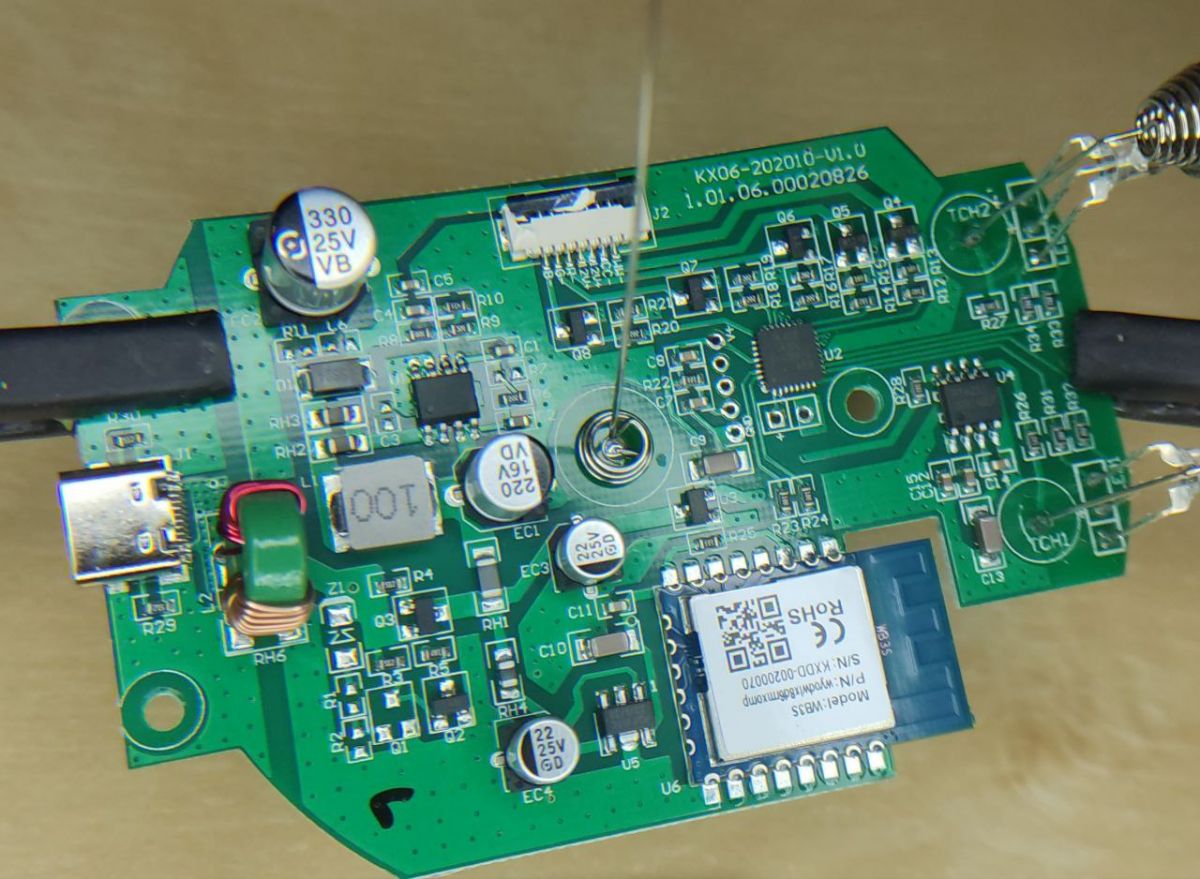
How do I flash OpenBeken on a BK7231T device with a WB3S module without damaging the thin copper pads during desoldering?
Flash it carefully and minimize mechanical force during WB3S removal. The thread confirms desoldering with a soldering iron was difficult because the copper was "very thin" and easy to tear, while the actual flashing process was otherwise routine. If the pads look fragile, avoid repeated lifting attempts and stop as soon as the module is free enough to work on. That reduces the main failure risk reported in this case: pad damage during removal, not flashing failure after removal. [#20974888]
What is TuyaMCU, and how does it work with OpenBeken on WB3S/BK7231T light devices?
"TuyaMCU" is a serial control protocol that links the Wi-Fi module to a separate lamp controller, exchanging typed datapoints such as bool, value, enum, string, and raw states. In this thread, OpenBeken starts the TuyaMCU driver, sets 115200 baud, marks Wi-Fi as paired, and then queries state so the BK7231T/WB3S module can mirror and control lamp functions over UART instead of driving LEDs directly. [#20977514]
What is a dpId in the TuyaMCU protocol, and how do I map dpId 21, 22, 23, 24, 25, and 32 for an RGB plus color temperature lamp?
"dpId" is a Tuya datapoint identifier that labels one device function, with a fixed data type and payload format, so OpenBeken can map each lamp feature to the correct UART command. For this RGB+CCT lamp, the thread captured dpId 21 as mode enum, 22 as brightness value, 23 as color-temperature value, 24 as color string, 25 as scene string, and 32 as a raw payload of length 2 bytes. [#20978103]
Why do the dimmer controls appear in the OpenBeken web interface after running "startDriver TuyaMCU" and "tuyaMcu_setupLED 24 0" but still not control the lamp?
They appear because OpenBeken enables generic LED controls, but the lamp still needs the right TuyaMCU datapoint mapping. This thread shows the device uses at least five functional datapoints: mode on 21, white brightness on 22, color temperature on 23, color string on 24, and scenes on 25. If OpenBeken only knows 24 0, the UI can render sliders while the MCU ignores commands that lack the correct mode switch or companion datapoints. [#20978103]
How should I configure autoexec.bat for a TuyaMCU RGB+CCT lamp using "startDriver TuyaMCU", "tuyaMcu_setBaudRate 115200", and "tuyaMcu_defWiFiState 4"?
Use those three commands as the base autoexec.bat for this lamp. The thread shows this exact startup sequence:
startDriver TuyaMCU
tuyaMcu_setBaudRate 115200
tuyaMcu_defWiFiState 4
After boot, run tuyaMcu_sendQueryState and inspect the log before adding LED mappings. An OpenBeken maintainer’s advice was, "I’d start with" that configuration, because some MCUs hide datapoints until they think cloud pairing is complete. [#20977514]
What does "tuyaMcu_defWiFiState 4" do, and why can it make some TuyaMCU devices report more complete state data?
It sets the default TuyaMCU Wi-Fi status to value 0x04, meaning the device believes it is paired. The thread explains that some TuyaMCU controllers do not report all datapoints unless they think they are connected to the cloud, so forcing state 4 can unlock a fuller response to tuyaMcu_sendQueryState. In this case, once that setup was used, the lamp returned state entries for dpId 20, 21, 22, 23, 24, 25, and 32. [#20977514]
How can I use "tuyaMcu_sendQueryState" to capture a full TuyaMCU state log and identify the correct datapoints for a smart lamp?
Run it after the TuyaMCU driver is initialized and the baud rate is correct. Use this sequence:
Boot with startDriver TuyaMCU, tuyaMcu_setBaudRate 115200, and tuyaMcu_defWiFiState 4.
Execute tuyaMcu_sendQueryState from the web app.
Read each ParseState line to list datapoint IDs, data types, and values.
In this lamp, that query exposed bool 20, enum 21, value 22 and 23, string 24 and 25, and raw 32. That gives you the real control map before testing UI commands. [#20978103]
Which TuyaMCU datapoints control white mode, color mode, brightness, color temperature, and scenes on the SL-02 RGB lamp discussed in the thread?
dpId 21 selects the operating mode, dpId 22 controls white-mode brightness, dpId 23 controls color temperature, dpId 24 carries color-mode hue/saturation/brightness data, and dpId 25 carries scene presets and scene programs. The thread also shows dpId 21 = 0 for white, 1 for color, and 2 for scene. That split matters because white brightness and color brightness do not use the same datapoint on this lamp. [#20978103]
How do I decode TuyaMCU color strings like "012303e803e8" or "00650000000a" from dpId 24 into hue, saturation, and brightness values?
Read them as three 4-hex-digit fields: hue, saturation, and brightness. The thread’s captures show 0123 03e8 03e8 for purple at full contrast and full brightness, and 0065 0000 000a for green with minimum contrast and brightness 1. Here, 0123 hex equals 291 and matches purple hue, 03e8 equals 1000 for full-scale saturation or brightness, and 000a equals 10 for the minimum observed brightness step. [#20978103]
Why does dpId 21 switch between enum values 0, 1, and 2, and how should those modes be handled in OpenBeken for white, color, and scene tabs?
It switches because dpId 21 is the lamp’s master mode selector. The thread maps 0 to the white tab, 1 to the color tab, and 2 to the scene tab. OpenBeken should therefore change dpId 21 first, then send the matching control payload: dpId 22 and 23 in white mode, dpId 24 in color mode, and dpId 25 in scene mode. If you skip the mode switch, the lamp can ignore otherwise valid brightness or color data. [#20978103]
What can dpId 25 scene strings tell me about preset modes like night, read, working, leisure, soft, breath soft, colorful, dazzling, and gorgeous?
They show that scenes are encoded as structured strings, not simple enum values. The thread captured short scene payloads for night, read, working, and leisure, plus much longer multi-segment strings for soft, breath soft, colorful, dazzling, and gorgeous. That means this lamp stores both fixed presets and animated color sequences inside dpId 25, and some scenes can require far longer payloads than the 12-character color string used by dpId 24. [#20978103]
When setting up OpenBeken LEDs, how does an RGB-only TuyaMCU lamp compare with an RGB plus color temperature lamp in terms of required datapoints and configuration?
An RGB-only lamp is simpler because one color datapoint can cover most user actions, while an RGB+CCT lamp splits functions across more datapoints. This SL-02 device needs separate handling for white mode, color mode, scene mode, white brightness, color temperature, and color strings. In practice, that means tuyaMcu_setupLED may be enough for a basic RGB lamp, but this lamp still needs dpId 21, 22, 23, 24, and 25 mapped correctly. [#21014574]
What troubleshooting steps should I follow if a WB3S/BK7231T lamp responds to TuyaMCU state queries but ignores brightness or color commands from OpenBeken?
First, verify the UART base setup, then verify the mode datapoint, then verify the control datapoint. A practical sequence is: confirm 115200 baud, force Wi-Fi state 4, run tuyaMcu_sendQueryState, and check that dpId 21 changes between 0, 1, and 2 when you switch tabs. If the lamp still ignores commands, the likely fault is incomplete mapping, because this device separates white brightness 22, color temperature 23, color string 24, and scenes 25 instead of accepting one universal dimmer command. [#20978103]
How can TuyaMCUAnalyzer help reverse-engineer an unknown Tuya light by monitoring UART traffic while changing colors, brightness, contrast, and scene modes?
It helps by turning UI actions into observable datapoint changes on UART. In this thread, the analyzer showed white-mode brightness on dpId 22, white temperature on dpId 23, mode changes on dpId 21, color strings on dpId 24, and scene strings on dpId 25. It also exposed scaling, such as brightness values of 10, 299, 797, and 1000 for roughly 1%, 30%, 80%, and 100%. That gives you a repeatable way to map an unknown lamp without guessing. [#20978103]
Where does "tuyaMcu_setupLED" fit into OpenBeken LED support, and what other parameters or mappings might still be missing for this SL-02 firmware configuration?
It fits as OpenBeken’s built-in helper for TuyaMCU LED devices, but it is not always the complete configuration. The maintainer states that LED devices should be covered by tuyaMcu_setupLED, yet this thread still points to missing handling for the SL-02’s specific datapoints and mode logic. A linked webapp pull request also suggests active work around this area, so the remaining gap is not basic TuyaMCU communication but lamp-specific mapping for white, color, and scene behaviors. [#21014574]
AI summary based on the discussion. May contain errors.







Comments
Here is TuyaMCU guide: https://www.elektroda.com/rtvforum/topic4038151.html I'd start with: // Start TuyaMCu driver startDriver TuyaMCU // set TuyaMCU baud rate //tuyaMcu_setBaudRate 115200 //... [Read more]
lamp is RGB + contrast and brightness. With startDriver TuyaMCU tuyaMcu_setBaudRate 115200 tuyaMcu_defWiFiState 4 in autoexec.bat, here is result of tuyaMcu_sendQueryState Info:CMD:[WebApp... [Read more]
PR https://github.com/OpenBekenIOT/webapp/pull/79/commits/3abb6e3d9cb29dc4c4cbe95d162eac0ecef8fd7e [Read more]
@babaganesh thank you for providing TuyaMCU captures. However, it is not clear from your post, is the device working now with the OBK config I suggested, or is something still missing? The LED devices... [Read more]