logo elektroda
logo elektroda
X
logo elektroda

Interior of the WiFi LED strip controller - LTK5050/30RGB-WF/5, configuration of the IR remote contr

p.kaczmarek2  1 2304 Cool? (+5)
📢 Listen (AI):

TL;DR

  • Opened and reworked a Tuya WiFi RGB LED strip controller, LTK5050/30RGB-WF/5, to run OpenBeken and integrate with Home Assistant.
  • The controller uses a CBU module with a BK7231N, and the IR remote is handled by assigning the IRRecv role and starting the IR driver in OBK.
  • The kit cost €18 and includes the strip, remote with battery, and power supply; the remote uses NEC codes, including 0xFBE2 0x1C for red.
  • IR commands were mapped in autoexec.bat to control power, RGB colors, and brightness, and the captured codes worked correctly in OpenBeken.
  • The power supply is a glued, budget design with a fuse resistor and PSR flyback controller, and the strip lacks a physical button for local control.
Generated by the language model.
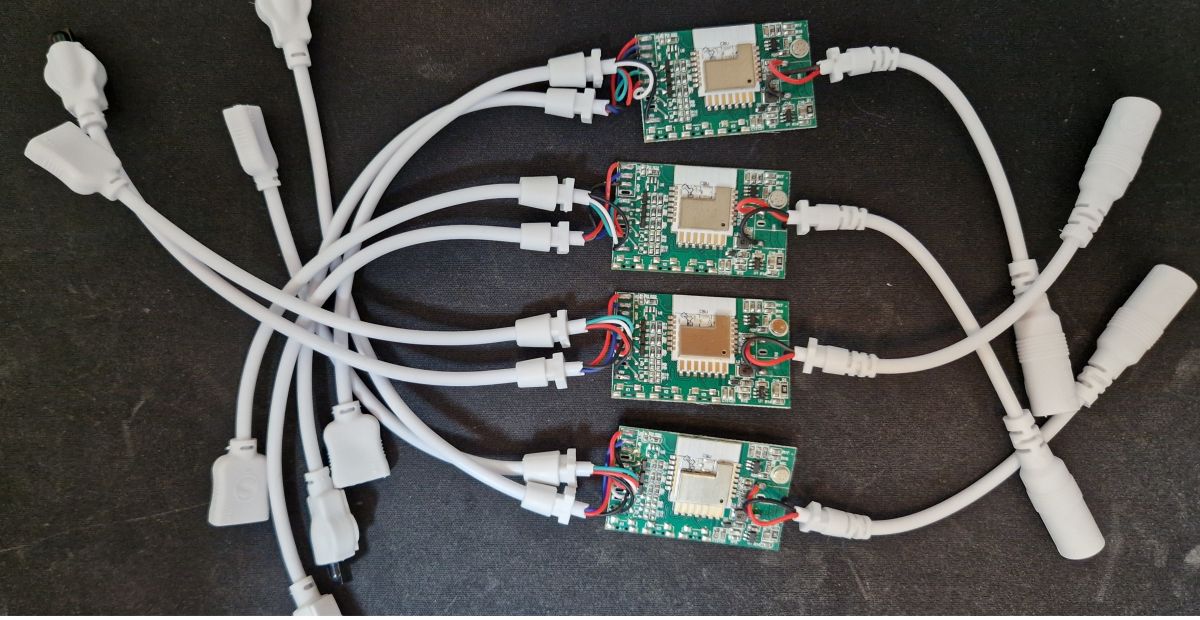
Four LED strip controllers with cables .
My colleague @DeDaMrAz and I bought some Tuya LED strip controllers to convert them to work with Home Assistant. Here I will show how to change their batch, configure their GPIO and also how to handle IR (remote control) events in OpenBeken . In addition, we'll also take a look inside the power supply - how much has the Chinese saved on it?

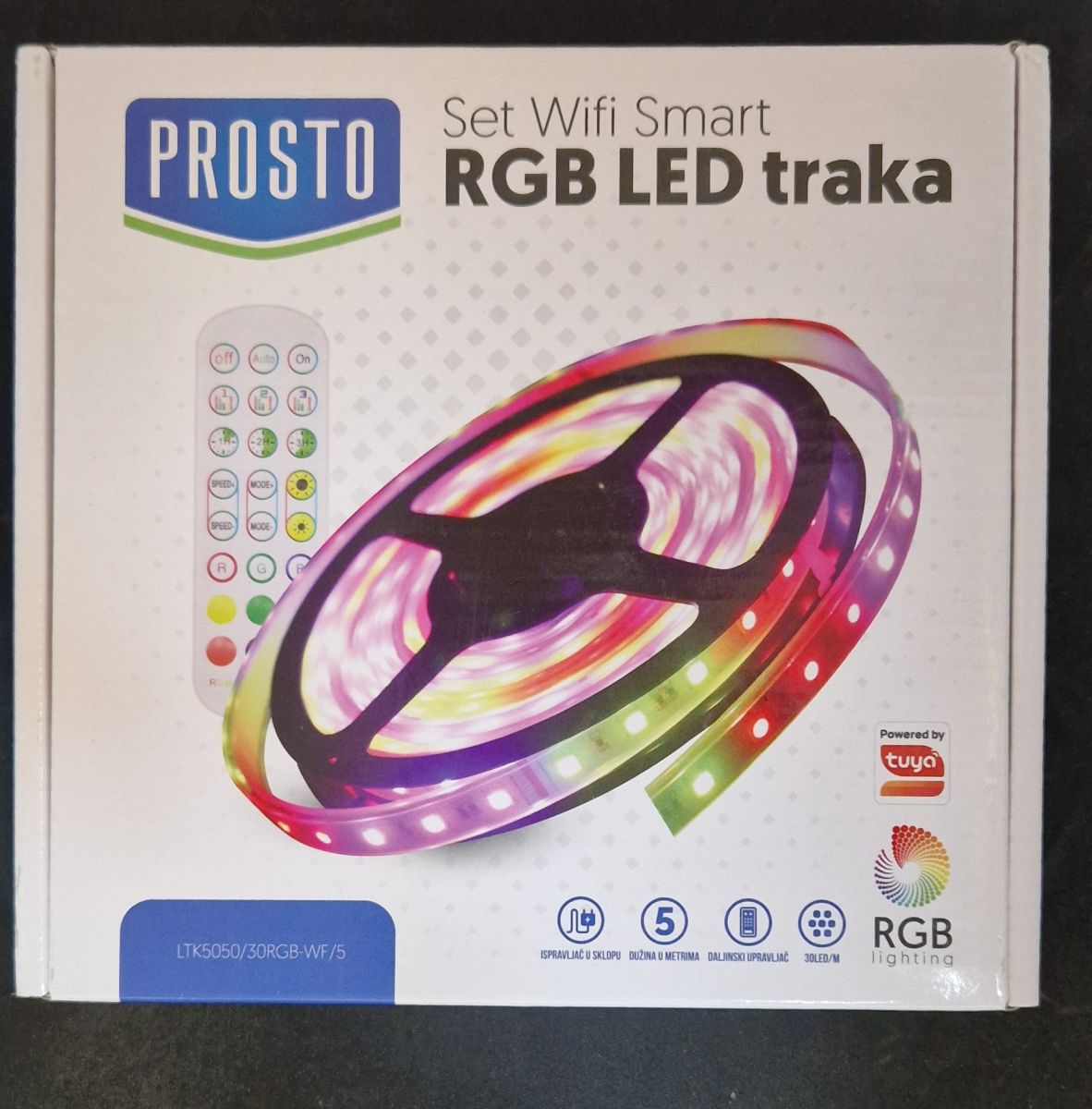
Let's start with the kit presentation. That's what you get for €18:
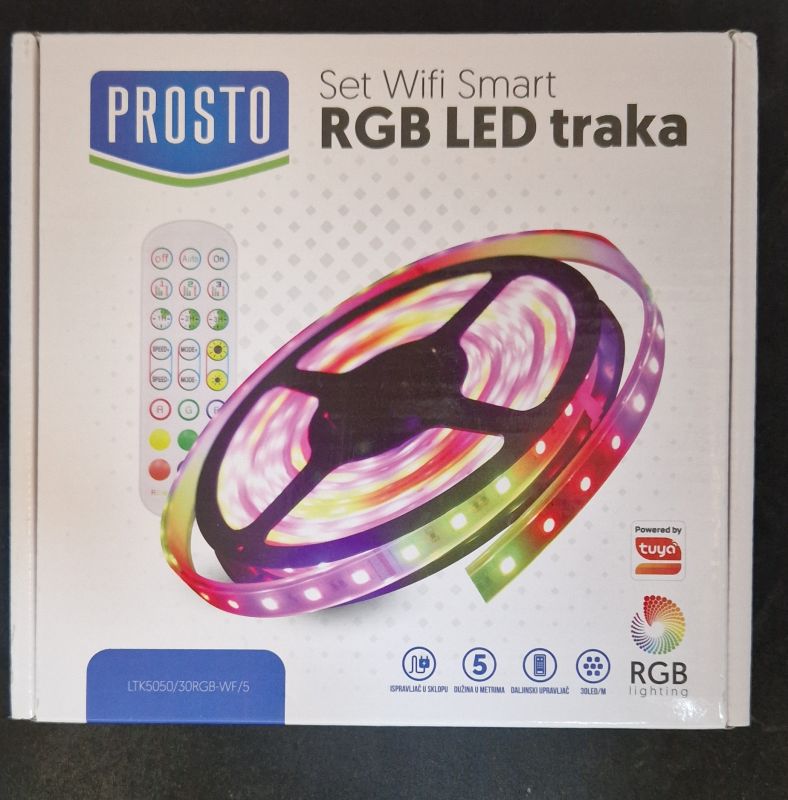
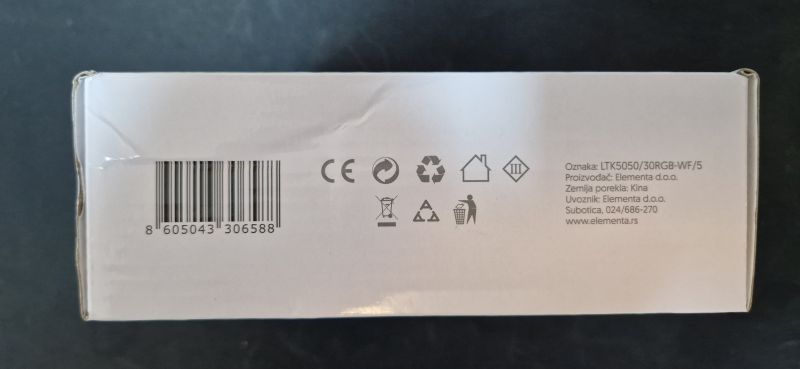
Packaging of WiFi smart RGB LED strip set .
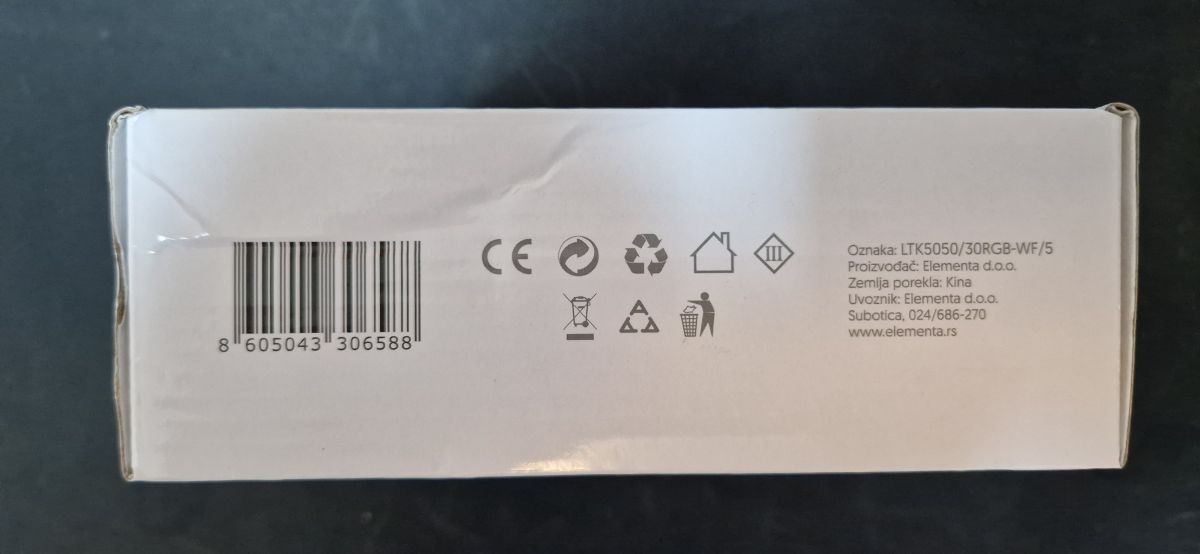
Designation:
White box with markings and a barcode on the side. .
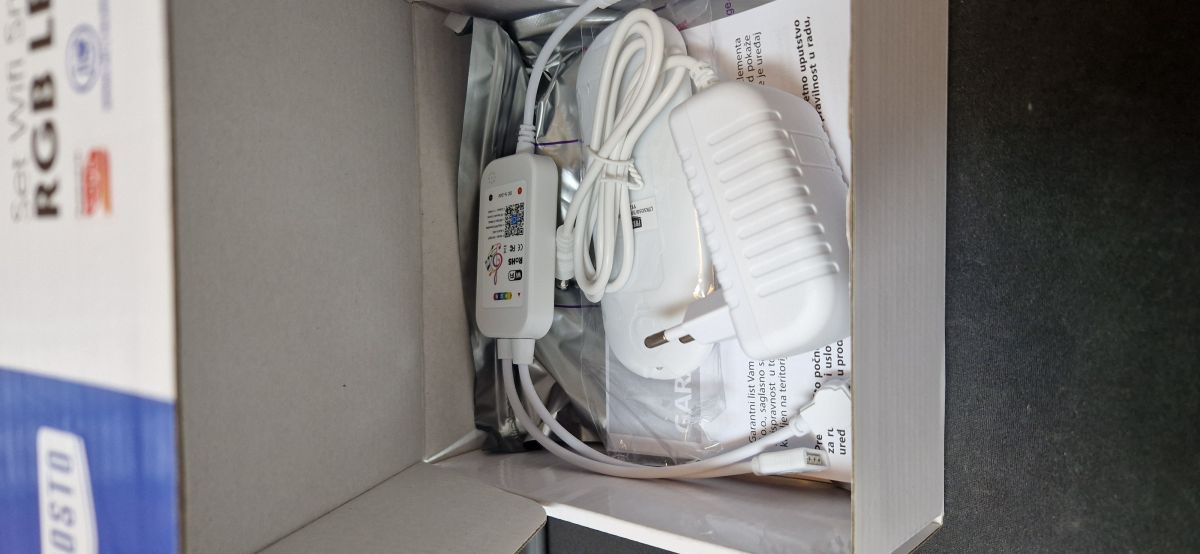
There is also an LED strip and remote control inside, and even a power supply:
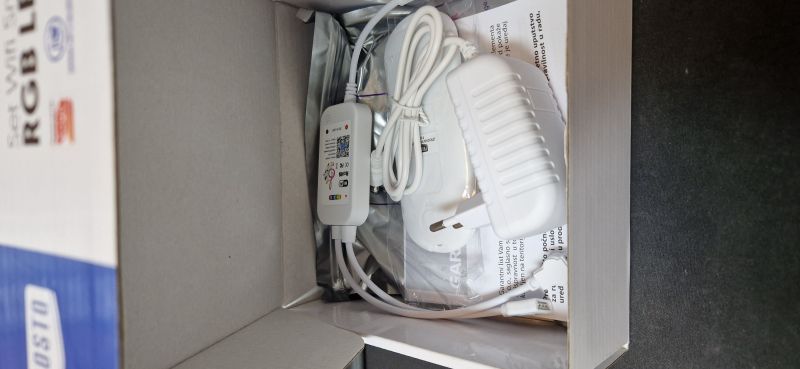
Contents of the LED strip set box with a power supply. .
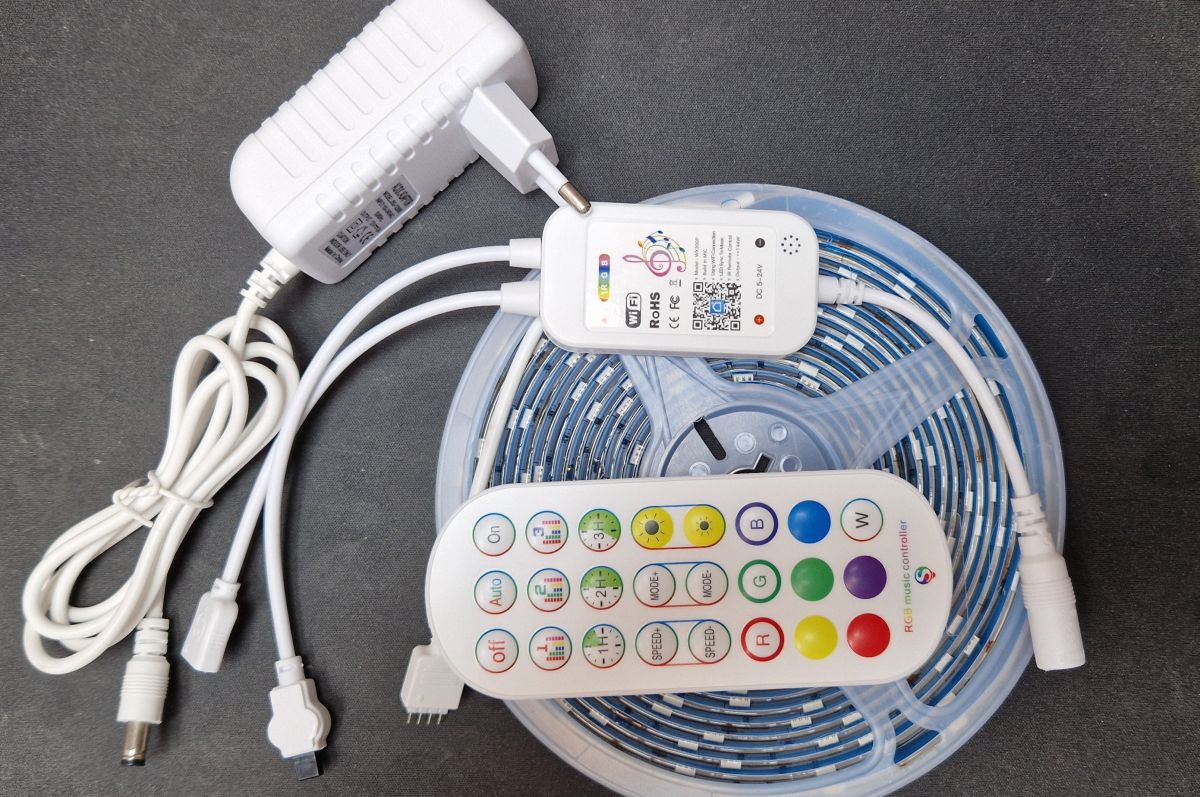
The remote control included has a battery.
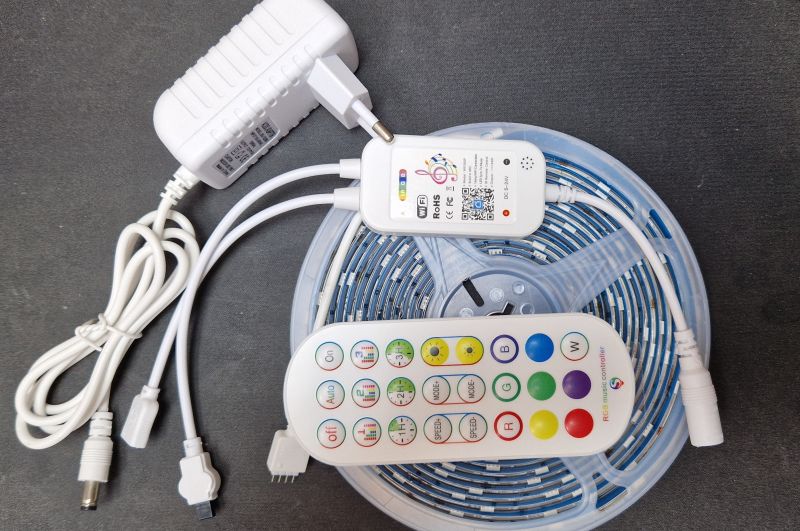
Tuya LED strip control kit with controller, strip, power supply, and remote. .

Interior, OpenBeken upload, GPIO .
The casing is a snap. We take a look inside:
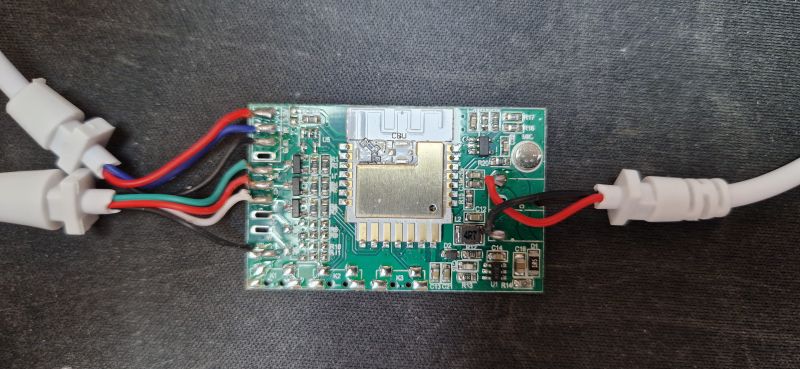
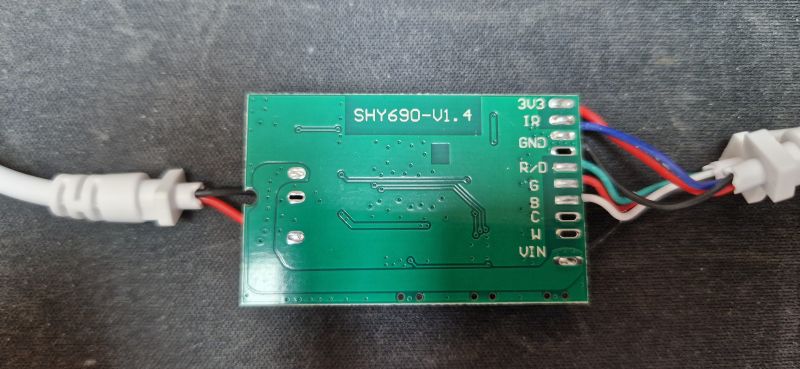
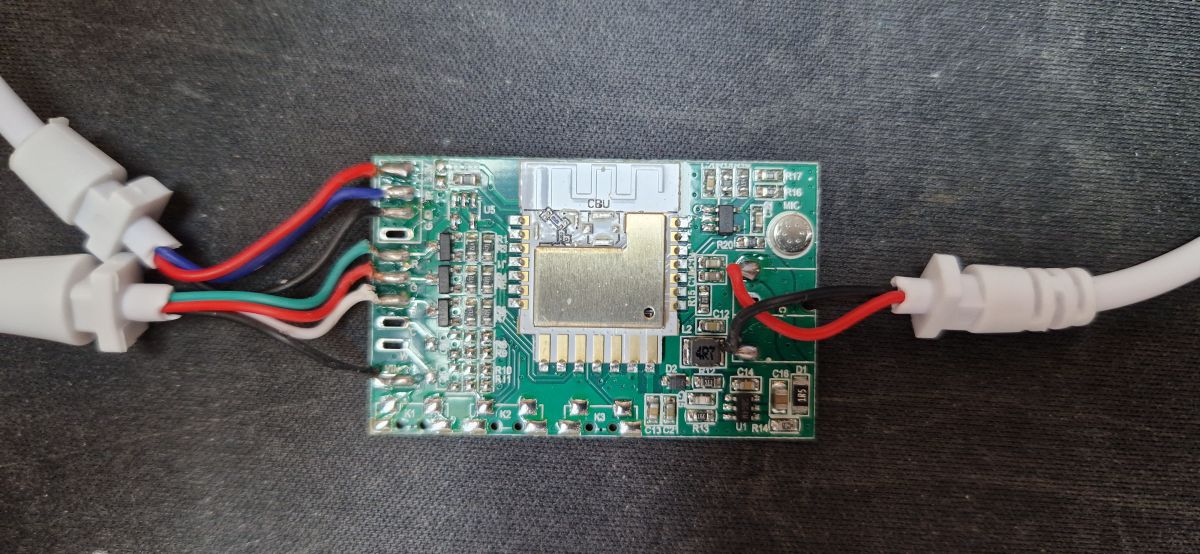
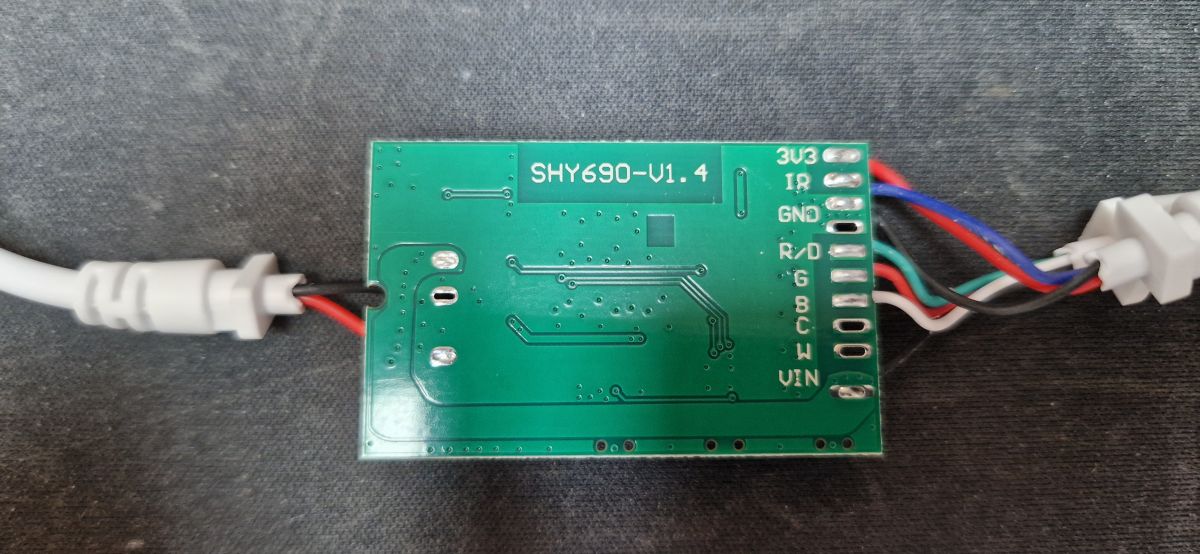
CBU module with connected wires on a dark fabric background LED strip controller circuit board with connector labels. .
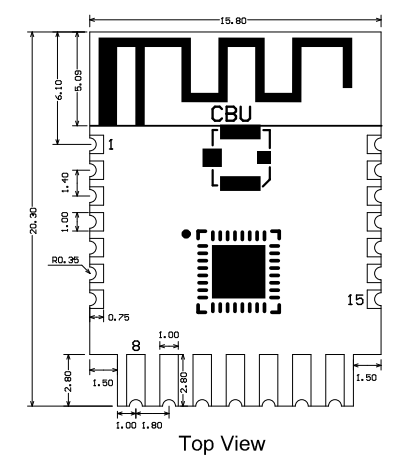
Inside is the CBU module, which is BK7231N . Here is the CBU pinout:
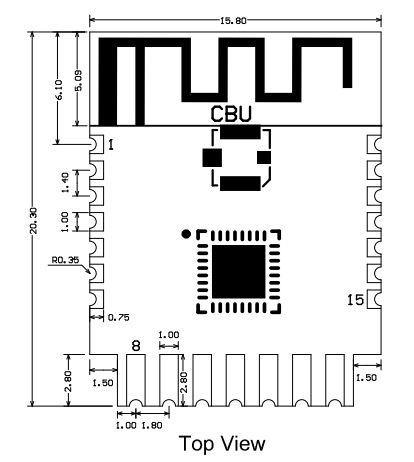
Diagram of the BK7231N CBU module with labeled pins. .
Its pinouts (from Tuya documentation; untranslated):
P7 . .
Pin number . Symbol I/O type Function
1 1 P14 I/O Common GPIO, which can be reused as SPI_SCK (Correspond to Pin 11 of the IC)
2 P16 I/O Common GPIO, which can be reused as SPI_MOSI (Correspond to Pin 12 of the IC)
3 P20 I/O Common GPIO (Correspond to Pin 20 of the IC)
4 P22 I/O Common GPIO (Correspond to Pin 18 of the IC)
5 ADC I/O ADC, which corresponds to P23 on the internal IC (Correspond to Pin 17 of the IC)
6 RX2 I/O UART_RX2, which corresponds to P1 on the internal IC. (Correspond to Pin 28 of the IC)
7 TX2 I/O UART_TX2, which is used for outputting logs and corresponds to P0 of the internal IC (Correspond to Pin 29 of the IC)
8 P8 I/O Support hardware PWM (Correspond to Pin 24 of the IC)
9 P7 I/O Support hardware PWM (Correspond to Pin 23 of the IC)
10 P6 I/O Support hardware PWM (Correspond to Pin 22 of the IC)
11 P26 I/O Support hardware PWM (Correspond to Pin 15 of the IC)
12 P24 I/O Support hardware PWM (Correspond to Pin 16 of the IC)
13 GND P P Power supply ground reference Power supply reference ground
14 3V3 P Power supply 3V3
15 TX1 I/O UART_TX1, which is used for transmitting user data and corresponds to Pin 27 of the IC. For the MCU solution, please refer to CBx Module.
16 RX1 I/O UART_RX1, which is used for receiving user data and corresponds to Pin 26 of the IC. For the MCU solution, please refer to CBx Module.
17 . P28 I/O Common GPIO (Correspond to Pin 10 of the IC)
18
18 CEN I/O Reset pin, low active (internally pulled high), compatible with other modules (Correspond to Pin 21 of the IC)
19 P9 I/O . Common GPIO (Correspond to Pin 25 of the IC)
20 P17 I/O Common GPIO, which can be reused as SPI_MISO (Correspond to Pin 14 of the IC)
21 P15 I/O Common GPIO, which can be reused as SPI_CS (Correspond to Pin 13 of the IC)
Test point CSN I/O Mode selection pin. If it is connected to the ground before being powered on, enter the firmware test mode. If it is not connected or connected to VCC before being powered on, enter the firmware application mode. Correspond to Pin 19 on the internal IC.
.
We uploaded OpenBeken to:
https://github.com/openshwprojects/OpenBK7231T_App
Following the Flashers instructions:
https://github.com/openshwprojects/BK7231GUIFlashTool
You can also watch our instructional videos, especially those under BK7231N:
https://www.youtube.com/watch?v=L6d42IMGhHw&a...czAXT94BuSGrd_GoM&ab_channel=Elektrodacom
Thus, we first made a copy of the batch of all four devices, available here:
https://github.com/openshwprojects/FlashDumps/commit/dd22f9c6b013a32e96f7e23ccbd2e5c719571104
and then we uploaded the OBK.

OpenBeken template:
Code: JSON
Log in, to see the code
.
Tutorial for uploading the template:


.
Everything works, also with Home Assistant, see OBK pairing instructions:


.

Pilot tests .
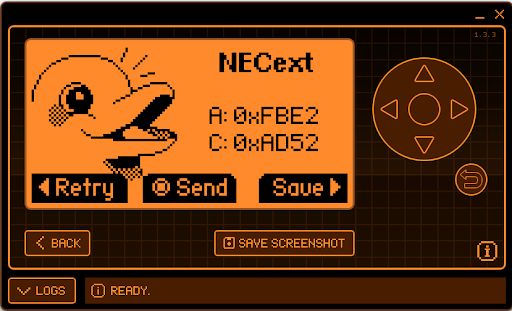
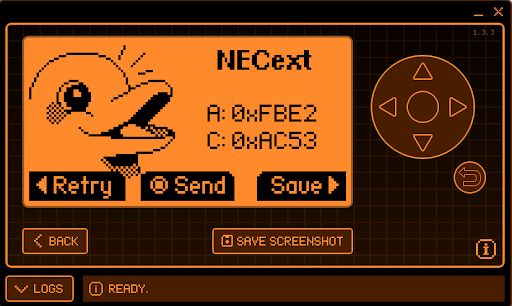
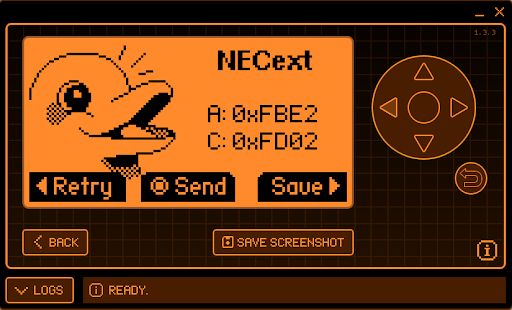
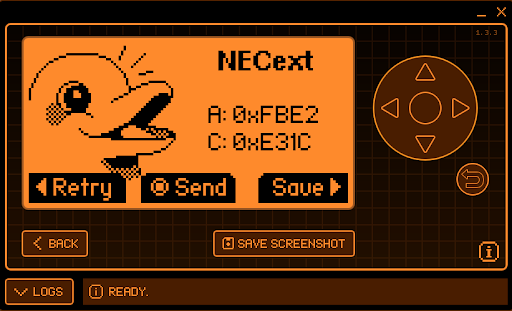
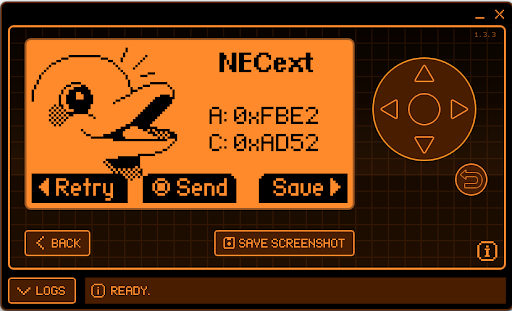
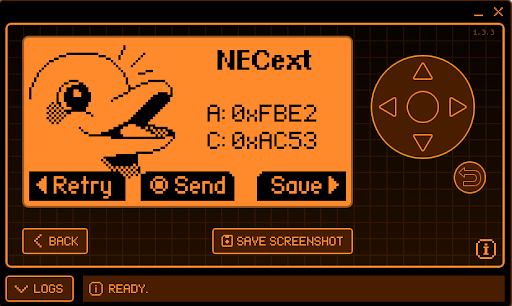
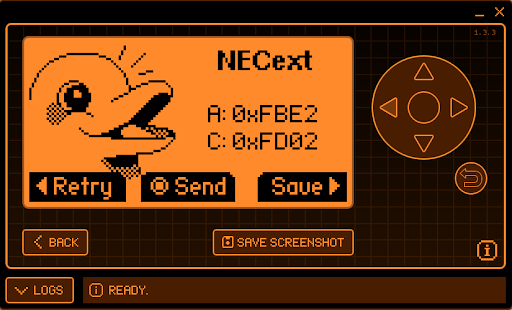
We started by testing with the Flipper Zero, although the OBK would also work well. The remote control uses the NEC. Here's a preview of some basic keys:
Red:
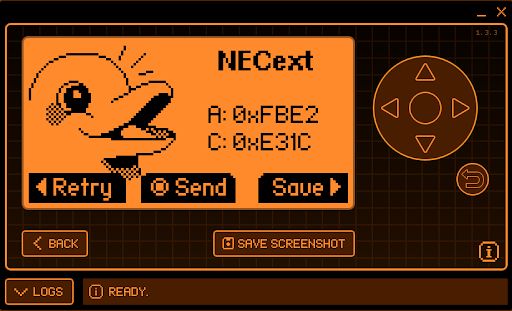
Screenshot of Flipper Zero displaying NEC IR codes. .
Green:
Screen showing NEC remote codes on an electronic device.
Blue:
Flipper Zero device screen displaying IR NECext codes.
White:
Flipper Zero screen with NECext settings and Pac-Man-like symbol .
In OBK, in turn, it is sufficient to set the IRRecv role for the corresponding pin and to make startDriver IR :

Info:MAIN:Time 771, idle 121038/s, free 75448, MQTT 0(48), bWifi 1, secondsWithNoPing 1, socks 2/38 
Info:IR:IR MQTT publish IR_NEC 0xFBE2 0x1C 0 (32 bits) took 0ms
Info:IR:IR MQTT publish IR_NEC 0xFBE2 0x1C 1 (0 bits) took 0ms
Info:MAIN:Time 772, idle 131402/s, free 75448, MQTT 0(48), bWifi 1, secondsWithNoPing 1, socks 2/38 
Info:MAIN:Time 773, idle 133434/s, free 75232, MQTT 0(48), bWifi 1, secondsWithNoPing 1, socks 3/38 
Info:MAIN:Time 774, idle 150269/s, free 75448, MQTT 0(48), bWifi 1, secondsWithNoPing 1, socks 2/38 
Info:IR:IR MQTT publish IR_NEC 0xFBE2 0x1C 0 (32 bits) took 0ms
Info:IR:IR MQTT publish IR_NEC 0xFBE2 0x1C 1 (0 bits) took 0ms
Info:MAIN:Time 775, idle 137090/s, free 75448, MQTT 0(48), bWifi 1, secondsWithNoPing 1, socks 2/38 
Info:MAIN:Time 776, idle 127325/s, free 75448, MQTT 0(48), bWifi 1, secondsWithNoPing 1, socks 2/38 
Info:IR:IR MQTT publish IR_NEC 0xFBE2 0x1C 0 (32 bits) took 0ms
Info:IR:IR MQTT publish IR_NEC 0xFBE2 0x1C 1 (0 bits) took 0ms
Info:MAIN:Time 777, idle 127220/s, free 75232, MQTT 0(48), bWifi 1, secondsWithNoPing 1, socks 3/38 
Info:IR:IR MQTT publish IR_NEC 0xFBE2 0x1C 0 (32 bits) took 0ms
Info:IR:IR MQTT publish IR_NEC 0xFBE2 0x1C 1 (0 bits) took 0ms
Info:MAIN:Time 778, idle 125833/s, free 75448, MQTT 0(48), bWifi 1, secondsWithNoPing 1, socks 2/38 
Info:MAIN:Time 779, idle 123395/s, free 75448, MQTT 0(48), bWifi 1, secondsWithNoPing 1, socks 2/38 
Info:IR:IR MQTT publish IR_NEC 0xFBE2 0x1C 0 (32 bits) took 0ms
Info:IR:IR MQTT publish IR_NEC 0xFBE2 0x1C 1 (0 bits) took 0ms
Info:MAIN:Time 780, idle 133632/s, free 75448, MQTT 0(48), bWifi 1, secondsWithNoPing 1, socks 2/38 
Info:IR:IR MQTT publish IR_NEC 0xFBE2 0x1C 0 (32 bits) took 0ms
Info:IR:IR MQTT publish IR_NEC 0xFBE2 0x1C 1 (0 bits) took 0ms
Info:MQTT:mqtt_host empty, not starting mqtt
.
Also works! The IR codes are seen correctly.
This is how you can collect IR codes, then you have to assign actions to them.
According to the documentation:
https://github.com/openshwprojects/OpenBK7231T_App/blob/main/docs/commands.md
and with our video:


.
we created autoexec.bat:

startDriver IR

//all LED's ON
addEventHandler2 IR_NEC 0xFBE2 0x26 led_enableAll 1
//all LED's OFF
addEventHandler2 IR_NEC 0xFBE2 0x25 led_enableAll 0

//setting RGB
//RED
addEventHandler2 IR_NEC 0xFBE2 0x1C led_basecolor_rgb FF0000
//GREEN
addEventHandler2 IR_NEC 0xFBE2 0x52 led_basecolor_rgb 00FF00
//BLUE
addEventHandler2 IR_NEC 0xFBE2 0x53 led_basecolor_rgb 0000FF
//WHITE
addEventHandler2 IR_NEC 0xFBE2 0x2 led_basecolor_rgb FFFFFF

//setting brightness 
addEventHandler2 IR_NEC 0xFBE2 0x5A add_dimmer 5 
addEventHandler2 IR_NEC 0xFBE2 0x10 add_dimmer -5
.
The script controls the IR controller and then adds an IR_NEC event handler where the captured information of the sent commands is entered. The corresponding commands are mapped to commands for the OBK to, for example, set a particular colour or turn the bar on/off.

Interior of the power supply .
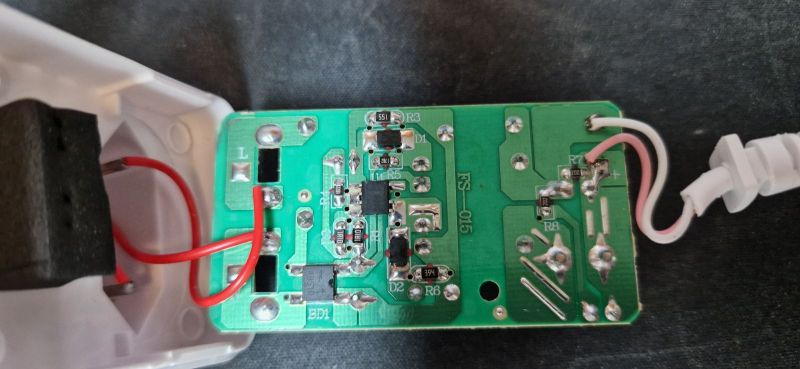
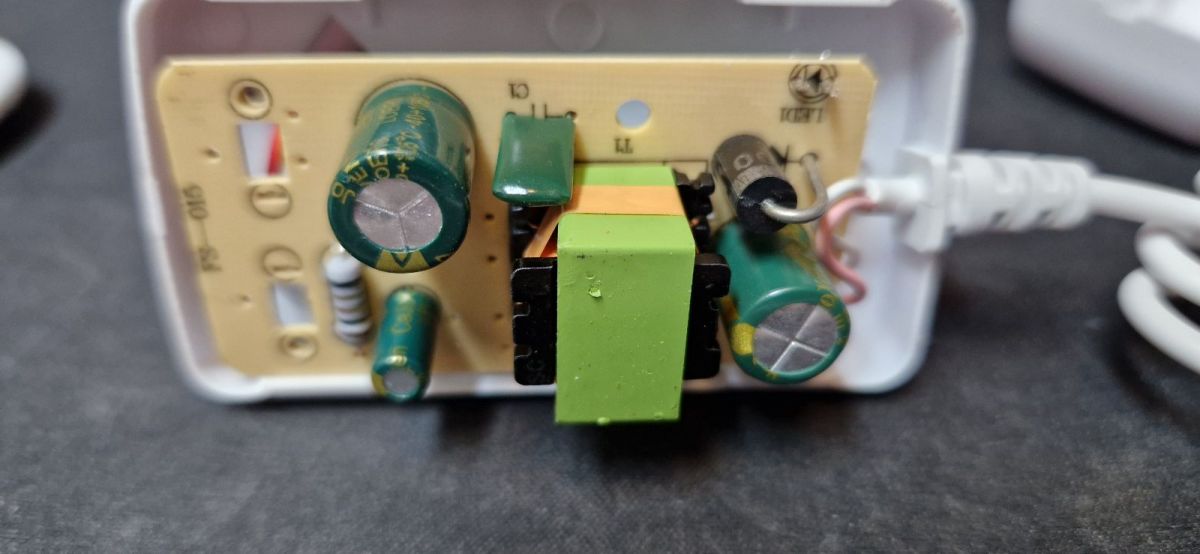
Again, a glued enclosure. We are looking at:
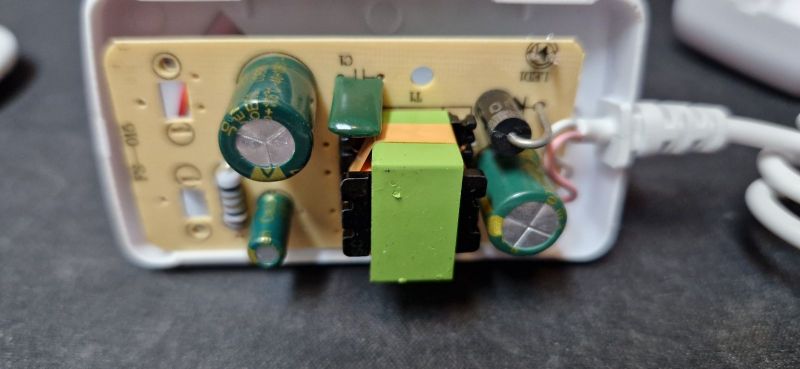
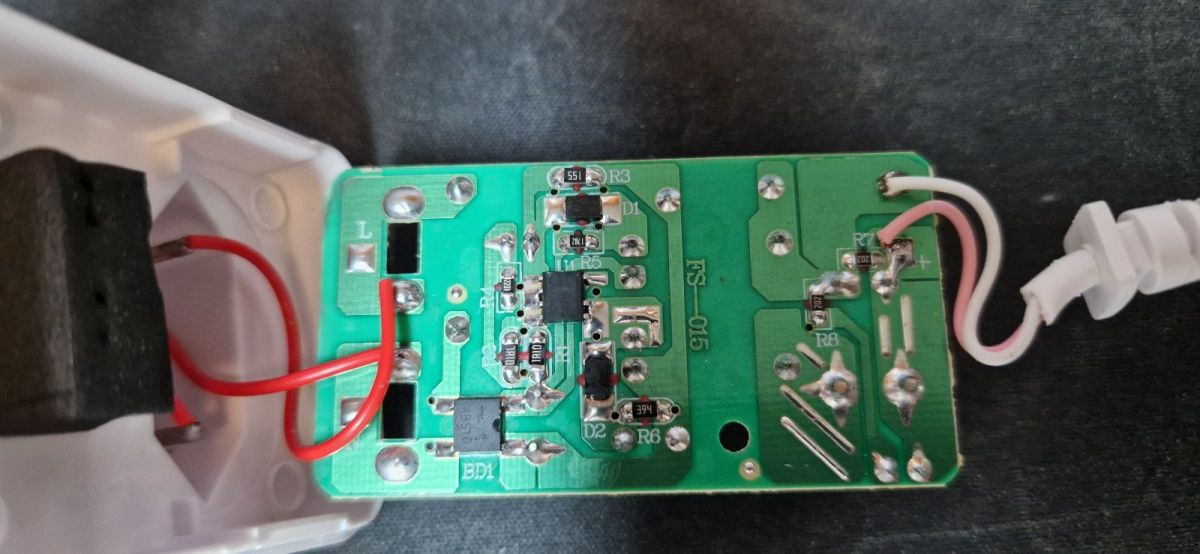
Interior of LED power supply with electronic components. Image of the inside of an electronic module with visible components. .
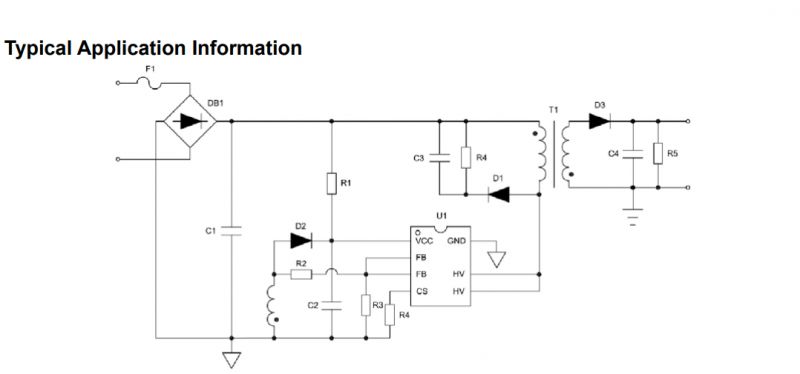
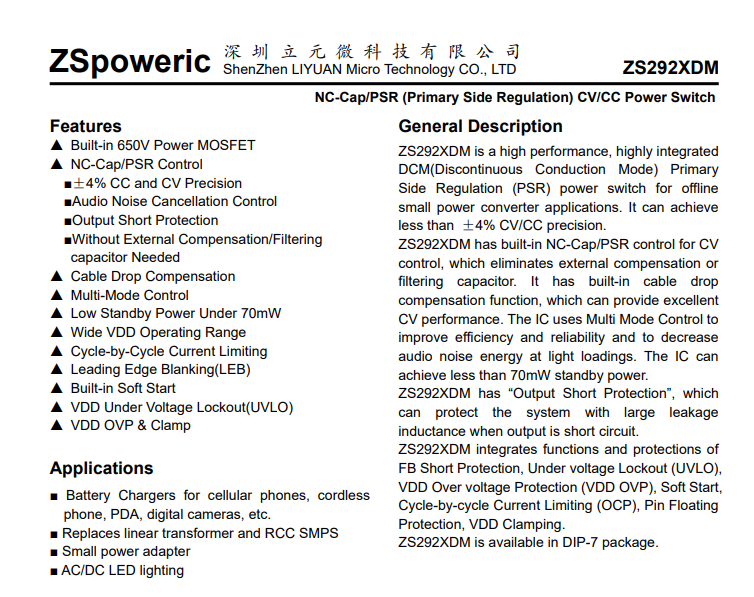
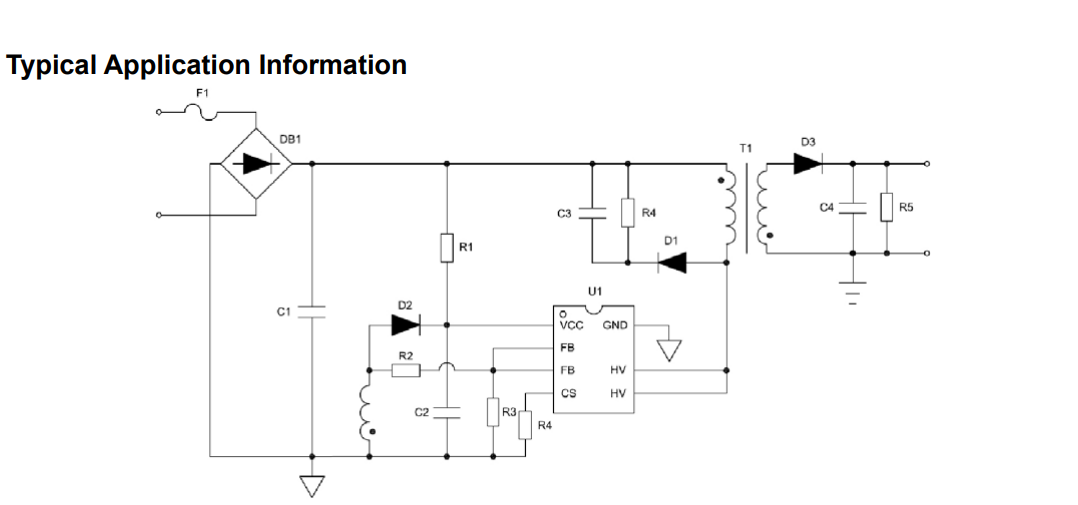
A complete classic. As usual. Simple fuse resistor at the input and integrated flyback controller PSR (Primary Side Regulation). Only an auxiliary winding for the power supply with a rectifying diode and a gasifier (on the second diode and with this green capacitor). On the secondary side a Schottky diode and one capacitor (hopefully low ESR):
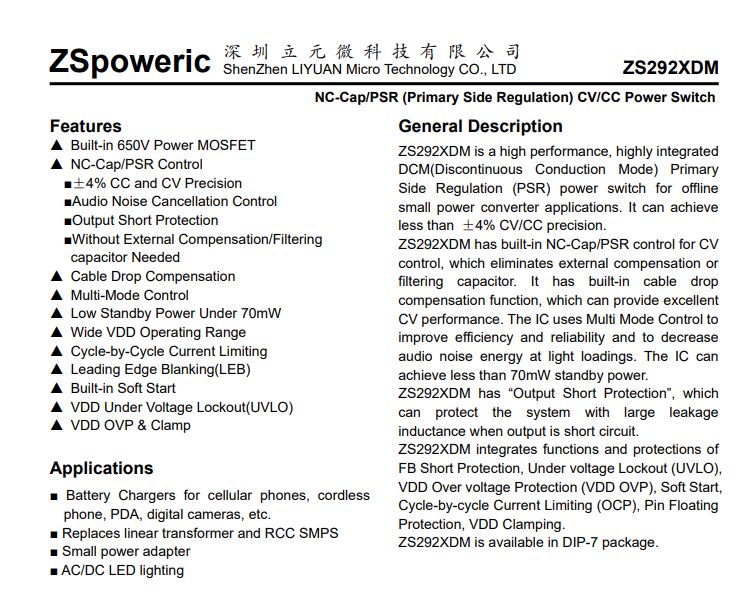
Specifications for ZS292XDM by ZSpoweric .
Typical power supply application schematic .
Simply the same as usual.


Summary .
Pretty good kit, but the power supply is budget as usual.
The batch is easy to change, and OpenBeken once uploaded will even embrace the remote control.
There is still a microphone there, but we had no need to run it with a colleague.
We have converted all the strips to Home Assistant and are happy with them.
By the way, there was no LED strip controller on the CBU module on our forum yet. This opens up new possibilities for modifications. One could, for example, connect the WS2812B to the P16 just available on the CBU, but problematic with the CB2S/CB3S (it is not brought out there).
Unfortunately, here too I have to complain a little - this is another product without a physical button. And what, if we lose the phone (and the remote control) we can't switch off the light? Fortunately, with a firmware change this can be easily fixed:
https://www.youtube.com/watch?v=vDh8Y_NDrb4&ab_channel=Elektrodacom
And you can also simply configure, for example, a light switch (also from OBK) to control this bar, but about that another time.
In summary - you can consider such a set-up, with Home Assistant you can certainly get it to work 100% locally.


About Author
p.kaczmarek2
p.kaczmarek2 wrote 14397 posts with rating 12321 , helped 650 times. Been with us since 2014 year.

Comments

divadiow 01 Oct 2024 23:14

very good. Yours came with a fancier box. This didn't come with PSU: https://www.elektroda.com/rtvforum/topic4026945.html You forgot purple ;) https://www.elektroda.com/rtvforum/viewtopic.php?p=2... [Read more]

FAQ

TL;DR: For an €18 Tuya LED strip kit, "everything works" after flashing OpenBeken: the LTK5050/30RGB-WF/5 uses a CBU BK7231N, PWM on pins 6/7/8, and IRRecv on pin 26, giving Home Assistant users fully local Wi‑Fi and IR remote control without Tuya cloud dependence. [#21220256]

Why it matters: This FAQ gives a citation-friendly setup path for anyone replacing Tuya firmware on this BK7231N RGB strip controller and keeping both Wi‑Fi automation and the bundled IR remote.

Option Control path Home Assistant use IR remote after setup Local operation
OpenBeken OpenBeken template + event handlers Confirmed working Confirmed working with IRRecv + startDriver IR Yes
Original Tuya firmware Vendor app workflow Not documented here Works from the box Not shown as fully local

Key insight: The most valuable finding is that this controller keeps its original IR remote useful after conversion. OpenBeken can decode NEC frames and map each button directly to color, power, and dimmer actions.

Quick Facts

  • The kit price shown was €18, and the package included the controller, LED strip, IR remote, and a bundled power supply. [#21220256]
  • The OpenBeken template assigns PWM;3 to pin 6, PWM;2 to pin 7, PWM;1 to pin 8, and IRRecv;0 to pin 26. [#21220256]
  • The installer first backed up the firmware from all four devices before replacing it with OpenBeken. [#21220256]
  • Captured remote presses decode as IR_NEC frames, with a main command frame of 32 bits and repeat frames logged as 0 bits. [#21220256]
  • The bundled PSU uses a budget flyback layout: input fuse resistor, PSR controller, auxiliary winding, secondary Schottky diode, and a single output capacitor. [#21220256]

How do I flash OpenBeken onto the LTK5050/30RGB-WF/5 WiFi LED strip controller with a CBU BK7231N module?

Flash it by backing up the original firmware first, then writing OpenBeken, then applying the template. 1. Make a full dump before changes; the author did this for all four units. 2. Follow the BK7231 flasher workflow linked in the thread and upload OpenBeken. 3. Import the JSON template for the LTK5050/30RGB-WF/5 so pins 6, 7, 8, and 26 map correctly. After that, the strip worked with Home Assistant and the IR receiver. [#21220256]

Which GPIO pins on the LTK5050/30RGB-WF/5 should be assigned for RGB PWM outputs and IRRecv in OpenBeken?

Use pin 6 for PWM channel 3, pin 7 for PWM channel 2, pin 8 for PWM channel 1, and pin 26 for IRRecv. The posted OpenBeken template defines exactly those four assignments for this BK7231N-based controller. That mapping was enough to get RGB control and IR reception working on the tested hardware. [#21220256]

What is the CBU module, and how is it related to the BK7231N used in Tuya LED strip controllers?

The CBU module is the radio and MCU board inside this controller, and in this device it is based on the BK7231N. "CBU" is a Tuya Wi‑Fi module that provides the controller’s processing and GPIO access, and here its internal SoC is the BK7231N used for firmware replacement and pin remapping. The thread identifies the installed module as CBU and explicitly states that it is BK7231N. [#21220256]

What is NEC IR protocol, and how do OpenBeken devices decode NEC remote control commands?

NEC IR is the remote protocol used by the bundled handset, and OpenBeken decodes it as IR_NEC events. "NEC IR" is an infrared remote-control protocol that sends button data as structured frames, and in this thread OpenBeken reports those presses with device code, command code, and bit length in the log. A sample log shows IR_NEC 0xFBE2 0x1C 0 (32 bits) for a button press. [#21220256]

How can I capture IR remote codes from the Prosto LTK5050/30RGB-WF/5 controller and map them to actions in OpenBeken?

Set the IR pin, start the IR driver, read the logged NEC codes, then bind them with event handlers. 1. Assign pin 26 to IRRecv. 2. Run startDriver IR and press remote buttons. 3. Add addEventHandler2 IR_NEC ... lines in autoexec.bat for power, colors, or dimming. The thread shows this exact flow and maps commands such as 0x26 to all LEDs on and 0x25 to all LEDs off. [#21220256]

Why does OpenBeken log repeated IR_NEC events with a second frame showing 0 bits when I press the remote buttons?

Because the remote sends a normal NEC press frame first, then repeat frames while the button stays pressed. The log in the thread shows a full event like IR_NEC 0xFBE2 0x1C 0 (32 bits) followed by entries with 0 bits. That means reception is working, not failing. The edge case is that automation can trigger more than once if you do not account for repeat frames in your handler design. [#21220256]

What should an autoexec.bat script look like in OpenBeken for turning the LED strip on and off, changing RGB colors, and adjusting brightness from an IR remote?

It should start the IR driver and bind each NEC code to a lighting command. The posted script uses startDriver IR, then maps 0x26 to led_enableAll 1, 0x25 to led_enableAll 0, 0x1C to red FF0000, 0x52 to green 00FF00, 0x53 to blue 0000FF, 0x2 to white FFFFFF, 0x5A to add_dimmer 5, and 0x10 to add_dimmer -5. That covers power, four colors, and brightness control. [#21220256]

OpenBeken vs Tuya firmware for a BK7231N LED strip controller — which is better for Home Assistant and fully local control?

OpenBeken is better here if you want Home Assistant and fully local control. The thread confirms that after flashing OpenBeken, the controller worked with Home Assistant and still handled the IR remote. The summary also says the converted strips now run 100% locally with Home Assistant. The original Tuya firmware is the factory baseline, but the thread does not show it offering the same local, scriptable IR mapping. [#21220256]

How do I back up the original firmware dump from a BK7231N or CBU-based LED strip controller before replacing it with OpenBeken?

Back it up before flashing anything else. The author explicitly says they first made a copy of the firmware for all four devices and linked the dump commit before uploading OpenBeken. That backup gives you a recovery path if flashing fails or if you later want to compare the original batch. For this hardware, making the dump first is not optional best practice; it is the documented sequence used in the thread. [#21220256]

What hardware is inside the power supply bundled with the LTK5050/30RGB-WF/5, and how safe or budget is that flyback design?

It uses a very simple budget flyback supply. "Flyback" is an isolated switch-mode power-supply topology that stores energy in a transformer during switching, a common low-cost choice for compact adapters. The thread describes an input fuse resistor, integrated PSR controller, auxiliary winding with rectifier diode, a secondary Schottky diode, and one output capacitor. The author calls it a complete classic and explicitly labels it budget, not premium. [#21220256]

How can I integrate an OpenBeken-flashed RGB LED strip controller with Home Assistant for local WiFi control?

Flash OpenBeken, apply the correct template, and then pair the controller with Home Assistant using the OpenBeken integration steps linked in the thread. The author states that everything worked with Home Assistant after the firmware change. The final summary adds that all converted strips now operate 100% locally. That makes this controller suitable for local Wi‑Fi RGB control without relying on Tuya cloud operation. [#21220256]

What troubleshooting steps help when the IR remote works in the original firmware but OpenBeken is not receiving any IR events?

Check the pin role first, then the driver, then the live log. 1. Confirm pin 26 is assigned to IRRecv;0. 2. Run startDriver IR; without it, the receiver will not publish events. 3. Watch the log for IR MQTT publish IR_NEC .... If nothing appears, your role or startup script is wrong. If you see 32 bits and 0 bits, reception is active and the missing part is only your event mapping. [#21220256]

In what way could P16 on the CBU module be reused for WS2812B control, and why is that harder on CB2S or CB3S modules?

P16 could be reused because it is available on the CBU used in this controller. The author notes that one could connect a WS2812B strip to the free P16 pin, which creates extra modding options beyond plain RGB PWM. The same idea is harder on CB2S or CB3S because that pin is not brought out there. The practical limit is board access, not firmware interest. [#21220256]

Why is the lack of a physical button on some Tuya WiFi LED strip controllers a problem, and what firmware-based workarounds are available?

It is a problem because you can lose both control paths at once. The author points out that without a physical button, losing the phone and remote can leave you unable to switch the light off locally. The thread says firmware changes can fix this easily, and it also suggests another workaround: configure a separate OpenBeken light switch to control the strip. Those options restore local fallback control without relying on the vendor app. [#21220256]

Which IR color codes were identified for red, green, blue, white, and the missing purple on this style of LED strip remote?

The identified NEC command codes are red 0x1C, green 0x52, blue 0x53, and white 0x02, all under device code 0xFBE2. The follow-up comment says purple was forgotten, but it does not provide a purple hex code. So four color commands are documented in the thread, while purple is only noted as missing. That is the key limitation if you are building a complete color map from this discussion alone. [#21246753]
Generated by the language model.
%}