logo elektroda
logo elektroda
X
logo elektroda

Implementing Moving Average for BL0942+BL0937 Power and Current in OBK

XJ_  6 3384 Cool? (+2)
📢 Listen (AI):

TL;DR

  • A moving-average mod for OpenBeken BL0942+BL0937 smooths fluctuating power and current readings from energy-monitoring devices.
  • It enables ENABLE_BL_MOVINGAVG in obk_config.h and sets setMovingAvg in autoexec.bat, with 2..20 activating averaging and 0 or 1 disabling it.
  • A 1000W load running 4 seconds on and 6 seconds off appears as a steady 400W, with slower response at higher setMovingAvg values.
  • The grand total stays almost the same, but the method only makes sense with a repeating PWM-like period; BL0942 calculates energy directly, while BL0937, CSE7766, and RN8209 use averaged values.
Generated by the language model.
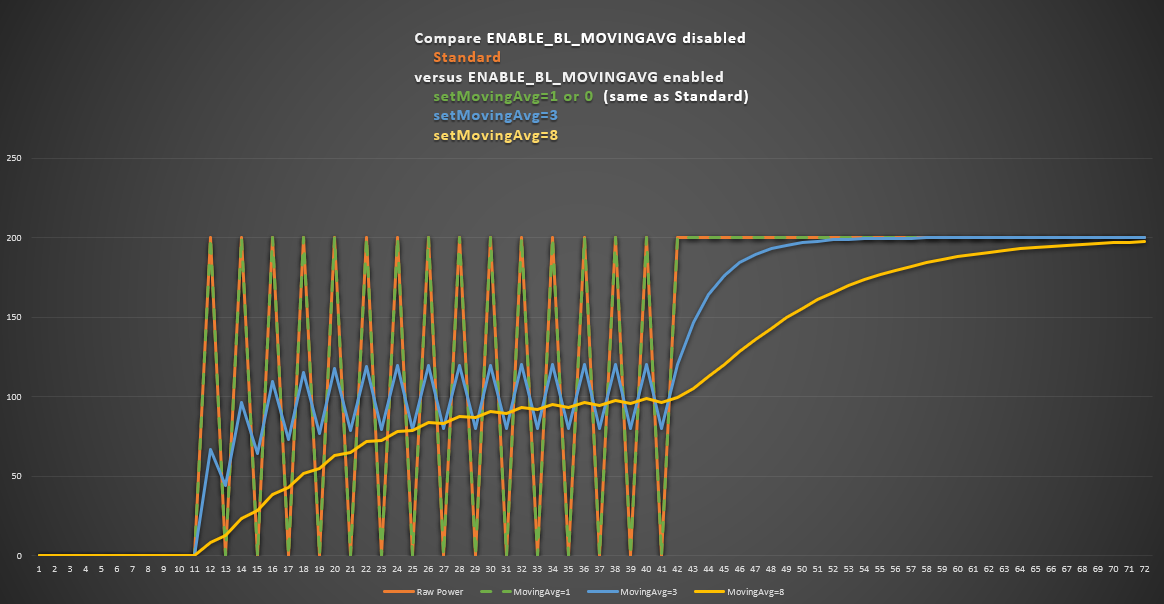
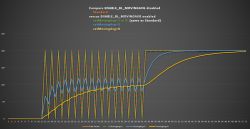
Graph comparing the effect of different moving average settings on data.
I've created a moving average modification for OpenBeken (BL0942+BL0937) for power and current values. Thanks to this, you can smooth the fluctuating power and current values, ​​so that they are more informative at first glance.

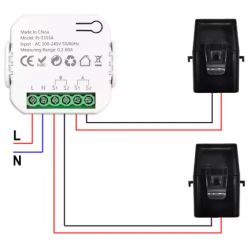
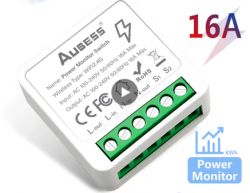
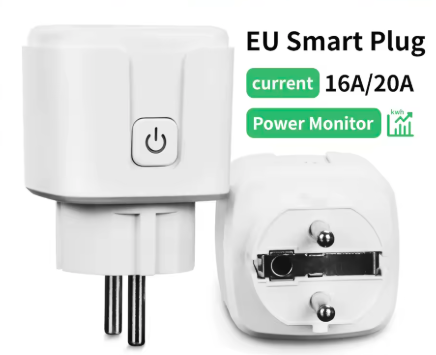
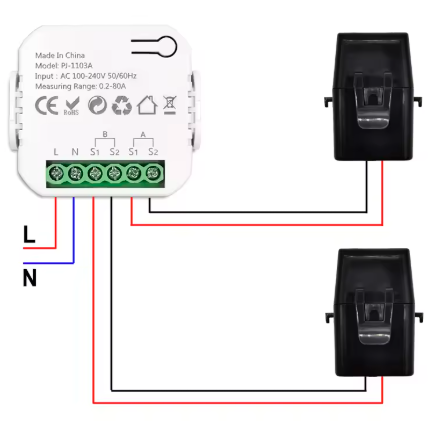
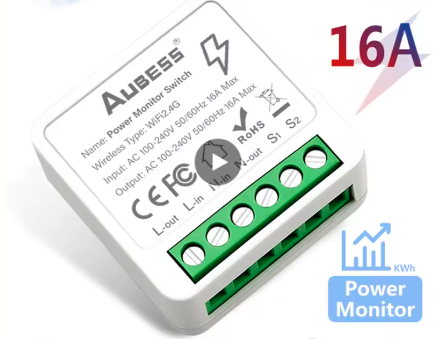
So, if you have energy measuring devices like these (having energy monitor):
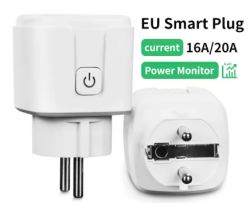
EU smart plug with power monitor and 16A/20A current. Electrical installation diagram with a measuring device. AUBESS 16A smart switch module with power monitoring.
You can use my mod based on a simple calculation, it averages the fluctuating power and current values .

Reason: I have multiple devices (heating) at home that change the power input in seconds PWM (this way it controls the temperature proportionally). Thus, the value in HASS and OBK too "jumps". This mod allows you to activate values ​​averaging. The output is then smoother.

For example, if you have a device that has 1000W and that out of 10 seconds interval is 4 seconds on and 6 seconds off, you normally see the same thing on the website or in HASS. For 4 seconds is there 1000W, and for 6 seconds is there 0W. So it depends on when you look at the website.

When using this mod, you will see a value of 400W all the time. However, it will take a while for it to reach 400W, and similarly it will take a while for it to drop to 0. The speed depends on the setMovingAvg setting.

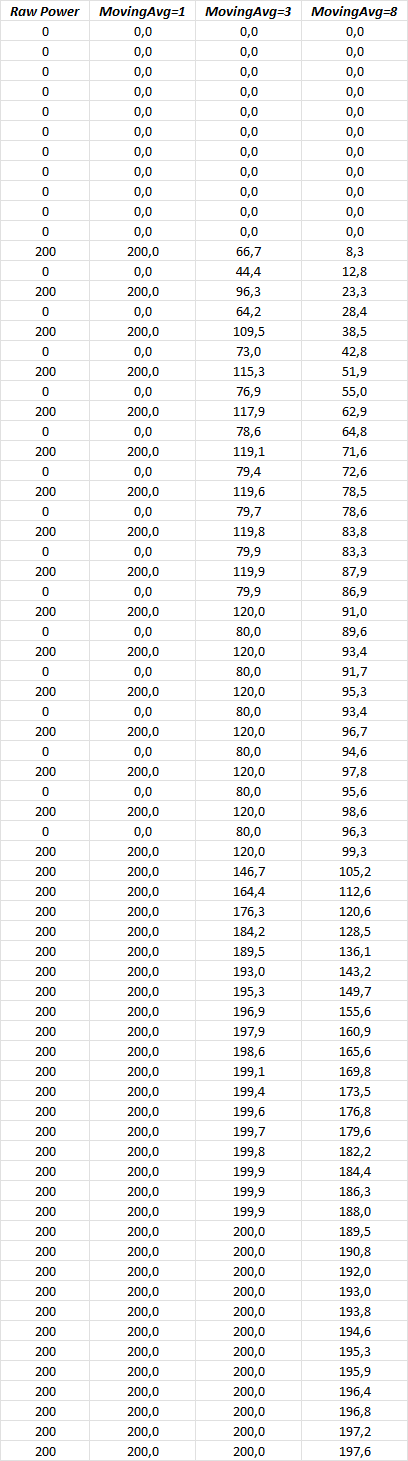
It is clearly visible in the attached graph and the values ​​from the graph are in the table.

Graph comparing the effect of different moving average settings on data.

The grand total for a period of time is almost the same as the total without averaging (due to the averaging).

Use this guide to build, firmware can be built on Github:
https://www.elektroda.com/rtvforum/topic4033833.html
Set ENABLE_BL_MOVINGAVG in obk_config.h.

ENABLE_BL_MOVINGAVG is disabled by default. To make it working, it must be turned on for compilation in obk_config using ENABLE_BL_MOVINGAVG 1
And in autoexec.bat the appropriate setMovingAvg value:
- 2..20 to activate the average - higher value, slower changes
- 0 or 1 is disabled (default)

--------------------------------------------------------------------------------------------------------------------------------------
Important !!!
It only makes sense if the power interval has the same period. It must be basically the equivalent to PWM with "seconds" interval.
--------------------------------------------------------------------------------------------------------------------------------------


For BL0942 this does not affect the energy, the energy is calculated directly on BL0942.
For others (BL0937, CSE7766, RN8209) the energy is calculated from the averaged values ​​(if setMovingAvg is set).

Value flow in time - sample values used in graph:
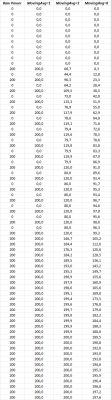
Table with raw power values and moving averages for different periods.

About Author
XJ_
XJ_ wrote 140 posts with rating 38 , helped 13 times. Been with us since 2024 year.

Comments

p.kaczmarek2 29 Mar 2025 19:19

Good job. This graph indeed looks much better and much much more readable, but I have a question about this: Is this the preferred behaviour or is it a byproduct of the implementation? [Read more]

XJ_ 29 Mar 2025 19:31

I didn't change that, it's already so in the code. But the functionality will be similar, only the BL0942 measures the energy itself and is more accurate. The others sending NAN and because of that the... [Read more]

p.kaczmarek2 30 Mar 2025 11:56

I am starting to think that I need your mod: https://obrazki.elektroda.pl/1152098800_1743328593_thumb.jpg [Read more]

XJ_ 30 Mar 2025 13:59

The calculation is based on and conditioned by the regularity of changes, it does not address the time between changes. But doesn't the OBK measurement run via runeverysecond? Then it would work normally. ... [Read more]

divadiow 08 Nov 2025 12:46

This is interesting? https://github.com/openshwprojects/OpenBK7231T_App/pull/1854 [Read more]

XJ_ 23 Nov 2025 10:00

Just for info, nothing to solve... [Read more]

FAQ

TL;DR: For OpenBeken users with BL0942 or BL0937 plugs, this mod smooths PWM-driven power spikes: a 1000W load cycling 4 s on / 6 s off displays about 400W instead. One poster says, "A chart using a moving average looks much nicer indeed." It solves jumpy Home Assistant and OBK graphs for second-scale switching loads. [#21500858]

Why it matters: Smoother power and current values make energy-monitoring plugs easier to read when heaters and similar loads switch every few seconds.

Option Display behavior Energy handling
Raw readings Fast jumps between live states Unchanged device/OBK behavior
Moving average enabled Slower, smoother response BL0942 energy stays chip-based; BL0937/CSE7766/RN8209 energy follows averaged values

Key insight: This approach works best when load changes follow a regular seconds-based pattern, essentially PWM on a seconds interval. If the switching period is irregular, the displayed average can mislead.

Quick Facts

  • ENABLE_BL_MOVINGAVG is disabled by default and must be set to 1 in obk_config.h at compile time before the feature can work. [#21500175]
  • setMovingAvg in autoexec.bat uses 2–20 to enable smoothing; 0 or 1 disables it. Higher values slow both rise and fall of displayed power and current. [#21500175]
  • In the thread’s example, a 1000W load that stays on for 4 s and off for 6 s over a 10 s cycle displays about 400W after smoothing stabilizes. [#21500175]
  • BL0942 keeps energy calculation on the chip itself, while BL0937, CSE7766, and RN8209 rely on OBK’s internal energy calculation when energy arrives as NAN. [#21500208]
  • Total accumulated energy over time stays almost the same with smoothing, but instantaneous values become much more readable in graphs and dashboards. [#21500175]

How do I enable the moving average mod for BL0942 and BL0937 in OpenBeken, including the ENABLE_BL_MOVINGAVG compile option and setMovingAvg in autoexec.bat?

Enable it in two places. 1. Set ENABLE_BL_MOVINGAVG 1 in obk_config.h and rebuild firmware. 2. Put setMovingAvg in autoexec.bat. 3. Use a value from 2 to 20 to turn smoothing on; use 0 or 1 to keep it off. The compile flag is disabled by default, so changing only autoexec.bat will not activate the feature. [#21500175]

What does the setMovingAvg value do in OpenBeken, and how do values from 2 to 20 change the response speed of power and current smoothing?

setMovingAvg sets how strongly OpenBeken smooths power and current values. Values from 2 to 20 enable averaging, and a higher number makes changes slower. That means the displayed value takes longer to climb after a load turns on and longer to fall after it turns off. Values 0 and 1 disable the feature completely. [#21500175]

Why do power and current readings jump in Home Assistant and OBK when a heating device is controlled by PWM in seconds?

They jump because the heater changes input power every few seconds instead of drawing a steady load. In the thread, the load behaves like PWM on a seconds scale, so Home Assistant and OBK show live states such as full power for several seconds and then 0W for several seconds. The graph therefore depends on the exact moment you look at it. [#21500175]

When does a moving average make sense for energy-monitoring plugs in OpenBeken, and what kind of load pattern is it designed for?

It makes sense when the load switches with a regular seconds-based period. The author states that it only makes sense when the power interval has the same period and is basically equivalent to PWM with a “seconds” interval. Heaters with proportional temperature control fit this pattern well. Random or irregular switching is a poor match. [#21500175]

How does the moving average turn a 1000W load that is on for 4 seconds and off for 6 seconds into a smoother displayed value?

It averages the repeated 1000W and 0W states over time, so the display settles near 400W. In the example, the device is on for 4 of 10 seconds and off for 6 of 10 seconds. Without smoothing, you see 1000W for 4 s and 0W for 6 s. With smoothing, the value rises toward 400W, then later falls toward 0W more gradually. [#21500175]

What happens to energy calculation in OpenBeken when setMovingAvg is enabled on BL0942 versus BL0937, CSE7766, and RN8209?

BL0942 keeps energy measurement separate from the moving average, but BL0937, CSE7766, and RN8209 do not. The thread states that for BL0942, averaging does not affect energy because the chip calculates energy directly. For the other three chips, OBK calculates energy from the averaged values when setMovingAvg is enabled. [#21500175]

Why is BL0942 considered more accurate for energy measurement than BL0937, CSE7766, or RN8209 in this OpenBeken setup?

BL0942 is considered more accurate here because it measures energy itself on-chip. The thread explains that the other chips send NAN for energy, so OpenBeken computes energy internally instead. That makes BL0942 the more direct measurement path in this setup. One poster explicitly says BL0942 “measures the energy itself and is more accurate.” [#21500208]

What is PWM with a seconds interval, and why is it important for this moving average approach to work properly?

“PWM with a seconds interval” is a control pattern that switches a load on and off in repeating multi-second periods, with duty cycle setting the average output. It matters because this moving average assumes a regular timing pattern. If the cycle repeats predictably, the displayed value converges to a stable average, such as 400W from a 4 s on and 6 s off 1000W load. [#21500175]

What is runeverysecond in OBK, and how could it affect the timing and behavior of moving-average power measurements?

runeverysecond is an OBK timing mechanism mentioned as a possible driver for one-second measurement updates. If measurement really runs every second, the moving average should behave normally with second-based switching loads. The thread does not define its internals, but it clearly links one-second execution to expected averaging behavior. That timing matters because the mod does not explicitly correct for uneven gaps between changes. [#21500858]

Why are some chips sending NAN for energy in OpenBeken, and how does OBK calculate energy internally when that happens?

Some chips send NAN for energy instead of a usable energy value, so OBK has to compute energy internally. The thread identifies BL0937, CSE7766, and RN8209 as the chips in that situation. When setMovingAvg is enabled, OBK then calculates energy from the averaged values rather than from a chip-reported energy counter. [#21500208]

Which is better for readable graphs in Home Assistant: raw power readings or moving-averaged readings from OpenBeken devices?

Moving-averaged readings are better when the load switches in a regular seconds-based pattern. Raw readings show the true instant state, but they can jump between values such as 1000W and 0W, which makes graphs harder to read. The thread explicitly says the moving-average chart looks much better and more readable. [#21500195]

How much does moving average smoothing change the total accumulated energy over time in OpenBeken energy-monitoring devices?

It changes total accumulated energy only slightly over time. The author states that the grand total for a period is “almost the same” as without averaging, because averaging smooths the display rather than radically changing the long-term total. The main visible change is in instantaneous power and current presentation, not in the overall accumulated result. [#21500175]

What kinds of appliances benefit most from this OpenBeken moving average mod, and which ones are poor candidates for it?

Heaters and similar appliances with proportional control benefit most. The author describes multiple heating devices that change power every few seconds using PWM-like behavior, which makes Home Assistant and OBK values jump. Poor candidates are loads with irregular timing, because the mod “does not address the time between changes” and assumes regular intervals. That is the main failure case. [#21500858]

How should I choose the best setMovingAvg value for a heater or other load that switches on and off every few seconds?

Start low and increase only until the graph becomes readable. In this mod, 2–20 enables smoothing, and higher values make the display slower. For a heater switching every few seconds, pick the smallest value that stops distracting jumps, because too high a setting delays both ramp-up and drop-to-zero. Values 0 or 1 disable smoothing entirely. [#21500175]

Why is energy for BL0937, CSE7766, and RN8209 calculated from averaged values in OBK when setMovingAvg is enabled, and is that a preferred design choice or just a side effect of the implementation?

It is a side effect of the existing implementation, not a new preferred design choice in the mod. When asked directly, the author replied that he did not change that behavior and that it was already in the code. The reason is practical: those chips send NAN for energy, so OBK computes energy internally and, with smoothing enabled, uses the averaged values in that path. [#21500208]
Generated by the language model.
%}