





EARU EASEM-G-M300 3 phase meter: teardown, pinout, DpIDs (list and JSON), firmware dump
TL;DR 
- Teardown of the EARU EASEM-G-M300 3-phase energy meter, with internal photos, partial pinout, DpIDs, and a firmware dump.
- Inside, it uses an Renergy RN8302B metering IC, a CMS32L051 Tuya MCU, and a CB3S module, plus a JTAG-labelled connector that suggests hackability.
- It includes three CT clamps, supports an extra leakage-current clamp, and exposes one relay output, one digital input, and RS485.
- The unit cost €50–€55, and its readings matched a Brymen BM869s and UT210E on resistive loads and SMPS + DC loads.
- The main drawbacks are the unreadable screen and weak reporting frequency, with OpenBeken under consideration for better MQTT/Home Assistant integration.
AI summary based on the discussion. May contain errors.
Fairly capable unit, only downside is the screen that is not that readable.
Good things about the unit: Meter IC is Renergy RN8302B with some great specs.
Unit comes with 3 CT clamps, it can accommodate an additional clamp for current leakage. I suspect that
the same input can be repurposed with a typical CT clamp over the neutral to do the leakage current calculation (DpIDs JSON suggests that is possible).
1 relay output, 1 digital input and RS485. Bunch of options like over voltage, under voltage etc in the Tuya app.
Fairly cheap, got it for €50 from what appears to be an official EARU store on Aliexpress (link). Current price is €55 which is still good.
Measured values seem to match what I measured with a Bryman BM869s and UT210E clamp meter. Did the basic load tests
with resistive loads and SMSP + DC load, reported values match the calculations. Like with other Tuya units, reporting frequency
is not that great, for a steady state loads, so I'm looking into OpenBeken to "fix" that.
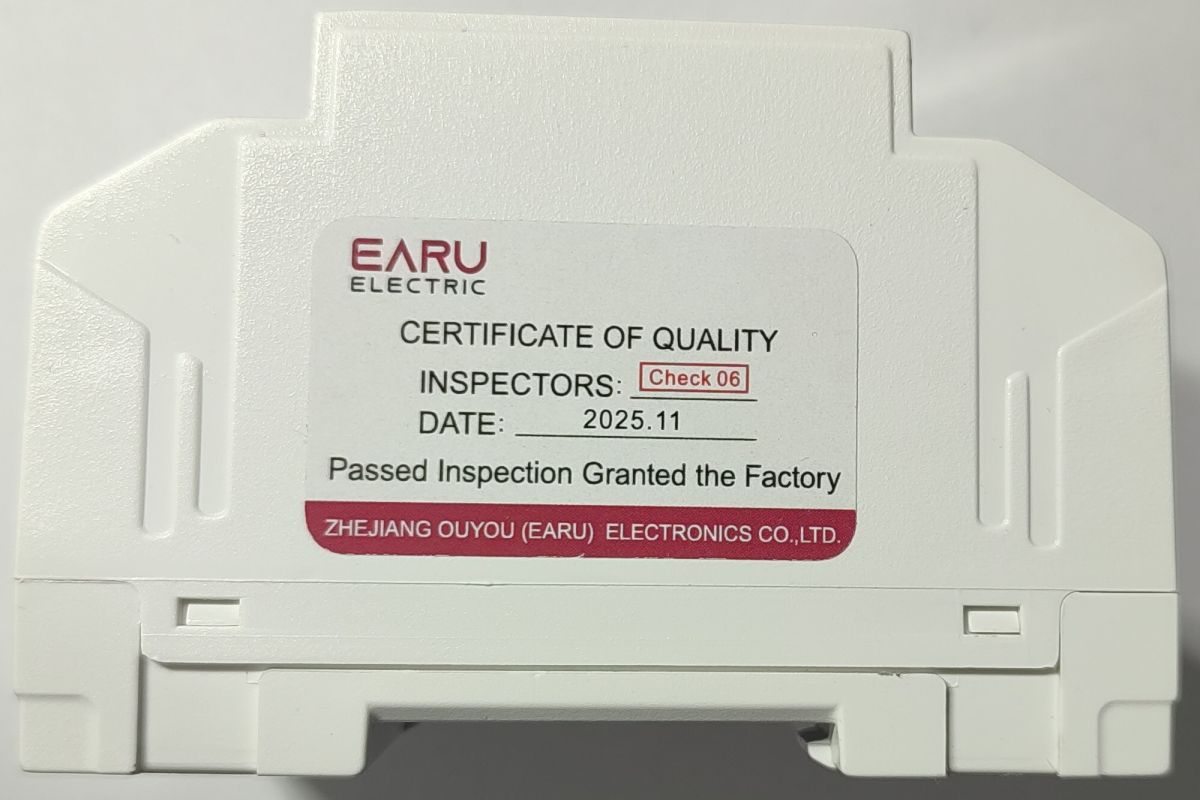
Teardown photos and partial pinout.
Front of the unit:
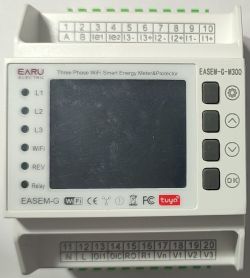
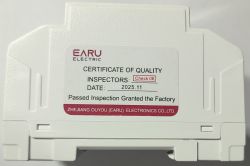
Easy to open, just 4 clips on the sides
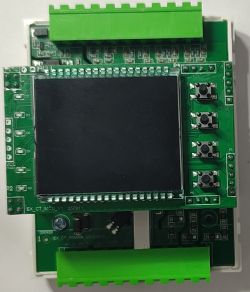
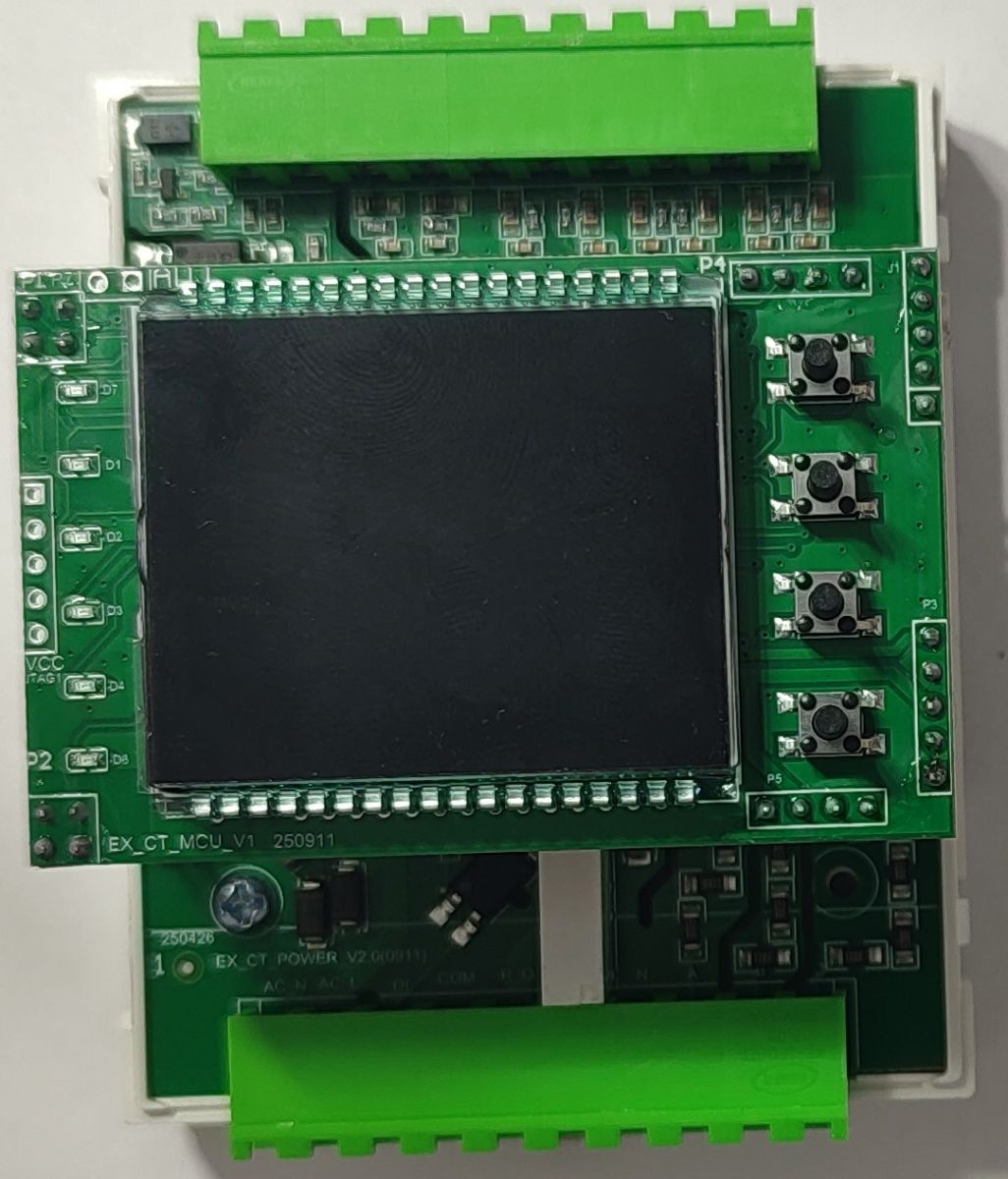
Inside the unit, notice the JTAG labelled connector on the left. It goes to the CMS32L051 "Tuya MCU", so it seems that it would be pretty hackable
if someone wanted to replace the Tuya firmware.
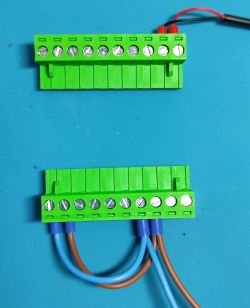
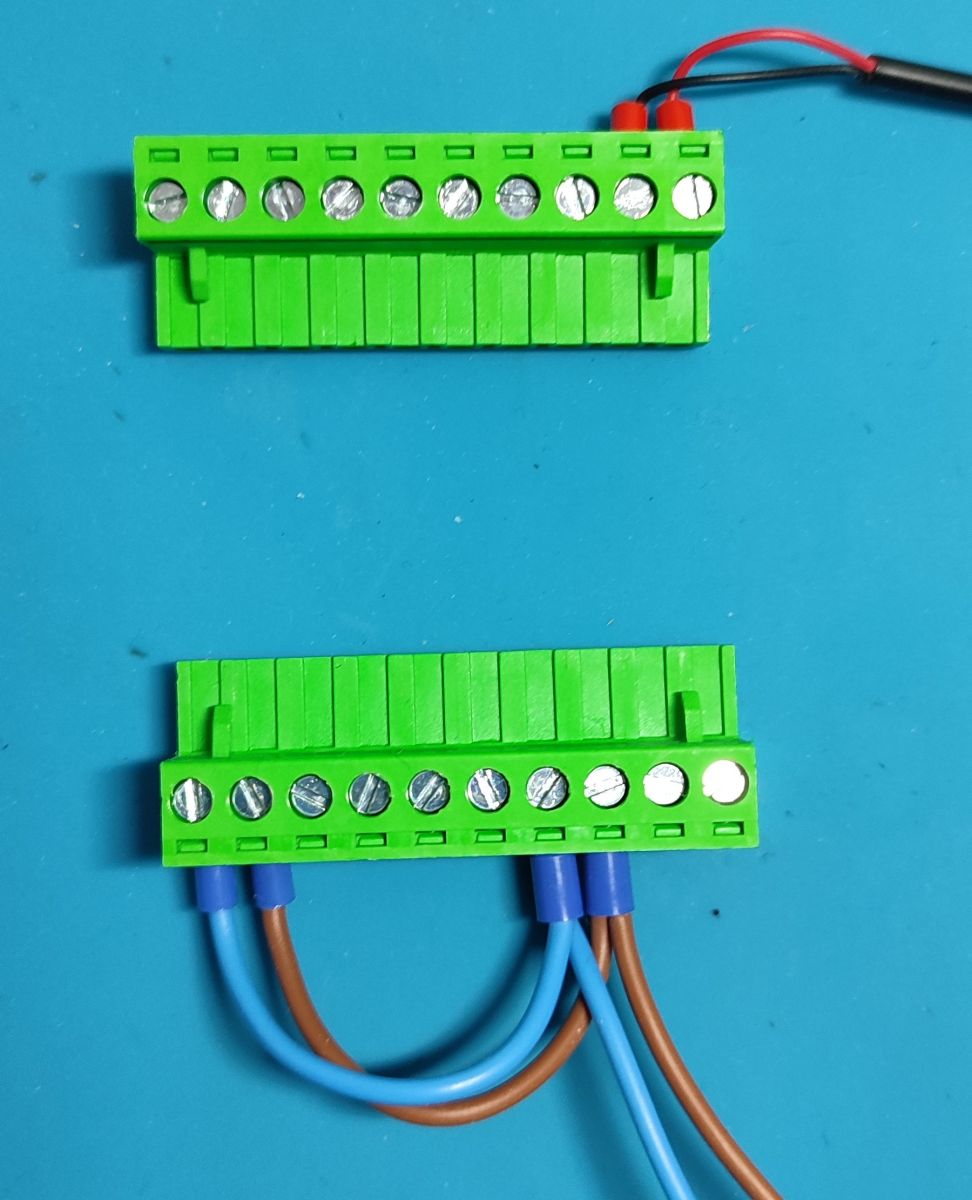
It uses pluggable terminal blocks which is nice if you have to replace/open the device without disturbing the wiring.
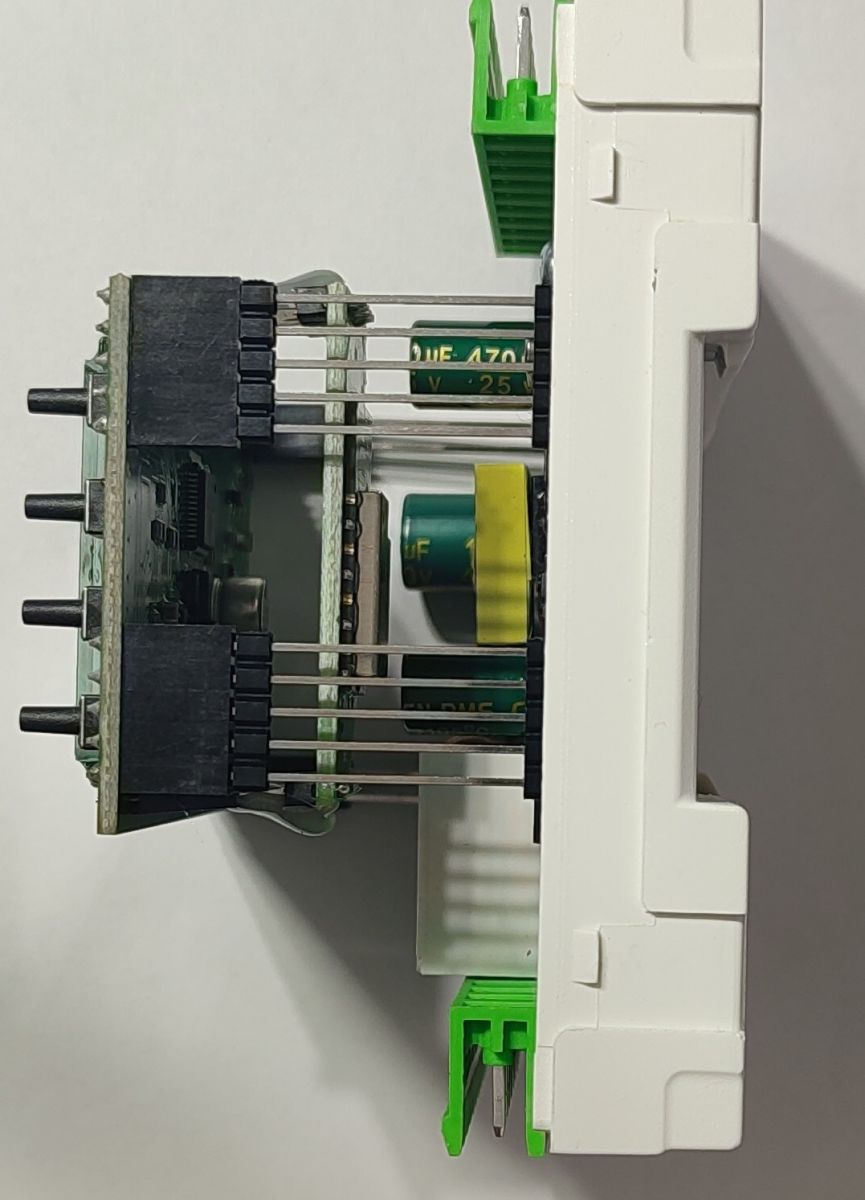
The board with the screen, TuyaMCU and the CB3S module is easily separated from the base unit that holds the power section, metering chip, RS485 chip etc:
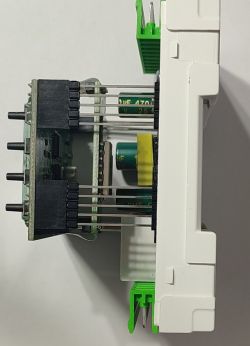
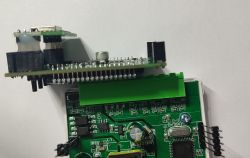
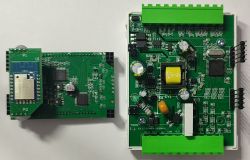
CB3S module is also easy to separate (douse the hot glue blobs with ethyl/isopropyl alcohol, it peels of after a few seconds).
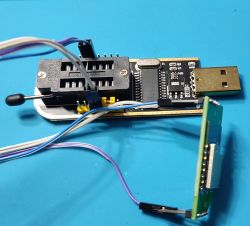
I used the "CH341 Programmer" to dump the firmware since it has a 3.3V regulator on board and none of my other USB to serial boards have that feature.
Overkill and something like this "programmer" would be better is someone needs a cheap adapter with a 3.3V regulator: link
Pinout for the CB3S board:
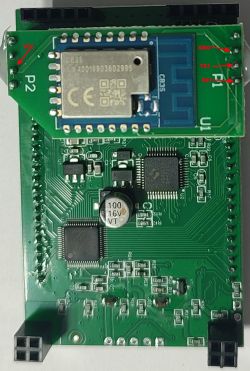
Tuya MCU and the display chip:
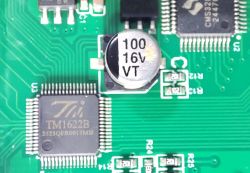
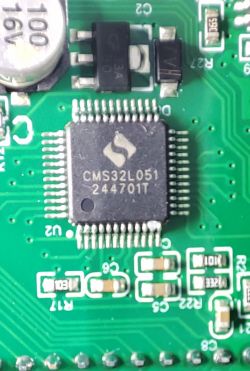
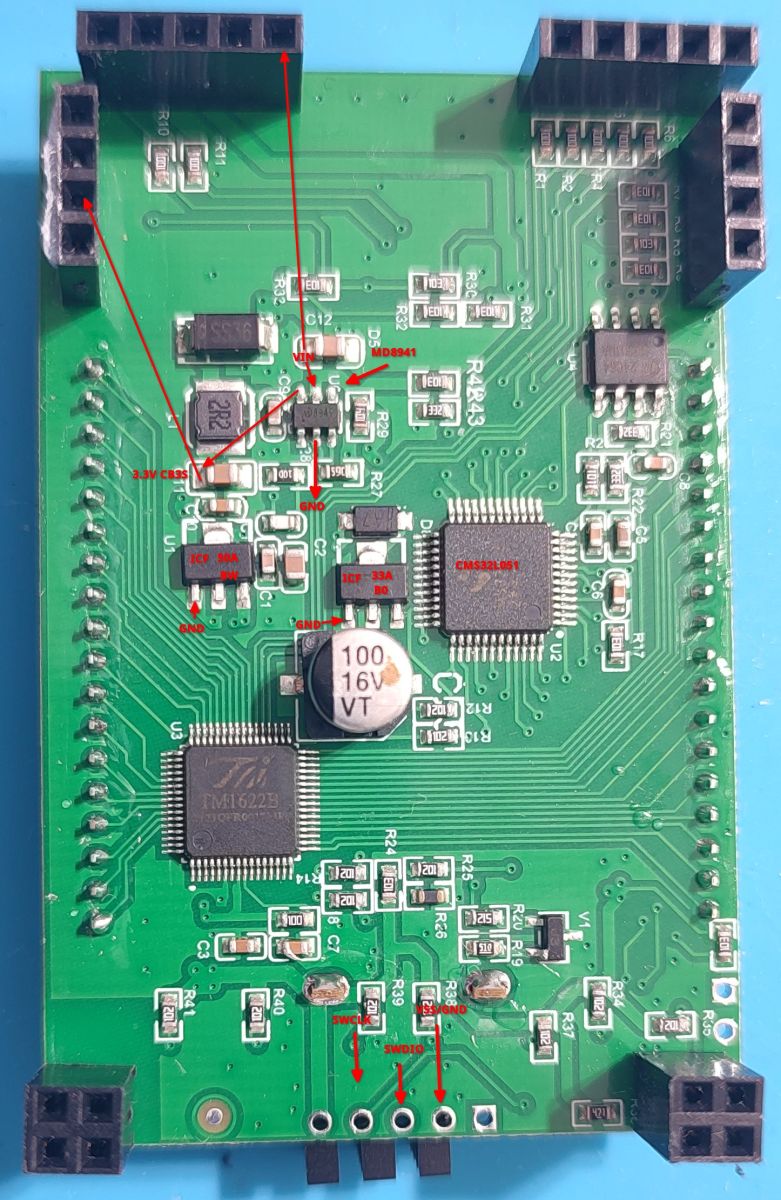
Main board with some pins labelled, for some reason it uses the DC2DC converter to generate 3.3V for the CB3S module, haven't yet found where the VCC for the MCU comes from, labelling on the top of the board suggest that it should be the pin on the far left, but it's not directly connected to the MCU and I did not have the time to trace it out yet.
Seems to be pretty hackable considering that all you need (except the metering chip and RS485) is on this board.
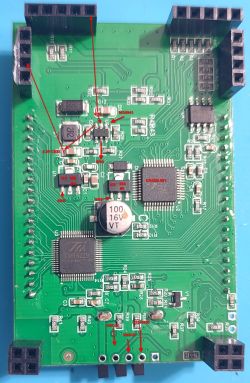
Base board that holds the energy metering chip etc:
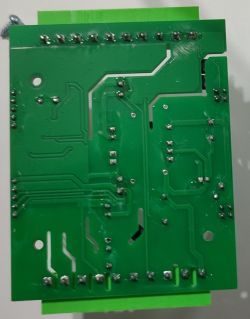
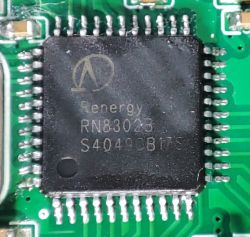
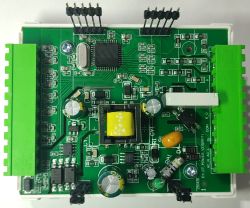
Sorry about the quality of the photos, lightning setup ...
Archive containing the firmware dump, flasher log, DpIDs (list and JSON) is attached.
50+ DpIDs, of most interest to me is this:
If I could get this to work with OpenBeken and send it to HA ...
Haven't tried to flash OB yet, I presume that I can always revert to stock firmware?
If someone can provide a basic config that I can try, I'm still reading the documentation since I haven't used OB before.
AI: Which hardware revision or version of the EASEM-G-M300 do you have? Sometimes there are small differences between batches that could affect the OB config or pinout.
V2.0(0911)
AI: How are you planning to integrate the meter with Home Assistant—are you thinking of using MQTT, direct integration, or something else? That’ll help narrow down the config options.
MQTT
Good things about the unit: Meter IC is Renergy RN8302B with some great specs.
Unit comes with 3 CT clamps, it can accommodate an additional clamp for current leakage. I suspect that
the same input can be repurposed with a typical CT clamp over the neutral to do the leakage current calculation (DpIDs JSON suggests that is possible).
1 relay output, 1 digital input and RS485. Bunch of options like over voltage, under voltage etc in the Tuya app.
Fairly cheap, got it for €50 from what appears to be an official EARU store on Aliexpress (link). Current price is €55 which is still good.
Measured values seem to match what I measured with a Bryman BM869s and UT210E clamp meter. Did the basic load tests
with resistive loads and SMSP + DC load, reported values match the calculations. Like with other Tuya units, reporting frequency
is not that great, for a steady state loads, so I'm looking into OpenBeken to "fix" that.
Teardown photos and partial pinout.
Front of the unit:
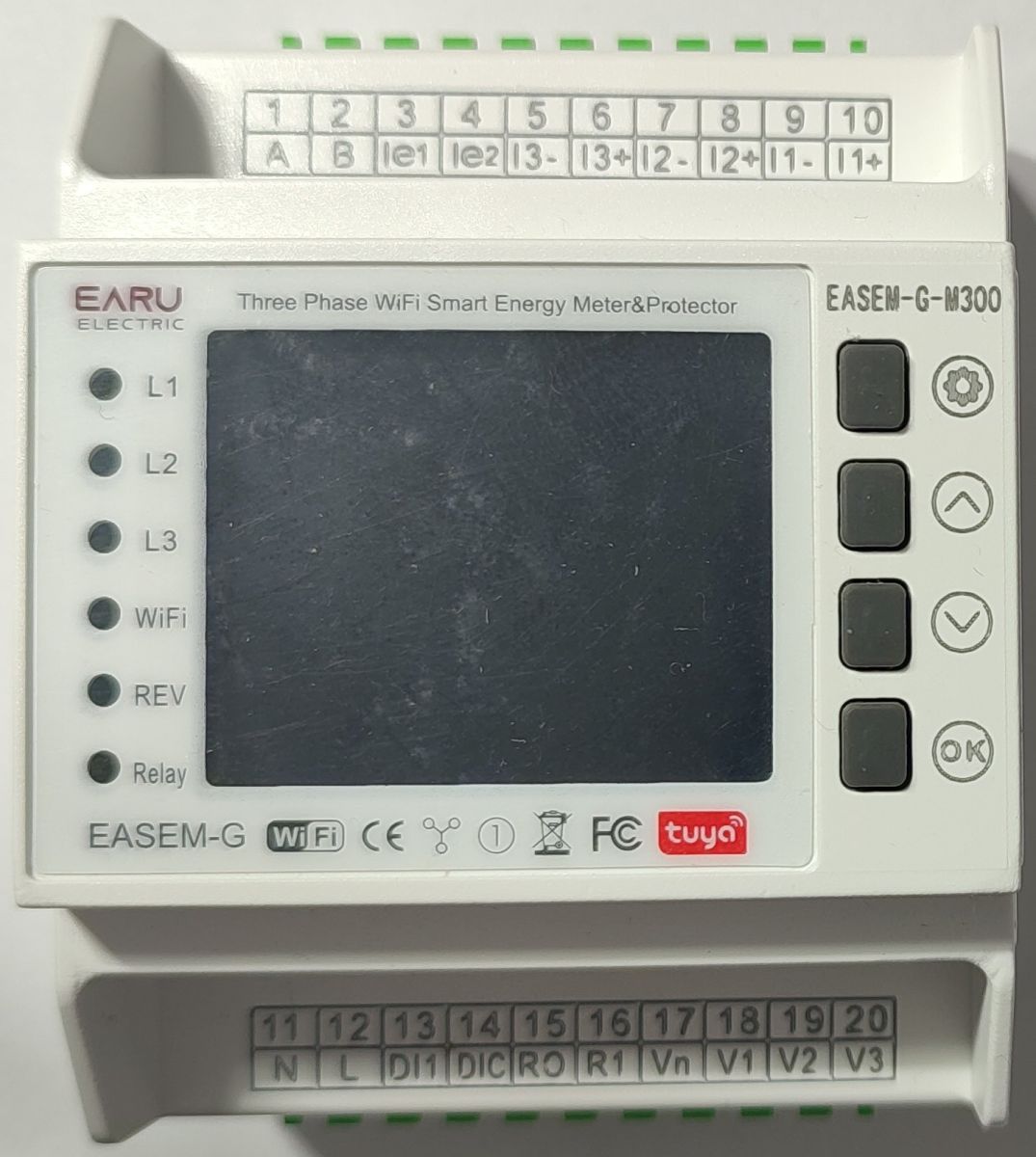
Easy to open, just 4 clips on the sides
Inside the unit, notice the JTAG labelled connector on the left. It goes to the CMS32L051 "Tuya MCU", so it seems that it would be pretty hackable
if someone wanted to replace the Tuya firmware.
It uses pluggable terminal blocks which is nice if you have to replace/open the device without disturbing the wiring.
The board with the screen, TuyaMCU and the CB3S module is easily separated from the base unit that holds the power section, metering chip, RS485 chip etc:
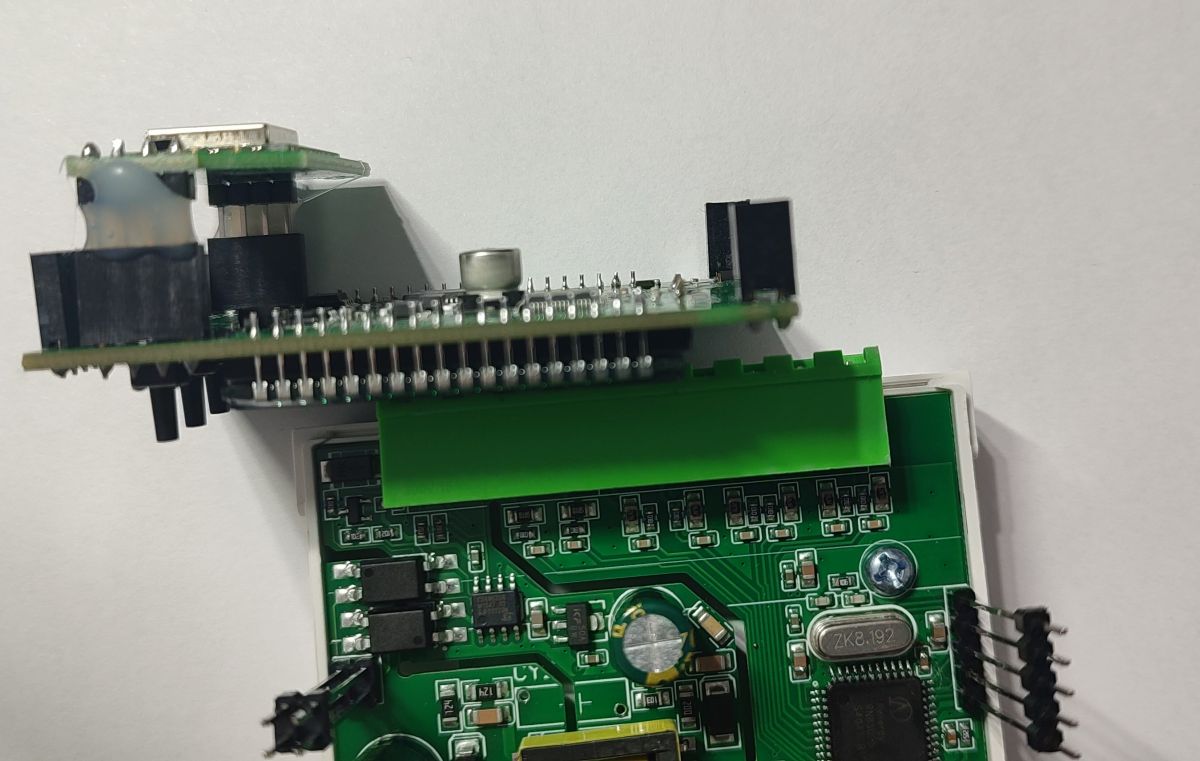
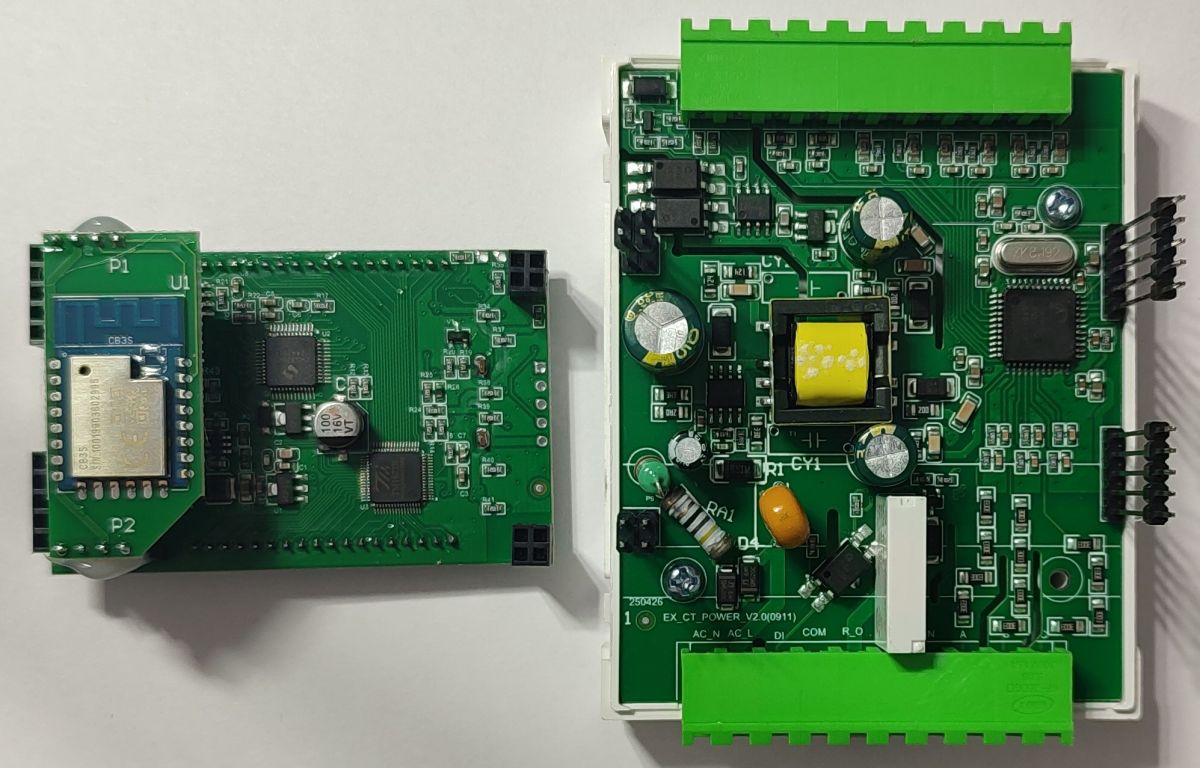
CB3S module is also easy to separate (douse the hot glue blobs with ethyl/isopropyl alcohol, it peels of after a few seconds).
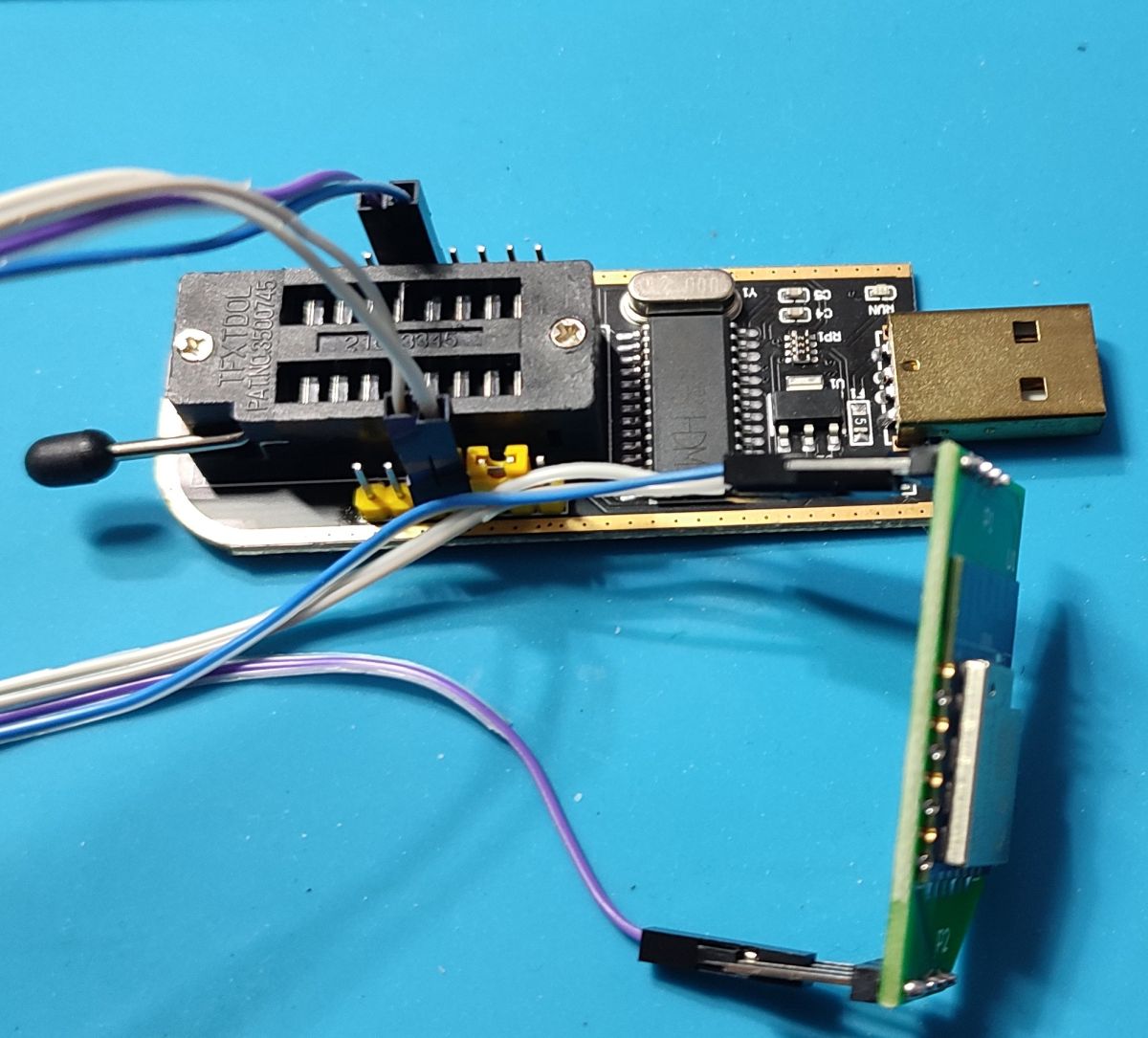
I used the "CH341 Programmer" to dump the firmware since it has a 3.3V regulator on board and none of my other USB to serial boards have that feature.
Overkill and something like this "programmer" would be better is someone needs a cheap adapter with a 3.3V regulator: link
Pinout for the CB3S board:
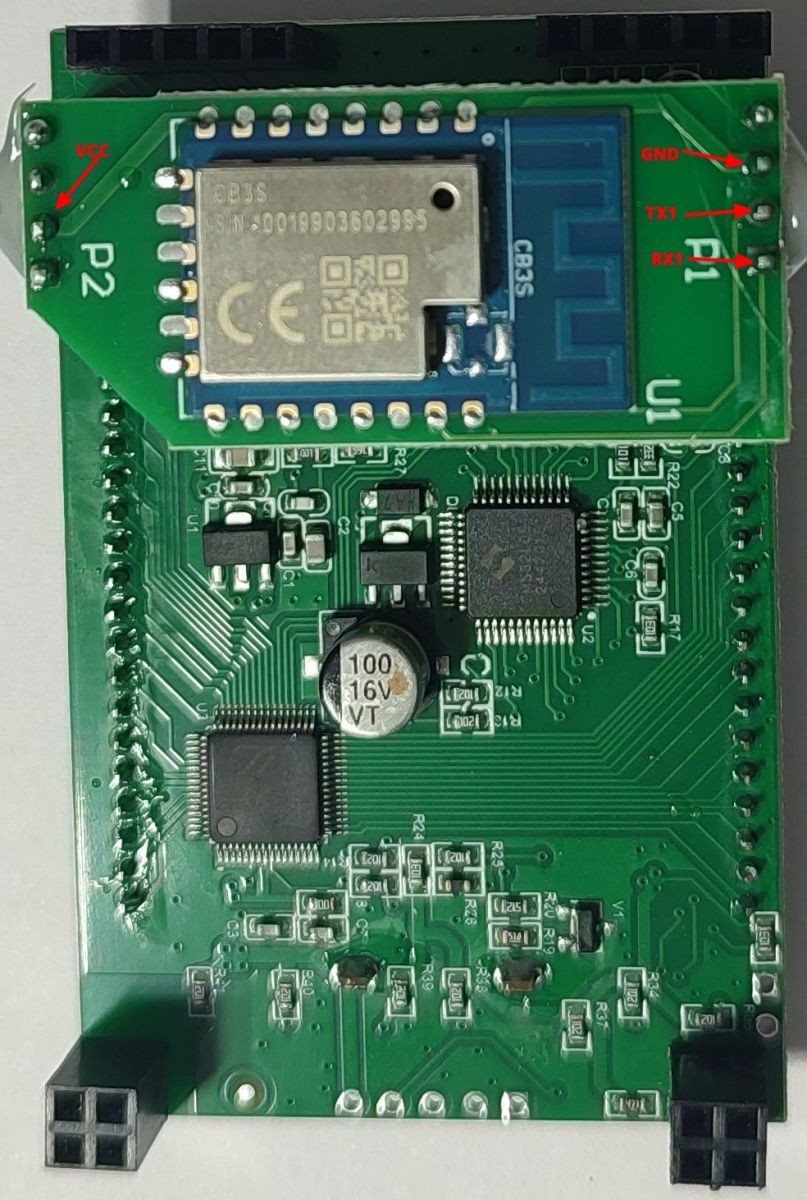
Tuya MCU and the display chip:
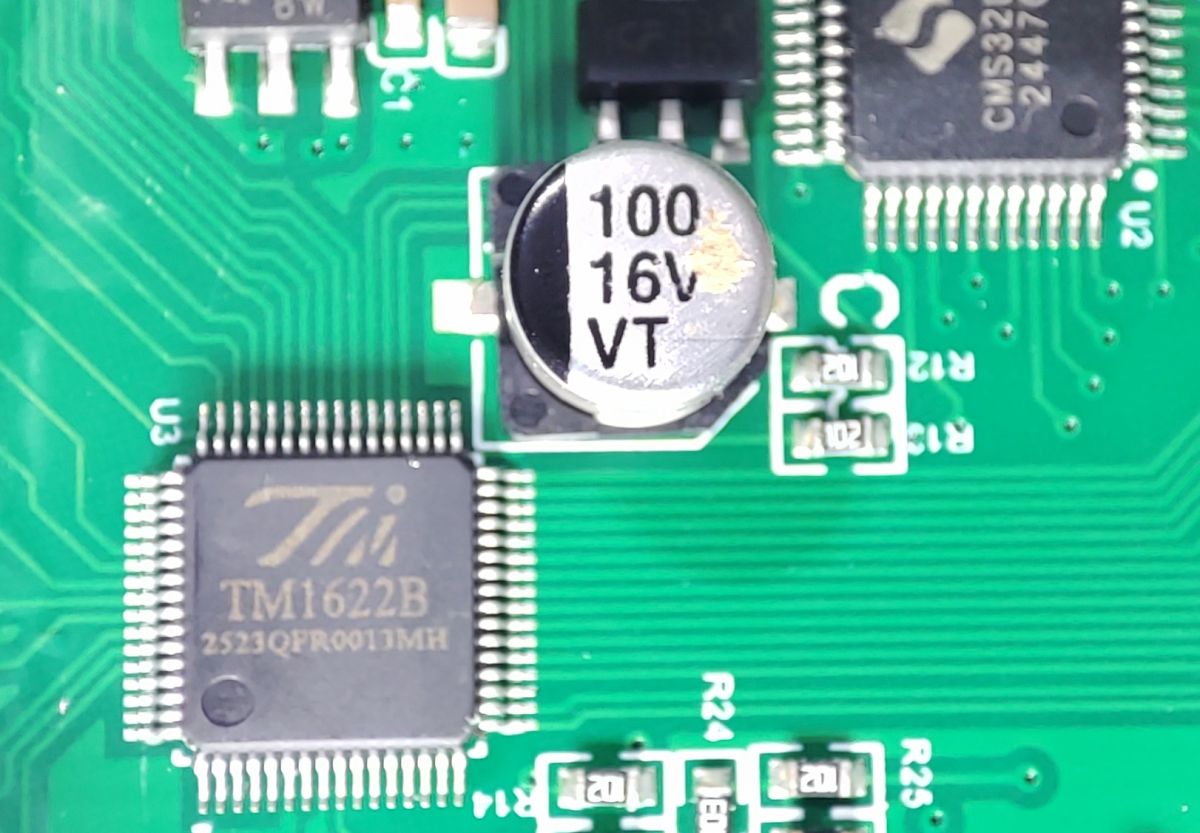
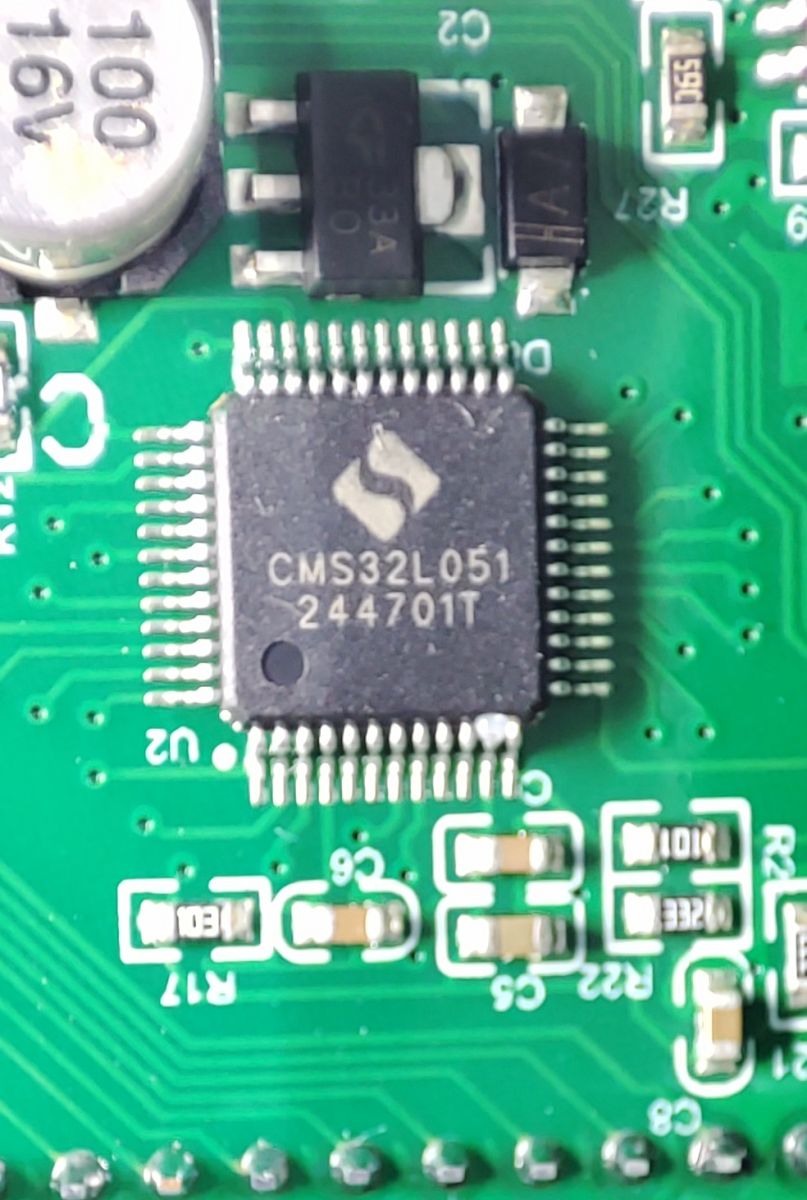
Main board with some pins labelled, for some reason it uses the DC2DC converter to generate 3.3V for the CB3S module, haven't yet found where the VCC for the MCU comes from, labelling on the top of the board suggest that it should be the pin on the far left, but it's not directly connected to the MCU and I did not have the time to trace it out yet.
Seems to be pretty hackable considering that all you need (except the metering chip and RS485) is on this board.
Base board that holds the energy metering chip etc:
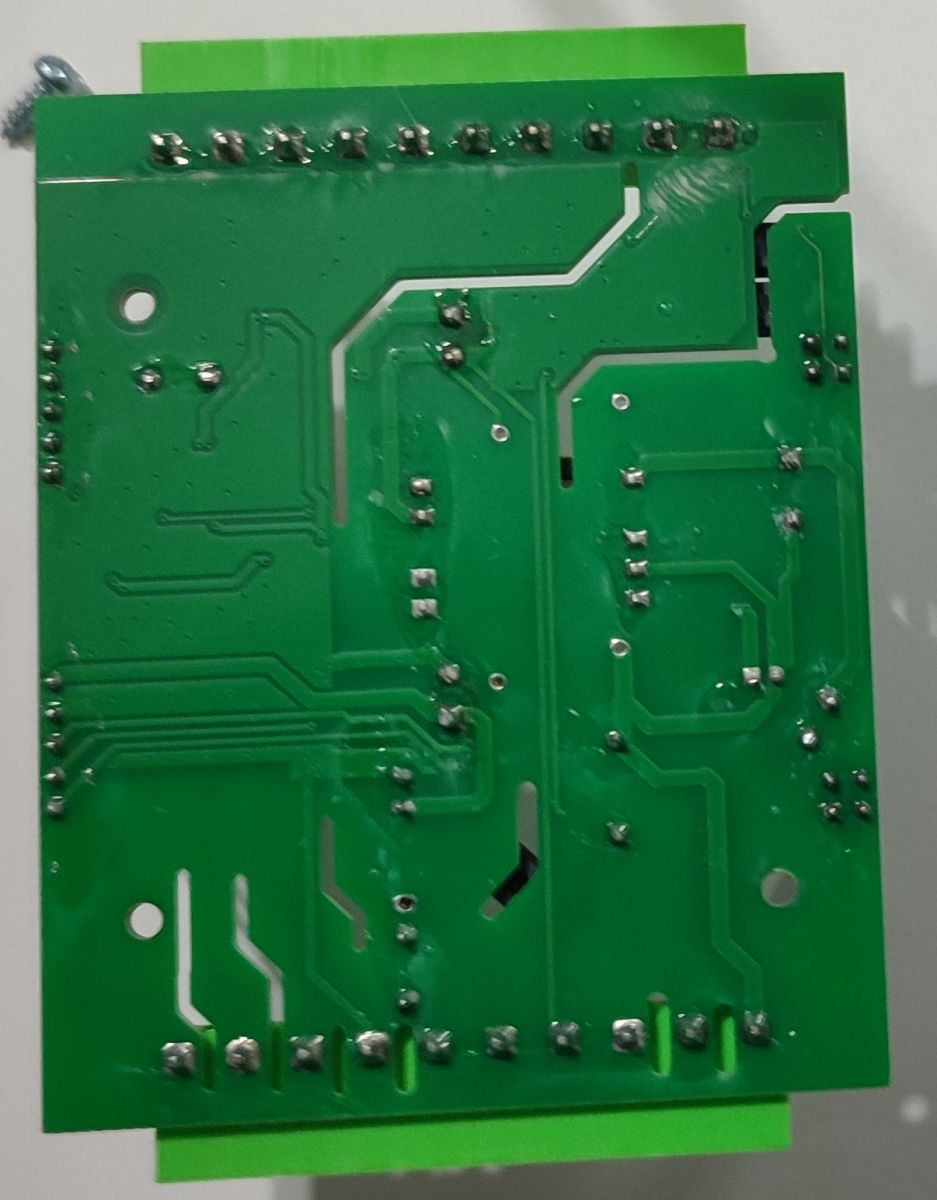
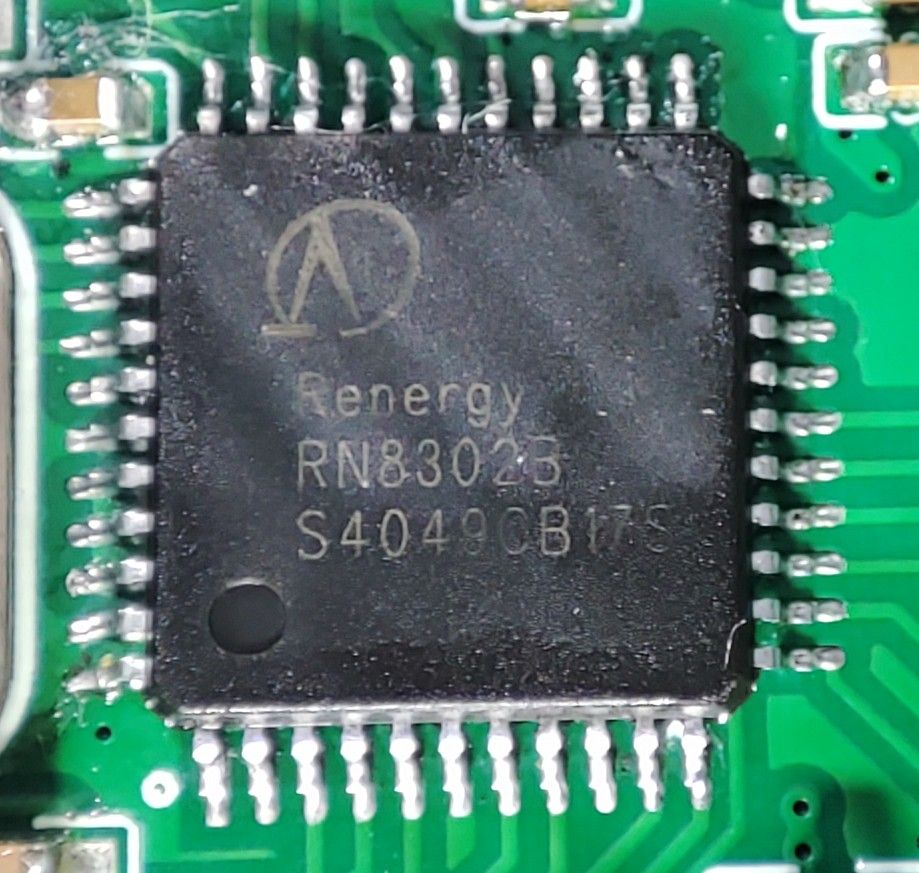
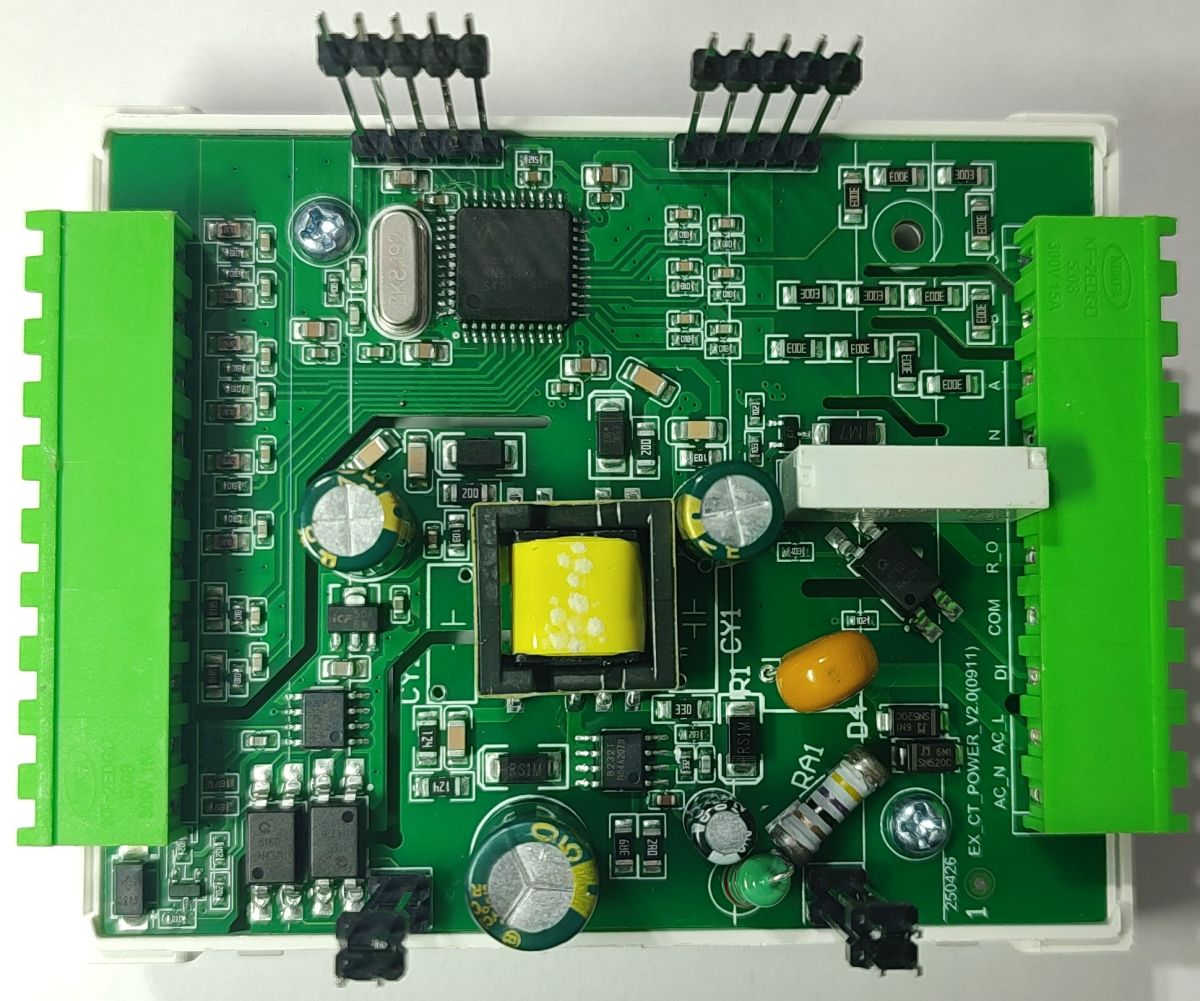
Sorry about the quality of the photos, lightning setup ...
Archive containing the firmware dump, flasher log, DpIDs (list and JSON) is attached.
50+ DpIDs, of most interest to me is this:
Code: JSON
If I could get this to work with OpenBeken and send it to HA ...
Haven't tried to flash OB yet, I presume that I can always revert to stock firmware?
If someone can provide a basic config that I can try, I'm still reading the documentation since I haven't used OB before.
AI: Which hardware revision or version of the EASEM-G-M300 do you have? Sometimes there are small differences between batches that could affect the OB config or pinout.
V2.0(0911)
AI: How are you planning to integrate the meter with Home Assistant—are you thinking of using MQTT, direct integration, or something else? That’ll help narrow down the config options.
MQTT
Comments
Not an input, but an interface. [Read more]
I also have one of these. Did you flash OpenBK? What I'd like to know before I flash it; how is the RS485 implemented? I want to read this device with Modbus; so my question is, is the RS485 connected... [Read more]