logo elektroda
logo elektroda
X
logo elektroda

Hilti C4/36-350 Charger Issue: Green LED Flashing Every 2s, Battery Not Charging

rsv6 136941 236
Best answers

Why does the Hilti C4/36-350 charger flash green every 2 seconds and refuse to charge a battery?

Green flashing every ~2 s is not normal standby; in the thread it was identified as a charger power-supply/control fault, not a battery problem [#17267674] The most repeated fix path is to check the primary/standby section first: IC2/MIP2M2, Q5/Q7, the 1 Ω resistors R24/R30/R33, ZD16/ZD17, D9 and J3, and verify about 13 V on IC2 pin 4 and roughly 320–327 V on C3/pin 5 [#18686643] [#20596230] [#20760785] [#20873559] One repaired unit that had the same “green LED but no charging” symptom needed replacement of IC1, Q6, R28, J3, D9, ZD16, R31, R51, Q3, Q4, D16, D17 and F3, and then a bad PC3 optocoupler was found under the transformer; after that the charger worked normally [#18916140]
Generated by the language model.
ADVERTISEMENT
Treść została przetłumaczona polish » english Zobacz oryginalną wersję tematu
  • #1 17267278
    rsv6
    Level 13  
    Posts: 1713
    Rate: 282
    [Hello
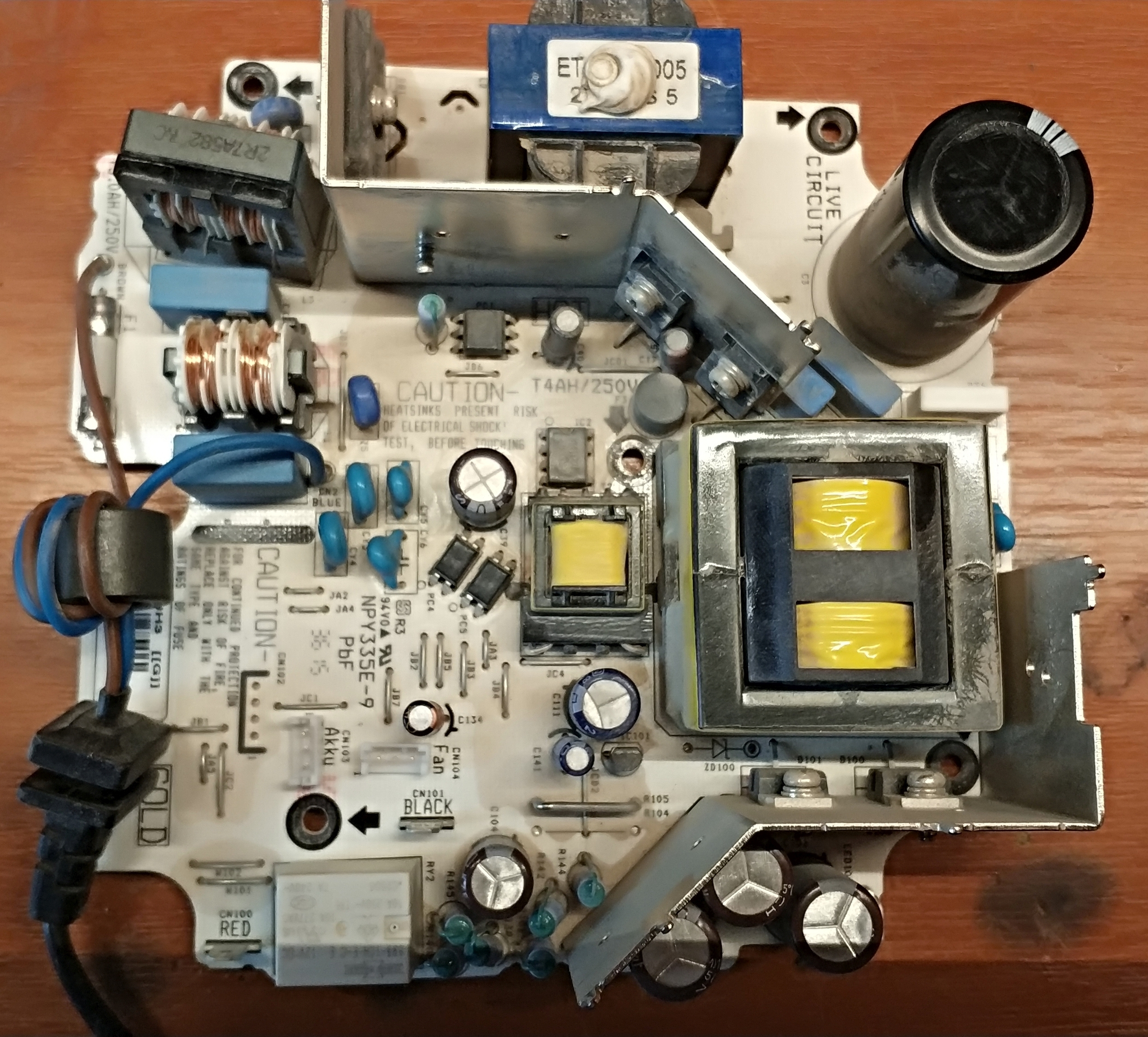
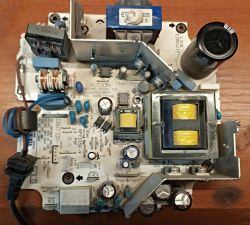
    I have a problem with the Hilti C4 / 36-350 charger, viz. The charger blinks green every 2s and does not charge. No reaction to plugging in the battery.
    Hilti C4/36-350 Charger Issue: Green LED Flashing Every 2s, Battery Not Charging Hilti C4/36-350 Charger Issue: Green LED Flashing Every 2s, Battery Not Charging
  • ADVERTISEMENT
  • #2 17267639
    Sniezynka
    Level 33  
    Posts: 1508
    Help: 199
    Rate: 837
    It flashes and does not charge because it is in standby mode and is charging on a different battery?
  • #3 17267674
    yanes
    Level 33  
    Posts: 1589
    Help: 204
    Rate: 597
    The standby status is the diode that is lit with a constant light, flashing on the connected charger indicates problems with the power supply.
  • #5 17267845
    rsv6
    Level 13  
    Posts: 1713
    Rate: 282
    Sniezynka wrote:
    I mistook it with another model, here is the instruction; https://www.hilti.pl/medias/sys_master/docume...h6e/9113446055966/PUB_5129959_000_APC_RAW.pdf
    Which LED is blinking? There is nothing in the manual about the power supply problems, only the cell temperature.


    It blinks continuously without a battery or with a battery. The description on the charger shows that it should glow after turning on the power. Does anyone have any schematic? Or someone had a similar problem?

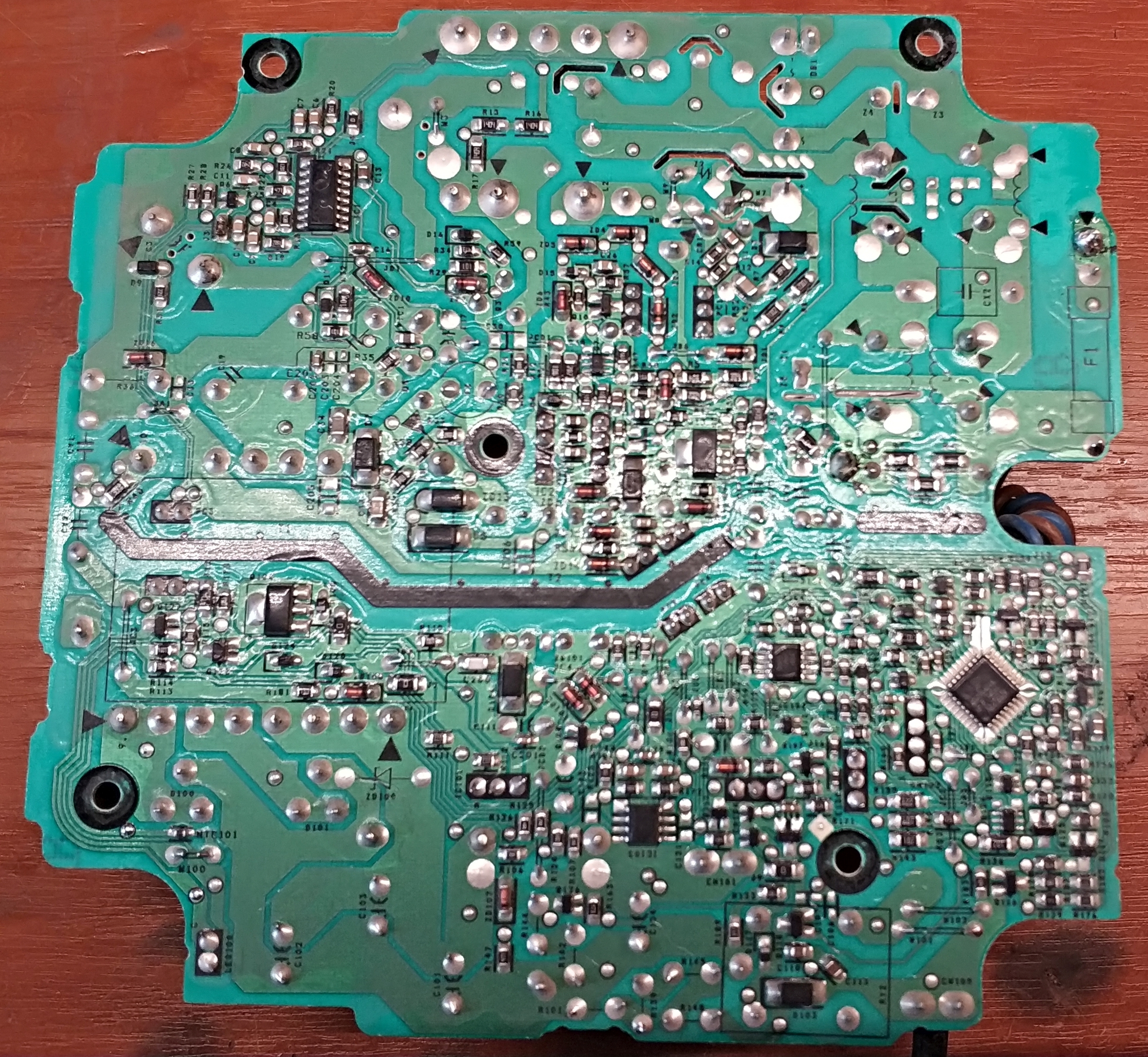
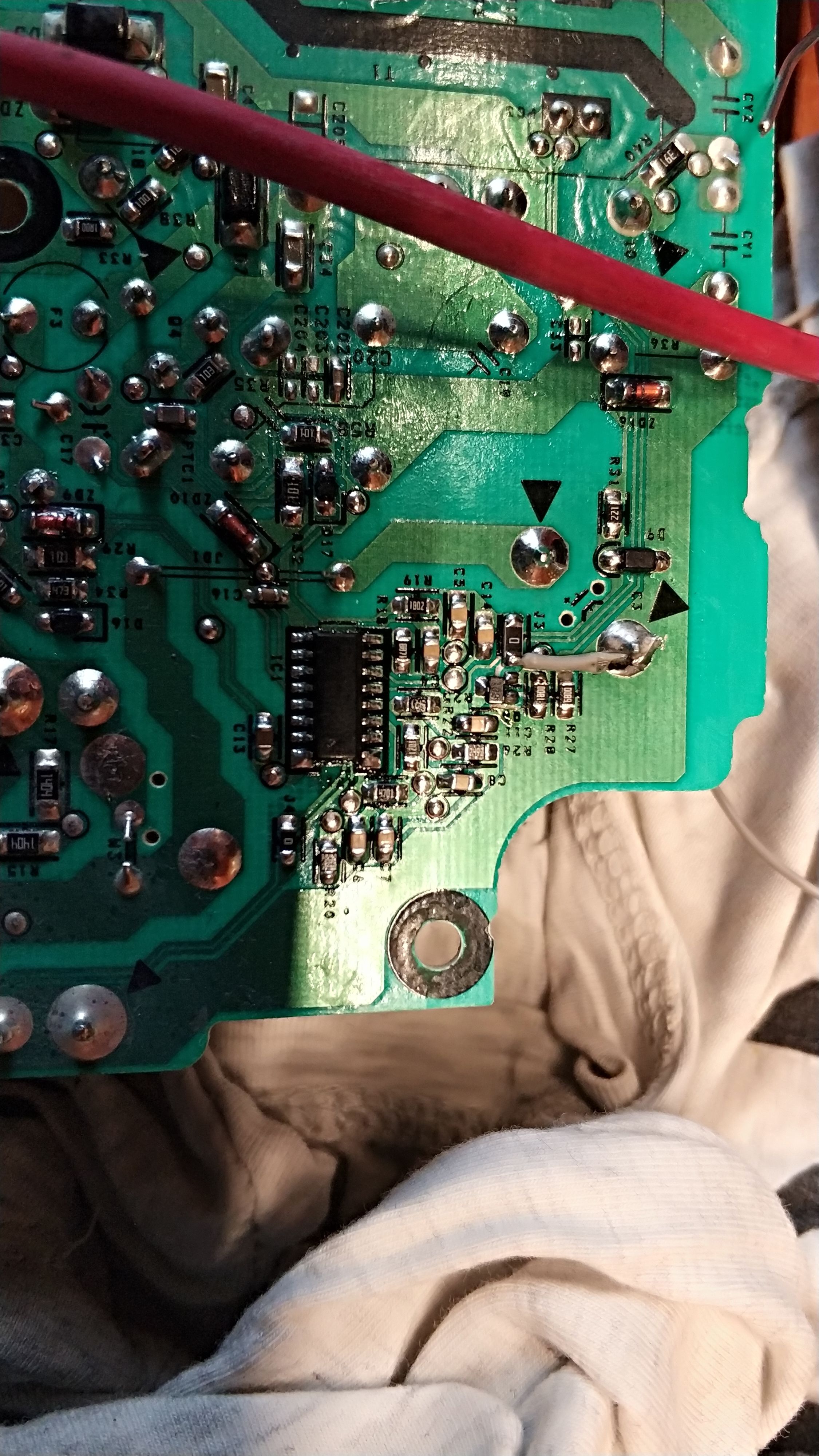
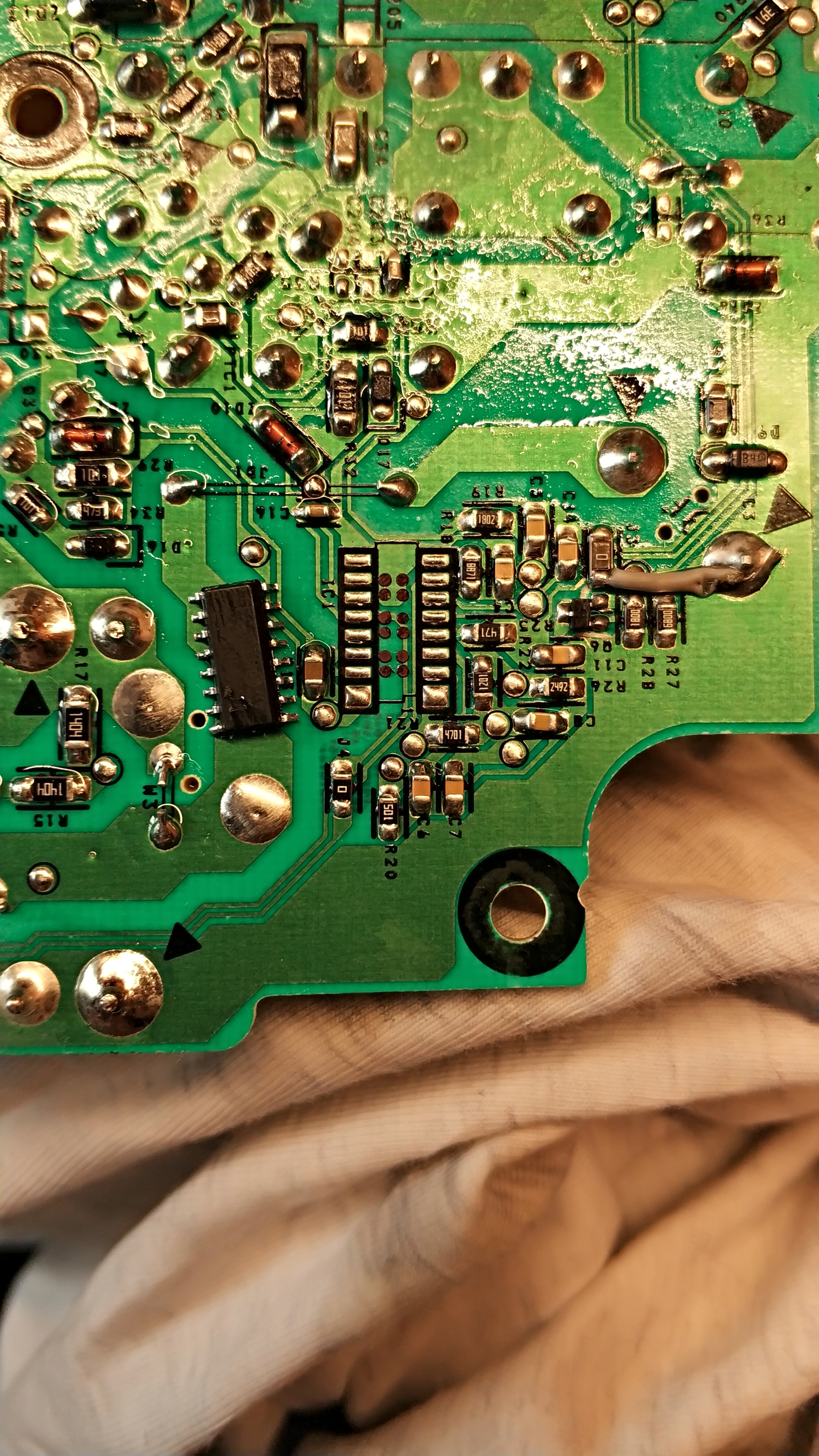
    On the board, I noticed a burned path and jumper J3 with a 0R resistor. Same problem after replacing this item. Before the relay on the capacitors there is 19.5V after turning on the power.

    Hilti C4/36-350 Charger Issue: Green LED Flashing Every 2s, Battery Not Charging Hilti C4/36-350 Charger Issue: Green LED Flashing Every 2s, Battery Not Charging
  • ADVERTISEMENT
  • #6 17267905
    Strumien swiadomosci swia
    Level 43  
    Posts: 27411
    Help: 1403
    Rate: 6379
    rsv6 wrote:
    Same problem after replacing this item

    But what burns these elements over and over again?
  • ADVERTISEMENT
  • #7 17267916
    rsv6
    Level 13  
    Posts: 1713
    Rate: 282
    Strumien swiadomosci swia wrote:
    But what burns these elements over and over again
    I wrote a little not clearly. Nothing burns out of the elements now, only the LED is still blinking is not charging.
  • #8 17267945
    szon
    Level 19  
    Posts: 631
    Help: 31
    Rate: 197
    A friend of mine had probably given me the same one once. I am not sure because it was a long time ago, but the inverter driver was damaged, the 8-pin system in the first photo. Impregnable deal. This is how companies protect themselves, you have to throw out and buy a new one. I emphasize once again that I can be wrong as to whether it was the same charger but rather it was her.
  • #9 17267984
    rsv6
    Level 13  
    Posts: 1713
    Rate: 282
    szon wrote:
    A friend of mine had probably given me the same one once. I am not sure because it was a long time ago, but the inverter driver was damaged, the 8-pin system in the first photo. Impregnable deal. This is how companies protect themselves, you have to throw out and buy a new one. I emphasize once again that I can be wrong as to whether it was the same charger but rather it was her.

    How did you diagnose it? Which layout in the first photo?
  • Helpful post
    #10 17267985
    Strumien swiadomosci swia
    Level 43  
    Posts: 27411
    Help: 1403
    Rate: 6379
    I have repaired this type many times, first see why it burned the path and what it powers.
  • ADVERTISEMENT
  • #11 17268059
    rsv6
    Level 13  
    Posts: 1713
    Rate: 282
    Strumien swiadomosci swia wrote:
    I have repaired this type many times, first see why it burned the path and what it powers.


    You're on the right track :)
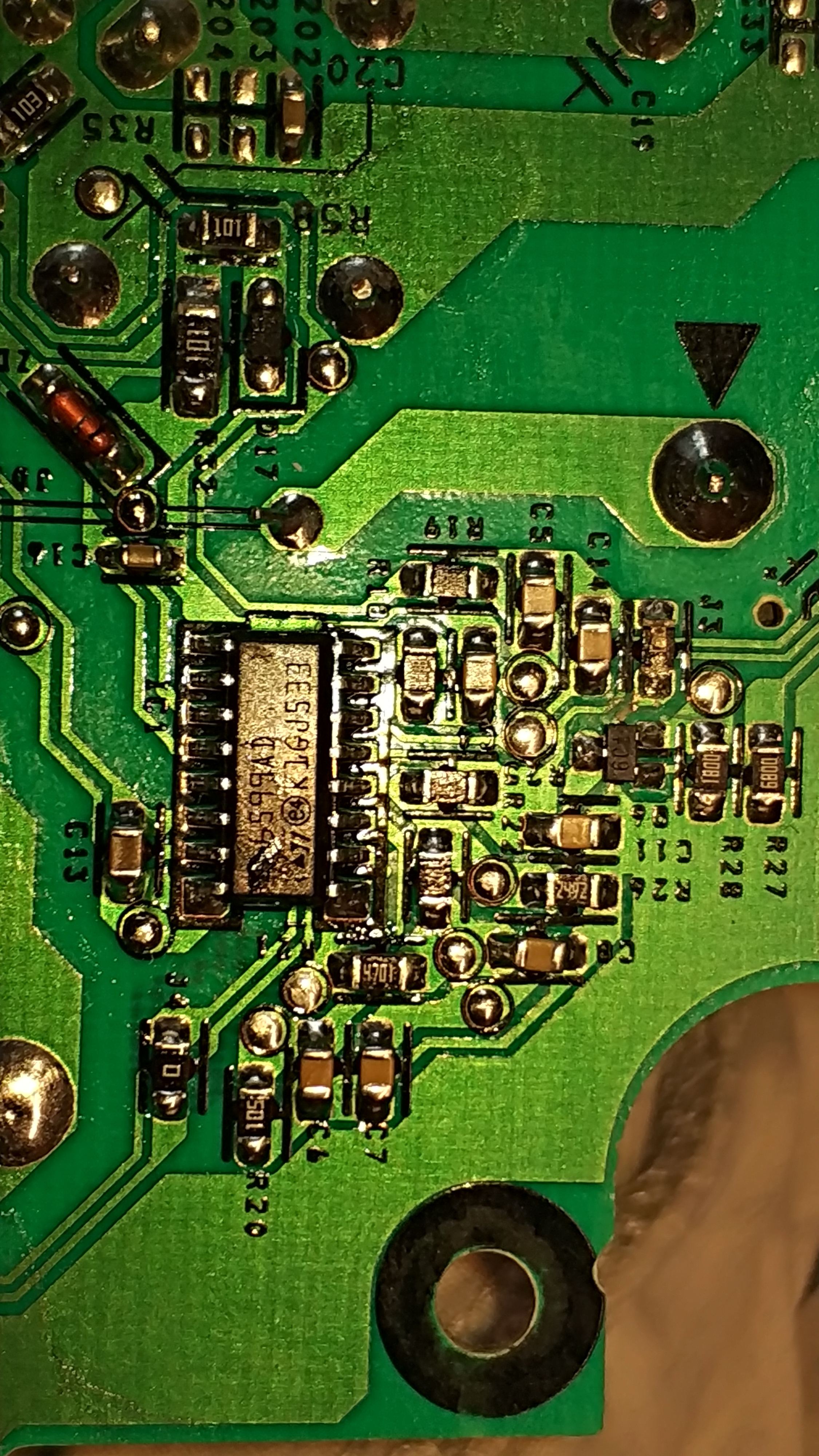
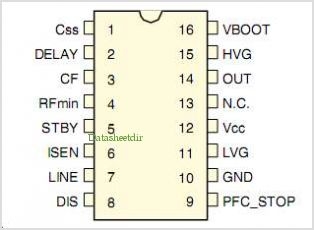
    From what I saw, it powers the 10pin IC1 L6599AD
    10pin is gnd from what I invented in the technical data of the system. I picked up the chip because it has a 45R short circuit between the 10th and 12th pin. The system probably controls the Q3 transistors,
    Q4 12NM50ND
    Hilti C4/36-350 Charger Issue: Green LED Flashing Every 2s, Battery Not Charging Hilti C4/36-350 Charger Issue: Green LED Flashing Every 2s, Battery Not Charging

    I think 45R on the power pins is checked on a raised chip. This is a bit too little resistance. Can you write what else could go in turn?
  • Helpful post
    #13 17268108
    Strumien swiadomosci swia
    Level 43  
    Posts: 27411
    Help: 1403
    Rate: 6379
    If there is a short circuit in the power supply, do not be surprised, check these power transistors for a short circuit.
  • #14 17268117
    rsv6
    Level 13  
    Posts: 1713
    Rate: 282
    Sniezynka wrote:


    Thanks, but I have no problem finding the documentation. I am asking for more information about the charger. Possibly from what this system could fall. I checked all diodes and resistors within the system and they are ok. Executive transistors too. Only I am not sure smd short circuit capacitors are not on them. And there is also the Q6 6C1 transistor
  • #15 17268122
    Strumien swiadomosci swia
    Level 43  
    Posts: 27411
    Help: 1403
    Rate: 6379
    Measure the tension on pins 10-12.
  • #16 17268140
    rsv6
    Level 13  
    Posts: 1713
    Rate: 282
    Strumien swiadomosci swia wrote:
    If there is a short circuit in the power supply, do not be surprised, check these power transistors for a short circuit.


    There is no short circuit on the soldered ones. The values seem similar on both.
    Relative to the 3-legged plus.
    First transistor:
    minus on 1pin 757mV
    minus on 2pin 423mV
    Second transistor:
    1pin 707mV
    2pin 403mV

    Added after 1 [minutes]:

    Strumien swiadomosci swia wrote:
    Measure the tension on pins 10-12.


    Can I do it without a deal? Because I don't want to put it back in if it's supposed to be short-circuited.

    Added after 3 [minutes]:

    What voltage should there be because I connected directly to the desoldered 5V 10pin- 12+ system and takes 190mA from the workshop power supply
  • #17 17268155
    Sniezynka
    Level 33  
    Posts: 1508
    Help: 199
    Rate: 837
    The circuit probably fell from too high a supply voltage above 17V, see the circuit on page 30 where it is implemented through a stabilizer on the transistor.
    A similar solution may be here.
    It takes so much because it has a short circuit of the internal stabilizer.
  • #18 17268162
    rsv6
    Level 13  
    Posts: 1713
    Rate: 282
    Sniezynka wrote:
    The circuit probably fell from too high a supply voltage above 17V, see the circuit on page 30 where it is implemented through a stabilizer on the transistor.
    A similar solution may be here.

    Can I run the charger without it? Will I have fireworks. Only if it was a tension do I get thoughts that he has to control it somehow?
  • #19 17268167
    Sniezynka
    Level 33  
    Posts: 1508
    Help: 199
    Rate: 837
    Unfortunately, without the chip, it will not work properly to replace the chip and to check the power branch, it's like that at the beginning.
  • #20 17268178
    rsv6
    Level 13  
    Posts: 1713
    Rate: 282
    Sniezynka wrote:
    Unfortunately, without the chip, it will not work properly to replace the chip and to check the power branch, it's like that at the beginning.


    I have already checked it as I wrote above. Nothing to order and check somewhere. Let there be no damage after the second part of the power supply.
  • #21 17268202
    Sniezynka
    Level 33  
    Posts: 1508
    Help: 199
    Rate: 837
    Remember to run on the service power supply by checking the oscillograms on the oscillator transistors.
  • #22 17268250
    rsv6
    Level 13  
    Posts: 1713
    Rate: 282
    Sniezynka wrote:
    Remember to run on the service power supply by checking the oscillograms on the oscillator transistors.


    What service power supply do you mean?

    If I do not give 230V for the input, the converter and control will not start.
  • #23 17268252
    Sniezynka
    Level 33  
    Posts: 1508
    Help: 199
    Rate: 837
    You supply the system directly from the power supply, and from the 230V network, before soldering the system, you must check the voltage on the leg 12. If you do not check it, the new chip may go away.
  • #24 17268258
    rsv6
    Level 13  
    Posts: 1713
    Rate: 282
    Sniezynka wrote:
    You supply the system directly from the power supply, and from the 230V network, before soldering the system, you must check the voltage on the leg 12. If you do not check it, the new chip may go away.


    Ok, I should pick up 12pin and give it what voltage? Isn't it better to put a zener diode at maximum voltage?
  • #25 17268269
    Sniezynka
    Level 33  
    Posts: 1508
    Help: 199
    Rate: 837
    You can insert a 9 to 16V zener diode at 16V later, but I suspect that there is a voltage stabilization system there and if it is out of order, it may still damage the system.
    Check if it is realized through Q6 transistor.
  • #26 17268331
    rsv6
    Level 13  
    Posts: 1713
    Rate: 282
    Hilti C4/36-350 Charger Issue: Green LED Flashing Every 2s, Battery Not Charging
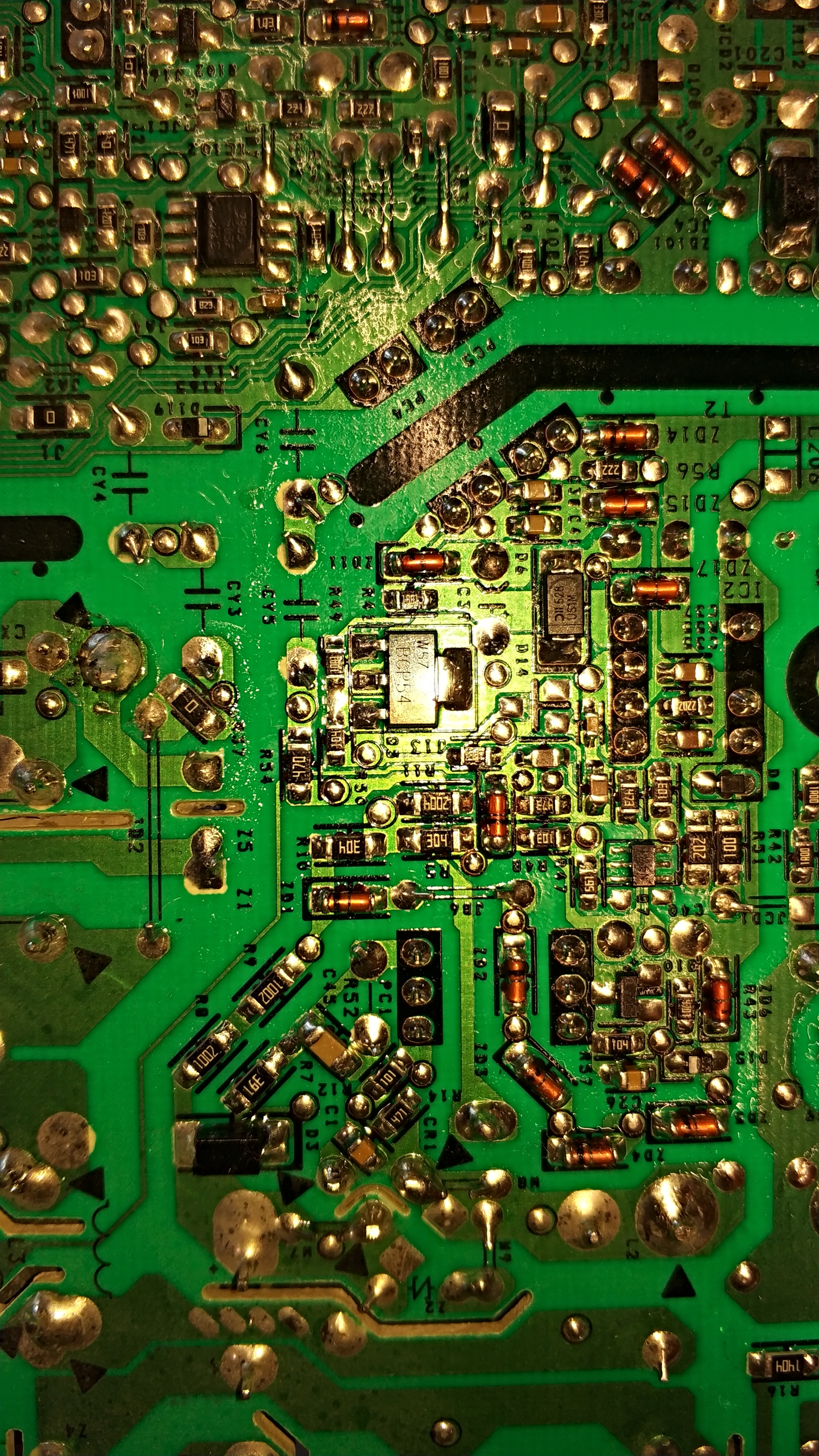
    From what I can see the voltage goes from transistor Q3 BCP54 Through the 10R resistor

    It is controlled by IC2 MIP2M2
    It can be, as "Shon" wrote, that he will be wasted. If so, it is no longer worth fixing it. I will try to run on the new one what the short circuit does and I will know because the second system costs about PLN 50
  • #27 17268343
    Sniezynka
    Level 33  
    Posts: 1508
    Help: 199
    Rate: 837
    For a Chinese, it costs $ 2
  • #28 17268349
    rsv6
    Level 13  
    Posts: 1713
    Rate: 282
    Sniezynka wrote:
    For a Chinese, it costs $ 2


    I do not trust Chinese elements anymore. I ordered Spw47n60c3 about a year ago, there were some fakes with a punctured inscription that did not open completely.
  • #29 17268367
    Sniezynka
    Level 33  
    Posts: 1508
    Help: 199
    Rate: 837
    I, however, do not follow the price and buy the originals.
    You have to ask for photos of actual elements from nature and compare with those installed in the device.
    Not every Chinese is a crook.
  • #30 17713102
    NNTFD
    Level 11  
    Posts: 25
    Rate: 12
    Hello,
    I have a similar problem with the Hilti C4 / 36-350 charger.
    I have already repaired several such chargers and most often IC1 or transistors were damaged.
    I have a case in the workshop that has no damaged transistors, neither IC1 nor IC2 MIP2M2. I checked IC1, there is no short circuit between pin 12 and 10. Moreover, I measured the supply voltage of IC1 during charging and it is 13.7V - ok. I replaced IC1 prophylactically and nothing. 5 seconds after starting charging, the charger turns off. I checked optocouplers and also ok. Any ideas what else could be wrong?

Topic summary

✨ The Hilti C4/36-350 charger exhibits a green LED flashing every 2 seconds and fails to charge batteries, with no response upon battery insertion. The issue often relates to faults in the power supply section, including damaged components such as IC1 (L6599AD), IC2 (MIP2M2), transistors Q3 and Q4 (12NM50ND or STP12NM50FP), and various diodes and resistors (notably zener diodes ZD16, ZD17, ZD14, and Schottky diode D9). Common failures include burned PCB tracks, short circuits in power transistors, and damaged zener diodes causing voltage instability. The L6599AD chip controls the power supply with a recommended supply voltage between 9V and 16V, often regulated via transistor Q5 (BCP54 or BSS138N). The MIP2M2 IC manages the main converter output, typically providing around 13V on pin 4 and high voltage (~320V) on pin 5. Faulty optocouplers (e.g., PC3, PC4, VO615A or PC817 replacements) can also cause shutdowns after a few seconds of operation. Repair strategies include checking and replacing damaged zener diodes (notably ZD16 with correct 5.1V rating), transistors, resistors (R31, R42, R51, R24, R30, R33), and ensuring no short circuits on IC pins. Use of a series test lamp during power-up is recommended to prevent further damage. Some users report success replacing L6599AD with L6599D variants and substituting original insulated MOSFETs with equivalents using thermal insulation. The charger’s complex multi-stage power supply and feedback circuits require careful diagnosis, with schematics and component datasheets (e.g., L6599AD, MIP2M2) aiding troubleshooting. Persistent issues often stem from damaged feedback loops, unstable supply voltages, or repeated component failures due to underlying faults. Community efforts include sharing partial schematics, component values, and repair experiences to facilitate effective restoration of this widely used charger model.
Generated by the language model.

FAQ

TL;DR: 80 % of C4/36-350 shutdowns are “caused by the MIP2M2 plus three 1 Ω resistors” [Elektroda, DRAZEK87, post #20760785] “Replace the chip and the charger works” [Elektroda, teskot, post #18916140]

Why it matters: Fixing this €200 charger often costs < €5 in parts.

Quick Facts

• Stand-by LED blinks every 2 s = no HV supply, check MIP2M2 chain [Elektroda, rsv6, post #17267845] • Correct DC on C3 main cap: 320–330 VDC at 230 VAC input [Elektroda, DRAZEK87, post #20873167] • L6599AD VCC must stay 12–16 V (14 V typical) or the main inverter latches off [STMicro, 2019]. • Optocoupler PC4 turns on only with battery inserted; LED side gets 4–6 mA from MCU pin 7 [Elektroda, florian_1034, post #21313155]

Why does the green LED flash every 2 seconds with no battery?

The flash means the standby SMPS around MIP2M2 lacks a stable 13 V output. Check the three series 1 Ω resistors (R24 / R30 / R33). If any are open, pin 4 (VCC) of MIP2M2 collapses and the LED blinks [Elektroda, PiterSen151, post #20873381]

Which parts fail most often in Hilti C4/36-350 chargers?

Forum repairs show 80 % of dead units need only the MIP2M2 IC plus the three 1 Ω resistors replaced; 60 % of those also need the L6599AD driver IC [Elektroda, DRAZEK87, post #20760785]

How do I test if my MIP2M2 is shorted?

With power off, measure resistance between pins 5 and 7. Anything below 300 kΩ (often tens of ohms) means the internal MOSFET is shorted and the IC is dead [Elektroda, DRAZEK87, post #20873559]

The charger clicks on for 5 s then stops—what now?

That pattern means the MCU sees no charge current. Common reasons:
  1. L6599AD not powered (PC4 path open).
  2. High-side MOSFETs Q3/Q4 shorted or open.
  3. Current-sense network (R31 + ZD16 + D9) faulty [Elektroda, teskot, post #18916140]

What voltage should be on C3 main capacitor?

At 230 VAC the rectifier, triac and EMC filter should leave 320–330 VDC on C3. If it pulses or stays < 200 V, check Q10 (BSS138N), Q7 (BC817DPN) and ZD1-ZD6 75 V TVS ladder that drive triac CR1 [Elektroda, DRAZEK87, post #20872003]

Can I replace optocoupler VO615A-9 with PC817?

Yes. Multiple users confirmed PC817 works for PC3 and PC5 positions without altering feedback accuracy [Elektroda, krakarak, post #20418803]

Edge-case: why does my LED smoke at power-up?

If LED100 sees > 12 V it overheats. This happens when PC5 fails—R111/R112 divider opens and C111 rises to 12–13 V instead of 8.4 V. Replace PC5 and rebuild the divider [Elektroda, vkudryakov, post #21551803]

How to quickly verify the HV stage before buying parts?

  1. Un-solder MIP2M2 and MOSFET keys.
  2. Apply mains; measure 320 V on C3.
  3. Confirm pin 5 pad shows 320 V and pin 4 pad ~0.5 V. If ok, HV section is healthy [Elektroda, DRAZEK87, post #20873167]

What is the small SMPS transformer marked Z3M8A?

It is the 13 V/8.4 V auxiliary flyback for logic power. No commercial replacement exists; salvage from donors or rewind (primary 2×110 T, secondary 2×12 T 0.3 mm, measured on intact unit) [Elektroda, manuelconso98, post #21528235]

My charger works only with nearly full batteries—why?

The MCU disables charge if cell voltage < 24 V and current feedback missing. Faulty shunt resistor R105 or op-amp LM358 (IC103) causes premature cutoff at low pack voltage [Elektroda, marchakoleg911, post #21480299]

How do I reset latch-off after a fault?

Simply remove AC for 10 s. Both MIP2M2 and L6599AD use latched protections that clear only after VCC drops below 4 V [STMicro, 2019].

What’s the function of PTC1 beside Q4?

It is a 470 Ω PTC. When Q4 heat-sink exceeds ~125 °C its resistance rises, DIS pin sees > 1.8 V and L6599AD shuts down [Elektroda, DRAZEK87, post #20801282]

3-step quick fix for ‘dead-silent’ units

  1. Measure C3; if < 300 V replace triac CR1 or ZD1-ZD6 ladder.
  2. If 320 V present, check R24/R30/R33 for 1 Ω open.
  3. Still dead? Replace MIP2M2 and verify 13 V on pin 4.
Generated by the language model.
ADVERTISEMENT