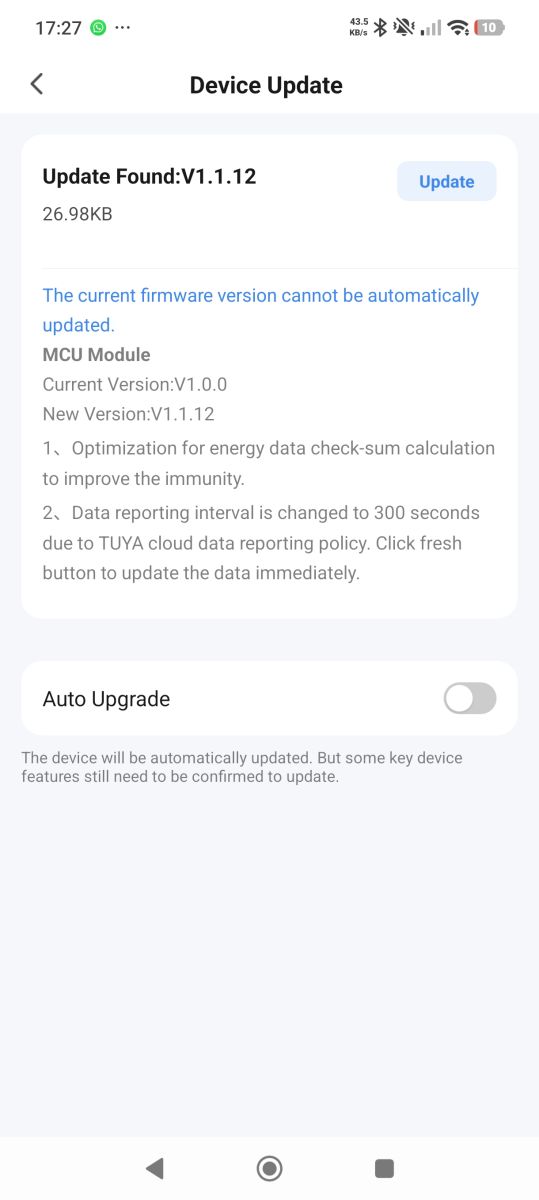
can you enable verbose logging and give log again? Somehow channel value is lost?
Helpful post? Buy me a coffee.




Czy wolisz polską wersję strony elektroda?
Nie, dziękuję Przekieruj mnie tam


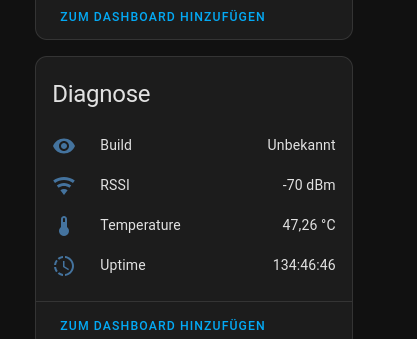
//phase_a
setChannelLabel 14 "L1"
setChannelType 14 OpenClosed_Inv
linkTuyaMCUOutputToChannel 6 raw 14

// breaker_id
setChannelLabel 17 " breaker_id"
setChannelType 17 ReadOnly
linkTuyaMCUOutputToChannel 19 string 17

// fault
setChannelLabel 18 "device fault"
setChannelType 18 ReadOnly
linkTuyaMCUOutputToChannel 9 bitmap 18
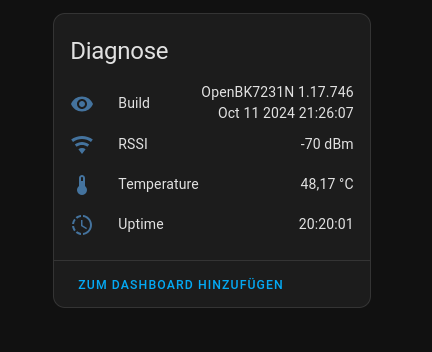
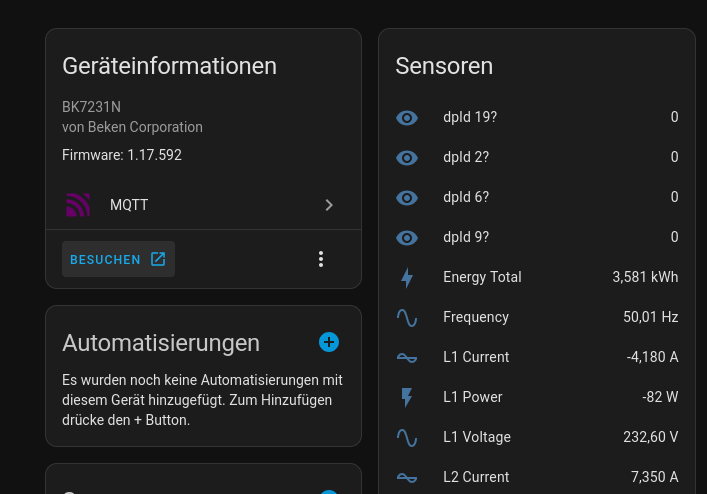
startDriver TuyaMCU
startDriver httpButtons

// emulate being connected to cloud
tuyaMCU_defWiFiState 4

setChannelLabel 1 "Energy Forward Total"
setChannelType 1 EnergyTotal_kWh_div100
linkTuyaMCUOutputToChannel 1 val 1

setChannelLabel 2 "Energy Reverse Total"
setChannelType 2 EnergyTotal_kWh_div100
linkTuyaMCUOutputToChannel 23 val 2

setChannelLabel 3 "Frequency"
setChannelType 3 Frequency_div100
linkTuyaMCUOutputToChannel 32 val 3

setChannelLabel 4 "Current Unbalance"
setChannelType 4 ReadOnly_div100
linkTuyaMCUOutputToChannel 130 val 4

setChannelLabel 5 "Power Total"
setChannelType 5 Power
linkTuyaMCUOutputToChannel 29 val 5

setChannelLabel 6 "Power Factor"
setChannelType 6 PowerFactor_div100
linkTuyaMCUOutputToChannel 50 val 6

setChannelLabel 7 "L1 Voltage"
setChannelType 7 Voltage_div10
linkTuyaMCUOutputToChannel 103 val 7

setChannelLabel 8 "L2 Voltage"
setChannelType 8 Voltage_div10
linkTuyaMCUOutputToChannel 112 val 8

setChannelLabel 9 "L3 Voltage"
setChannelType 9 Voltage_div10
linkTuyaMCUOutputToChannel 121 val 9

setChannelLabel 10 "L1 Current"
setChannelType 10 Current_div1000
linkTuyaMCUOutputToChannel 104 val 10

setChannelLabel 11 "L2 Current"
setChannelType 11 Current_div1000
linkTuyaMCUOutputToChannel 113 val 11

setChannelLabel 12 "L3 Current"
setChannelType 12 Current_div1000
linkTuyaMCUOutputToChannel 122 val 12

setChannelLabel 13 "L1 Power"
setChannelType 13 Power
linkTuyaMCUOutputToChannel 105 val 13

setChannelLabel 14 "L2 Power"
setChannelType 14 Power
linkTuyaMCUOutputToChannel 114 val 14

setChannelLabel 15 "L3 Power"
setChannelType 15 Power
linkTuyaMCUOutputToChannel 123 val 15

setChannelLabel 16 "L1 Power Factor"
setChannelType 16 PowerFactor_div100
linkTuyaMCUOutputToChannel 108 val 16

setChannelLabel 17 "L2 Power Factor"
setChannelType 17 PowerFactor_div100
linkTuyaMCUOutputToChannel 117 val 17

setChannelLabel 18 "L3 Power Factor"
setChannelType 18 PowerFactor_div100
linkTuyaMCUOutputToChannel 126 val 18

setChannelLabel 19 "L1 Energy Forward Total"
setChannelType 19 EnergyTotal_kWh_div100
linkTuyaMCUOutputToChannel 109 val 19

setChannelLabel 20 "L2 Energy Forward Total"
setChannelType 20 EnergyTotal_kWh_div100
linkTuyaMCUOutputToChannel 118 val 20

setChannelLabel 21 "L3 Energy Forward Total"
setChannelType 21 EnergyTotal_kWh_div100
linkTuyaMCUOutputToChannel 127 val 21

setChannelLabel 22 "L1 Energy Reverse Total"
setChannelType 22 EnergyTotal_kWh_div100
linkTuyaMCUOutputToChannel 110 val 22

setChannelLabel 23 "L2 Energy Reverse Total"
setChannelType 23 EnergyTotal_kWh_div100
linkTuyaMCUOutputToChannel 119 val 23

setChannelLabel 24 "L3 Energy Reverse Total"
setChannelType 24 EnergyTotal_kWh_div100
linkTuyaMCUOutputToChannel 128 val 24

setChannelLabel 25 "Data Report Duration"
setChannelType 25 TextField
linkTuyaMCUOutputToChannel 102 val 25

setChannelLabel 26 "Device Locating"
setChannelType 26 Toggle
linkTuyaMCUOutputToChannel 101 val 26

setButtonEnabled 1 1
setButtonLabel 1 "Query State"
setButtonCommand 1 tuyaMcu_sendQueryState

setButtonEnabled 2 1
setButtonLabel 2 "Refresh"
setButtonCommand 2 "tuyaMcu_sendState 35 enum 0"

setButtonEnabled 3 1
setButtonLabel 3 "Clear Counters"
setButtonCommand 3 "tuyaMcu_sendState 12 bool 1"6: [0-raw] 0x090A000000000000
7: [0-raw] 0x090A000000000000
8: [0-raw] 0x090A000000000000
9:[5-bitmap] (1000-phaseloss) (0100-overcurrent)
17: [0-raw] Raw V=0x7000019 (high power alarm, 0x70uvvvv - u=0 for disabled u=1 for enabled, vvvv-2bytes power value 1-65535kW)
18: [0-raw] Raw V=01 01 00 3F 02 00 00 0F 03 01 00 FD 04 00 00 B4 05 00 00 00 07 00 00 00
alarms: 6 values of format - 1-byte setting id, 1-byte enabled=0x01/disabled=0x00, 2-bytes parameter value
id 01 - overcurrent (1-65535A)
id 02 - unbalanced load (1-100%)
id 03 - overvoltage (1-65535V)
id 04 - undervoltage (1-65535V)
id 05 - phase loss (no parameter)
id 07 - negative active power (no parameter)
19: [3-str] "vow25010001" - device id
John_SolderWick wrote:Here's the flashbackup, not sure if it's useful for anyone else:
TL;DR: If you want a Tuya 3-phase meter in OpenBeken, this thread shows 13 mapped channels and confirms that “you can have any possible combination of channel types” on TuyaMCU devices. It solves the exact problem of showing L1/L2/L3 voltage, current, power, total power, frequency, energy, and leakage current on ZGMISMART/Zemismart SPM02-family meters. [#21091338]
Why it matters: This thread documents a working path from BK7231-based Tuya hardware to a usable 3-phase OpenBeken setup, including dpID mapping, troubleshooting, and Home Assistant caveats.
| Option | 3-phase voltage/current/power handling | Thread outcome |
|---|---|---|
| OpenBeken + TuyaMCU | Multiple mapped channels with labels and dividers | Confirmed workable on SPM02-family devices |
| Tasmota + TuyaMCU | Only one voltage, current, and power channel at that time | Reported limitation for 3-phase use |
Key insight: OpenBeken worked because it treated each TuyaMCU data point as a separate channel, not as a single shared voltage/current/power slot. The main failures in this thread came from dpID typos and mapping mistakes, not from a hard 3-phase limitation. [#21091338]
autoexec.bat. A working example used frequency on dpID 101, voltages on 102/105/108, currents on 103/106/109, powers on 104/107/110, total power on 111, total energy on 1, and leakage current on 15. Use channel types such as Frequency_div100, Voltage_div10, Current_div100, Power, EnergyTotal_kWh_div1000, and Current_div1000. The thread’s final config exposed 13 useful channels from one SPM02-family meter. [#21095139]autoexec.bat is OpenBeken’s startup script that defines drivers, channel labels, channel types, and dpID links. In this thread, the pattern was simple: startDriver TuyaMCU, then setChannelLabel, setChannelType, and linkTuyaMCUOutputToChannel <dpid> val <channel>. For example, voltage used Voltage_div10, frequency used Frequency_div100, and energy used EnergyTotal_kWh_div1000. That gives you readable names such as “L1 Voltage” and correct scaling from raw TuyaMCU values. [#21090978]autoexec.bat, not a TuyaMCU failure. Save config, reboot, and re-read every linkTuyaMCUOutputToChannel line when one phase vanishes. [#21102909]Voltage_div10, Current_div100, Frequency_div100, Power, EnergyTotal_kWh_div1000, and Current_div1000 for leakage current. A later revision used Current_div1000, PowerFactor_div100, and EnergyTotal_kWh_div100 for several values. The right answer depends on the specific hardware revision and its dpID scales, not just the product family name. [#21792941]tuyaMcu_sendQueryState and enable verbose logging, then watch the TuyaMCU parser report each dpID, type, and value. The thread explicitly recommends tuyaMcu_sendQueryState for querying all data points from the MCU on demand. That helps when a meter only pushes some values periodically or when you need to confirm whether a missing UI value is a mapping issue or a reporting issue. It is the fastest way to inventory dpIDs after flashing. [#21095113]setChannel 10 $CH11+$CH12+$CH13, with the note that you should run it every 1 second using a loop or repeating event. The same approach works for derived totals or synthetic sensors that the meter never reports directly. You do not need a native dpID for every displayed value. [#21095192]publishAll was executed, and the build then appeared correctly. The device IP still did not show afterward, so the “Visit” link kept using the wrong address. The maintainer suspected publishAll should match the normal “broadcast self state on MQTT connect” behavior, which suggests a bug rather than intended behavior. [#21275585]breaker_id from dpID 19 as a string and a fault value from dpID 9 as a bitmap. A raw phase value was also tested with OpenClosed_Inv, but the UI showed CLOSED (ch14) instead of the custom label, which made it unsuitable for meaningful phase display. That is a display limitation, not proof the dpID is wrong. [#21274110]