logo elektroda
logo elektroda
X
logo elektroda

3D Design Contribution for Programming Eswin ECR6600 Smart Plug

jannie_doedel 1065 13
ADVERTISEMENT
  • #1 21473510
    jannie_doedel
    Level 2  
    Posts: 9
    Rate: 2
    Hello,
    I used your openbk for my smart plug with energy monitoring. It is all very clear to me.
    My newly bought powerplugs are not based on BK7231N but have eswin ecr6600.
    I saw that you are already working on firmware for this.
    Now my question:
    Are you interested in a 3D design for reading/programming the new plug?
    I can contribute that as I am not good in hacking stuff :).
  • ADVERTISEMENT
  • #2 21473645
    p.kaczmarek2
    Moderator Smart Home
    Posts: 14406
    Help: 650
    Rate: 12345
    So you'd like to make a flashing 3D-printed jig? Or what do you mean by 3D?

    @DeDaMrAz worked for something like this for Beken.

    Also calling @divadiow @insmod
    Helpful post? Buy me a coffee.
  • ADVERTISEMENT
  • #3 21473657
    divadiow
    Level 38  
    Posts: 4850
    Help: 421
    Rate: 854
    Cool idea. I don't shy away from awkward soldering but a jig might help. I don't have a 3D printer, however - no room for more gadgets!
  • ADVERTISEMENT
  • #4 21473688
    p.kaczmarek2
    Moderator Smart Home
    Posts: 14406
    Help: 650
    Rate: 12345
    Ender 3 PRO does not take much space, but it takes some time to get it working and you have to fix and calibrate it periodically. I wouldn't recommend it unless you have time to tinker. Still, it's currently somewhat old model, so maybe newer printers are better? I don't know.
    Helpful post? Buy me a coffee.
  • #5 21473689
    insmod
    Level 31  
    Posts: 1353
    Help: 160
    Rate: 425
    I don't know why a jig would be needed. This is not a T34, ECR6600 should have UART0 pins wired out.
    Do you have a photo? Perhaps some pins are wired out and with datasheets available they can be traced.
  • #6 21473692
    p.kaczmarek2
    Moderator Smart Home
    Posts: 14406
    Help: 650
    Rate: 12345
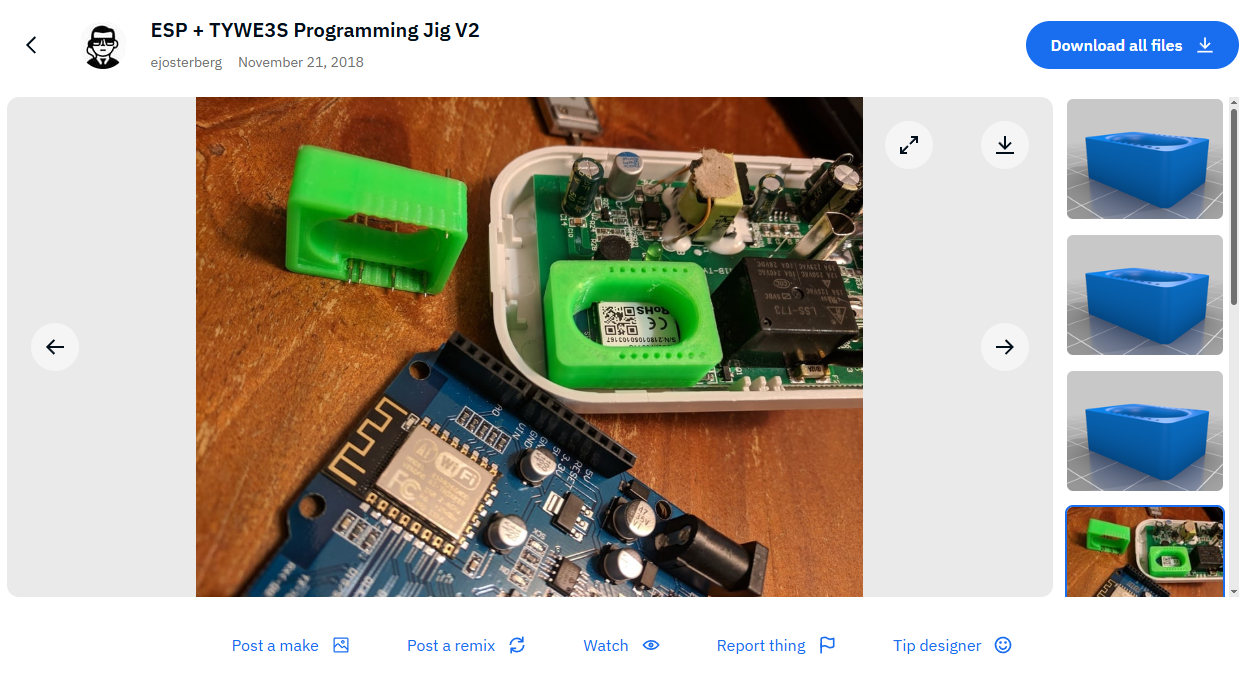
    @insmod I think he meant a jig for a beginners, like the one that is used to flash ESP8266 TYWE3S:
    ESP programmer with a green TYWE3S jig on a table.
    Source: https://www.thingiverse.com/thing:3231225
    Helpful post? Buy me a coffee.
  • #8 21473699
    insmod
    Level 31  
    Posts: 1353
    Help: 160
    Rate: 425
    >>21473692 I can understand that, but no module is specified, so it must be just a chip soldered on board, like other known plug. And creating a jig for a chip, considering how small it is, is impractical and i have doubts about its possibility.
  • ADVERTISEMENT
  • #10 21476597
    jannie_doedel
    Level 2  
    Posts: 9
    Rate: 2
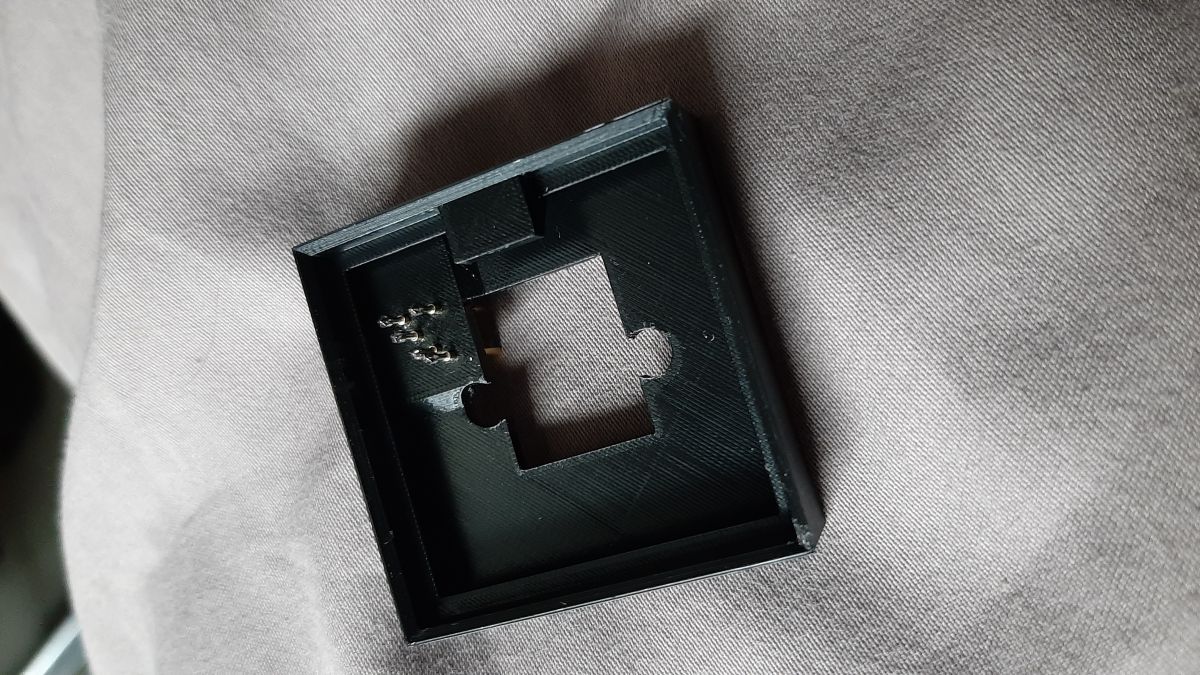
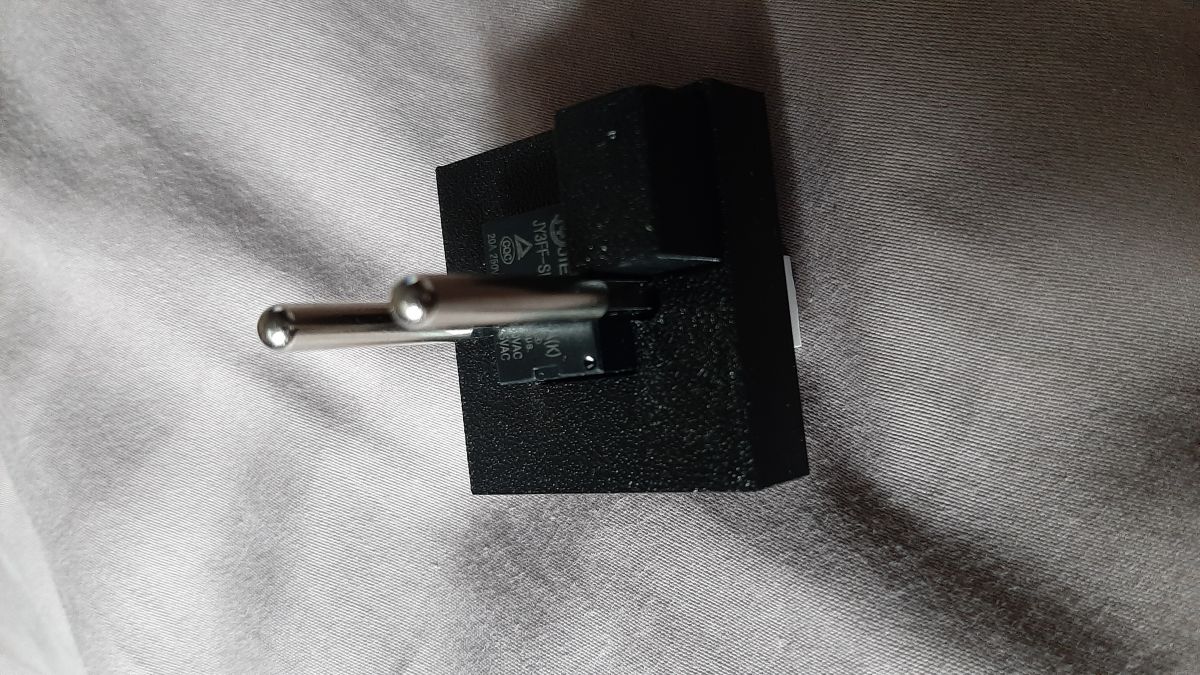
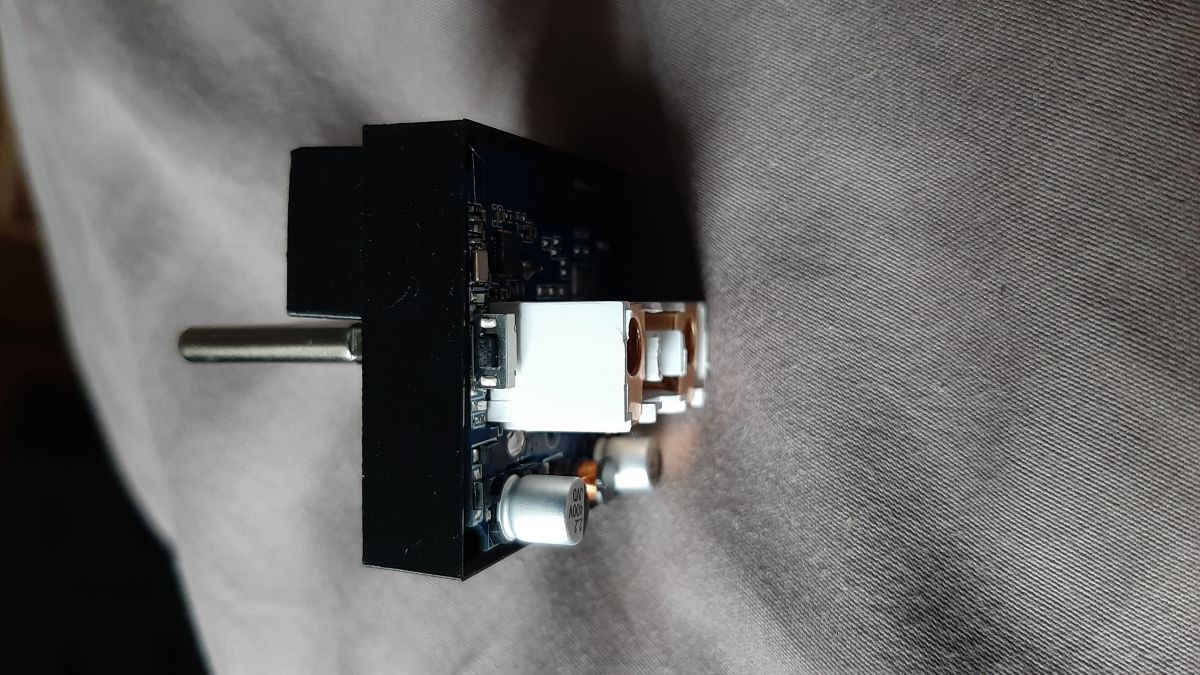
    Here are some photos.
    and the stl files.
    Black plastic casing on a gray background with a rectangular hole in the center.
    Close-up of an electrical plug.
    Circuit board with mounted switch and capacitors.
    It was printed on a Bambu Lab X1 Carbon with 0.2 mm nozzle in PETG
    Attachments:
    • ecr6600_programmer_stl.rar (56.46 KB) You must be logged in to download this attachment.
  • #11 21476611
    divadiow
    Level 38  
    Posts: 4850
    Help: 421
    Rate: 854
    cool. so, yes. looks like it's one of these >>21473698

    Added after 1 [minutes]:

    did you manage to take a backup of the ECR6600 firmware?
  • #12 21477959
    jannie_doedel
    Level 2  
    Posts: 9
    Rate: 2
    no sorry I cannot. no clue with what program
  • #13 21477988
    divadiow
    Level 38  
    Posts: 4850
    Help: 421
    Rate: 854
    jannie_doedel wrote:
    no clue with what program

    true, there is not yet a complete guide and ECR6600 should probably be considered a work in progress. However, backup and flashing procedure can be gleaned from this thread https://www.elektroda.com/rtvforum/topic4097544.html
  • #14 21478105
    p.kaczmarek2
    Moderator Smart Home
    Posts: 14406
    Help: 650
    Rate: 12345
    @divadiow , if you want, you can send me ECR6600 flashing details and materials via PM and I can prepare a guide based on that. I don't have ECR6600 myself yet I think... but the guide should be fine as long as you do the testing on your side.
    Helpful post? Buy me a coffee.

Topic summary

✨ The discussion revolves around the development of a 3D design for programming the Eswin ECR6600 smart plug, which is not based on the BK7231N chip. Users express interest in creating a jig for easier flashing and programming of the device. Some participants share their experiences with 3D printing and suggest that a jig could be beneficial for beginners. There are inquiries about the ECR6600's firmware backup and flashing procedures, with references to existing resources and guides. The conversation highlights the need for collaboration in creating a comprehensive guide for the ECR6600, as it is still considered a work in progress.
Generated by the language model.

FAQ

TL;DR: For ECR6600 smart plugs, a 3D-printed programming jig was printed with a 0.2 mm nozzle; "It was printed on a Bambu Lab X1 Carbon." STL links and photos are shared below. [Elektroda, jannie_doedel, post #21476597]

Why it matters: This helps DIYers decide between a jig and direct UART wiring, and grab community-tested models and pointers.

Quick Facts

Do I need a 3D‑printed jig to program an ECR6600 plug?

Not always. "ECR6600 should have UART0 pins wired out," which reduces the need for a jig. If pads are reachable, wire TX/RX/GND directly. A jig mainly adds convenience and repeatability, especially for beginners or batch work. [Elektroda, insmod, post #21473689]

What is a 3D‑printed flashing jig in this context?

Think of the TYWE3S flashing jig: a helper tool used to flash modules without soldering small pads. The same idea inspired this ECR6600 effort for easier, more consistent contact during programming. It targets beginner-friendly alignment rather than advanced probing. [Elektroda, p.kaczmarek2, post #21473692]

Is a chip‑level jig realistic if the board uses a bare ECR6600?

Creating a jig that presses onto a bare, tiny chip is impractical. The small geometry makes reliable contact and alignment doubtful. If no module or accessible pads exist, consider traditional soldered leads to pads instead of a jig approach. [Elektroda, insmod, post #21473699]

Are there model files and photos I can use right now?

Yes. Photos and STL files were posted. They were printed on a Bambu Lab X1 Carbon using a 0.2 mm nozzle in PETG. "It was printed on a Bambu Lab X1 Carbon with 0.2 mm nozzle in PETG." [Elektroda, jannie_doedel, post #21476597]

Which jig design already worked well for people here?

A lightly modified version of Thingiverse model 3615910 was reported as successful. The contributor noted it "worked amazing" for flashing. You can request the model files if you want to replicate their setup. [Elektroda, DeDaMrAz, post #21474466]

How do I print and test the shared jig models?

  1. Download the STL files shared in the thread.
  2. Slice for PETG using a 0.2 mm nozzle, matching the demonstrated setup.
  3. Print and verify the fit on your device during your programming workflow. [Elektroda, jannie_doedel, post #21476597]

I don’t own a 3D printer—what are my options?

You can still program via the exposed UART0 pads, so a jig is optional. Wire a USB‑UART adapter to the TX/RX/GND pads and proceed with your chosen tool. This keeps costs down and avoids printing altogether. [Elektroda, insmod, post #21473689]

Is Ender 3 PRO a good budget choice to print the jig?

It works but needs attention. "Ender 3 PRO does not take much space," yet expect periodic fixes and calibration. The model is aging, so consider newer printers if you want less tinkering. Only choose it if you can maintain it. [Elektroda, p.kaczmarek2, post #21473688]

How do I back up the stock ECR6600 firmware?

A complete guide is pending. Backup and flashing steps can be gleaned from the referenced thread. ECR6600 is a work in progress, so verify each step and confirm your dump before flashing. Follow that discussion for current tools and notes. [Elektroda, divadiow, post #21477988]

Are step‑by‑step ECR6600 flashing guides coming?

Yes. A maintainer offered to prepare a guide if someone shares tested flashing details via PM. You can help by validating steps on your hardware and sending logs and notes. That speeds up documentation. [Elektroda, p.kaczmarek2, post #21478105]

Can TYWE3S jigs be adapted or used as inspiration?

Yes. The TYWE3S jig example was shared as a beginner‑friendly reference. It shows how a printed fixture can simplify pad access during flashing. Use it as a starting point for ECR6600‑specific adaptations. [Elektroda, p.kaczmarek2, post #21473692]

Where can I verify if my plug matches known ECR6600 boards?

Check the linked discussion that catalogs similar devices. A contributor suspected the posted plug matched those examples. Compare your PCB photos and markings against that thread to confirm. [Elektroda, divadiow, post #21473698]

Who in the community is involved in this effort?

Contributors include p.kaczmarek2, divadiow, insmod, and others. The thread also references prior jig work by DeDaMrAz for Beken. Tagging these users can surface prior art and tips. [Elektroda, p.kaczmarek2, post #21473645]

Can I contribute a 3D design if I’m not into soldering?

Yes. The thread welcomed a 3D design contribution specifically for reading/programming the new plug. Sharing STLs, photos, and print notes helps others avoid soldering and speeds testing. [Elektroda, jannie_doedel, post #21473510]
Generated by the language model.
ADVERTISEMENT