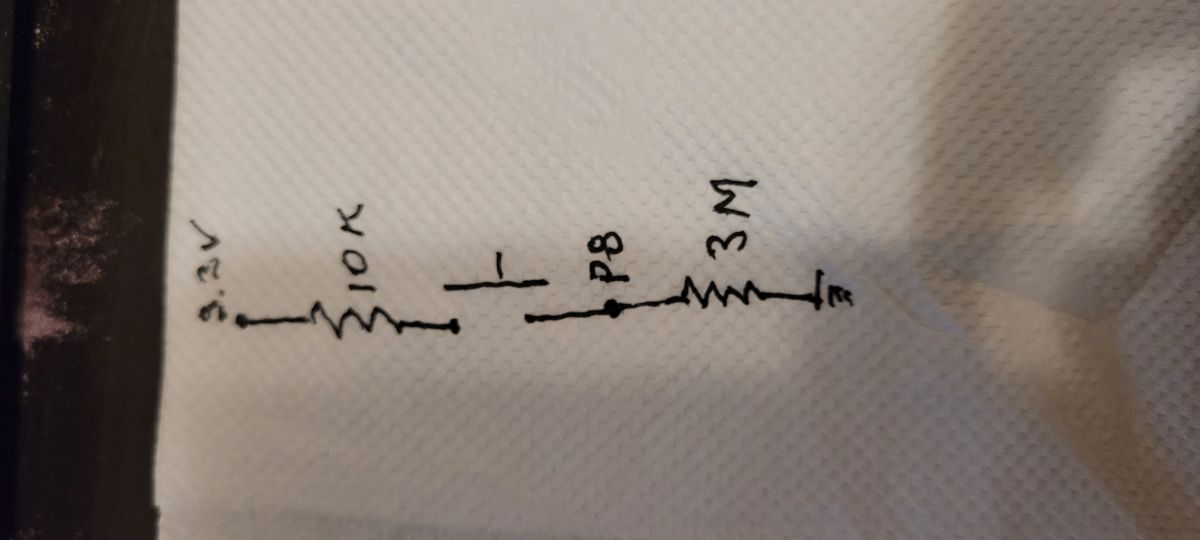
I purchased some ZY-D02 door sensors from AliExpress.
Board ID: ZY-D02-CB3S-V1.3
Wi-Fi Module: T1-3S
App: SmartLife
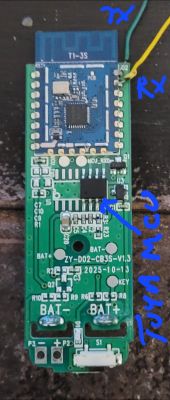
I attached wires to the TX/RX pins and used the TuyaMCUAnalyzer to snoop on the communications between the TuyaMCU and the T1-3S module. The TuyaMCU is communicating using version 3 protocol.
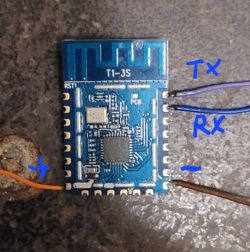
After capturing the information I needed, I used the BK7231GUIFlashTool-v181 to back up the original and flash OpenBK7238_QIO_1.18.229.bin.
The TX/RX lines used to flash the new firmware are already used to communicate with the TuyaMCU, so either the TuyaMCU or the T1-3S needs to be removed, or the TX/RX lines cut.
I removed the module (mistake: pulled up pads on the board)
For the startup command line I used:
Don't use tmSensor; that will make the tuyaMCU driver only recognize version 0 information.
Configure startup to remember the last channel states. Select flags 37 and 51 for quick Wi-Fi connections.
At this point, the tuyaMCU driver will not recognize the state information from the tuyaMCU. After the TuyaMCU receives the Wi-Fi connection status:
It will send the state information as:
The tuyaMCU code will be updated to recognize this.
Currently, that is as far as I have gotten.
A problem I have is that the RF information for my T1-3S is at 0x1E3000. I'm not sure if that is where it was supposed to be, but OpenBK doesn't find it, and the MAC address is all messed up. I'd like some suggestions on how I can use the backups I have to "fix" the RF data in the OpenBK firmware.
Figured it out. In BK7231GUIFlashTool-v181, select "Show advanced options", use "Custom", and restore RF from backup. Start offset 0x1E3000.
Is there a way to do this in one shot with BK7231GUIFlashTool-v181? Or do I always have to back up the old, flash the new, and fix the RF? Also, can I fix the RF on my running OpenBK without tearing it apart? The web app has a flash page with "Read RF Config", "Download RF", and even "Restore (Recreate) RF". How about writing from my backup?
Board ID: ZY-D02-CB3S-V1.3
Wi-Fi Module: T1-3S
App: SmartLife
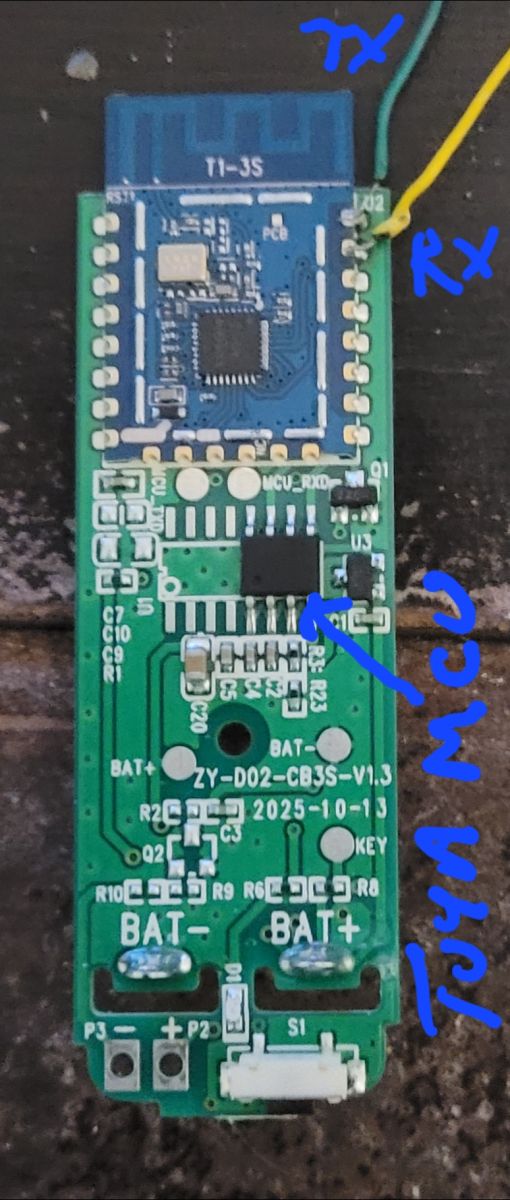
I attached wires to the TX/RX pins and used the TuyaMCUAnalyzer to snoop on the communications between the TuyaMCU and the T1-3S module. The TuyaMCU is communicating using version 3 protocol.
Sent by WiFi module:
55 AA   00   00      00 00      FF
Received by WiFi module:
55 AA   03   00      00 01   00   03
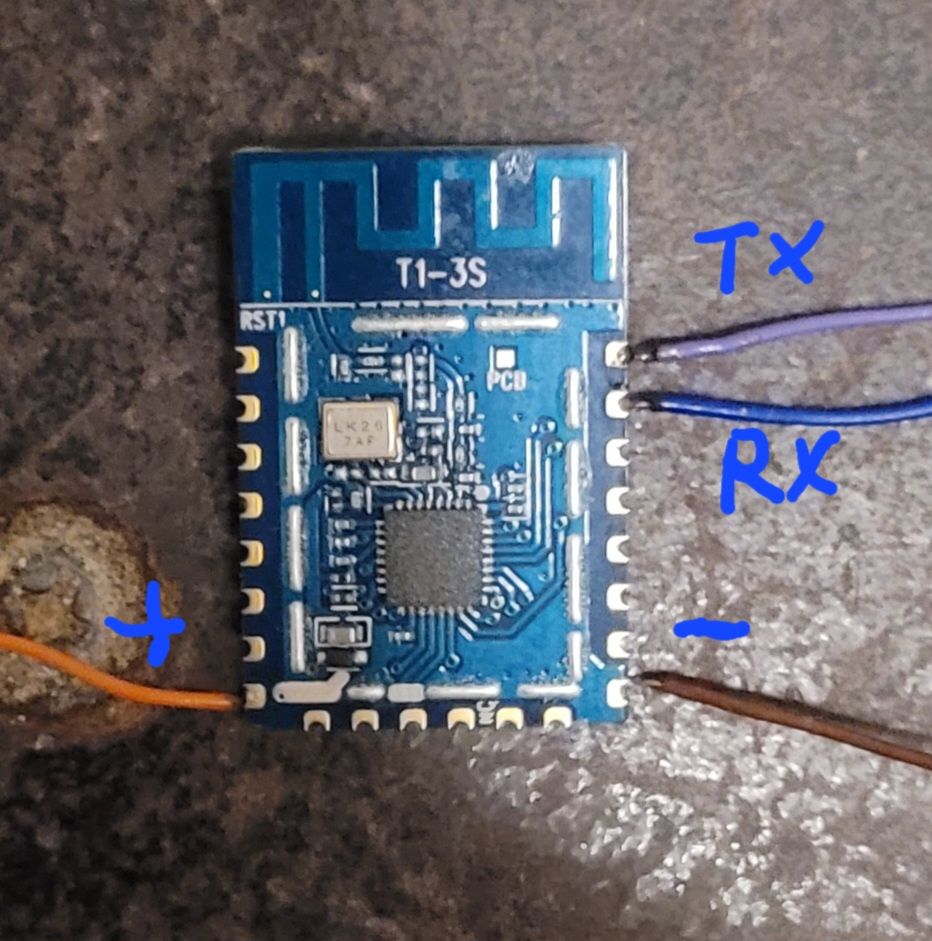
After capturing the information I needed, I used the BK7231GUIFlashTool-v181 to back up the original and flash OpenBK7238_QIO_1.18.229.bin.
The TX/RX lines used to flash the new firmware are already used to communicate with the TuyaMCU, so either the TuyaMCU or the T1-3S needs to be removed, or the TX/RX lines cut.
I removed the module (mistake: pulled up pads on the board)
For the startup command line I used:
startDriver tuyaMCU; linkTuyaMCUOutputToChannel 101 bool 1; setChannelType 1 ReadOnly; linkTuyaMCUOutputToChannel 102 val 3; setChannelType 3 ReadOnly;Don't use tmSensor; that will make the tuyaMCU driver only recognize version 0 information.
Configure startup to remember the last channel states. Select flags 37 and 51 for quick Wi-Fi connections.
At this point, the tuyaMCU driver will not recognize the state information from the tuyaMCU. After the TuyaMCU receives the Wi-Fi connection status:
Sent by WiFi module:
55 AA   00   03      00 01   04   07
It will send the state information as:
Received by WiFi module:
55 AA   03   34      00 0E   0B01000101010101016501000101   BE
Received by WiFi module:
55 AA   03   34      00 0E   0B01000101010101016604000102   C3
The tuyaMCU code will be updated to recognize this.
Currently, that is as far as I have gotten.
A problem I have is that the RF information for my T1-3S is at 0x1E3000. I'm not sure if that is where it was supposed to be, but OpenBK doesn't find it, and the MAC address is all messed up. I'd like some suggestions on how I can use the backups I have to "fix" the RF data in the OpenBK firmware.
Figured it out. In BK7231GUIFlashTool-v181, select "Show advanced options", use "Custom", and restore RF from backup. Start offset 0x1E3000.
Is there a way to do this in one shot with BK7231GUIFlashTool-v181? Or do I always have to back up the old, flash the new, and fix the RF? Also, can I fix the RF on my running OpenBK without tearing it apart? The web app has a flash page with "Read RF Config", "Download RF", and even "Restore (Recreate) RF". How about writing from my backup?