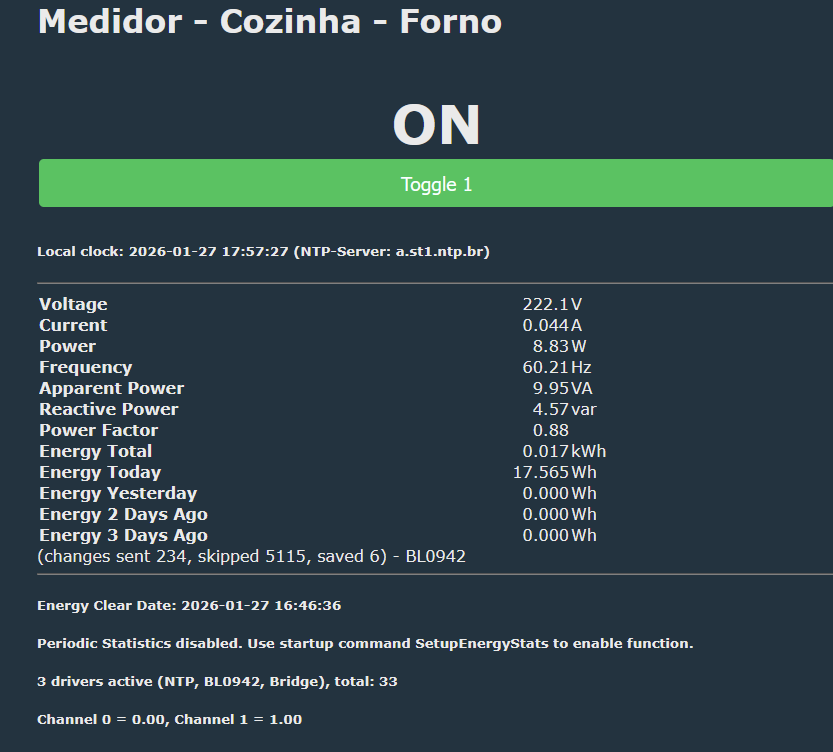
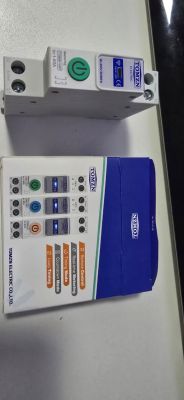
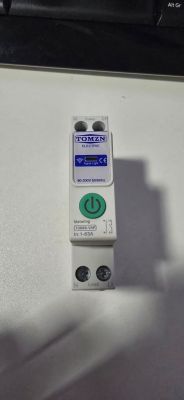
I need help to configure a breaker TOMZN 63A with meter (BL0942)
----------
JSON
----------
----------
TEXT
----------
Device configuration, as extracted from Tuya:
- Button (channel 1) on P17
- LED (channel 1) on P9
- Bridge Relay On (channel 1) on P24
- Bridge Relay Off (channel 1) on P26
- WiFi LED on P15
Device seems to be using CBU module, which is using BK7231N.
And the Tuya section starts, as usual, at 2023424 (0x1EE000)
----------
CONFIG
----------
I leave LED_n to be red when turn on
I leave WifiLED_n to be blue when wifi is connected
I have this DpID
The query Data from Tuya
-------------------------------
Standard Instruction Set
-------------------------------
I try to use this autoexec
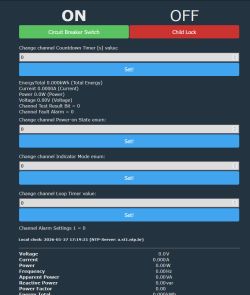
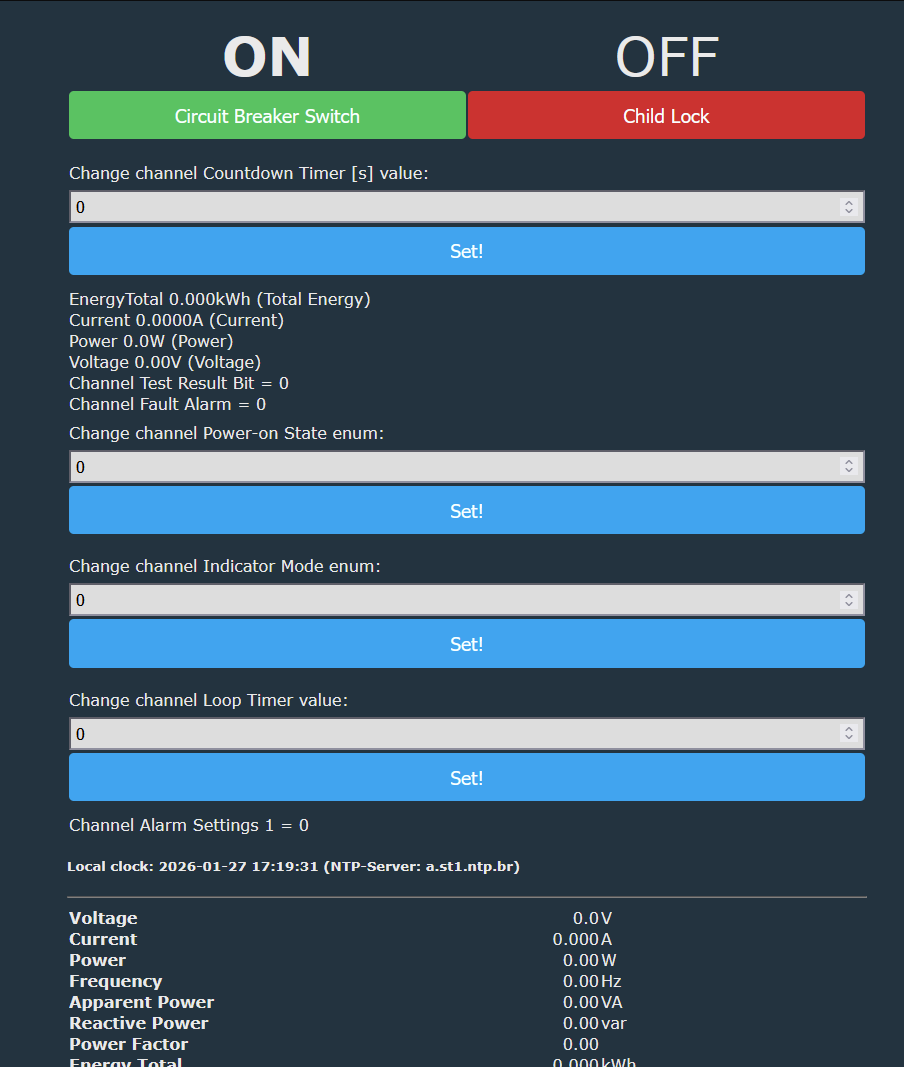
But I get 0 for values
Also is it possible to show all items (values sensors etc) from tuya in the web page?
like this post
https://www.elektroda.com/rtvforum/topic4157607.html
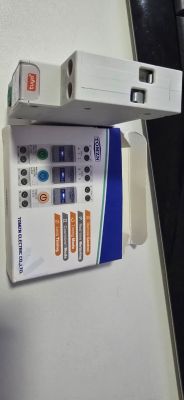
attached original fw
----------
JSON
----------
{
	"bt1_pin":"17",
	"led1_pin":"9",
	"rl1_drvtime":"60",
	"net_trig":"2",
	"rl_on1_pin":"24",
	"jv":"1.0.1",
	"netled1_lv":"0",
	"netled_reuse":"0",
	"bt1_type":"0",
	"temp_fun_en":"0",
	"online_time":"10",
	"nety_led":"1",
	"rl_off1_pin":"26",
	"over_cur":"63000",
	"wide_vol":"0",
	"bt1_lv":"0",
	"reset_t":"5",
	"netled1_pin":"15",
	"chip_type":"3",
	"rl_on1_lv":"1",
	"lose_vol":"75",
	"over_vol":"265",
	"module":"CBU",
	"ch_cddpid1":"9",
	"ch1_stat":"2",
	"led1_lv":"0",
	"rl1_type":"1",
	"ch_num":"1",
	"ele_fun_en":"1",
	"rl_off1_lv":"1",
	"netn_led":"0",
	"vol_def":"0",
	"ch_dpid1":"1",
	"crc":"20"
}
----------
TEXT
----------
Device configuration, as extracted from Tuya:
- Button (channel 1) on P17
- LED (channel 1) on P9
- Bridge Relay On (channel 1) on P24
- Bridge Relay Off (channel 1) on P26
- WiFi LED on P15
Device seems to be using CBU module, which is using BK7231N.
And the Tuya section starts, as usual, at 2023424 (0x1EE000)
----------
CONFIG
----------
I leave LED_n to be red when turn on
I leave WifiLED_n to be blue when wifi is connected
{
  "vendor": "Tuya",
  "bDetailed": "0",
  "name": "Full Device Name Here",
  "model": "enter short model name here",
  "chip": "BK7231N",
  "board": "TODO",
  "flags": "0",
  "keywords": [
    "TODO",
    "TODO",
    "TODO"
  ],
  "pins": {
    "9": "LED_n;1",
    "15": "WifiLED_n;0",
    "17": "Btn;1",
    "24": "BridgeFWD;1",
    "26": "BridgeREV;1"
  },
  "command": "",
  "image": "https://obrazki.elektroda.pl/YOUR_IMAGE.jpg",
  "wiki": "https://www.elektroda.com/rtvforum/topic_YOUR_TOPIC.html"
}
I have this DpID
{
	"1": "switch",
	"9": "Countdown",
	"17": "Energy Charge",
	"18": "power",
	"20": "voltage",
	"21": "Test Result Bit",
	"22": "Voltage Calibration Coefficient",
	"23": "Current Calibration Coefficient",
	"24": "Power Calibration Coefficient",
	"25": "Electricity Calibration Coefficient",
	"26": "Fault Alarm",
	"38": "Power-on status",
	"40": "Indicator status setting",
	"41": "Maintenance Lock",
	"42": "Loop timer",
	"48": "Alarm Threshold Settings"
}
The query Data from Tuya
{
	"result": {
		"model": {
			"modelId": "f4sn3o",
			"services": [
				{
					"name": "Default Service",
					"code": "",
					"description": "",
					"actions": [],
					"events": [],
					"properties": [
						{
							"abilityId": 1,
							"accessMode": "rw",
							"code": "switch_1",
							"name": "switch",
							"description": "",
							"extensions": {
								"iconName": "icon-dp_power2",
								"attribute": "645"
							},
							"typeSpec": {
								"type": "bool"
							}
						},
						{
							"abilityId": 9,
							"accessMode": "rw",
							"code": "countdown_1",
							"name": "Countdown",
							"description": "",
							"extensions": {
								"iconName": "icon-dp_time2",
								"attribute": "740"
							},
							"typeSpec": {
								"type": "value",
								"min": 0,
								"max": 86400,
								"scale": 0,
								"step": 1,
								"unit": "s"
							}
						},
						{
							"abilityId": 17,
							"accessMode": "ro",
							"code": "add_ele",
							"name": "Energy Charge",
							"description": "If there are high current specifications requiring hardware adaptation, the upper limit value can be manually modified; other configurations should not be changed.",
							"extensions": {
								"attribute": "1728"
							},
							"typeSpec": {
								"type": "value",
								"min": 0,
								"max": 50000,
								"scale": 3,
								"step": 100
							}
						},
						{
							"abilityId": 18,
							"accessMode": "ro",
							"code": "cur_current",
							"name": "power",
							"description": "The default reference open-source solution recommends using a rated current specification of no more than 63A. If there are high current specification application requirements, it is necessary to debug and modify the sampling resistor matching and a suitable current transformer, and edit and adjust the upper limit configuration of this DP value. Do not change other configurations.",
							"extensions": {
								"attribute": "1728"
							},
							"typeSpec": {
								"type": "value",
								"min": 0,
								"max": 99999,
								"scale": 1,
								"step": 1,
								"unit": "W"
							}
						},
						{
							"abilityId": 20,
							"accessMode": "ro",
							"code": "cur_voltage",
							"name": "voltage",
							"description": "",
							"extensions": {
								"attribute": "704"
							},
							"typeSpec": {
								"type": "value",
								"min": 0,
								"max": 5000,
								"scale": 1,
								"step": 1,
								"unit": "V"
							}
						},
						{
							"abilityId": 21,
							"accessMode": "ro",
							"code": "test_bit",
							"name": "Test Result Bit",
							"description": "",
							"extensions": {
								"attribute": "736"
							},
							"typeSpec": {
								"type": "value",
								"min": 0,
								"max": 5,
								"scale": 0,
								"step": 1
							}
						},
						{
							"abilityId": 22,
							"accessMode": "ro",
							"code": "voltage_coe",
							"name": "Voltage Calibration Coefficient",
							"description": "",
							"extensions": {
								"attribute": "736"
							},
							"typeSpec": {
								"type": "value",
								"min": 0,
								"max": 1000000,
								"scale": 0,
								"step": 1
							}
						},
						{
							"abilityId": 23,
							"accessMode": "ro",
							"code": "electric_coe",
							"name": "Current Calibration Coefficient",
							"description": "",
							"extensions": {
								"attribute": "736"
							},
							"typeSpec": {
								"type": "value",
								"min": 0,
								"max": 1000000,
								"scale": 0,
								"step": 1
							}
						},
						{
							"abilityId": 24,
							"accessMode": "ro",
							"code": "power_coe",
							"name": "Power Calibration Coefficient",
							"description": "",
							"extensions": {
								"attribute": "736"
							},
							"typeSpec": {
								"type": "value",
								"min": 0,
								"max": 1000000,
								"scale": 0,
								"step": 1
							}
						},
						{
							"abilityId": 25,
							"accessMode": "ro",
							"code": "electricity_coe",
							"name": "Electricity Calibration Coefficient",
							"description": "",
							"extensions": {
								"attribute": "736"
							},
							"typeSpec": {
								"type": "value",
								"min": 0,
								"max": 1000000,
								"scale": 0,
								"step": 1
							}
						},
						{
							"abilityId": 26,
							"accessMode": "ro",
							"code": "fault",
							"name": "Fault Alarm",
							"description": "Standard list, actual faults triggered according to product capabilities.",
							"extensions": {
								"iconName": "icon-baojing",
								"attribute": "128"
							},
							"typeSpec": {
								"type": "bitmap",
								"maxlen": 13,
								"label": [
									"ov_cr",
									"ov_vol",
									"ov_pwr",
									"ls_cr",
									"ls_vol",
									"ls_pow",
									"short_circuit_alarm",
									"overload_alarm",
									"leakagecurr_alarm",
									"self_test_alarm",
									"high_temp",
									"unbalance_alarm",
									"miss_phase_alarm"
								]
							}
						},
						{
							"abilityId": 38,
							"accessMode": "rw",
							"code": "relay_status",
							"name": "Power-on status",
							"description": "",
							"extensions": {
								"iconName": "icon-zhuangtai",
								"attribute": "736"
							},
							"typeSpec": {
								"type": "enum",
								"range": ["off", "on", "memory"]
							}
						},
						{
							"abilityId": 40,
							"accessMode": "rw",
							"code": "light_mode",
							"name": "Indicator status setting",
							"description": "",
							"extensions": {
								"iconName": "tcl_function_light",
								"attribute": "224"
							},
							"typeSpec": {
								"type": "enum",
								"range": ["relay", "pos", "none", "on"]
							}
						},
						{
							"abilityId": 41,
							"accessMode": "rw",
							"code": "child_lock",
							"name": "Maintenance Lock",
							"description": "",
							"extensions": {
								"iconName": "icon-dp_power2",
								"attribute": "132"
							},
							"typeSpec": {
								"type": "bool"
							}
						},
						{
							"abilityId": 42,
							"accessMode": "rw",
							"code": "cycle_time",
							"name": "Loop timer",
							"description": "Maximum 10 timer functions. Each 10 bytes represents channel, weekday, start/end times and on/off durations.",
							"extensions": {
								"iconName": "icon-dp_time3"
							},
							"typeSpec": {
								"type": "string",
								"maxlen": 255
							}
						},
						{
							"abilityId": 48,
							"accessMode": "rw",
							"code": "alarm_set_1",
							"name": "Alarm Threshold Settings",
							"description": "Supported by firmware version 106 and above. HEX format, big-endian, alarm configuration structure.",
							"typeSpec": {
								"type": "string"
							}
						}
					]
				}
			]
		}
	}
}
-------------------------------
Standard Instruction Set
-------------------------------
switch	Boolean

"{true,false}"

countdown_1	Integer

{
  "unit": "s",
  "min": 0,
  "max": 86400,
  "scale": 0,
  "step": 1
}

relay_status	Enum

{
  "range": [
    "power_off",
    "power_on",
    "last"
  ]
}

light_mode	Enum

{
  "range": [
    "relay",
    "pos",
    "none",
    "on"
  ]
}

child_lock	Boolean

"{true,false}"

cycle_time	String

{
  "maxlen": 255
}

alarm_set_1	Raw

{}
I try to use this autoexec
// TOMNZ 63A

// Clear all previous definitions
//clearIO

// LAST POWER STATE 0 = no / 1 = on / -1 last
setChannel 1 1


// clear flags
//flags 0


// START DRIVERS
startDriver TuyaMCU
// BL0942
startDriver BL0942
// NTP BRAZIL
startDriver ntp
ntp_setServer a.st1.ntp.br
ntp_timeZoneOfs -3:00

waitFor MQTTState 1
//tuyaMcu_defWiFiState 4

//FLAG
SetFlag 10 1 // [MQTT] Broadcast self state on MQTT connect
SetFlag 30 1 // [MQTT] Enable Tasmota TELE etc publishes (for ioBroker etc)
SetFlag 38 1 //[Power] Set power and current to zero if all relays are open
SetFlag 46 1 // [TuyaMCU] Store raw data


// Main Relay - id 1 "switch_1" -> Ch 1 (rw)
linkTuyaMCUOutputToChannel 1 bool 1
setChannelType 1 toggle
setChannelLabel 1 "Circuit Breaker Switch"

// Countdown timer - id 9 "countdown_1" -> Ch 2 (rw)
linkTuyaMCUOutputToChannel 9 val 2
setChannelType 2 TextField
setChannelLabel 2 "Countdown Timer [s]"

// Total Energy - id 17 "add_ele" -> Ch 3 (ro)
linkTuyaMCUOutputToChannel 17 val 3
setChannelType 3 EnergyTotal_kWh_div100
setChannelLabel 3 "Total Energy"

// Current - id 18 "cur_current" -> Ch 4 (ro)
linkTuyaMCUOutputToChannel 18 val 4
setChannelType 4 Current_div1000
setChannelLabel 4 "Current"

// Power - id 19 "cur_power" -> Ch 5 (ro)
linkTuyaMCUOutputToChannel 19 val 5
setChannelType 5 Power
setChannelLabel 5 "Power"

// Voltage - id 20 "cur_voltage" -> Ch 6 (ro)
linkTuyaMCUOutputToChannel 20 val 6
setChannelType 6 Voltage_div10
setChannelLabel 6 "Voltage"

// Test Bit - id 21 "test_bit" -> Ch 7 (ro)
linkTuyaMCUOutputToChannel 21 val 7
setChannelType 7 ReadOnly
setChannelLabel 7 "Test Result Bit"

// Fault Alarm - id 26 "fault" -> Ch 8 (ro)
linkTuyaMCUOutputToChannel 26 raw 8
setChannelType 8 ReadOnly
setChannelLabel 8 "Fault Alarm"

// Relay Power-on State - id 38 "relay_status" -> Ch 9 (rw)
linkTuyaMCUOutputToChannel 38 raw 9
setChannelType 9 Enum
setChannelLabel 9 "Power-on State"

// Indicator Mode - id 40 "light_mode" -> Ch 10 (rw)
linkTuyaMCUOutputToChannel 40 raw 10
setChannelType 10 Enum
setChannelLabel 10 "Indicator Mode"

// Child Lock - id 41 "child_lock" -> Ch 11 (rw)
linkTuyaMCUOutputToChannel 41 bool 11
setChannelType 11 toggle
setChannelLabel 11 "Child Lock"

// Loop Timer - id 42 "cycle_time" -> Ch 12 (rw)
linkTuyaMCUOutputToChannel 42 raw 12
setChannelType 12 TextField
setChannelLabel 12 "Loop Timer"

// Alarm Settings 1 - id 48 "alarm_set_1" -> Ch 13 (rw)
linkTuyaMCUOutputToChannel 48 raw 13
setChannelType 13 ReadOnly
setChannelLabel 13 "Alarm Settings 1"

// Query all states on boot
tuyaMcu_sendQueryState
But I get 0 for values
Also is it possible to show all items (values sensors etc) from tuya in the web page?
like this post
https://www.elektroda.com/rtvforum/topic4157607.html
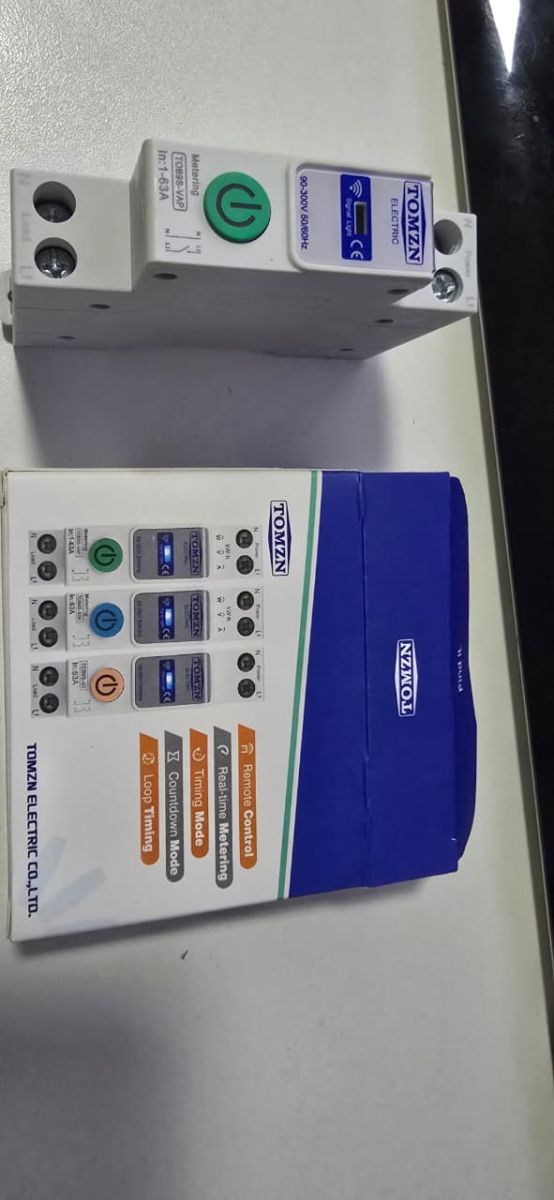
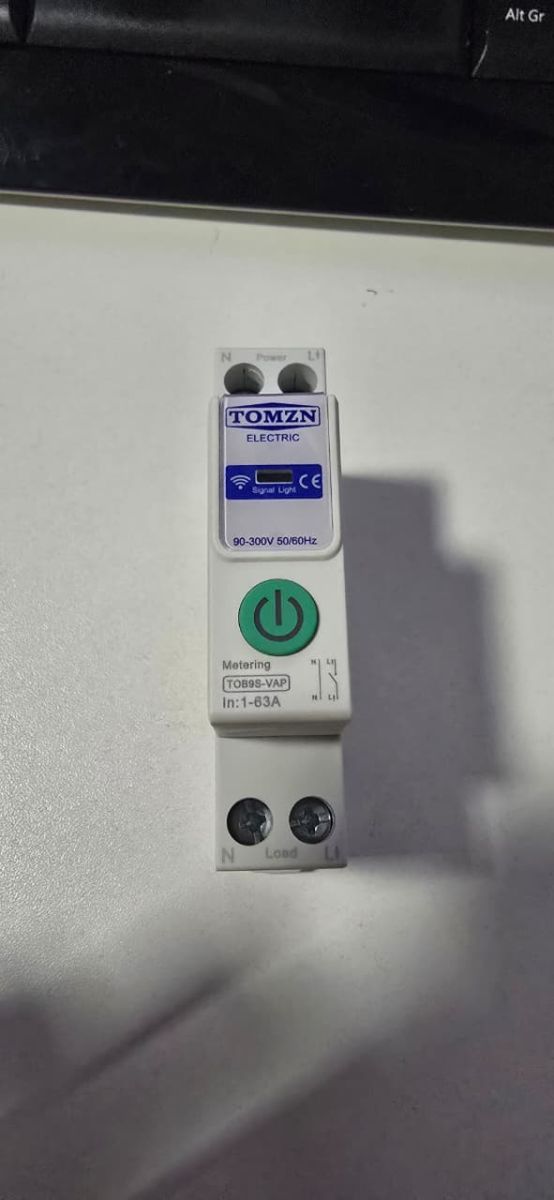
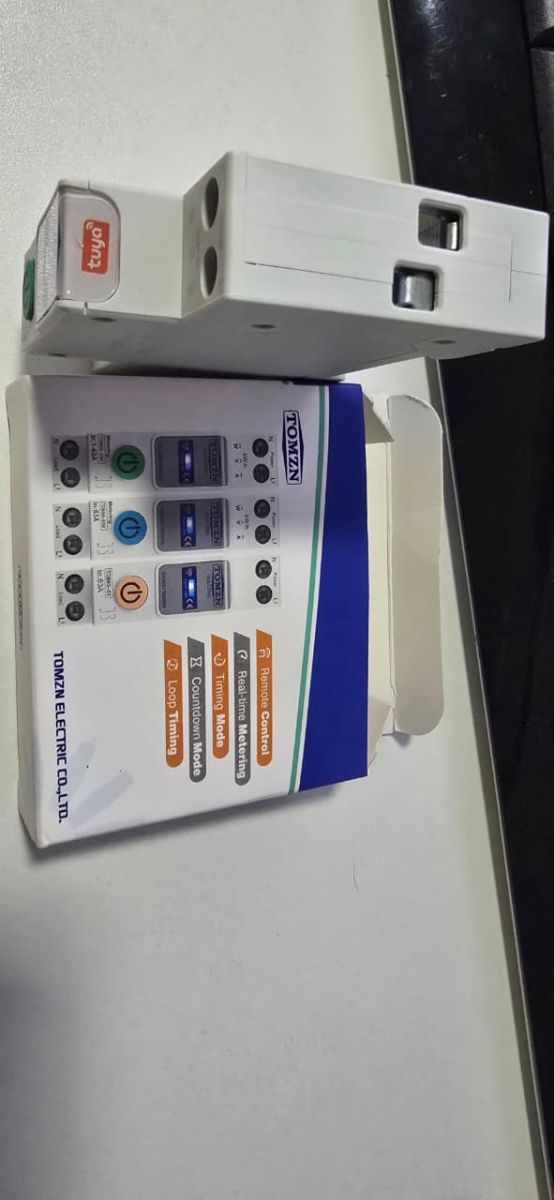
attached original fw