










I bought a pack of 3 Feit OM60/RGBW/CA/AG(N) smart light bulbs
![[BK7238 / T1UHL] Feit OM60/RGBW/CA/AG(N) Teardown & Flash Guide](https://obrazki.elektroda.pl/3327228600_1776556148_thumb.jpg "[BK7238 / T1UHL] Feit OM60/RGBW/CA/AG(N) Teardown & Flash Guide")
The (N) in the model name seems to denote a newer revision from the already posted non-N version, as these use a Tuya T1-U-HL (Beken BK7238), not the BK7231N
They still use the BP5758D LED driver IC.
Since they have the updated BK7238 cloudcutter won't work and will require UART flashing.
Teardown
Getting the dome off is tricky without damaging the housing (I have yet to find a way to not damage the housing)
I used a plastic scraper and wedged it between the dome and the housing and then went all the way around the dome.
This results in some plastic breaking off from the housing though.
I then pulled and twisted on the dome until it popped off.
Then remove the remaining silicone from the bulb.
![[BK7238 / T1UHL] Feit OM60/RGBW/CA/AG(N) Teardown & Flash Guide](https://obrazki.elektroda.pl/2423827800_1776556241_thumb.jpg "[BK7238 / T1UHL] Feit OM60/RGBW/CA/AG(N) Teardown & Flash Guide")
To get the light board off I used a utility knife to pry it off, it is connected only by the 6 pin connector.
The PCB is flat on four sides, I went around prying up on all of those points until the board came off.
![[BK7238 / T1UHL] Feit OM60/RGBW/CA/AG(N) Teardown & Flash Guide](https://obrazki.elektroda.pl/4377515600_1776556373_thumb.jpg "[BK7238 / T1UHL] Feit OM60/RGBW/CA/AG(N) Teardown & Flash Guide")
Now to pop the center contact from the bottom of the bulb.
I again used a utility knife to pry it off. after that is off you will see a wire bent around the black plastic, unbend it so it can go through the hole.
![[BK7238 / T1UHL] Feit OM60/RGBW/CA/AG(N) Teardown & Flash Guide](https://obrazki.elektroda.pl/1113018200_1776556580_thumb.jpg "[BK7238 / T1UHL] Feit OM60/RGBW/CA/AG(N) Teardown & Flash Guide")
There is another wire wedged between the housing and the screw, I used tweezers to yank it out.
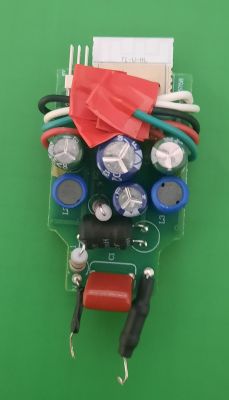
Once both wires are free from the housing, the main board can be pulled out.
WARNING: if the bulb has been plugged in, the capacitors may still be charged. They can't cause any harm, but you may get a small shock if you touch the leads on the back of the board.
Flashing
Supplies:
- USB to UART Converter (FT232RL FTDI)
- EXTERNAL 3.3v power source (AMS1117 Voltage Regulator) (3.3v on serial adapter does not have sufficient power)
- Datasheet recommends input and output capacitors (you could try without, but IDK if it'll work)
- I used a 10nF cap on both the in and output as well as a 10uF cap on the input and a 100uF cap on the output
- If using 5v line from serial adapter a protection diode would be a good idea (I used a IN5819)
- 10kOhm resistor on the tx line of the serial adapter. (Without, it will back feed the chip)
![[BK7238 / T1UHL] Feit OM60/RGBW/CA/AG(N) Teardown & Flash Guide](https://obrazki.elektroda.pl/6727454500_1776574274_thumb.jpg "[BK7238 / T1UHL] Feit OM60/RGBW/CA/AG(N) Teardown & Flash Guide")
![[BK7238 / T1UHL] Feit OM60/RGBW/CA/AG(N) Teardown & Flash Guide](https://obrazki.elektroda.pl/5505103200_1776575349_thumb.jpg "[BK7238 / T1UHL] Feit OM60/RGBW/CA/AG(N) Teardown & Flash Guide")
You will need to solder 4 wires (5 if you want CEN) according to the below image
![[BK7238 / T1UHL] Feit OM60/RGBW/CA/AG(N) Teardown & Flash Guide](https://obrazki.elektroda.pl/3192744900_1776574203_thumb.jpg "[BK7238 / T1UHL] Feit OM60/RGBW/CA/AG(N) Teardown & Flash Guide")
![[BK7238 / T1UHL] Feit OM60/RGBW/CA/AG(N) Teardown & Flash Guide](https://obrazki.elektroda.pl/3696165700_1776575224_thumb.jpg "[BK7238 / T1UHL] Feit OM60/RGBW/CA/AG(N) Teardown & Flash Guide")
I was unable to flash using the GUI flasher, I ran into a failed to write error, I was able to dump the flash using it though.
![[BK7238 / T1UHL] Feit OM60/RGBW/CA/AG(N) Teardown & Flash Guide](https://obrazki.elektroda.pl/9873152400_1776564127_thumb.jpg "[BK7238 / T1UHL] Feit OM60/RGBW/CA/AG(N) Teardown & Flash Guide")
I was able to successfully flash using ltchiptool however.
WARNING: Before flashing dump the original firmware and keep it safe. If you ever want to go back to stock or run into problems with flashing other firmware you can just flash the backup.
I am on Ubuntu, and for the following commands the serial adapter is /dev/ttyUSB0
When ltchiptool says to short CEN to ground, that is when you switch the power. It can be a little finicky, I've had to switch power multiple times before successfully getting a link.
create a backup of the stock firmware with
Download the latest binary for the BK7238
Write to the chip using
Once you have OpenBeken on it you can do OTA updates so the bulb can be put back in the housing.
I decided to leave the wires soldered just in case, I just put electrical tape over the ends
Config
OBK Config
autoexec.bat
![[BK7238 / T1UHL] Feit OM60/RGBW/CA/AG(N) Teardown & Flash Guide](https://obrazki.elektroda.pl/3327228600_1776556148.jpg "[BK7238 / T1UHL] Feit OM60/RGBW/CA/AG(N) Teardown & Flash Guide")
The (N) in the model name seems to denote a newer revision from the already posted non-N version, as these use a Tuya T1-U-HL (Beken BK7238), not the BK7231N
They still use the BP5758D LED driver IC.
Since they have the updated BK7238 cloudcutter won't work and will require UART flashing.
Teardown
Getting the dome off is tricky without damaging the housing (I have yet to find a way to not damage the housing)
I used a plastic scraper and wedged it between the dome and the housing and then went all the way around the dome.
This results in some plastic breaking off from the housing though.
I then pulled and twisted on the dome until it popped off.
Then remove the remaining silicone from the bulb.
![[BK7238 / T1UHL] Feit OM60/RGBW/CA/AG(N) Teardown & Flash Guide](https://obrazki.elektroda.pl/2423827800_1776556241.jpg "[BK7238 / T1UHL] Feit OM60/RGBW/CA/AG(N) Teardown & Flash Guide")
To get the light board off I used a utility knife to pry it off, it is connected only by the 6 pin connector.
The PCB is flat on four sides, I went around prying up on all of those points until the board came off.
![[BK7238 / T1UHL] Feit OM60/RGBW/CA/AG(N) Teardown & Flash Guide](https://obrazki.elektroda.pl/4377515600_1776556373.jpg "[BK7238 / T1UHL] Feit OM60/RGBW/CA/AG(N) Teardown & Flash Guide")
Now to pop the center contact from the bottom of the bulb.
I again used a utility knife to pry it off. after that is off you will see a wire bent around the black plastic, unbend it so it can go through the hole.
![[BK7238 / T1UHL] Feit OM60/RGBW/CA/AG(N) Teardown & Flash Guide](https://obrazki.elektroda.pl/1113018200_1776556580.jpg "[BK7238 / T1UHL] Feit OM60/RGBW/CA/AG(N) Teardown & Flash Guide")
There is another wire wedged between the housing and the screw, I used tweezers to yank it out.
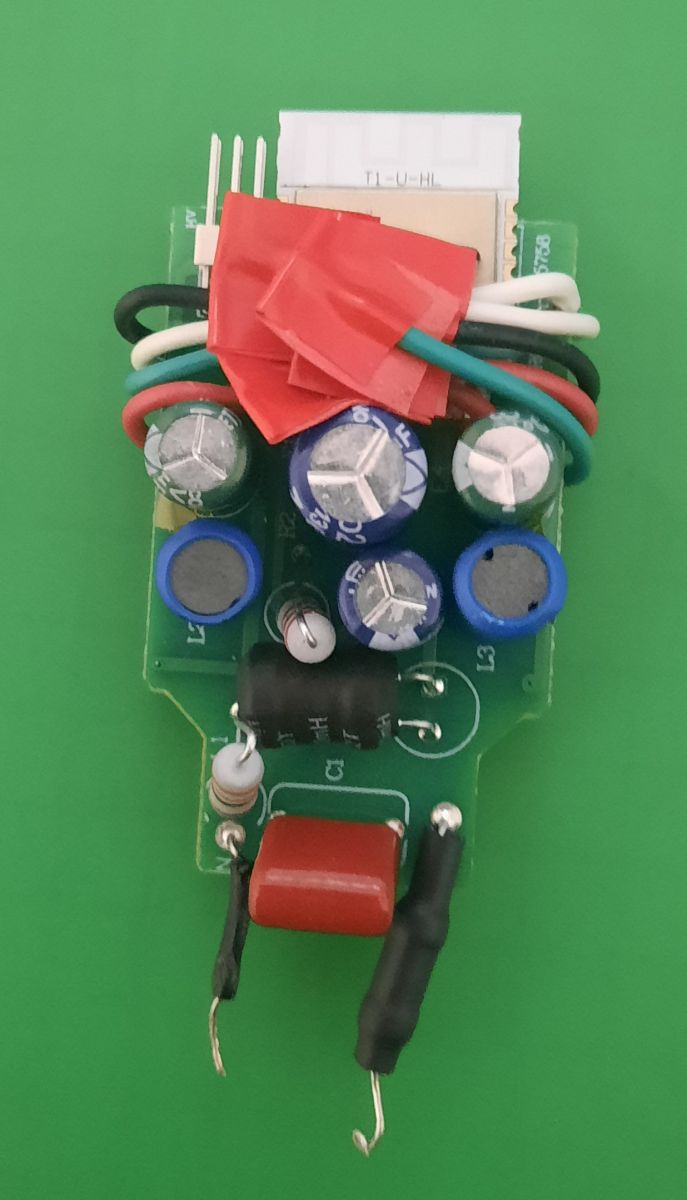
Once both wires are free from the housing, the main board can be pulled out.
WARNING: if the bulb has been plugged in, the capacitors may still be charged. They can't cause any harm, but you may get a small shock if you touch the leads on the back of the board.
Flashing
Supplies:
- USB to UART Converter (FT232RL FTDI)
- EXTERNAL 3.3v power source (AMS1117 Voltage Regulator) (3.3v on serial adapter does not have sufficient power)
- Datasheet recommends input and output capacitors (you could try without, but IDK if it'll work)
- I used a 10nF cap on both the in and output as well as a 10uF cap on the input and a 100uF cap on the output
- If using 5v line from serial adapter a protection diode would be a good idea (I used a IN5819)
- 10kOhm resistor on the tx line of the serial adapter. (Without, it will back feed the chip)
![[BK7238 / T1UHL] Feit OM60/RGBW/CA/AG(N) Teardown & Flash Guide](https://obrazki.elektroda.pl/6727454500_1776574274.jpg "[BK7238 / T1UHL] Feit OM60/RGBW/CA/AG(N) Teardown & Flash Guide")
![[BK7238 / T1UHL] Feit OM60/RGBW/CA/AG(N) Teardown & Flash Guide](https://obrazki.elektroda.pl/5505103200_1776575349.jpg "[BK7238 / T1UHL] Feit OM60/RGBW/CA/AG(N) Teardown & Flash Guide")
You will need to solder 4 wires (5 if you want CEN) according to the below image
![[BK7238 / T1UHL] Feit OM60/RGBW/CA/AG(N) Teardown & Flash Guide](https://obrazki.elektroda.pl/3192744900_1776574203.png "[BK7238 / T1UHL] Feit OM60/RGBW/CA/AG(N) Teardown & Flash Guide")
![[BK7238 / T1UHL] Feit OM60/RGBW/CA/AG(N) Teardown & Flash Guide](https://obrazki.elektroda.pl/3696165700_1776575224.jpg "[BK7238 / T1UHL] Feit OM60/RGBW/CA/AG(N) Teardown & Flash Guide")
I was unable to flash using the GUI flasher, I ran into a failed to write error, I was able to dump the flash using it though.
![[BK7238 / T1UHL] Feit OM60/RGBW/CA/AG(N) Teardown & Flash Guide](https://obrazki.elektroda.pl/9873152400_1776564127.png "[BK7238 / T1UHL] Feit OM60/RGBW/CA/AG(N) Teardown & Flash Guide")
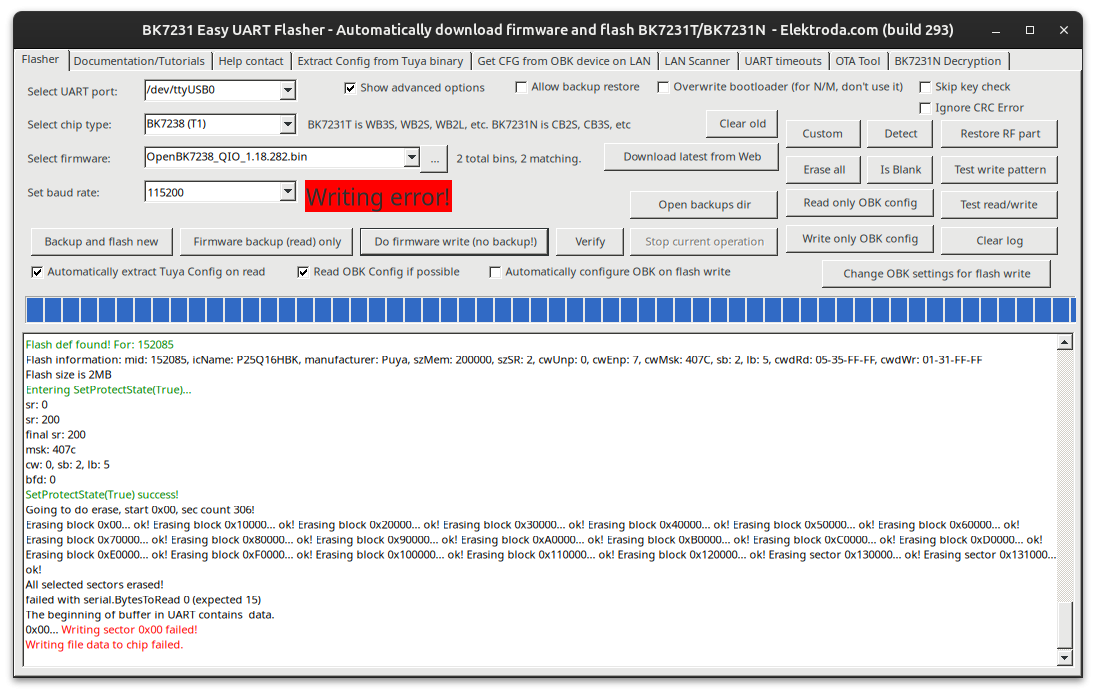
I was able to successfully flash using ltchiptool however.
WARNING: Before flashing dump the original firmware and keep it safe. If you ever want to go back to stock or run into problems with flashing other firmware you can just flash the backup.
I am on Ubuntu, and for the following commands the serial adapter is /dev/ttyUSB0
When ltchiptool says to short CEN to ground, that is when you switch the power. It can be a little finicky, I've had to switch power multiple times before successfully getting a link.
create a backup of the stock firmware with
Code: Bash
Download the latest binary for the BK7238
Write to the chip using
Code: Bash
Once you have OpenBeken on it you can do OTA updates so the bulb can be put back in the housing.
I decided to leave the wires soldered just in case, I just put electrical tape over the ends
Config
OBK Config
Code: JSON
autoexec.bat
Code: Text
Cool? Ranking DIY

