I'm a noob at this. Sorry if I ask basic questions. I bought Aubess smart switch from this link. I just found this on AliExpress:
16A Tuya Smart WiFi Switch,2-way Mini Light Switch Power Metering Breaker,For Alexa,Google Home,Yandex Alice,Smart Life Control
https://a.aliexpress.com/_EGkkTDU
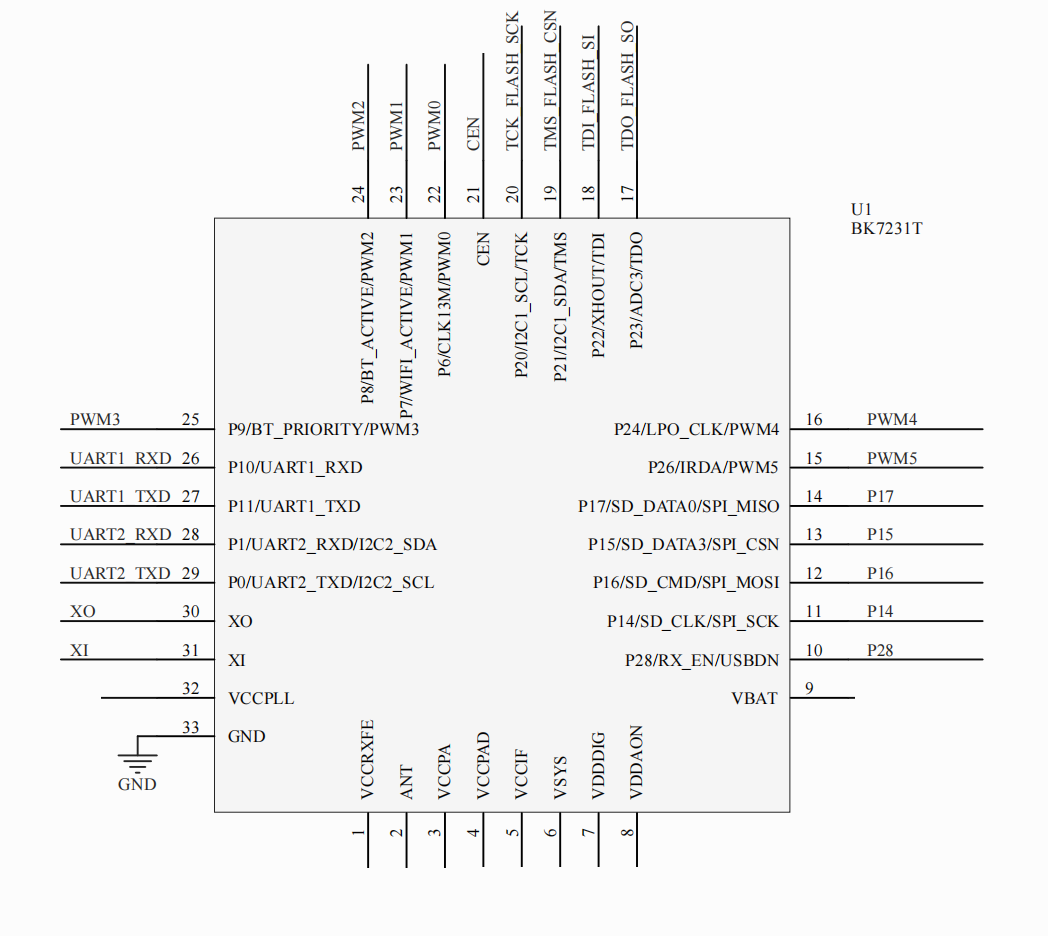
The smart switch doesn't work now. The LED turns on when I apply 220 V, but there is no response from the switch. Pressing the button doesn't the state of the switch, and the device on Tuya app is offline. I measured voltage on the pins of the MCU in the picture
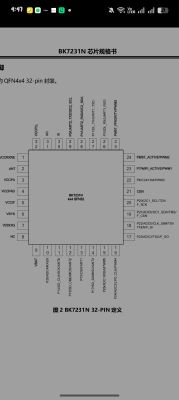
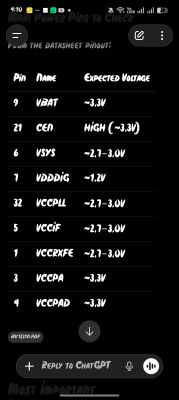
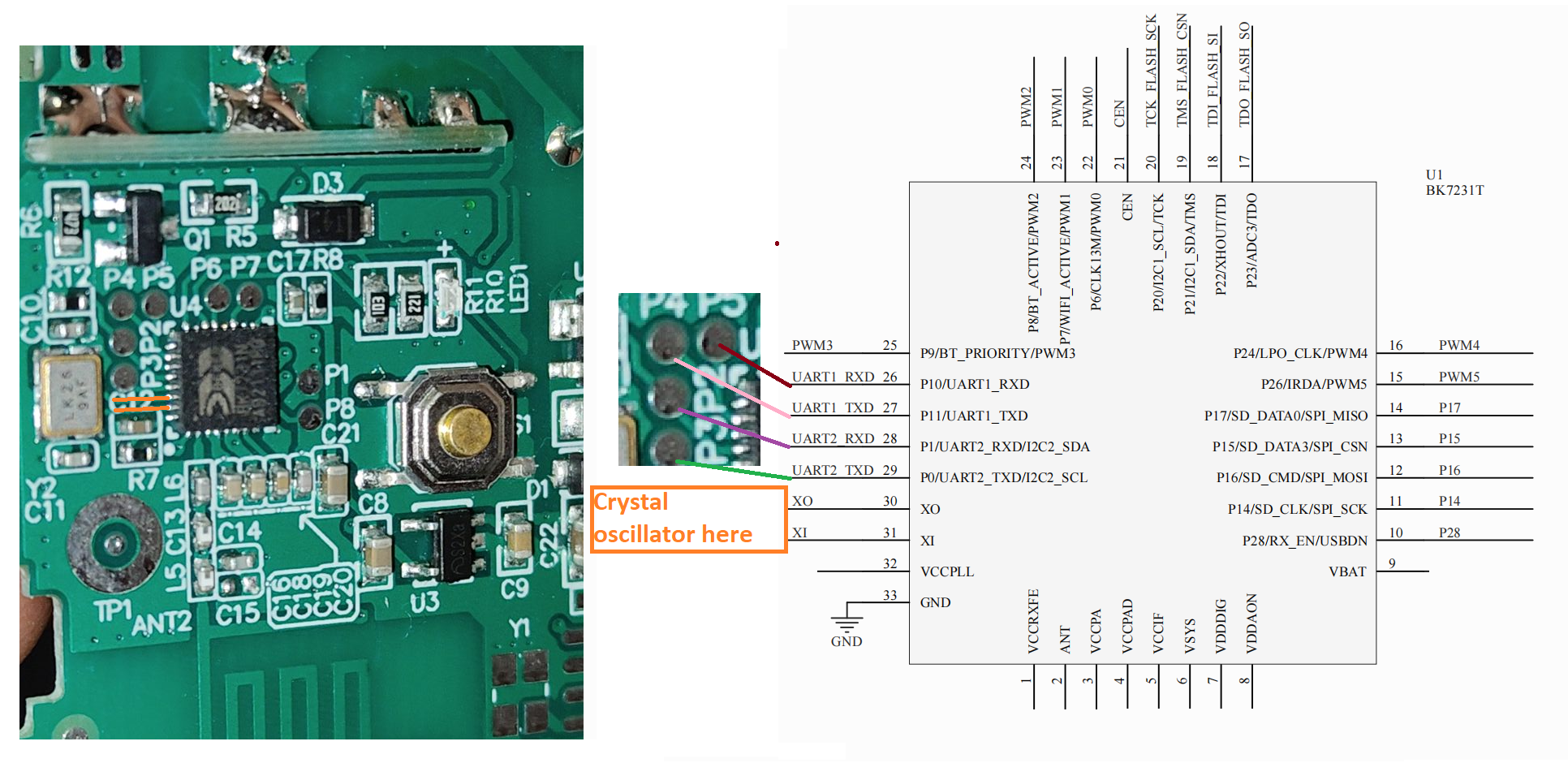
And voltage was within range given by ChatGPT. I'm thinking either the MCU is dead or firmware crashed, so I want to reflash the MCU, but I don't know where I should connect USB-to-TTL UART uploader module pins on the PCB board. Also, do I need external 3.3 V, or can I use 3.3 V of UART module. This is a picture of PCB board
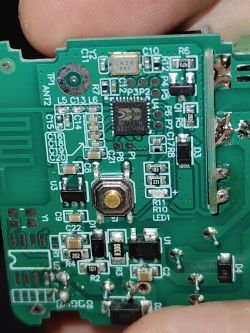
And do I need to do anything after flashing if flashing is successful, or is that it? And lastly, if I flash firmware, do I need some kind of authentication to be able to access Tuya cloud?
Can you post the exact model/PCB version and the markings written on the main MCU and the WiFi module (if there is one)?
This PCB version EZB-WBZS1H16N-A_V1.0 and this MCU WiFi module marking BK7231N
Can you upload clear front/back PCB pictures or list the labels near the pads/pins, and say if you already checked things like relay voltage, button continuity, or any UART serial output when powering it on?
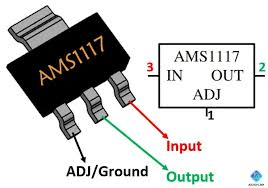
I checked button continuity, power on capacitors and on LDO, and on pins of MCU.
16A Tuya Smart WiFi Switch,2-way Mini Light Switch Power Metering Breaker,For Alexa,Google Home,Yandex Alice,Smart Life Control
https://a.aliexpress.com/_EGkkTDU
The smart switch doesn't work now. The LED turns on when I apply 220 V, but there is no response from the switch. Pressing the button doesn't the state of the switch, and the device on Tuya app is offline. I measured voltage on the pins of the MCU in the picture
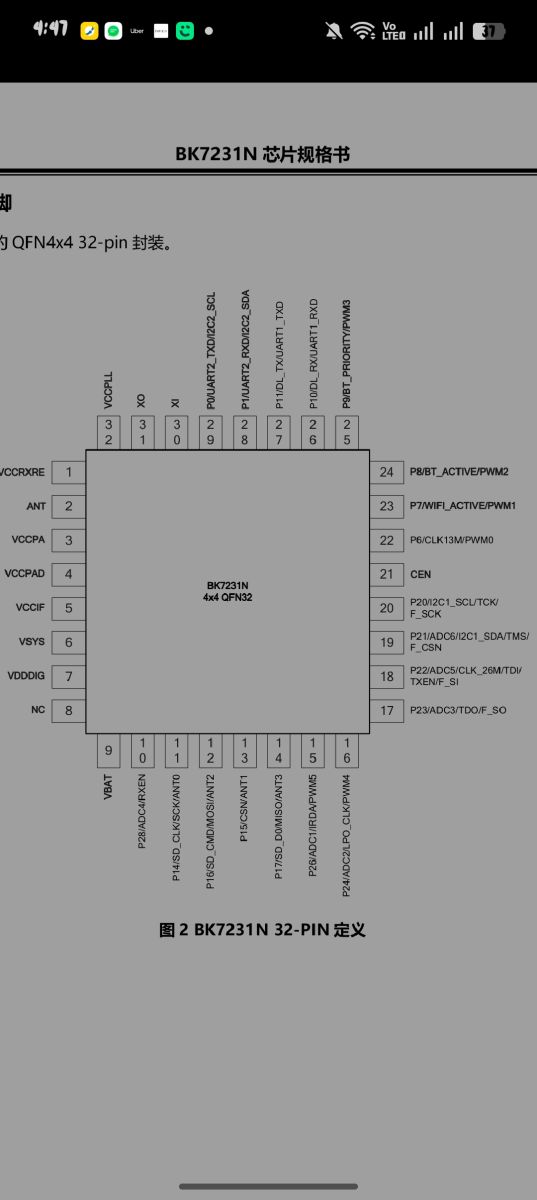
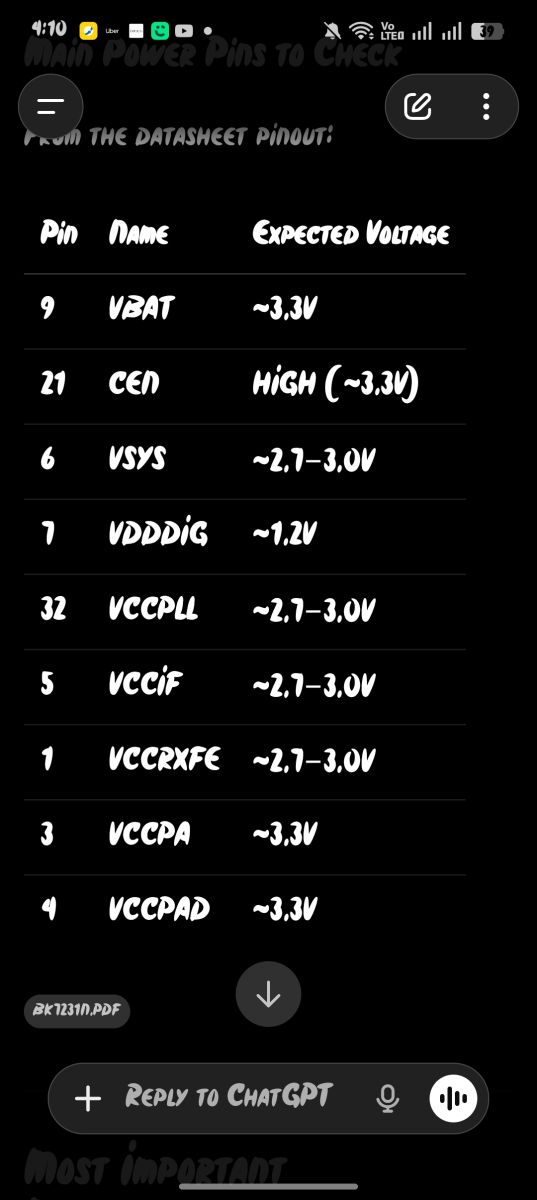
And voltage was within range given by ChatGPT. I'm thinking either the MCU is dead or firmware crashed, so I want to reflash the MCU, but I don't know where I should connect USB-to-TTL UART uploader module pins on the PCB board. Also, do I need external 3.3 V, or can I use 3.3 V of UART module. This is a picture of PCB board
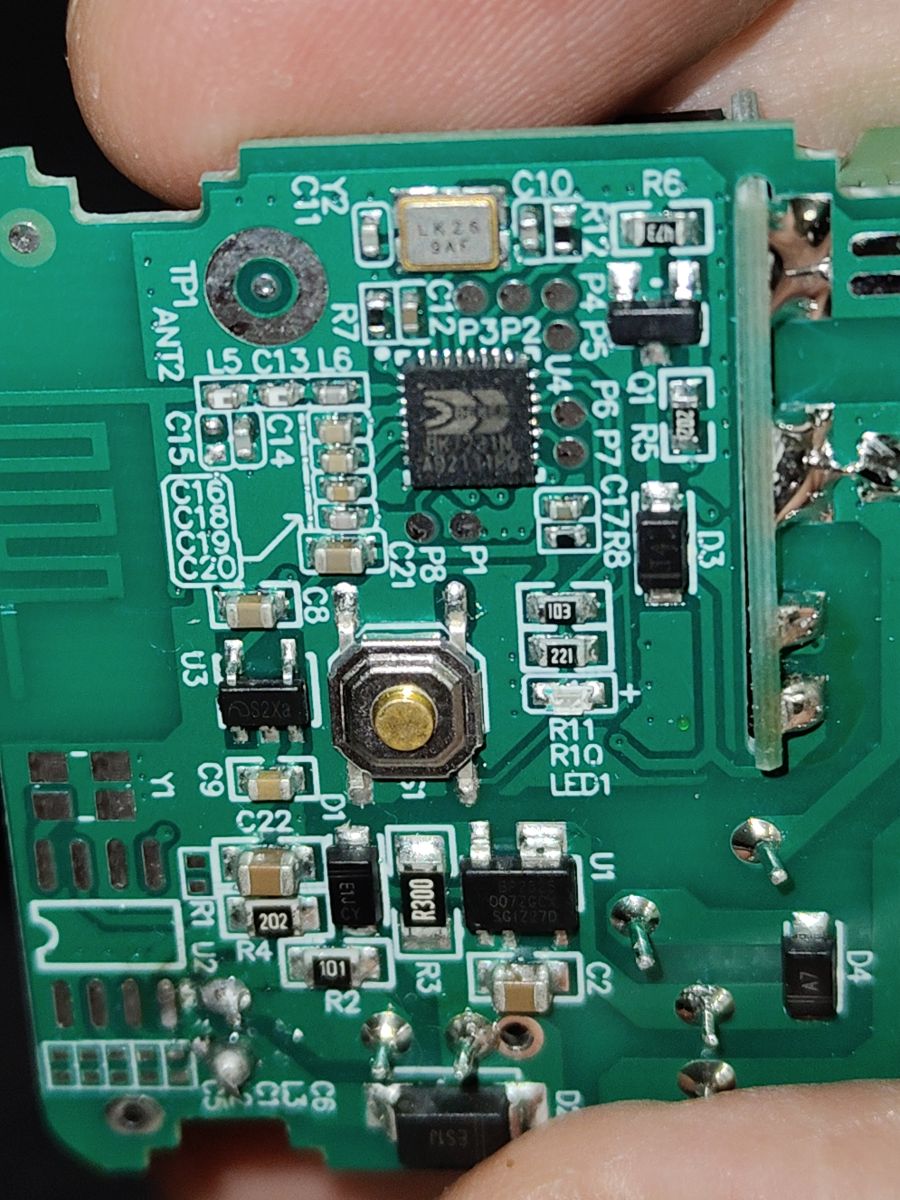
And do I need to do anything after flashing if flashing is successful, or is that it? And lastly, if I flash firmware, do I need some kind of authentication to be able to access Tuya cloud?
Can you post the exact model/PCB version and the markings written on the main MCU and the WiFi module (if there is one)?
This PCB version EZB-WBZS1H16N-A_V1.0 and this MCU WiFi module marking BK7231N
Can you upload clear front/back PCB pictures or list the labels near the pads/pins, and say if you already checked things like relay voltage, button continuity, or any UART serial output when powering it on?
I checked button continuity, power on capacitors and on LDO, and on pins of MCU.