logo elektroda
logo elektroda
X
logo elektroda

How to programmatically access Github pull requests, commits and download artifacts?

p.kaczmarek2 2160 23

TL;DR

  • A C# utility accesses GitHub pull requests, commits, workflow runs, and build artifacts to automate firmware downloads for OpenBeken and similar WiFi MCU projects.
  • It uses Octokit for repository data, HttpClient for GitHub API calls, and JsonSerializer to parse workflows and artifacts into C# classes.
  • The example queries commit d763b28c9a433217f3c95ef4c9bbd6777a32486d and workflow run 12305496423 via GitHub API endpoints.
  • After iterating artifact links, the utility downloads ZIP build files to disk for later OTA processing.
  • Unauthenticated requests can hit GitHub's API rate limit, while authenticated tokens get a higher limit.
Generated by the language model.
ADVERTISEMENT
📢 Listen (AI):
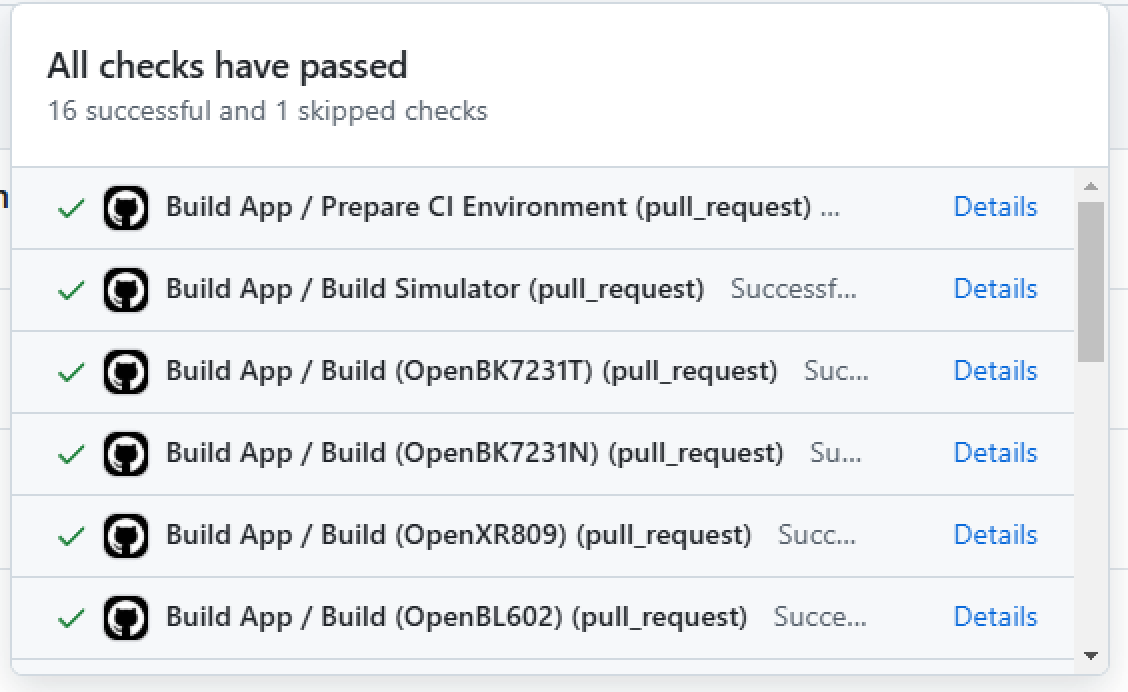
  • List of completed checks in GitHub Actions
    GitHub Actions workflows can be used to automatically build and test firmware on each commit. They may or may not create Github Releases, if not, build files are downloadable only via Github Action details. By default, those binaries require manual download, but here I will show you how to automate it.

    The goal of the project is to create an auto-updater for WiFi MCU firmware, like for BK7231, W800/W600, or anything else supported by OpenBeken.

    The basic presentation of Github Actions Binaries used in
    OpenBeken was shown here, today I am going to create small C# utility to automate that. Let's start.

    Used tools
    For this presentation, I will use following tools:
    - Visual Studio as a C# IDE and compiler
    - Octokit library from NuGet for easier Github API access
    - in some later parts, I will also use HTTPClient to directly access Github API, as I had some issues with Octokit. Responses will be parsed via JSONSerializer

    Octokit library
    First you'll need the Octokit library. Octokit provides easy access to Github API and can be downloaded within Visual Studio via "Manage NuGet Packages":
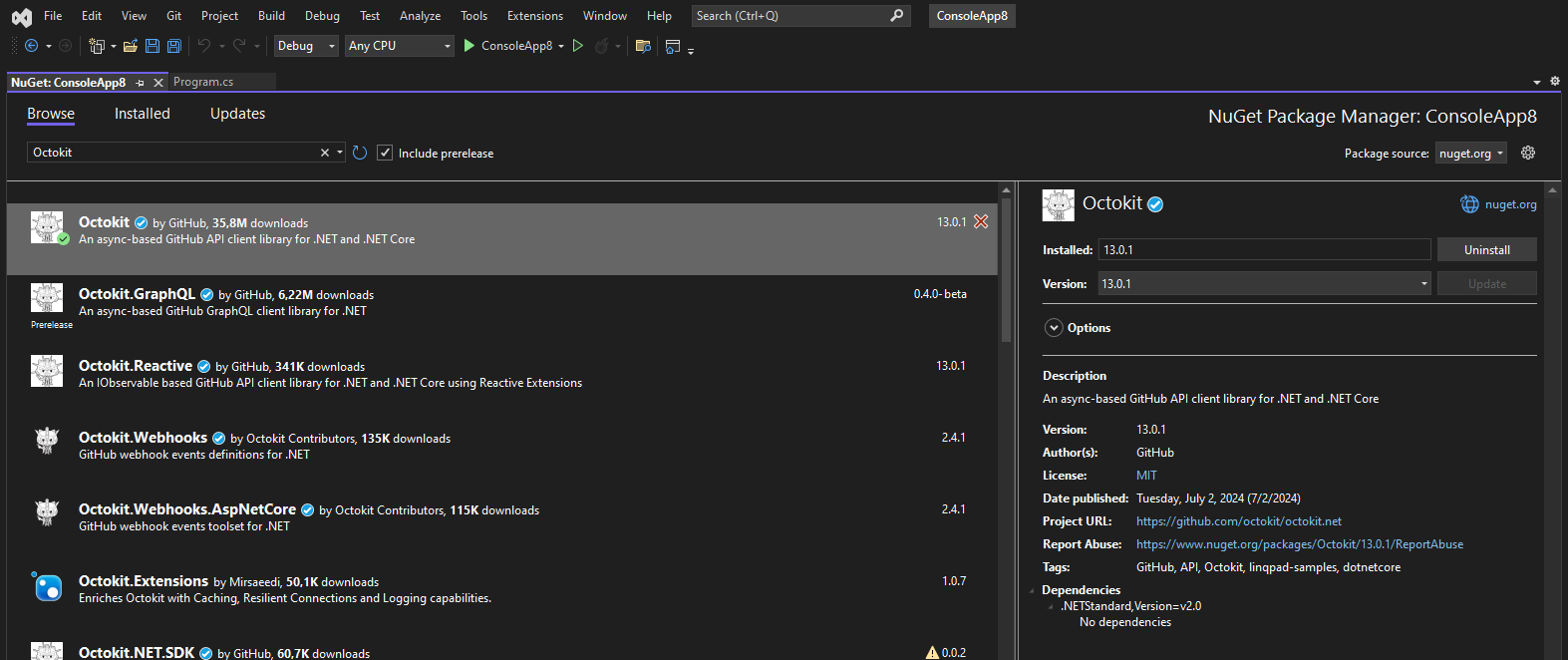
    NuGet Package Manager screen in Visual Studio with the Octokit library installed.
    Add it to your stock Console program and make sure you have correct usings:
    Code: C#
    Log in, to see the code


    Initializing GitHubClient
    Octokit library is using asynchronous tasks to run, so if your main function is not a task, you'll need to await for the result. Here's basic GitHubClient initialization:
    Code: C#
    Log in, to see the code


    Github Access Token
    This is not required for listing pull requests, but needed for artifacts. You will also obviously need it for the write access. Login to Github and go to Settings:
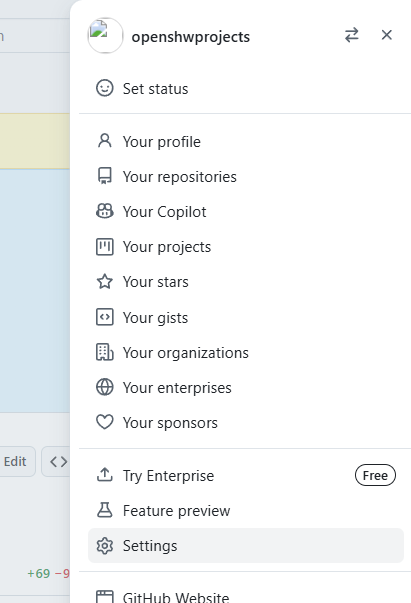
    Screenshot of the user menu on the GitHub page.
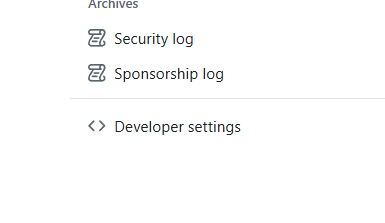
    then to Developer settings:
    Screenshot of GitHub settings menu.
    and then to Tokens. I have used "Classic" mode:
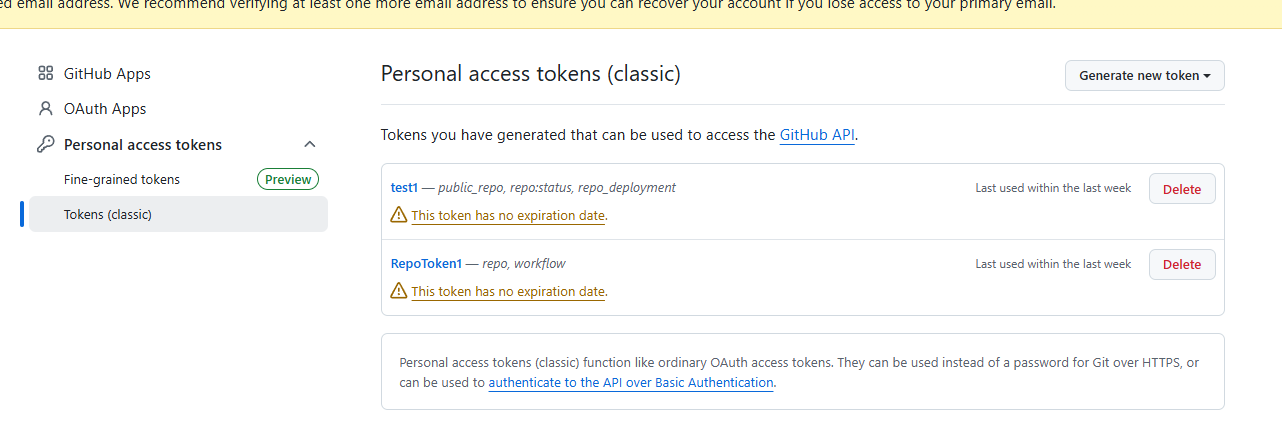
    Screenshot of GitHub personal access token settings
    Create a token, make sure to write it down. Choose the token scopes depending on what you are going to use to the token for. Don't give full write access to token if you don't want to use it to write to repository and use separate token for reach purpose you have.
    Finally, add the authentication code to your sample:
    Code: C#
    Log in, to see the code


    Enumerating pull requests
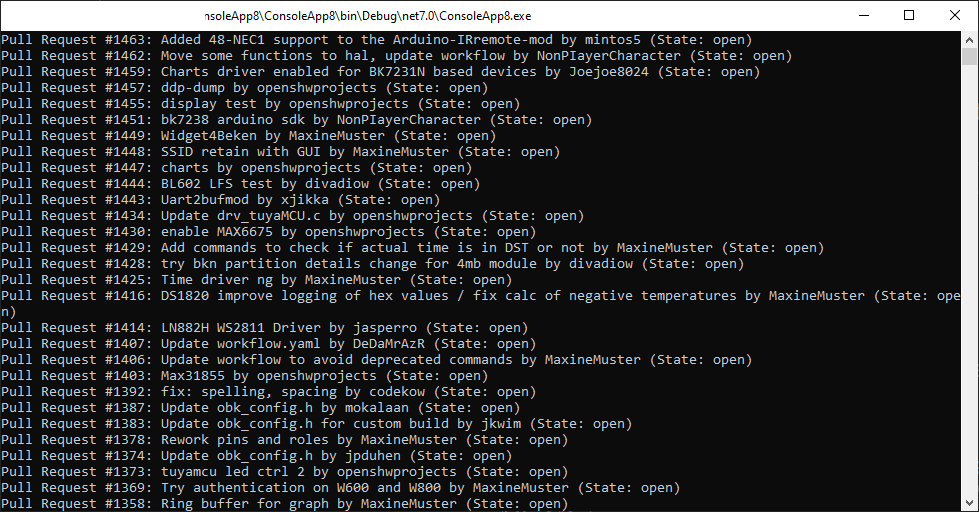
    Now it's time to get this list:
    https://github.com/openshwprojects/OpenBK7231T_App/pulls
    This can be done with PullRequest object:
    Code: C#
    Log in, to see the code

    Result:
    List of pull requests in console


    Enumerating commit
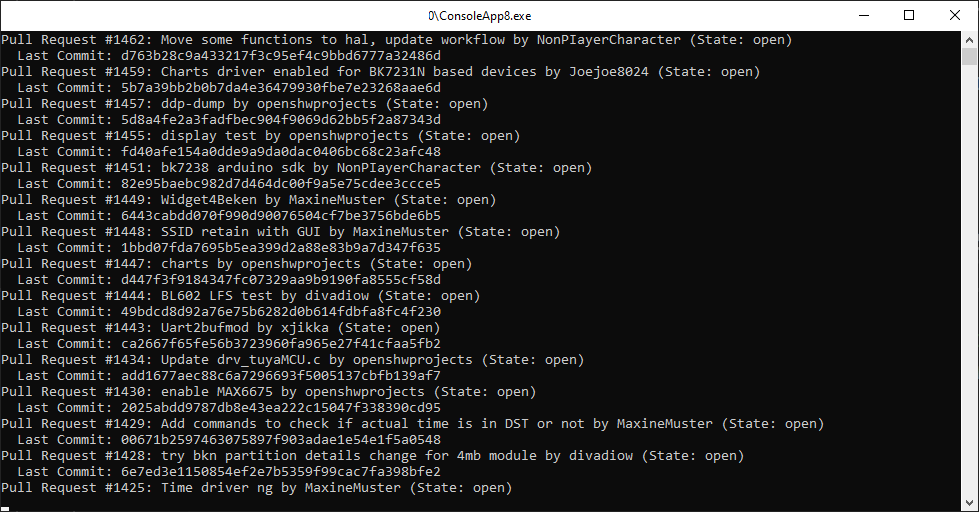
    Once you have Pull Request, you can get the latest commit. All commits can be listed in similiar way:
    Code: C#
    Log in, to see the code

    Result:
    Screenshot of a console application showing a list of GitHub pull requests.


    Accessing workflows
    For workflows, you'll need a separate function that will get JSON information from Github.
    The URL we want to access is the following:
    https://api.github.com/repos/openshwprojects/OpenBK7231T_App/commits/d763b28c9a433217f3c95ef4c9bbd6777a32486d/check-runs
    The commit Hash to be inserted there.
    Returned JSON is very simple:
    Code: JSON
    Log in, to see the code

    It's basically a JSON representation of each build here:
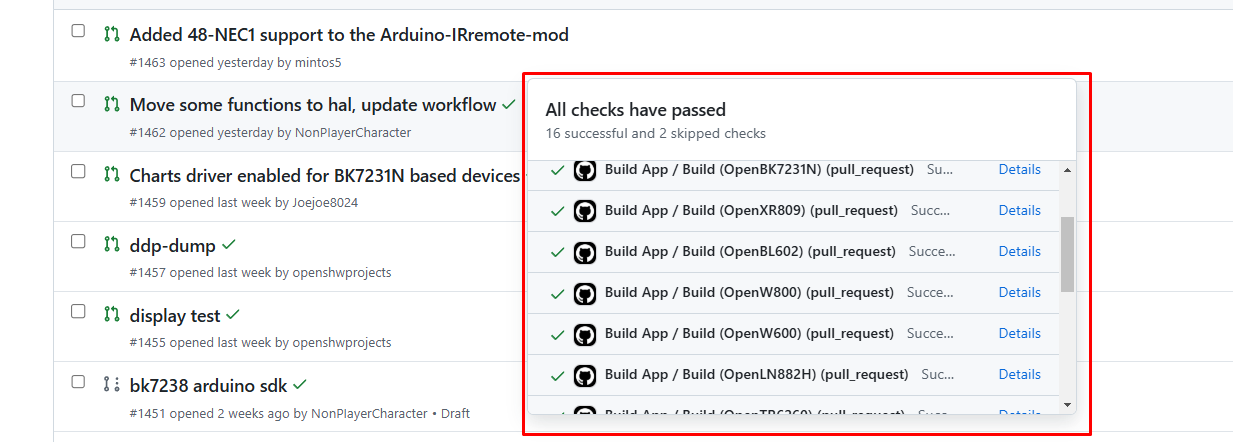
    GitHub pull request list with highlighted test results.
    We're very close!
    So, let's prepare the HttpClient and do GET request.
    Code: C#
    Log in, to see the code

    Then, let's put resulting JSON data into the classes with JsonSerializer:
    Code: C#
    Log in, to see the code


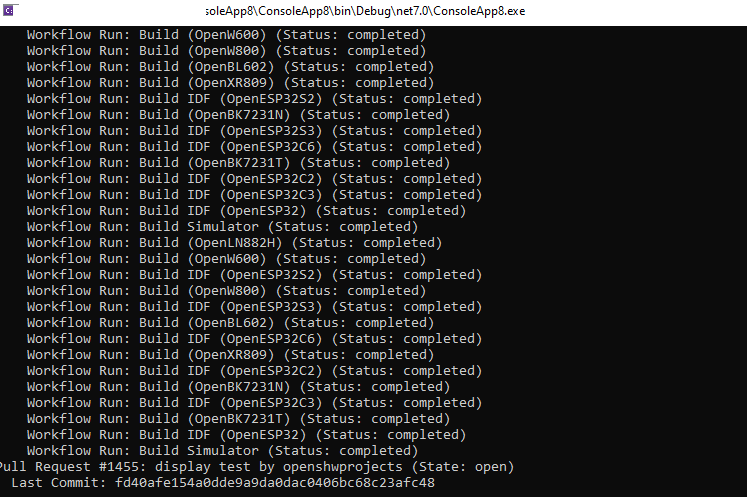
    Iterating the runs
    Once you have a list of workflows, you can iterate it:
    Code: C / C++
    Log in, to see the code

    Result:
    Screenshot of build results and statuses in a program console.


    Fetching artifacts
    Now we need to get links to zip files. We will need to extract a numerical ID for that. The ID can be found in workflow run data:
    Code: C#
    Log in, to see the code

    Here is a sample run ID: 12328623947
    You can now construct link like:
    https://api.github.com/repos/openshwprojects/OpenBK7231T_App/actions/runs/12305496423/artifacts
    Visiting this link yields following JSON:
    Code: JSON
    Log in, to see the code

    It's time to parse it. Here is function call:
    Code: C#
    Log in, to see the code

    And the implementation:
    Code: C#
    Log in, to see the code

    Again, the JSON data is deserialized into classes with JsonSerializer. Used classes:
    Code: C#
    Log in, to see the code

    Finally it's time to iterate them:
    Code: C#
    Log in, to see the code

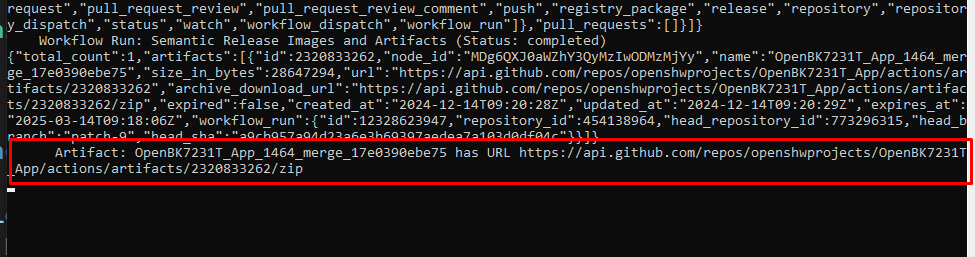
    Result:
    Screenshot showing console output with a link to GitHub Actions artifacts.

    Downloading ZIP files
    Now we finally have ZIP file links, there's not much left to do:
    Code: C#
    Log in, to see the code

    Download handler:
    Code: C#
    Log in, to see the code

    Finally, after a few moments of downloading, we're getting OBK build files on our drive:
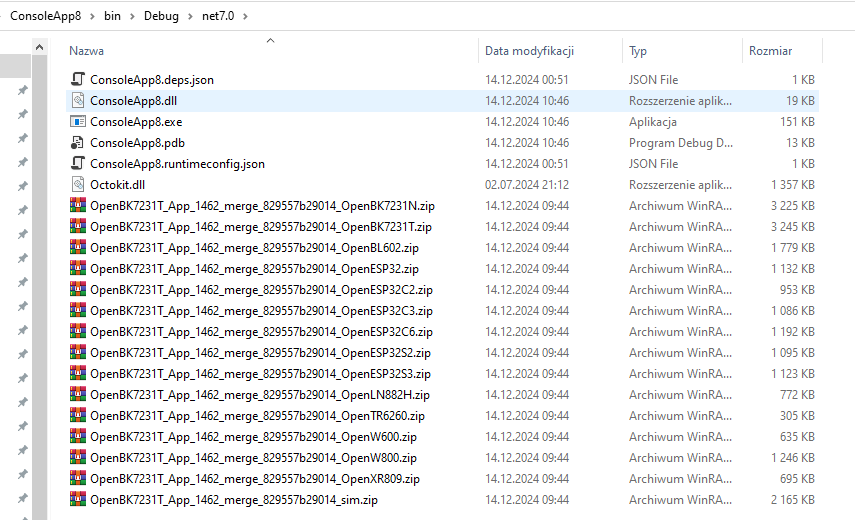
    Files of various types in the ConsoleApp8 application folder.
    Now it's time to futher process them, maybe send them to devices via OTA, but it's a task for another topic.


    Warning!
    Without authentication, you can easily hit API rate limit:
    
    Error: API rate limit exceeded for 123.234.233.121. (But here's the good news: Authenticated requests get a higher rate limit. Check out the documentation for more details.)
    Press any key to exit...


    Summary
    This was the first part of Github Artifacts downloading presentation. In this part we've learned how to access Github API to list pull requests, commits, workflows and artifacts. We've also managed to download built files.
    In the next part I will present the tool that I based on the knowledge shown here:
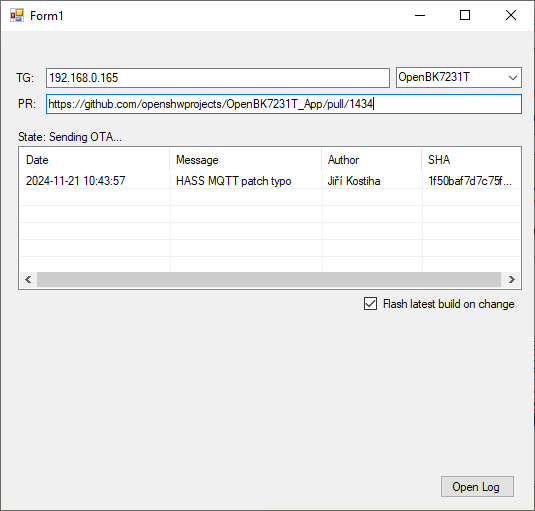
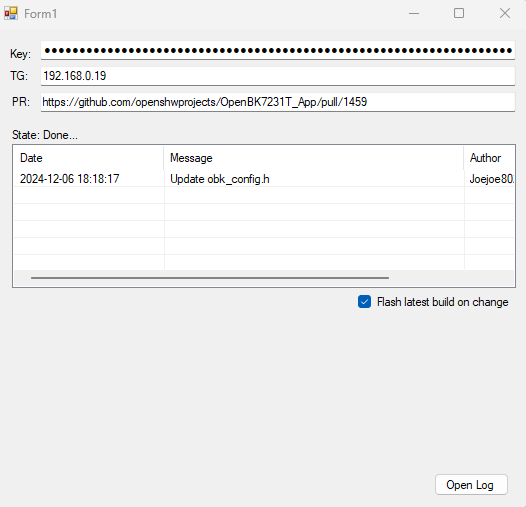
    Screenshot of Form1 application showing interface for updating OpenBK7231T via GitHub
    This tool will be able to automatically keep OBK device updated to the latest build from given PR, thus making testing and development easier.
    Stay tuned!
    What would YOU have used Github API for?


    Full demo code is in the description:
    Attachments:
    • gitAPIdemo.zip (1.9 KB) You must be logged in to download this attachment.

    Cool? Ranking DIY
    Helpful post? Buy me a coffee.

    About Author
    p.kaczmarek2
    Moderator Smart Home
    Offline 
    p.kaczmarek2 wrote 14309 posts with rating 12194, helped 648 times. Been with us since 2014 year.
  • ADVERTISEMENT
  • #2 21350736
    p.kaczmarek2
    Moderator Smart Home
    Repository with a very early and dirty draft of mentioned tool:
    https://github.com/openshwprojects/OBKotaTool
    My private TODO for upcoming days:
    - add field for Github key and store settings in JSON
    - instead of a combobox for chip type, send Tasmota STATUS packet and determine chip type that way
    - support multiple IP addresses in target box
    - maybe command line interface?
    Tool is currently tested with Beken and ESP32, works good
    @divadiow @max4elektroda @insmod @DeDaMrAz

    Hopefully it can make testing of PRs easier, especially if you setup like 3 devices and it will flash them in chain. Should be good as long as the PR does not break OTA.

    Added after 1 [hours] 27 [minutes]:

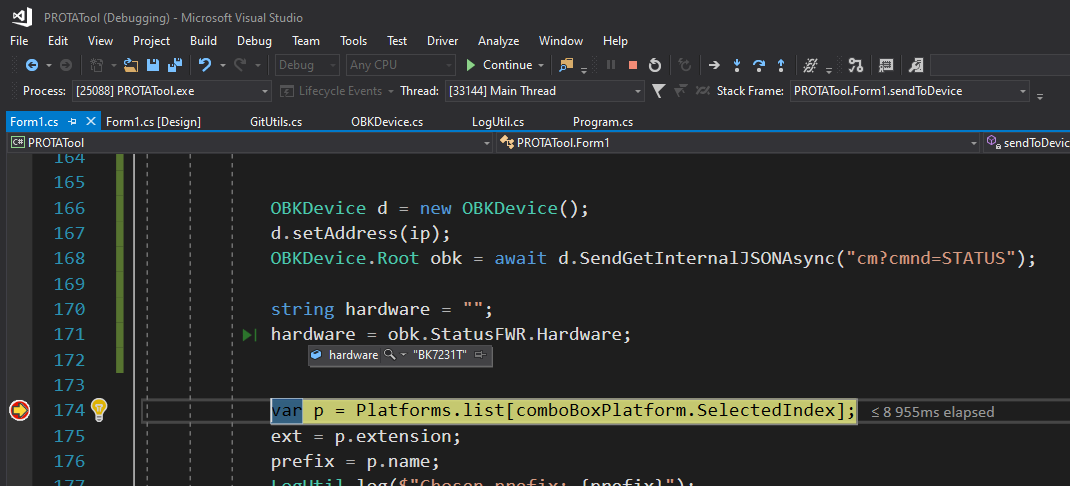
    Update: managed to call STATUS
    Screenshot of Visual Studio with the PROTATool project open and code highlighted.

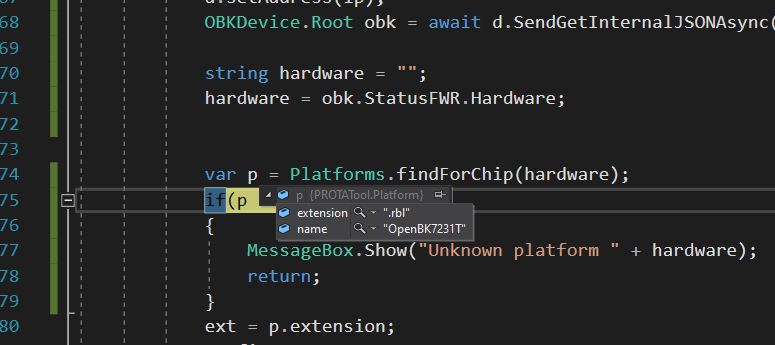
    Added after 3 [minutes]:

    Screenshot of a program code snippet in an IDE with a highlighted if condition.

    Added after 5 [hours]:

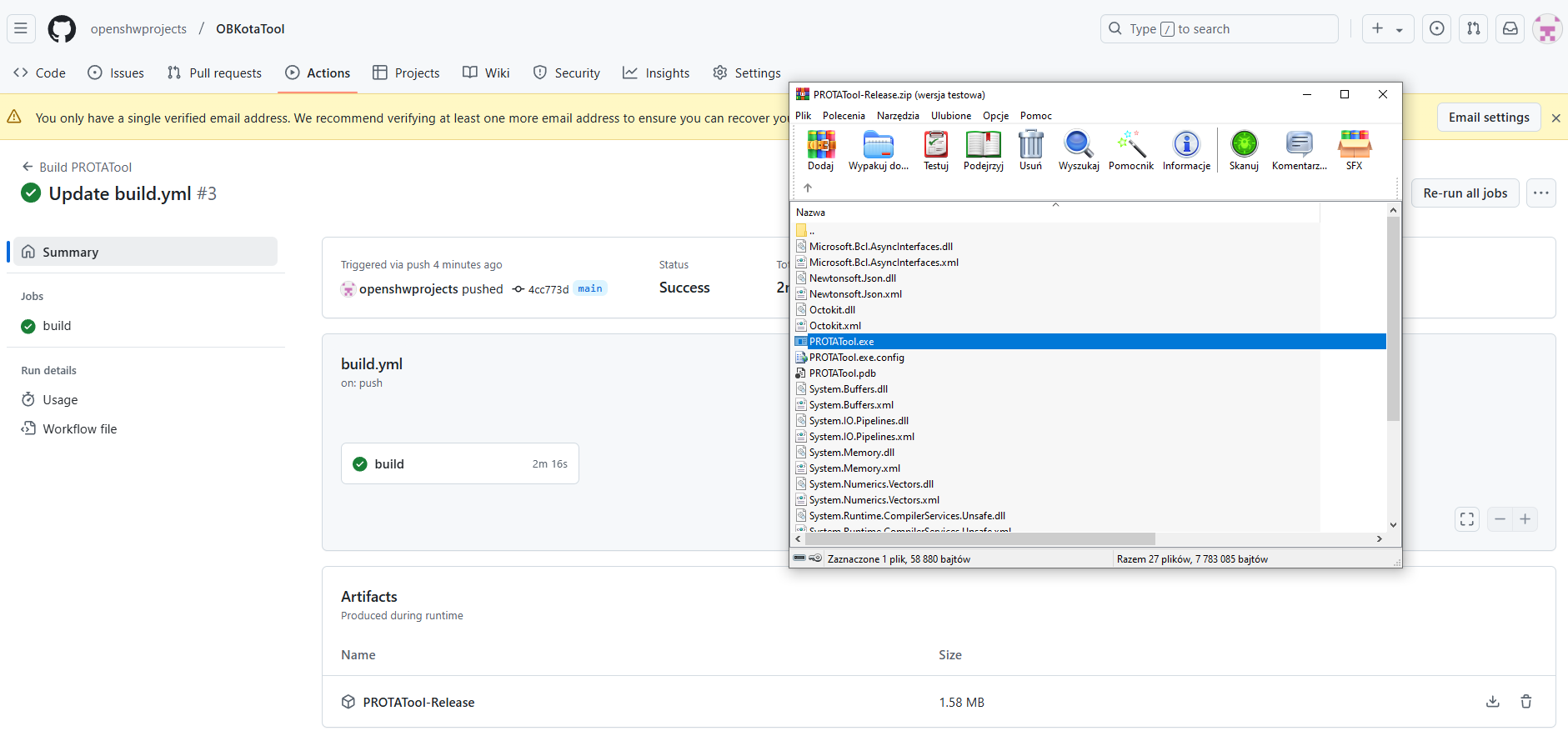
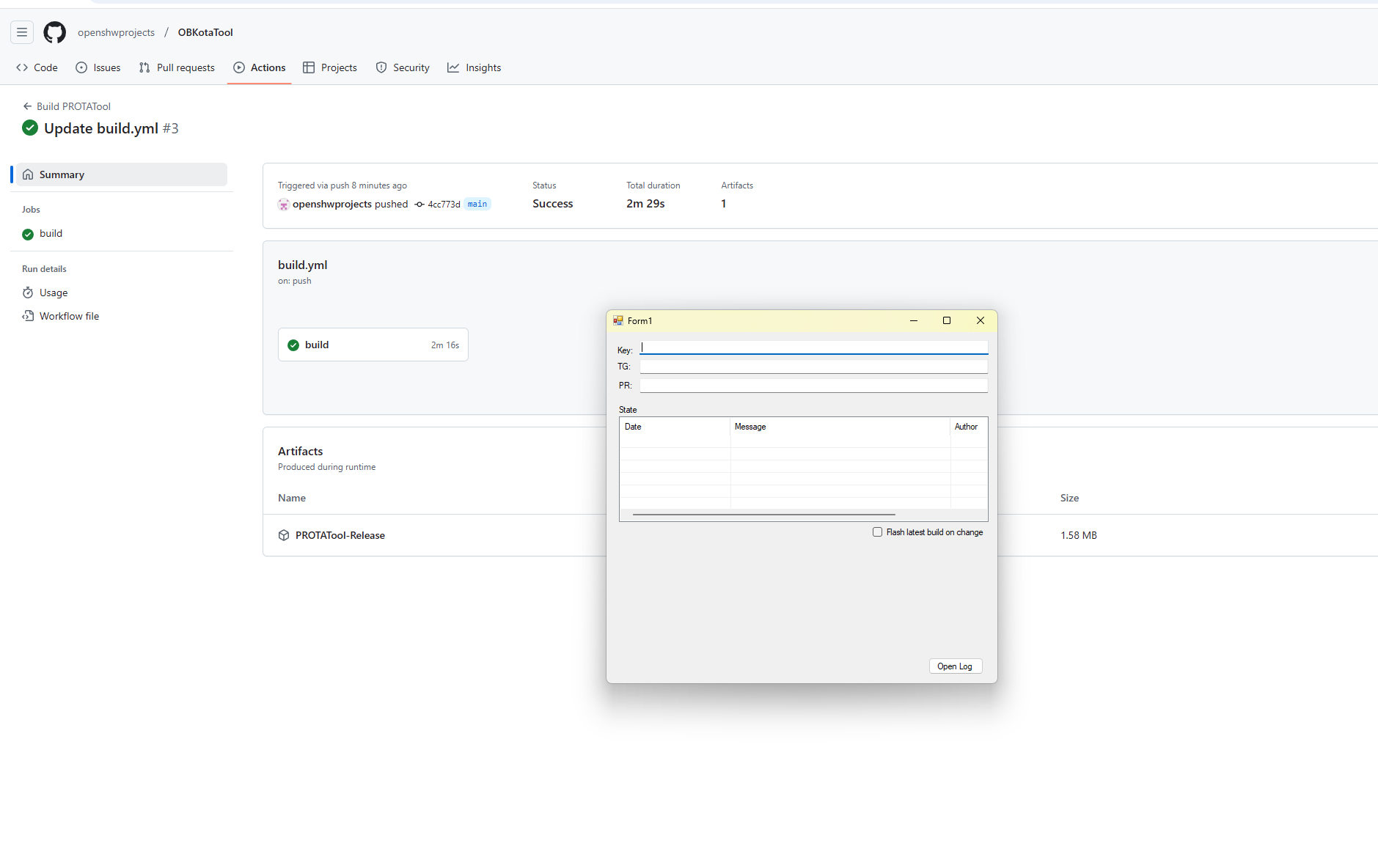
    PROTA tool now has downloadable builds!
    Screenshot of the build process in GitHub Actions for OBKotaTool.
    Can anyone check if exe is downloadable and runs?
    https://github.com/openshwprojects/OBKotaTool
    Helpful post? Buy me a coffee.
  • ADVERTISEMENT
  • #4 21351344
    p.kaczmarek2
    Moderator Smart Home
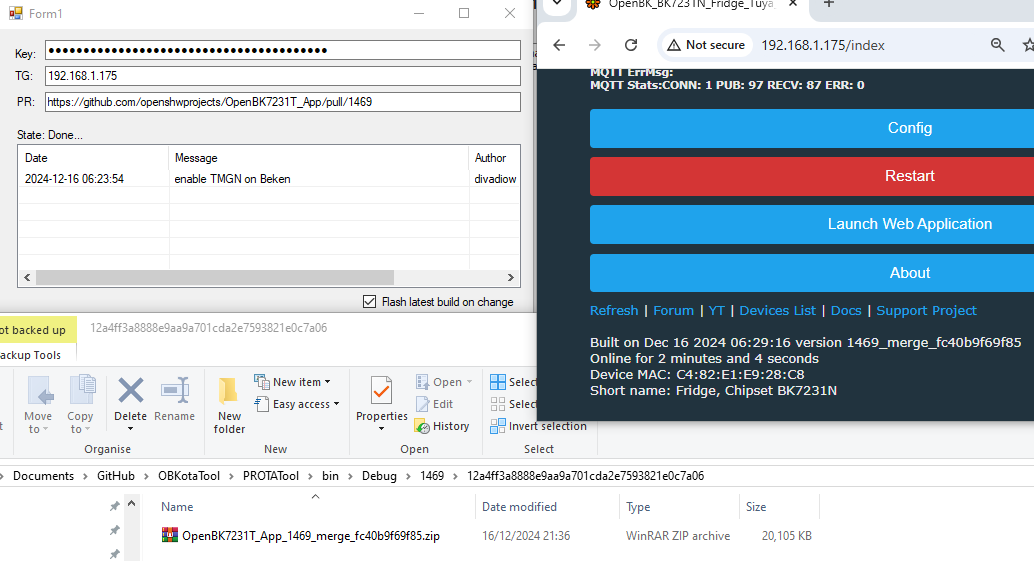
    Now you need a Github API key, a PR link, and device IP.

    btw: Shall I do the same for https://github.com/openshwprojects/BK7231GUIFlashTool ?
    Helpful post? Buy me a coffee.
  • #7 21351401
    DeDaMrAz
    Level 22  
    This will help new chip implementation and testing and speed up the process but a large margin!!

    Now I can't wait for my new modules to arrive :D
  • #8 21351410
    p.kaczmarek2
    Moderator Smart Home
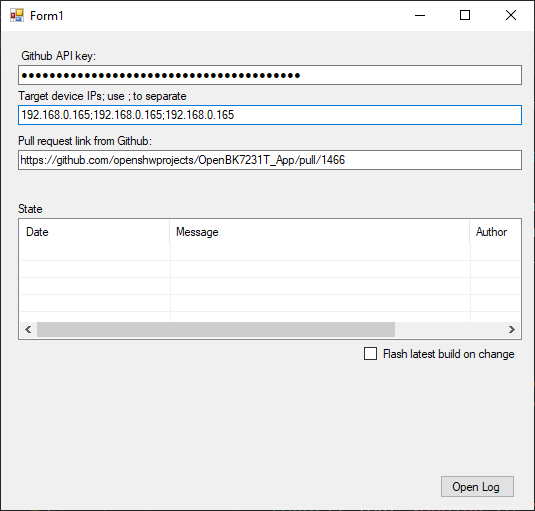
    I hope you guys realize that now, if you push a change to that pull request, the tool will automatically update your device. It queries Github PR in the background constantly, just to detect the change. That's the whole point of that tool.

    Now I'm adding support for multiple IPs:
    Screenshot of the OpenBK7231T application tool's GUI with fields for Github API key, IP addresses, and pull request link.
    https://github.com/openshwprojects/OBKotaTool

    It should choose the correct binary for each target device platform.
    Helpful post? Buy me a coffee.
  • #9 21351424
    DeDaMrAz
    Level 22  
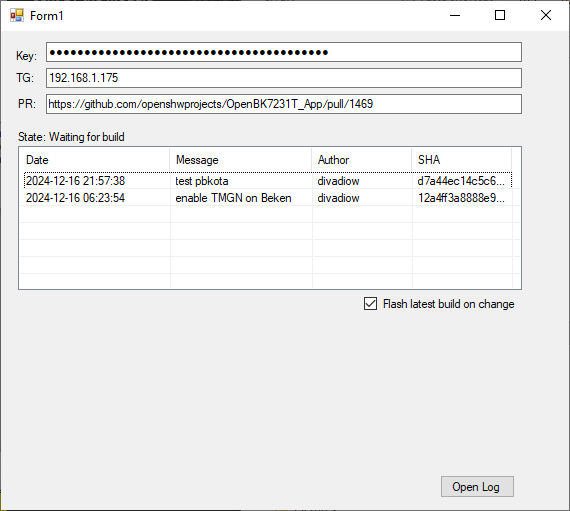
    Suggestion, as you already have a mechanism to determine what chip type is on that IP, a log window would be nice where that info would be displayed. Such is current build, platform (maybe option for future addons in there)?
  • #10 21351434
    divadiow
    Level 38  
    build, still running, already showing

    Screenshot of a software compilation application interface.
  • ADVERTISEMENT
  • #11 21351438
    p.kaczmarek2
    Moderator Smart Home
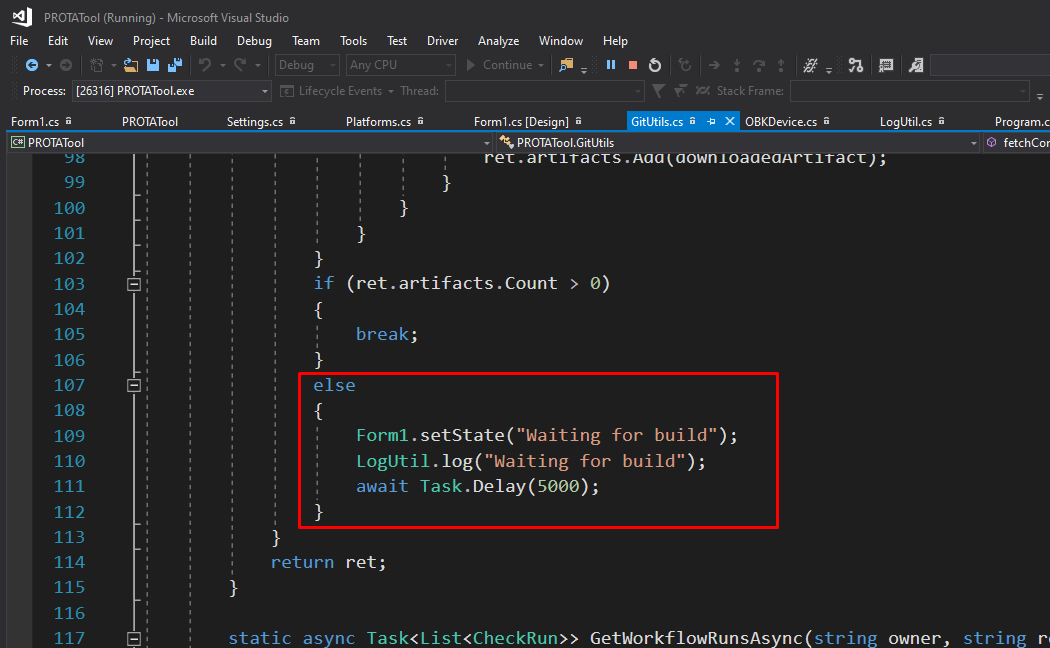
    I think I've handled this issue. If commit is available, but there are no artifacts yet, it shall retry every 5 seconds with a new message in log:
    Screenshot of Visual Studio showing a C# code snippet with an else statement highlighted in a red box.
    Helpful post? Buy me a coffee.
  • #12 21355899
    p.kaczmarek2
    Moderator Smart Home
    Another idea.

    What if we implement this tool in the Web App or like in a Web Page? So it's done online? A web utility that can be run anywhere, and can either update OBKs to given release, or to given PR.

    @max4elektroda @divadiow @insmod @DeDaMrAz
    Helpful post? Buy me a coffee.
  • #14 21355915
    insmod
    Level 31  
    >>21355899 If it's web (html/js), then count me out.
    But, maybe use .net8 and avalonia, then it will be cross-platform too. And it may work in browser with wasm.
  • #15 21355941
    max4elektroda
    Level 24  
    p.kaczmarek2 wrote:
    What if we implement this tool in the Web App or like in a Web Page?

    My 2 cents: Web App - very good, Web Page - even better
  • ADVERTISEMENT
  • #17 21357978
    p.kaczmarek2
    Moderator Smart Home
    I will try to make web version someday, but first I will focus on finishing C# one.

    @insmod you're doing great things with porting so focus on that for now if you can. We can do testing much faster with the current PROTA tool, even if it runs on Windows.

    PS: This tool is already useful, we're testing ADS1115 with @DeDaMrAz and it helps a lot https://github.com/openshwprojects/OpenBK7231T_App/pull/1474
    Helpful post? Buy me a coffee.
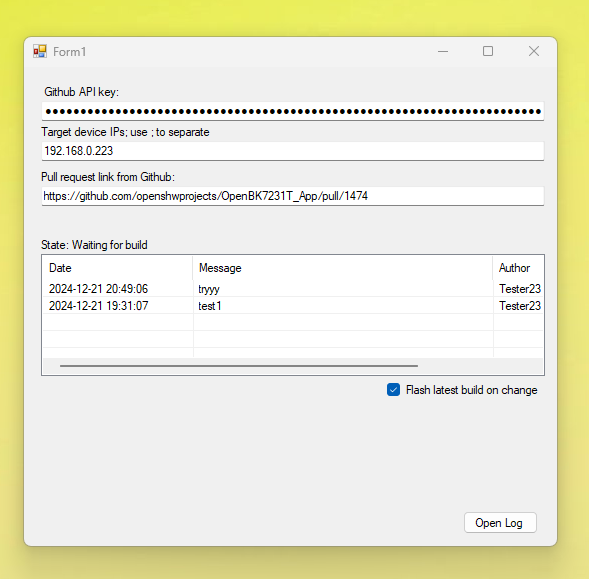
  • #22 21374912
    p.kaczmarek2
    Moderator Smart Home
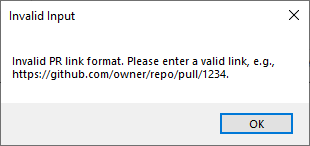
    So you want to also support that kind of links directly?
    Helpful post? Buy me a coffee.
  • #23 21374917
    divadiow
    Level 38  
    I mean, it'd be useful on the odd occasion . Just a nice-to-have.

    Added after 2 [minutes]:

    but yes, I appreciate it's for PRs :)
  • #24 21518979
    divadiow
    Level 38  
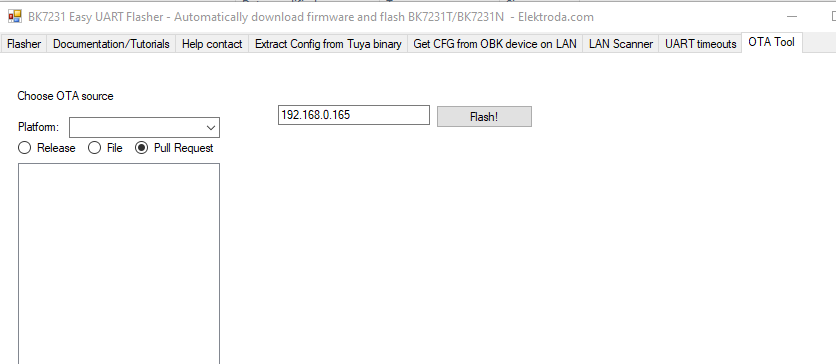
    how does this tab in EF fit in with the PROTA tool?

    Screenshot of BK7231 Easy UART Flasher tool for downloading and flashing firmware.

    I can't seem to get it to do anything
📢 Listen (AI):

Topic summary

✨ The discussion centers on programmatically accessing GitHub pull requests, commits, and downloading build artifacts to automate firmware updates for WiFi MCUs such as BK7231, W800, and W600 supported by OpenBeken. A C# utility named PROTA tool was developed using Visual Studio and the Octokit library to interact with the GitHub API, with fallback to HTTPClient for direct API calls. The tool automates detection of new commits in pull requests, downloads corresponding build binaries from GitHub Actions artifacts, and flashes multiple target devices over the network. Features include chip type detection via Tasmota STATUS packets, support for multiple IP addresses, and retry mechanisms for artifact availability. The tool is tested on Beken and ESP32 platforms and facilitates faster testing of pull requests by automatically updating devices when PR changes occur. Future plans include a web-based version for cross-platform use, possibly leveraging .NET 8 and Avalonia with WebAssembly. The tool currently focuses on pull request artifacts rather than GitHub Actions run artifacts or releases, though support for these was discussed as a potential enhancement. The PROTA tool repository and pull requests are publicly available for collaboration and further development.
Generated by the language model.

FAQ

TL;DR: "Without authentication, you can easily hit API rate limit" [Elektroda, p.kaczmarek2, post #21348573]; GitHub REST v3 lets you make 5 000 token-based requests per hour [GitHub Docs, 2024]. The C# tool chains PR → commit → workflow → artifact → OTA in one run.

Why it matters: seamless CI-to-device flashing shrinks test iterations from hours to minutes.

Quick Facts

• Artifacts stay downloadable for 90 days by default [GitHub Docs, 2024] • Single API chain touches 4 endpoints (PRs, commits, check-runs, artifacts) [Elektroda, 21348573] • Typical BK7231 build: 300–650 kB ZIP [Elektroda, post #21348573] • Auth token needs at least “actions:read” and “contents:read” scopes [GitHub Docs, 2024] • Rate limit: 60 req/h anonymous vs 5 000 req/h authenticated [GitHub Docs, 2024]

How do I initialise Octokit with a personal-access token?

  1. Install Octokit via NuGet. 2. In RunAsync() create new GitHubClient(new ProductHeaderValue("OBK_PR_Tool")){Credentials = new Credentials(TOKEN)}. 3. Await subsequent calls [Elektroda, 21348573]

Which GitHub endpoints does the tool call in order?

It hits 1) /pulls for open PRs, 2) /pulls/{id}/commits for the head SHA, 3) /commits/{sha}/check-runs to find the workflow-run ID, and 4) /actions/runs/{runId}/artifacts to list ZIPs [Elektroda, 21348573]

What happens if artifacts are not ready yet?

The program logs “Waiting for artifacts…” and retries every five seconds until /artifacts returns a non-empty list [Elektroda, 21351438]

Can I exceed the API budget during automated polling?

Yes. Anonymous polling every 10 s would hit the 60 req/h ceiling quickly. With a token you get 5 000 req/h, enough for 13 devices refreshing every minute [GitHub Docs, 2024].

How large are the downloads?

A full OpenBK build workflow yields about 15 artifacts totalling ≈7 MB; single ZIPs range 300–650 kB [Elektroda, 21348573]

Edge case – What if a workflow is cancelled?

check-runs will show status":"completed" with conclusion":"cancelled"; the /artifacts endpoint then returns an empty list, preventing downloads [GitHub Docs, 2024].

Is it possible to use a direct actions-run URL instead of a PR?

Current tool parses only PR URLs, but maintainers noted it is “nice-to-have” for raw run links [Elektroda, divadiow, post #21374917]

How long are artifacts retained?

Unless the repository overrides defaults, workflow artifacts expire after exactly 90 days at 23:59 UTC of creation day [GitHub Docs, 2024].

Three-step OTA flashing with the tool?

  1. Paste PR URL, token, and device IP(s).
  2. Click “Start”; tool downloads matching binaries.
  3. Device reboots on new firmware – done in ≈30 s [Elektroda, 21351410]

What scopes should I avoid giving the token?

Author recommends keeping write scopes disabled unless you really push code; repo-wide write access is overkill for read-only artifact fetch [Elektroda, 21348573]

Can the application run cross-platform?

Porting to .NET 8 with Avalonia would allow Windows, Linux, macOS, and even WASM builds, as suggested by community member @insmod [Elektroda, 21355915]

Statistic: How much time can the automation save?

Users report flashing three devices consecutively in under two minutes versus roughly 15 min manual downloading – a 7× speed-up [Elektroda, DeDaMrAz, post #21351401]
Generated by the language model.
ADVERTISEMENT