FAQ 
TL;DR: At €15, the 18 W LSC RGBCW ceiling light can be locally controlled in 5 minutes; “RGB colours are disappointing” [Elektroda, Tych0, post #20138274], yet CW output is strong. Flash its CB2S (BK7231N) with hid_download_py over 115 kbit s⁻¹ UART, no desoldering.
Why it matters: Quick, low-cost hacking replaces Tuya cloud with fully local, privacy-friendly control.
Quick Facts
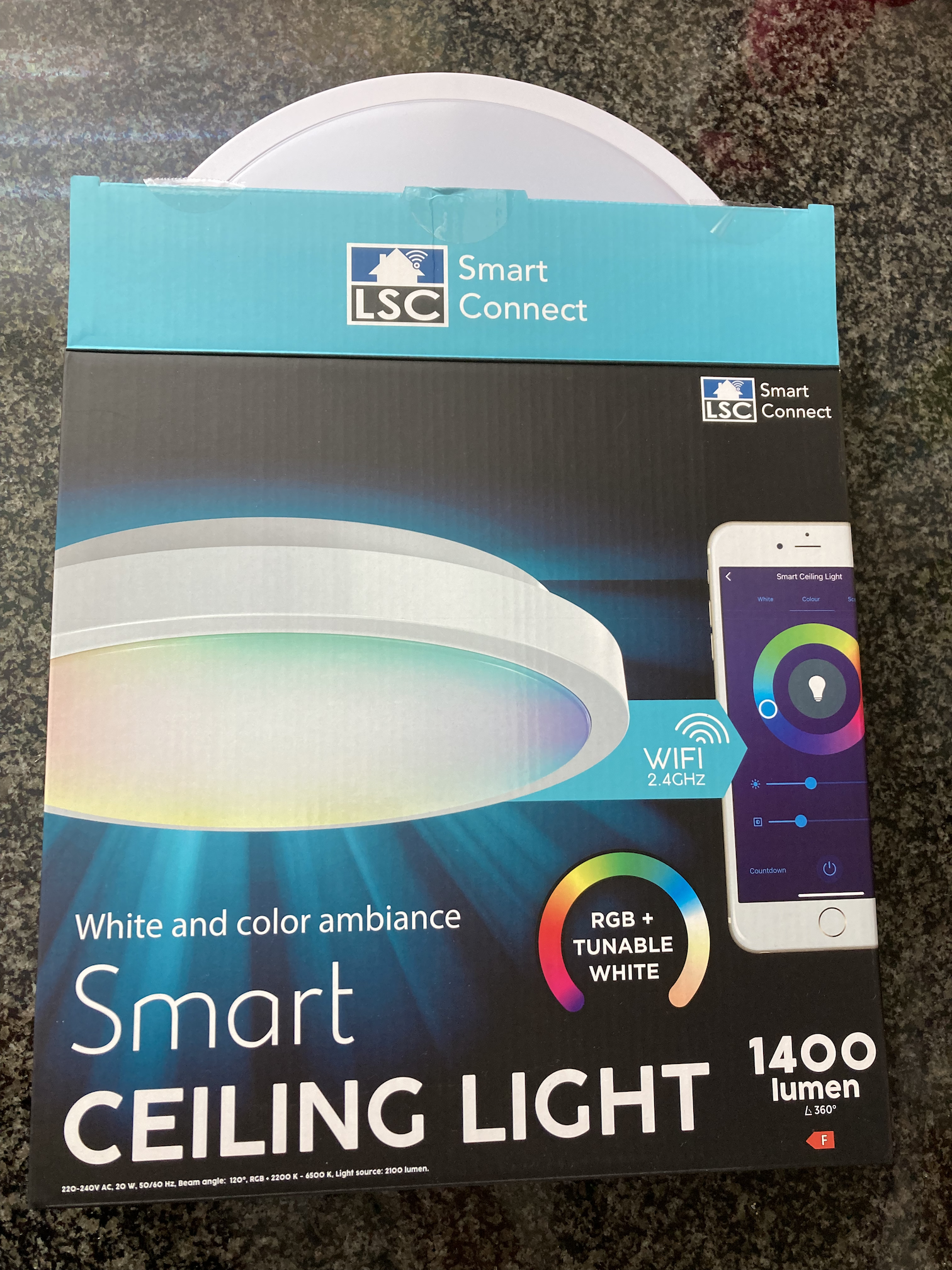
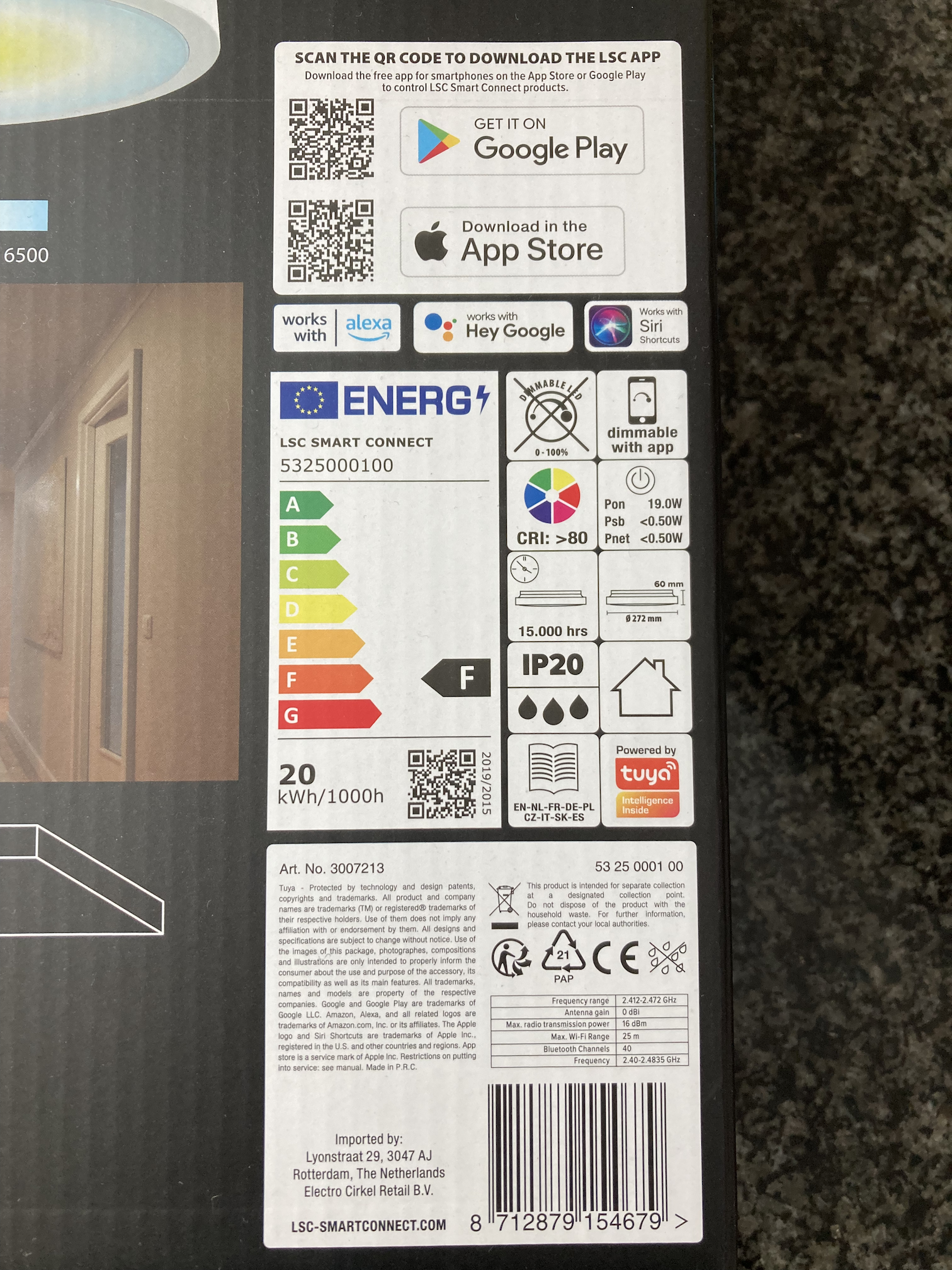
• Article No.: 3007213; EAN 8712879154679 [Elektroda, HumbleDeer, post #20325972]
• EPREL code 1089000; energy class F, 18 W max [EPREL fiche]
• Approx. luminous flux: 1 520 lm at 4000 K [EPREL fiche]
• Wi-Fi module: Tuya CB2S with Beken BK7231N MCU [Elektroda, Tych0, post #20120979]
• Street price: €14.95 in Action NL, July 2022 [Elektroda, Tych0, post #20120979]
What hardware is inside the LSC Smart Ceiling Light RGBCW?
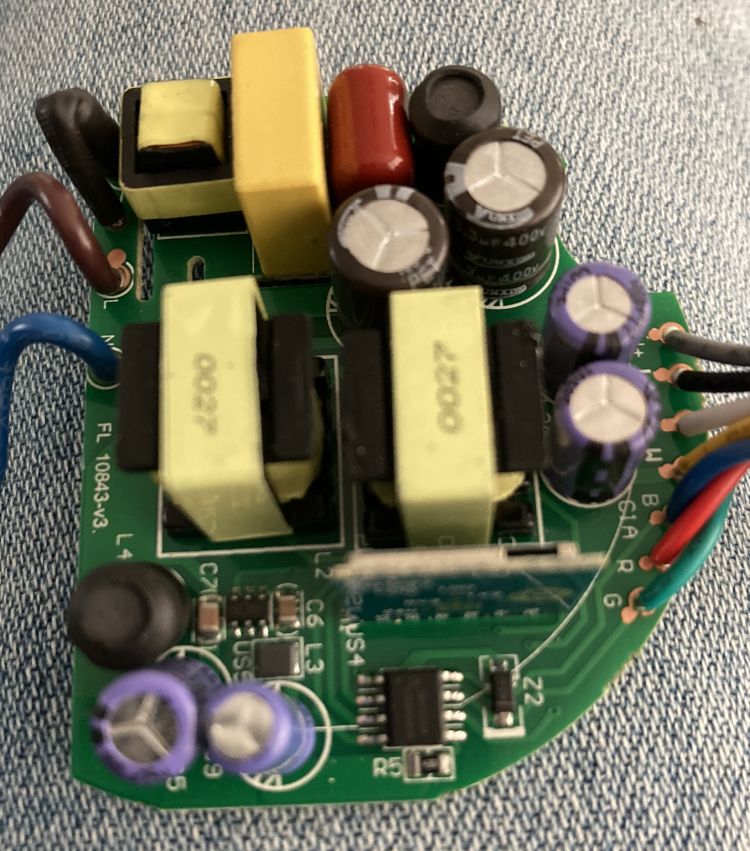
The controller is a Tuya CB2S module based on a 120 MHz Beken BK7231N Wi-Fi MCU. LED driving uses one SM15133 three-channel constant-current chip for RGB and two BP2951 buck drivers for warm and cold white strings
[Elektroda, HumbleDeer, post #20325972]
How bright is the lamp in RGB and CW modes?
Cold-white reaches about 1 520 lm at 4000 K, matching a 100 W incandescent bulb [EPREL fiche]. RGB channels look dim; a user called them “disappointing,” while confirming CW is “very bright”
[Elektroda, Tych0, post #20138274]
Which open-source firmware can I run on the CB2S module?
OpenBeken (OpenBK7231T_app), Tasmota32-Beken, or LibreTiny all support BK7231N. OpenBeken offers a ready device template, so no custom code is needed after flashing
[Elektroda, Tych0, post #20120979]
What tools do I need to flash OpenBeken?
You need: 1) a 3.3 V USB-to-UART adapter (e.g., CP2102); 2) hid_download_py or uartprogram Python tools; 3) four jumper wires for 3.3 V, GND, RX, TX. Optional: Cloudcutter for wireless exploits if profile fits
[Elektroda, ferbulous, post #20265610]
How do I flash the lamp through UART?
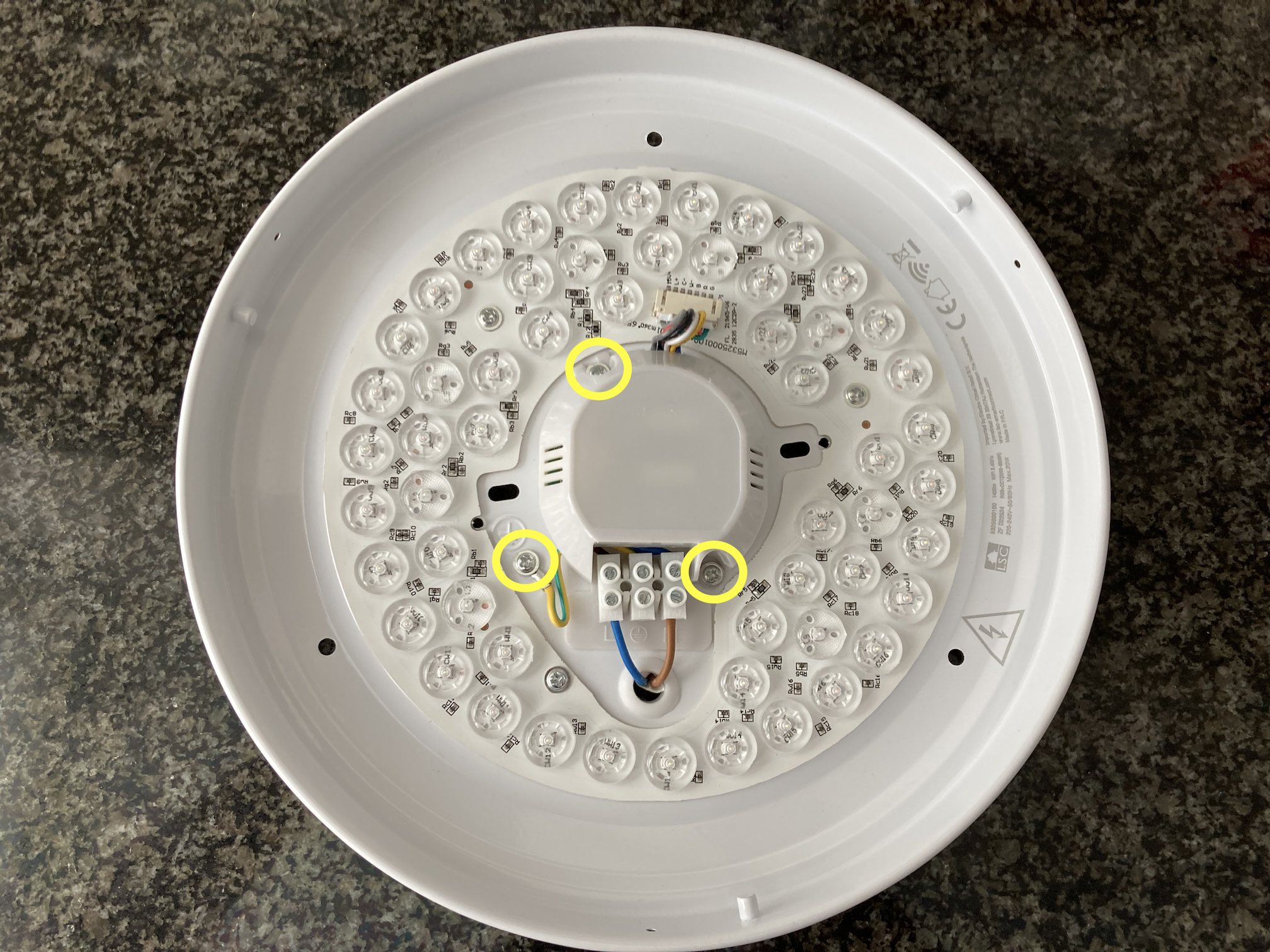
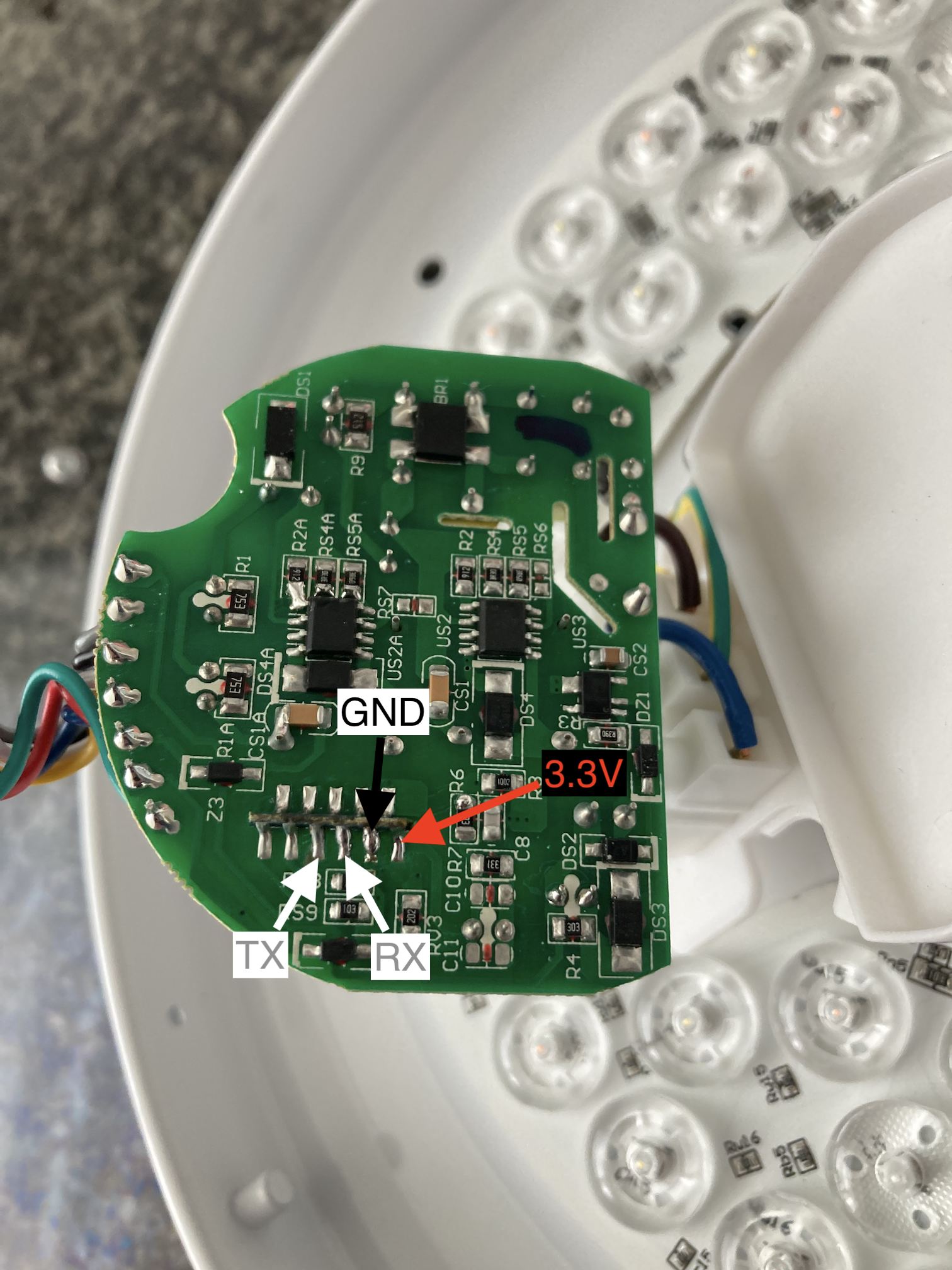
- Remove the diffuser, undo three screws, and expose the CB2S pads [Elektroda, Tych0, post #20120979]
- Connect 3.3 V, GND, RX, and TX; keep mains disconnected.
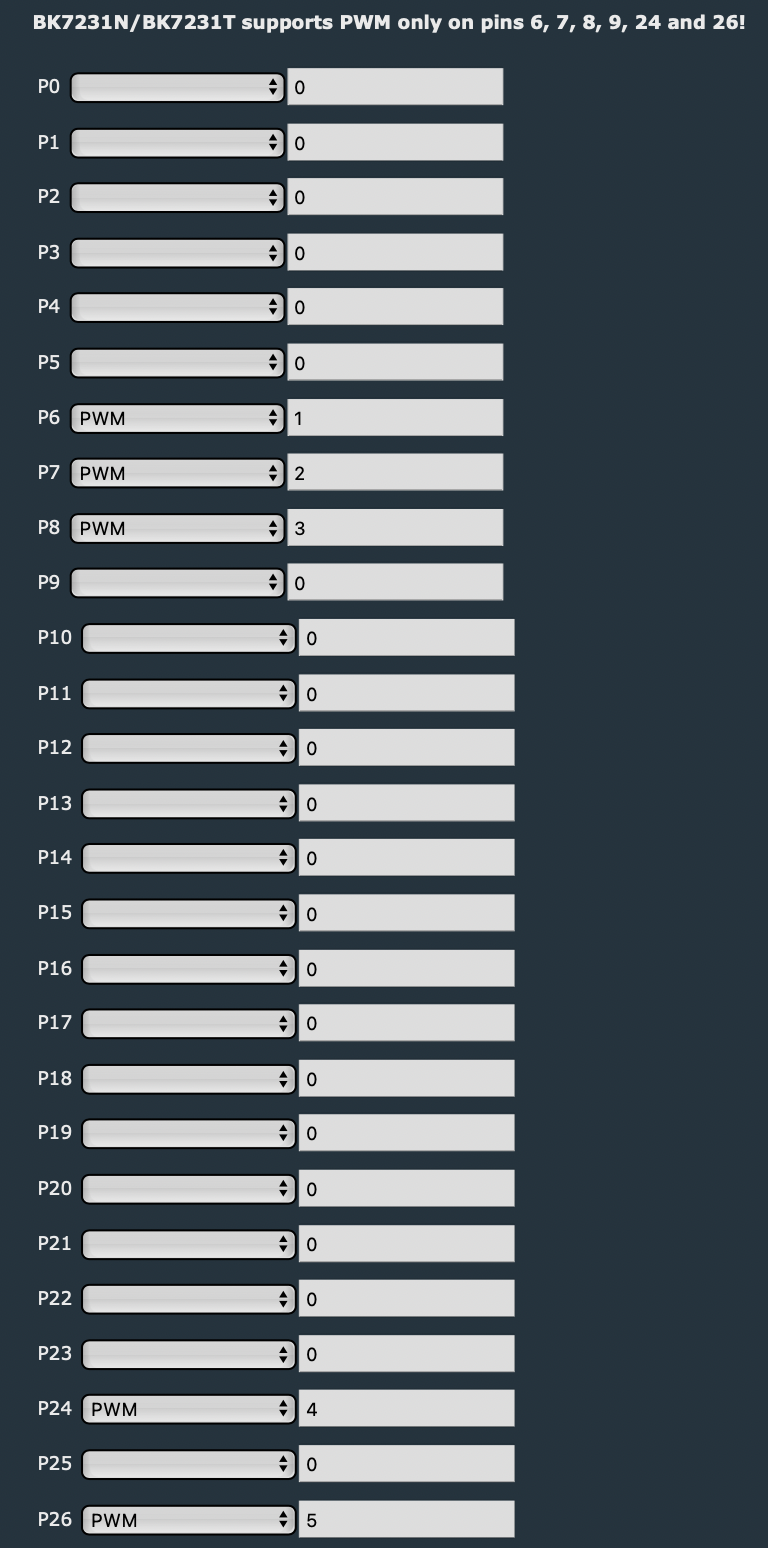
- Run hid_download_py, select OpenBeken BIN, click “Download,” then set PWM pins inside WebUI. Total time: under 5 minutes.
Can I flash without desoldering the module?
Yes. The required pads sit on the board underside and are accessible once the plastic cover is removed. Users have flashed in-circuit by adding only external 3.3 V power and UART wires
[Elektroda, langausd, post #20562547]
The Beken Writer GUI fails with a read error—what now?
Switch to the uartprogram Python script. Several users report the GUI halts after bus detection, whereas uartprogram completes the write reliably when the board stays powered at 3.3 V only
[Elektroda, langausd, post #20562547]
What MQTT topics does the example Tasmota template use?
Topics include cmnd/lsc-clg-rgbcw/led_basecolor_rgb for RGB control, led_dimmer for brightness, and led_temperature for CCT. States publish under equivalent .../get topics, with payload_on 1 and payload_off 0
[Elektroda, Tych0, post #20120979]
Does the lamp support Cloudcutter OTA flashing?
Maybe. The device uses a generic Tuya profile, and Cloudcutter's generic_BK7231N script has succeeded on similar lights; success depends on current firmware version
[Elektroda, ferbulous, post #20265610]
What is the official energy label and power draw?
The lamp carries EU energy class F and consumes 18 W at full output, giving an efficacy near 84 lm/W [EPREL fiche].
Which LED drivers are present and what do they power?
SM15133 drives three low-current RGB channels. Two BP2951 switch-mode drivers independently power warm-white and cold-white LED strings for high lumen output
[Elektroda, HumbleDeer, post #20325972]
Where can I buy the lamp and for how much?
Are there any notable drawbacks or edge cases?
RGB brightness is low, and the stock Tuya firmware is cloud-bound. Flashing risk: connecting mains while UART wires are attached will destroy the USB adapter—always isolate the board first
[Elektroda, Tych0, post #20120979]
How do I set PWM pins after flashing OpenBeken?
Open the WebUI, navigate to Pins, and assign: PWM0-Red, PWM1-Green, PWM2-Blue, PWM4-Cold-White, PWM5-Warm-White. Save and reboot; colors and CCT now map correctly
[Elektroda, Tych0, post #20120979]
AI summary based on the discussion. May contain errors.







Comments
Good job, it seems like a very nice lamp, I wonder how bright it is. We also have an Action store at Poland, I bought some WiFi LED bulbs there very cheaply (even for 20 zł, about 5$, each), but I haven't... [Read more]
RGB colours are not very bright, in other words... disappointing. But CW colours are very bright. Good value for money overall. [Read more]
Nice, I picked up one today. Can you explain how to flash the firmware? I'm having a hard time getting the firmware on it (using Beken Writer) [Read more]
Use hid_dowload tool https://github.com/OpenBekenIOT/hid_download_py Also, try the cloudcutter with generic firmware profile, it might work for this T device [Read more]
Some extra information for future reference or use... European Product Registry for Energy Labelling COMMISSION DELEGATED REGULATION (EU) 2019/2015 with regard to energy labelling of light sources ... [Read more]
Just in case it helps someone else: The GUI Flash tool consistently failed for me with a read error after successfully "getting the bus" and identifying the flash chip. It fails even if I skip the read... [Read more]